
litao0621/NiftyNotification
litao0621/NiftyNotification has 1,116 GitHub stars and 300 forks. GitHot measured 0 stars in 24 hours. Last checked 2026-11-09 09:38 UTC. Last push 2020-10-01.
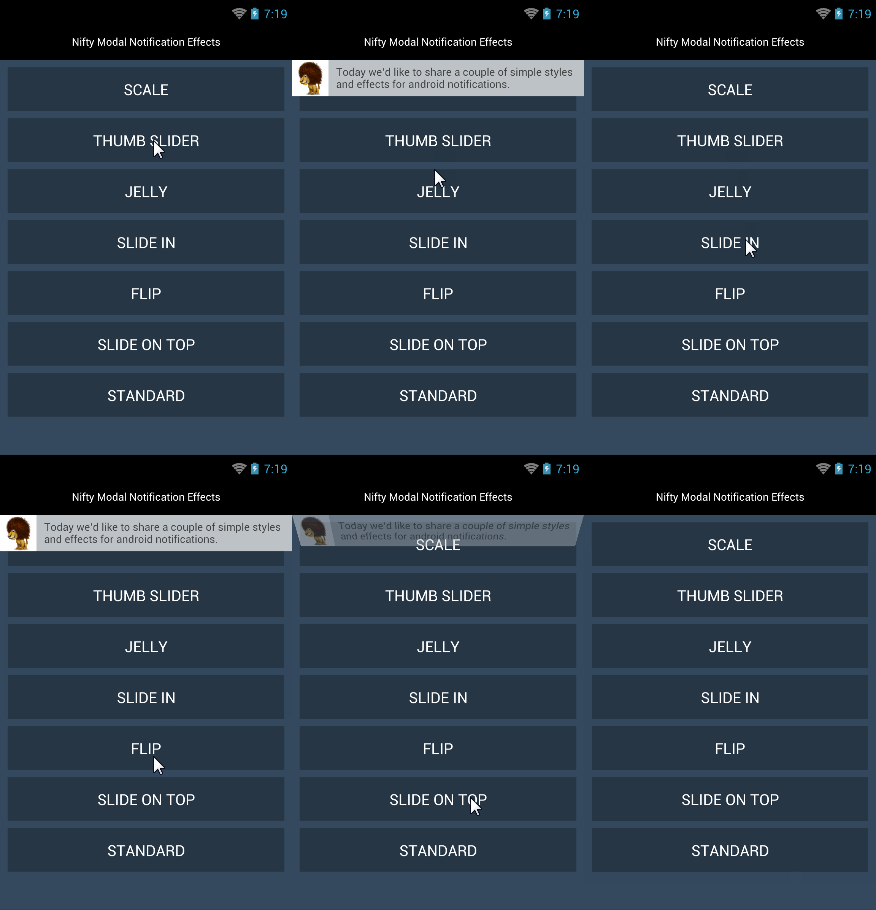
effects for android notifications
Measured star growth
- in 24h
- 0
- in 7 days
- Update delayed
- in 15 days
- Update delayed
- in 1 month
- Update delayed
Net star changes over overlapping periods, not daily totals. Missing measurements are left blank. Stars measure attention, not software quality.
README.md
Original#NiftyNotification
effects for android notifications.base on (Crouton)


ScreenShot
Usage
  NiftyNotificationView.build(this,msg, effect,R.id.mLyout)
      .setIcon(R.drawable.lion)    //You must call this method if you use ThumbSlider effect
      show();
<!-- ViewGroup-->
<RelativeLayout
      android:id="@+id/mLyout"
      android:layout_width="match_parent"
      android:layout_height="match_parent"
      >

</RelativeLayout>
Configuration
Configuration cfg=new Configuration.Builder()
      .setAnimDuration(700)
      .setDispalyDuration(1500)
      .setBackgroundColor("#FFBDC3C7")
      .setTextColor("#FF444444")
      .setIconBackgroundColor("#FFFFFFFF")
      .setTextPadding(5)                      //dp
      .setViewHeight(48)                      //dp
      .setTextLines(2)                        //You had better use setViewHeight and setTextLines together
      .setTextGravity(Gravity.CENTER)         //only text def  Gravity.CENTER,contain icon Gravity.CENTER_VERTICAL
      .build();

NiftyNotificationView.build(this,msg, effect,R.id.mLyout,cfg)
      .setIcon(R.drawable.lion)               //remove this line ,only text
      .setOnClickListener(new View.OnClickListener() {
      @Override
      public void onClick(View view) {
      //add your code
      }
      })
      .show();                               //  show(boolean) allow duplicates   or showSticky() sticky notification,you can call removeSticky() method close it
Install
You can install using Gradle from JitPack. Add this to your build.gradle file:
	repositories {
	    maven { url "https://jitpack.io" }
	}

	dependencies {
	    compile 'com.github.sd6352051:NiftyNotification:1.2'
	}
Or copy this into your libs directory.
Effects
Flip, Jelly, Scale, SlideIn, SlideOnTop, Standard, ThumbSlider
License
Copyright 2014 litao.
Licensed under the Apache License, Version 2.0 (the "License"); you may not use this file except in compliance with the License. You may obtain a copy of the License at
http://www.apache.org/licenses/LICENSE-2.0
Unless required by applicable law or agreed to in writing, software distributed under the License is distributed on an "AS IS" BASIS, WITHOUT WARRANTIES OR CONDITIONS OF ANY KIND, either express or implied. See the License for the specific language governing permissions and limitations under the License.
Explore related projects
codecrafters-io/build-your-own-x
Master programming by recreating your favorite technologies from scratch.
561,364 starspublic-apis/public-apis
A collective list of free APIs
497,629 starsmorluto/rea
Reverse engineer anything with agents, from app behavior down to native binaries.
447,072 starsopenclaw/openclaw
The AI that really does things. Any OS. Any Platform. The lobster way. 🦞
394,259 stars