
lejw0925/android-virtual-screen
lejw0925/android-virtual-screen has 37 GitHub stars and 6 forks. GitHot measured 0 stars in 24 hours and +6 in 7 days. Last checked 2026-11-09 13:43 UTC. Last push 2026-10-30.
Agent专用虚拟屏 An independent Android screen for AI agents, with authenticated MCP, live PiP and user takeover.
Measured star growth
- in 24h
- 0
- in 7 days
- +6
- in 15 days
- Update delayed
- in 1 month
- Update delayed
Net star changes over overlapping periods, not daily totals. Missing measurements are left blank. Stars measure attention, not software quality.
README.en.md
Original
Virtual Screen · 虚拟屏
A separate Android display for your agent. Your phone stays yours.
简体中文 · English



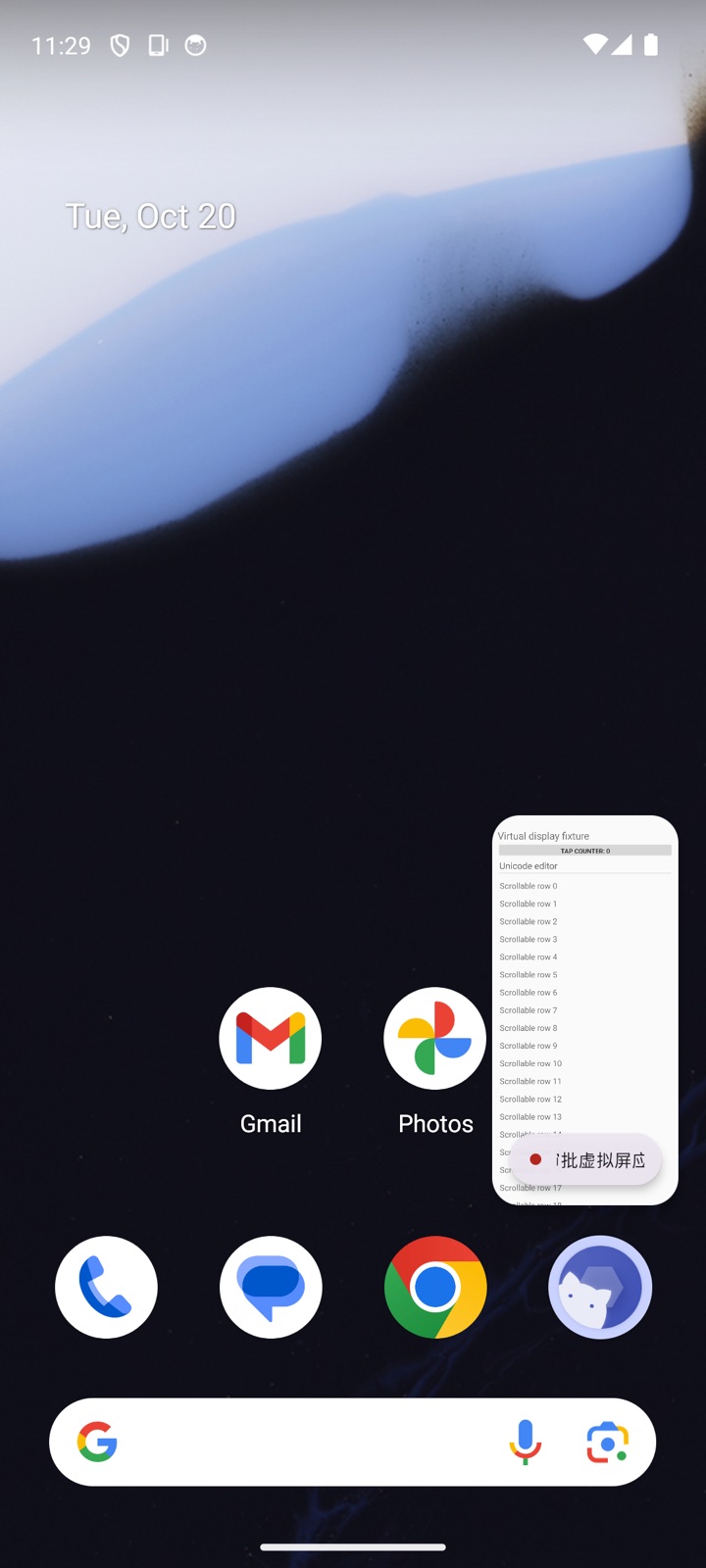
Virtual Screen is an Android app that gives an AI agent an isolated virtual display and runs an authenticated MCP server on the phone. The agent can discover, launch, and operate apps on that display while you keep using the phone's main screen. You can view, take over, or stop an operation at any time.
Release 0.2.0
Download the APK for your architecture plus SHA256SUMS from GitHub Releases: virtual-screen-0.2.0-arm64-v8a.apk, virtual-screen-0.2.0-armeabi-v7a.apk, virtual-screen-0.2.0-x86_64.apk (emulators), or virtual-screen-0.2.0-universal.apk when the architecture is unknown. The app requires Android 13 (API 33) or later and either a working Root su or a running, authorized Shizuku / Stellar service. Device compatibility and background behavior can vary by ROM.
Features
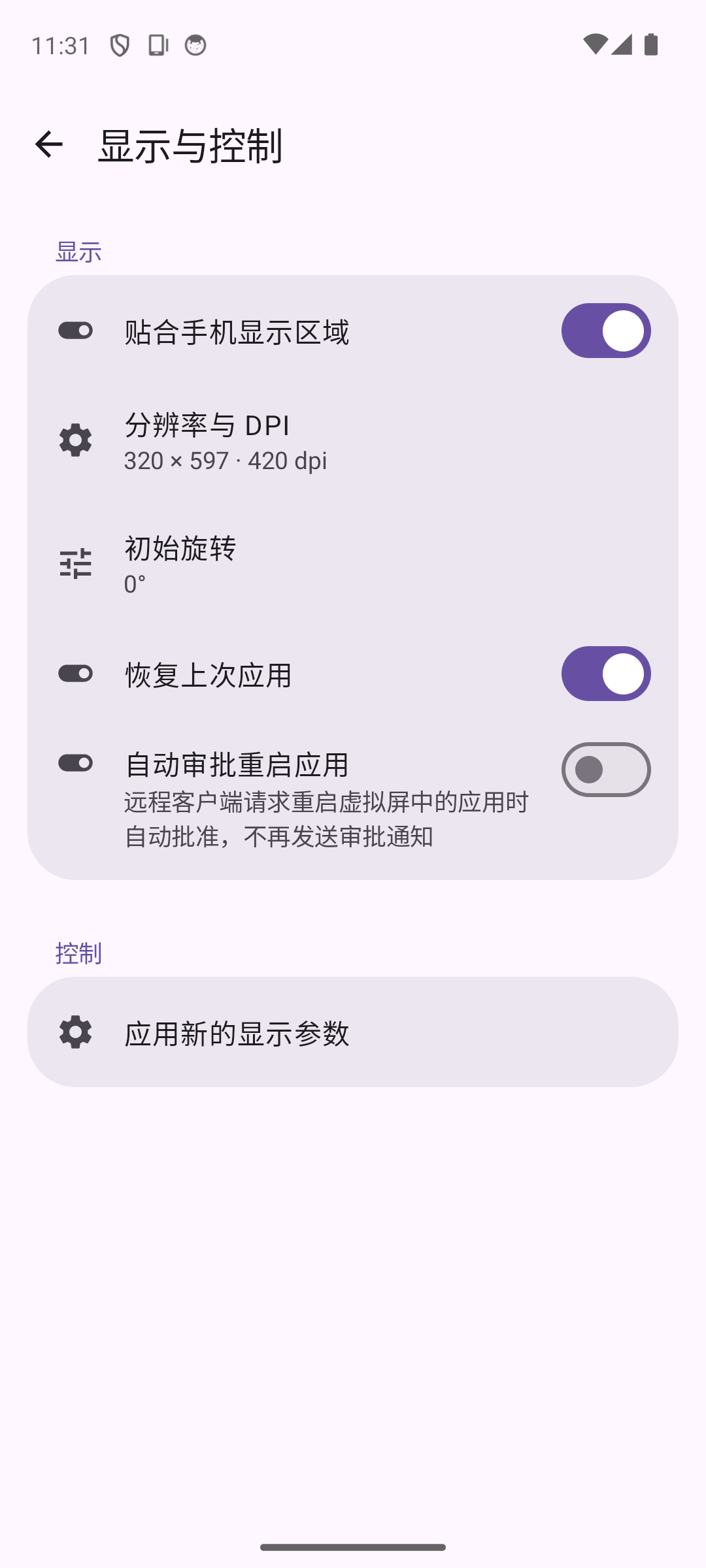
- Isolated virtual display. Agent launches and input are scoped to a display created by this app. Failed operations never fall back to the phone's main screen. Cross-display conflicts require phone approval before an app is restarted, or can be auto-approved via a Display & control switch.
- Visible progress and takeover. PiP shows the remote display; PiP is read-only and can be turned off entirely in settings. Expand the app's full-screen preview or use the notification to take over locally, which revokes the remote control lease.
- 19 MCP tools. Control, display, app, observation, input, and wait operations. Tree observations can skip screenshots; fresh observation IDs and session receipts reject stale operations and let clients check uncertain results without replaying input.
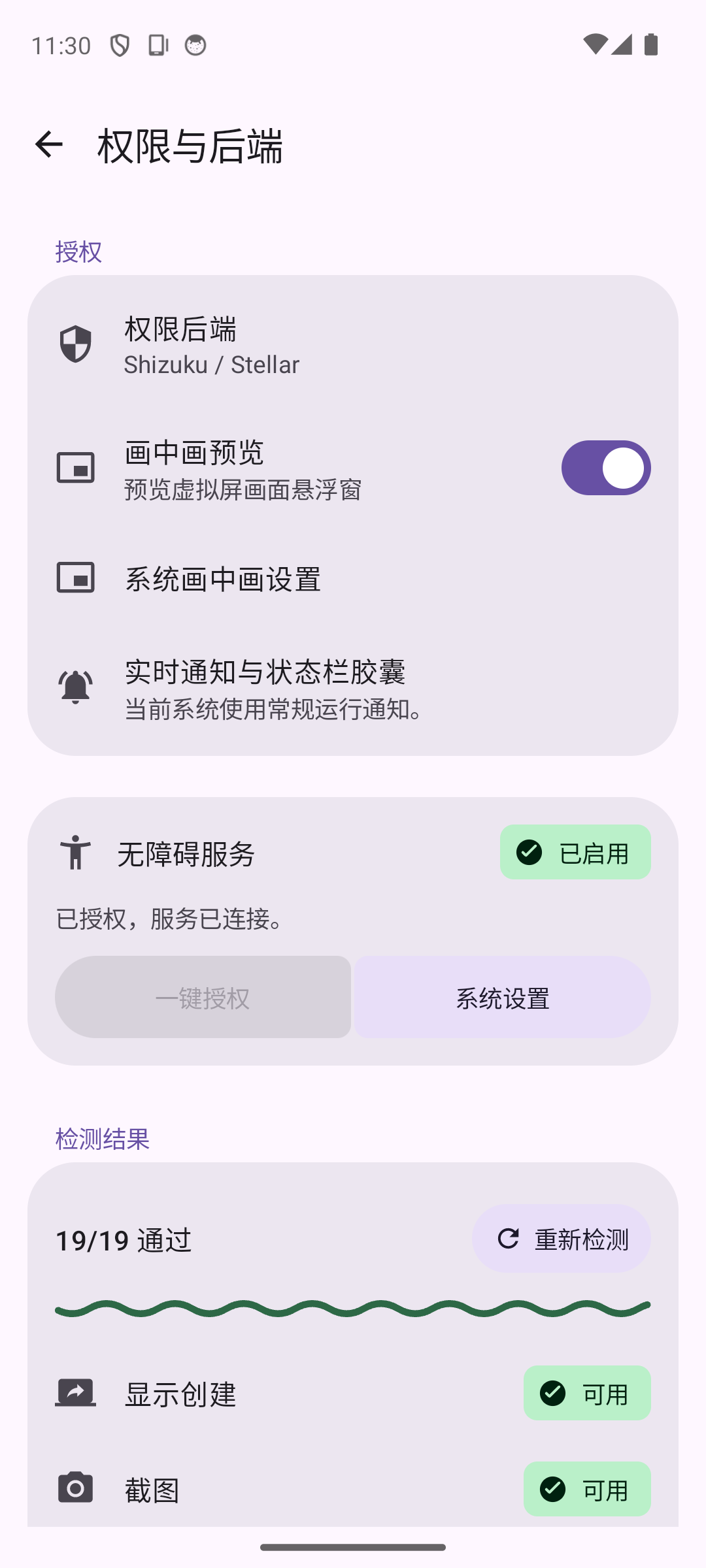
- Root and Shizuku / Stellar. Both privilege backends share the virtual-display engine, MCP protocol, and input constraints; devices running Stellar automatically use its native API.
- Flexible connections. Loopback, LAN, frpc, and Cloudflare Tunnel. MCP and tunnels start disabled; starting MCP restores the previously connected tunnel; credentials are stored in the app's private encrypted storage.
- On-device settings. English, Simplified Chinese, and Traditional Chinese; light and dark themes, dynamic color, onboarding, and local activity logs.
Get Started
Install the 0.2.0 APK and install a compatible Root manager or Shizuku / Stellar. If using Shizuku or Stellar, start its service first.
Open Virtual Screen, select Root or Shizuku / Stellar under Permissions and backend, and grant access. Enable the app's accessibility service for node targeting and Unicode text editing. Allow notifications for approval and takeover actions, and PiP for automatic previews.
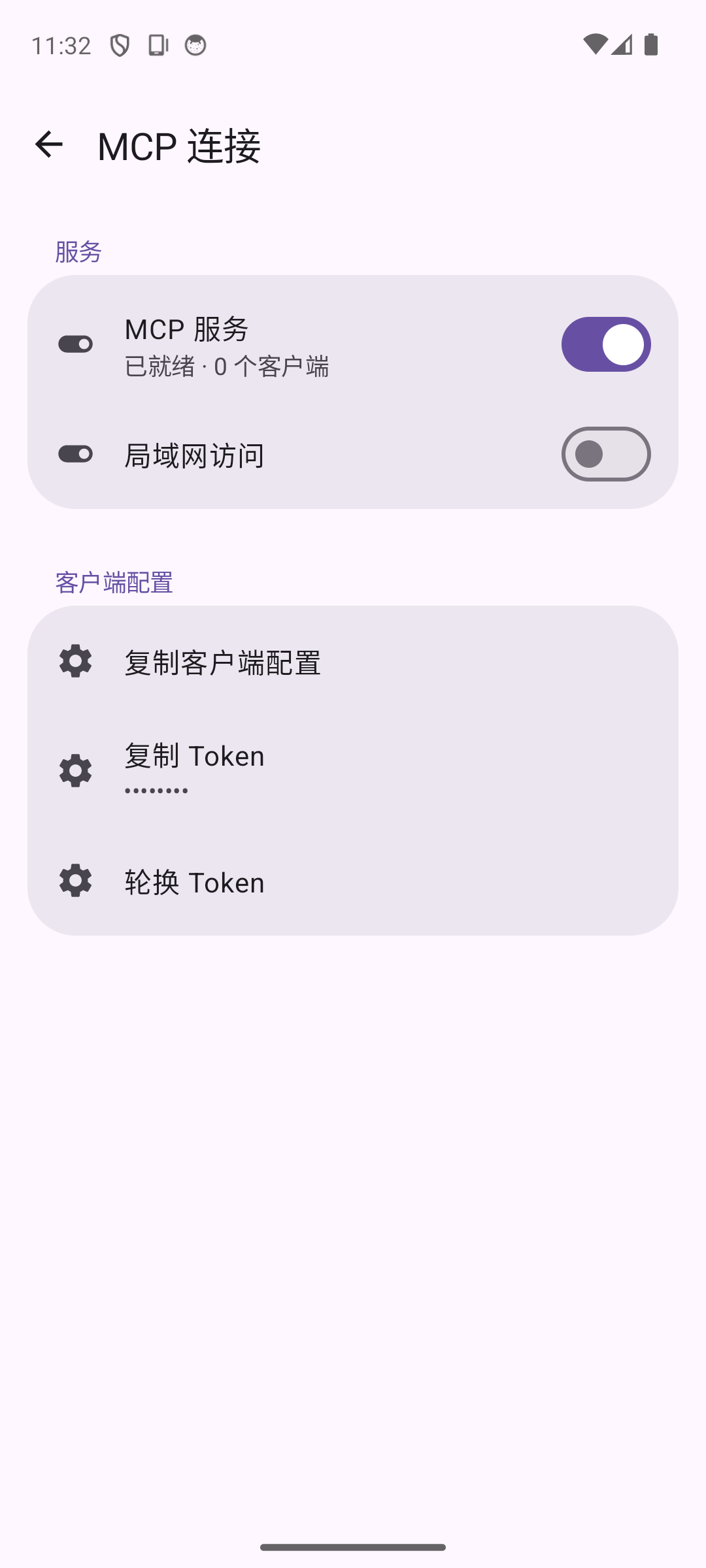
Enable MCP. For a USB debugging connection, run this on the computer:
adb forward tcp:8732 tcp:8732The default MCP endpoint is
http://127.0.0.1:8732/mcp. Enable LAN access in settings for a computer on the same network, or configure frpc or Cloudflare Tunnel for public access.Put the phone-generated Bearer Token in your MCP client configuration:
{
  "mcpServers": {
    "android-virtual-screen": {
      "type": "http",
      "url": "http://127.0.0.1:8732/mcp",
      "headers": {
        "Authorization": "Bearer <phone-generated-token>"
      }
    }
  }
}
The agent acquires exclusive control, creates a virtual display, discovers and launches an app, observes its nodes or screenshot, and performs actions. Release control when finished. See MCP integration for protocol details, tool parameters, and client-specific notes.
Use Case Diagram
flowchart LR
    owner[Phone owner]
    agent[AI agent / MCP client]
    subgraph app[Virtual Screen Android app]
        authorize([Select and authorize Root / Shizuku / Stellar])
        configure([Configure MCP and network access])
        approve([Approve control requests and app restarts])
        takeover([View preview, take over, or stop])
        authenticate([Authenticate with Bearer Token and discover tools])
        lease([Acquire / release exclusive control])
        manage([Create display and launch apps])
        observe([Read nodes / capture screenshots])
        operate([Perform display-scoped input])
    end
    owner --> authorize
    owner --> configure
    owner --> approve
    owner --> takeover
    agent --> authenticate
    agent --> lease
    agent --> manage
    agent --> observe
    agent --> operate
    configure -. optional .-> tunnel[frpc / Cloudflare Tunnel]
    takeover --> display[App on the virtual display]
    manage --> display
    observe --> display
    operate --> display
Architecture
flowchart TB
    client[AI agent / MCP client]
    subgraph phone[Android phone]
        subgraph app[Virtual Screen app]
            ui[Compose home, settings, and preview]
            service[Foreground service and runtime coordination]
            mcp[Ktor Streamable HTTP MCP]
            auth[Bearer auth, sessions, and request receipts]
            lease[Control leases, approvals, and observation checks]
            tools[19-tool MCP registry]
            session[VirtualScreenSessionManager]
            backend[VirtualScreenBackend interface]
            root[RootBackend / su process]
            shizuku[ShizukuBackend / UserService or Stellar native API]
            engine[Shared PrivilegedDisplayEngine]
            display[Android virtual display and target app]
            access[Accessibility node service]
            preview[Surface mirror and PiP / full-screen preview]
            tunnel[TunnelManager]
            frpc[Bundled frpc / cloudflared]
        end
    end
    client -->|HTTP + Bearer Token| mcp
    mcp --> auth --> tools --> lease --> session
    ui --> service
    service --> mcp
    service --> tunnel --> frpc
    session --> backend
    backend --> root --> engine
    backend --> shizuku --> engine
    engine --> display
    access --> session
    display --> preview
    owner[Phone owner] --> ui
    owner -->|Local takeover| preview
    frpc -. tunnel connection .-> client
Security and Behavior Boundaries
- All remote MCP requests require a Bearer Token. Rotating it invalidates old tokens. Do not commit tokens or put them in logs or public messages.
- Device operations require an exclusive lease owned by the current session. Each authorized operation extends its five-minute idle deadline. Expired leases, stale observations, and ambiguous selectors are rejected.
- Input is restricted to the virtual display. Remote PiP only displays the screen; phone touch or notification takeover revokes the remote lease. An agent cannot approve permission dialogs on the phone's main display.
- MCP and tunnels start disabled. LAN and public tunnels increase network reachability; enable them only when needed and protect the client token.
- Accessibility provides node access and assists text entry. Node features are limited without it. Multi-display, PiP, and background behavior varies across apps and ROMs.
Development and Validation
Use JDK 25 and Android SDK 37 (platforms;android-37.0, build-tools;37.0.0):
./gradlew :app:testDebugUnitTest :app:lintDebug :app:assembleDebug
Run the same full build used by GitHub Actions:
./gradlew --no-daemon :app:testDebugUnitTest :app:lintDebug :app:assembleDebug :app:assembleRelease :device-fixture:assembleDebug :app:assembleDebugAndroidTest
Actions run JVM tests, Lint, Debug / unsigned Release, fixture, and instrumentation APK builds on main, pull requests, and manual dispatch. A matching vX.Y.Z or vX.Y.Z-beta[.N] tag runs signing and publishes the APK with SHA256SUMS; beta tags become GitHub prereleases. Signing material stays in repository secrets. See Build and release for the toolchain and the pinned provenance and build steps for frpc / cloudflared.
See the changelog and 0.1.0 device report for current fixes and validation. The previous physical Android 17 / HyperOS 4 Root run passed all 19 tools; see Android 17 and home validation. Shizuku's Android 15 emulator results are in Beta backend comparison. See 1033 validation for continuous Cloudflare health checks and the 200-second background device test, and background connection validation for vendor freezing, the app-specific unrestricted battery setting, and screen-off testing while charging. Unplugged deep Doze and all ROM combinations remain untested. Historical results are in home layout validation and release validation.
| Guide | Contents |
|---|---|
| MCP integration | Authentication, client setup, tools, leases, observations, and receipts |
| Public tunnels | frpc, Cloudflare, credentials, and network requirements |
| Build and release | Toolchain, native programs, signing, and GitHub Actions |
| Release validation | Device coverage, measurements, and known limits |
| Getting started and testing | Authorization and device validation workflows |
| Contributing | Repository structure, conventions, tests, and security boundaries |
Credits and License
Parts of the virtual-display engine are adapted from ETA. The UI uses Jetpack Compose Material 3; tunnels use frp and cloudflared. Tool design draws on research into Mobile Next, Android-MCP, android-remote-control-mcp, and PhoneUse.
Licensed under PolyForm Noncommercial 1.0.0 with upstream Required Notices preserved. See THIRD_PARTY_NOTICES.md for component licenses and native provenance.
Explore related projects
affaan-m/ECC
The agent harness performance optimization system. Skills, instincts, memory, security, and research-first development for Claude Code, Codex, Opencode, Cursor and beyond.
300,265 starsNousResearch/hermes-agent
The agent that grows with you
262,096 starsmultica-ai/andrej-karpathy-skills
A single CLAUDE.md file to improve Claude Code behavior, derived from Andrej Karpathy's observations on LLM coding pitfalls.
231,388 starsfirecrawl/firecrawl
Supercharge your AI agents with data from the web and beyond. Building the library for superintelligence. 🔥
200,178 stars