
leetcode-mafia/cheetah
leetcode-mafia/cheetah has 4,251 GitHub stars and 298 forks. GitHot measured +1 stars in 24 hours and -2 in 7 days. Last checked 2026-11-08 00:04 UTC. Last push 2025-01-14.
Mac app for crushing tech interviews with AI
Measured star growth
- in 24h
- +1
- in 7 days
- -2
- in 15 days
- Update delayed
- in 1 month
- Update delayed
Net star changes over overlapping periods, not daily totals. Missing measurements are left blank. Stars measure attention, not software quality.
README.md
OriginalCheetah
Cheetah is an AI-powered macOS app designed to assist users with software engineering interview practice. It provides real-time coaching and live coding platform integration.
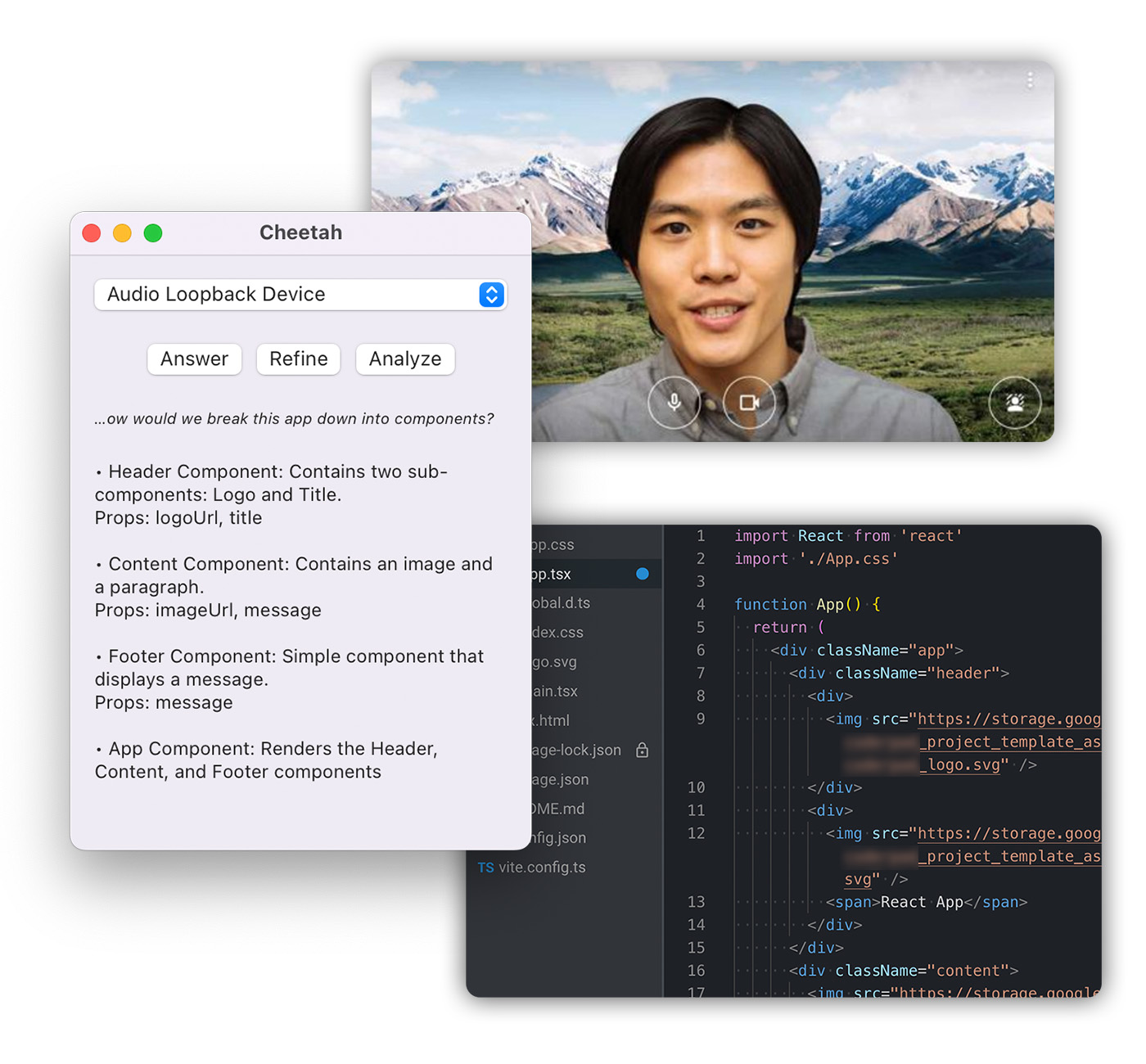
How it works
Cheetah leverages Whisper for real-time audio transcription, and GPT-4 for generating hints and solutions. You need to have your own OpenAI API key to use the app.
Whisper runs locally on your system, utilizing Georgi Gerganov's whisper.cpp. A recent Mac with Apple silicon is required for optimal performance.
Getting started
Prerequisites
Requires macOS 13.1 or later.
To build Cheetah, whisper.cpp must be checked out in ../whisper.cpp, and the SDL2 library must be installed:
brew install sdl2
Audio driver setup
For the best results, ensure the audio input captures both sides of the conversation.
When using a video chat app like Zoom or Google Meet, you can achieve this with BlackHole, a free audio loopback driver. Follow the instructions for setting up a Multi-Output Device, and remember not to use the loopback device as input for the video chat app.
App overview
Open the app and select an audio input to start live transcription. A snippet of the transcription will be displayed under the audio input selector.
Note: running the app in debug mode will result in very slow audio transcription performance.
The UI features three buttons:
Answer: Generates an answer for the interviewer's question.
Refine: Updates the existing answer, useful for when the interviewer provides additional constraints or clarification.
Analyze: Analyzes code and logs from the live coding environment in your web browser. Requires the browser extension.
You can also select (highlight) a portion of a generated answer and click Refine to get more detail.
Installing the browser extension
Currently, only Firefox is supported. Follow these steps to install the extension:
- Add the domain of the live coding platform to
matchesin ./extension/manifest.json - Go to about:debugging
- Click "This Firefox"
- Click "Load Temporary Add-on"
- Select ./extension/manifest.json
Disclaimer
Cheetah is intended for use in mock interviews only. It may generate incorrect or inappropriate solutions. Users take full responsibility for the information provided by the app.
Explore related projects
codecrafters-io/build-your-own-x
Master programming by recreating your favorite technologies from scratch.
560,993 starspublic-apis/public-apis
A collective list of free APIs
497,246 starsmorluto/rea
Reverse engineer anything with agents, from app behavior down to native binaries.
442,990 starsopenclaw/openclaw
The AI that really does things. Any OS. Any Platform. The lobster way. 🦞
394,188 stars