
landhb/HideProcess
landhb/HideProcess has 710 GitHub stars and 120 forks. GitHot measured 0 stars in 24 hours. Last checked 2026-11-15 19:27 UTC. Last push 2019-03-26.
Measured star growth
- in 24h
- 0
- in 7 days
- Collecting history
- in 15 days
- Collecting history
- in 1 month
- Collecting history
Net star changes over overlapping periods, not daily totals. Missing measurements are left blank. Stars measure attention, not software quality.
About
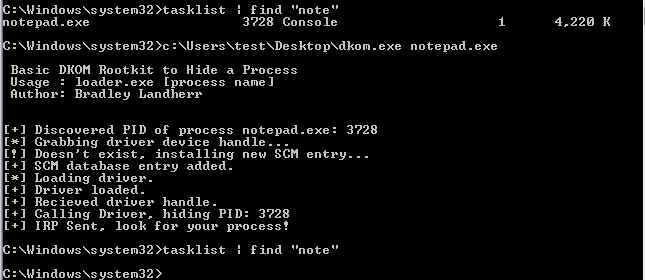
A basic Direct Kernel Object Manipulation rootkit that removes a process from the EPROCESS list, hiding it from the Task Manager
Developer ToolsREADME.md
OriginalHideProcess
Update: Now works for both 64bit and 32bit architecture! Tested on:
- Windows 10 Enterprise Edition x64 Build 15063.rs2_release.170317-1834
- Windows 7 SP1 x86
Writeup
For more information on the concepts used here please check out my article.
Limitations
Does not bypass PatchGuard or driver signing requirements.
Please use a VM whenever you run this. Current tests on Windows 10 observe it takes about 30 minutes after unlinking the process to induce a BSOD.
Compiling The Driver
The driver has a number of dependencies and you'll need to compile it using msbuild or visual studio. I used Visual Studio during the development process. You'll need:
Once those are setup and integrated with Visual Studio, start a new empty KMDF (Kernel Mode Driver Framework) project and import the files in the /driver folder.
Under Debug -> [ProjectName] Properties -> Driver Settings -> General, make sure your Target OS Version is Windows 7 and the Target Platform is Desktop.
Then under Build -> Configuration Manager, make sure the Platform is Win32, and x86 is selected under "Active solution platform".
Now you should be able to use Build -> Build [ProjectName] to build the project. This will generate a .sys file if everything went well. Then put the .sys file in c:\Windows\System32\drivers[ProjectName].sys, or change the following define statement in loader.c to the path you've specified:
#define DRIVER "c:\\Windows\System32\drivers\Rootkit.sys"
Compiling The Loader
For the loader you can simply use the makefile and mingw to cross compile it.
sudo apt-get install mingw-w64
Then you can create a 32-bit Windows executable using the makefile with:
make 32bit
And a 64-bit Windows executable with:
make 64bit