
laitoxx/Laitoxx-Multi-Tool
laitoxx/Laitoxx-Multi-Tool has 29 GitHub stars and 4 forks. GitHot measured 0 stars in 24 hours. Last checked 2026-11-14 18:39 UTC. Last push 2026-10-05.
Measured star growth
- in 24h
- 0
- in 7 days
- Collecting history
- in 15 days
- Collecting history
- in 1 month
- Collecting history
Net star changes over overlapping periods, not daily totals. Missing measurements are left blank. Stars measure attention, not software quality.
About
Laitoxx Multi-Tool is an advanced OSINT and cybersecurity toolkit for educational purposes. It includes phone number lookup, IP tracking, email validation, database search, SQL scanning, and more. Disclaimer: For educational use only. Developers are not responsible for misuse.
SecurityREADME.md
OriginalLaitoxx Multi-Tool 3.0.0-rc.1
English | Русский | Українська | Türkçe
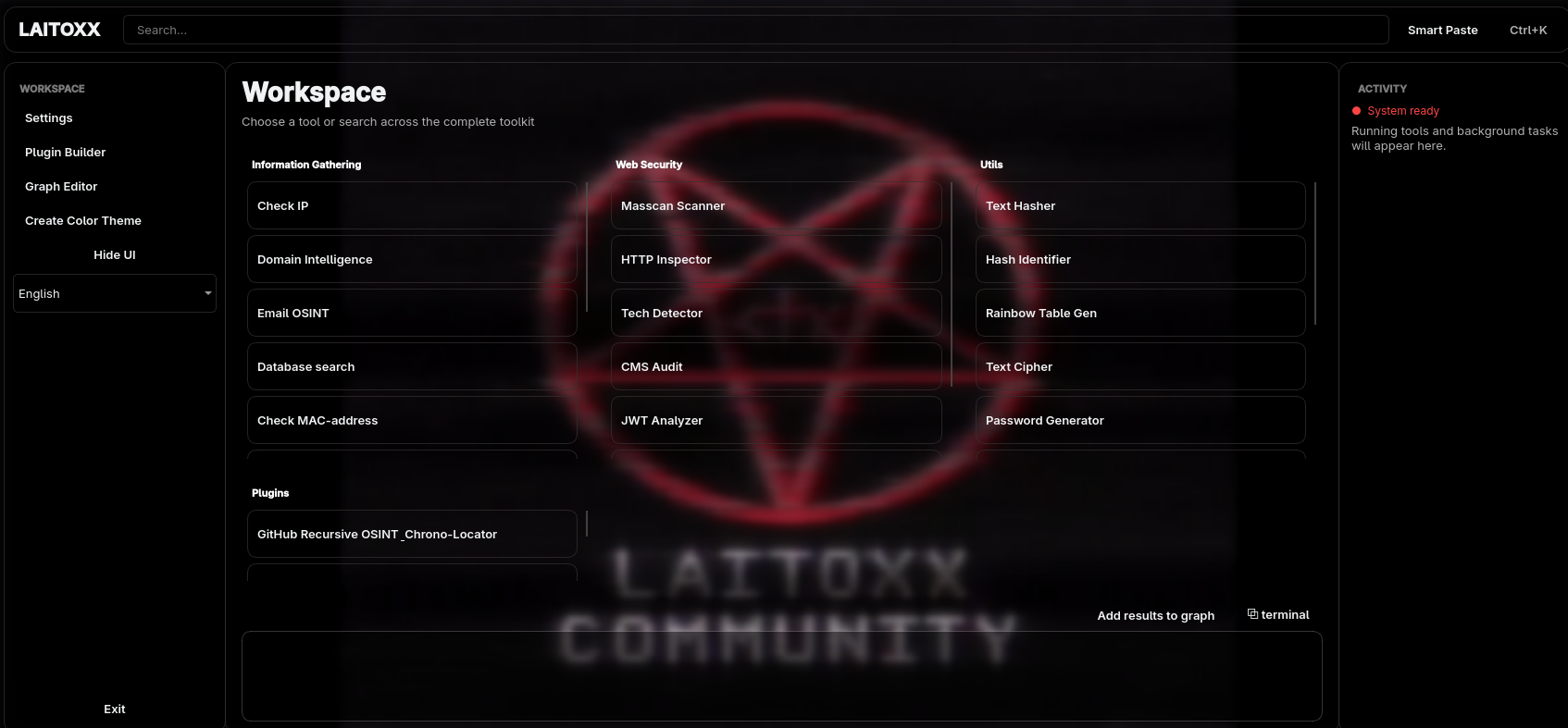
Release candidate: 3.0.0-rc.1 is a preview of the next major release. It contains substantial architecture, installer, scanning, graph, and OSINT changes. Back up important reports and settings before upgrading from 2.x.
Laitoxx is a desktop OSINT and defensive-security workspace for collecting, correlating, and exporting public technical evidence. It combines focused investigation tools, local analysis, relationship graphs, and an extensible Lua plugin system in a PyQt6 interface.
Use Laitoxx only on systems and data that you own or are explicitly authorized to investigate. The project is intended for education, research, incident response, and legitimate security assessment. The developers are not responsible for misuse.
What is new in 3.0
- Advanced Web Scanner: correlates DNS, registration, certificates, routing, exposed services, threat intelligence, archives, and vulnerability sources in one evidence graph and timeline. Passive collection is the default; bounded local validation is opt-in.
- TONgue: pivots from Telegram identities, TON addresses, collectible Gifts, NFTs, and public transaction evidence into a unified investigation graph with JSON/CSV reporting.
- Masscan workspace: replaces the legacy Nmap-based port scanner with Masscan 1.3.2 discovery, bounded banner collection, and local service fingerprinting.
- CogniPass integration: builds the pinned Zig password-generation engine for the current CPU and exposes it through a dedicated GUI.
- Investigation-focused tools: new IOC extraction, Domain Intelligence, structured Web Crawler, steganography workspace, and an 86-mode Text Cipher.
- Reworked foundations: feature-oriented
srcarchitecture, lazy tool loading, centralized network policy, OS-specific runtime storage, safer Lua plugins, modular GUI controllers, and reusable graph/report primitives.
See CHANGELOG.md for the complete 3.0.0-rc.1 change list and the comparison baseline.
Capabilities
OSINT and investigations
- IP intelligence with geolocation, reputation, exposure, and HTTP evidence.
- Domain Intelligence with DNS, RDAP, HTTP, TLS, certificate, and bounded subdomain discovery.
- Username OSINT across 500+ catalogued sites, provider health tracking, nickname generation, profile evidence, avatar handling, and graph export.
- Email validation and public enrichment.
- Google dork builder, local database search, image search, and forensic image inspection.
- Global Wi-Fi/MAC lookup through public positioning data.
- Structured website crawling with scope controls, endpoint/form discovery, reports, and graph projection.
- IOC extraction for IPs, domains, URLs, email addresses, phone numbers, hashes, JWTs, and usernames.
- TONgue investigations for Telegram, TON wallets, Gifts, NFTs, ownership history, movements, and public evidence.
Web and network assessment
- Advanced Web Scanner with evidence provenance, confidence states, quotas, caching, timelines, and relationship graphs.
- Optional local validation with Naabu, httpx, Nuclei, and an existing WPScan installation.
- Masscan port discovery with local banner and service fingerprint analysis.
- HTTP inspector, technology fingerprinting, passive CMS audit, and JWT analysis.
- TLS, CORS, redirect, and security-header checks.
- IPv4/IPv6 CIDR calculator and regular-expression tester.
Local utilities
- Metadata inspection, privacy scoring, sanitization, and file forensics.
- Steganography encoding, extraction, inspection, capacity checks, and authenticated/encrypted payload support.
- Text hashing, hash identification, and rainbow-table generation.
- Text Cipher with 86 local encodings, classical ciphers, text operations, hashes, number/date/color conversions, and symbol transformations.
- Standard password generator and the separate CogniPass targeted generator.
- Native relationship graph editor with layouts, styling, imports, exports, analysis, and undoable editing.
Application platform
- PyQt6 desktop interface with themes, background customization, command palette, task controls, and four UI languages.
- Lua plugin discovery, configuration, syntax tooling, restricted execution environment, and host APIs for graph and OSINT services.
- Application-wide SOCKS5 routing. Direct DNS and socket access is blocked while proxy protection is active so compatible tools cannot silently bypass the configured route.
- Structured reports, reusable evidence graphs, local caching, rate-limit tracking, cooperative cancellation, and partial-result handling.
Requirements
- Windows, Linux, or macOS on a supported x86/x64 or ARM64 platform.
- Python 3.10 through 3.13. Python 3.14 is not supported by this release because parts of the PyQt/dependency stack are not yet compatible.
- Internet access for dependency installation and online OSINT providers.
- Git is recommended. It is also used as a verified fallback when a pinned source archive cannot be downloaded normally.
- Masscan source build:
- Linux/FreeBSD:
makeand a C compiler such as GCC or Clang; - macOS:
makeand Xcode Command Line Tools; - Windows: MinGW with
mingw32-makeand GCC or Clang, plus an Npcap-compatible packet driver for scanning.
- Linux/FreeBSD:
- Administrator/root or the appropriate raw-packet capability is normally required to run Masscan. Installation itself does not grant these rights.
Installation
Clone with Git
git clone https://github.com/laitoxx/Laitoxx-Multi-Tool.git
cd Laitoxx-Multi-Tool
Alternatively, select Code → Download ZIP on GitHub, extract the archive, and open a terminal in the extracted directory.
Linux and macOS
chmod +x install.sh
./install.sh
python3 start.py
Windows
Run install.bat from Command Prompt or double-click it, then start the app:
install.bat
python start.py
The installer creates venv, installs the Python requirements, builds
CogniPass, installs verified standalone scanner releases, and builds the pinned
Masscan source for the current OS and CPU. A missing compiler, unsupported
platform, download/checksum failure, blocked file, or failed dependency is
reported explicitly; the installer does not print a successful completion when
a required component group failed.
The following scanner versions are pinned for this release:
| Component | Installed version/source | Installation method |
|---|---|---|
| CogniPass | pinned commit 1062c39102a8868e2a48a7496047eb24497d67bd |
local optimized Zig build |
| Masscan | 1.3.2 | verified official source build |
| Nuclei | 3.11.0 | verified standalone release |
| httpx | 1.10.0 | verified standalone release |
| Naabu | 2.6.1 | verified standalone release |
WPScan is optional and is not downloaded automatically because its official
CLI requires Ruby and native build dependencies. If wpscan already exists in
PATH, Laitoxx detects it; otherwise the remaining passive and active stages
continue to work.
Running and updating
Always start the project through start.py. It verifies that the local virtual
environment exists, runs a connectivity check, and then launches the GUI with
the correct src import path.
python3 start.py   # Linux/macOS
python start.py    # Windows
Git-based installations can check their configured upstream before launch.
ZIP/source snapshots without .git metadata skip the update check cleanly.
Writable data is stored outside the source tree:
- Linux:
${XDG_DATA_HOME:-~/.local/share}/laitoxx - macOS:
~/Library/Application Support/Laitoxx - Windows:
%LOCALAPPDATA%\Laitoxx
Set LAITOXX_DATA_DIR to use a different data directory.
Advanced Web Scanner setup
The first Advanced Web Scanner run opens a provider setup audit. The baseline uses public endpoints plus free IPinfo Lite and AbuseIPDB credentials. Optional providers can be enabled individually. Supported environment overrides include:
IPINFO_TOKEN, OTX_API_KEY, ABUSEIPDB_API_KEY, NVD_API_KEY,
SHODAN_API_KEY, VIRUSTOTAL_API_KEY, URLSCAN_API_KEY,
GREYNOISE_API_KEY, GITHUB_TOKEN, VULNCHECK_API_TOKEN,
WPSCAN_API_TOKEN, HACKERTARGET_API_KEY, WHOISJSON_API_KEY,
BOTOI_API_KEY, LEAKIX_API_KEY, CERTSPOTTER_API_TOKEN
Local tool paths can be overridden with LAITOXX_<TOOL>_PATH. Provider quotas,
cooldowns, cache state, partial failures, and evidence timestamps remain visible
in reports. Technical details are documented in
src/laitoxx/features/osint/advanced_web_scanner/README.md.
Plugins
Laitoxx supports Lua plugins in lua_plugins/. The 3.0 runtime exposes a
restricted environment and explicit host services instead of unrestricted Lua
process access. Start with the bundled template and the development guide:
Plugin authors migrating from 2.x should review host API changes before loading an existing plugin in 3.0.0-rc.1.
Architecture and validation
The application now uses a feature-oriented package layout:
laitoxx.app- composition root, tool catalog, and plugin runtime;laitoxx.core- settings, localization, paths, TLS, and network policy;laitoxx.features- independent OSINT, network, web-audit, crypto, and utility features;laitoxx.interfaces.gui- PyQt presentation and controllers;laitoxx.shared- graph, execution, and report primitives.
Tool handlers are declared as import paths and loaded only when selected, so an optional feature failure does not prevent the main interface from starting. See docs/ARCHITECTURE.md for dependency rules and extension guidance.
Maintainer checks include:
venv/bin/python scripts/verify_dependencies.py
venv/bin/python scripts/check_structure.py
venv/bin/python scripts/verify_architecture.py
Runtime audit scripts for the core, GUI, workers, providers, text transforms,
steganography, Web OSINT, and TONgue are available under scripts/.
Release-candidate notes
- This is a pre-release. Report regressions with the operating system, Python version, full error text, and reproduction steps.
- Active network validation is disabled until explicitly confirmed for the current scan. Never scan third-party infrastructure without authorization.
- Online provider coverage depends on credentials, quotas, availability, and the target type. Partial results are expected and retained with their source state.
- Local scanners are intentionally disabled while SOCKS proxy protection is enabled because raw/local tools cannot guarantee use of that route.
Notices
Redistributable fingerprint data and third-party components retain their own licenses. Provenance, versions, and license texts are listed in THIRD_PARTY_LICENSES.md.