
labmlai/labml
labmlai/labml has 2,326 GitHub stars and 152 forks. GitHot measured 0 stars in 24 hours and 0 in 7 days. Last checked 2026-11-07 21:43 UTC. Last push 2025-04-10.
🔎 Monitor deep learning model training and hardware usage from your mobile phone 📱
What you can do
- Monitor running experiments from mobile phone or laptop
- Monitor hardware usage on any computer with a single command
- Integrate with just 2 lines of code (see examples below)
- Keeps track of experiments including infomation like git commit, configurations and hyper-parameters
Measured star growth
- in 24h
- 0
- in 7 days
- 0
- in 15 days
- Collecting history
- in 1 month
- Collecting history
Net star changes over overlapping periods, not daily totals. Missing measurements are left blank. Stars measure attention, not software quality.
README.md
OriginalMonitor deep learning model training and hardware usage from mobile.



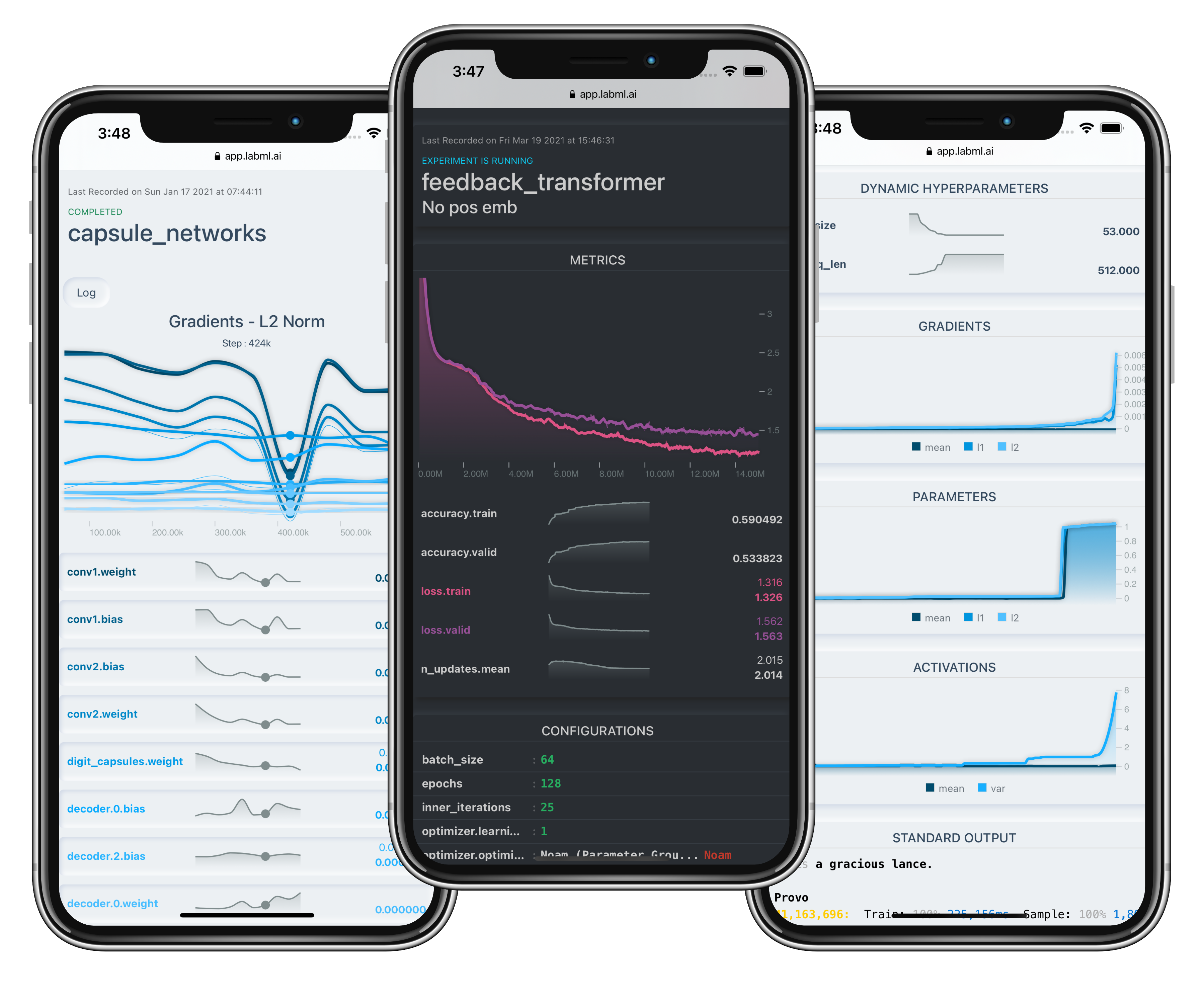
🔥 Features
- Monitor running experiments from mobile phone or laptop
- Monitor hardware usage on any computer with a single command
- Integrate with just 2 lines of code (see examples below)
- Keeps track of experiments including infomation like git commit, configurations and hyper-parameters
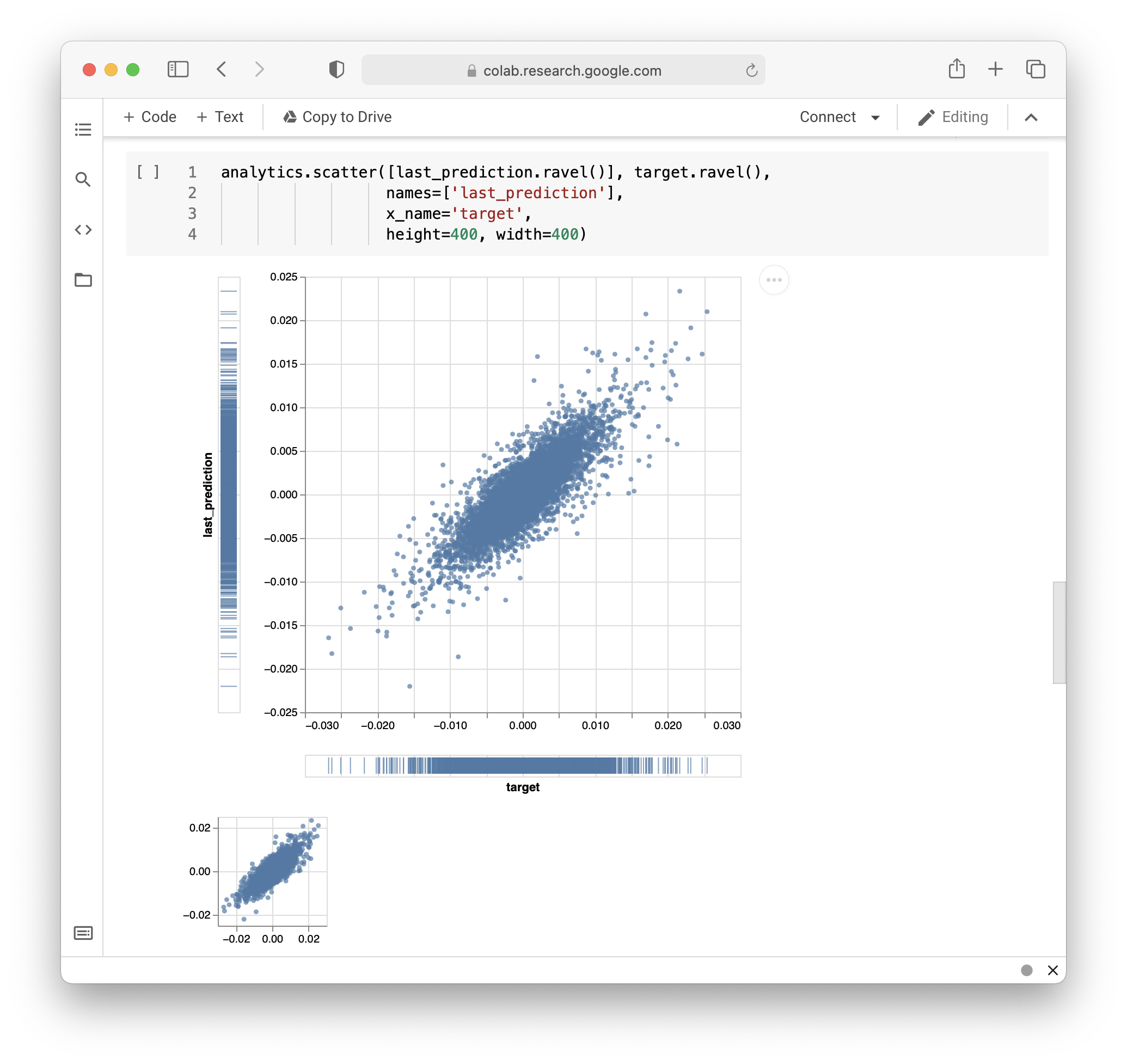
- API for custom visualizations

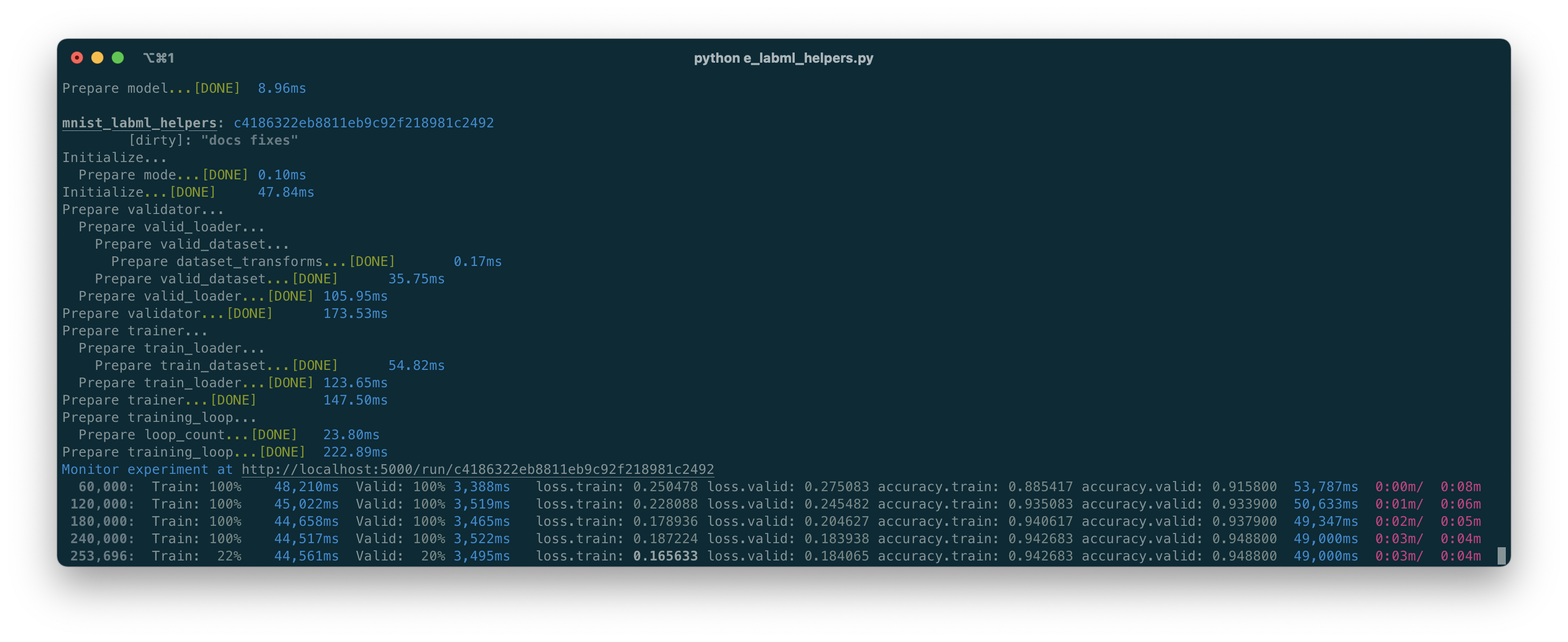
- Pretty logs of training progress
- Open source!
Hosting the experiments server
Prerequisites
To install MongoDB, refer to the official
documentation here.
Installation
Install the package using pip:
pip install labml-app
Starting the server
# Start the server on the default port (5005)
labml app-server

# To start the server on a different port, use the following command
labml app-server --port PORT
Optional: to setup and configure Nginx in your server, please refer to this.
You can access the user interface either by visiting http://localhost:{port} or, if configured on a separate machine,
by navigating to http://{server-ip}:{port}.
Monitor Experiments
Installation
- Install the package using pip.
pip install labml
- Create a file named
.labml.yamlat the top level of your project folder, and add the following line to the file:
app_url: http://localhost:{port}/api/v1/default

# If you are setting up the project on a different machine, include the following line instead,
app_url: http://{server-ip}:{port}/api/v1/default
PyTorch example
from labml import tracker, experiment

with experiment.record(name='sample', exp_conf=conf):
    for i in range(50):
        loss, accuracy = train()
        tracker.save(i, {'loss': loss, 'accuracy': accuracy})
Distributed training example
from labml import tracker, experiment

uuid = experiment.generate_uuid() # make sure to sync this in every machine
experiment.create(uuid=uuid,
                  name='distributed training sample',
                  distributed_rank=0,
                  distributed_world_size=8,
                  )
with experiment.start():
    for i in range(50):
        loss, accuracy = train()
        tracker.save(i, {'loss': loss, 'accuracy': accuracy})
📚 Documentation
Guides
- API to create experiments
- Track training metrics
- Monitored training loop and other iterators
- API for custom visualizations
- Configurations management API
- Logger for stylized logging
🖥 Screenshots
Formatted training loop output
Custom visualizations based on Tensorboard logs
Monitoring hardware usage
# Install packages and dependencies
pip install labml psutil py3nvml

# Start monitoring
labml monitor
Citing
If you use LabML for academic research, please cite the library using the following BibTeX entry.
@misc{labml,
 author = {Varuna Jayasiri, Nipun Wijerathne, Adithya Narasinghe, Lakshith Nishshanke},
 title = {labml.ai: A library to organize machine learning experiments},
 year = {2020},
 url = {https://labml.ai/},
}
Explore related projects
tensorflow/tensorflow
An Open Source Machine Learning Framework for Everyone
201,367 starshuggingface/transformers
🤗 Transformers: the model-definition framework for state-of-the-art machine learning models in text, vision, audio, and multimodal models, for both inference and training.
168,609 starsAUTOMATIC1111/stable-diffusion-webui
Stable Diffusion web UI
165,245 starsComfy-Org/ComfyUI
The most powerful and modular diffusion model GUI, api and backend with a graph/nodes interface. The fastest local inference engine in the world.
145,470 stars