
kxxoling/FloatDeck
kxxoling/FloatDeck has 63 GitHub stars and 6 forks. GitHot measured +1 stars in 24 hours. Last checked 2026-11-18 09:47 UTC. Last push 2026-10-23.
Measured star growth
- in 24h
- +1
- in 7 days
- Collecting history
- in 15 days
- Collecting history
- in 1 month
- Collecting history
Net star changes over overlapping periods, not daily totals. Missing measurements are left blank. Stars measure attention, not software quality.
About
Android live wallpaper with gyroscope 3D parallax effect and floating character portraits
Creative & MediaREADME.md
OriginalFloatDeck


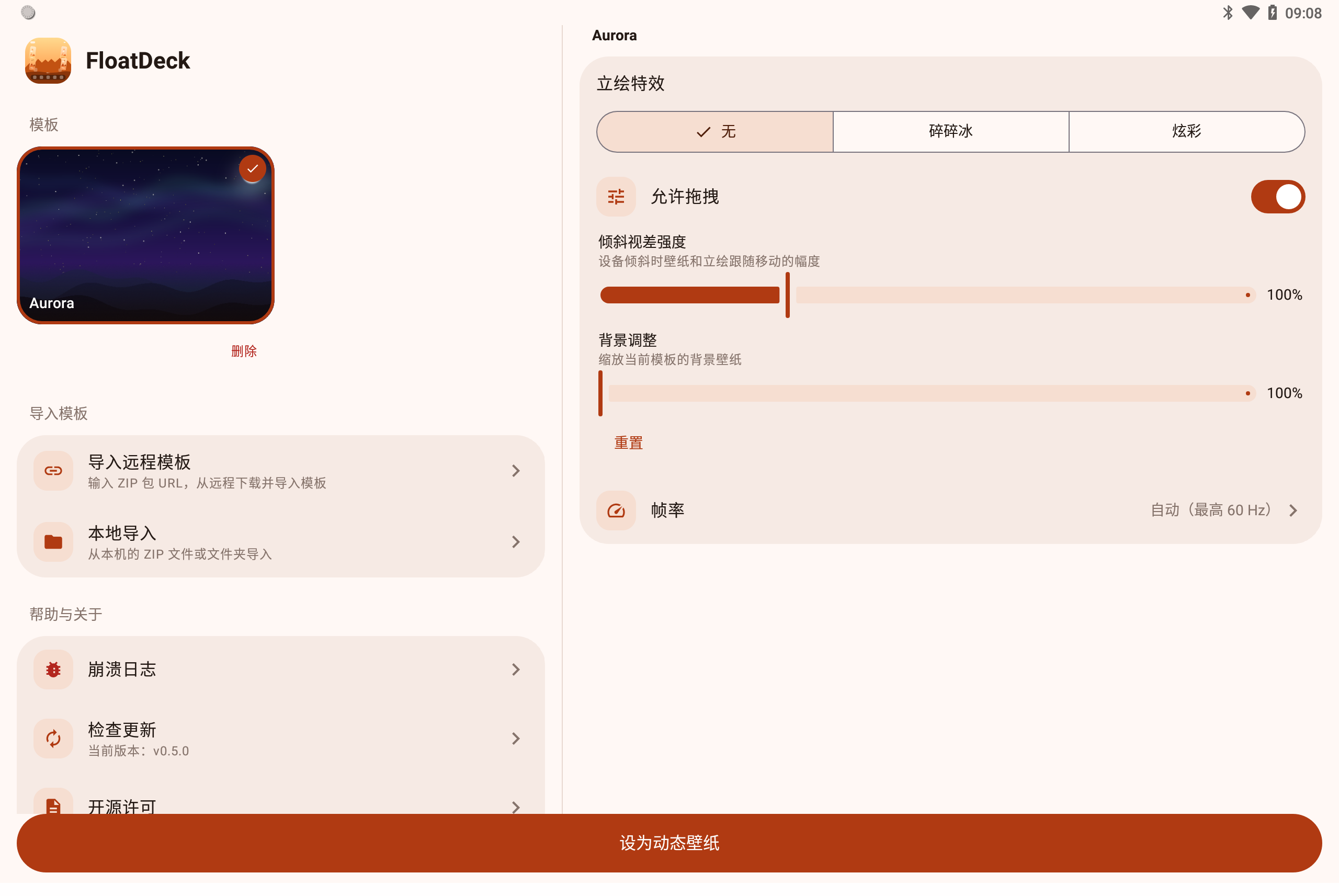
Android live wallpaper with gyroscope parallax effect and floating character portraits.
Screenshot
Project Structure
app/src/main/kotlin/app/floatdeck/
├── gl/        # OpenGL renderer, shaders, textures
├── sensor/    # Gyroscope / accelerometer input
├── service/   # Wallpaper service + EGL render thread
├── settings/  # Compose settings + license screens
└── data/      # Templates, preferences, remote import, update check
Template System
Each template lives in a folder with a template.json and image files:
{
  "id": "my_template",
  "name": "My Template",
  "wallpaper": "wallpaper.webp",
  "portraits": {
    "left": [{"file": "a.webp", "label": "A"}, ...],
    "right": [{"file": "b.webp", "label": "B"}, ...]
  }
}
Optional fields
"background": {"zoom": 1.5}— user background zoom (default1, i.e. 100%). Adjusted in settings; the value is written straight back into the imported template'stemplate.json, so it travels with the template on export. Missing values fall back to the defaults.
Importing Templates
Templates can be imported from:
- Remote URL — Enter a ZIP download URL in settings
- Local ZIP — Select a ZIP file from device storage
- Local directory — Select a folder containing template files
ZIP format: Must be structured as folder_name/template.json + folder_name/*.png|jpg|webp:
template_name/
├── template.json
├── wallpaper.webp
├── portrait_1.webp
└── portrait_2.webp
Example Theme Packs
Download from Releases and import via Remote URL or Local ZIP:
| Theme Pack | Link |
|---|---|
| Honkai 3rd: Flame Chasers | flame_chasers.zip |
| Honkai: Star Rail - Amphoreus Titans | hsr_titans.zip |
Note: Honkai 3rd and Honkai: Star Rail assets are copyrighted by miHoYo Co., Ltd.
Validation rules:
template.jsonis required with validid,wallpaper, andportraitsfields- Only
.png,.jpg,.jpeg,.webpimages allowed - Max ZIP size: 50MB, max single file: 10MB
- Path traversal (
..) is blocked - Template ID: alphanumeric, underscores, hyphens only
Build
./gradlew assembleDebug
Install & Set
adb install -r app/build/outputs/apk/debug/app-debug.apk
adb shell am start app.floatdeck/.settings.SettingsActivity
Or: Settings → Wallpaper → Live Wallpapers → FloatDeck
CI/CD
- CI: push/PR to
main/dev→ ktlint + test + debug build - Release: GitHub Release published → signed APK → attached to release
License
MIT