
krokozyab/ofjdbc
krokozyab/ofjdbc has 44 GitHub stars and 8 forks. GitHot measured 0 stars in 24 hours. Last checked 2026-11-09 16:32 UTC. Last push 2026-11-05.
JDBC driver bringing SQL Developer-style access to Oracle Fusion Cloud ERP
What you can do
- FIND FUSION TABLE 'GL_JE%' - Tables and views whose name or description matches the pattern ('%journal%' searches descriptions). Answered from the local cache in milliseconds.
- FIND FUSION COLUMN 'INVOICE_NUM' - Tables and views having a matching column ('%invoice number%' searches column descriptions), with type, width and description.
- JOIN KEYS AP_INVOICES_ALL [AP_INVOICE_LINES_ALL] - How tables join, learned from Oracle's own view definitions (all FND_VIEWS): join condition, number of views using it, example views. For two tables with no key of their own it finds paths through up to two intermediate tables.
- LOOKUP 'INVOICE TYPE' - Values of a lookup type (code, meaning, description, enabled, dates); suggests similar type names when nothing matches.
Measured star growth
- in 24h
- 0
- in 7 days
- Update delayed
- in 15 days
- Update delayed
- in 1 month
- Update delayed
Net star changes over overlapping periods, not daily totals. Missing measurements are left blank. Stars measure attention, not software quality.
README.md
OriginalSQL Developer experience for Oracle Fusion Cloud
Run SQL queries directly against Oracle Fusion. Free. Open-source.


Quick Start · Schemas · DUCK Workspace · REST · Docs
The Problem
Oracle Fusion Cloud doesn't allow direct database connections. Developers and consultants are forced to use OTBI (limited subject areas, 65K row cap), BI Publisher (tiny SQL editor, multi-step process), or paid third-party tools — just to run a simple SELECT query.
OFJDBC fixes this. It's a lightweight JDBC driver that sends standard SQL to Oracle Fusion's BI Publisher service and also reads Fusion's REST resources. Plug it into DBeaver, IntelliJ, or any JDBC-compatible tool — and query Oracle Fusion tables like a normal database.
✨ Why OFJDBC
- A standard JDBC driver — DBeaver, IntelliJ, any JDBC tool or JVM program. Fusion sits next to your other databases (EBS, PostgreSQL, …) in the same window.
- Windows, macOS, Linux — wherever Java runs.
- Metadata autocomplete — Fusion tables and columns are cached locally.
- Exports — whatever your client offers (DBeaver: CSV, Excel, JSON, Parquet, …), and
#d COPYstraight to Parquet or CSV. - Pipelines and code — any JVM job (Airflow, NiFi, Talend, your own Java/Kotlin) runs the same SQL.
- AI — the ofrag MCP server lets Claude, OpenAI or Gemini query Fusion through it.
🚀 Quick Start
1. Download the JAR
Get the latest orfujdbc-x.x.jar from Releases.
2. Upload BI Publisher Catalogs
You need permission to upload the BI Publisher catalogs, or help from your Fusion administrator.
Upload otbireport/DM_ARB.xdm.catalog and RP_ARB.xdo.catalog to/Shared Folders/Custom/Financials in your Oracle Fusion instance.
3. Connect
In DBeaver, create a JDBC driver, add the downloaded JAR under Libraries, then enter the driver class and connection URL below.
| Setting | Value |
|---|---|
| JDBC URL | jdbc:wsdl://<host>/xmlpserver/services/ExternalReportWSSService?WSDL:/Custom/Financials/RP_ARB.xdo |
| Driver Class | my.jdbc.wsdl_driver.WsdlDriver |
| Authentication | Fusion Username & Password, Browser SSO with MFA (?authType=BROWSER), or OAuth 2.0 client credentials for headless jobs (?authType=OAUTH, see OAuth) |
4. Query
SELECT * FROM FUSION.GL_LEDGERS FETCH FIRST 10 ROWS ONLY;
👉 Full Setup Guide with Screenshots
🔐 SSO Browser Authentication
Three Schemas: FUSION, REST, DUCK
| Schema | What it gives you | SQL |
|---|---|---|
FUSION |
Live Fusion tables and views through BI Publisher | Oracle SQL |
REST |
Fusion REST resources presented as tables (Financials and SCM by default; HCM, CRM in REST_HCM, REST_CRM on request) |
DuckDB SQL; supported filters are sent to REST |
DUCK |
Local tables, saved results and file analysis | DuckDB SQL |
Fusion and REST are read-only. DUCK tables are local and writable. Unqualified table names go to Fusion, regardless of the schema selected in DBeaver.
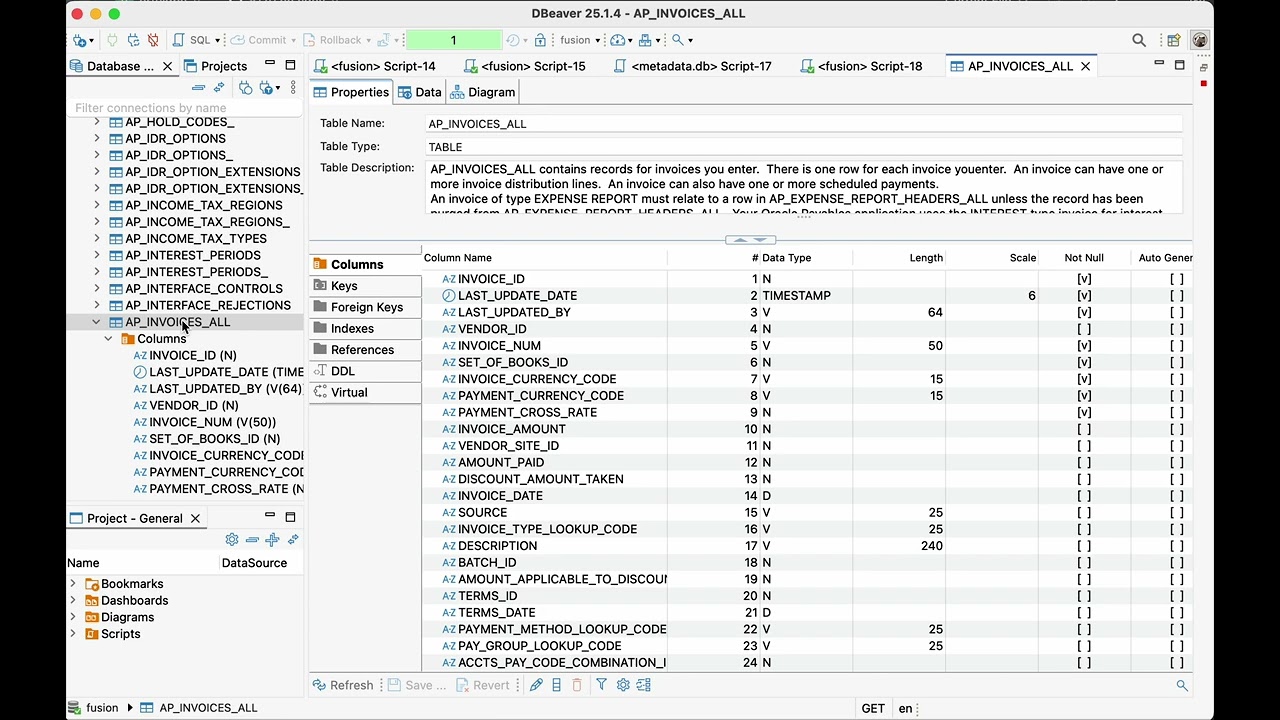
FUSION.AP_INVOICES_ALL and REST.invoices are different interfaces to the same application: column names, the set of rows and fields you get, and what your roles let you read can differ.
🔧 Key Features
Standard JDBC Driver — Not a standalone app, but a real JDBC driver. Use it anywhere JDBC works: DBeaver, IntelliJ DataGrip, Apache Airflow, custom Java/Kotlin apps, ETL platforms.
Smart Metadata Cache — Local DuckDB-based cache of Oracle Fusion metadata for autocomplete, syntax highlighting, and table/column discovery. Cached metadata avoids repeated requests to Fusion.
SSO, MFA & OAuth — Browser-based Single Sign-On with MFA support: add ?authType=BROWSER to your JDBC URL and authenticate through your corporate identity provider. For ETL jobs and schedulers without a browser, ?authType=OAUTH gets an OAuth 2.0 token with client credentials, caches it and renews it automatically; custom providers (e.g. a vault) plug in via oauthProviderClass. See OAuth Authentication.
Automatic Pagination — Handles large datasets transparently by injecting FETCH FIRST clauses. No manual pagination needed.
FUSION Schema in the Tree — All objects appear under the schema FUSION (Tables, Views, Indexes, …). Generated SQL uses FUSION.TABLE names, which Fusion accepts — secured HR views included.
DUCK Schema — Embedded DuckDB Workspace — A local DuckDB 2.0 database next to Fusion: run local joins, aggregates and repeated analysis without another Fusion request. Import Fusion data with one statement; types are inferred using Fusion metadata — codes keep their leading zeros and Oracle DATE keeps its time (details):
CREATE TABLE DUCK.je AS
SELECT je_header_id, currency_code, running_total_dr
FROM FUSION.GL_JE_HEADERS
WHERE ledger_id = 300000000100001; -- replace with your ledger ID

SELECT currency_code, SUM(running_total_dr)
FROM DUCK.je
GROUP BY currency_code;
One query can also mix both: UNION branches and parenthesized subqueries that read only FUSION.* tables are fetched from Fusion first, then the whole query runs locally. Keep the Fusion part filtered — it is fetched in full:
SELECT l.*, f.enabled_flag
  FROM DUCK.gcc l
  JOIN (SELECT code_combination_id, enabled_flag FROM FUSION.GL_CODE_COMBINATIONS
         WHERE segment2 = '1110') f ON f.code_combination_id = l.code_combination_id;
A statement prefixed with #d (or #duck) runs in DuckDB as written — its full SQL dialect and functions, CSV, Parquet, JSON and Excel files, COPY, SUMMARIZE:
#d SUMMARIZE DUCK.je
#d CREATE TABLE DUCK.excel_list AS SELECT * FROM read_csv('~/Downloads/list.csv')
#d COPY DUCK.je TO '~/je.parquet'
The workspace ~/.ofjdbc/duck.duckdb is shared by all your Fusion connections, so data imported from DEV, TEST and PROD can be compared in one query. Set ?duckDb=<file> to use another file, or :memory: for none.
Consultant Commands — Run these in the SQL editor like any query:
| Command | Result |
|---|---|
FIND FUSION TABLE 'GL_JE%' |
Tables and views whose name or description matches the pattern ('%journal%' searches descriptions). Answered from the local cache in milliseconds. |
FIND FUSION COLUMN 'INVOICE_NUM' |
Tables and views having a matching column ('%invoice number%' searches column descriptions), with type, width and description. |
JOIN KEYS AP_INVOICES_ALL [AP_INVOICE_LINES_ALL] |
How tables join, learned from Oracle's own view definitions (all FND_VIEWS): join condition, number of views using it, example views. For two tables with no key of their own it finds paths through up to two intermediate tables. |
LOOKUP 'INVOICE TYPE' |
Values of a lookup type (code, meaning, description, enabled, dates); suggests similar type names when nothing matches. |
ESS REQUESTS ['ImportPayables%'] [LAST 20] |
Latest ESS requests (job, decoded state, submitter, start/end, elapsed, error message); ESS REQUEST 1234567 shows one request with its parameters, properties and child requests. |
USER ACCESS 'john.smith' |
A user's account, roles (job/abstract/data, how provisioned) and data access (business units, ledgers, …). |
ORG STRUCTURE ['AT%'] |
Business units with their primary ledger (currency, chart of accounts) and legal entity, then ledgers and legal entities without a business unit. |
VALUESET XX_COMPANY |
Values of an independent/dependent value set, or the validation SQL of a table-validated one. |
PROFILE '%DATE%FORMAT%' |
Profile option values at site, product and user level. |
EXPLAIN FUSION VIEW FND_CURRENCIES_ACTIVE_V |
Objects the view reads, the join keys between them and single-object filters, read from the full view text. |
DESCRIBE FLEXFIELD AP_INVOICES_ALL |
Segment → column mapping (ATTRIBUTE1..N / SEGMENT1..N) of the descriptive or key flexfields of a table, with contexts/structures, required flags and value sets. |
Query Profiler — Add ?profile=true to the JDBC URL and every fetched page reports its telemetry in the IDE's Output panel: SOAP round trip vs download and parse time, payload size, whether the page was read completely, and the exact SQL sent. See Query Profiler.
Runs Locally — The driver runs on your computer and connects directly to your Fusion instance. No third-party relay, no SaaS intermediary.
DUCK Workspace: Datasets, Refresh, History
The DUCK schema remembers where each imported table came from, can bring it up to date, keeps your past results, and compares versions of a table. Everything is a plain SQL statement, and the answers come back as ordinary result sets. Every rule, limit and message is in the DUCK Workspace Reference.
| I want to… | Use | Section |
|---|---|---|
| Read only the Fusion rows for a list I have locally | … WHERE col IN (SELECT col FROM DUCK.ids) |
Filter Fusion by a list |
| Save a big Fusion result to a file | #d COPY (SELECT … FROM FUSION.x) TO 'f.parquet' |
Export |
| See which tables came from which environment, and refresh them | DUCK TABLES, REFRESH DUCK.x |
Datasets |
| Get a table with names instead of ids and codes | … DECODE FLEXFIELDS, NAMES, ACCOUNTS, LOOKUP … |
Readable imports |
| Find how two tables join, or the path between two that share no key | JOIN KEYS A B |
JOIN KEYS |
| Compare a setup table before and after a patch, or DEV with PROD | SNAPSHOT, DIFF |
Snapshots and DIFF |
| Look at yesterday's slow result without asking Fusion again | HISTORY (with ?history=true) |
History |
| Roll back a local change | ?duckTransactions=true, then Rollback in your client |
Transactions |
Filter Fusion by a list kept in DUCK
Put the keys in a DUCK table (typed in, read_csv from a file, an earlier import) and use them in the Fusion filter:
SELECT f.* FROM (
  SELECT invoice_id, invoice_num, invoice_amount FROM FUSION.AP_INVOICES_ALL
   WHERE invoice_num IN (SELECT invoice_num FROM DUCK.ids)
) f;
The driver runs the subquery in DuckDB and sends its values to Fusion, so Fusion reads only those rows. The subquery must select one column, read only DUCK tables and not refer to the outer query; NOT IN is not supported; a list too long for one Fusion query is refused before Fusion is asked — import the Fusion rows and join them locally instead.
Export to Parquet or CSV
A #d statement can read Fusion in a parenthesized subquery and write the result straight to a file, with no table in the workspace:
#d COPY (SELECT * FROM FUSION.GL_JE_LINES WHERE period_name = 'Oct-26') TO 'gl_oct.parquet' (FORMAT PARQUET);
#d COPY (SELECT * FROM FUSION.AP_INVOICES_ALL WHERE invoice_date > DATE '2026-01-01') TO 'ap.csv' (FORMAT CSV, HEADER);
Datasets: where a table came from, and REFRESH
Three different things are called refresh:
| Action | What changes |
|---|---|
| Refresh the Navigator (F5) | Reloads the object tree |
REFRESH REST invoices |
Reloads the resource description, not its rows |
REFRESH DUCK.inv |
Reloads a saved local dataset |
Every import — from Fusion or from REST — is registered in the workspace with the Fusion host, the user, the source SQL, the time and row count. DUCK TABLES lists them (the workspace is shared by all environments, so this is what tells DEV from PROD). REFRESH DUCK.x reloads a table from its source and swaps it in one step — a failed load leaves the old data; a table imported from another host is refused.
Incremental refresh is available for supported Fusion SQL imports. REST and mixed-source imports are refreshed in full.
REFRESH DUCK.ap_invoices KEY (invoice_id) SINCE (last_update_date);          -- remembered afterwards
REFRESH DUCK.ap_invoices OVERLAP '1 day';                                    -- re-read the last day too
REFRESH DUCK.ap_invoices FULL;                                               -- reload everything, keep KEY/SINCE
A delta reads the rows changed since the last refresh and merges them by key. It does not notice rows deleted in Fusion or rows that no longer match the source's WHERE (each incremental refresh says so) — reload those with FULL. A source whose rows are already limited or combined (FETCH FIRST, ROWNUM, GROUP BY, DISTINCT, UNION, …) is refused for an incremental refresh, because a delta could miss changes; FULL still reloads it.
Readable imports: DECODE
End an import with DECODE and the new table gets extra columns to the right of the imported ones:
CREATE TABLE DUCK.inv AS
  SELECT invoice_id, invoice_type_lookup_code, vendor_id, org_id, attribute_category, attribute1, attribute2
    FROM ap_invoices_all WHERE invoice_date > DATE '2026-01-01'
  DECODE FLEXFIELDS, NAMES, LOOKUP invoice_type_lookup_code AS 'INVOICE TYPE';
LOOKUP col AS 'TYPE'addscol_meaningwith the meaning of each lookup code.NAMESadds names for the ids it knows —VENDOR_ID→vendor_name,ORG_ID/BU_ID→business_unit,LEDGER_ID→ledger_name,PARTY_ID→party_name,CUST_ACCOUNT_ID→account_number,PERSON_ID→person_name,INVENTORY_ITEM_ID→item_number.ACCOUNTSadds the account combination for each…CODE_COMBINATION_ID/…_CCIDcolumn (dist_code_combination_id→dist_account, e.g.01-4100-000).FLEXFIELDSadds a column per descriptive flexfield segment, filled from itsATTRIBUTEncolumn in the rows of its context — includeATTRIBUTE_CATEGORY. For a join, name the table:DECODE FLEXFIELDS OF h.
Each decoder is optional: if one cannot run, the import stands and a warning says why. REFRESH decodes the new rows again. DECODE works with CREATE TABLE, not INSERT.
Find how two tables join: JOIN KEYS
Fusion tables carry no foreign keys you can query, but Oracle's own views show how they relate. The driver reads every FND_VIEWS text once and keeps the joins it finds:
JOIN KEYS AP_INVOICES_ALL                              -- everything it joins to, most used first
JOIN KEYS AP_INVOICES_ALL AP_INVOICE_LINES_ALL         -- the key between two tables
JOIN KEYS AP_INVOICES_ALL GL_JE_LINES                  -- no direct key: paths through one or two tables
-- AP_INVOICES_ALL → AP_INVOICE_DISTRIBUTIONS_ALL → GL_CODE_COMBINATIONS → GL_JE_LINES
A path is a hint taken from how Oracle's views join, not a guarantee of a correct join: check the cardinality before you build a report on it.
Snapshots and DIFF: see what a patch changed
Fusion keeps no history of most setup data (profile options, lookups, value sets, approval rules). Take a snapshot of a DUCK table before a quarterly update or a P2T refresh and compare after:
SNAPSHOT DUCK.profile_options LABEL 'before 26D';
REFRESH DUCK.profile_options SNAPSHOT;                       -- snapshot, then reload
DIFF DUCK.profile_options KEY (profile_option_name, level_value);                        -- latest snapshot vs now
DIFF DUCK.profile_options KEY (…) BETWEEN LABEL 'before 26D' AND LABEL 'after 26D';
DIFF DUCK.lookups_prod WITH DUCK.lookups_test KEY (lookup_type, lookup_code);            -- two environments
DIFF returns one row per added or removed key and one per changed column (CHANGE, the key columns, COLUMN_NAME, OLD_VALUE, NEW_VALUE). The key must identify a row: repeated key values are refused.
History: look at a result again without Fusion
With ?history=true the rows of every Fusion query you run are also kept in the workspace: HISTORY lists them, HISTORY SHOW 12 returns the rows, HISTORY KEEP 12 AS DUCK.invoices_oct [DECODE …] turns an entry into a typed table, HISTORY CLEAR empties it. Off by default; ?historyMaxRows= caps the total (default 1,000,000 rows).
History contains only the rows actually fetched; check
COMPLETEbefore treating it as a full result.
Transactions
DUCK statements commit at once by default. Rollback of local edits requires duckTransactions=true (URL parameter or connection property); then Auto-commit, Commit and Rollback in your client apply to DUCK tables. REFRESH and imports are all or nothing either way. Why this default.
REST Schema: Browse and Query Fusion REST Resources
The REST schema shows the REST resources of your Fusion (invoices, suppliers, ledgersLOV, …) as tables, with their attributes as columns — type, size, mandatory, and the title as the column comment. The driver only reads; it never changes anything through REST. Every rule, limit and message is in the REST Schema Reference.
By default REST is the Financials and Supply Chain API (fscmRestApi, which also holds most Common Features: lookups, value sets, setup tasks, …). Set restApi to see other families: restApi=fscmRestApi,hcmRestApi adds HCM as schema REST_HCM, restApi=all adds HCM and CRM (REST_CRM). A query may read several: … FROM REST.invoices i JOIN REST_HCM.workers w ON …. REST APIS shows which families your instance and user can read. API families.
| You do | What you get |
|---|---|
Expand REST → Tables |
all resources of the API (the first time takes a few seconds, then it is remembered) |
| Expand a resource → Columns | its attributes, primary key and child resources |
REST RESOURCES ['inv'] |
the resources of every REST schema whose name contains the word (or matches a %/_ pattern) |
REST APIS |
the API families of your instance: connected, available or not available to your user |
DESCRIBE REST invoices |
attributes with type, size, mandatory, queryable, updatable, LOV and key, then child resources and finders |
REFRESH REST invoices / REFRESH REST RESOURCES |
reads the description or the list again |
Query a resource with SQL
SELECT InvoiceNumber, InvoiceAmount FROM REST.invoices WHERE InvoiceAmount > 1000 AND InvoiceCurrency = 'EUR' LIMIT 50;
SELECT r.InvoiceNumber, d.tag FROM REST.invoices r JOIN DUCK.tags d ON d.id = r.InvoiceId;
CREATE TABLE DUCK.inv AS SELECT * FROM REST.invoices WHERE InvoiceDate >= DATE '2024-01-01';
A resource behaves like any table: filter it, join it with DUCK tables and FUSION queries, aggregate it, keep it in DUCK. The whole WHERE is always honoured; conditions on queryable attributes — comparisons, IN, IS [NOT] NULL, LIKE — make the read faster, also in a join (qualify the columns with the resource's alias there). Joined to a small DUCK table on a queryable attribute, a resource is read only for that table's keys.
REST is much slower than SQL, so filter what you read — or import it once with CREATE TABLE DUCK.x AS … and query the copy. The driver stops the read if it exceeds the configured row limit (restMaxRows, default 50,000).
Child resources
Child resources (an invoice's lines, a line's distributions, flexfields, attachments) are tables named by their path — invoices__invoiceLines, invoices__invoiceLines__invoiceDistributions — and start with the keys of their parents (__parent_InvoiceId, …). They are always read for the parents you name. Opening a child table without a parent filter returns an explanation; use the SQL below:
-- parents in the WHERE
SELECT * FROM REST.invoices__invoiceLines WHERE __parent_InvoiceId IN (300000000200001, 300000000200002);
-- parents from a DUCK table, another REST resource or a FUSION subquery; LEFT JOIN keeps parents without lines
SELECT p.InvoiceId, l.LineNumber, l.LineAmount
FROM DUCK.selected_invoices p
LEFT JOIN REST.invoices__invoiceLines l ON l.__parent_InvoiceId = p.InvoiceId;
Children are fetched in batches where supported; speed depends on the resource and data volume. restMaxParents and restMaxRequests keep a statement from running away.
Child resources in the navigator
The navigator cannot put tables inside a table, so child tables are listed next to their resource:
- Expand the resource, e.g.
REST→invoices→ Columns (or runDESCRIBE REST invoices). - Refresh the table list of
REST(F5). - The child tables appear right below it, with their keys and a foreign key to the level above:
REST
└── Tables
    ├── invoices                                       comment: Invoices; children: …, invoiceLines, invoiceLines/invoiceDistributions, …
    ├── invoices__invoiceLines                         comment: child of invoices
    │   ├── Keys         invoices__invoiceLines_PK (__parent_InvoiceId, LineNumber)
    │   └── Foreign Keys __parent_InvoiceId → invoices.InvoiceId
    └── invoices__invoiceLines__invoiceDistributions   comment: child of invoices/invoiceLines
Finders
Some resources are read only through a finder (as in the Fusion UI's search), and a finder may require parameters. DESCRIBE REST FINDER lists the parameters, marks the required ones REQUIRED = Y and ends with a call to copy; REST_FIND runs it:
DESCRIBE REST FINDER ledgerBalances AccountGroupBalanceFinder;
SELECT * FROM REST_FIND('ledgerBalances', 'AccountGroupBalanceFinder',
    ledgerName := 'Vision Operations', accountGroupName := 'Cash', accountName := 'Cash',
    accountingPeriod := 'Jan-24', currency := 'USD');
A plain SELECT on a resource that needs a finder fails with the finders to use and an example. The driver checks a call before sending it — missing required parameters, unknown names and values of the wrong type are reported. The result joins, aggregates and imports like any table.
Settings
URL parameter, connection property ofjdbc.<name>, -Dofjdbc.<name> or environment variable:
| Setting | Default | Meaning |
|---|---|---|
rest |
true |
false hides the REST schemas |
restApi |
fscmRestApi |
the API families: one, a list (fscmRestApi,hcmRestApi) or all |
restVersion |
latest |
the API version |
restMaxRows |
50000 |
most rows one statement may read |
restMaxParents |
200 |
most parents a child table is read for in one statement |
restMaxRequests |
2000 |
most REST requests one statement may make for child tables or for the keys of a join |
restMaxKeys |
1000 |
most keys of a DUCK table a join sends to a REST resource; with more it is read without them |
REST uses the connection's own sign-in; which resources a user may read is decided by their Fusion roles. A resource can show its description and still refuse its rows (403) — the message then says that a role is missing.
🌐 Ecosystem
Two ways into the same data: a JDBC driver for the JVM world, and an Oracle Net endpoint for everything that speaks to an Oracle database.
┌────────────────────────────────────────────────────────────┐
│                       AI / LLM Layer                       │
│       ofrag — MCP Server for Claude, Gemini, any LLM       │
│    Semantic search · SQL validation · Natural language     │
├────────────────────────────────────────────────────────────┤
│                     Data Access Layer                      │
├──────────────────────────┬─────────────────────────────────┤
│ OFJDBC (JDBC)            │ oratofusionproxy (Oracle Net)   │
│ JVM, DBeaver, Airflow,   │ SQL Developer, Excel,           │
│ any JDBC tool            │ Power BI, sqlplus, dblink       │
├──────────────────────────┴─────────────────────────────────┤
│                    Oracle Fusion Cloud                     │
│      BI Publisher SOAP services · REST API (OFJDBC)        │
└────────────────────────────────────────────────────────────┘
| Project | What it does | Link |
|---|---|---|
| OFJDBC | JDBC driver — SQL over BI Publisher and Fusion REST resources, from DBeaver, IntelliJ, JVM apps | GitHub |
| oratofusionproxy | Oracle Net/TNS proxy — Fusion as a real Oracle database for SQL Developer, Excel, Power BI and dblink from EBS |
GitHub |
| ofrag | AI RAG engine & MCP Server — natural language queries via Claude/Gemini | GitHub |
💡 Use Cases
Ad-hoc troubleshooting — Query GL_JE_HEADERS, AP_INVOICES_ALL, AR_PAYMENT_SCHEDULES_ALL directly without creating OTBI reports or BI Publisher data models. Check failed ESS jobs, a user's roles and data access, or flexfield mappings with one-line consultant commands.
Local analysis — Pull a filtered slice of Fusion into the DUCK schema once, then join, aggregate and re-query it without another round trip — or export it to Parquet/CSV with #d COPY.
Data warehouse exports — Build automated ETL pipelines with Airflow or NiFi. Export to Parquet, load into S3/BigQuery/Snowflake.
AI-powered analysis — Combine with ofrag to let AI agents query Oracle Fusion in natural language. The AI discovers tables semantically, validates SQL locally, and executes against Fusion.
EBS → Fusion migration — Open EBS (native Oracle JDBC) and Fusion (OFJDBC) side by side in the same DBeaver workspace. Compare data, validate mappings, reconcile record counts — all without switching tools.
Cross-environment comparison — Connect to DEV, SIT, UAT, PROD from the same DBeaver workspace, or import each into the shared DUCK workspace and diff them in a single query.
Integration development — Use programmatically in Kotlin/Java to validate data during OIC integration development, reconcile source-to-target, or generate test datasets.
⚠️ Limitations
- Read-only — Oracle Fusion is queried with
SELECTonly (the BI layer permits no writes, and the driver never writes through REST); writing is possible only in the localDUCKschema. - Performance — SOAP and REST transports add overhead compared to native DB access. Automatic pagination helps, but very large exports take time.
- SQL length — The BI Publisher data model receives the query as a PL/SQL
VARCHAR2, so a query may be at most 32,767 bytes (UTF-8) as sent — comments are stripped, but the added pagination clause and secured-view names count. Longer queries are rejected before sending with a clear error (SQLState54000). - Security — Ensure usage complies with your organization's security policies and Oracle Fusion terms of service.
📄 Documentation
| Guide | Description |
|---|---|
| Setup Guide | Step-by-step installation with DBeaver screenshots |
| SSO Authentication | Browser-based SSO with MFA support |
| Secured Views Mappings | HCM secured view reference |
| DUCK Workspace Reference | Datasets and REFRESH, DECODE, snapshots and DIFF, HISTORY, key pushdown, JOIN KEYS paths, transactions, DuckDB 2.0 upgrade, messages |
| REST Schema Reference | Queries and what makes them faster, child resources, finders, imports and REFRESH, commands, settings, messages |
| Environment Variables | Configuration options, OAuth, DUCK workspace, REST, query history, query profiler |
| Programmatic Examples | Java/Kotlin code samples |
📚 Articles & Tutorials
- Analysis of Ad-Hoc SQL Query Tools for Oracle Fusion Cloud — Detailed comparison of available tools
- Building Oracle Fusion → AWS S3 → Athena → QuickSight Pipelines — End-to-end data lake tutorial
- Query Oracle Fusion & Visualize in Apache Superset
- Export Oracle Fusion Data to Google Sheets in Minutes
- Replace OIC Batch ETL — ofload Reference Implementation — Production Oracle Fusion → Autonomous Database ETL service: REST-triggered, incremental pagination, MERGE idempotency, Prometheus metrics
Upgrading: DuckDB 2.0 and your existing files
The driver embeds DuckDB 2.0. Your existing ~/.ofjdbc/duck.duckdb and ~/.ofjdbc/metadata.db open as they are, but a file written by DuckDB 2.0 cannot be read by DuckDB 1.x — an older driver build or DuckDB shell fails on it. A file the driver cannot read is set aside with a warning instead of failing the connection. Details, and how to go back to an older build: DuckDB 2.0 and your existing files.
🤝 Contributing
Contributions are welcome! Open a GitHub Issue for bugs or feature requests, or submit a pull request. Join the Discussions for questions and ideas.
📫 Contact
- Website: oraclefusionsql.com
- GitHub Issues: krokozyab/ofjdbc/issues
- Email: [email protected]
- LinkedIn: Sergey Rudenko
If this project saved you time or money, consider leaving a ⭐
Free and open-source. Built by an Oracle Fusion consultant, for Oracle Fusion consultants.
Explore related projects
Asabeneh/30-Days-Of-Python
The 30 Days of Python programming challenge is a step-by-step guide to learn the Python programming language in 30 days. This challenge may take more than 100 days. Follow your own pace. These videos may help too: https://www.youtube.com/channel/UC7PNRuno1rzYPb1xLa4yktw
78,486 starsgrafana/grafana
The open and composable observability and data visualization platform. Visualize metrics, logs, and traces from multiple sources like Prometheus, Loki, Elasticsearch, InfluxDB, Postgres and many more.
77,790 starsredis/redis
For developers, who are building real-time data-driven applications, Redis is the preferred, fastest, and most feature-rich cache, data structure server, and document and vector query engine.
77,332 starsapache/superset
Apache Superset is a Data Visualization and Data Exploration Platform
75,455 stars