
krevaya/krevaya-app
krevaya/krevaya-app has 6 GitHub stars and 1 forks. Star changes are not measured yet. Last checked 2026-11-13 08:07 UTC. Last push 2026-11-11.
The Ultimate Canva Alternative
What you can do
- Find your designs, see what's on each page and give you the editor link - design_search, design_read, design_link
- Start a design or rename one - design_new, design_retitle
- Add pages and change their backgrounds - page_add, page_background
- Add, change or remove text, shapes, lines, photos, icons and QR codes - element_add, element_edit, element_remove
Measured star growth
- in 24h
- Collecting history
- in 7 days
- Collecting history
- in 15 days
- Collecting history
- in 1 month
- Collecting history
Net star changes over overlapping periods, not daily totals. Missing measurements are left blank. Stars measure attention, not software quality.
README.md
Original
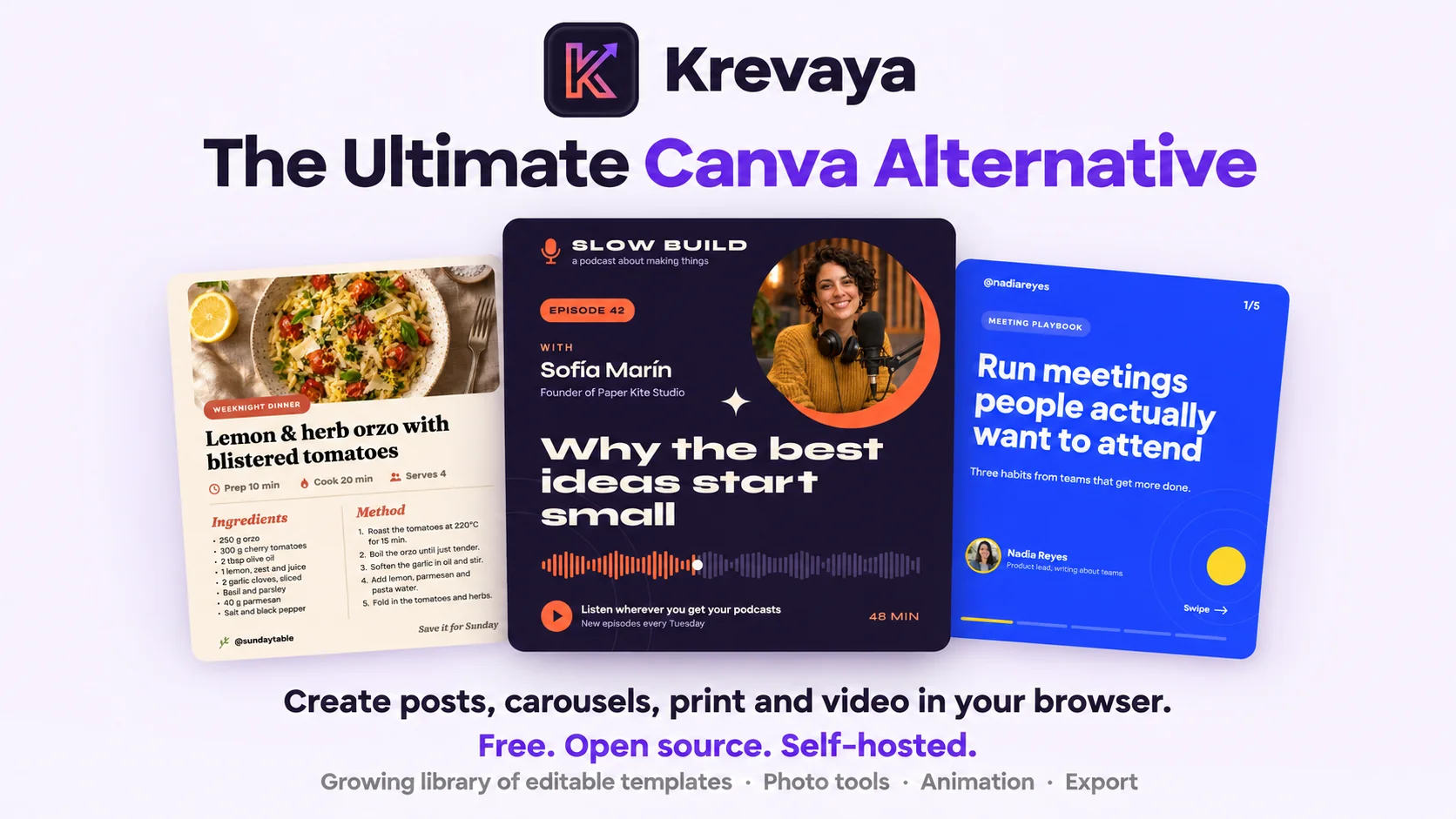


Use Krevaya Cloud for a fully managed experience, or deploy the open-source edition on your own infrastructure.
Register · Install · Configuration · Integrations · AI assistants · API · Contributing
A quick tour
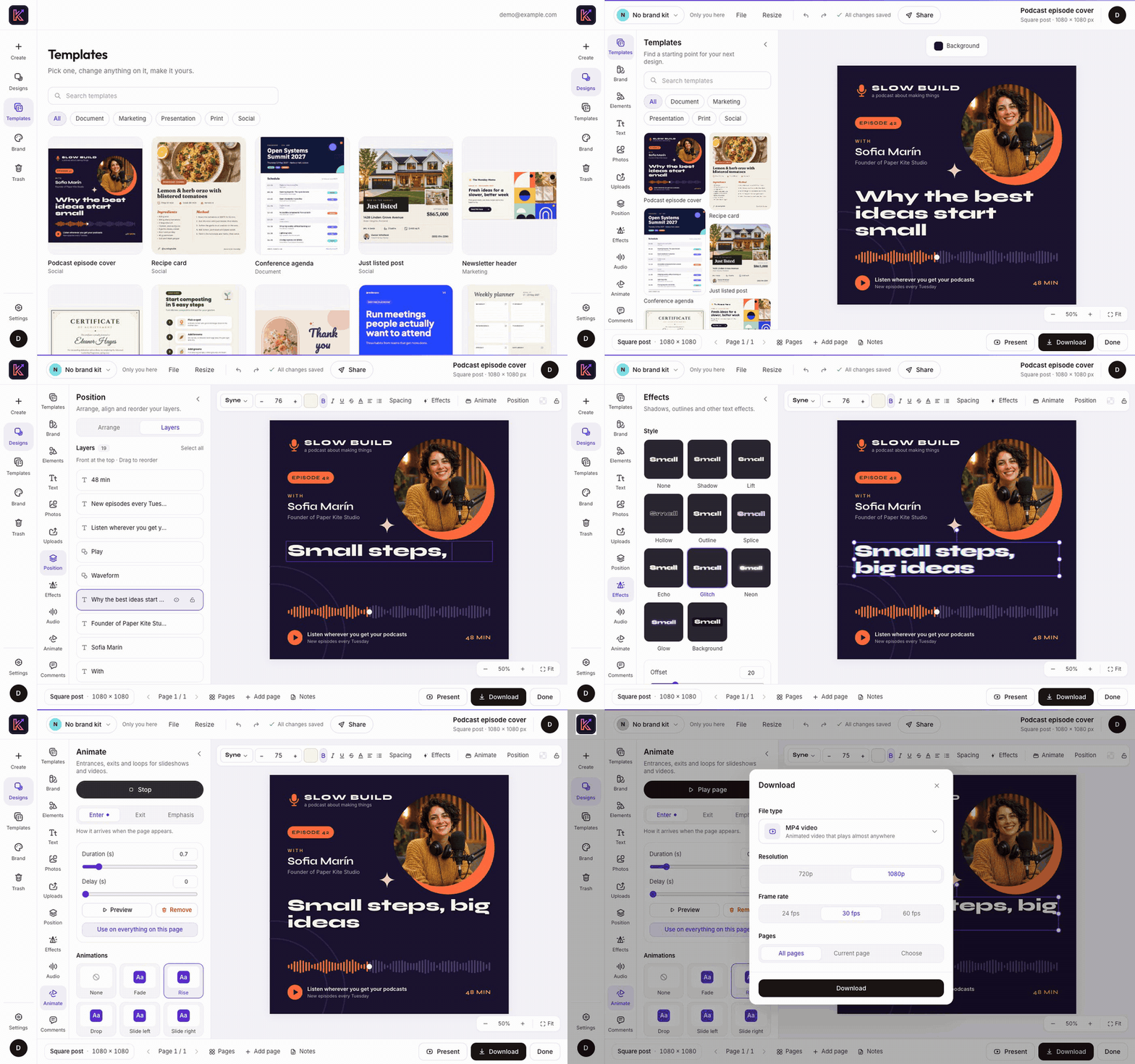
What you can do with it
Everything below ships in this repository and runs on your own server. A few extras, such as stock photo search and rendering on the server, turn on once you add a key or change a setting.
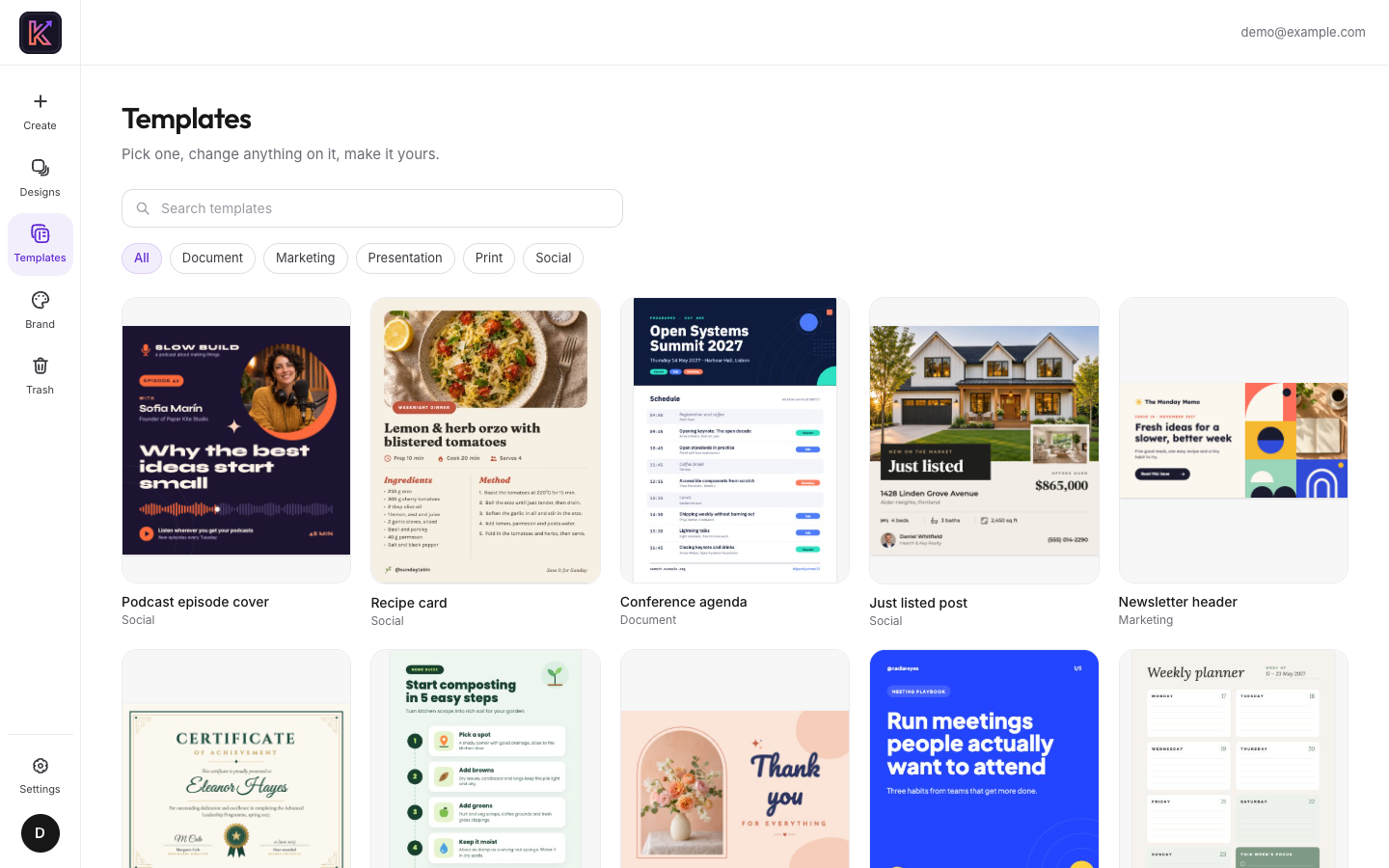
Begin with a template or a blank page
Pick from a growing set of starter templates (a podcast cover, a recipe card, a weekly planner and more) or open a blank page. There are 23 ready-made sizes for social posts, video, slides and print, and you can also type in any size you like.
You can try it without an account. Guest drafts are kept in your browser, and if you sign up later, they move to your account.
Lay out the page
Type in any of the bundled open-license fonts, give the text a style such as outline, neon or glitch, or set it on a curve. Then add shapes, lines and arrows, icons from six open icon sets, Fluent emoji, stickers and QR codes.
Layers, alignment, rulers and snap guides keep everything lined up. A brand kit holds a team's colors, fonts and logos, so they're one click away in every design. Krevaya also has light and dark themes, a stronger-contrast mode and keyboard shortcuts for the moves you make most.
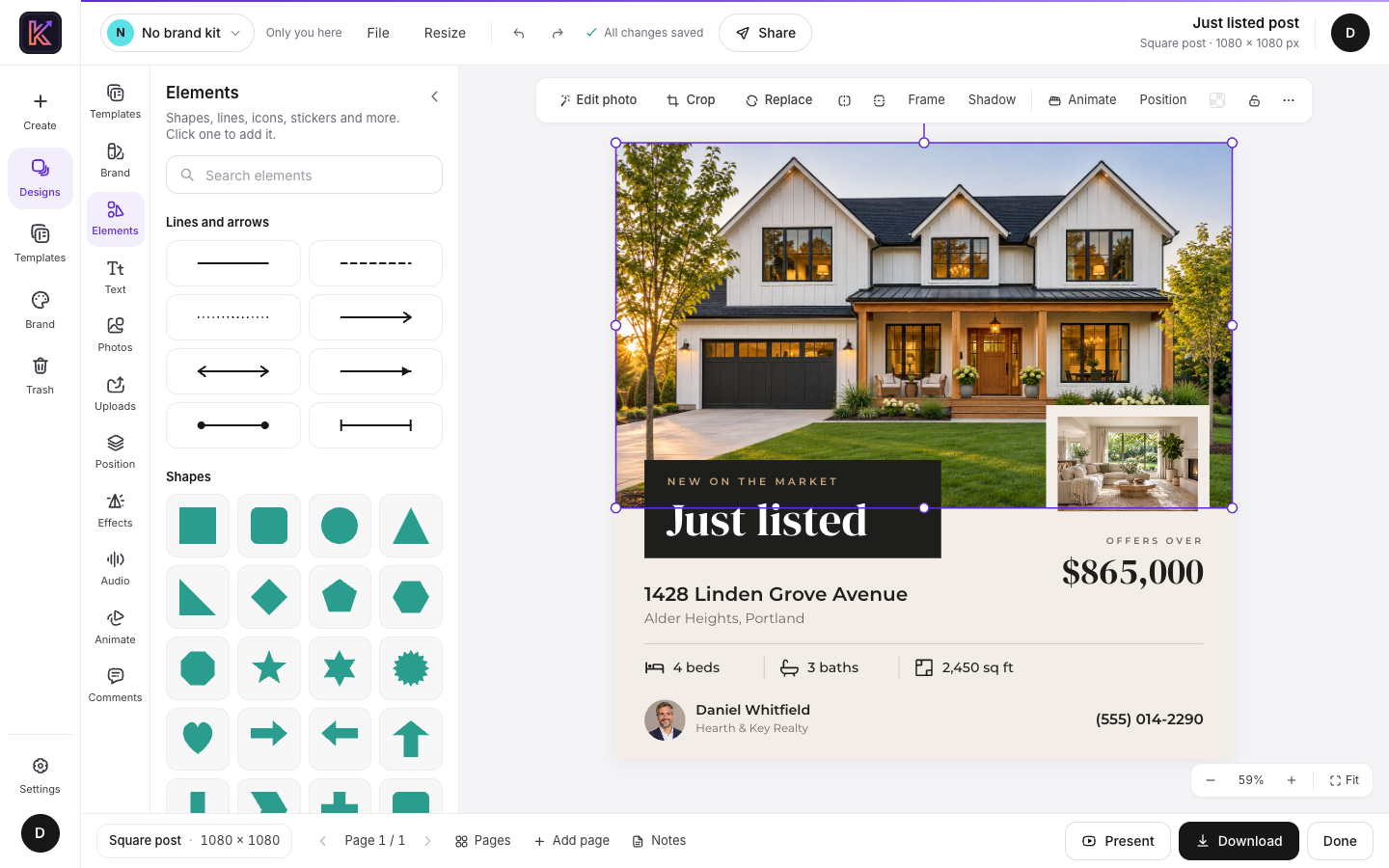 The editor: tools on the left, the selected photo's options above the page |
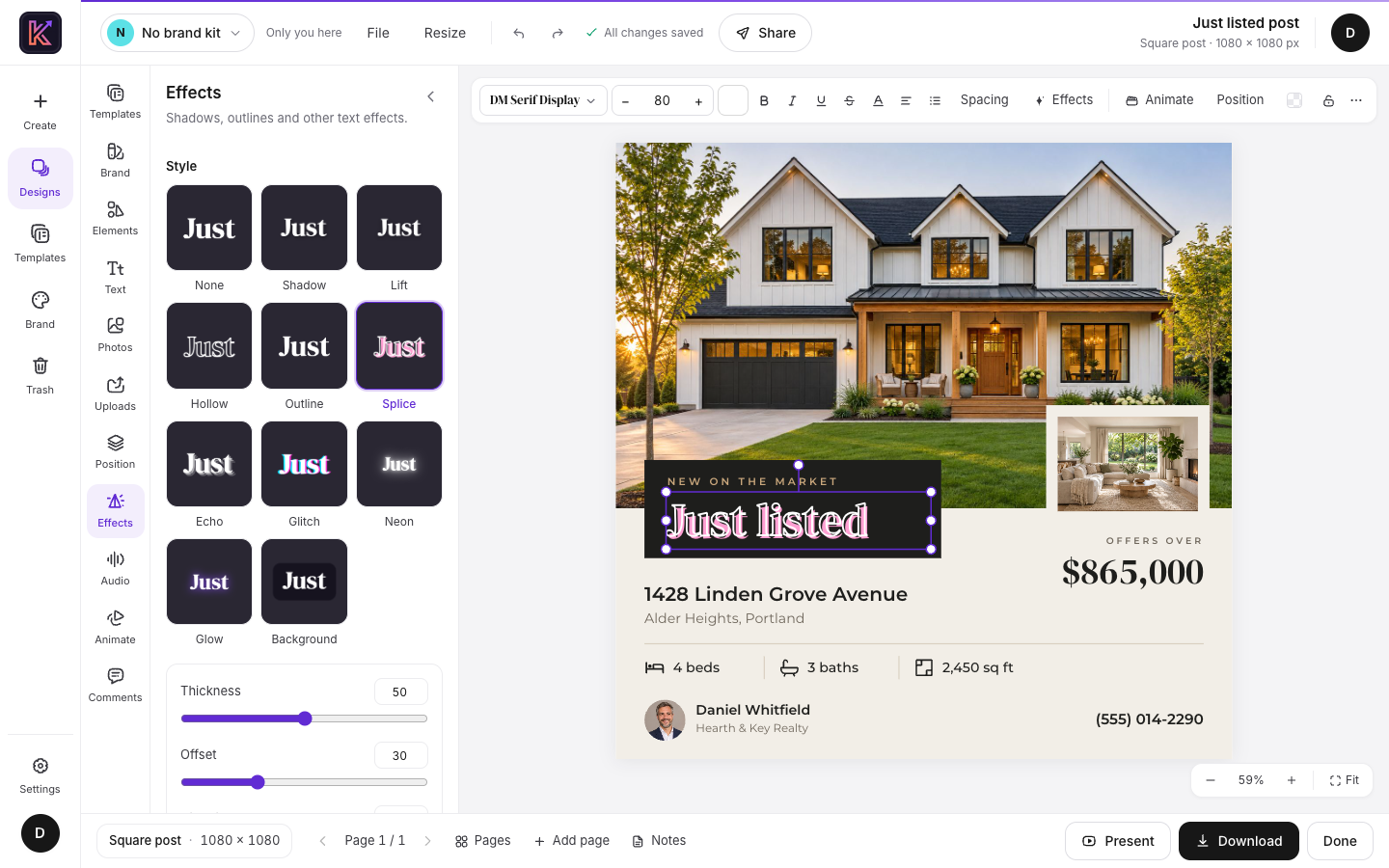 A Splice style on the headline, with sliders to adjust it |
|---|
Touch up your photos
Select a photo and the Photo pane offers cropping, frames, filter presets and sliders for light, color and vignette.
You can also remove a photo's background or enlarge it 1.5×, 2× or 3×. Both run on the visitor's own computer, so the photo isn't sent off to another service. The first background removal loads a 4.6 MB model from your server.
If your server has an Unsplash or Pexels key, you can search those libraries from the Photos pane.
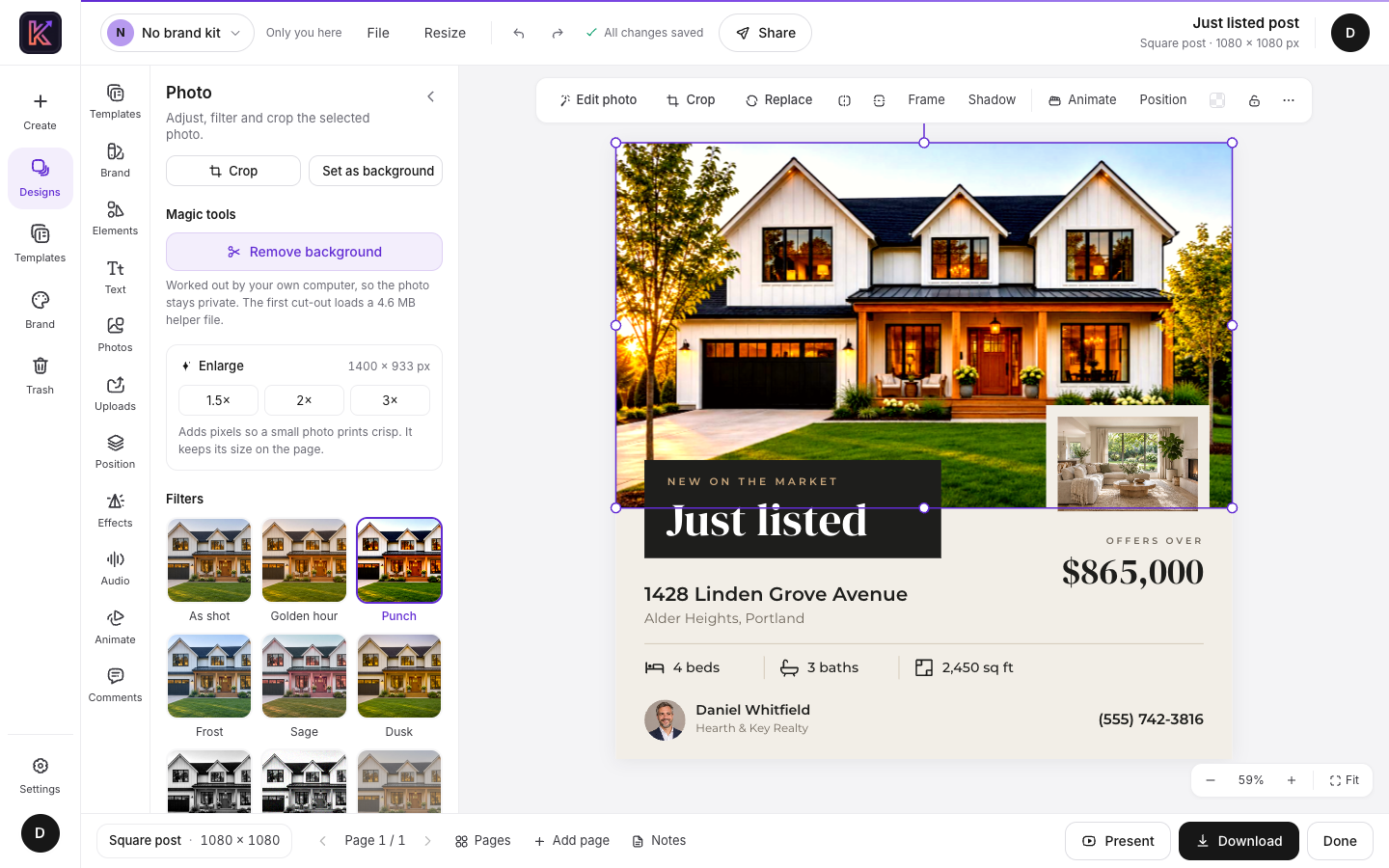 Filters, enlarging and background removal, all in one pane |
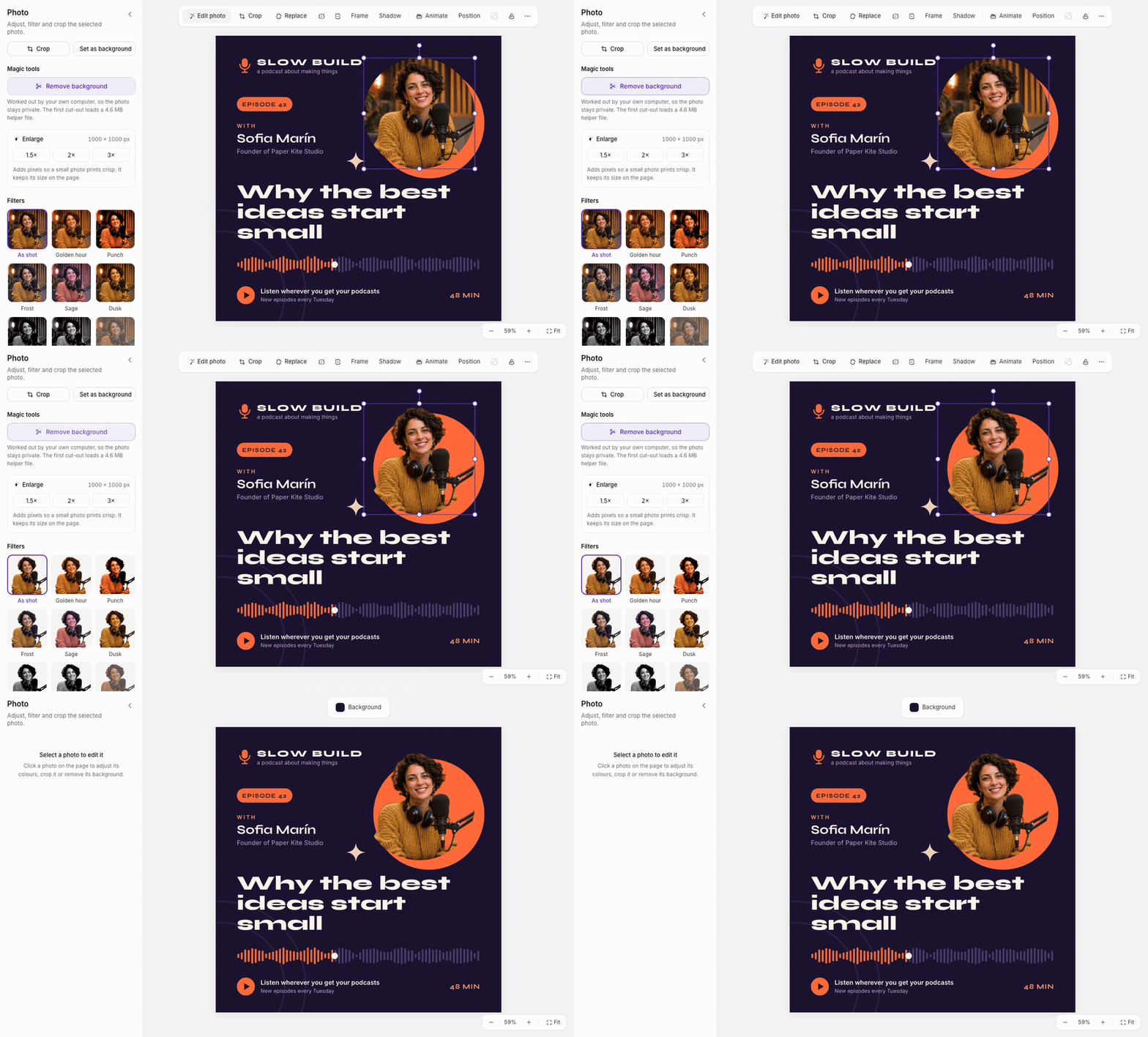 Removing a background takes one click |
|---|
Add motion and sound
Give each element an entrance, exit or emphasis animation, and choose how one page moves to the next.
Five sounds are built in: two music loops and three short cues. They were written for Krevaya, they're generated in your browser, and they're CC0, so you can use them anywhere. You can also record a voiceover with your microphone.
When it's ready, present it full screen and keep your speaker notes in a separate window.
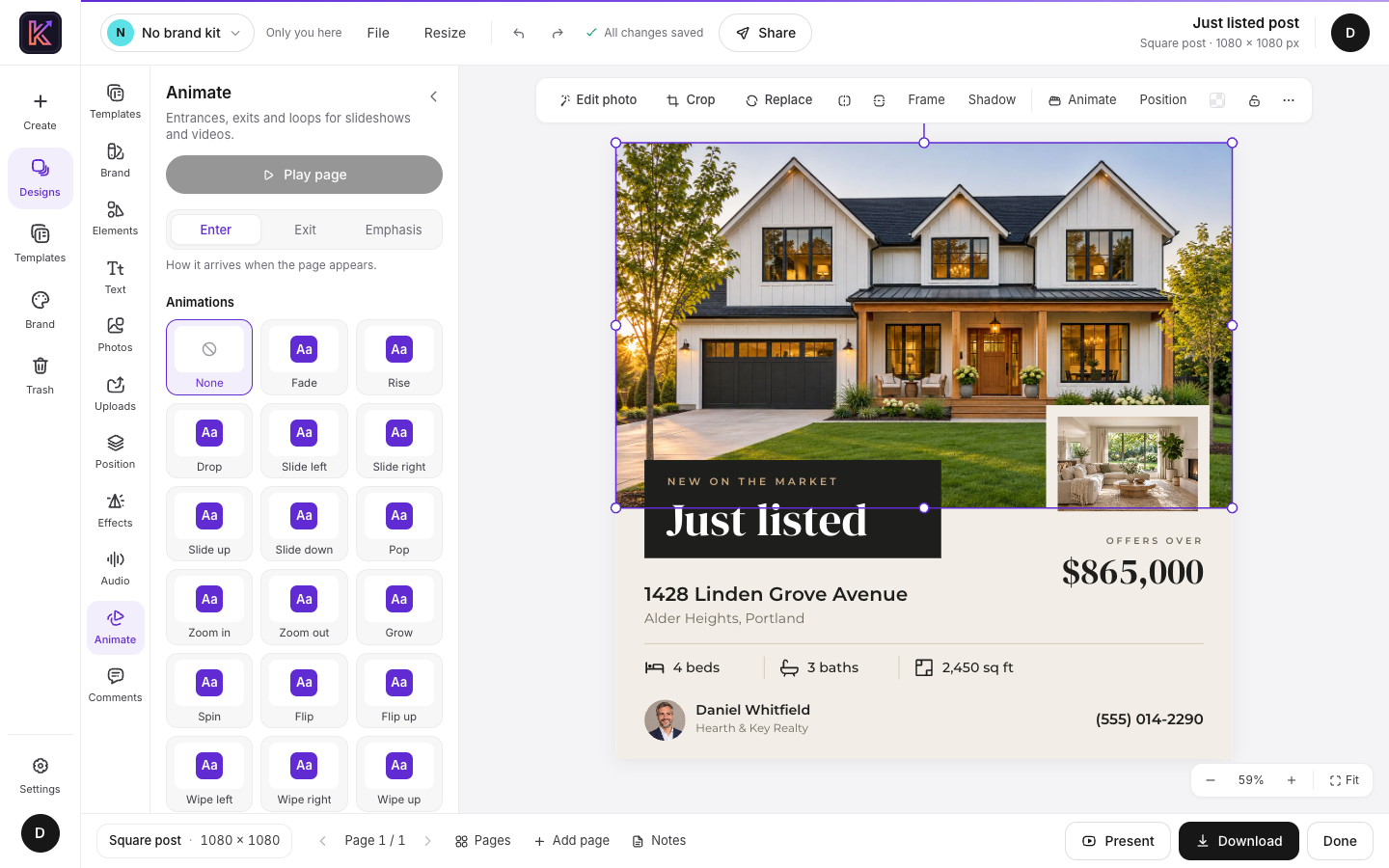 Choosing how each element arrives |
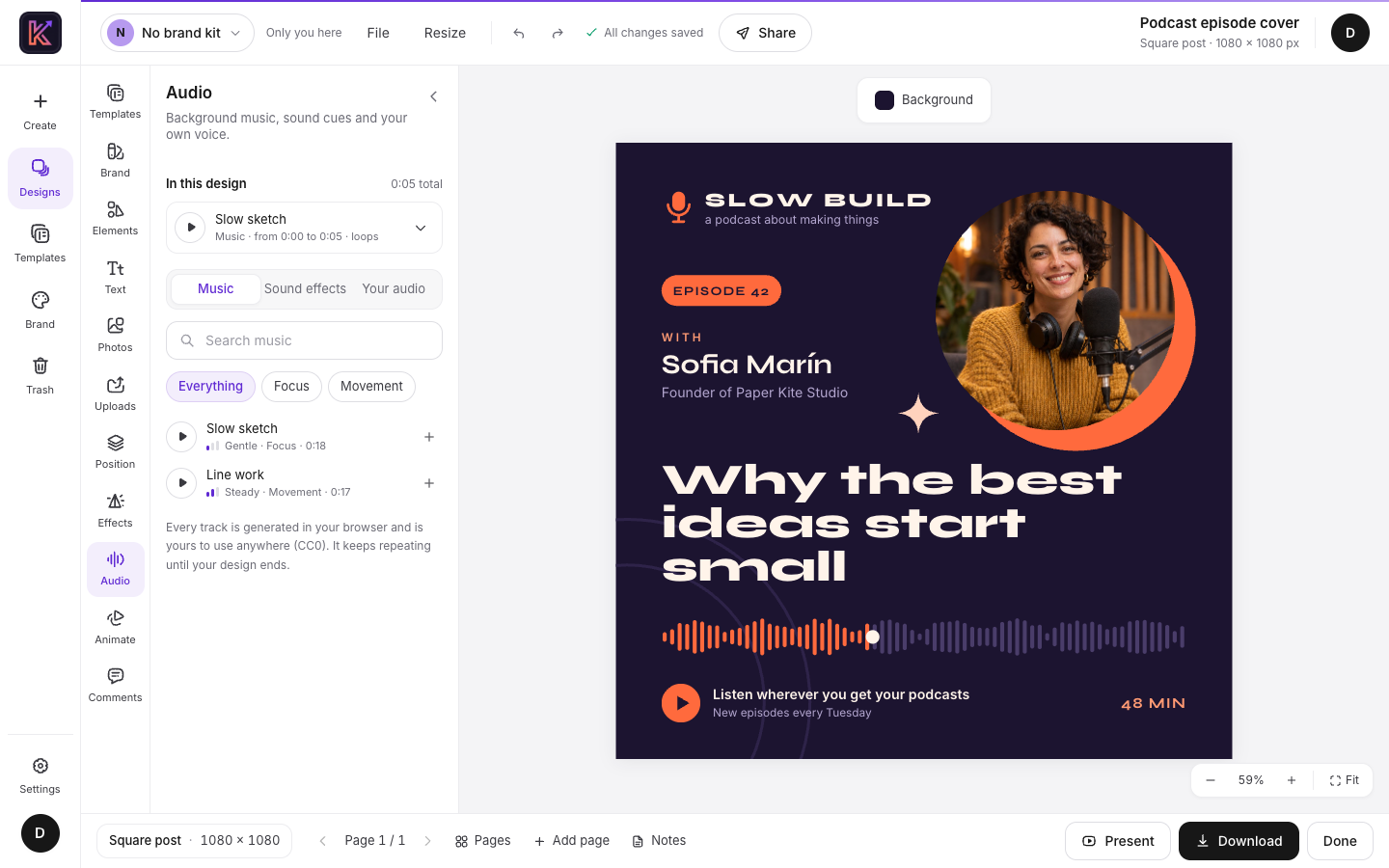 A built-in music loop added to a podcast cover |
|---|
Work on it together
Make a link that lets people view, comment or edit. Each link has its own access level and can have a password, and it stops working as soon as you remove it.
While other people are in the design, you see their cursors live. Comments pin to a spot on the page, and you can save named versions and go back to an earlier one.
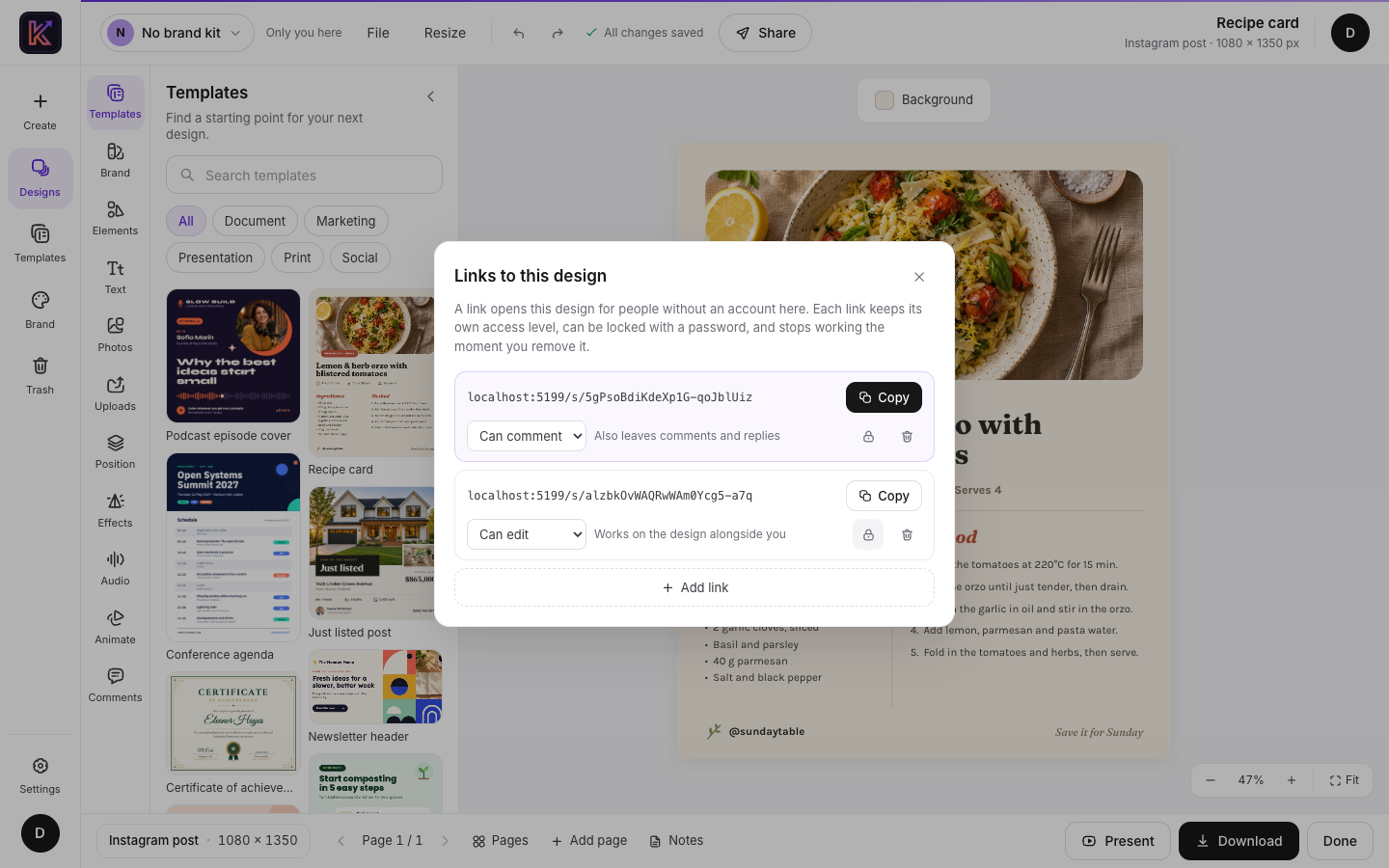 One link to comment, another to edit |
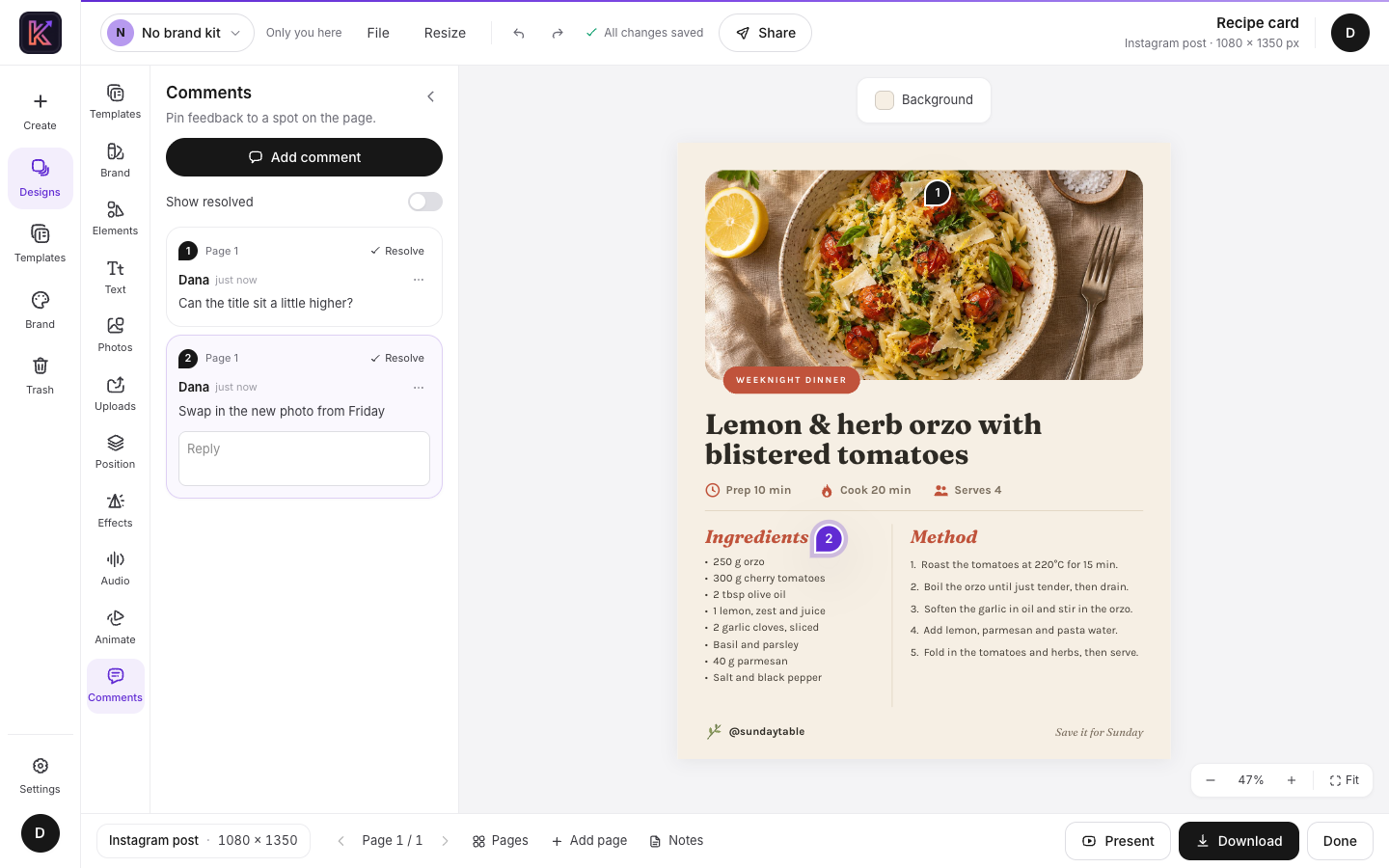 Comments pinned to the exact spot they're about |
|---|
Download it
Save it as PNG, JPG, SVG or PDF. The print PDF adds bleed and crop marks, ready for a print shop. Anything that moves can be saved as MP4, WebM or GIF.
You can also download a backup file, which opens on any Krevaya server.
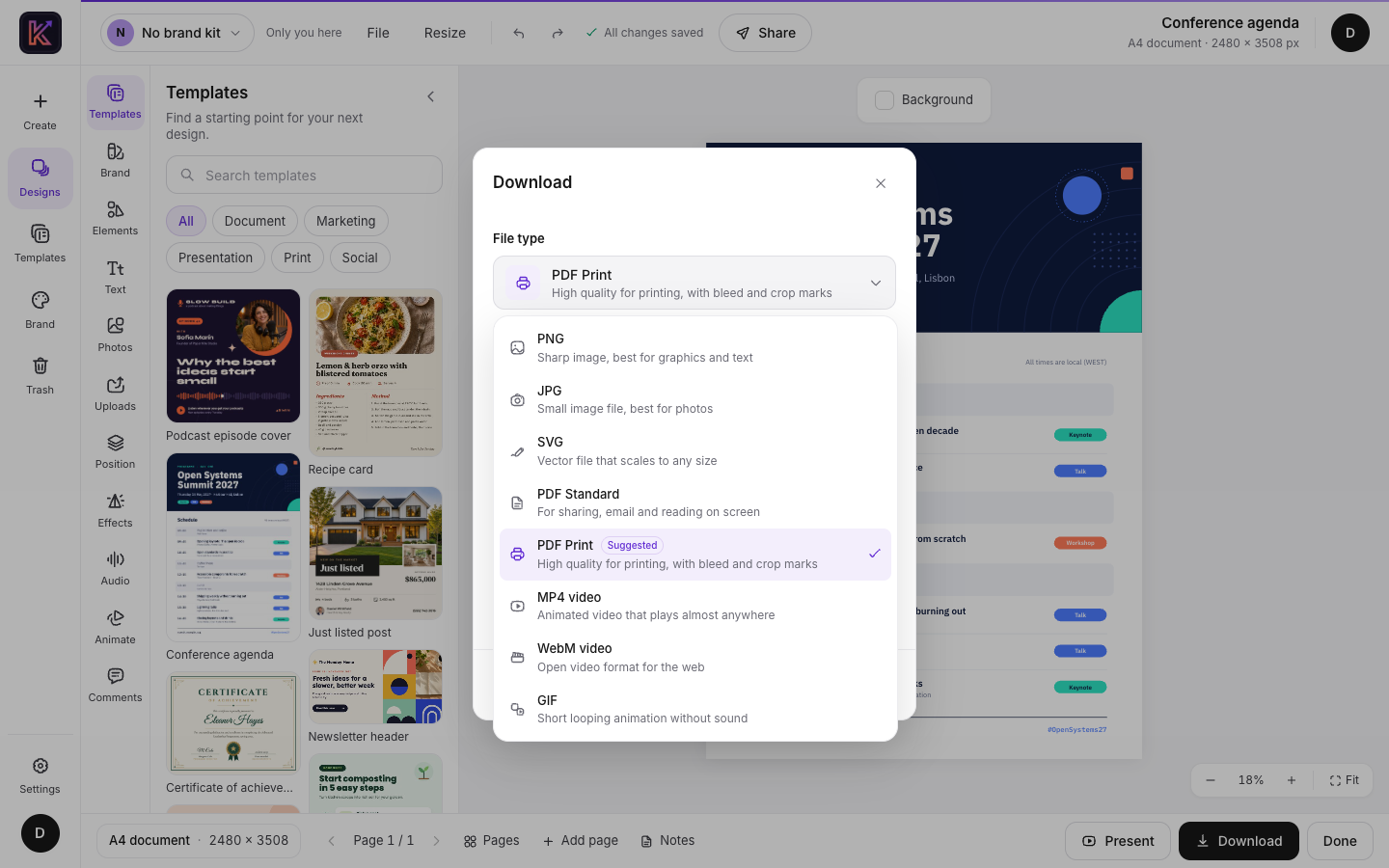
Automate the repetitive parts
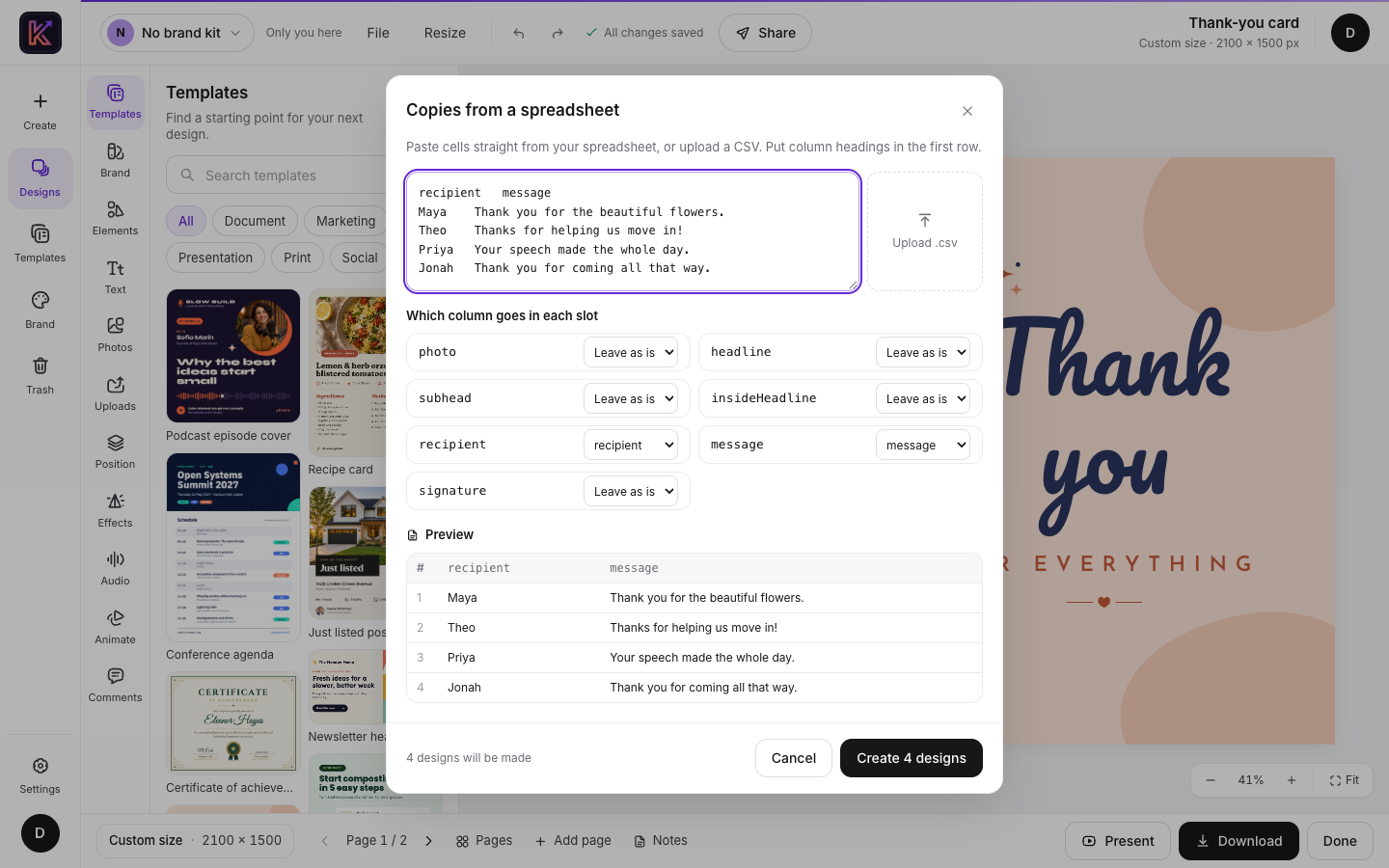
Give a text box, photo or QR code a slot name, and the design becomes a reusable template. Paste rows from a spreadsheet or upload a CSV, and Krevaya makes one copy per row. That works for name badges, certificates or a set of thank-you cards.
For scripts, there's a REST API with personal tokens and optional PNG, JPG and PDF rendering on the server. API and MCP has the details, and the next section covers AI assistants.
Work with an AI assistant
Krevaya includes a Model Context Protocol server, so an AI assistant can work on your designs. It can start a new design, fill a starter template, add a slide or rewrite a headline. Any MCP client that can send a bearer token works, including Claude Code and Cursor.
Its edits go through the same live session as the editor. If the design is open, you see each change appear.
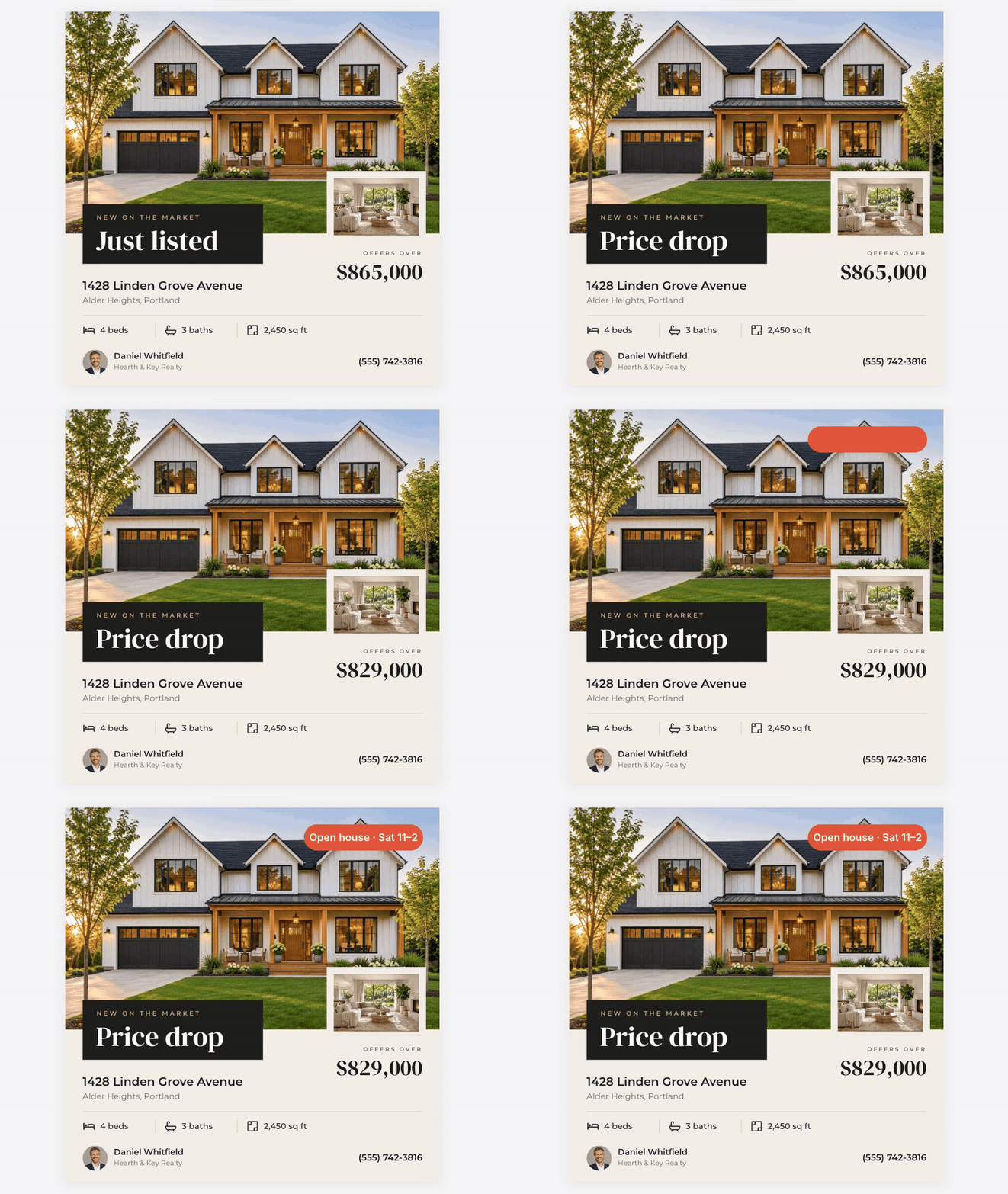
MCP tool calls editing a design that's open in the editor
Connect it in three steps
Set
ASSISTANT_API=truein your server's.envand restart. It's off until you do.In Krevaya, open Settings → API tokens and create a token. Copy it straight away, because it's only shown once.
Add the server to your assistant. In Claude Code:
claude mcp add --transport http krevaya https://krevaya.example.net/mcp \
  --header "Authorization: Bearer ka_..."
Other clients need the same URL and
Authorizationheader.
Then ask for what you want, the way you'd ask a colleague:
- "Make a square flyer for Saturday's plant swap in olive and cream."
- "Copy the Just listed starter for 22 Birch Lane, priced at $540,000."
- "Add a last slide with our opening hours."
What an assistant can do
| It can | Using |
|---|---|
| Find your designs, see what's on each page and give you the editor link | design_search, design_read, design_link |
| Start a design or rename one | design_new, design_retitle |
| Add pages and change their backgrounds | page_add, page_background |
| Add, change or remove text, shapes, lines, photos, icons and QR codes | element_add, element_edit, element_remove |
| Start from a starter template, or make many copies with new slot values | starter_list, design_copy, design_copies |
Good to know
- The token acts as you. An assistant can open and change only what you can. Revoke the token in Settings when you no longer need it.
- Starters stay untouched. An assistant makes its own copy of a starter template first, then edits that copy.
- Calls are rate-limited per token by
ASSISTANT_RATE(60 a minute by default). Connecting and listing the tools don't count. - Batch copies follow the API's rules. A request can have up to
COPIES_PER_REQUESTrows (250 by default), and each copy counts towardRATE_LIMIT_COPIES. Photo links in slot values are downloaded only whenREMOTE_IMAGES=true, and each one counts towardRATE_LIMIT_REMOTE_IMAGES.
API and MCP covers the rest.
Built with
- Backend: FastAPI, SQLAlchemy and Alembic on PostgreSQL (or SQLite for a small install), with pycrdt for live editing
- Frontend: React, TypeScript and Vite, Konva for drawing, Yjs for shared editing, Zustand for state and Tailwind for styling
- Tests: pytest, Vitest and Playwright
Running your own
The install guide walks through both ways in: Docker compose, or a plain Linux server with nginx and systemd. Fonts, the cut-out model and the starter content are all in the repository, so setup doesn't reach out to anything.
Krevaya Cloud vs. Self-Hosted
Choose Krevaya Cloud for a fully managed experience, or deploy Krevaya on your own infrastructure.
We do not gate features in the open-source edition or limit the license.
The main difference is what's included and who runs it. Krevaya Cloud also includes scheduling, publishing to 34 channels and Krevaya AI, and we host it for you. The self-hosted edition is the design editor in this repository, running on your own server.
| Area | Krevaya Cloud | Self-Hosted |
|---|---|---|
| Cost | Subscription per plan, 7-day free trial | Free forever (AGPL-3.0); you pay only for your own server |
| Setup time | Sign up and start designing in minutes | Deploy with Docker Compose or on any Linux server with nginx and systemd; you configure the database, storage and env vars |
| Hosting & data | Hosted by Krevaya; data stored in our infrastructure | Runs on your own server; your designs and uploads stay in your environment |
| Design editor | Krevaya Studio for images, carousels & videos | The full editor in this repository: templates, photo tools, animation & sound |
| Templates | Premium templates included | A growing set of starter templates |
| Export | Image downloads & MP4 video export | PNG, JPG, SVG, PDF (with print bleed & crop marks), MP4, WebM & GIF |
| Background removal | Included (AI background removal & photo restyle) | Included; runs in your browser |
| Krevaya AI, AI images, AI edits | Included with monthly AI credits per plan | Not included; connect your own assistant over MCP |
| Scheduling & publishing to 34 channels | Included | Not included |
| Collaboration | Editor seats per plan | No seat limits; share links, live editing & comments included |
| Public API & MCP | Included (MCP server, API & webhooks) | Included; you point your MCP client at your own instance |
| Updates & maintenance | Automatic, handled by Krevaya | You pull new versions and restart; migrations run on start |
| Uptime, backups, security patches | Managed by Krevaya | Your responsibility |
| Support | Support via email | Community support via GitHub issues |
| Source access & customization | No (SaaS) | Full source code; fork and modify freely under AGPL-3.0 |
| Compliance / data residency | Krevaya-controlled regions | Any region or environment you choose |
License
Krevaya is released under the AGPL-3.0. Running it, changing it and hosting it are all fine, commercially as well. If people use a version you've changed over a network, they're entitled to its source under the same license. Fonts, icons, the cut-out model and the other bundled parts keep their own licenses, listed in CREDITS.md.
Settings links to the full licenses and credits. They're part of the frontend build, including font and model notices and the source of the installed media export library.
The Krevaya name and logo are trademarks and aren't covered by the AGPL. If you host a changed version, give it your own name and logo.
Canva is a trademark of Canva Pty Ltd. Krevaya is not affiliated with or endorsed by Canva.
Explore related projects
awesome-selfhosted/awesome-selfhosted
A list of Free Software network services and web applications which can be hosted on your own servers
336,621 starsimmich-app/immich
High performance self-hosted photo and video management solution.
119,024 starsStirling-Tools/Stirling-PDF
#1 PDF Application on GitHub that lets you edit PDFs on any device anywhere
96,434 starslouislam/uptime-kuma
A fancy self-hosted monitoring tool
93,575 stars