
krelltunez/lifeGLANCE
krelltunez/lifeGLANCE has 160 GitHub stars and 13 forks. GitHot measured 0 stars in 24 hours. Last checked 2026-11-09 19:11 UTC. Last push 2026-11-07.
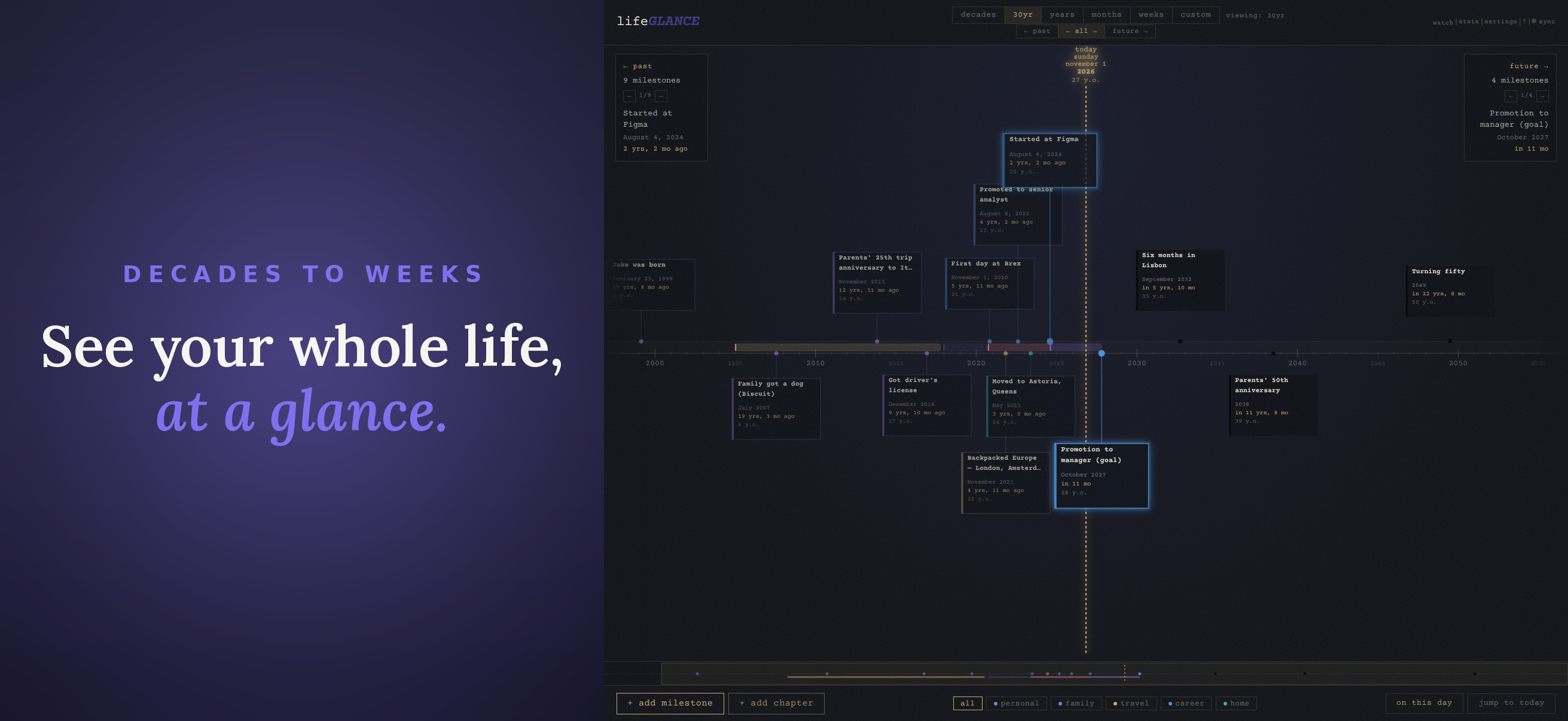
Your life, at a glance
What you can do
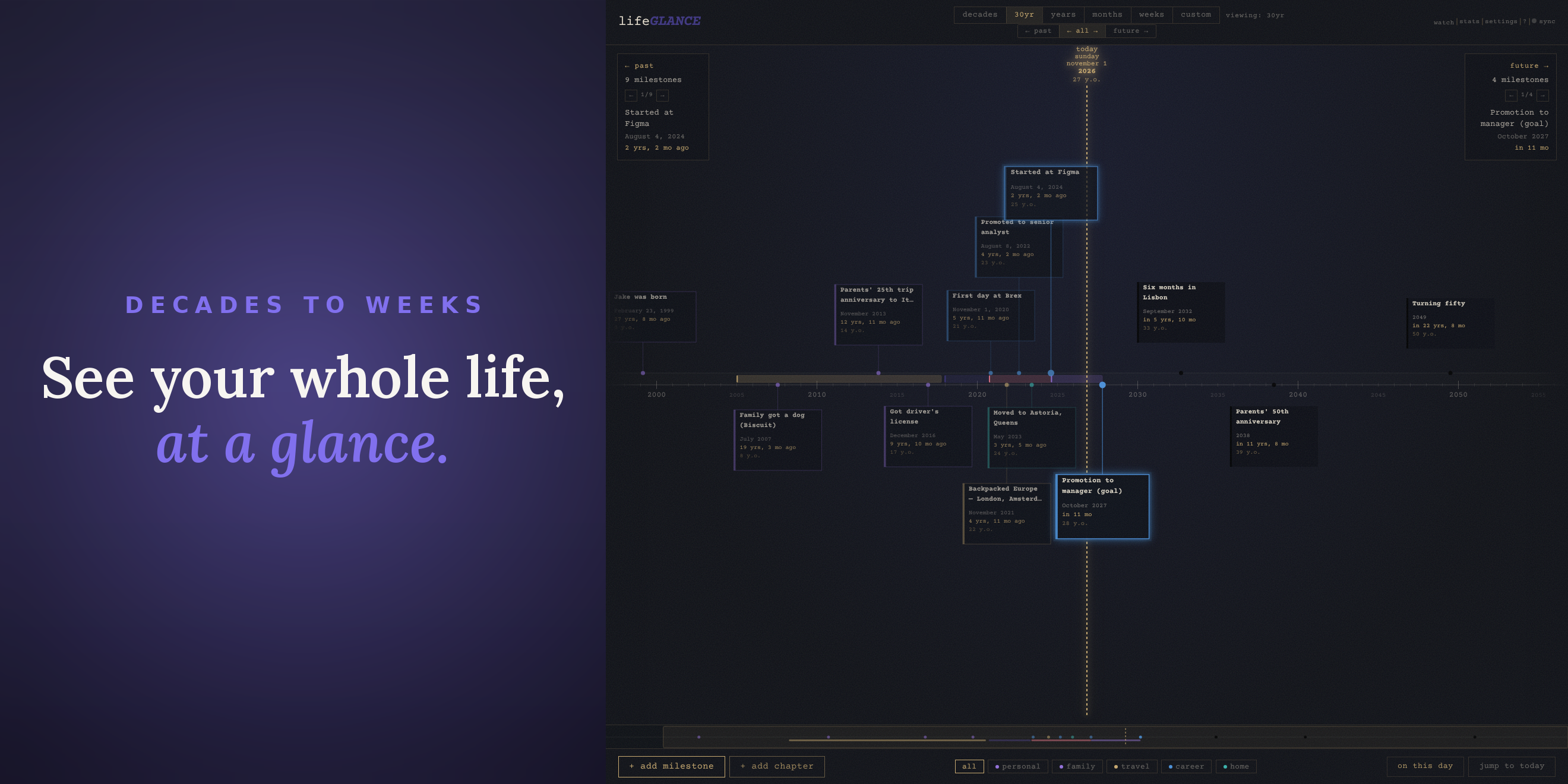
- Smooth pan and zoom from individual weeks to multiple decades
- Past and future milestones on a single continuous axis
- Keyboard navigation between milestones and zoom levels
- "Today" marker with date, day of week, and optional age display
Measured star growth
- in 24h
- 0
- in 7 days
- Collecting history
- in 15 days
- Collecting history
- in 1 month
- Collecting history
Net star changes over overlapping periods, not daily totals. Missing measurements are left blank. Stars measure attention, not software quality.
README.md
OriginallifeGLANCE
Your life, at a glance. A zoomable personal timeline for milestones, past and future. Runs in your browser, with no account and no server unless you bring your own.
Part of the GLANCE family: focused, standalone apps connected through a shared intent protocol. See also dayGLANCE (today), lastGLANCE (recent upkeep), and lifeGLANCE (your whole timeline).



Quick Start
Use the hosted version at lifeglance.app, or self-host with Docker.
Self-host with Docker
docker run -d \
  -p 8080:80 \
  --restart unless-stopped \
  ghcr.io/krelltunez/lifeglance:latest
Or with Docker Compose:
services:
  app:
    image: ghcr.io/krelltunez/lifeglance:latest
    ports:
      - "8080:80"
    restart: unless-stopped
Available at http://localhost:8080.
Build from Source
Requires Node 20+.
npm install
npm run dev
The dev server starts at http://localhost:5173.
npm run build   # outputs to /dist
npm run preview # serve the production build locally
The Docker image builds with Node 20 Alpine and serves the static output via nginx.
Android App
A native Android app is available on Google Play and as a direct APK download. The Google Play build is a commercial binary that supports continued development.
Get it on Obtainium →
Just point Obtainium to krelltunez/lifeGLANCE!
Which build am I running?
The two Android builds differ in one way only: the Play build is a paid app (subscription or one-off lifetime unlock), the GitHub APK is fully unlocked — no paywall, no billing, every feature on. They otherwise share a package name, app name, icon and version, so once installed they look identical. Two ways to tell them apart:
- Settings → subscription. The GitHub APK says "This build is fully unlocked." The Play build shows a purchase status and a Manage subscription button instead.
- The version. The sideload APK's version ends in
-github, e.g.4.0.1-github(releases up to 3.3.1 do not carry this marker yet).
If you are seeing a paywall, you are running the Play build. Third-party mirrors (APKPure, APKMirror, Aptoide and similar) republish the Play build under the same name and version — only the Releases page and Obtainium serve the ungated one. Switching from the Play build to the sideload APK needs an uninstall (the signing keys differ, so Android cannot update one into the other), and uninstalling erases local data — export first, or set up sync before you switch.
Verifying the APK
Every release publishes SHA256SUMS.txt next to the APK:
sha256sum -c SHA256SUMS.txt # run in the folder you downloaded into
The APK is signed with this certificate — any APK claiming to be lifeGLANCE with a different fingerprint was not built by us:
SHA-256: 31:7B:61:C1:05:34:F6:6B:4A:51:37:5F:4C:00:43:90:4B:6C:08:C7:AA:AA:AF:24:17:D2:57:64:D0:F3:D0:D0
apksigner verify --print-certs lifeglance-github.apk
(The Play copy is re-signed by Google Play App Signing, so it legitimately shows a different fingerprint — that is itself a way to tell the two apart. A single-engine antivirus flag on the sideload APK is the same story: the two signatures differ by design.)
The Android app ships the full web app in a WebView with native enhancements that aren't possible in a browser:
| Feature | Details |
|---|---|
| 🏠 Home screen widgets | Next milestone countdown, Today (date + age), Current chapter, On this day, milestone stats, and colour-slot pinned countdowns |
| ➕ Quick add everywhere | A Quick Add widget, a Quick Settings tile, and long-press app shortcuts all open the add-milestone sheet in one tap |
| 📤 Share to add | Share a link or text from any app to drop it straight into a new milestone |
| 🔗 GLANCE intents | A cross-app intent protocol links lifeGLANCE with the rest of the GLANCE family |
| 🔄 Encrypted sync | Opt-in WebDAV / GLANCEvault sync, end-to-end encrypted with a passphrase you control |
| 📴 Full offline | The whole timeline works offline; photo, audio, and video attachments are stored as local blobs on-device |
| Timeline | Milestone detail |
|---|---|
 |
 |
iPhone & iPad App
lifeGLANCE is on the App Store for iPhone and iPad (iOS 16 or later) as lifeGLANCE: Life Timeline. Like the Play build, it is a commercial binary that supports continued development: an annual subscription that starts with a free trial, or a one-time lifetime unlock, and one purchase covers both your iPhone and your iPad.
The iOS app ships the full web app with native integrations for iPhone and iPad:
| Feature | Details |
|---|---|
| ☁️ iCloud sync | Every device on the same Apple ID stays in step with nothing to set up, protected by Apple's iCloud encryption. It can be switched off per device (details) |
| 🏠 Home Screen & Lock Screen widgets | Next milestone countdown, Today (date + age), Current chapter, On this day, milestone stats, and colour-slot pinned countdowns |
| 🗣️ Siri & Shortcuts | "Add a milestone in lifeGLANCE" opens the add-milestone sheet from anywhere |
| 🔍 Spotlight search | Your milestones are indexed in Spotlight, so system search finds them |
| 📤 Share to add | Share a link or text from any app and it is waiting as a milestone draft the next time you open lifeGLANCE |
| 🔄 Every sync option | WebDAV, GLANCEvault and Direct Access work alongside iCloud, or instead of it |
| 🔗 GLANCE intents | Links lifeGLANCE with the rest of the GLANCE family, with iCloud as an opt-in way to exchange intents with dayGLANCE and lastGLANCE |
| iPhone | iPad |
|---|---|
 |
 |
Features
Timeline
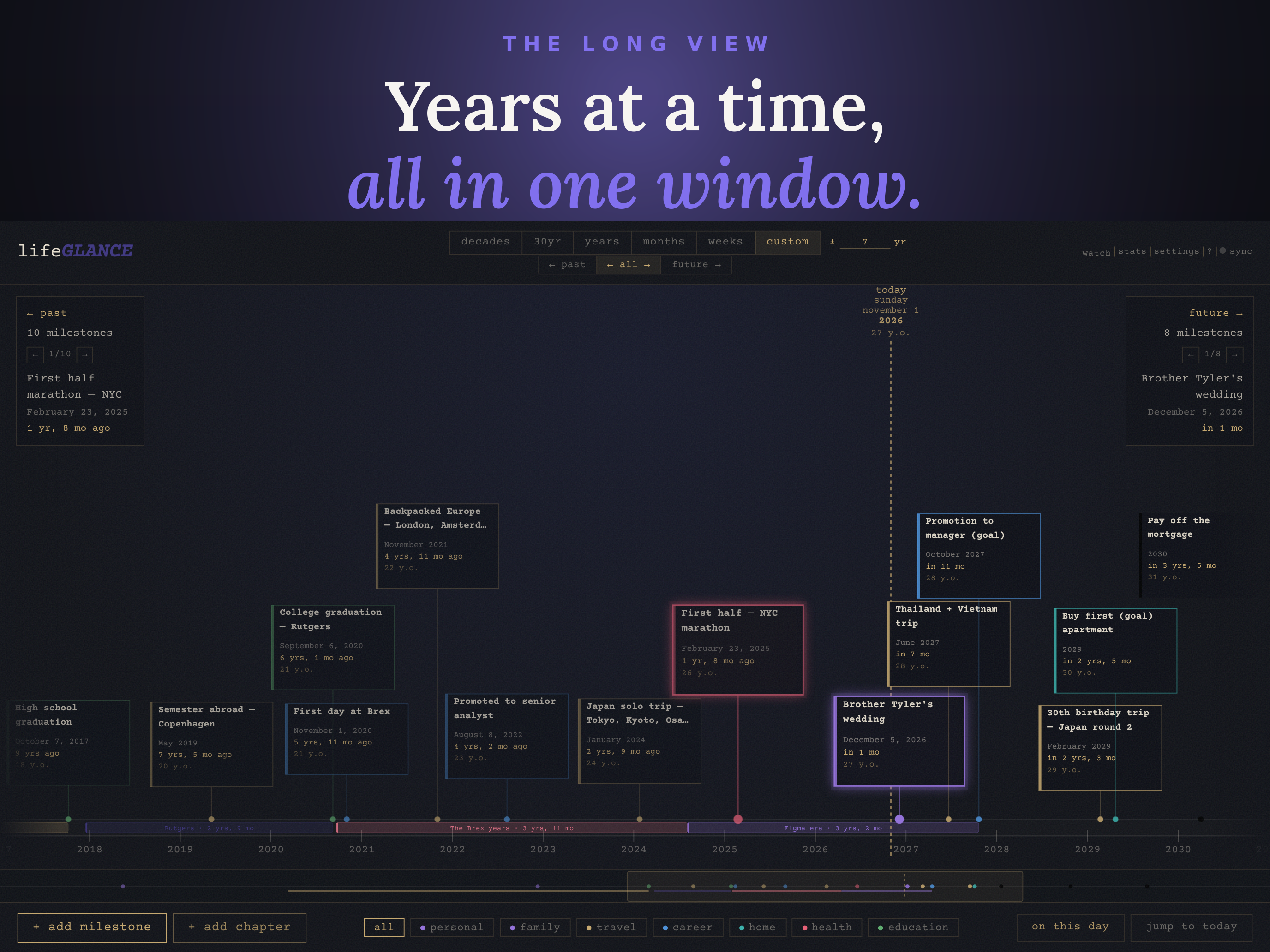
- Smooth pan and zoom from individual weeks to multiple decades
- Past and future milestones on a single continuous axis
- Keyboard navigation between milestones and zoom levels
- Cluster badges for dense date ranges
- "Today" marker with date, day of week, and optional age display
Milestones
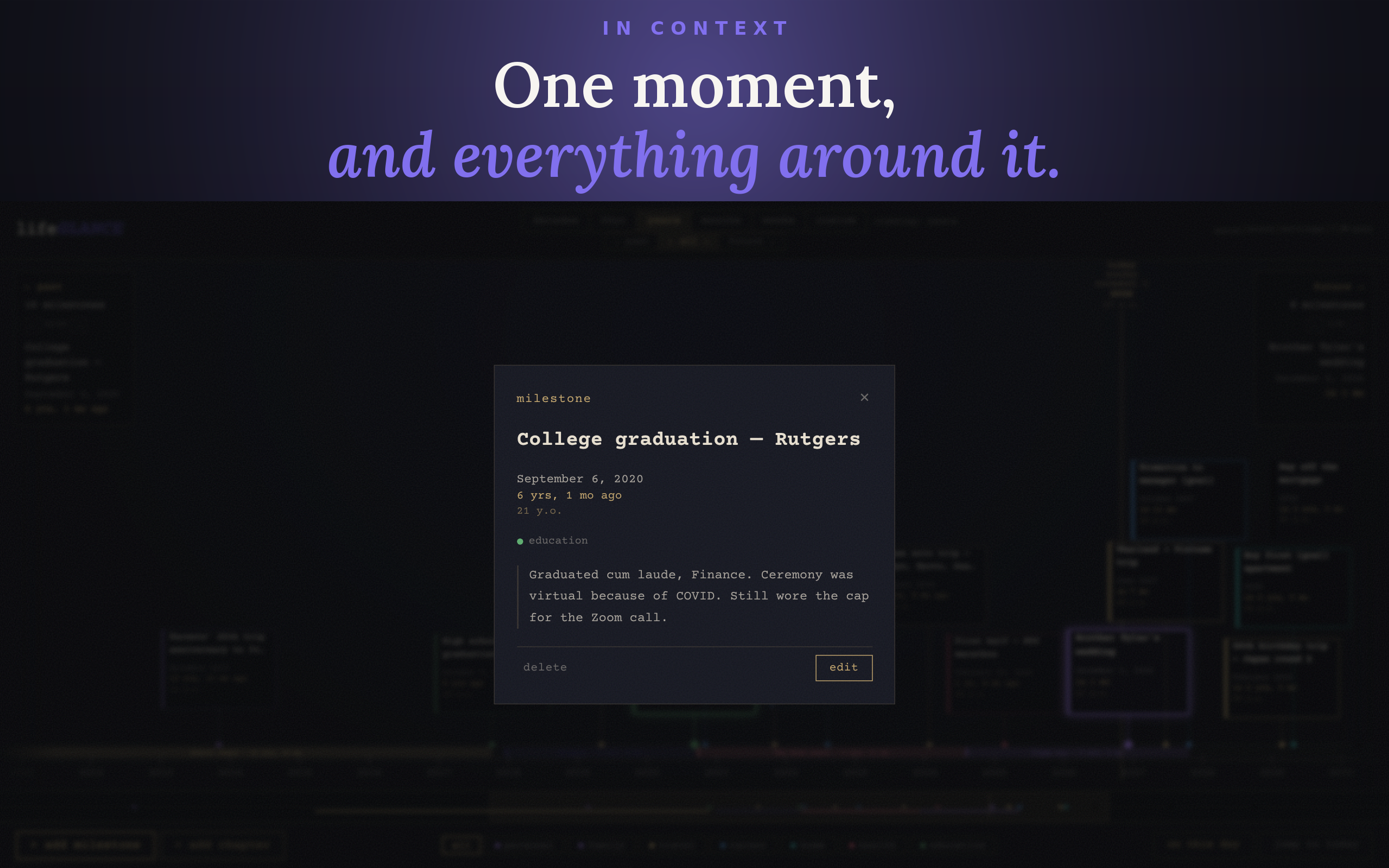
- Title, date (day / month / year precision), category, note, and URL
- Photo, audio, and video attachments stored as local blobs, with no base64 bloat
- Annual recurrence with configurable end year
- Inline delete confirmation, undo / redo history
Views & search
- All / Past / Future view modes
- Full-text search across titles and notes
- Stats panel and summary modal
- "On this day": milestones from this date in past years
- Minimap scrubbar for fast navigation
Import / export
- Import events from
.icscalendar files - Export timeline as a high-resolution PNG (2x, with branding watermark)
- JSON backup and restore
App
- Installable PWA, works fully offline after first load
- Ambient generative audio with mute toggle
- Adjustable text size
- Portrait-mode warning for mobile
Keyboard Shortcuts
| Key | Action |
|---|---|
← / → |
Cycle past / future milestones |
↑ / ↓ |
Zoom out / in |
1 – 9 |
Custom zoom to N years |
C |
Custom zoom input |
T |
Jump to today |
P / A / F |
Past / All / Future view |
N |
New milestone |
E |
Export image |
/ |
Search |
S |
Settings |
M |
Mute / unmute |
⌘Z / Ctrl+Z |
Undo |
⌘⇧Z / Ctrl+Y |
Redo |
? |
Help |
Esc |
Close modal |
Tech Stack
| Layer | Technology |
|---|---|
| Framework | React 18 + Vite |
| PWA | vite-plugin-pwa (Workbox) |
| Storage | IndexedDB (milestones, media, sync keys), localStorage (settings, sync config) |
| Dates | date-fns |
| Font | Courier Prime (Google Fonts, cached offline) |
| Audio | Web Audio API, synthesised, no samples |
| Deployment | Docker + nginx |
Sync & Storage
By default all data stays on your device, stored locally using IndexedDB — nothing is sent anywhere. Cross-device sync is opt-in: when you enable it, your timeline is synced to a WebDAV server or GLANCEvault instance that you choose and control, and can be end-to-end encrypted with a passphrase so the server only ever sees ciphertext.
On iPhone and iPad, the app syncs through iCloud with nothing to set up: every device signed in to the same Apple ID stays in step, protected by Apple's iCloud encryption. It can be switched off per device in Cloud Sync, and a fresh install that finds a timeline in iCloud asks before restoring it. See docs/icloud-sync.md.
| Store | Contents |
|---|---|
IndexedDB milestones |
Milestone records (text fields, flags) |
IndexedDB media |
Audio / video blobs, keyed by milestone ID |
IndexedDB lifeglance-crypto |
Sync encryption keys — present only when encrypted sync is enabled |
localStorage |
Settings and preferences, and — when sync is enabled — your WebDAV / GLANCEvault server URL and credentials |
Media blobs are fetched lazily, only when you open a milestone detail or click play, so startup time stays fast regardless of how many attachments you have.
Deletions propagate through sync for 90 days. If a device stays offline longer than that and then reconnects, items it deleted before going offline can reappear — sync no longer has a record of the deletion. Reconnect syncing devices at least once within 90 days to avoid this.
Backup: use Settings → save backup to export a JSON file of your milestone records. Audio and video attachments are not included in the JSON backup, so re-attach them after restoring if needed.
Storage limits vary by browser. Chrome and Firefox allow multiple GB. Safari on iOS is more restrictive and may evict data for origins not visited for 7+ days unless the app is installed to the home screen. The current usage and available quota are shown in the Help modal (?).
Privacy
lifeGLANCE has no backend of its own, no analytics, and no tracking. Beyond loading the app and the Courier Prime font (cached after first load), network activity happens only when you opt in: syncing to the server you configure, iCloud sync on iPhone and iPad (on by default there, kept in your own iCloud account), and — in the app-store build — subscription checks through your app store's billing. Your timeline data is yours alone.
Contributing
Small fixes are welcome, and larger changes should start with an issue. See CONTRIBUTING.md for scope, expectations, and conventions.
License
The source is MIT-licensed: free to build, self-host, modify, and distribute. The web app is free to use — hosted or self-hosted — and a free Android APK is on the releases page. The paid Google Play and App Store builds are a convenience distribution that funds development — you're paying for the packaged, signed, auto-updating binary, not the code.
The lifeGLANCE name, logo, and app icon are trademarks and are not covered by the MIT license.
Support
If lifeGLANCE has been useful to you, consider supporting its development:


Explore related projects
n8n-io/n8n
Fair-code workflow automation platform with native AI capabilities. Combine visual building with custom code, self-host or cloud, 400+ integrations.
209,959 starslanggenius/dify
Build Agentic workflows, RAG pipelines, with rich AI model and tool support on one collaborative workspace. Deploy on cloud, VPC, or self-hosted, so teams move from prototype to production without rebuilding the stack.
160,773 starsmicrosoft/PowerToys
Microsoft PowerToys is a collection of utilities that supercharge productivity and customization on Windows
140,755 starsstablyai/orca
Orca is the place for working with a fleet of agents (e.g. Grok Bot, Claude Code). Run any coding agent with your own subscription. Available on desktop, mobile and remote runtime.
120,604 stars