
klpod221/kerminal
klpod221/kerminal has 469 GitHub stars and 46 forks. GitHot measured +2 in 7 days and +3 in 15 days. Last checked 2026-11-10 21:29 UTC. Last push 2026-11-05.
// Modern Terminal Emulator & SSH Manager
Measured star growth
- in 24h
- Update delayed
- in 7 days
- +2
- in 15 days
- +3
- in 1 month
- Collecting history
Net star changes over overlapping periods, not daily totals. Missing measurements are left blank. Stars measure attention, not software quality.
README.md
OriginalKerminal: Modern Terminal Emulator & SSH Manager
A powerful, feature-rich terminal emulator with advanced SSH management, multi-device sync, and enterprise-grade encryption built with Tauri + Vue 3.




📝 Description
Kerminal is a modern, high-performance terminal emulator that combines the power of a full-featured local terminal with advanced SSH connection management. Built with security-first architecture using Tauri (Rust) for native performance and Vue 3 for a responsive UI, Kerminal offers everything from basic terminal operations to complex SSH workflows with encrypted profile management, tunneling, and multi-device synchronization—all in a beautiful native desktop application.
Perfect for developers, DevOps engineers, system administrators, and anyone who lives in the terminal and values security, organization, and productivity.
🚀 Table Of Content
- 📝 Description
- 🚀 Table Of Content
- 📸 Screenshots
- ✨ Features
- 📦 Installation Guide
- 🚀 Development
- 🔒 Security Considerations
- 🤝 Contributing
- ❗ Known Issues
- 📝 License
- 👤 Author
- 🙏 Acknowledgments
- 📮 Support
- 👥 Contributors
- ⭐ Star History
📸 Screenshots
Dashboard
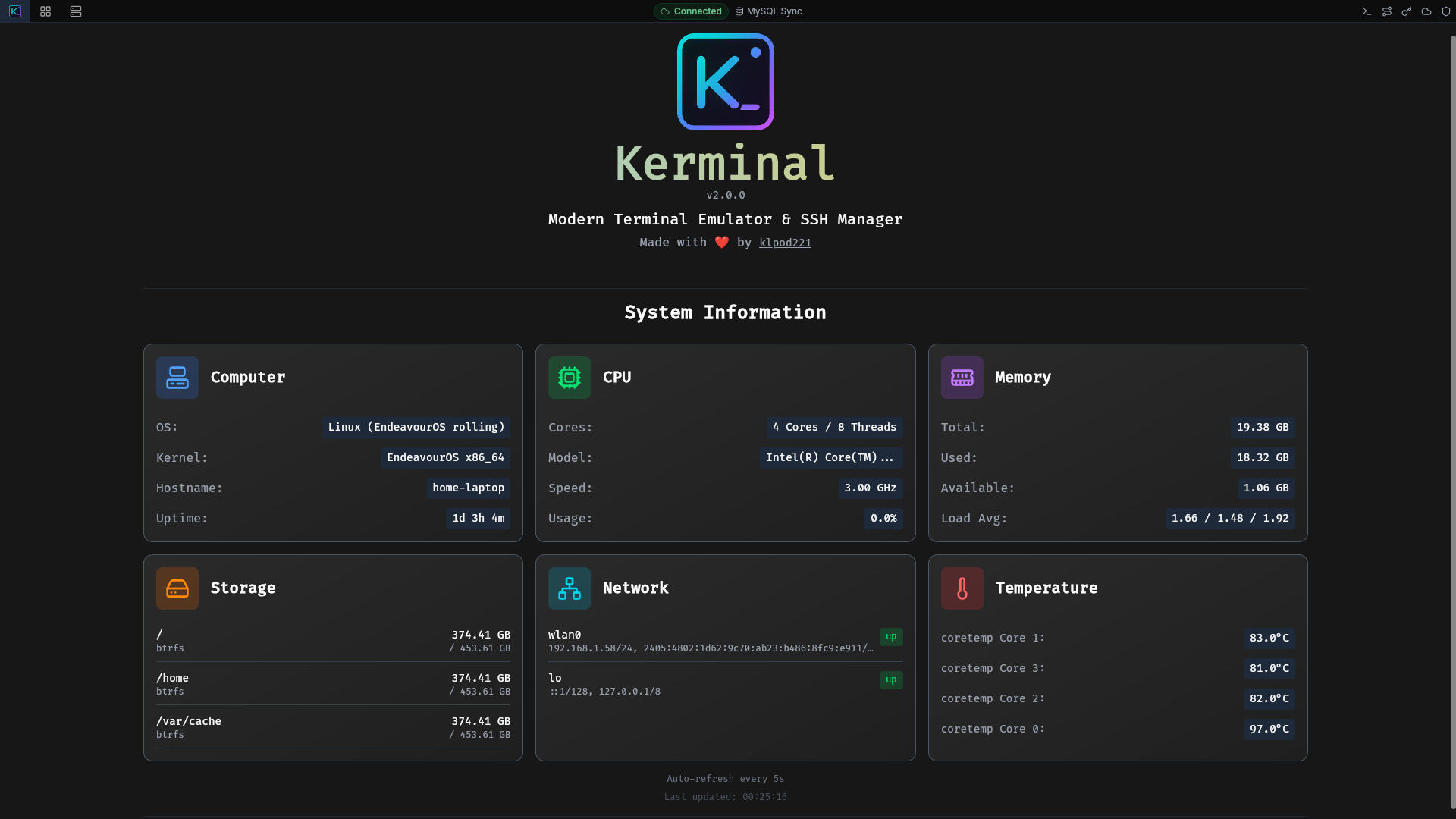
Main Interface
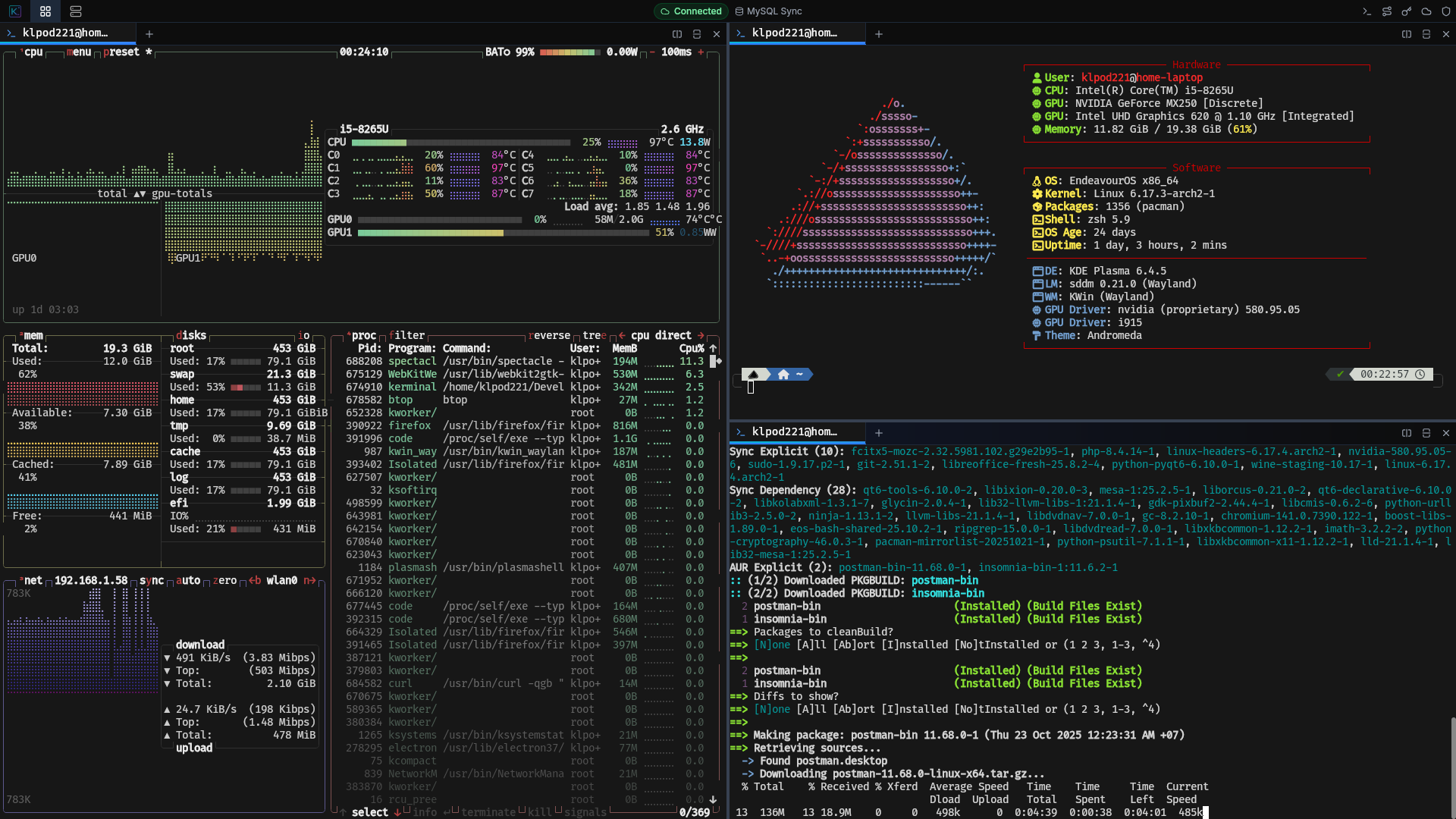
Demo
✨ Features
💻 Terminal Emulator
- Multiple tabs and split panes
- Native shell integration (bash, zsh, fish, PowerShell, etc.)
- Hardware-accelerated Canvas 2D rendering with Unicode 11 support
- Sixel graphics protocol support for inline images
- Search, clickable links, and clipboard integration
- Built-in Command Palette
📡 SSH Management & Tunneling
- Profile organization with groups, colors, and descriptions
- Authentication via password and SSH keys
- Built-in SSH key manager (import, export, connection testing)
- Proxy support (HTTP, SOCKS4/5)
- Jump Host Chain for connecting through multiple bastion hosts
- Port forwarding (Local, Remote, Dynamic SOCKS)
- Automatic parsing of
~/.ssh/config
💾 Session & File Management
- Record and playback sessions in
asciicastformat - Saved commands library with groups and syntax highlighting
- SFTP file transfer integration
🔄 Security & Synchronization
- Multi-device sync via MySQL/PostgreSQL/MongoDB
- AES-256-GCM encryption with master password
- Device-specific keys and OS keychain integration
- Configurable session auto-lock
🎨 User Interface
- Customizable terminal themes, color schemes, and fonts
- Native dark theme and keyboard shortcuts
- Dashboard interface and first-time user tour
📦 Installation Guide
Flatpak (Linux)
You can download the .flatpak file from the Releases page and install it using:
flatpak install /path/to/kerminal_*.flatpak
Arch Linux (install from AUR)
- Using an AUR helper (e.g., yay):
yay -S kerminal # or kerminal-bin
- Manually:
git clone https://aur.archlinux.org/kerminal.git # or kerminal-bin.git
cd kerminal
makepkg -si
Other Platforms (Windows, macOS, Linux)
- Download the latest release from the Releases page
- Follow the installation instructions for your operating system
🚀 Development
Prerequisites
- Node.js (v20 or higher)
- Rust (latest stable)
- Tauri CLI:
cargo install tauri-cli
Installation
- Clone the repository
git clone https://github.com/klpod221/kerminal.git
cd kerminal
- Install dependencies
npm install
- Run in development mode
# Option A: Tauri v2 + Vue 3 (Default)
npm run tauri dev

# Option B: Native Pure-Rust GUI (Iced)
npm run gui:dev
- Build for production
npm run tauri build
The application will be available in target/release/bundle/.
Project Structure
Kerminal is organized into a clean src/ modular workspace:
src/core: Core business domain (PTY, SSH/russh, SFTP, multi-engine Database, Encryption, Sync, History, Recording) without any framework dependencies.src/tauri: Tauri v2 desktop & mobile adapter with direct binary streaming IPC and lifecycle management.src/vue: Vue 3 frontend (Composition API, Pinia, TailwindCSS, xterm.js with Canvas 2D renderer).
Key Technologies
| Layer | Technology | Purpose |
|---|---|---|
| Frontend | Vue 3 + TypeScript | Reactive UI framework |
| State | Pinia | Centralized state management |
| Backend | Rust + Tauri v2 | Native performance and security |
| SSH | russh | SSH protocol implementation |
| Terminal | xterm.js | Terminal emulation |
| Recording | asciinema-player | Session playback |
| Database | SQLite, MySQL, PostgreSQL, MongoDB | Local and sync storage |
| Encryption | AES-256-GCM + Argon2 | Data encryption and key derivation |
🔒 Security Considerations
- All sensitive data encrypted at rest with AES-256-GCM
- Master password never stored, only verification hash
- Device-specific encryption keys prevent data access from other devices
- SSH private keys never leave the device unencrypted
- Sync data encrypted before transmission
- Automatic session locking after inactivity
- Platform keychain integration for secure auto-unlock
🤝 Contributing
Contributions are welcome! Please follow these guidelines:
- Fork the repository
- Create a feature branch (
git checkout -b feature/amazing-feature) - Commit your changes (
git commit -m 'Add amazing feature') - Push to the branch (
git push origin feature/amazing-feature) - Open a Pull Request
❗ Known Issues
- Limited support for some SSH authentication methods
- MacOS version is not signed/notarized yet due to Apple Developer Program restrictions (it takes 99 USD/year!) So please build from source if you want to use on MacOS or run unsigned app with
xattr -rd com.apple.quarantine /path/to/Kerminal.appafter first launch.
📝 License
This project is licensed under the GPL-3.0 License - see the LICENSE file for details.
👤 Author
Bùi Thanh Xuân (klpod221)
- Website: klpod221.com
- GitHub: @klpod221
- Email: [email protected]
🙏 Acknowledgments
- Tauri - For the amazing Rust-based desktop framework
- Vue 3 - For the reactive and performant frontend framework
- xterm.js - For the excellent terminal emulator
- asciinema-player - For the powerful terminal session player
- russh - For the robust SSH implementation in Rust
- Lucide - For the beautiful icon set
📮 Support
If you encounter any issues or have questions:
- Check existing Issues
- Create a new issue with detailed information
- Contact via email: [email protected]
👥 Contributors
Thanks to all the amazing people who have contributed to this project! 🎉
|
Bùi Thanh Xuân |

Thuan Vo |

Vitaly Barakov |
⭐ Star History
Made with ❤️ by klpod221
⭐ Star this repository if you find it helpful!
Explore related projects
codecrafters-io/build-your-own-x
Master programming by recreating your favorite technologies from scratch.
561,670 starspublic-apis/public-apis
A collective list of free APIs
498,063 starsmorluto/rea
Reverse engineer anything with agents, from app behavior down to native binaries.
450,822 starsopenclaw/openclaw
The AI that really does things. Any OS. Any Platform. The lobster way. 🦞
394,314 stars