
keishihara/flow-matching
keishihara/flow-matching has 131 GitHub stars and 13 forks. GitHot measured 0 stars in 24 hours, 0 in 7 days, and +1 in 15 days. Last checked 2026-11-17 02:09 UTC. Last push 2026-01-18.
Measured star growth
- in 24h
- 0
- in 7 days
- 0
- in 15 days
- +1
- in 1 month
- Collecting history
Net star changes over overlapping periods, not daily totals. Missing measurements are left blank. Stars measure attention, not software quality.
About
Flow Matching implemented in PyTorch
Machine LearningREADME.md
OriginalFlow Matching in PyTorch
This repository contains a simple PyTorch implementation of the paper Flow Matching for Generative Modeling.
2D Flow Matching Example
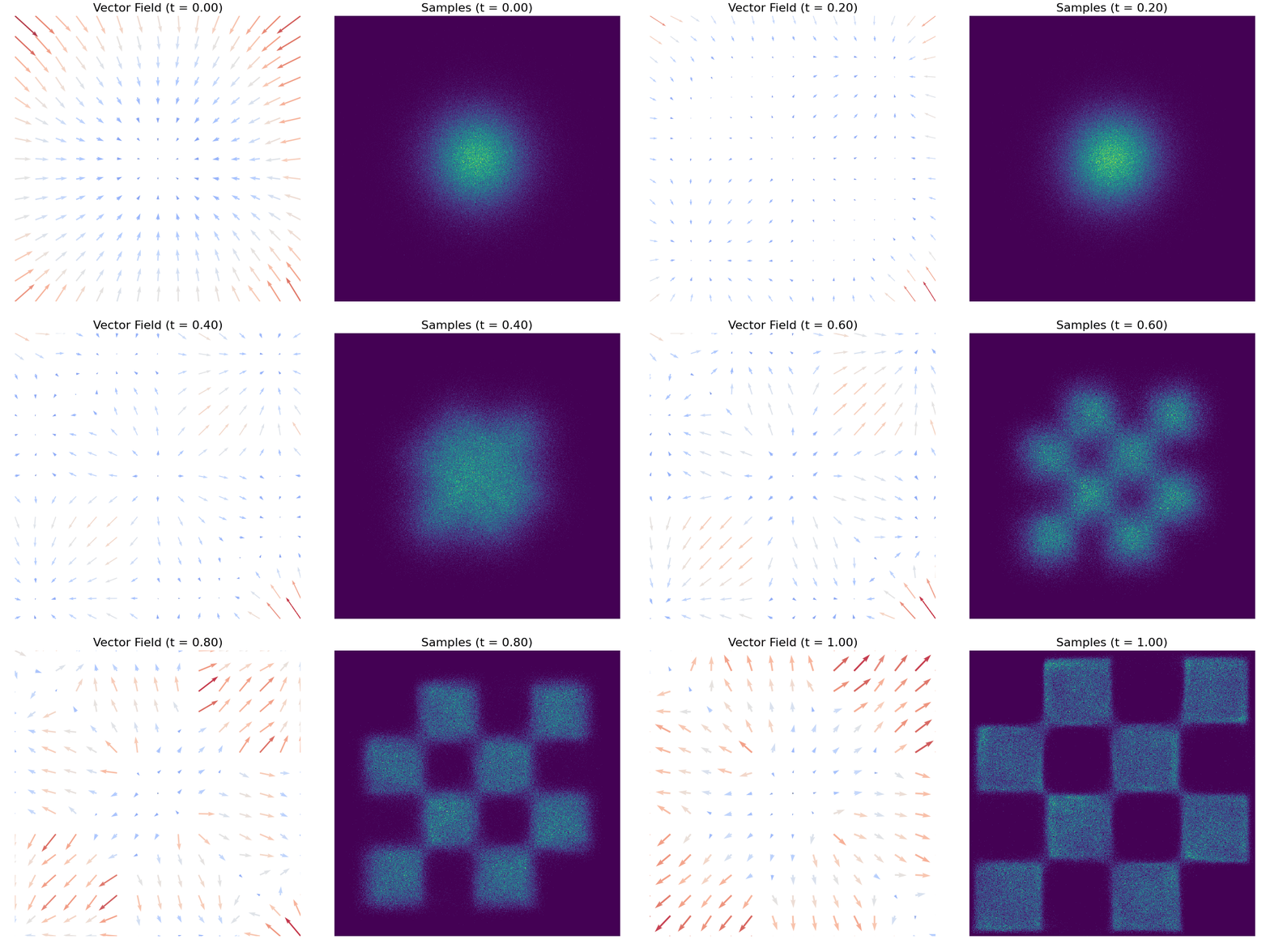
The gif below demonstrates mapping a single Gaussian distribution to a checkerboard distribution, with the vector field visualized.
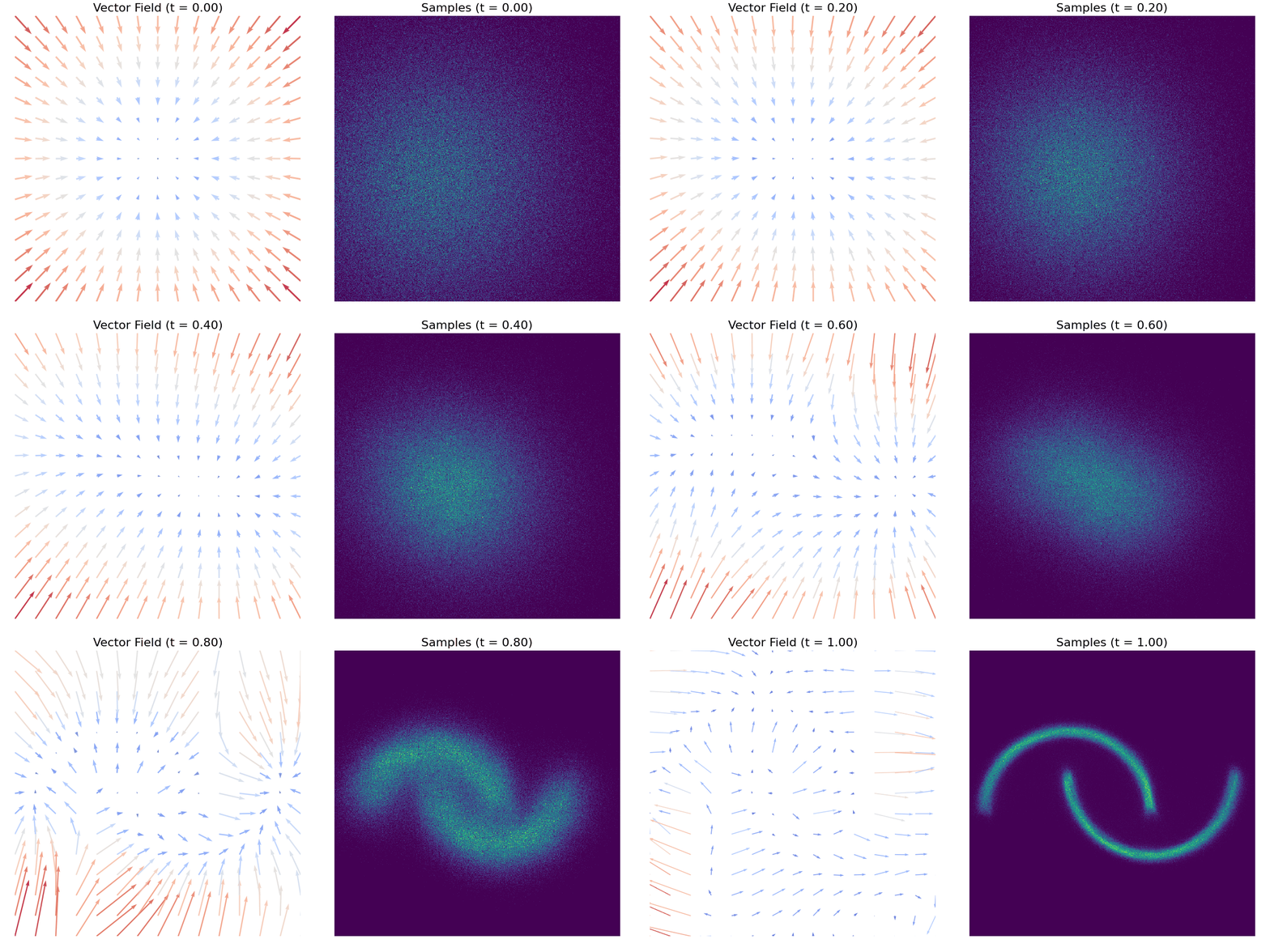
And, here is another example of moons dataset.
Getting Started
Clone the repository and set up the python environment.
git clone https://github.com/keishihara/flow-matching.git
cd flow-matching
Make sure you have Python 3.12+ installed.
Install uv:
curl -LsSf https://astral.sh/uv/install.sh | sh
Then, set up the environment:
uv sync
Conditional Flow Matching [Lipman+ 2023]
This is the original CFM paper implementation [1]. Some components of the code are adapted from [2] and [3].
2D Toy Datasets
You can train the CFM models on 2D synthetic datasets such as checkerboard and moons. Specify the dataset name using --dataset option. Training parameters are predefined in the script, and visualizations of the training results are stored in the outputs/ directory. Model checkpoints are not included as they are easily reproducible with the default settings.
uv run scripts/train_flow_matching_2d.py --dataset checkerboard
The vector fields and generated samples, like the ones displayed as GIFs at the top of this README, can now be found in the outputs/cfm/ directory.
Image Datasets
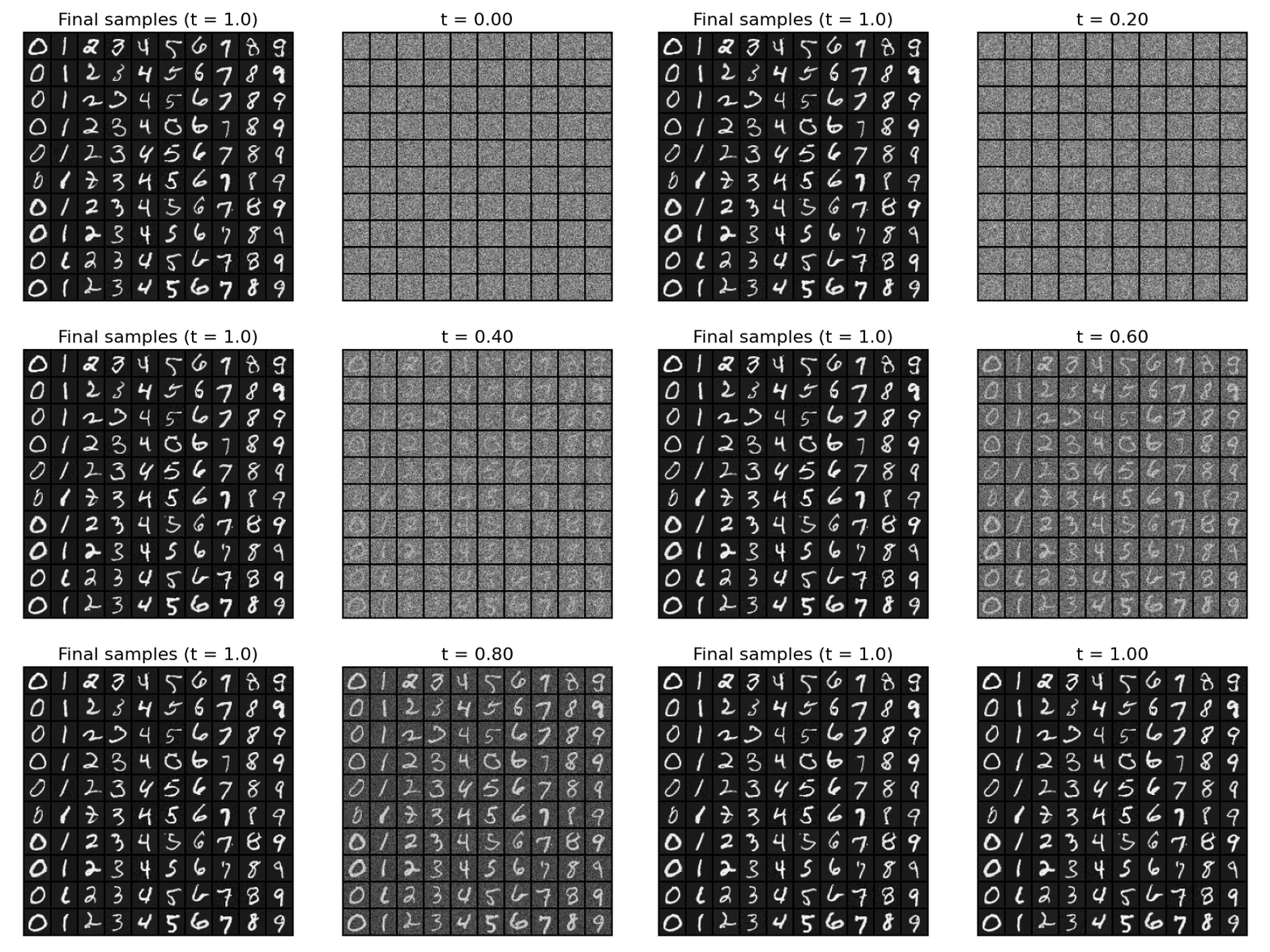
You can also train class-conditional CFM models on popular image classification datasets. Both the generated samples and model checkpoints will be stored in the outputs/cfm directory. For a detailed list of training parameters, run uv run scripts/train_flow_matching_on_image.py --help.
To train a class-conditional CFM on MNIST dataset, run:
uv run scripts/train_flow_matching_on_image.py --do_train --dataset mnist
After training, you can now generate samples with:
uv run scripts/train_flow_matching_on_image.py --do_sample --dataset mnist
Now, you should be able to see the generated samples in the outputs/cfm/mnist/ directory.
Rectified Flow [Liu+ 2023]
This is an implementation of the Reflow model (2-Rectified Flow to be specific) from the Rectified Flow paper [2].
2D Synthetic Data
We have implemented the Reflow on 2d synthetic datasets, same as the CFM. To train the reflow, you have to specify pretrained CFM checkpoints as reflow is a distillation model.
For example, to train on the checkerboard dataset with a pretrained CFM checkpoint:
uv run scripts/train_reflow_2d.py --dataset checkerboard
The training results, including vector field visualizations and generated samples, are saved under outputs/reflow/ folder.
Comparison of sampling process between CFM and Reflow
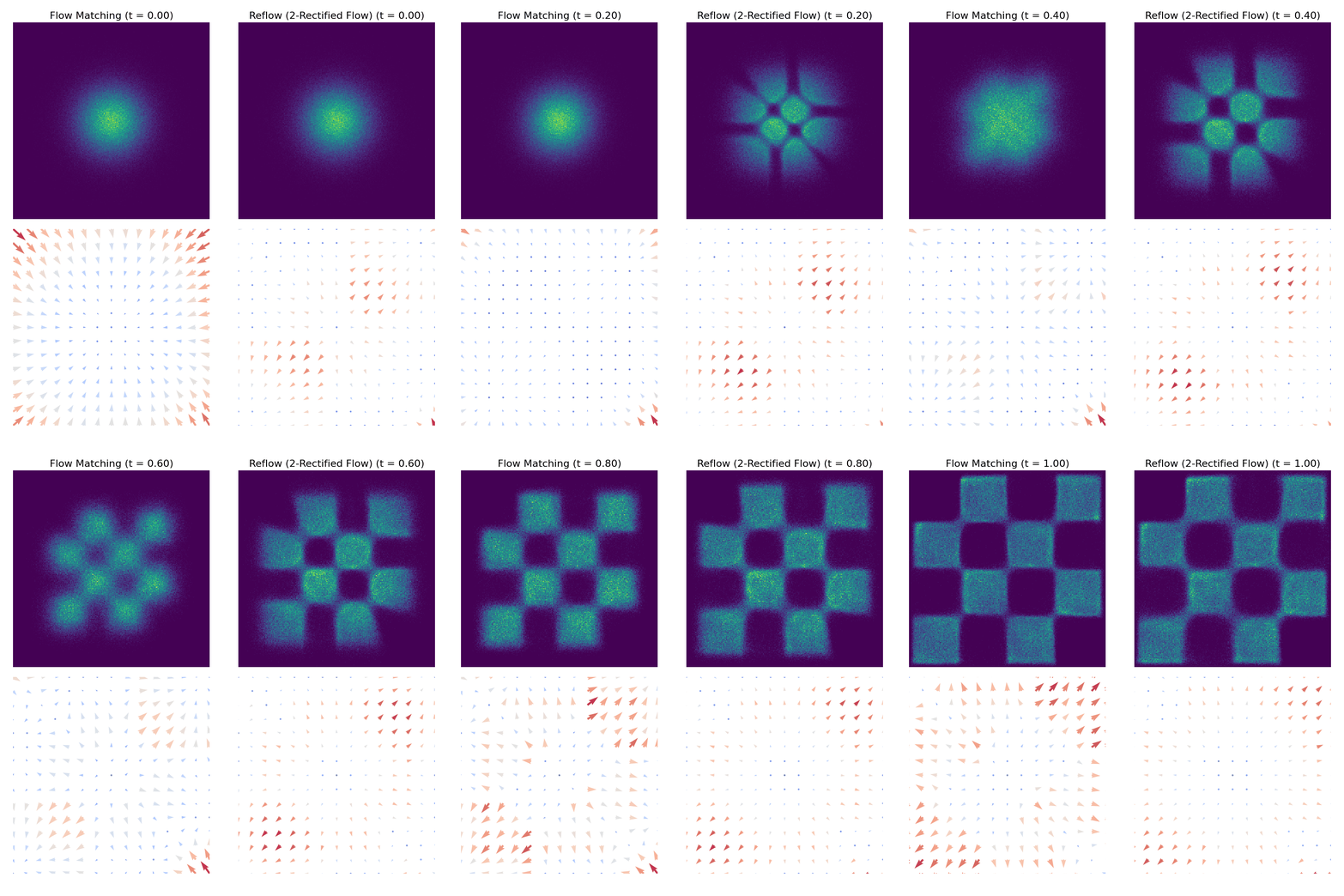
To compare CFM and Reflow on 2d datasets, run:
uv run scripts/plot_comparison_2d.py --dataset checkerboard
The resulting GIFs can be found under outputs/comparisons/ folder. Below is an example comparison of the two methods in the checkerboard dataset:
References
- [1] Lipman, Yaron, et al. "Flow Matching for Generative Modeling." arXiv:2210.02747
- [2] Liu, Xingchao, et al. "Flow Straight and Fast: Learning to Generate and Transfer Data with Rectified Flow." arXiv:2209.03003
- [3] facebookresearch/flow_matching
- [4] atong01/conditional-flow-matching