
kaythomas0/noisedash
kaythomas0/noisedash has 368 GitHub stars and 19 forks. GitHot measured 0 stars in 24 hours and +1 in 7 days. Last checked 2026-11-09 07:32 UTC. Last push 2026-10-25.
Self-hostable web tool for generating ambient noises
What you can do
- Generate and customize ambient noises and user-uploadable samples (leveraging Tone.js)
- Save "noise profiles" so you can easily switch between your created soundscapes. Import and export them for easy sharing, record them for use elsewhere
- Fine-tune your noises with audio processing tools like filters, LFOs, and effects
- Upload and edit audio samples (e.g rain, wind, thunder) to combine with your generated noises. Add effects to them and set playback modes
Measured star growth
- in 24h
- 0
- in 7 days
- +1
- in 15 days
- Update delayed
- in 1 month
- Update delayed
Net star changes over overlapping periods, not daily totals. Missing measurements are left blank. Stars measure attention, not software quality.
README.md
OriginalNoisedash
Self-hostable web tool for generating ambient noises
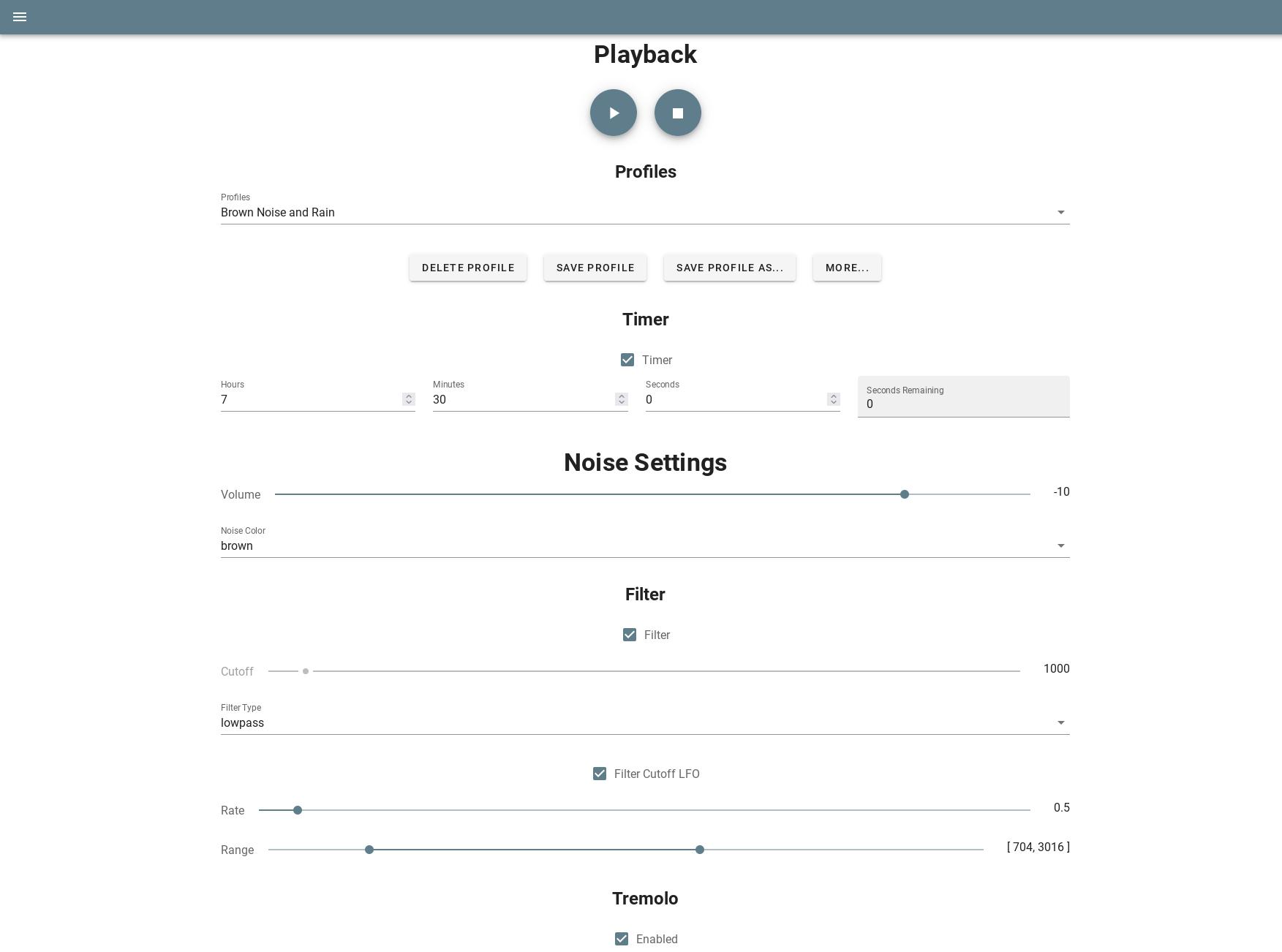
(More screenshots on the wiki)
Features
- Generate and customize ambient noises and user-uploadable samples (leveraging Tone.js)
- Save "noise profiles" so you can easily switch between your created soundscapes. Import and export them for easy sharing, record them for use elsewhere
- Fine-tune your noises with audio processing tools like filters, LFOs, and effects
- Upload and edit audio samples (e.g rain, wind, thunder) to combine with your generated noises. Add effects to them and set playback modes
- Use admin tools to manage multiple users
- Mobile friendly
Installation
Docker
Requires docker and docker-compose
- Download the provided docker-compose.yml file
- In the same directory as the docker-compose file, created a folder called
config, and inside it, put the provided config filemaxSampleSizeis in bytes - 10GB by default- Keep
tlsasfalseif using an external web server like nginx production.jsonexists in the source code and is left empty intentionally for the reason outlined here: https://github.com/node-config/node-config/wiki/Strict-Mode#node_env-value-of-node_env-did-not-match-any-deployment-config-file-names=
- Edit the config file to your preference
- Bring the container up:
docker-compose up -d
- Proceed to the URL where it's deployed and register your first user
(Raspberry Pi compatible images are available, see armv7 images on Docker Hub)
Kubernetes
You can apply the manifest.yaml in the kubernetes folder to install Noisedash into your Kubernetes cluster.
Optionally, uncomment the last lines in the file to also create an ingress. The ingress, commented out by default, needs to have the clusterIssuser annotation set to your cluster issuer (default: letsencrypt-prod) and the ingress class set to your Ingress class (default: Nginx)
$ kubectl apply -f ./kubernetes/manifest.yaml
persistentvolumeclaim/db-pvc created
persistentvolumeclaim/samples-pvc created
deployment.apps/noisedash created
service/noisedash created
configmap/noisedashcfg created
ingress.networking.k8s.io/noisedashingress created
From Source
Requires node 22 and npm
- Clone the repo:
git clone https://github.com/kaythomas0/noisedash.git
cd noisedash
- Edit
config/default.jsonto your preference - Install required packages and build the app:
npm install
NODE_ENV=production npm run build
- The build files will be put into a directory called
dist - Run the server and serve static files:
npm run server-prod
- Proceed to the URL where it's deployed and register your first user
Contributing
See CONTRIBUTING.md
License
Noisedash, a self-hostable web tool for generating ambient noises
Copyright (C) 2021  Kay Thomas <[email protected]>

This program is free software: you can redistribute it and/or modify
it under the terms of the GNU Affero General Public License as published
by the Free Software Foundation, either version 3 of the License, or
(at your option) any later version.

This program is distributed in the hope that it will be useful,
but WITHOUT ANY WARRANTY; without even the implied warranty of
MERCHANTABILITY or FITNESS FOR A PARTICULAR PURPOSE.  See the
GNU Affero General Public License for more details.

You should have received a copy of the GNU Affero General Public License
along with this program.  If not, see <https://www.gnu.org/licenses/>.
Explore related projects
awesome-selfhosted/awesome-selfhosted
A list of Free Software network services and web applications which can be hosted on your own servers
335,533 starsimmich-app/immich
High performance self-hosted photo and video management solution.
118,645 starsStirling-Tools/Stirling-PDF
#1 PDF Application on GitHub that lets you edit PDFs on any device anywhere
96,149 starslouislam/uptime-kuma
A fancy self-hosted monitoring tool
93,425 stars