
karlmoriaty/AxurePR-return-rp
karlmoriaty/AxurePR-return-rp has 7 GitHub stars and 2 forks. GitHot measured 0 stars in 24 hours. Last checked 2026-11-19 12:29 UTC. Last push 2026-11-17.
Measured star growth
- in 24h
- 0
- in 7 days
- Collecting history
- in 15 days
- Collecting history
- in 1 month
- Collecting history
Net star changes over overlapping periods, not daily totals. Missing measurements are left blank. Stars measure attention, not software quality.
About
Axure RP 9/11 native prototype generator with an AI-native Studio canvas, CLI and MCP. Turn screenshots, briefs or RP/1 source into editable .rp files. Axure RP 9/11 原生原型生成器:把截图、需求或 RP/1 源码变成可继续编辑的 .rp。
AIREADME.en.md
Original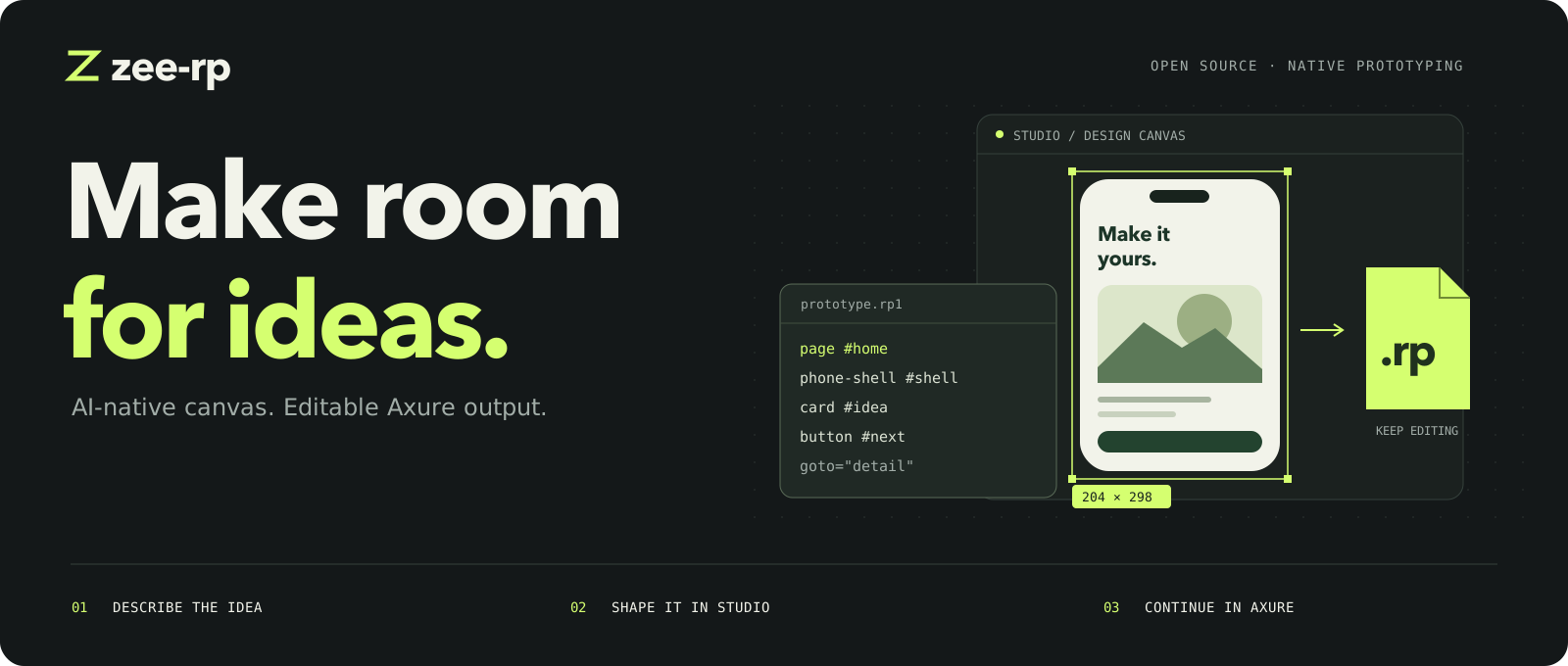
Give AI room to design.
Bring the work into Axure.
Author in RP/1. Explore with your agent. Refine together. Keep an editable .rp.
Axure RP 9 / RP 11 · AI-native canvas · CLI and MCP
Get started · In 30 seconds · Studio · RP/1 · Version parity · FAQ · 简体中文




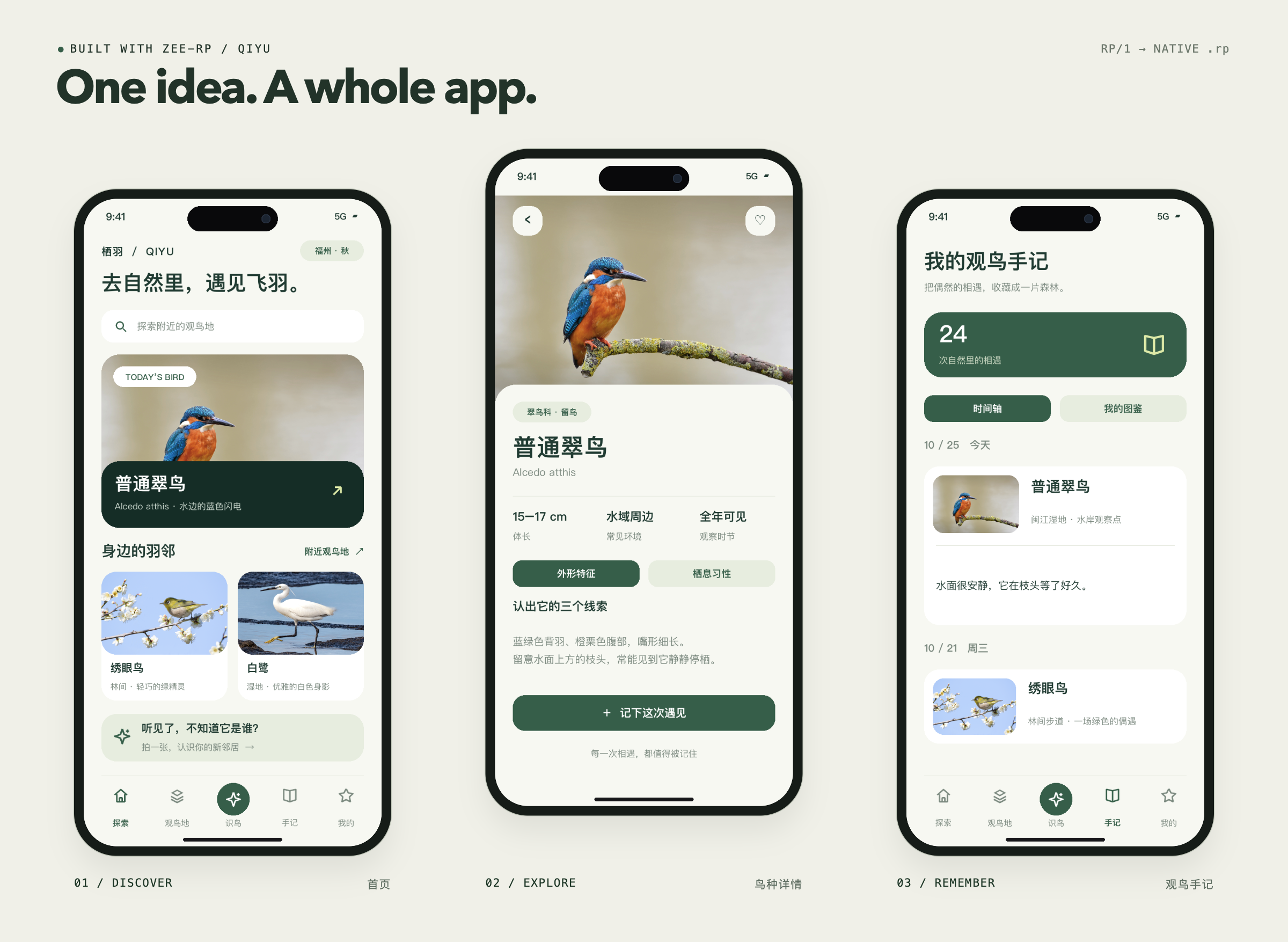
QIYU Discover a bird. Get to know it. Keep the encounter.
Nine-page native prototype · Separate text, buttons and inputs · Demo identification and statistics · Case notes and credits
00 Understand return_rp in 30 seconds
In one sentence: turn a screenshot, a brief or RP/1 source into an Axure-native project you can keep editing, not another prototype screenshot.
| You give it | You get back |
|---|---|
| A screenshot, a brief, a PRD, or RP/1 source | A native .rp, a browser preview, HTML / CSS / JS export, and verification reports |
AI drafts, you decide:
| AI drafts | You refine | Native delivery |
|---|---|---|
| Generate multi-page flows from natural language or RP/1, then change specific layers and topics. | Double-click text, marquee-select, drag, measure and undo in Studio. | Text, buttons and inputs stay separate widgets you can keep editing in Axure. |
It is not another UI generator:
| Dimension | Most screenshot-to-code tools | return_rp |
|---|---|---|
| Output | HTML, images or a non-editable mockup | A native .rp, plus HTML / CSS / JS export |
| Design source | One-shot output that is hard to diff | RP/1 text source you can version and revise by layer |
| Agent collaboration | Often regenerates the whole page | Queries and edits by layer, semantics and scope |
| Axure versions | Usually one version | Bidirectional RP 9 / RP 11 parity |
| Verification | Look at a screenshot | Structure checks + browser interactions + Axure save/reopen and preview |
01 One pipeline, from idea to Axure.
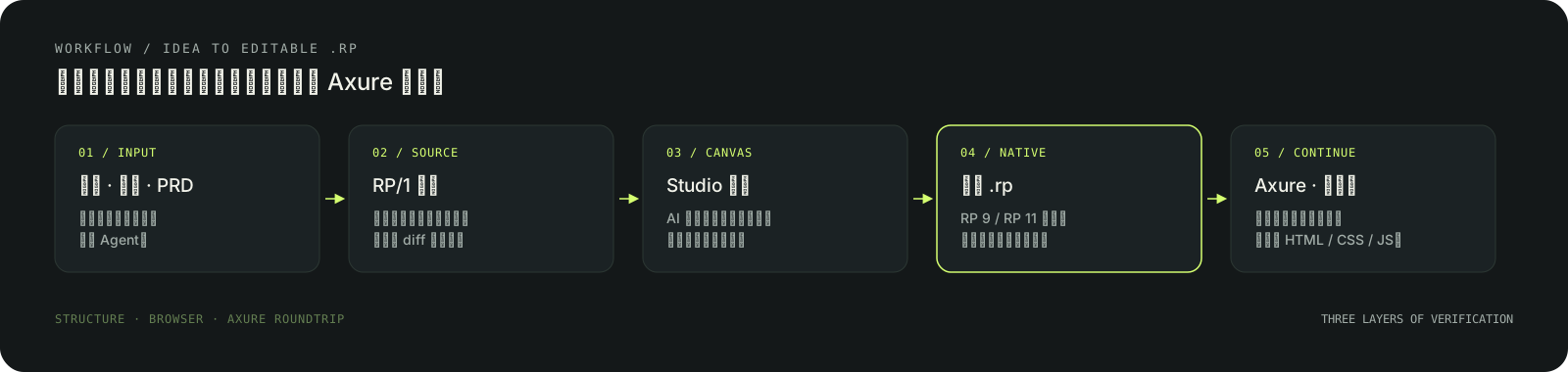
- Write intent as source. Screenshots go through the tracing pipeline; briefs and PRDs become RP/1 directly. Pages, components, variables and interactions live in one text file.
- Refine on the canvas. Your agent builds the first draft; you select, edit text and adjust layouts. Hand a local area back to the agent to explore another direction.
- Verify before delivery. Real screenshots, interaction scenarios and structure checks run separately so navigation, states and save/reopen behavior are confirmed.
- Bring it into Axure. Generate a native project, or export a browser-runnable build, and keep iterating.
02 Make room for refinement.
Studio is a free canvas for people and agents. Let AI build the first draft, then select, edit text and adjust layouts directly. Hand a small part back to your agent and explore another direction.
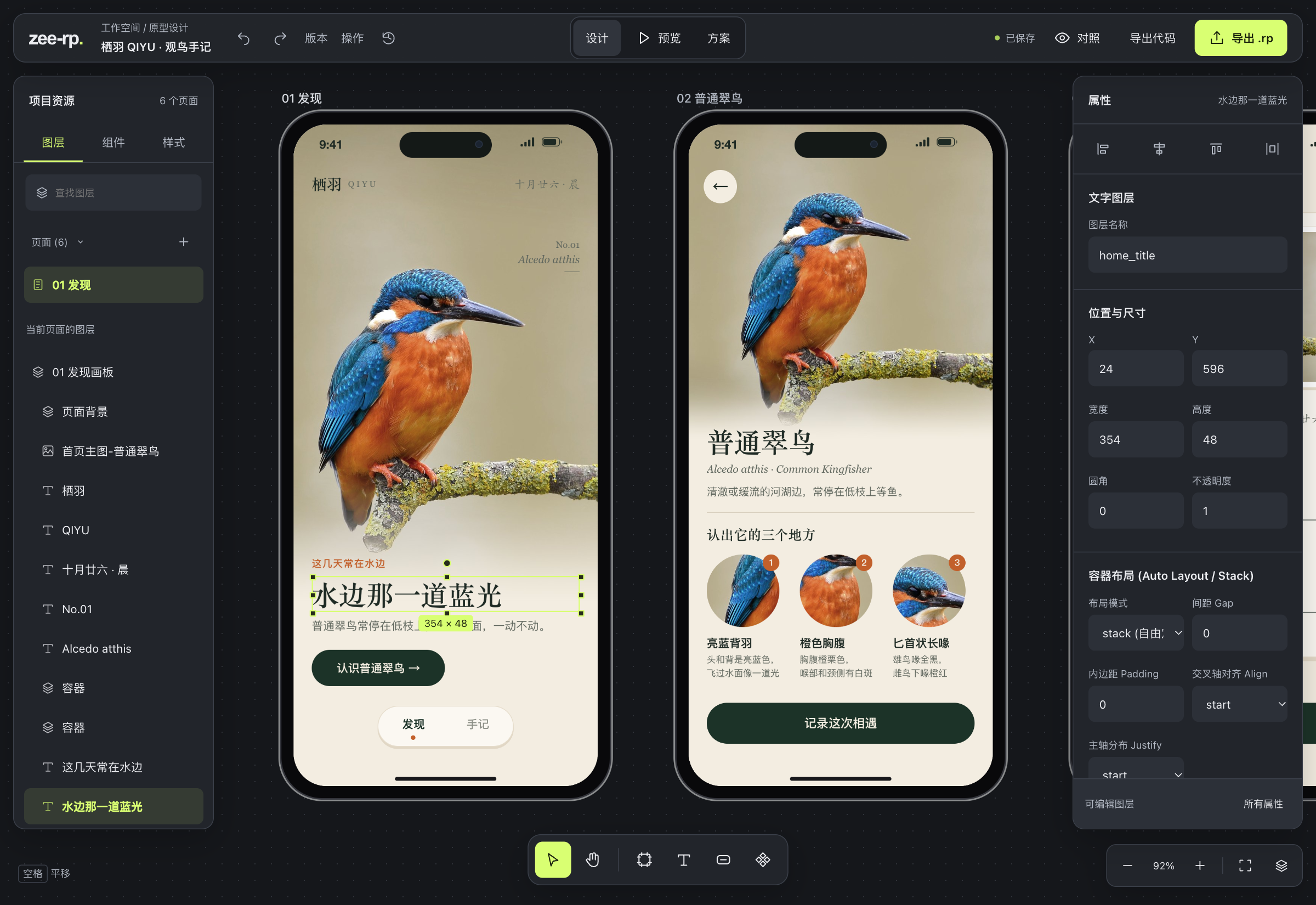
AI drafts. Author through RP/1 or commands; query layers and make targeted changes.
You refine. Double-click text, Shift-drag a marquee, hold Option / Alt to measure, undo and redo.
Verify together. Inspect real screenshots and exercise interactions before delivery.
Studio workflow ↗ AI authoring ↗ Acceptance layers
03 Give design intent a source file.
RP/1 keeps pages, layout, components, variables and interactions together. Agents can target specific changes while the design keeps its structure, revision identity and a place to continue.
rp/1 target=9 name="Next encounter" domain=mobile theme=mobile-hifi

page #home name="Discover" device=iphone-17-pro
  phone-shell #shell title="Meet your feathered neighbors." gap=16
    card #bird [fillxhug] title="A kingfisher by the water" body="Start your field notes with a flash of blue." actionText="Record this encounter" goto="notes"

page #notes name="Journal" device=iphone-17-pro
  phone-shell #shell title="My first field note" gap=16
    input #note [fillx44] value="I spotted it by the water today."
    button #back [fillx44] "Back to discovery" goto="home"
Grow a page into a complete flow, revise with revise_prototype, and merge supported native edits back into source.
RP/1 reference ↗ Examples ↗ Native roundtrip
04 Keep the design in your hands.
Generate a native .rp and continue editing supported text, controls and layouts in Axure. Deliver pages, variables, panels and navigation together, alongside source, previews and verification reports.
| Continue in | What stays with you |
|---|---|
| Studio | A shared design document, transactions and undo history |
| Axure | Native objects and supported interactions to keep editing |
| The browser | Runnable previews, plus standalone HTML / CSS / JS export |
| Deliverable | Details |
|---|---|
Native .rp |
Targets RP 11 by default; use target=9 or AXURE_TARGET_VERSION=9 for RP 9 |
| Browser preview | Real interaction scenarios with clicks, navigation and state changes |
| Code export | Standalone HTML / CSS / JS for review or embedding |
| Structure and acceptance reports | Zero-error checks (zero unparseable records, dangling references and problems), browser assertions and Axure roundtrips recorded separately |
Native export and sync ↗ Code export
05 RP 9 and RP 11, one pipeline.
Both versions share the same CLI, MCP and Studio. Anything one version can do will not end as unsupported on the other; gaps are registered and either warn at runtime or fail with an explicit diagnostic before writing. Nothing is silently dropped.
| Capability | RP 9 | RP 11 |
|---|---|---|
| RP/1 native compilation and scene writing | Supported | Supported |
| Blank template detection, trimming and dynamic panel cloning | Supported | Supported |
| Native form widgets and state styles | Supported | Supported |
| Native repeaters and data operations | Supported | Supported |
| Core interactions, actions and adaptive views | Supported | Supported |
| Local Studio RP/1 authoring | Supported | Supported |
| Automatic Axure preview (Swift / PowerShell host) | Supported | Supported |
| Offline image-to-native generation | Supported | Supported |
Registered boundaries are limited to a few cases: RP 11 has no panel registration chain model; RP 9 has no matching structure for zoom anchors, toggle-enabled state, apply-style actions and RP 11-only events/functions, so those fail with explicit diagnostics; RP 9 filter combo types and delete-repeater-row-by-index are rewritten as equivalent rules and marked partial.
Full capability matrix ↗ Capabilities and limits ↗ Troubleshooting
Get started
| Dependency | Version | Purpose |
|---|---|---|
| Node.js | 18+ | CLI, MCP, Studio and tests |
| Python | 3.10+ | Native compilation and image processing |
| Axure | RP 9 or RP 11 | Native generation, save/reopen and automatic preview (optional) |
git clone https://github.com/karlmoriaty/AxurePR-return-rp.git
cd AxurePR-return-rp
python3 -m venv .venv
source .venv/bin/activate
python -m pip install -r requirements.txt
npm ci
Windows PowerShell:
git clone https://github.com/karlmoriaty/AxurePR-return-rp.git
cd AxurePR-return-rp
python -m venv .venv
.\.venv\Scripts\Activate.ps1
python -m pip install -r requirements.txt
npm ci
You can also download return_rp-<version>-share.zip from Releases and run npm ci --ignore-scripts inside the extracted directory. The share package omits tests and private assets; native generation still needs local Axure and a blank project you saved yourself.
For CLI / MCP only, run directly from npm without cloning the repository (native generation and image processing still need the Python dependencies above):
npx -y -p return_rp return_rp --help
npx -y -p return_rp return_rp-mcp
In an MCP client, use "command": "npx", "args": ["-y", "-p", "return_rp", "return_rp-mcp"].
MCP tool discovery needs the optional
@modelcontextprotocol/sdkdependency, whichnpm ciinstalls. The CLI works without it; when missing, MCP startup tells you to runnpm ci --ignore-scriptsinstead of silently returning an empty tool list.
Connect your MCP client · Expand configuration
Replace the absolute paths with your installation, Python environment and blank projects:
{
  "mcpServers": {
    "return_rp": {
      "command": "node",
      "args": ["/absolute/path/AxurePR-return-rp/bin/mcp.mjs"],
      "env": {
        "PATH": "/absolute/path/AxurePR-return-rp/.venv/bin:/usr/local/bin:/usr/bin:/bin",
        "AXURE_BLANK_TEMPLATE_RP9": "/absolute/path/my-rp9-blank.rp",
        "AXURE_BLANK_TEMPLATE_RP11": "/absolute/path/my-rp11-blank.rp"
      }
    }
  }
}
PATH must include Python with the installed dependencies. Use an absolute Node path in command if needed. Use single-page blank projects saved by you in the matching Axure version; keep only the AXURE_BLANK_TEMPLATE_RP9 / RP11 you need. Reconnect MCP after updates.
Call studio_open_project and open the returned url:
{ "projectDir": "/absolute/path/my-first-prototype" }
Then give your agent a brief:
Design a birdwatching app with discovery, species details and a journal. Start in the canvas, verify navigation and saved observations, then export an editable
.rp.
Agent entry points and scope
Agents start with studio_describe({"topic":"workflow"}). Use sourcePath in studio_open_project to import RP/1, and generate_prototype for full native generation. Screenshot tracing goes through generate_from_image or scripts/trace.mjs; local authoring and full compilation have separately documented scopes.
Native generation defaults to RP 11; use target=9 or AXURE_TARGET_VERSION=9 for RP9. Host evidence covers macOS + Axure RP9 and Windows + Axure RP9 / RP11 (GUI save/reopen and preview roundtrips). Some effects use embedded raster assets; fonts and previews depend on the host. Fractional-zoom sharpness and very large single boards remain bounded.
Structure, browser behavior and Axure save/reopen are separate checks. Capabilities · RP9 / RP11 parity · Acceptance layers · Troubleshooting
FAQ
Do I need Axure installed?
No. Studio, browser previews and code export only need Node.js and the Python dependencies. Native .rp generation, offline image projects, save/reopen and automatic preview need local Axure. Save a single-page blank project yourself and point AXURE_BLANK_TEMPLATE_RP9 / AXURE_BLANK_TEMPLATE_RP11 at it.
Does it run on Windows?
Yes. Windows uses a PowerShell host, verified with RP 9 and RP 11 for open, save command, close, reopen and preview; macOS uses a Swift host. GUI features need a desktop session and local Axure. Headless servers can use the non-GUI parts only.
MCP connects but the tool list is empty. Why?
The optional @modelcontextprotocol/sdk dependency is usually missing. Run npm ci --ignore-scripts in the project directory, then restart or reconnect the MCP client. Startup reports this explicitly instead of returning an empty list silently.
Why does the host return `saved: false`?
Axure may skip writing an unmodified document. The host then truthfully returns saved: false and records saveCommandIssued: true separately; task acceptance uses the issued save command, while the actual write is judged by file mtime. This is closer to real behavior than treating every save keystroke as success.
Is the generated prototype a 100% reproduction?
Text, buttons, inputs and layouts become separate native widgets, and supported interactions ship with them. Some visual effects use embedded raster assets; fonts, previews and rendering depend on the host; fractional zoom sharpness and very large single boards have limits. Verify in three layers: structure checks, browser behavior, then Axure save/reopen.
Which Axure version is generated by default?
RP 11. Use target=9 in the RP/1 header or AXURE_TARGET_VERSION=9 for RP 9. Both versions share the same CLI / MCP tools.
Project layout
| Directory | Purpose |
|---|---|
bin/ |
return_rp CLI and return_rp-mcp MCP entry points |
scripts/ |
RP/1 compilation, native assembly, host roundtrips, screenshot tracing and release tooling |
studio/ |
Studio canvas frontend and local server |
references/ |
RP/1 language, capability limits, workflows and troubleshooting |
examples/ |
Runnable RP/1 and scenario examples |
test/ |
Structure, browser, version-parity and cross-platform regression |
docs/ |
Design workflow, acceptance layers and version parity |
Node sources are TypeScript (*.mts / studio/web/*.ts); npm run build emits the runtime .mjs / .js files at the same paths. Both sources and generated runtime are included in the repository and release archives, so using the project requires no build step.
Agent Skill / Contributing / Changelog / Releases / MIT License
Feedback
- Original author / maintainer: karlmoriaty (github.com/karlmoriaty)
- Report issues via GitHub Issues or email [email protected].
- If this project saves you prototype time, a Star, a share with your team, or a real-world Issue is welcome.
Independently built by karlmoriaty · Unaffiliated with Axure · Third-party photography retains its own credits and licenses