
karasevm/PrivateDNSAndroid
karasevm/PrivateDNSAndroid has 1,069 GitHub stars and 133 forks. Star changes are not measured yet. Last checked 2026-11-09 11:18 UTC. Last push 2026-10-29.
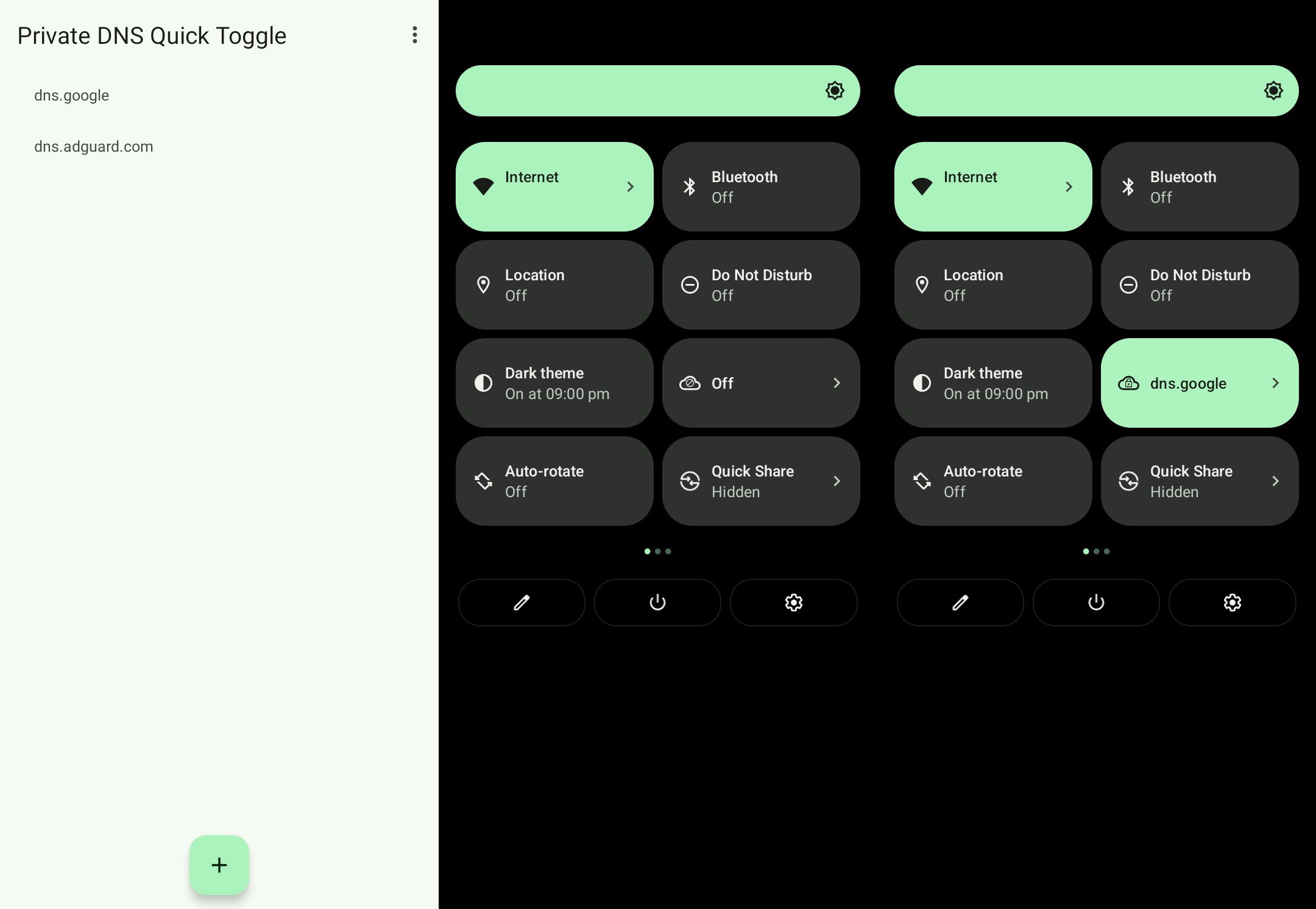
Quick settings tile to switch active private DNS server
Measured star growth
- in 24h
- Update delayed
- in 7 days
- Update delayed
- in 15 days
- Update delayed
- in 1 month
- Update delayed
Net star changes over overlapping periods, not daily totals. Missing measurements are left blank. Stars measure attention, not software quality.
README.md
Original



Private DNS Quick Toggle
A quick settings tile to switch your private dns provider. Supports any number of providers. Makes it easy to turn adblocking dns servers on or off with just a single tap.
Installation
IzzyOnDroid (Recommended, will enable auto-updates on Android 12+)
- Install an F-droid client such as Droidify or the official F-Droid client
- Verify that IzzyOnDroid repo is added and enabled
- Search for the full app name "Private DNS Quick Toggle" and install it
GitHub Releases
Get the latest apk on the releases page
Activation
To change the system DNS options the app requires android.permission.WRITE_SECURE_SETTINGS permission. There are multiple ways to provide it.
Automatic (Shizuku)
- Install and start Shizuku.
- Start the app and allow Shizuku access when prompted.
Manual
For the app to work properly you'll need to provide it permissions via ADB:
- Get to your PC and download platform tools from google here.
- Extract the tools, and open terminal in the same directory (Windows guide, macos guide).
- Turn on USB Debugging on your phone (This may require different steps, for Xiaomi you also have to enable
USB Debugging (Security settings), but generally this video guide should work on most phones) - Connect your phone to your PC
- Run this command in the terminal
./adb shell pm grant ru.karasevm.privatednstoggle android.permission.WRITE_SECURE_SETTINGS
- That's it, you should have the app installed.
Contributing
Translation
The easiest way to contribute would be to submit a translation to your language. Thanks to Weblate gratis hosting for open-source projects you can do it without any programming knowledge on their website.
Translation status

Code
If you want to contribute code please try to adhere to the following guidelines:
- Include javadoc comments for all the public methods you add
- Keep the code neatly formatted, you can you the built-in Android Studio formatter
- Please describe what your code does and how does it do that when sending a PR
- Before sending a PR please test your change on the oldest and latest supported Android versions (9 and 14 at the time of writing)
Explore related projects
codecrafters-io/build-your-own-x
Master programming by recreating your favorite technologies from scratch.
561,603 starspublic-apis/public-apis
A collective list of free APIs
497,929 starsmorluto/rea
Reverse engineer anything with agents, from app behavior down to native binaries.
449,843 starsopenclaw/openclaw
The AI that really does things. Any OS. Any Platform. The lobster way. 🦞
394,298 stars