
kanytu/android-parallax-recyclerview
kanytu/android-parallax-recyclerview has 1,604 GitHub stars and 277 forks. GitHot measured 0 stars in 24 hours and 0 in 7 days. Last checked 2026-11-11 17:50 UTC. Last push 2022-06-05.
An adapter which could be used to achieve a parallax effect on RecyclerView.
Measured star growth
- in 24h
- 0
- in 7 days
- 0
- in 15 days
- Update delayed
- in 1 month
- Update delayed
Net star changes over overlapping periods, not daily totals. Missing measurements are left blank. Stars measure attention, not software quality.
README.md
Originalandroid-parallax-recycleview
Integration
Step 1. Add the JitPack repository to your build file
repositories {
    maven {
        url "https://jitpack.io"
    }
}
Step 2. Add the dependency
dependencies {
	compile 'com.github.kanytu:android-parallax-recyclerview:v1.7'
}
USAGE
(Example project - https://github.com/kanytu/example-parallaxrecycler)
- Create your object list and pass it to the constructor of
ParallaxRecyclerAdapter
List<String> myContent = new ArrayList<String>(); // or another object list
ParallaxRecyclerAdapter<String> adapter = new ParallaxRecyclerAdapter<String>(content) {
            @Override
            public void onBindViewHolderImpl(RecyclerView.ViewHolder viewHolder, ParallaxRecyclerAdapter<String> adapter, int i) {
              // If you're using your custom handler (as you should of course)
              // you need to cast viewHolder to it.
              ((MyCustomViewHolder) viewHolder).textView.setText(myContent.get(i)); // your bind holder routine.
            }

            @Override
            public RecyclerView.ViewHolder onCreateViewHolderImpl(ViewGroup viewGroup, final ParallaxRecyclerAdapter<String> adapter, int i) {
              // Here is where you inflate your row and pass it to the constructor of your ViewHolder
              return new MyCustomViewHolder(LayoutInflater.from(viewGroup.getContext()).inflate(R.layout.myRow, viewGroup, false));
            }

            @Override
            public int getItemCountImpl(ParallaxRecyclerAdapter<String> adapter) {
              // return the content of your array
              return myContent.size();
            }
        };
- Now we set the parallax header. You need to pass the
RecyclerViewtoo to implement the scroll listeners.
myAdapter.setParallaxHeader(LayoutInflater.from(this).inflate(
    R.layout.myParallaxView, myRecycler, false), myRecyclerView);
There a few other listeners you can implement:
// Event triggered when you click on a item of the adapter.
void onClick(View v, int position);

// Event triggered when the parallax is being scrolled.
void onParallaxScroll(float percentage, float offset, View parallax);
RESULT
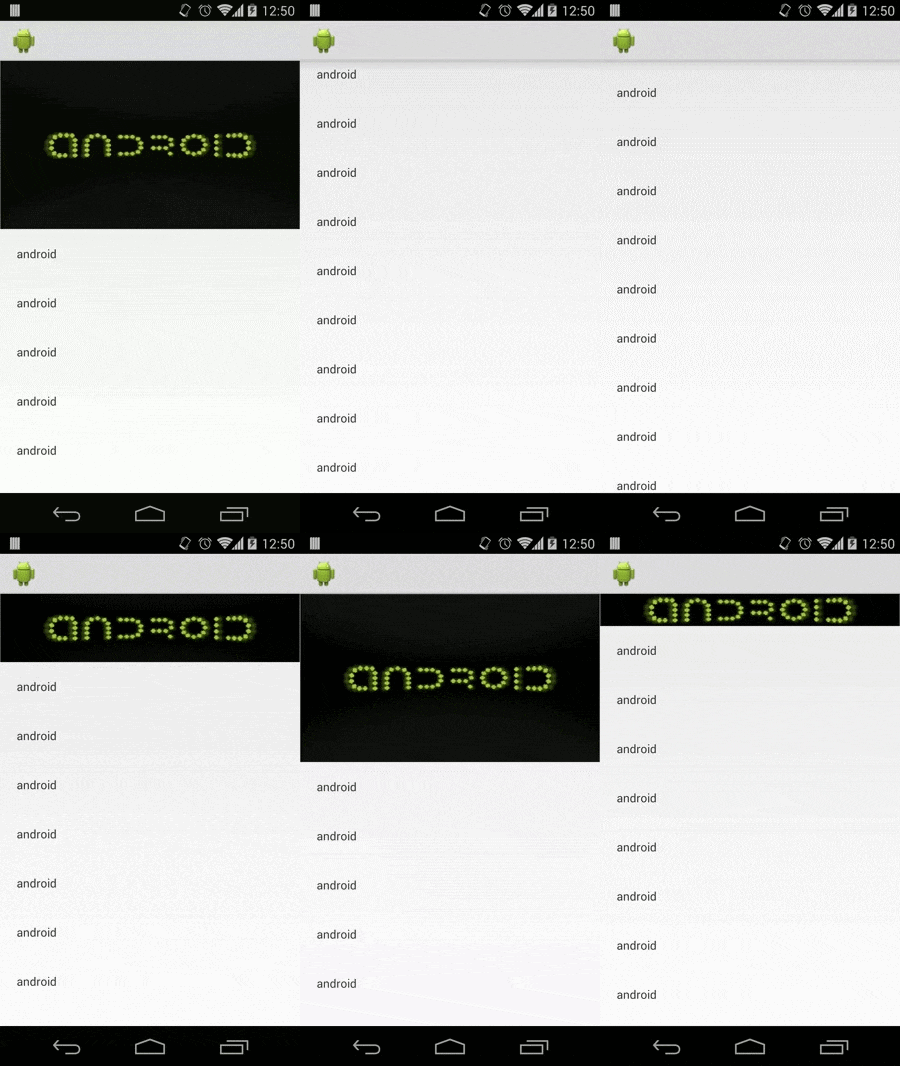
COOL EFFECTS YOU CAN DO WITH THIS LIBRARY
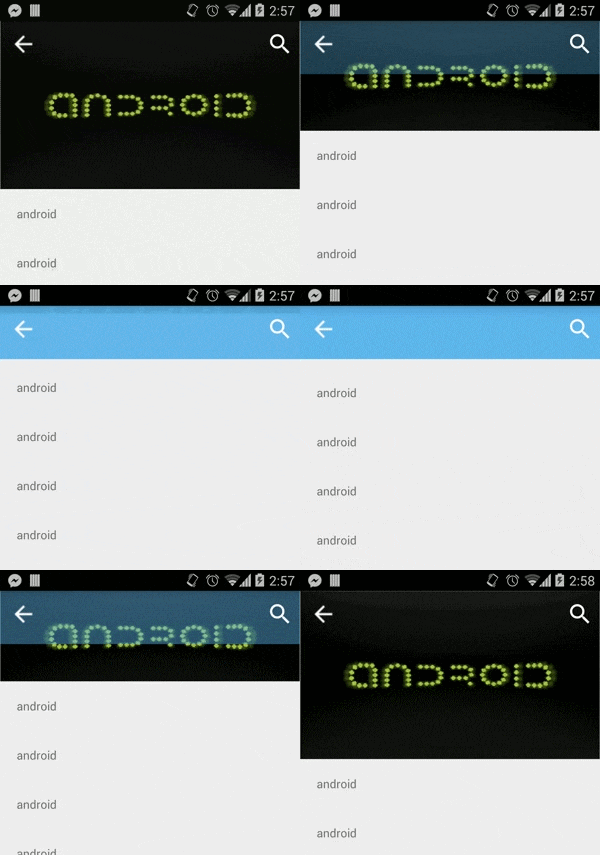
- Transparent toolbar effect
@Override
public void onParallaxScroll(float percentage, float offset, View parallax) {
  Drawable c = mToolbar.getBackground();
  c.setAlpha(Math.round(percentage * 255));
  mToolbar.setBackground(c);
}

License
Copyright (c) 2014 Pedro Oliveira
Licensed under the Apache License, Version 2.0
Explore related projects
codecrafters-io/build-your-own-x
Master programming by recreating your favorite technologies from scratch.
562,043 starspublic-apis/public-apis
A collective list of free APIs
498,437 starsmorluto/rea
Reverse engineer anything with agents, from app behavior down to native binaries.
454,450 starsopenclaw/openclaw
The AI that really does things. Any OS. Any Platform. The lobster way. 🦞
394,406 stars