
kamjin3086/comfy-swap
kamjin3086/comfy-swap has 39 GitHub stars and 11 forks. GitHot measured 0 stars in 24 hours and 0 in 7 days. Last checked 2026-11-12 05:01 UTC. Last push 2026-03-30.
Turn ComfyUI workflows into stable REST APIs and CLI commands. AI agent friendly.
What you can do
- Workflow → API: Export any ComfyUI workflow as a callable API endpoint
- Parameter Mapping: Map friendly names to internal node fields (one param → multiple nodes)
- Dual Interface: REST API and CLI share identical parameters
- Image I/O: Upload images as inputs, download generated outputs
Measured star growth
- in 24h
- 0
- in 7 days
- 0
- in 15 days
- Collecting history
- in 1 month
- Collecting history
Net star changes over overlapping periods, not daily totals. Missing measurements are left blank. Stars measure attention, not software quality.
README.md
OriginalComfy-Swap


Comfy-Swap exposes ComfyUI workflows as stable, production-ready APIs. It bridges the gap between ComfyUI's visual workflow design and real-world application integration.
For AI Agents
AI agents (Claude Code, Cursor, Codex, etc.) can install the comfy-swap skill to automate image generation workflows.
Install skill (recommended methods, in order):
# 1. Via skills.sh (universal, works with most agents)
npx skills add kamjin3086/comfy-swap-skill

# 2. Via openskills (Claude Code compatible)
npx openskills install kamjin3086/comfy-swap-skill

# 3. Manual clone (fallback)
git clone https://github.com/kamjin3086/comfy-swap-skill.git ~/.agents/skills/comfy-swap
After installation, agents can run comfy-swap health to verify setup, then use CLI commands to list workflows, run generations, and manage parameters.
Skill repository: kamjin3086/comfy-swap-skill
Screenshots
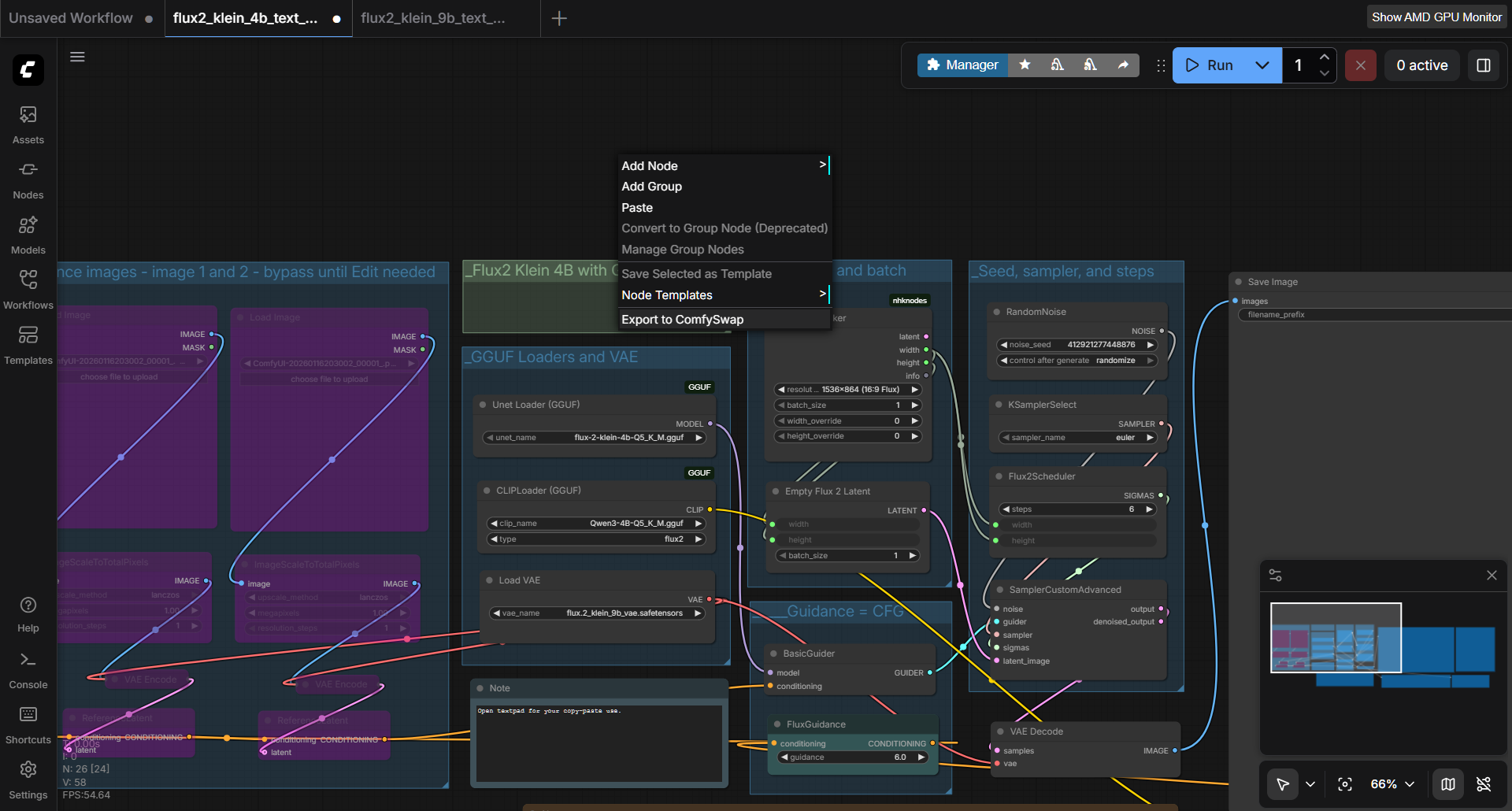
ComfyUI Plugin - Export Dialog
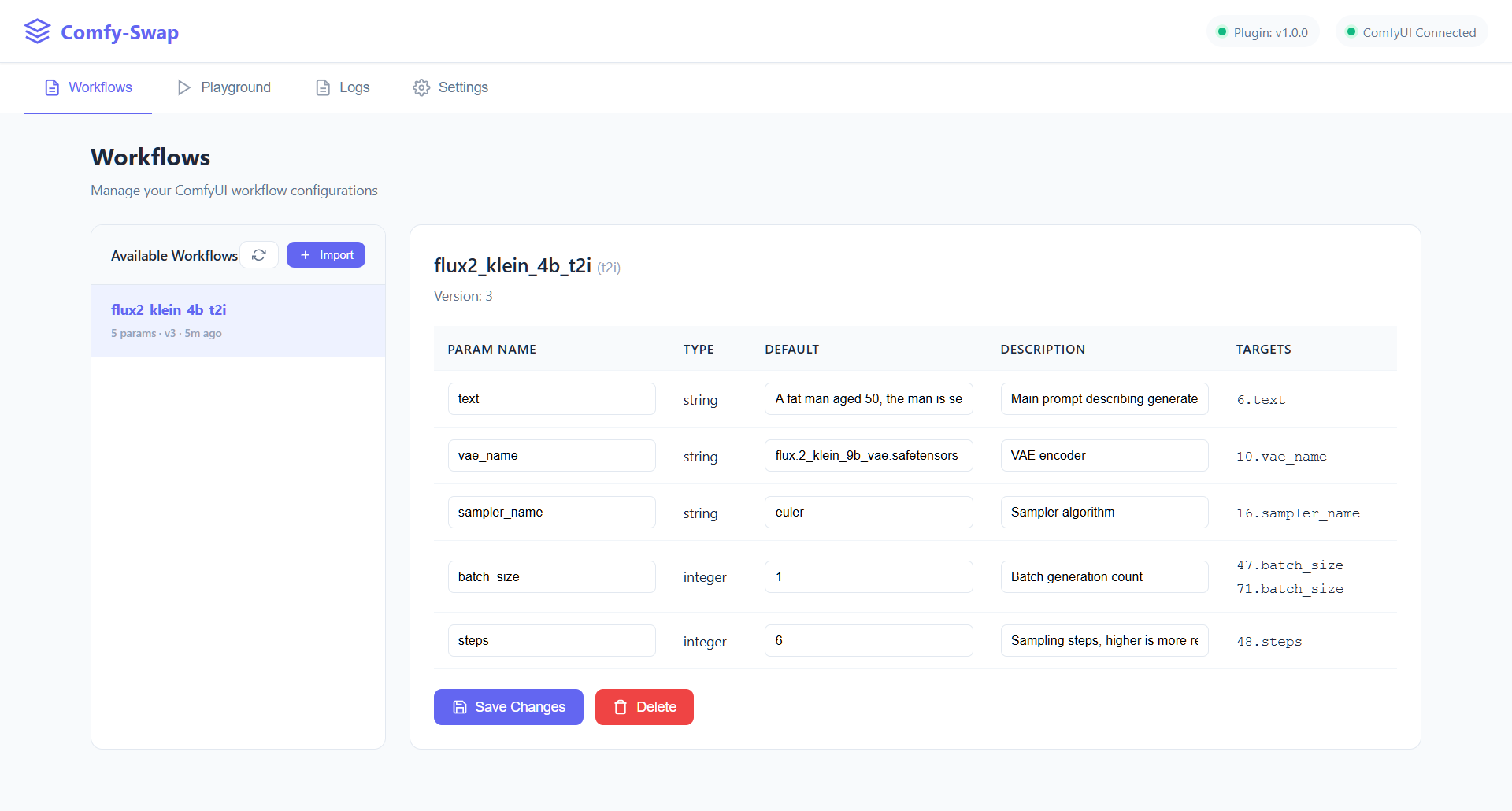
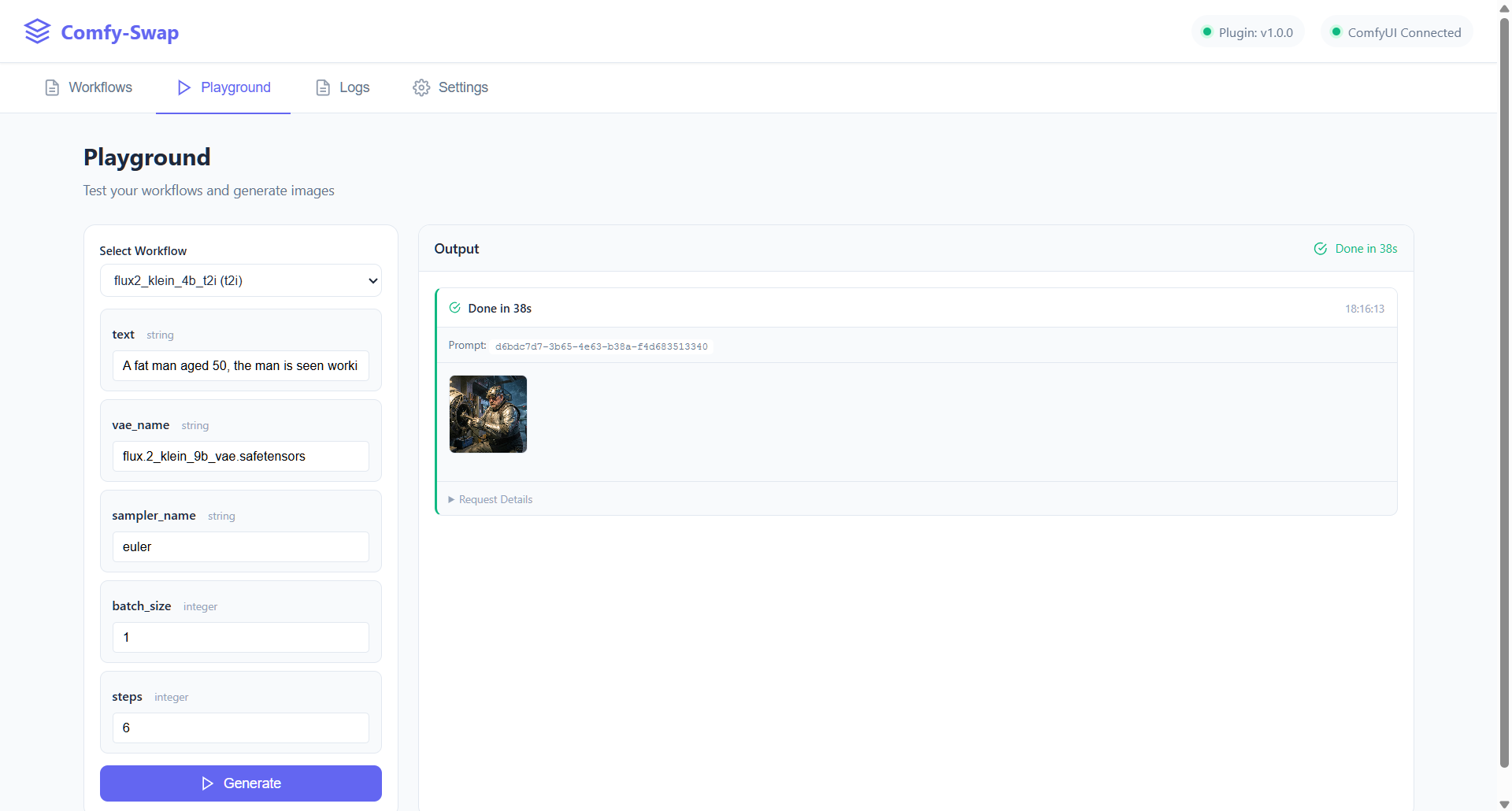
Comfy-Swap Web UI - Workflows & Playground
What It Does
Comfy-Swap turns complex ComfyUI workflows into simple, unified API endpoints that are:
- AI Agent Friendly — Clean JSON interface, predictable parameters, easy for LLMs and automation tools to call
- Developer Friendly — Same workflow, same parameters, whether you use REST API or CLI
- Production Ready — Stable API contracts that don't break when you update your workflow internals
REST API
curl -X POST 'http://localhost:8189/api/prompt' \
  -H 'Content-Type: application/json' \
  -d '{
    "workflow_id": "portrait-gen",
    "params": {
      "prompt": "professional headshot, studio lighting",
      "seed": 42
    }
  }'
CLI
comfy-swap run portrait-gen prompt="professional headshot" seed=42 --wait --save ./output/
Same workflow. Same parameters. Choose your interface.
Why Comfy-Swap?
| Problem | Solution |
|---|---|
| ComfyUI workflows are complex JSON with node IDs | Comfy-Swap provides named parameters like prompt, seed, image |
| Changing workflow internals breaks integrations | Parameter mapping keeps your API stable |
| Hard to call from scripts, agents, or automation | Simple REST/CLI with consistent interface |
| No unified way to track API usage | Built-in request logging with filtering |
Key Features
- Workflow → API: Export any ComfyUI workflow as a callable API endpoint
- Parameter Mapping: Map friendly names to internal node fields (one param → multiple nodes)
- Dual Interface: REST API and CLI share identical parameters
- Image I/O: Upload images as inputs, download generated outputs
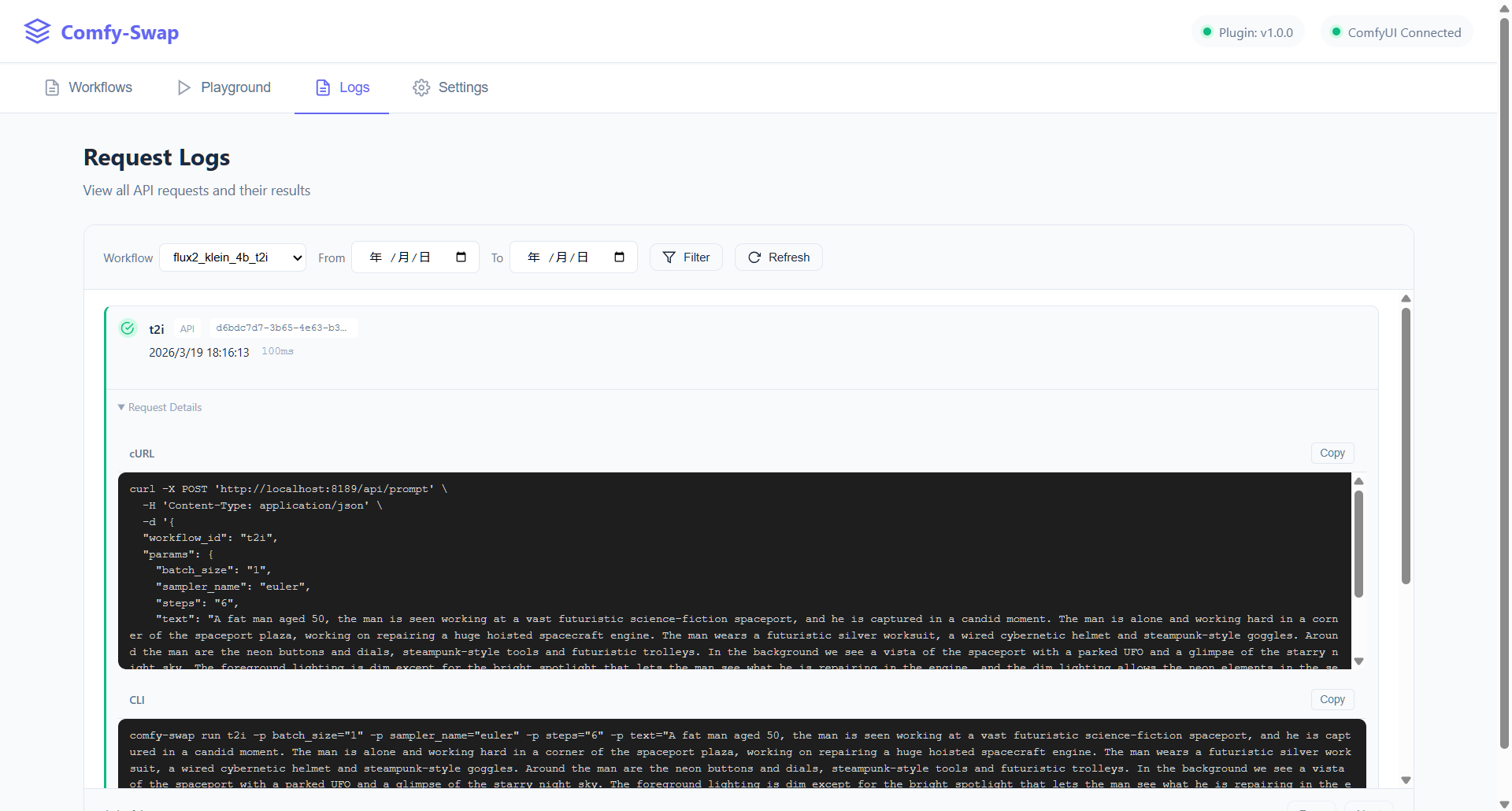
- Request Logs: Track all API calls with workflow filtering and time range
- Web Playground: Test workflows interactively before integration
- Backup/Restore: Export all configurations for migration
What It Does NOT Do
Comfy-Swap focuses on workflow exposure and API integration. It intentionally does not:
- ❌ Manage ComfyUI installation or updates
- ❌ Install or manage custom nodes
- ❌ Provide workflow editing UI
- ❌ Replace ComfyUI's execution engine
These are handled by ComfyUI itself or ComfyUI Manager.
Quick Start
1. Download & Install
Download the latest release for your platform from Releases.
Add to PATH for global access (recommended):
Windows (PowerShell)
# Copy to a PATH location (easiest)
Copy-Item comfy-swap.exe -Destination "$env:LOCALAPPDATA\Microsoft\WindowsApps\"

# Or add custom directory to PATH permanently
$binPath = "C:\path\to\comfy-swap"
[Environment]::SetEnvironmentVariable("Path", $env:Path + ";$binPath", "User")
macOS / Linux
# Move to a standard PATH location
sudo mv comfy-swap /usr/local/bin/

# Or add to PATH in shell profile
echo 'export PATH="$PATH:/path/to/comfy-swap-dir"' >> ~/.bashrc
source ~/.bashrc
Verify installation: comfy-swap version
2. Start the Server
comfy-swap serve
Open http://localhost:8189 to complete setup.
Build from source:
git clone+go build -o comfy-swap .(requires Go 1.21+)
2. Install ComfyUI Plugin
Option A: Git Clone (Recommended)
cd /path/to/ComfyUI/custom_nodes
git clone https://github.com/kamjin3086/ComfyUI-ComfySwap.git
Restart ComfyUI after installation.
Option B: Download ZIP
- Open Comfy-Swap web UI (
http://localhost:8189) - Go to Settings → Plugin Installation → Download
- Click Download Plugin ZIP
- Extract to
ComfyUI/custom_nodes/ComfyUI-ComfySwap - Restart ComfyUI
3. Export Your Workflow
In ComfyUI: Right-click canvas → Export to ComfySwap → Configure parameters → Swap
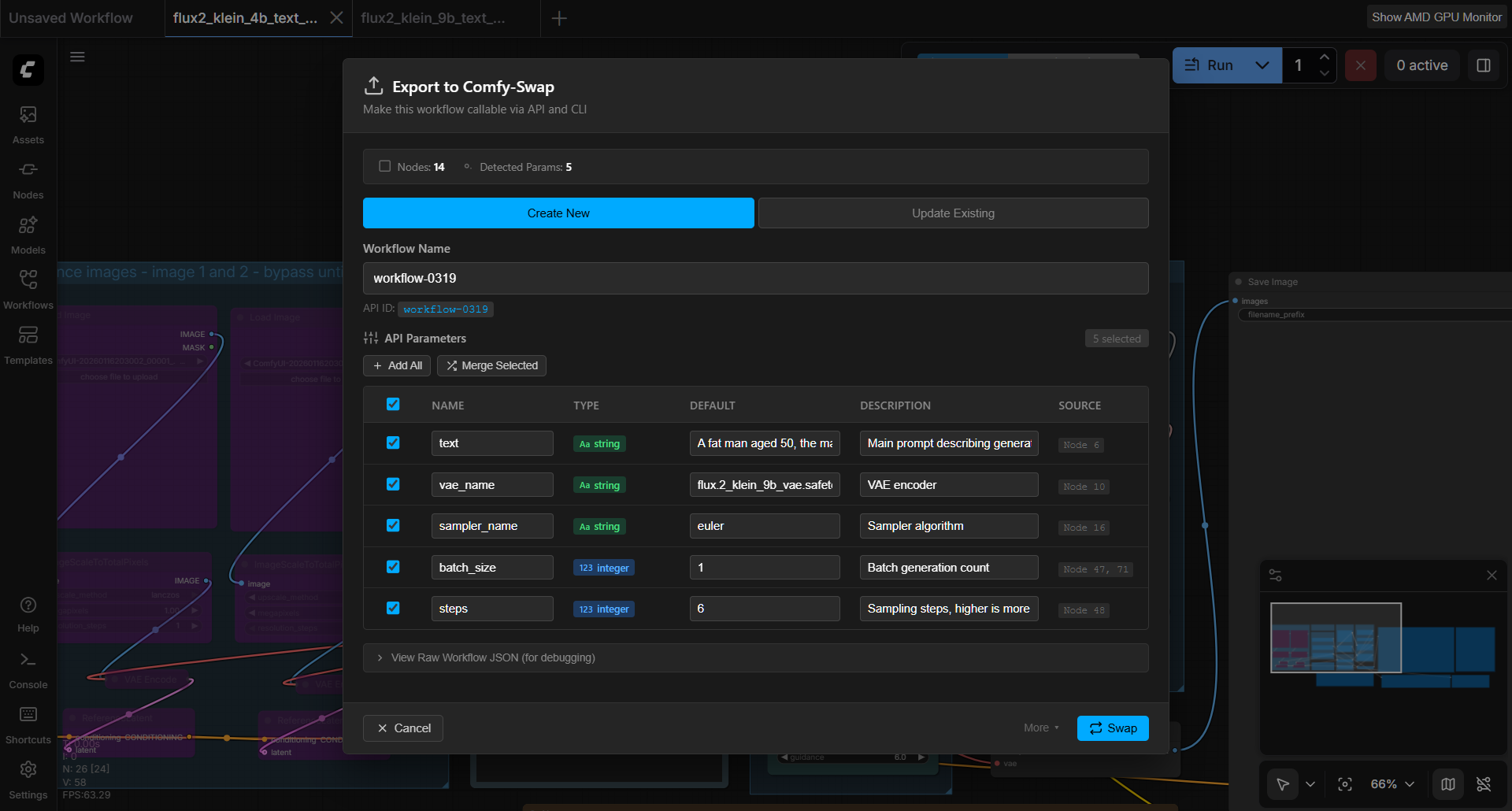
This makes your workflow available through Comfy-Swap's unified API and CLI interface.
4. Call Your API
# REST API
curl -X POST 'http://localhost:8189/api/prompt' \
  -H 'Content-Type: application/json' \
  -d '{"workflow_id": "my-workflow", "params": {"prompt": "a cat"}}'

# CLI
comfy-swap run my-workflow prompt="a cat" --wait
CLI Commands
# Show all commands and options
comfy-swap --help
comfy-swap run --help
| Command | Description |
|---|---|
serve |
Start HTTP server |
config get/set |
View or update configuration |
list |
List all workflows |
info <id> |
Show workflow details |
import |
Import workflow from JSON or sync pending |
workflow |
Manage workflow parameters (nodes, add-param, update-param, etc.) |
run <id> key=value |
Execute workflow |
status <prompt_id> |
Check execution status |
result <prompt_id> |
Get results (with --save) |
logs |
View request logs |
health |
Server health check |
Global flags: -s, --server (server URL), -q, --quiet, --json, --pretty
API Endpoints
| Endpoint | Method | Description |
|---|---|---|
/api/prompt |
POST | Execute workflow |
/api/workflows |
GET | List workflows |
/api/workflows/{id} |
GET | Get workflow details |
/api/history/{prompt_id} |
GET | Execution history |
/api/logs |
GET | Request logs |
/api/upload |
POST | Upload image |
/api/view |
GET | Download output |
Parameter Mapping
{
  "name": "seed",
  "type": "integer",
  "default": -1,
  "description": "Random seed, -1 for random",
  "targets": [
    { "node_id": "3", "field": "seed" },
    { "node_id": "9", "field": "seed" }
  ]
}
One seed parameter automatically updates multiple nodes. Your API stays clean.
More Screenshots
Request Logs
License
Links
Explore related projects
n8n-io/n8n
Fair-code workflow automation platform with native AI capabilities. Combine visual building with custom code, self-host or cloud, 400+ integrations.
210,241 starslanggenius/dify
Build Agentic workflows, RAG pipelines, with rich AI model and tool support on one collaborative workspace. Deploy on cloud, VPC, or self-hosted, so teams move from prototype to production without rebuilding the stack.
160,951 starsmicrosoft/PowerToys
Microsoft PowerToys is a collection of utilities that supercharge productivity and customization on Windows
140,888 starsstablyai/orca
Orca is the place for working with a fleet of agents (e.g. Grok Bot, Claude Code). Run any coding agent with your own subscription. Available on desktop, mobile and remote runtime.
122,680 stars