
k0kubun/md2key
k0kubun/md2key has 1,029 GitHub stars and 45 forks. GitHot measured +1 in 7 days. Last checked 2026-11-11 02:23 UTC. Last push 2026-01-13.
Convert markdown to keynote
Measured star growth
- in 24h
- Update delayed
- in 7 days
- +1
- in 15 days
- Collecting history
- in 1 month
- Collecting history
Net star changes over overlapping periods, not daily totals. Missing measurements are left blank. Stars measure attention, not software quality.
README.md
Originalmd2key 
Convert your markdown to keynote.
Installation
gem install md2key
Usage
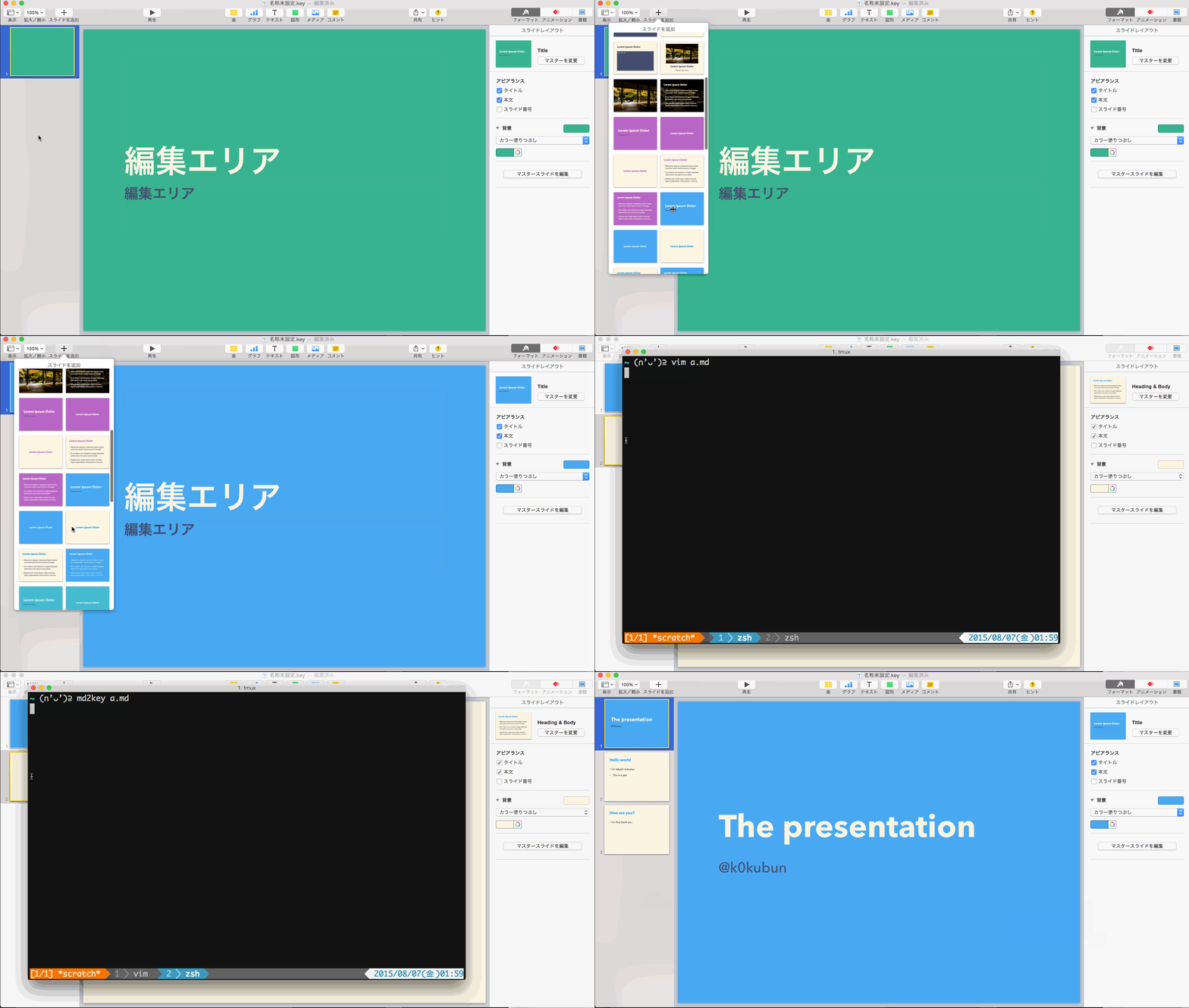
- Create a keynote document
- Create a first slide as a cover slide
- Create a second slide to choose a slide layout
- Then execute
md2key markdown.md
Advanced Usage
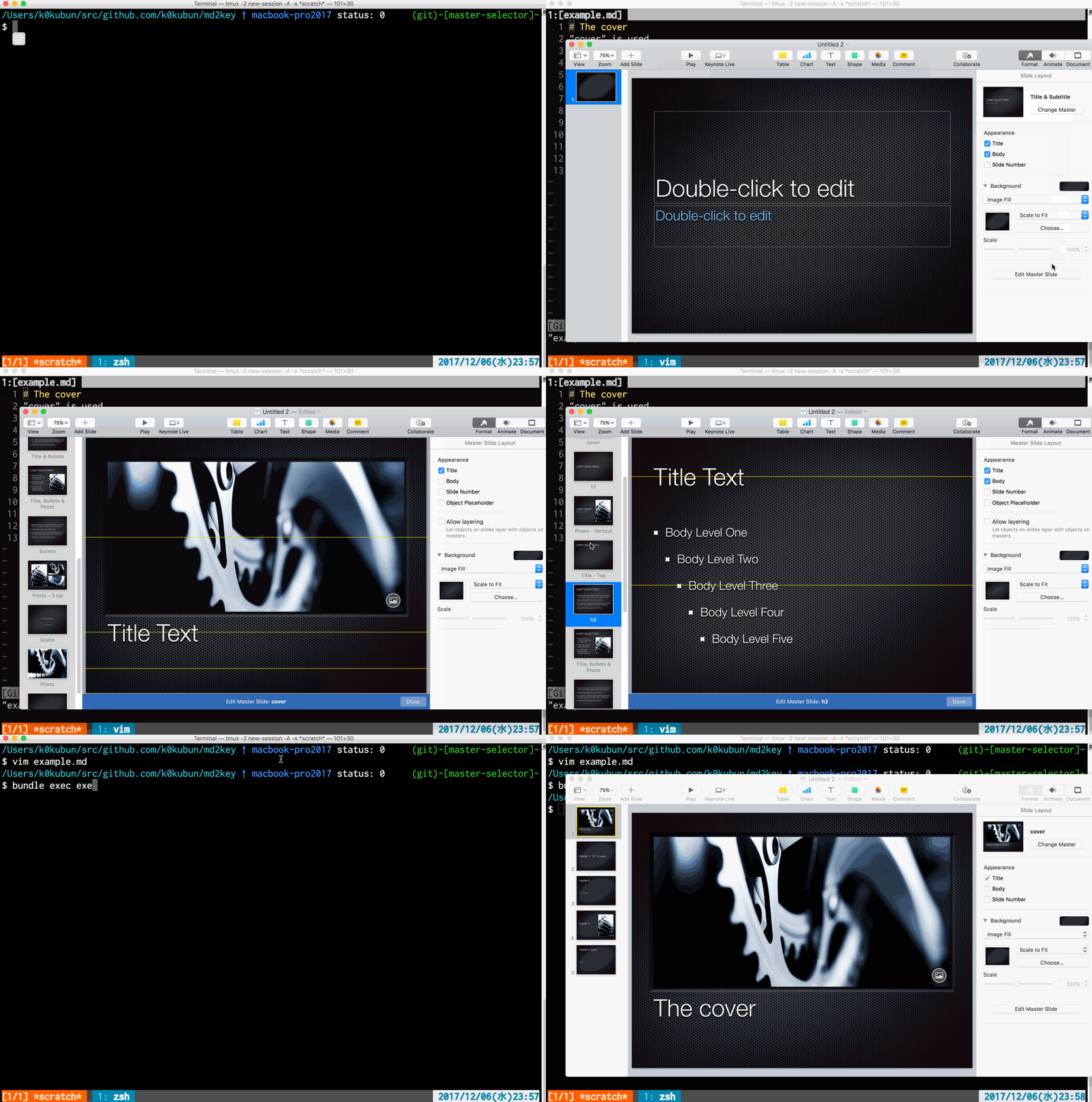
- Open master slide editor
- Name "cover", "h1", "h2" ... "h5" to master slides
- They will be used for the first slide, and other slides with
#,##...#####
Features
Basic example
The slides in the movie can be generated with following markdown.
You can separate slides with --- just for readability.
# The presentation
@k0kubun

## Hello world
- I'm takashi kokubun
- This is a pen
  - Nested item is available

## How are you?
- I'm fine thank you
Insert image
# image slide
- This is an example
- You can insert an image

Insert source code
If you have highlight command, you can insert syntax-highlighted source code.
If you don't have it, execute brew install highlight.
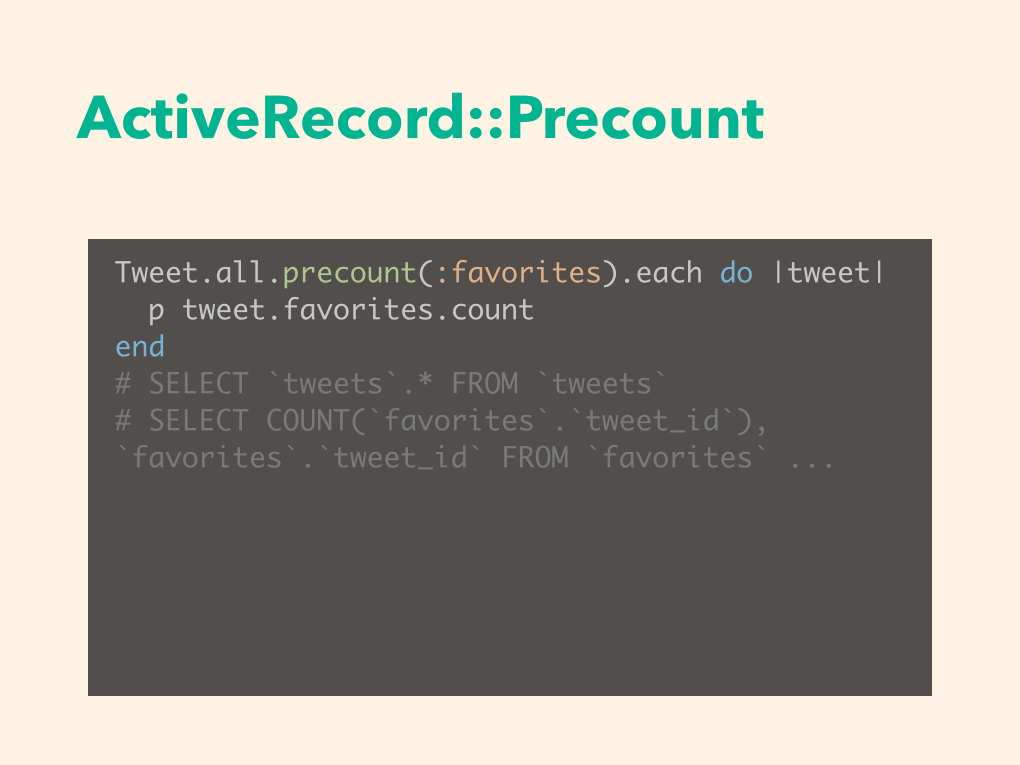
# ActiveRecord::Precount

```rb
Tweet.all.precount(:favorites).each do |tweet|
  p tweet.favorites.count
end
# SELECT `tweets`.* FROM `tweets`
# SELECT COUNT(`favorites`.`tweet_id`), `favorites`.`tweet_id` FROM `favorites` ...
```
Insert table
## table

| a | b | c |
|:--|:--|:--|
| 1 | 2 | 3 |

Insert flowchart & sequence diagram
## flowchart & sequence diagram slide

```mermaid
sequenceDiagram
    Alice->Bob: Hello Bob, how are you?
    Note right of Bob: Bob thinks
    Bob-->Alice: I am good thanks!
    Bob-->John the Long: How about you John?
    Bob-->Alice: Checking with John...
    Alice->John the Long: Yes... John, how are you?
    John the Long-->Alice: Better then you!
```

Insert presenter note
# Keynote Speech

- OMG! I'm keynoting! :fearful:

^ Remember, what would Freddie Mercury do? Yes, I'm Freddie! We are the champions!!
Configure master slide by header level (experimental)
You can change master slide by header level if you have .md2key.
See #32 for details.
Creating your own template
Follow the following steps:
- Open keynote application.
- Create empty presentation.
- Add two master slides (required) to the empty presentation:
- First slide is the cover.
- Second slide is the layout.
Sample
You can start to modify and learn from assets/default.key.
Important tips
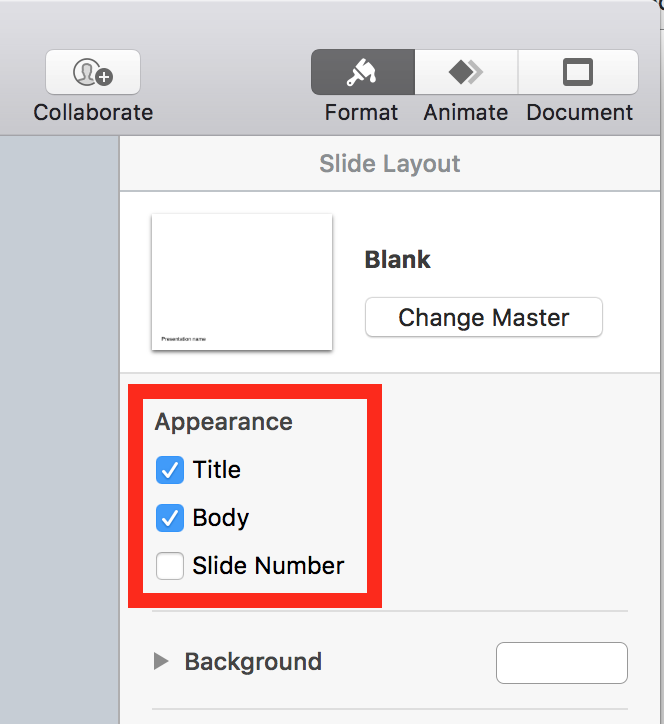
In order to make md2key replaces the texts correctly you have to select Title and Body from the master template.
License
MIT License
Explore related projects
codecrafters-io/build-your-own-x
Master programming by recreating your favorite technologies from scratch.
561,650 starspublic-apis/public-apis
A collective list of free APIs
498,029 starsmorluto/rea
Reverse engineer anything with agents, from app behavior down to native binaries.
450,586 starsopenclaw/openclaw
The AI that really does things. Any OS. Any Platform. The lobster way. 🦞
394,312 stars