
juliangonzalez-tech/notcooked
juliangonzalez-tech/notcooked has 7 GitHub stars and 0 forks. GitHot measured -3 stars in 24 hours. Last checked 2026-11-09 16:33 UTC. Last push 2026-10-29.
A student-first planner that turns scattered coursework into a clear next step.
What you can do
- Imports from Canvas and Google Classroom. Canvas through your school calendar link, Google Classroom through a read-only connection. Nothing is saved until you review it.
- Capture from text, files and photos. Paste a syllabus or announcement, upload a file, or photograph a worksheet, then check the results before they are added.
- Next-task recommendations. Today picks a next task and shows the reasons behind the choice.
- Focus sessions. Choose a task and a session length, then work against a timer.
Measured star growth
- in 24h
- -3
- in 7 days
- Collecting history
- in 15 days
- Collecting history
- in 1 month
- Collecting history
Net star changes over overlapping periods, not daily totals. Missing measurements are left blank. Stars measure attention, not software quality.
README.md
OriginalNotCooked
A student-first planner that turns scattered coursework into a clear next step.
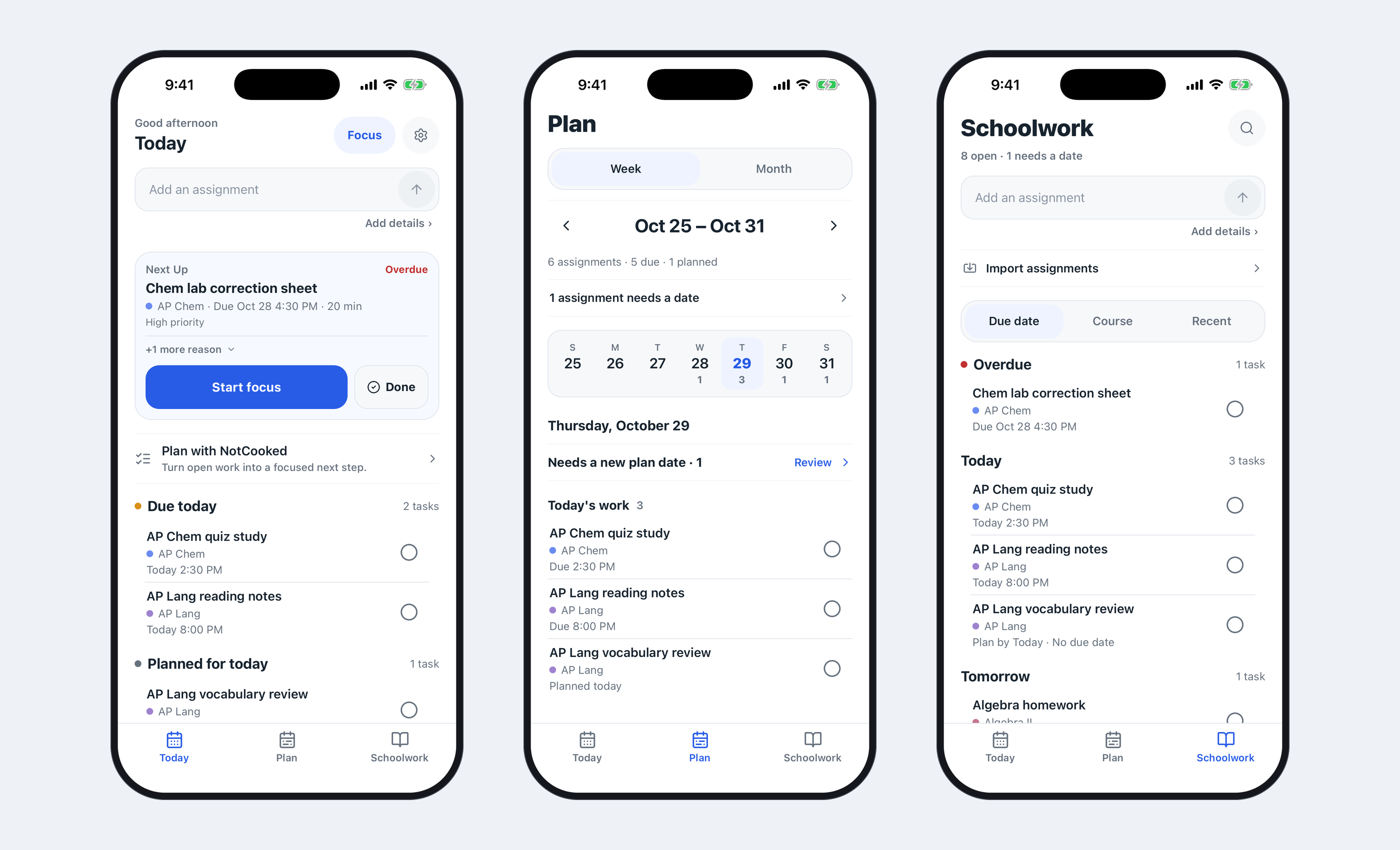
Status: currently in private beta. NotCooked's source code is private; this repository contains documentation and screenshots only. All screenshots use fictional demo data.
Role: Founder & Lead Developer. I designed and developed the mobile interface, assignment-planning logic, import and review flows, Firebase data layer, reminders, Focus, Undo that stays until dismissed, and sync/retry/rollback behavior. Development began in April 2026.
The problem
- Assignments are scattered across systems: a learning platform, Google Classroom, a teacher's announcement, a photo of a worksheet.
- Long overdue lists create noise. When everything is flagged, nothing stands out.
- Students need help choosing what to do next, not another place to store everything.
What NotCooked does
NotCooked answers one question: what do I need to do right now? Three screens, each with one job:
- Today is for immediate work. It recommends a next task, shows why, and lists what is due today and what you planned for today.
- Plan is for dated work. A week and month view with due counts, and a place to set when you will do something.
- Schoolwork is the full inventory, including undated work, organized by due date, by course, or by what you added recently.
Features
- Imports from Canvas and Google Classroom. Canvas through your school calendar link, Google Classroom through a read-only connection. Nothing is saved until you review it.
- Capture from text, files and photos. Paste a syllabus or announcement, upload a file, or photograph a worksheet, then check the results before they are added.
- Next-task recommendations. Today picks a next task and shows the reasons behind the choice.
- Focus sessions. Choose a task and a session length, then work against a timer.
- Due dates and courses. Color-coded courses, due times, estimated time and notes for every assignment.
- Completion with Undo. Mark work done, and take it back if you tapped too soon.
- Reminders and planning tools. Reminders before work is due, a plan date for each assignment, and an optional AI planning suggestion that you opt into and can turn off, with a basic plan as the alternative.
Screenshots
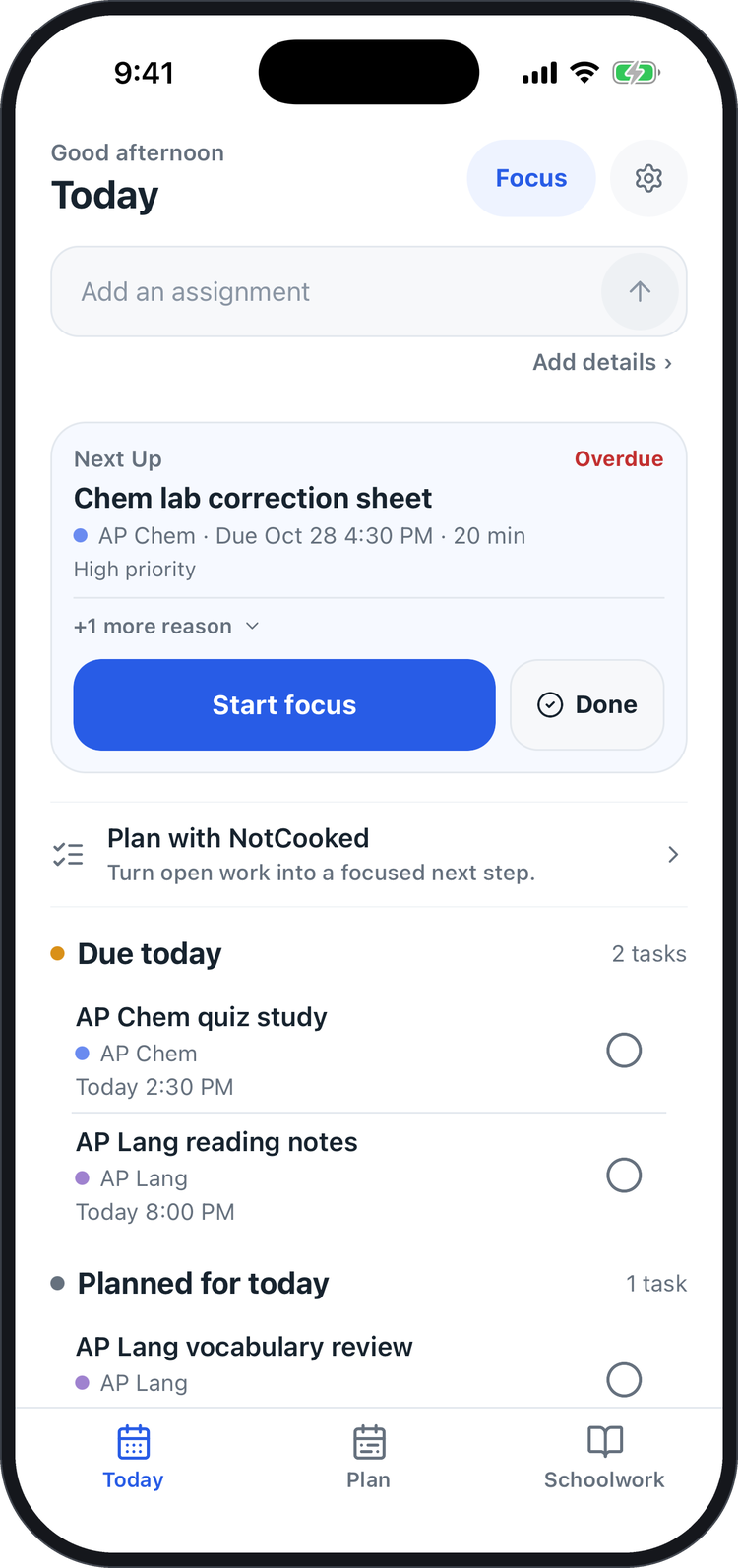 Today |
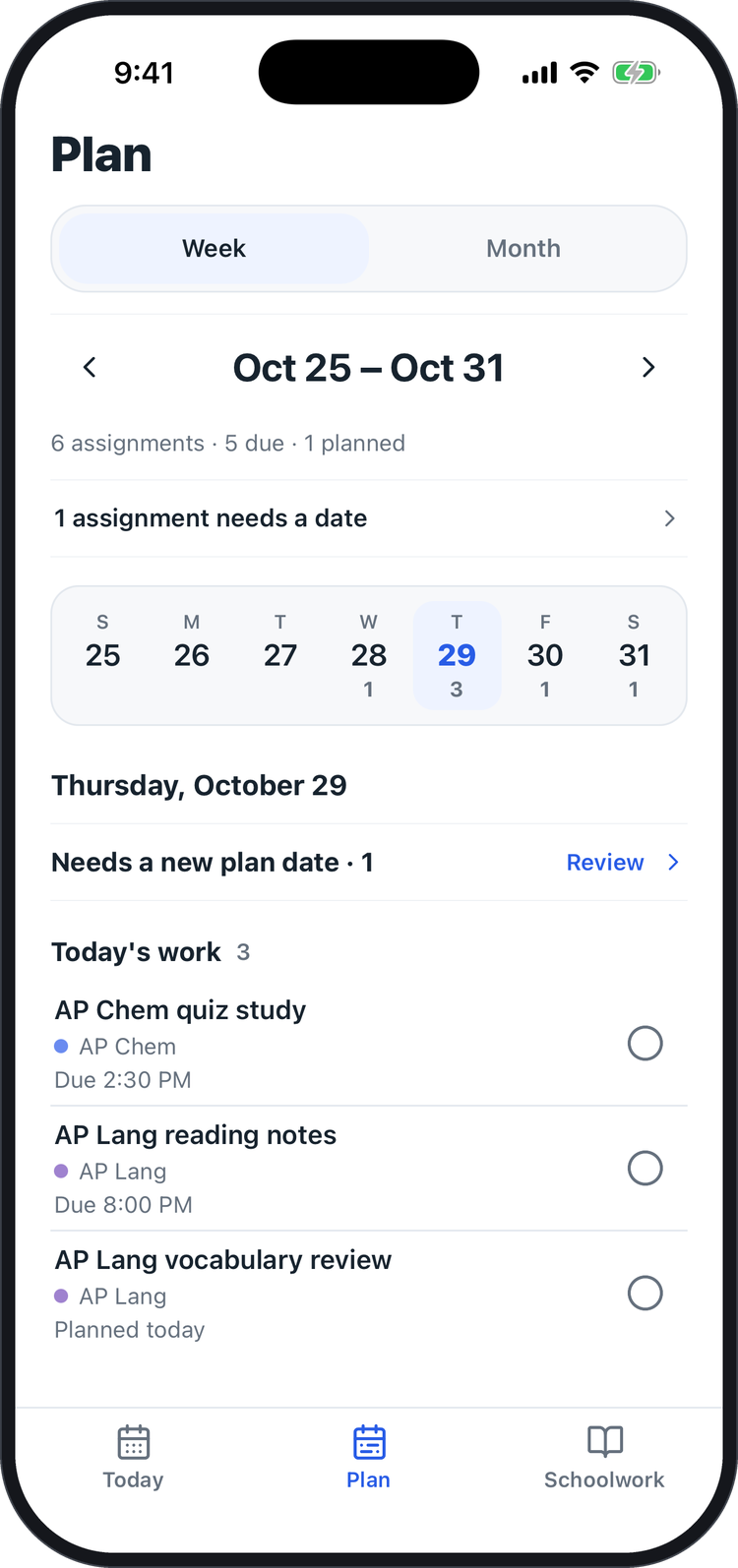 Plan |
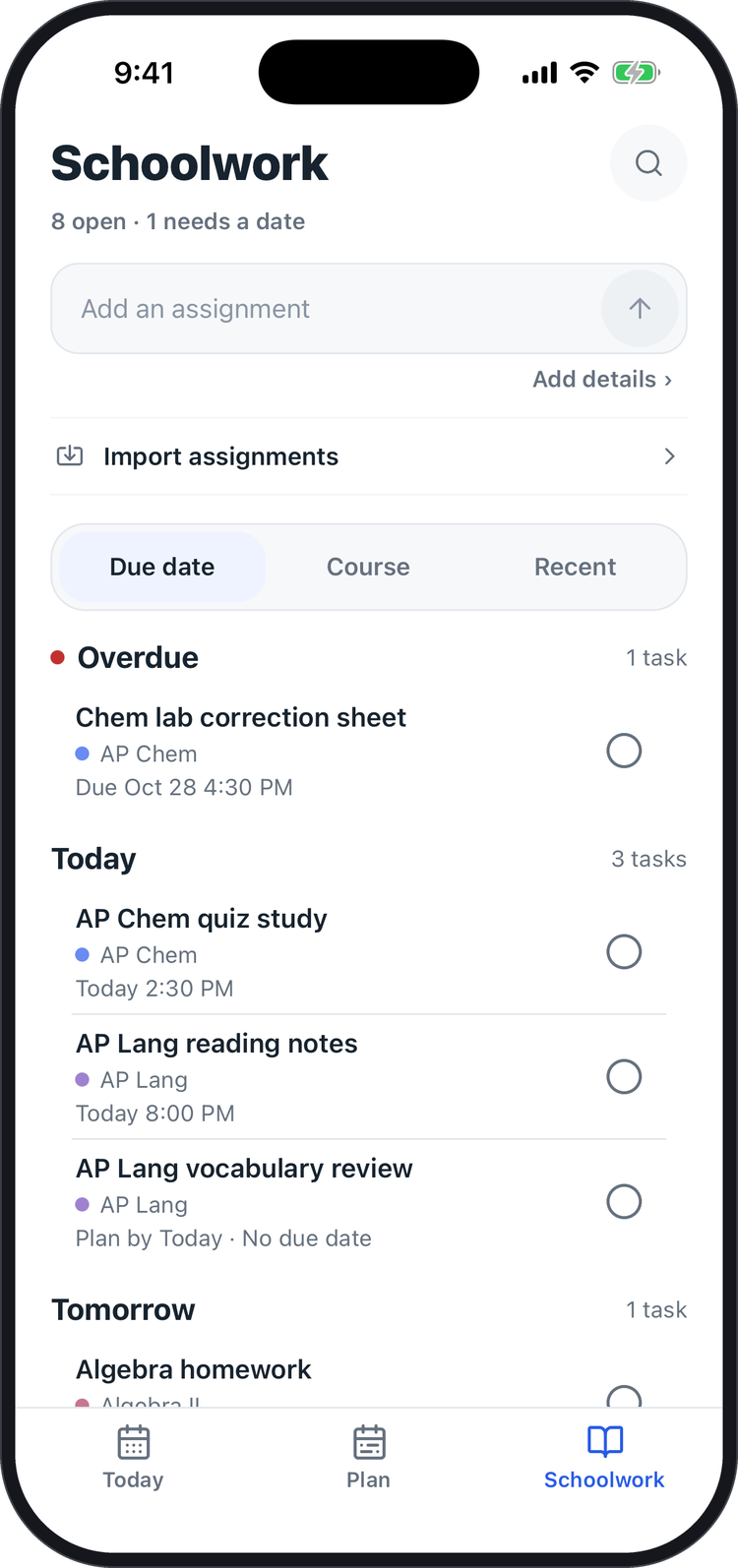 Schoolwork |
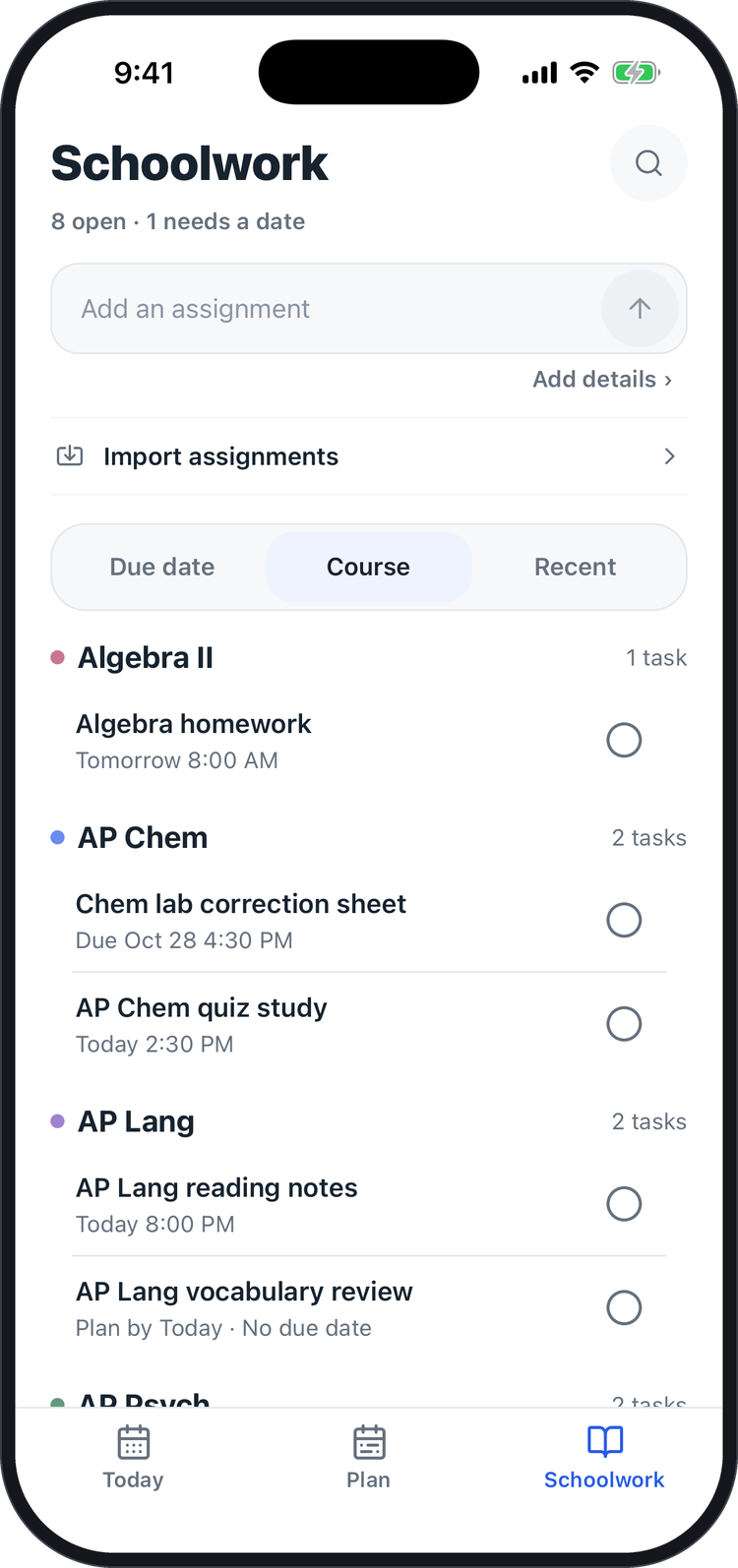 Schoolwork by course |
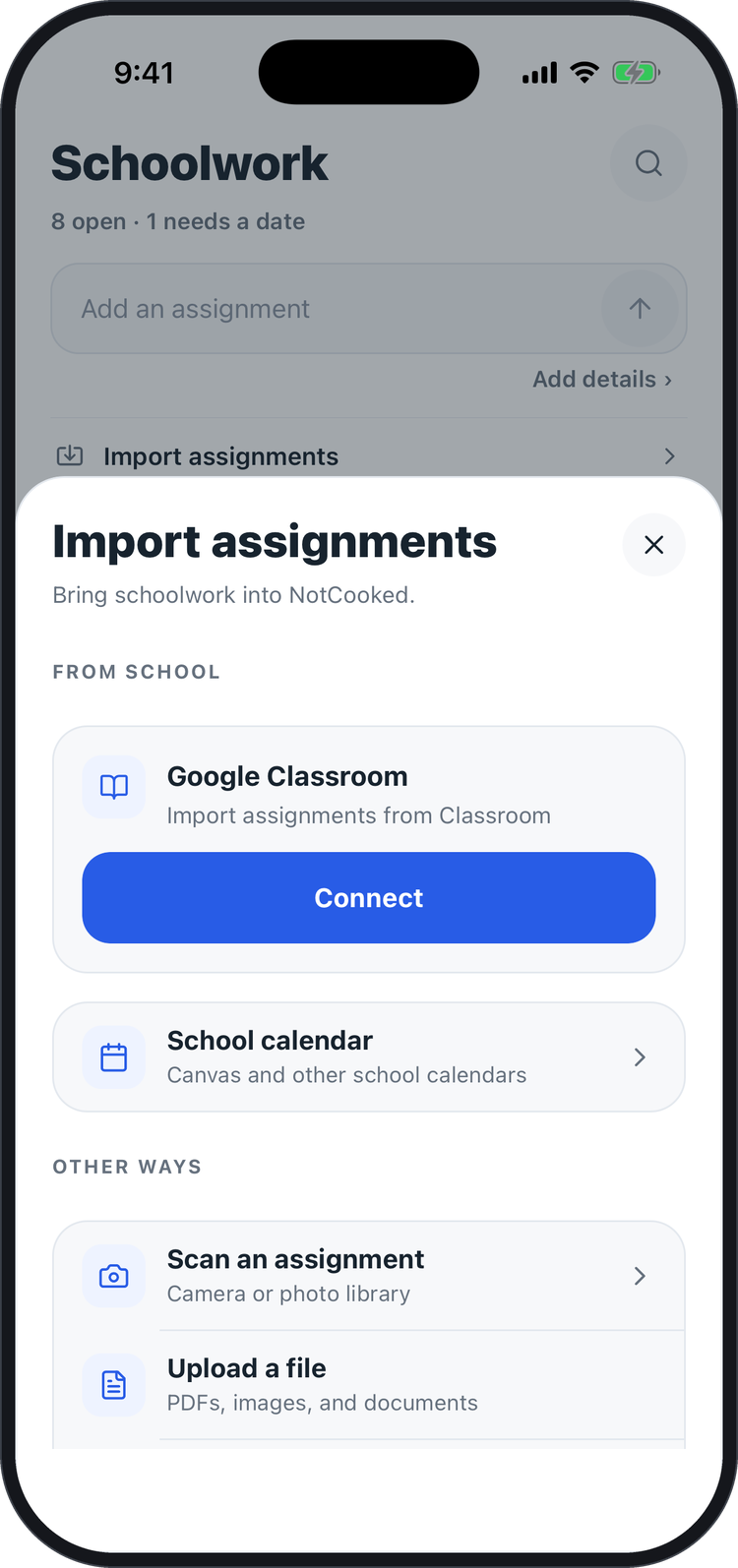 Import options |
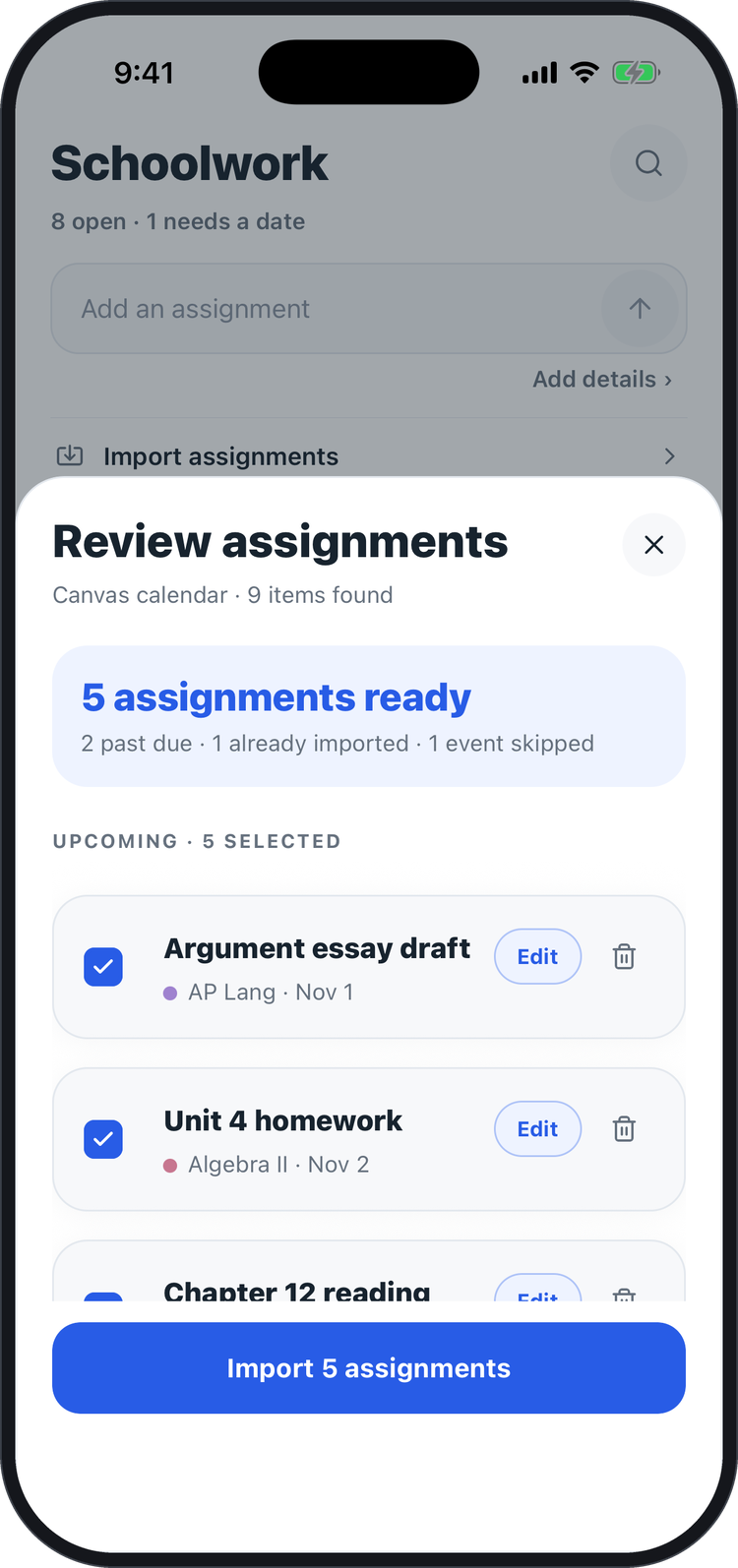 Import review |
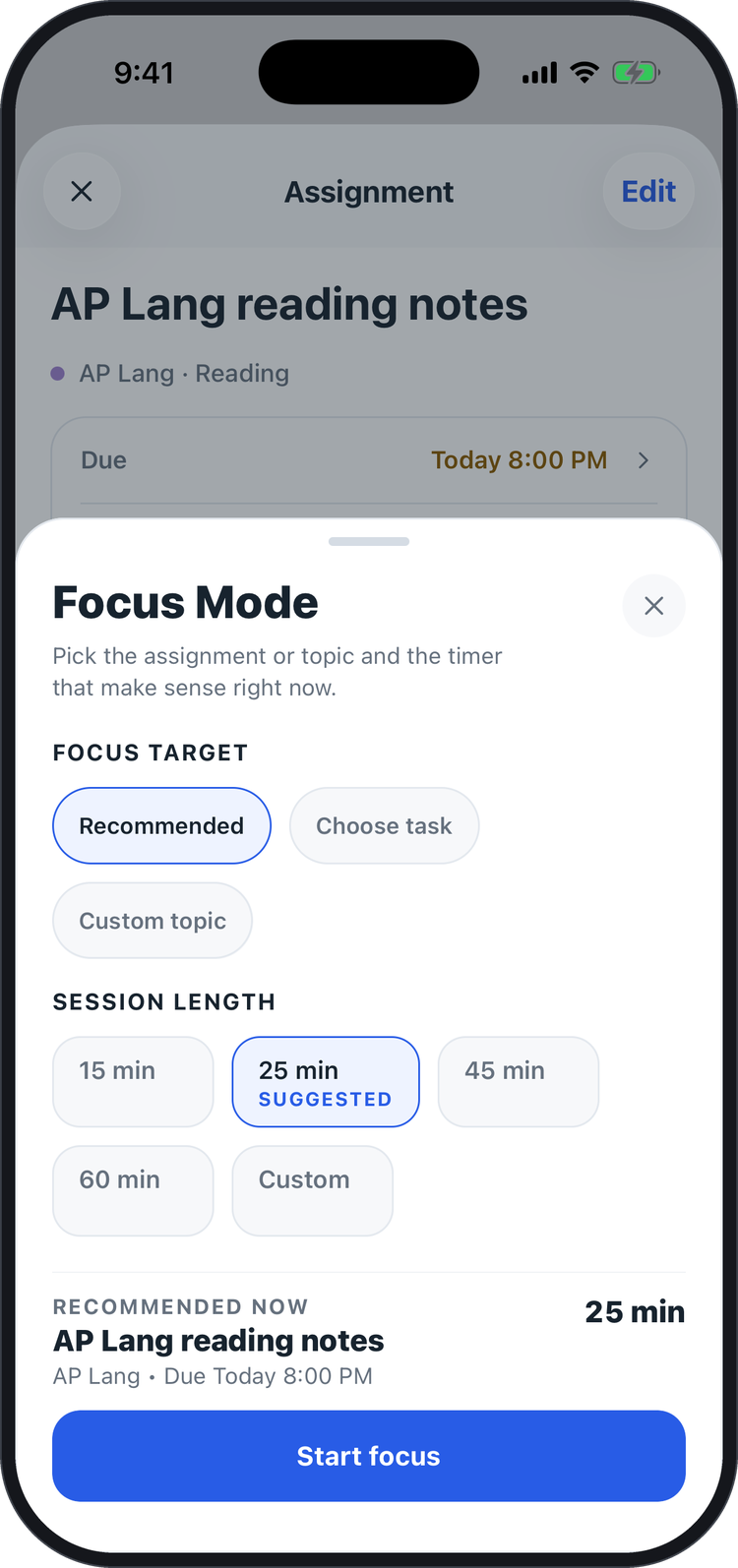 Focus setup |
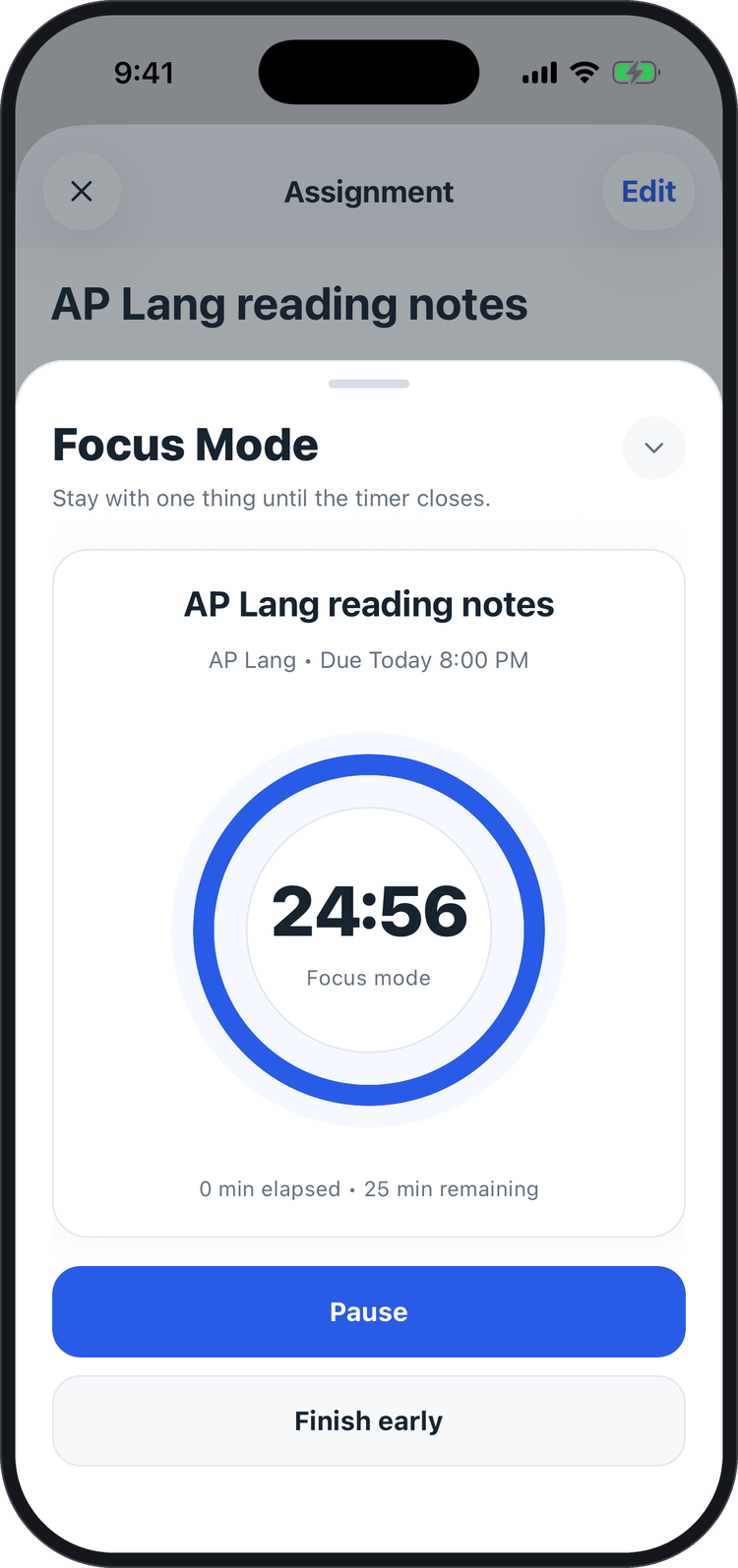 Focus timer |
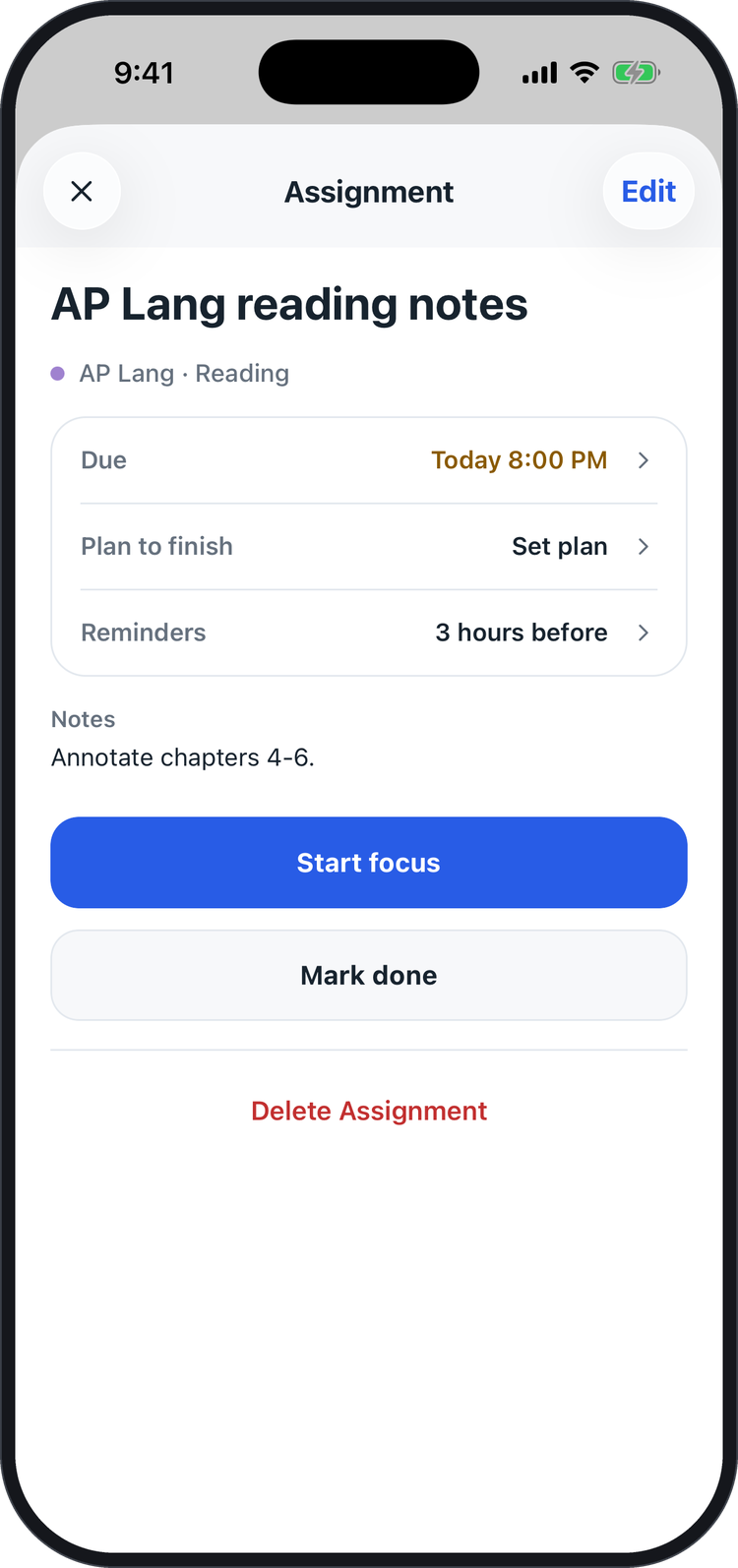 Assignment details |
Beta testing
NotCooked has been beta-tested with 25+ students and has been iterated using their feedback.
Feedback in action
One tester wanted the app to recommend what to do next without taking away control. I added explanations and an override to the next-task recommendation, then retested the flow.
Technology
NotCooked is an Expo (React Native) app that uses Firebase for authentication and data. Sensitive credentials, such as the connection to Google Classroom, are kept in the device's secure storage. The core logic is covered by automated tests.
More
- PRODUCT.md: what NotCooked is for and how it is designed.
- PRIVACY.md: how NotCooked handles student data.
Author
Created by Julian Gonzalez, founder and developer. GitHub profile
Copyright
© 2026 Julian Gonzalez. All rights reserved. The original documentation and screenshots in this repository may not be reused without permission. NotCooked’s source code is private and is not licensed for use.
Explore related projects
n8n-io/n8n
Fair-code workflow automation platform with native AI capabilities. Combine visual building with custom code, self-host or cloud, 400+ integrations.
209,949 starslanggenius/dify
Build Agentic workflows, RAG pipelines, with rich AI model and tool support on one collaborative workspace. Deploy on cloud, VPC, or self-hosted, so teams move from prototype to production without rebuilding the stack.
160,773 starsmicrosoft/PowerToys
Microsoft PowerToys is a collection of utilities that supercharge productivity and customization on Windows
140,755 starsstablyai/orca
Orca is the place for working with a fleet of agents (e.g. Grok Bot, Claude Code). Run any coding agent with your own subscription. Available on desktop, mobile and remote runtime.
120,547 stars