
jsubroto/flow has 174 GitHub stars and 14 forks. GitHot measured 0 stars in 24 hours and 0 in 7 days. Last checked 2026-11-08 22:23 UTC. Last push 2026-09-27.
A keyboard-first Kanban board for your terminal workflows
What you can do
- Keyboard-first Kanban board
- Columns and cards loaded from disk (no hardcoded data)
- One-keystroke transitions (H / L)
- Create/edit cards from UI in local mode (n / e)
Measured star growth
- in 24h
- 0
- in 7 days
- 0
- in 15 days
- Update delayed
- in 1 month
- Update delayed
Net star changes over overlapping periods, not daily totals. Missing measurements are left blank. Stars measure attention, not software quality.
README.md
Originalflow
A keyboard-first Kanban board in your terminal.
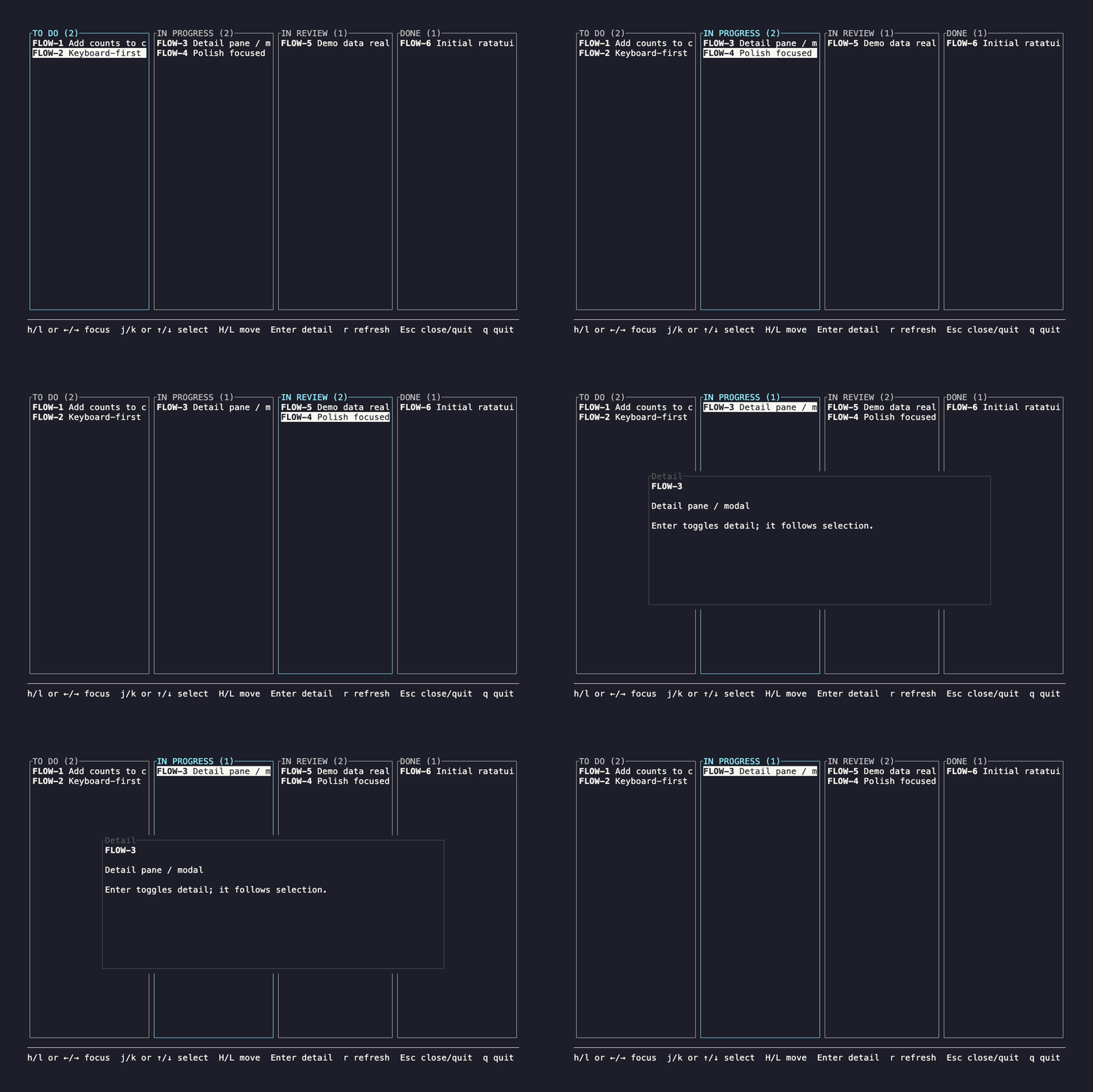
Move work between states with a single keystroke and peek at issue descriptions without opening a browser.
Why
Opening a browser just to move an issue is slow and breaks focus.flow keeps the common actions fast, local, and keyboard-driven.
This project is intentionally minimal and opinionated.
Features
- Keyboard-first Kanban board
- Columns and cards loaded from disk (no hardcoded data)
- One-keystroke transitions (
H/L) - Create/edit cards from UI in local mode (
n/e) - Toggle issue description (
Enter) hjkland arrow-key navigation- Clean, terminal-native visuals
- Immediate persistence on move (local mode)
Demo / Local mode
flow runs in demo mode by default.
Demo data is loaded from files on disk and can be edited directly. This makes the demo representative of real usage, not a hardcoded example.
Default demo board location:
boards/demo/
When flow is installed rather than run from source, it copies the demo board to ~/.config/flow/boards/demo on first run.
To use a persistent local board, point FLOW_BOARD_PATH at the board directory:
FLOW_BOARD_PATH=/path/to/board cargo run
Local boards default to:
~/.config/flow/boards/default
If you want to use the default local board path, set:
FLOW_PROVIDER=local cargo run
Jira mode
To load issues from Jira, set:
FLOW_PROVIDER=jira
JIRA_BASE_URL=https://your-site.atlassian.net
[email protected]
JIRA_API_TOKEN=your_token
JIRA_BOARD_ID=123
The board ID is required. It determines the column order and the board's filter.
Flow will only show issues assigned to the current user in open sprints.
Linear mode
To load issues from Linear, set:
FLOW_PROVIDER=linear
LINEAR_API_KEY=your_key
LINEAR_TEAM_KEY=ENG
The team key is required. It determines which team's statuses (columns) and issues to load.
By default every status is shown as a column. To show only specific statuses, in a specific order, set LINEAR_STATUSES to a comma-separated list of status names:
LINEAR_STATUSES="Todo,In Progress,In Review,Done"
Names match your team's Linear status names (case-insensitive). Statuses not listed are hidden, and moves stay within the listed statuses.
Flow will only show issues assigned to the current user in the active cycle.
Board format
Boards are plain files:
board.txt— column definitions and ordercols/<column>/order.txt— card ordering per columncols/<column>/<ID>.md— card content (Markdown)
Example:
boards/demo/
  board.txt
  cols/
    todo/
      order.txt
      FLOW-1.md
      FLOW-2.md
This format is:
- human-editable
- diff-friendly
- resilient to partial edits
Keybindings
h/lor←/→— focus columnj/kor↑/↓— select cardH/L— move card left / rightn— create a new card in focused column (local mode)e— edit selected card in$EDITOR(local mode)Enter— toggle descriptionr— reload board from diskEsc— close description / quitq— quit
Run
cargo run
Status
Early, but usable.
The focus is on a solid interaction model, simple persistence, and a testable core. Expect breaking changes as features are added.
License
MIT
Explore related projects
codecrafters-io/build-your-own-x
Master programming by recreating your favorite technologies from scratch.
561,321 starspublic-apis/public-apis
A collective list of free APIs
497,569 starsmorluto/rea
Reverse engineer anything with agents, from app behavior down to native binaries.
446,496 starsopenclaw/openclaw
The AI that really does things. Any OS. Any Platform. The lobster way. 🦞
394,246 stars