
jotalac/git-writer
jotalac/git-writer has 100 GitHub stars and 7 forks. GitHot measured 0 stars in 24 hours, +7 in 7 days, and +10 in 15 days. Last checked 2026-11-17 03:07 UTC. Last push 2026-11-14.
Measured star growth
- in 24h
- 0
- in 7 days
- +7
- in 15 days
- +10
- in 1 month
- Collecting history
Net star changes over overlapping periods, not daily totals. Missing measurements are left blank. Stars measure attention, not software quality.
About
A minimalistic, Git-backed markdown note-taking app for desktop and mobile
ProductivityREADME.md
OriginalGit Writer
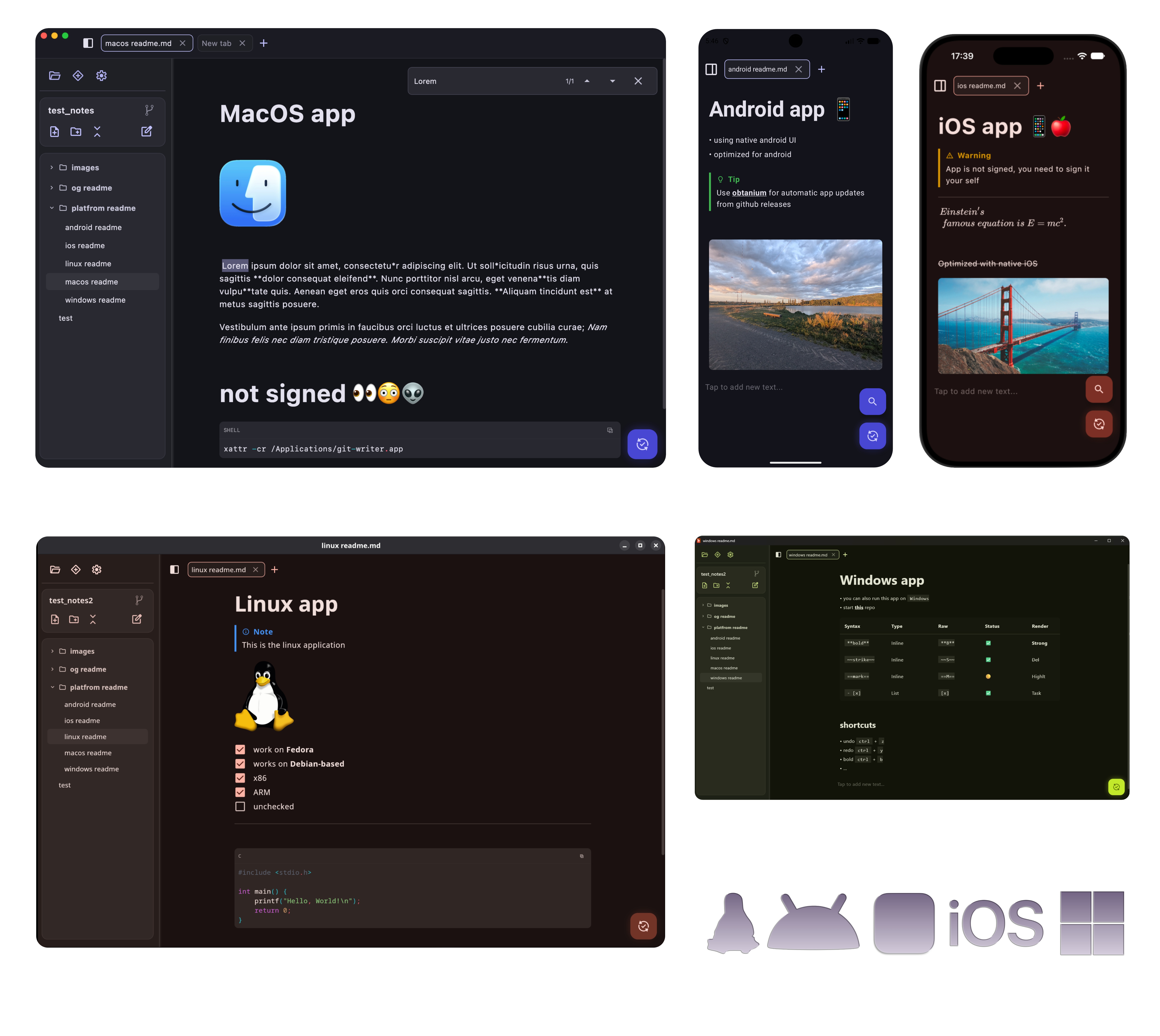
A minimalistic, cross-platform note-taking app that uses Git repositories to keep your Markdown notes version-controlled and synchronized across devices. Supports all major platforms (Linux, macOS, Windows, Android, iOS).
Docs, installation and usage guide - here
Installation
Download binaries from the Releases page.
[!WARNING]
- macOS: app is not signed, to make it work, you may need run this command:
xattr -d com.apple.quarantine /Applications/GitWriter.app- iOS: The
.ipais unsigned. Sideload it using tools like AltStore, SideStore, or Sideloadly with your free Apple ID.
Support this project with a coffee:

Used technologies:
- Kotlin Multiplatform & Compose Multiplatform
- Git Integration: JGit (Desktop and Android), libgit2
- Image & File Handling: Coil 3 & FileKit
- Markdown parsing & rendering: multiplatform-markdown-renderer & jetbrains-markdown
Spell Checking
- misspellings are checked against the spell check language in the app settings, which defaults to the app language
| Platform | Setup |
|---|---|
| Windows | Install the language under Settings -> Time & Language -> Language & region -> Add a language, including Basic typing. The keyboard layout is not needed. |
| macOS | Nothing to do, the dictionaries ship with the system. If your language is not underlined, enable it under System Settings -> Keyboard -> Text Input -> Edit... -> Spelling. |
| Linux | Install your language's hunspell package. Names are distro and region specific. |
sudo apt/dnf search hunspell-<language>
sudo apt/dnf install hunspell-es
Package names include the region:
hunspell-esandhunspell-cs, buthunspell-de-deon Debian and Ubuntu. Chinese is not spell checked, hunspell has no dictionary with word segmentation.
Building app
Desktop Distributions
Current OS:
./gradlew :desktopApp:packageDistributionForCurrentOSLinux (
.deb/.rpm):./gradlew :desktopApp:packageDeb ./gradlew :desktopApp:packageRpmmacOS (
.dmg/.pkg):./gradlew :desktopApp:packageDmg ./gradlew :desktopApp:packagePkgWindows (
.msi/.exe):./gradlew :desktopApp:packageMsi ./gradlew :desktopApp:packageExe
Output location: desktopApp/build/compose/binaries/main/
Android Release
- Release APK:
Output location:./gradlew :androidApp:assembleReleaseandroidApp/build/outputs/apk/release/
iOS Release
- Build in Xcode
Contributing
Contributions are always welcome! If you find a bug or have an idea for an enhancement, feel free to open an Issue.