
john-rocky/coreai-kit
john-rocky/coreai-kit has 126 GitHub stars and 19 forks. GitHot measured 0 stars in 24 hours. Last checked 2026-11-15 15:39 UTC. Last push 2026-11-15.
Measured star growth
- in 24h
- 0
- in 7 days
- Update delayed
- in 15 days
- Update delayed
- in 1 month
- Update delayed
Net star changes over overlapping periods, not daily totals. Missing measurements are left blank. Stars measure attention, not software quality.
About
Swift SDK for running chat, vision and speech models on iPhone and Mac with Apple's Core AI. Model download and caching, FoundationModels integration, and runnable examples with documented OS, SDK and model requirements.
AIREADME.md
OriginalCoreAIKit

Download a tested Core AI model and run it in your Swift app. Core AI is Apple's on-device ML runtime in iOS 27 / macOS 27 and the successor to Core ML. CoreAIKit picks the build for your device, downloads it from Hugging Face and caches it. On an iPhone 17 Pro on 2026-09-23, the catalog's laya multilingual model made a typed decision in about 70 ms.
Community package, not affiliated with Apple. Requires Xcode 27, and macOS 27 / iOS 27 to run models (real device; the CoreAI framework is not in the iOS Simulator SDK). An app can deploy to macOS 26 / iOS 26 and check
#available(macOS 27, iOS 27, *)before using them.
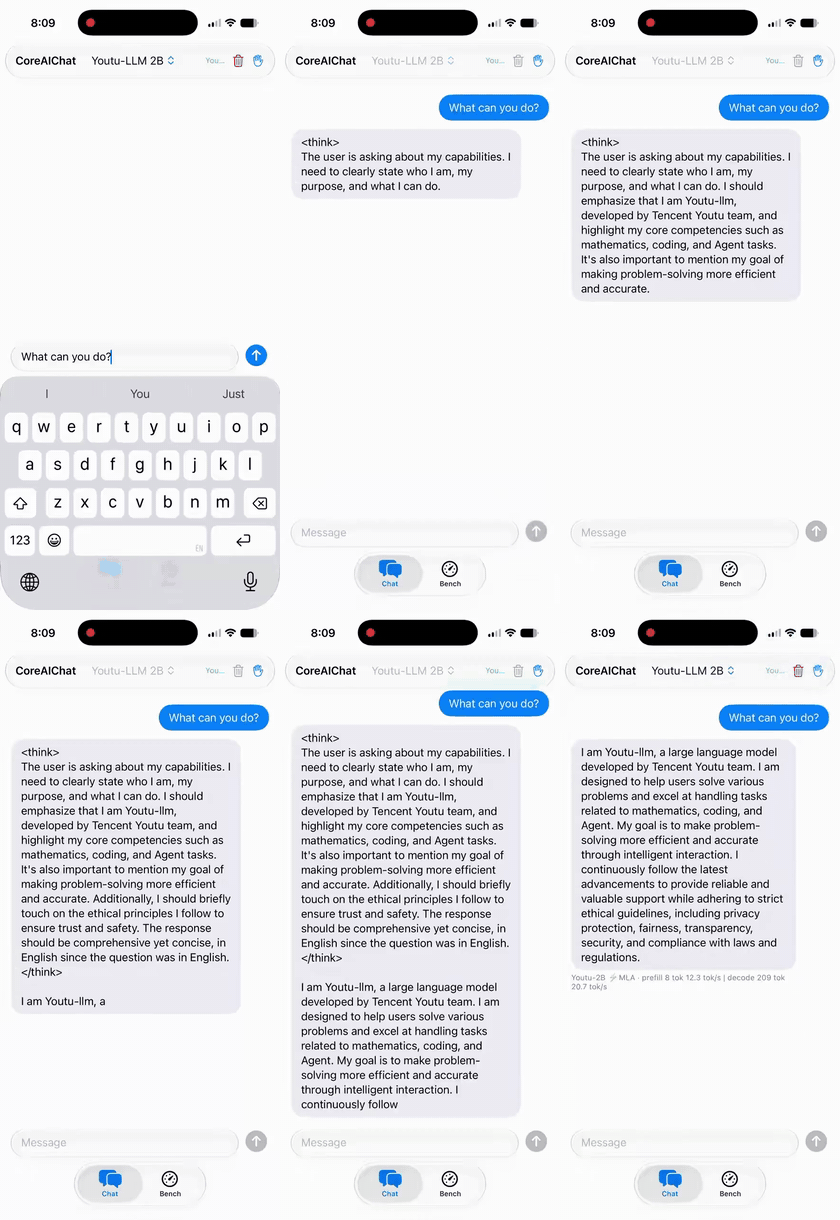 |
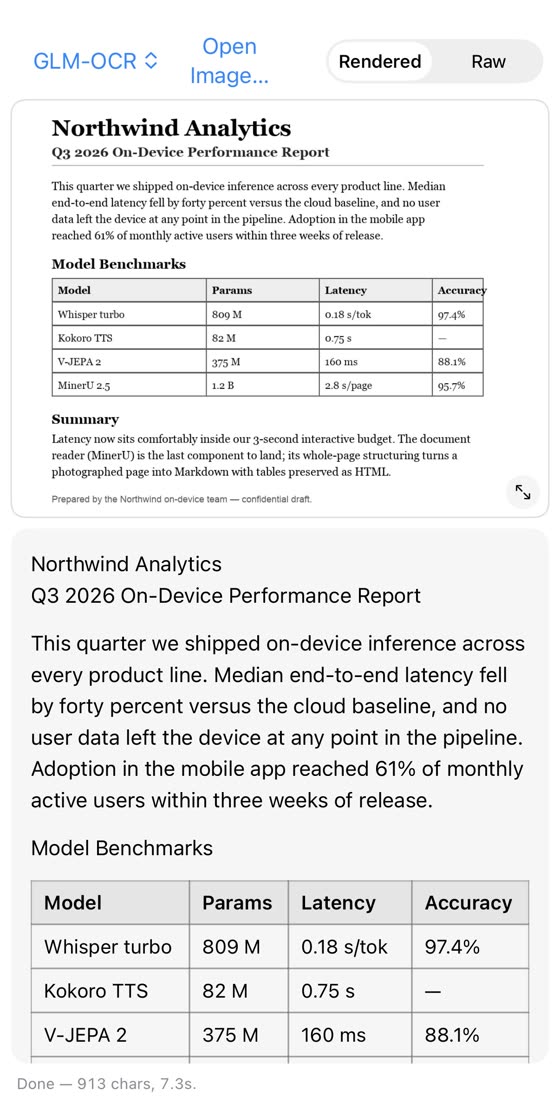 |
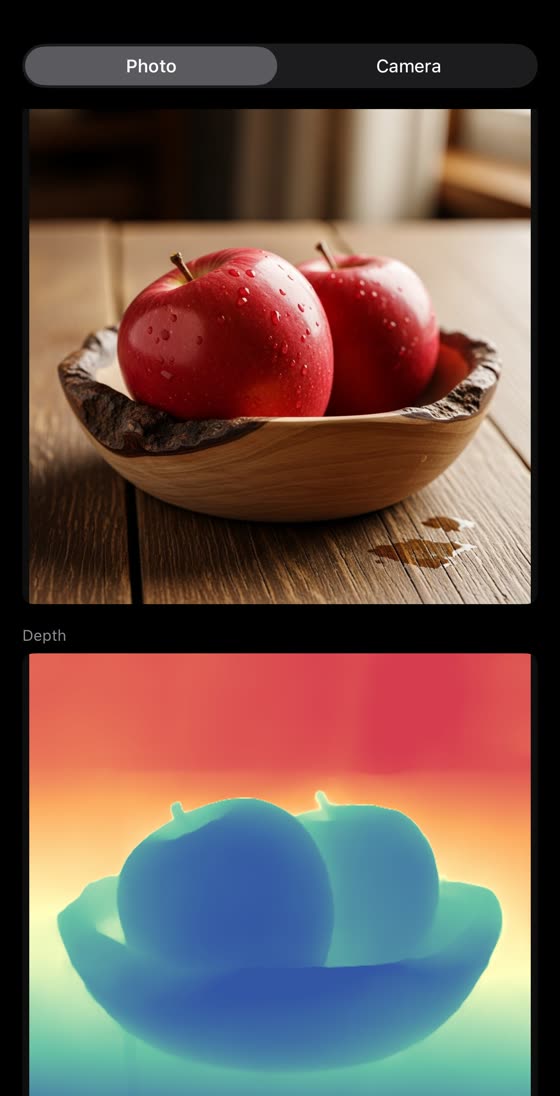 |
ChatSession: Youtu-LLM-2B |
CoreAI.read: GLM-OCR |
CoreAI.estimateDepth: Depth Anything 3 |
I recorded these on an iPhone 17 Pro in July 2026. There are more in the gallery.
What you can call
Most tasks take one line. CoreAIKit finds the model and caches it for you:
import CoreAIOps

let text  = try await CoreAI.transcribe(voiceMemoURL)   // speech → text (SpeechAnalyzer)
let tldr  = try await CoreAI.summarize(text)            // also: extract / translate / redact …
let boxes = try await CoreAI.detect(in: photo)          // [Detection] — RF-DETR, no NMS
let reply = try await CoreAI.speak(tldr)                // text → speech (PCM + sample rate)
CoreAI here comes from this package's CoreAIOps module. It is not Apple's framework. For control over the model, use ChatSession, KitLanguageModel, KitVisionModel or GraphModel from the same package.
Quickstart
The first run uses Qwen3 0.6B (qwen3-0.6b), about 352 MB on a Mac and 456 MB on an iPhone. It downloads on first use and then stays cached, so keep at least 1 GB of disk free. There is nothing to convert and no API key.
To try it on your Mac without a project, paste this:
git clone --branch 0.7.3 --depth 1 https://github.com/john-rocky/coreai-kit.git
cd coreai-kit
export DEVELOPER_DIR=/Applications/Xcode.app/Contents/Developer   # Xcode 27 (27A266a)
swift run -c release --package-path Examples/ChatDemo chat-cli \
  --model qwen3-0.6b --prompt "What is the capital of Japan?"
You'll see a download, a pause while the model loads, and then a reply that mentions Tokyo. I tested 0.7.3 with the release builds of Xcode 27 (27A266a) and macOS 27 (26A428). If your Xcode 27 app has another name, set DEVELOPER_DIR to its Contents/Developer folder.
To add it to your app:
- In Xcode, use File → Add Package Dependencies… and paste
https://github.com/john-rocky/coreai-kit. - Choose Exact Version: 0.7.3.
- Add the CoreAIOps product to your target for the one-line calls. It includes CoreAIKit, which is enough if you only want
ChatSession. - If App Sandbox is on for your macOS target, turn on Signing & Capabilities → App Sandbox → Outgoing Connections (Client) so the model can download (network client entitlement).
In a Swift package, the same dependency looks like this:
.package(url: "https://github.com/john-rocky/coreai-kit", exact: "0.7.3")
// In your target's dependencies:
.product(name: "CoreAIKit", package: "coreai-kit")
For a chat that keeps its history, use ChatSession from an async function:
import CoreAIKit

guard let modelID = ModelCatalog.builtin.entry(id: "qwen3-0.6b")?.modelID else {
    throw CoreAIKitError.modelNotAvailableOnPlatform(id: "qwen3-0.6b")
}
let chat = try await ChatSession(model: modelID)
for try await event in await chat.streamResponse(to: "What is the capital of Japan?") {
    if case .response(let delta) = event { print(delta, terminator: "") }
}
In SwiftUI, call this from .task with do/catch and append the response deltas to your view state. Keep the session for follow-up questions. The full app is ChatDemo.
If something fails, check the errors I have hit and their fixes. For a reproducible bug, open an issue with the package version, model ID and revision, OS and SDK build, and the error text.
Examples
| To try | Open | What it does |
|---|---|---|
| Every one-line call | OpsGallery | Pick an input, run the call, see the result (iPhone and Mac) |
| Chat | ChatDemo | A multiplatform chat app in about 150 lines |
| Tool calling | FMToolDemo | Local tools behind LanguageModelSession (swift run) |
| Image chat | VLChat | Ask Qwen3-VL about an image (iPhone and Mac) |
| Object detection | DetectCamera | Real-time RF-DETR on the camera (iOS) |
| Document reading | ReadDoc | A whole page to Markdown with GLM-OCR or MinerU2.5 |
| Speech to text | Transcribe | Whisper large-v3-turbo, Qwen3-ASR and Parakeet TDT |
| Text to speech | Speak | Kokoro and VoxCPM |
| Search your notes | DocChat | Embeddings, a retrieval tool and a local LLM (swift run) |
The table shows 9 of the 35 example apps. The rest are in the full list.
How the catalog is checked
All 80 catalog entries use a fixed Hugging Face revision. Before an entry joins the catalog, I compare its output with the original model on fixed inputs and run it on real hardware. The recipe that built each one is in coreai-model-zoo. Don't take my word for it: the verification page has the commands to check them yourself.
Works with Apple's FoundationModels API
KitLanguageModel plugs compatible Core AI chat bundles into the system LanguageModelSession, the same API you use for Apple's built-in model. It adds tool calling and guided generation. With KitVisionModel, you can attach an image to the prompt for a vision-language model. The code and the limits are in Using FoundationModels with CoreAIKit.
Typed decisions, on device
CoreAI.decide takes a text and a question with fixed answers, and returns each answer's probability without generating any text. Programs outside Swift can make the same call over HTTP with systemone serve, which speaks the request format of the hosted System One APIs:
brew install john-rocky/tap/systemone && systemone serve # http://127.0.0.1:8090/v1/systemone
Documentation
- Getting started: a second turn, FoundationModels and download progress
- Cookbook: every task and its snippet
- The two layers: one-line calls, model-level APIs, and what a feature will download
- Typed decisions: the numbers and question shapes
- The serve command: the other options
- Model downloads and storage: where the files go
Requirements
- Xcode 27; macOS 27 / iOS 27 to run models
- Deploys to macOS 26 / iOS 26: APIs that need 27 are
@available(macOS 27, iOS 27, *) - Models run fully on device
Releases are tagged and follow SemVer. See docs/STABILITY.md and CHANGELOG.md.
Projects using CoreAIKit
AnyDecisionModel is a Swift package for typed decisions from language models. Since 0.4.0, its CoreAIDecisionModel runs a Core AI language bundle through CoreAIKit's TypedDecisions API (release notes).
Maintainer
I'm Daisuke Majima (MLBoy). I also port the coreai-model-zoo models this kit serves, run devicemark, an on-device LLM leaderboard, and wrote the Japanese textbook The Art of Core AI. I keep a list of the wider Core AI ecosystem in awesome-core-ai. My models are on Hugging Face.
License
BSD-3-Clause. See LICENSE and NOTICE.txt (portions adapted from
apple/coreai-models and
john-rocky/coreai-model-zoo).
The models have their own licenses. Each model's exact terms are on its card in the zoo, and a catalog entry with a restriction says so in the license field of catalog.json.