
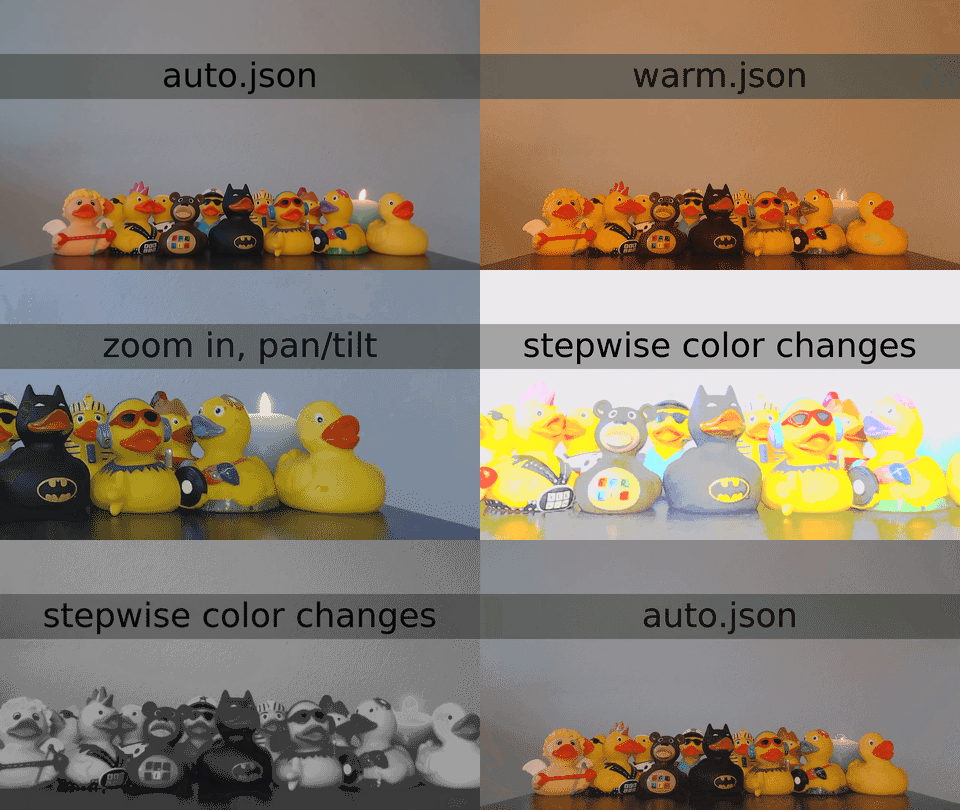
USB Video Class (UVC) device configurator
- Fine-tune camera controls on the fly, such as brightness, contrast, saturation, gain, white balance/color temperature, zoom.
- Export/import of settings makes it easy to reliably configure one or more cameras for various situations.
- Command line interface (CLI) with JSON input/output for automation and repeatability.
- Elgato Facecam (4057:0120)
- Logitech C920 HD Pro Webcam (1133:2093)
- Logitech C922 Pro Stream Webcam (1133:2140)
- Microsoft LifeCam Studio Model 1425 (1118:1906, 1118:2065)
- Hopefully other UVC-compatible webcams and digital camcorders.
- Add it to the
./examples/. - Is it not working?
Requires Node.js (node and npm commands). Published on npm as uvcc.
Install or upgrade to the latest uvcc version:
npm install --global uvcc@latest
Or use npx to execute with npx uvcc.
On Linux, you may need to change device access permissions.
- List available UVC cameras and camera controls.
- Get/set individual camera controls.
- Export/import full JSON control snapshots using
stdout/stdin. - Per-user/per-directory/custom configuration files to handle multiple cameras.
First start a program which shows a camera preview, such as Photo Booth on macOS or Cheese on Linux.
# Export current configuration. You can save it to a file, modify, and import later. uvcc export
# Turn off automatic white balance to manually set the white balance. uvcc set auto_white_balance_temperature 0
# Set the white balance temperature to 2000. # NOTE: the white_balance_temperature range for Logitech C920 is 2000-6500. uvcc set white_balance_temperature 2000
# Set the contrast to 192. # NOTE: the contrast range for Logitech C920 is 0-255, default value 128. uvcc set contrast 192
- Further help and configuration in USAGE.md.
- The ./examples/ directory for some sample output.
- The CHANGELOG.md, in particular for breaking changes.
- Read DEVELOP.md to submit a patch or add your camera output to the examples.
- USB Video Class and list of USB video class devices on Wikipedia.
uvcc Copyright © 2018, 2019, 2020, 2021, 2022, 2023, 2024, 2025, 2026 Joel Purra. Released under GNU General Public License version 3.0 (GPL-3.0). Your donations are appreciated!