
joaquimmj/cellrush
joaquimmj/cellrush has 6 GitHub stars and 0 forks. GitHot measured 0 stars in 24 hours. Last checked 2026-11-15 21:10 UTC. Last push 2026-11-09.
What you can do
- Timed runs, Monkeytype-style. 30 s · 60 s · 120 s · 25 or 50 drills. Score = drills per minute × keystroke efficiency.
- 74 drills + 3 Analyst-mode speedruns. Navigation, selection, editing, formatting, rows & columns, clipboard, formulas (with a real formula engine), sheets, ribbon keytips.
- Daily challenge with a shareable result: cellrush daily #42 ⏱ 48.3s 🟩🟩🟨🟩⬛…
- Leaderboards you can trust: every run is replayed keystroke by keystroke on the server. By country and by school, too.
Measured star growth
- in 24h
- 0
- in 7 days
- Collecting history
- in 15 days
- Collecting history
- in 1 month
- Collecting history
Net star changes over overlapping periods, not daily totals. Missing measurements are left blank. Stars measure attention, not software quality.
About
Monkeytype for spreadsheets — practice Excel keyboard shortcuts, race the daily challenge, climb the leaderboard. Keyboard only.
ProductivityREADME.md
Original cellrush
Monkeytype for spreadsheets. How fast are you without a mouse?
▶ Play now · Daily challenge · Analyst speedruns



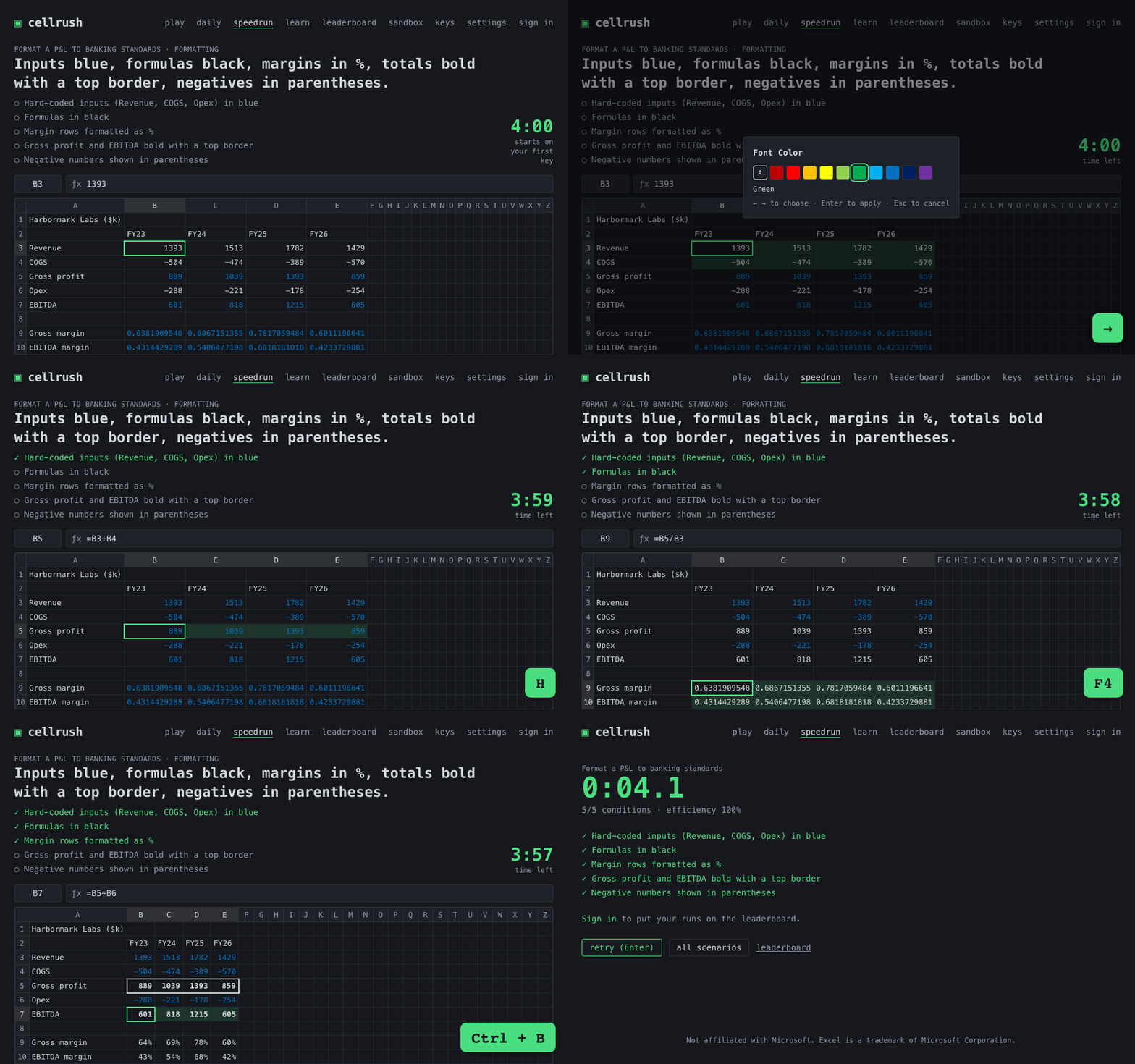
A free, open-source speed trainer for Excel keyboard shortcuts. It runs in the browser, on a spreadsheet engine written from scratch, and the mouse is switched off. Jump, select, fill, anchor with F4, paste values, build a P&L, all against the clock.
No sign-up, no install: open it and press a key. If it made you faster, a ⭐ helps other analysts find it.
Features
- Timed runs, Monkeytype-style. 30 s · 60 s · 120 s · 25 or 50 drills. Score = drills per minute × keystroke efficiency.
- 74 drills + 3 Analyst-mode speedruns. Navigation, selection, editing, formatting, rows & columns, clipboard, formulas (with a real formula engine), sheets, ribbon keytips.
- Daily challenge with a shareable result:
cellrush daily #42 ⏱ 48.3s 🟩🟩🟨🟩⬛… - Leaderboards you can trust: every run is replayed keystroke by keystroke on the server. By country and by school, too.
- Windows and Mac shortcuts, US / UK / AZERTY / QWERTZ layouts, English and French, 8 themes, and a Learn mode that brings back what you miss.
Modes
| Mode | What |
|---|---|
Play (/) |
Timed run of random drills. Filter by category. |
Daily (/daily) |
Same 10 drills for everyone today. First attempt is ranked. |
Speedrun (/speedrun) |
Format a P&L to banking standards, Build a revenue projection, Clean a data dump. Checklist at the end. |
Learn (/learn) |
No timer. The keys appear after 4 s of hesitation. Missed shortcuts come back more often. |
Sandbox (/sandbox) |
A free grid to try things. |
Themes
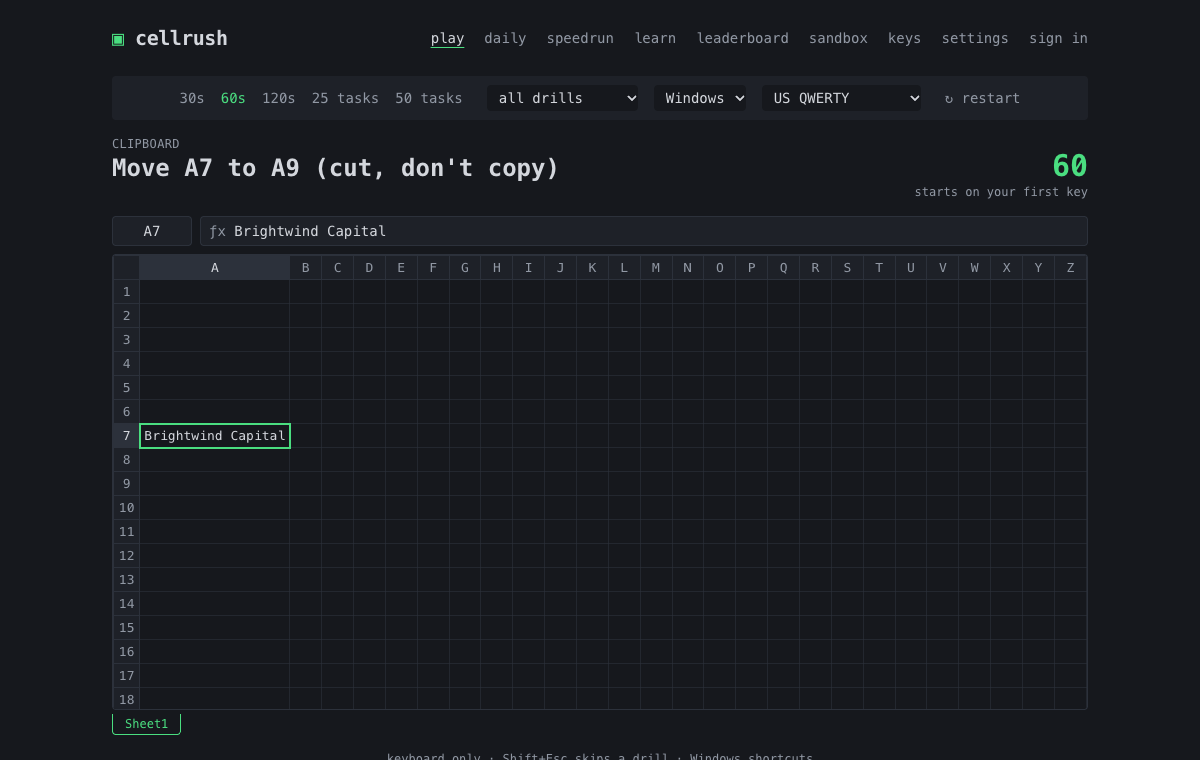
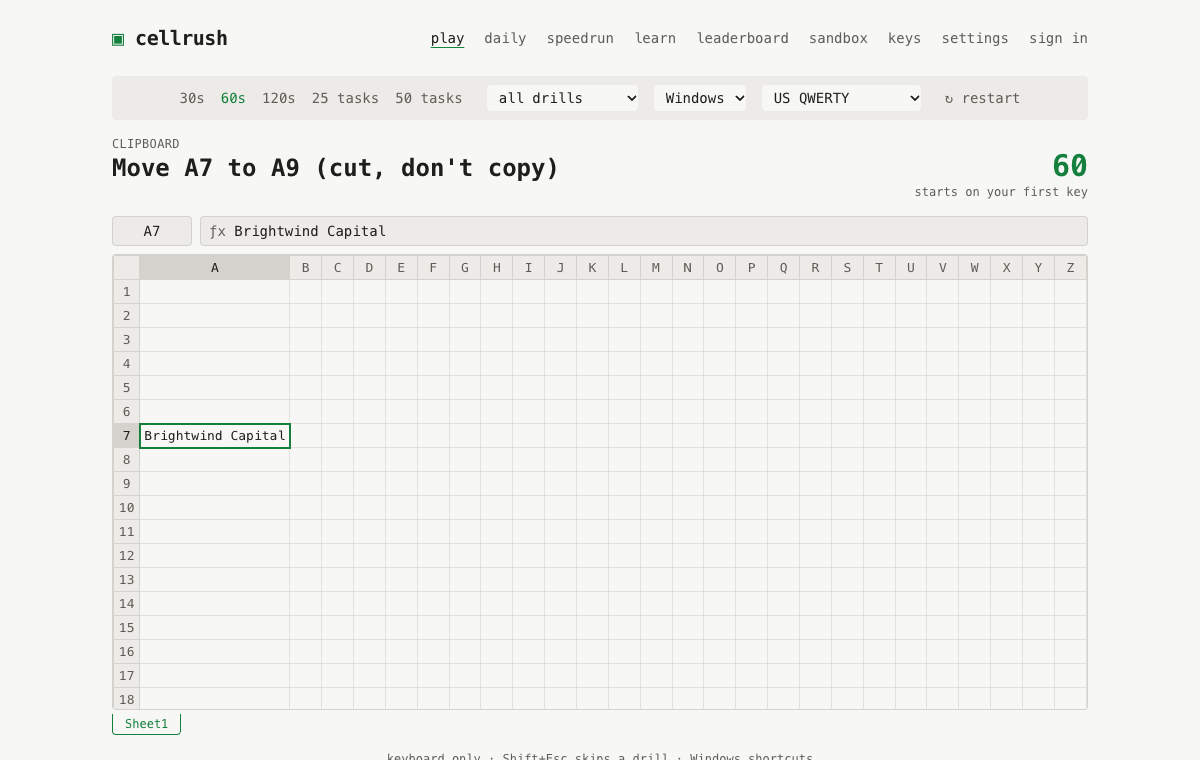
| Dark | Light | Terminal green |
|---|---|---|
 |
 |
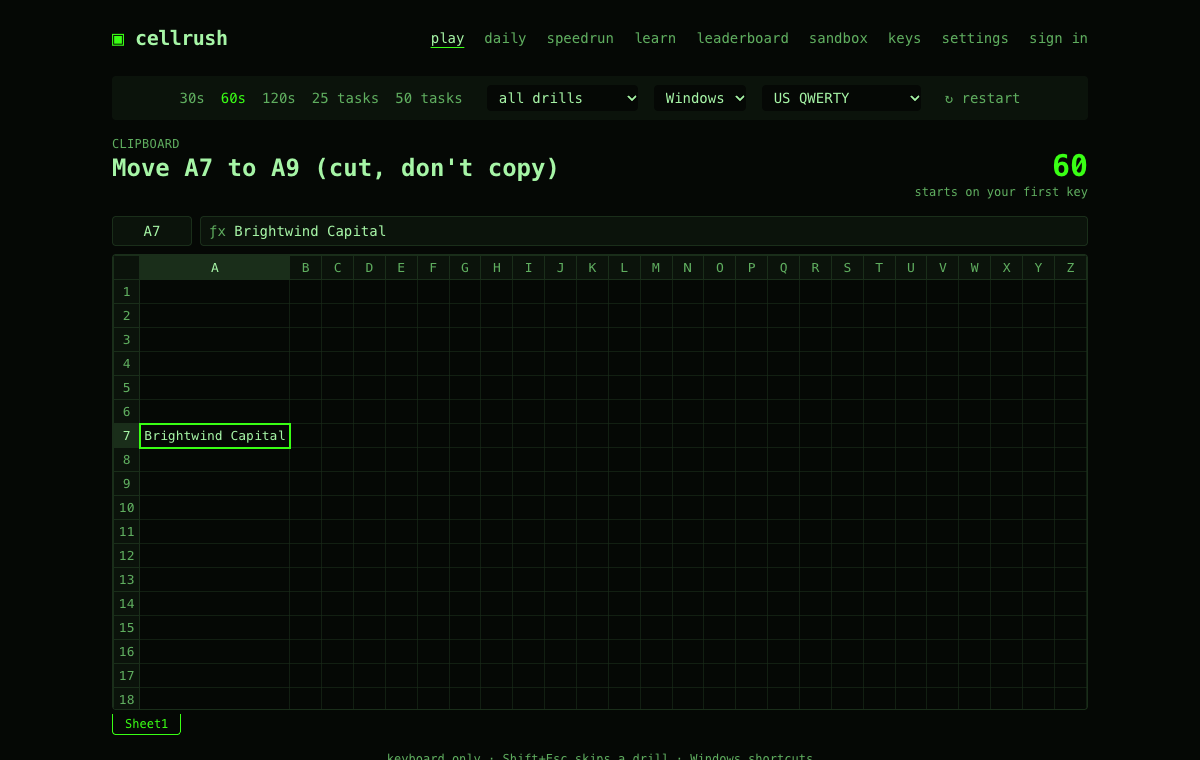 |
Plus amber terminal, navy, paper, high contrast and navy & gold. Add yours →
Keyboard support
| Windows | macOS | |
|---|---|---|
| Shortcut set | Excel for Windows | Excel for Mac (Cmd-based). No invented equivalents: drills with no Mac shortcut (ribbon keytips, font colour) are Windows-only. |
| Source | Shortcuts are checked against Microsoft's Keyboard shortcuts in Excel, per platform, and each one records whether it was (verified in the registry). A few Windows ribbon keytips (Alt, H, O, I…) aren't on that page: they're marked unverified and stay in Learn mode and practice runs, never in ranked modes or the Daily (ranked.ts). |
same |
| Layouts | US, UK, French AZERTY, German QWERTZ: letter shortcuts follow the printed key, digit-row shortcuts the physical key (details). | same |
Browsers. Chrome and Edge give the most keys to the page, and fullscreen + Keyboard Lock frees
the rest. Some combos (Ctrl/Cmd + W, T, N…) belong to the browser, so drills avoid them. You can
check your own browser at /keys; its results feed
the capture matrix. Playing needs a physical
keyboard; on phones, the leaderboards still work.
Performance
Measured on the production build: a keystroke goes from keydown to an updated grid in
0.6 ms median, 7 ms p95 (budget: one 16 ms frame). Lighthouse: 98–99 performance,
100 accessibility, best practices and SEO. Every page except the game loads on demand.
How it works
packages/engine   spreadsheet engine from scratch: grid, selection, edit modes, undo/redo,
                  formula parser + evaluator, reference shifting, keymap (Win/Mac × 4 layouts)
packages/drills   74 drills + 3 scenarios as data, seeded RNG, run engine, scoring, replay validation
apps/web          React + Vite + Tailwind UI
supabase/         Postgres + RLS, auth, and the submit-run Edge Function that replays every run
The server never trusts a score: the browser sends only keystrokes, the Edge Function replays them with the same engine bundle and computes the score itself. Runs that look scripted (inhuman speed, robotic timing, impossible drills/min) are stored but not ranked. More: ARCHITECTURE · SCORING · SERVER.
Tested: 443 engine tests, 768 drill tests (a bot plays every drill's optimal path on both platforms and four layouts), 16 server integration tests (tampered scores, RLS, rate limits), 24 Playwright end-to-end tests (full 60 s runs on Windows and Mac keymaps).
Self-hosting
pnpm install(Node 20+, pnpm 10).- Create a Supabase project, then
supabase linkandsupabase db push(migrations insupabase/migrations). pnpm build:edge && supabase functions deploy submit-run.- On Vercel, import the repo with root
apps/web, and setVITE_SUPABASE_URLandVITE_SUPABASE_ANON_KEY. - Deploy.
vercel.jsonalready routes/r/:idshare links and the/api/ogpreview image.
Local development with Docker: pnpm db:start && pnpm env:local && pnpm dev, see docs/SERVER.md.
Contributing
New drills and themes are the best first PRs: plain data, with a test that tells you when it's
right. Start with CONTRIBUTING.md and the
good first issue label.
Star history
Credits
Made by Joaquim, founder of Aptence & QuantAcademy.
AGPL-3.0. You can self-host and modify cellrush; if you run a modified version as a public service, you must publish your changes under the same license.
Not affiliated with Microsoft. Excel is a trademark of Microsoft Corporation.