
jingyi0605/Codingns4DSH
jingyi0605/Codingns4DSH has 77 GitHub stars and 8 forks. GitHot measured 0 stars in 24 hours and +7 in 7 days. Last checked 2026-11-15 07:38 UTC. Last push 2026-11-06.
Measured star growth
- in 24h
- 0
- in 7 days
- +7
- in 15 days
- Collecting history
- in 1 month
- Collecting history
Net star changes over overlapping periods, not daily totals. Missing measurements are left blank. Stars measure attention, not software quality.
About
把外部 Agent CLI、持久终端、工作区调试和远程访问,装进 DSH 原生界面。
Developer ToolsREADME.en.md
OriginalCodingNS for DeepSeek Harness
Use multiple coding Agents, manage projects, talk with your assistant, and access your DSH workbench remotely.




简体中文 · English
Current release @jingyi0605/[email protected] · DSH minimum 0.2.1-alpha.2 (tested with 0.2.2-rc.1; newer versions warn but do not block installation or operation) · Node >= 24.9 · macOS / Linux / Windows
GitHub · npm · QQ group 1092985965 · WeChat / QQ QR codes
Preview · What it is · Agents · Features · Install · First run · Troubleshooting · Community · Development · Acknowledgements · License
Interface Preview
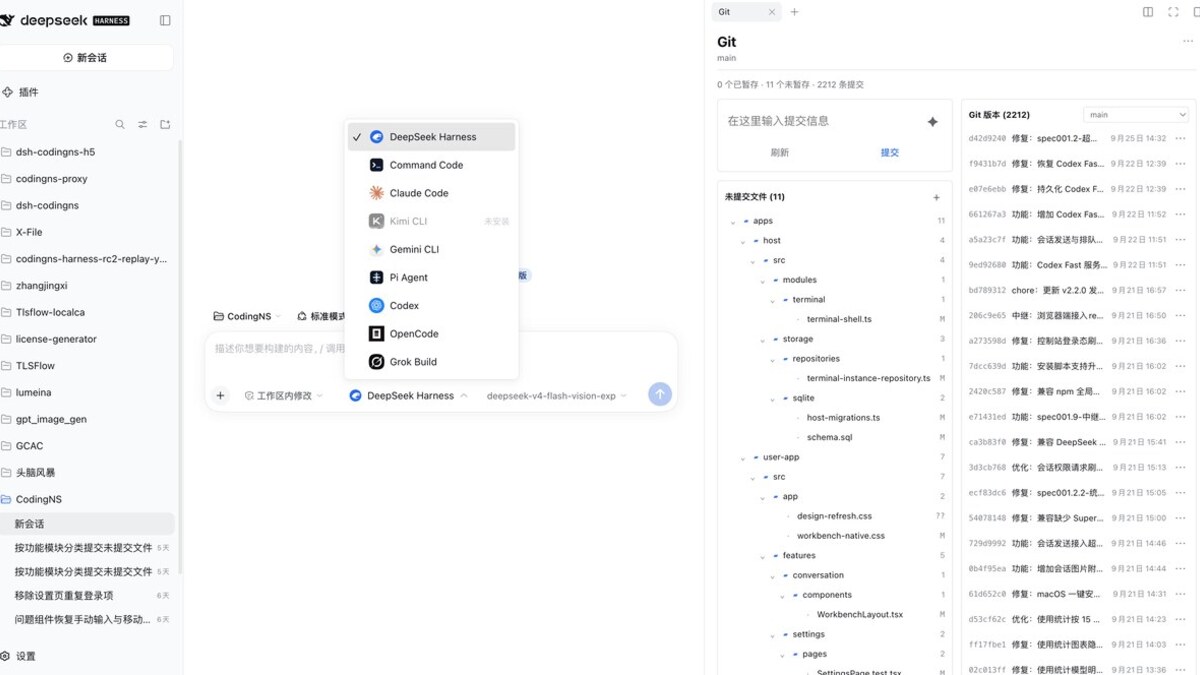
The CodingNS workbench brings the conversation, Agent picker and Git sidebar together in one view.
What is Codingns4DSH
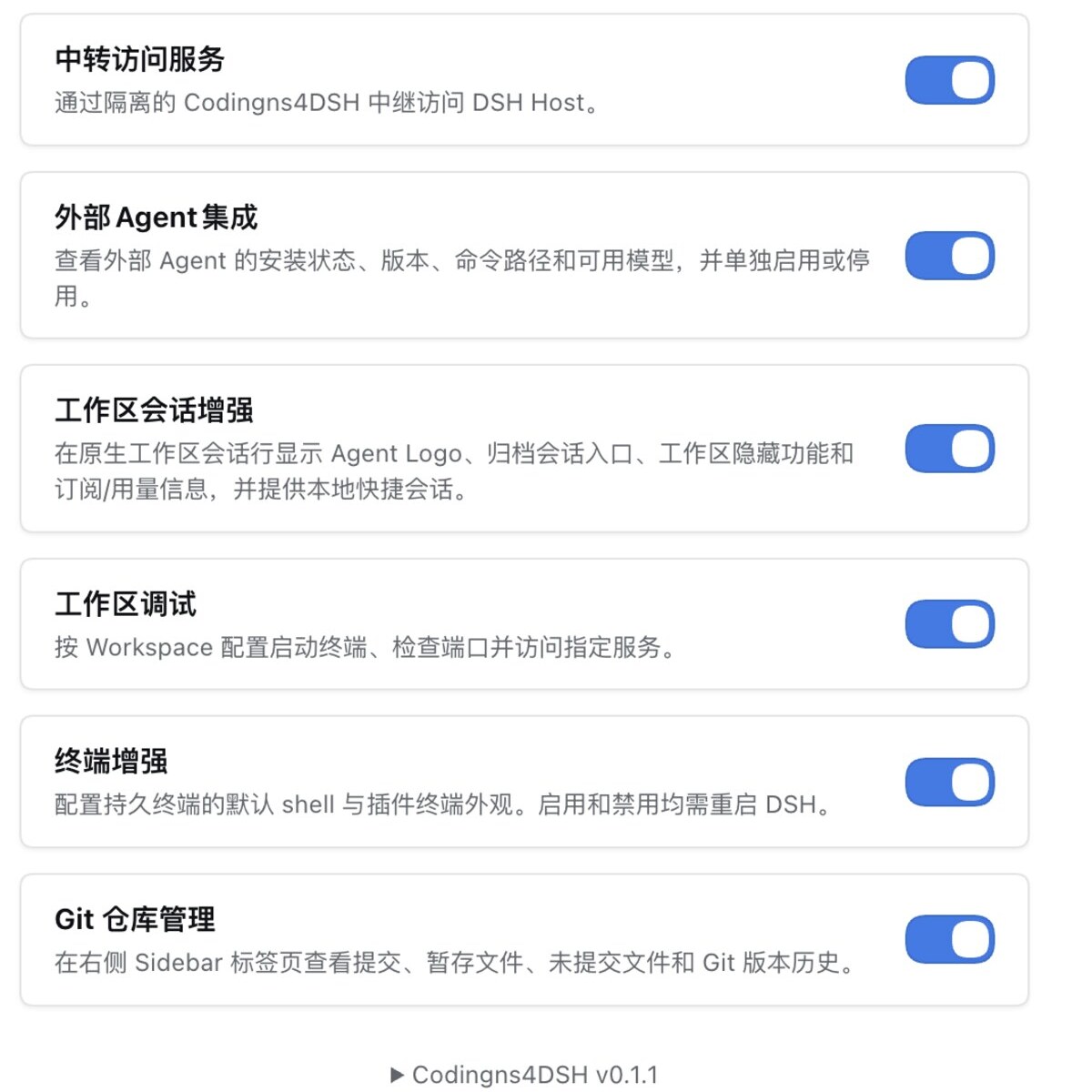
Codingns4DSH is a plugin for DSH (DeepSeek Harness) that brings coding Agents, project tools and a personal assistant into one workbench. Manage all modules in Settings → Codingns4DSH.
| Module | What you can do | Default |
|---|---|---|
| External Agent integration | Use coding Agents in DSH, switch models and follow their work | On |
| Workspace session enhancement | Identify Agents, manage archived sessions and view subscription usage | Off |
| Mobile access enhancements | Use a mobile layout, sidebar gestures, home-screen access and notifications | On |
| Terminal enhancement | Use persistent terminals and customize their appearance | Off |
| LAN access to DSH | Open your workbench from other devices on the same network | Always available |
| Login protection | Require a login for LAN and relay access | Off |
| Relay access service | Access DSH over the internet with end-to-end encryption | Off |
| Workspace debug | Save launch profiles, manage processes, check ports and access services | On |
| Git repository management | Review changes, stage, commit, switch branches and browse history | On |
| File management enhancement | Create, edit, rename, move, copy and delete files | Off |
| PeerHost workbench | Use other DSH Hosts' workspaces and sessions in your current workbench | Off |
| Global assistant (experimental) | Chat by text or voice, follow project progress and customize your assistant | Off |
Agents, terminals and project files run on the computer hosting DSH (the Host). The browser provides a shared interface, with remote access available when needed.
Supported Agents
Install and sign in to an Agent with its own tools, and Codingns4DSH will detect it. The built-in DeepSeek Harness Agent remains available. Choose models and view streaming replies in one interface, with session resume, tool calls and thinking controls where supported.
The table highlights selected capabilities; availability depends on the Agent and its version. Skills are reusable workflows, and steering lets you add a message while an Agent is working.
| Agent | Key capabilities | Notes |
|---|---|---|
| Command Code | Skills, approvals, questions, usage | Uses DSH permission settings and the native question panel |
| Claude Code | Skills, approvals, questions, usage | Supports native skill discovery and invocation |
| Kimi CLI | Approvals, questions, steering, usage | — |
| Gemini CLI | Approvals, questions, usage | Supports native approvals and form questions |
| Pi Agent | Steering, thinking controls, usage | DSH approval and question responses remain unverified in the current protocol |
| Codex | Approvals, questions, steering, usage | Questions appear in DSH's native question panel |
| OpenCode | Skills, approvals, questions, usage | Supports a local CLI or existing server, plus native skills |
| Grok Build | Skills, approvals, questions, usage | Supports native skill discovery and structured questions |
| MiniMax Code | Approvals, questions, usage | Default integration supports interaction; explicit-effort execution does not return interactive responses. Upstream contributor: chenjunyi000 PRs #6, #7 |
| ZCode | Model selection, session resume, usage | Uses the CLI or the desktop app's bundled runtime. Upstream contributor: chenjunyi000 PRs #6, #7 |
| CodeBuddy | Approvals, questions, usage | Automatically detects CN/international editions. CodexHost contributor: mouzhi Initial integration: f30b000 |
| WorkBuddy | Approvals, questions, thinking controls | Starts the bundled CLI directly after WorkBuddy installation and login; no open desktop window or prior chat message is needed. CodexHost contributor: BytePioneer-AI (ChongWen) Initial integration: 6e9f365 |
| Cursor CLI | Approvals, questions, thinking controls | CodexHost contributor: mouzhi Initial integration: ad6ba8e |
| Kiro CLI | Approvals, questions, thinking controls | CodexHost contributor: gy212 Initial integration: 79675cd |
| Qoder | Approvals, questions, thinking controls | CodexHost contributors: gy212, BytePioneer-AI (ChongWen) PR #289 merge: 8926130 |
| Qoder CN | Approvals, questions, thinking controls | CodexHost contributors: gy212, BytePioneer-AI (ChongWen) PR #289 merge: 8926130 |
| Antigravity | Session resume, tool calls, thinking controls | Permission settings select safety modes; no interactive approvals or questions. CodexHost contributor: gy212 Initial integration: ed4e785 |
Each Agent handles its own installation and login. See the Agent adapter documentation (Chinese) for integration details.
Features
External Agent Integration
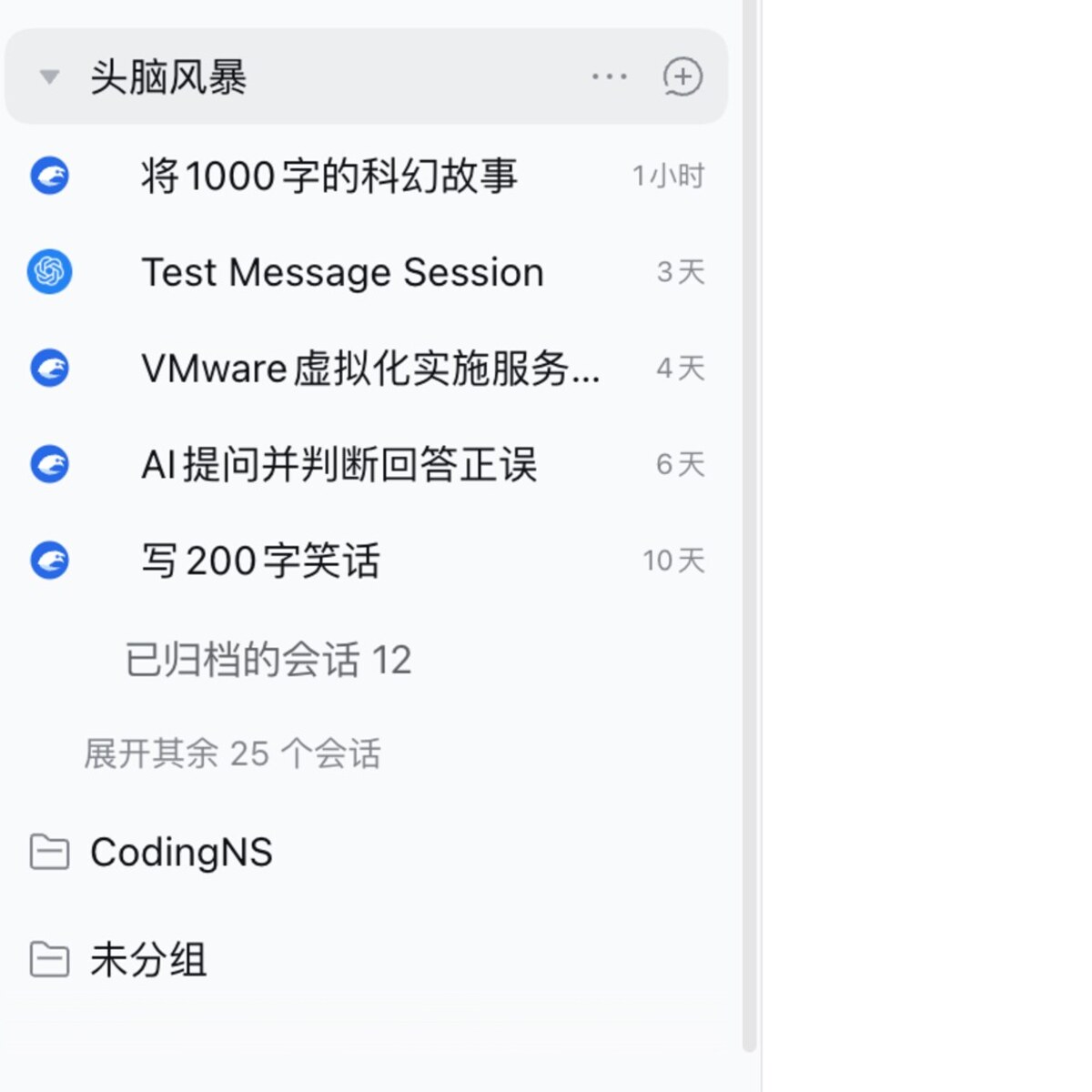
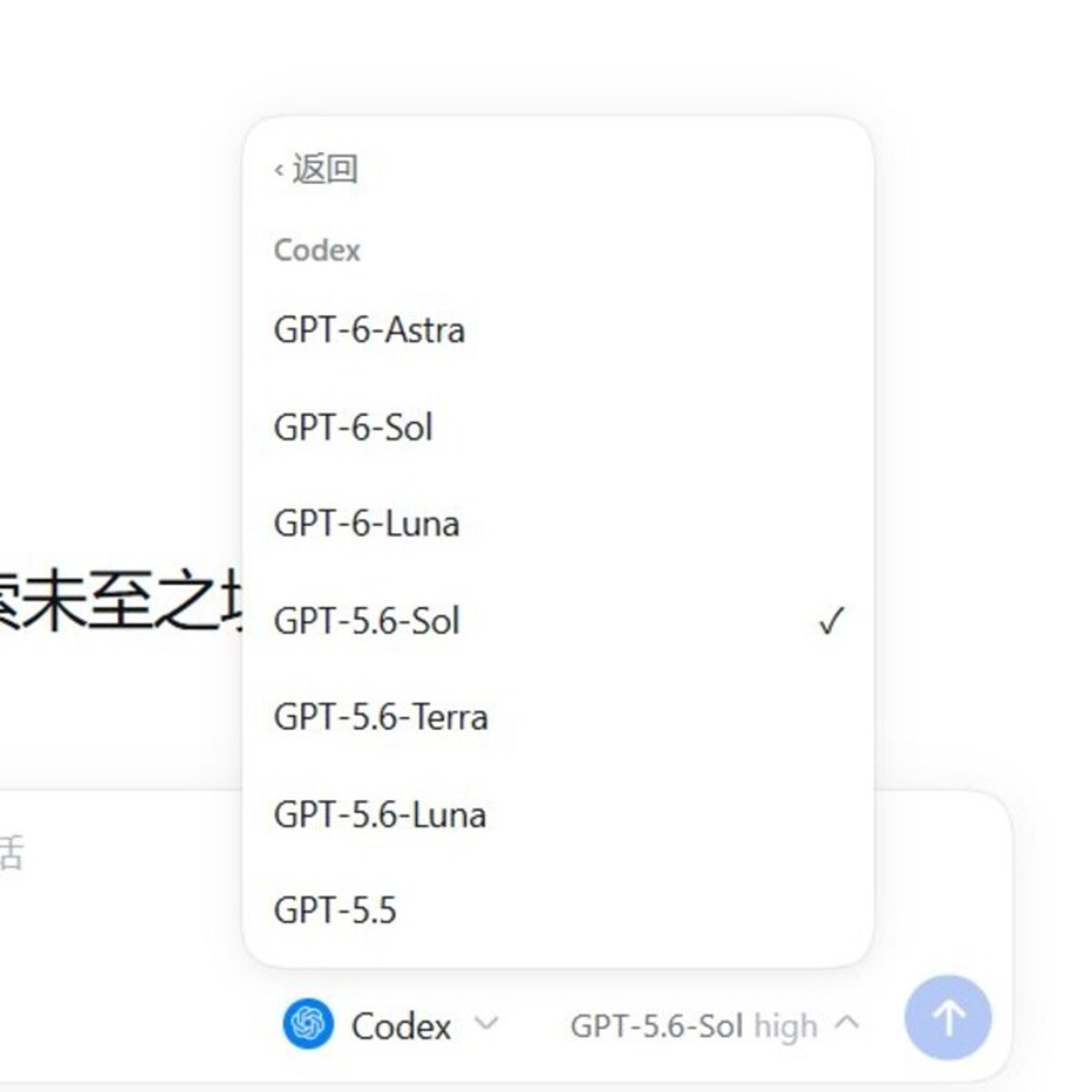
Choose an Agent and model to start coding. Replies, tool calls, approvals and questions appear directly in the DSH conversation. Model and thinking preferences are remembered per Agent, and you can delegate tasks to other connected Agents.
 |
 |
Session Enhancement and Usage
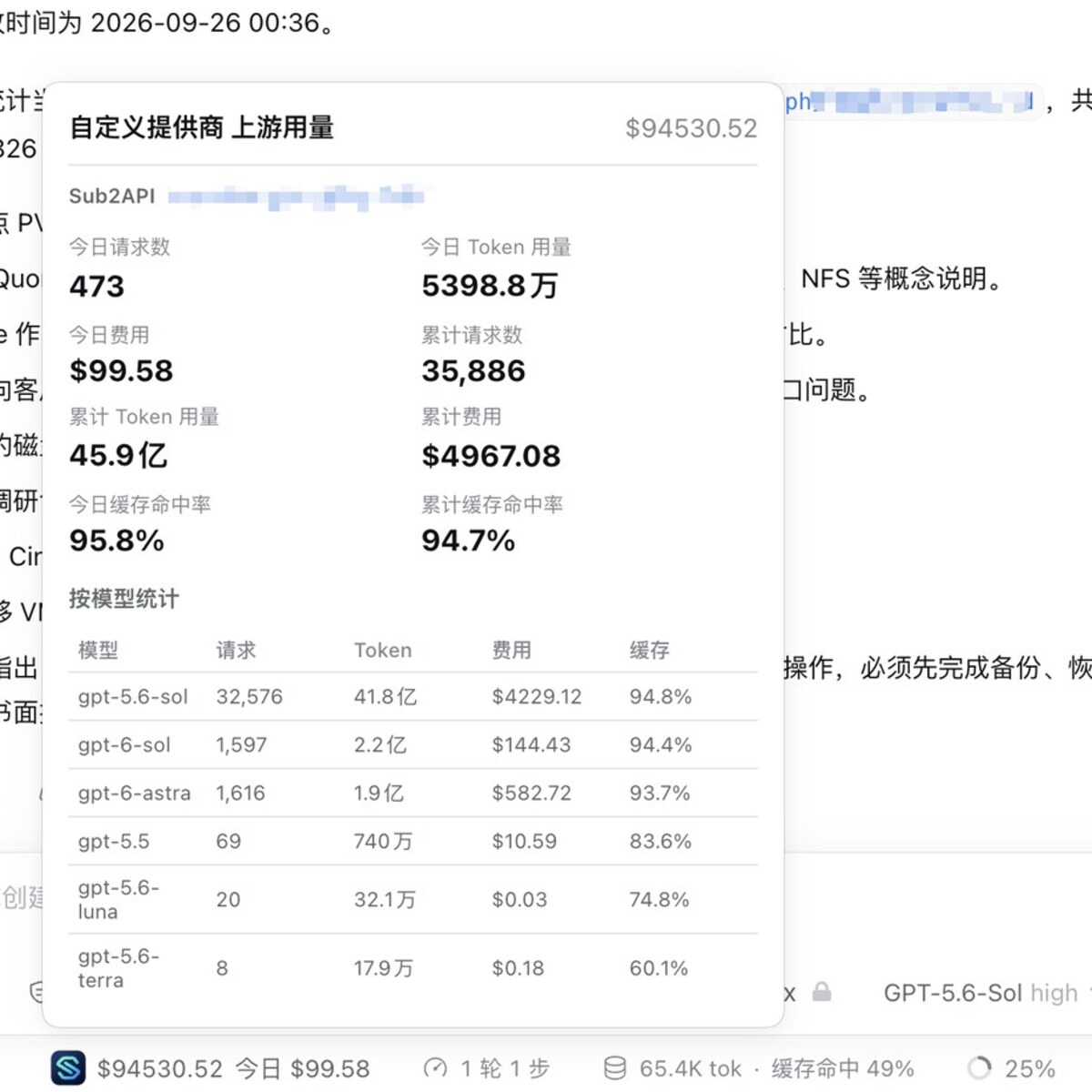
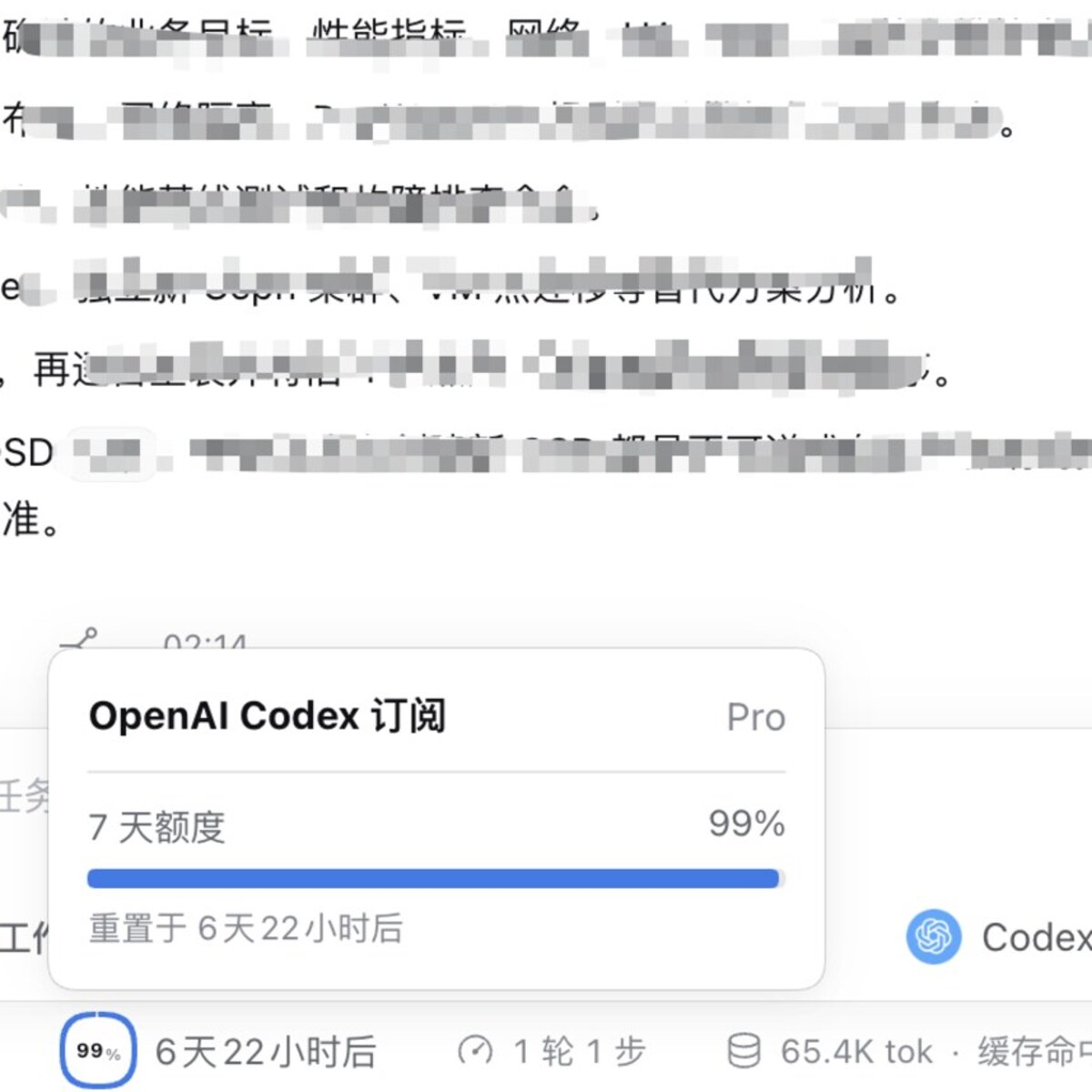
Identify sessions by Agent icons, access archived conversations, and hide or restore workspaces. Supported Agents can show subscription allowances, reset times, usage and costs.
 |
 |
Global Assistant (Experimental)
Create a personal assistant with your choice of name, personality, model and avatar. Open the same workbench from the sidebar or floating avatar.
- Continuous conversations: text and live voice share one history, so you can switch input methods and keep talking.
- Project follow-up: check progress in selected projects, look up sessions and send follow-up messages at your request.
- Web search: use your configured DSH search service for weather, news and other current information.
- Attachments: ask about images and text files; image understanding requires a vision-capable model.
- Avatars and voices: use built-in or third-party avatars, customize portraits and voices, and keep calls in a floating view with captions and mute controls.
Browser speech playback is the default, with local MOSS speech available as an option. The assistant handles conversation and coordination; it does not execute commands or edit code directly.
Terminals and Log Sharing
The sidebar terminal is available after installation. Enable Terminal enhancement and restart DSH for persistent terminals. Terminals are shared within a workspace and retain their state when switching sessions.
Attach terminal output or selected logs to a new or existing conversation to ask an Agent for help.
Workspace Debug
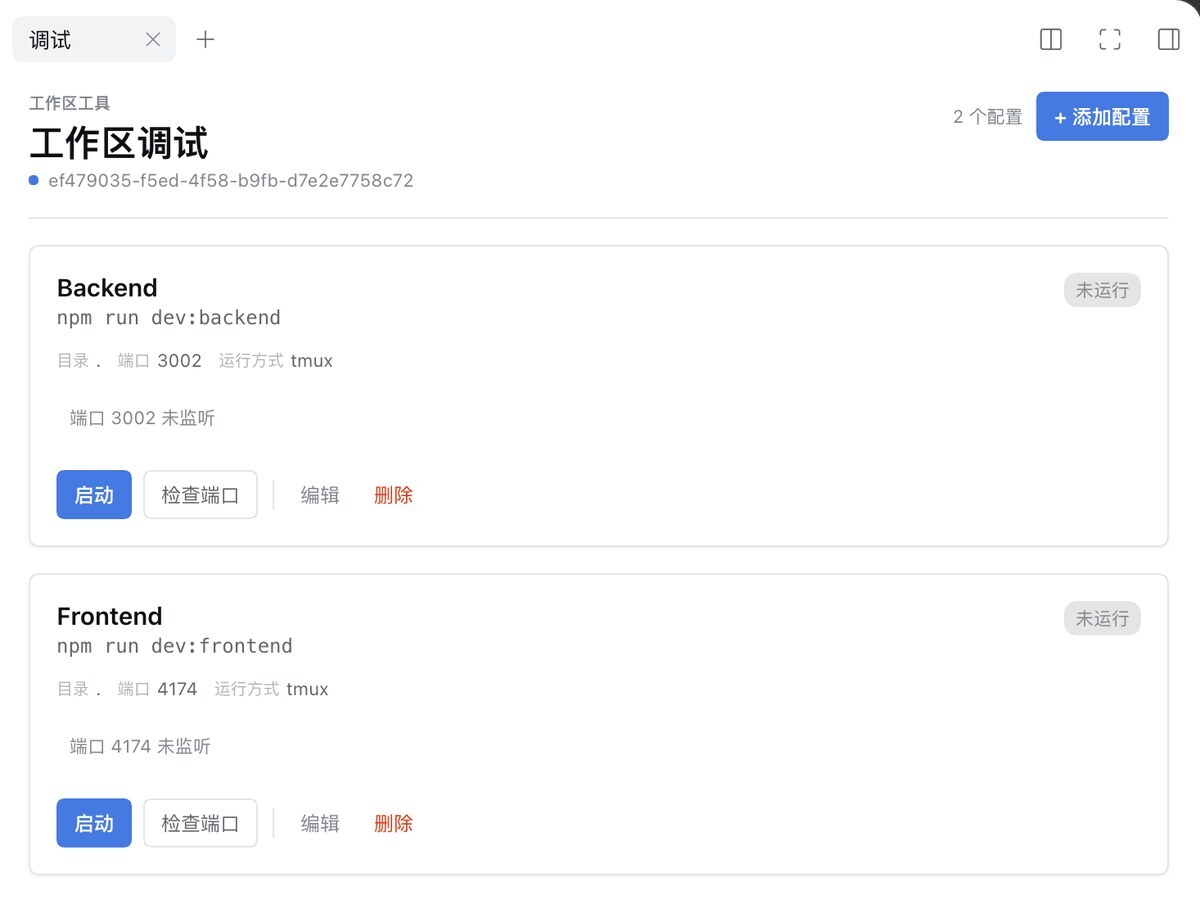
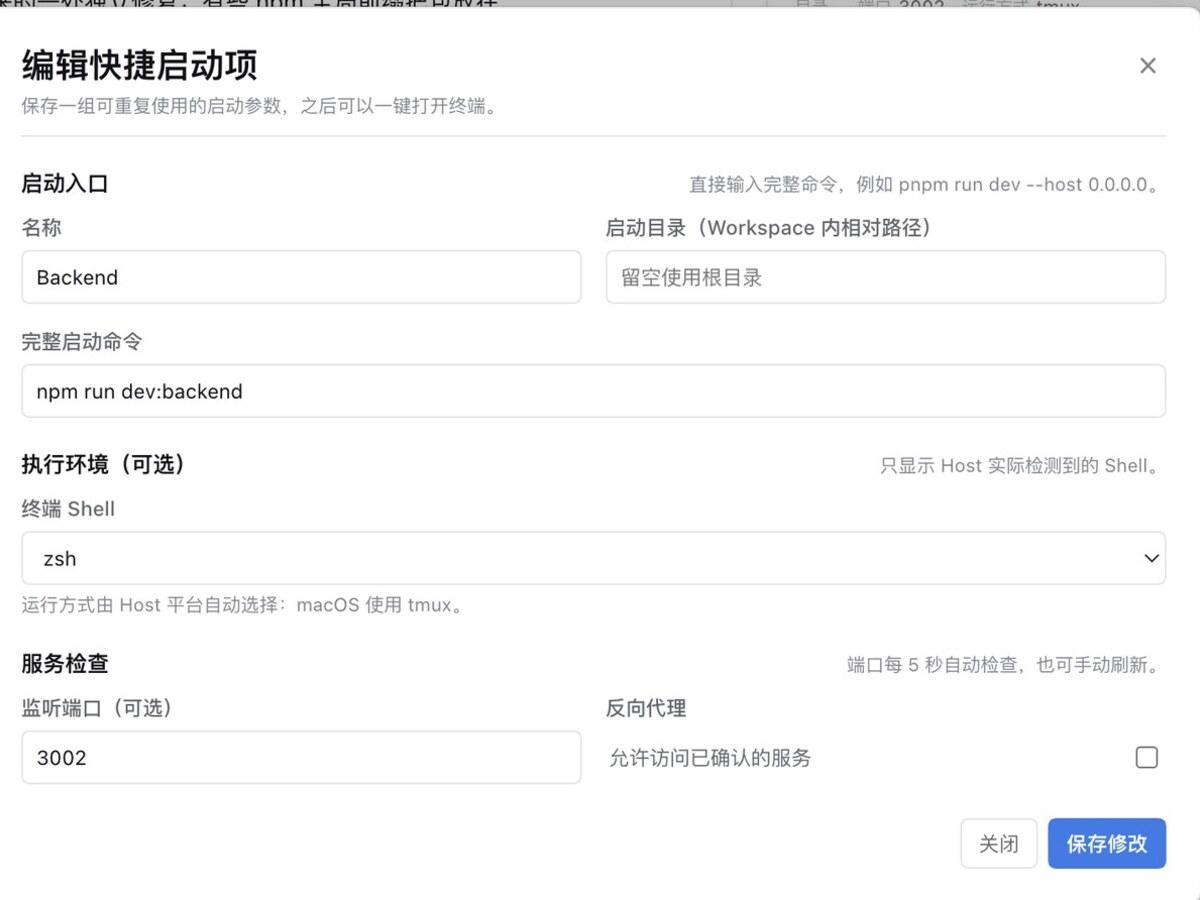
Save launch profiles for each project, start or stop processes, check port status and access project HTTP services through DSH. The debug panel currently has a Chinese-only interface.
 |
 |
Git Repository Management
Initialize repositories, review changes, stage or unstage files, commit, switch branches and browse history from the right sidebar.
File Management Enhancement
Create, edit, rename, move, copy or delete files and directories directly in the file sidebar.
PeerHost Workbench
Add other DSH Hosts on your LAN to access their workspaces, sessions, files, Git and terminals from the current workbench. Hosts remain independent, so a disconnected peer does not interrupt local work. PeerHost aggregation through the relay service is not currently supported.
Mobile Access
Read conversations, send messages and use workspace tools on your phone. Swipe to open or close sidebars, add the app to your home screen, and use notifications in supported browsers.
Modules and Settings
“Workspace session enhancements” includes “Optimize DSH session title generation”, disabled by default. It generates concise topic titles while retaining key technical names and versions. Native API title routes stay unchanged; requests targeting an external Agent's virtual CLI provider use the configured native DSH default model. If no native model is configured or generation fails, a text fallback is used. For messages starting with a Windows path, the fallback prefers the following task description and does not treat the drive-letter colon as a sentence boundary. Existing sessions are not renamed in bulk.
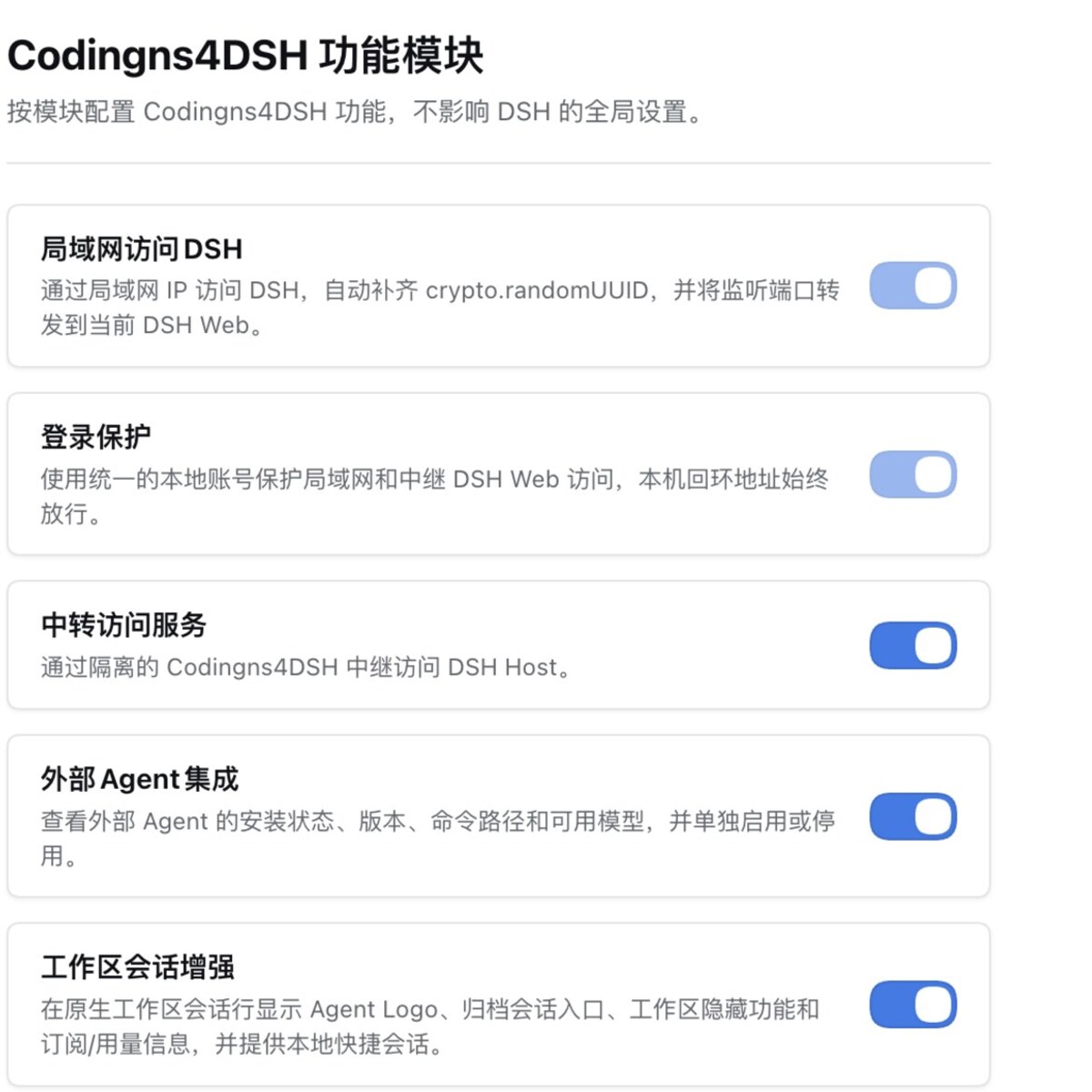
Enable the features you need and configure them in their module cards. Settings that require a restart are clearly marked.
 |
 |
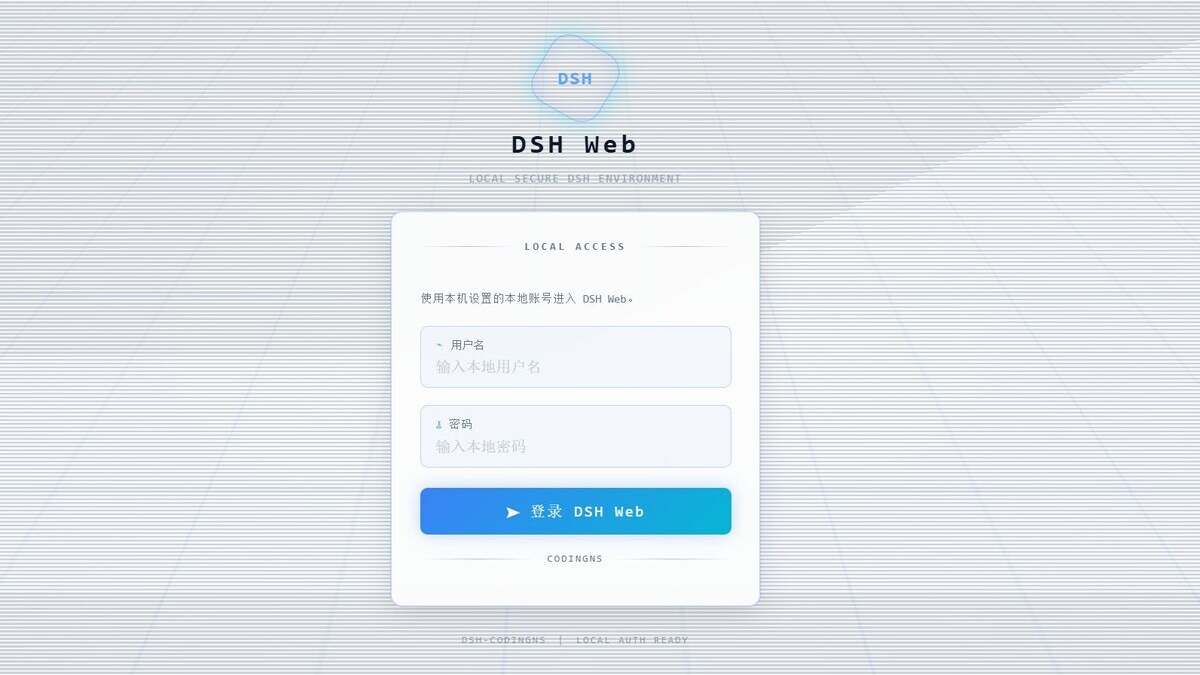
Login Protection
Set a shared local account for LAN and relay access to protect your remote workbench. Local access remains available.
Remote Access
| Method | Best for | How to connect |
|---|---|---|
| LAN access | Computers, phones or tablets on the same network | Enable the mapping and copy the access URL |
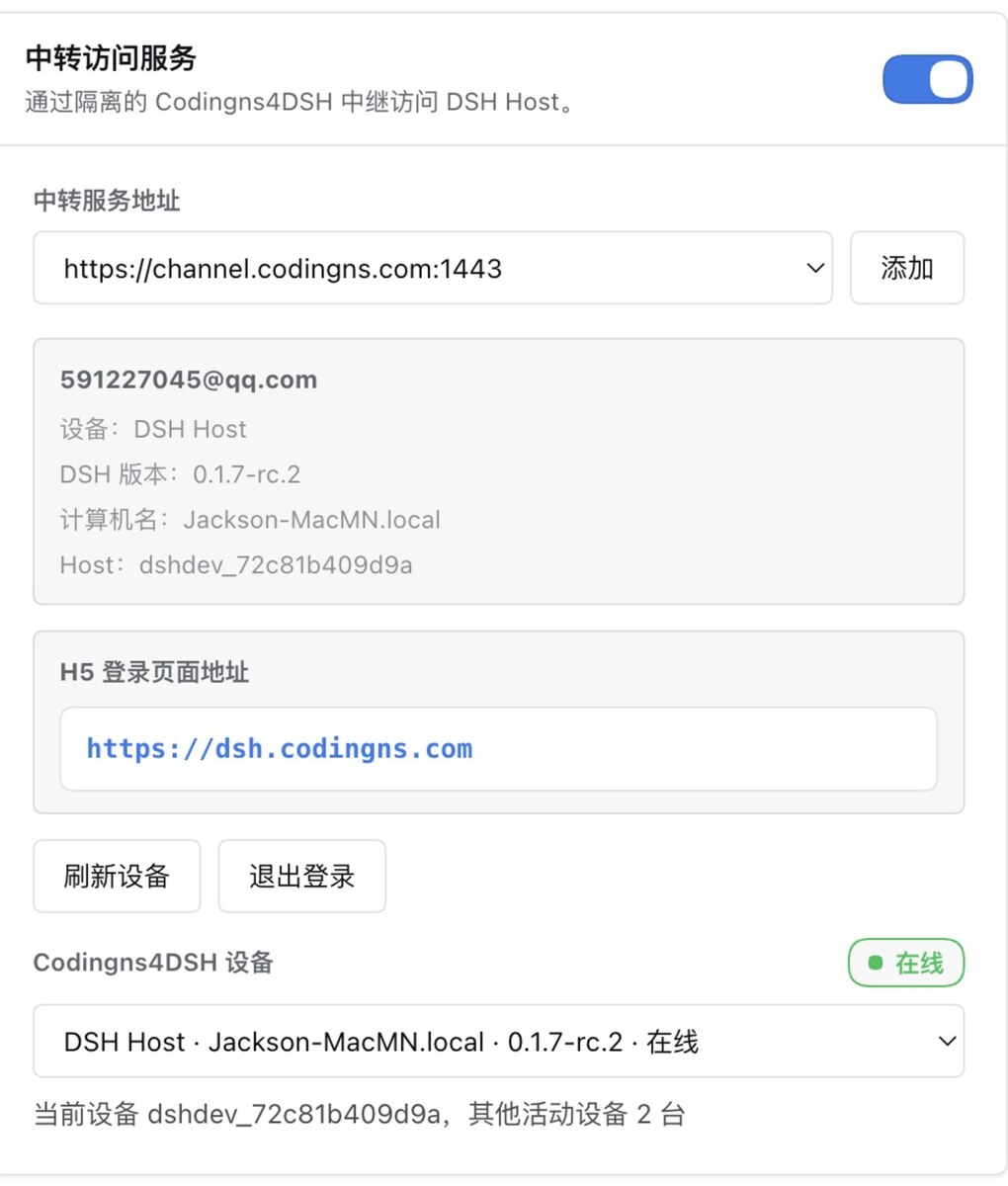
| Relay access | Reaching your workbench while away | Sign in to the relay service and bind your Host |
The relay needs no public IP, port forwarding or VPN. Register at the Codingns4DSH relay platform, then connect to a bound Host from the remote workbench. Connections are end-to-end encrypted, so the relay cannot read conversation content.
 |
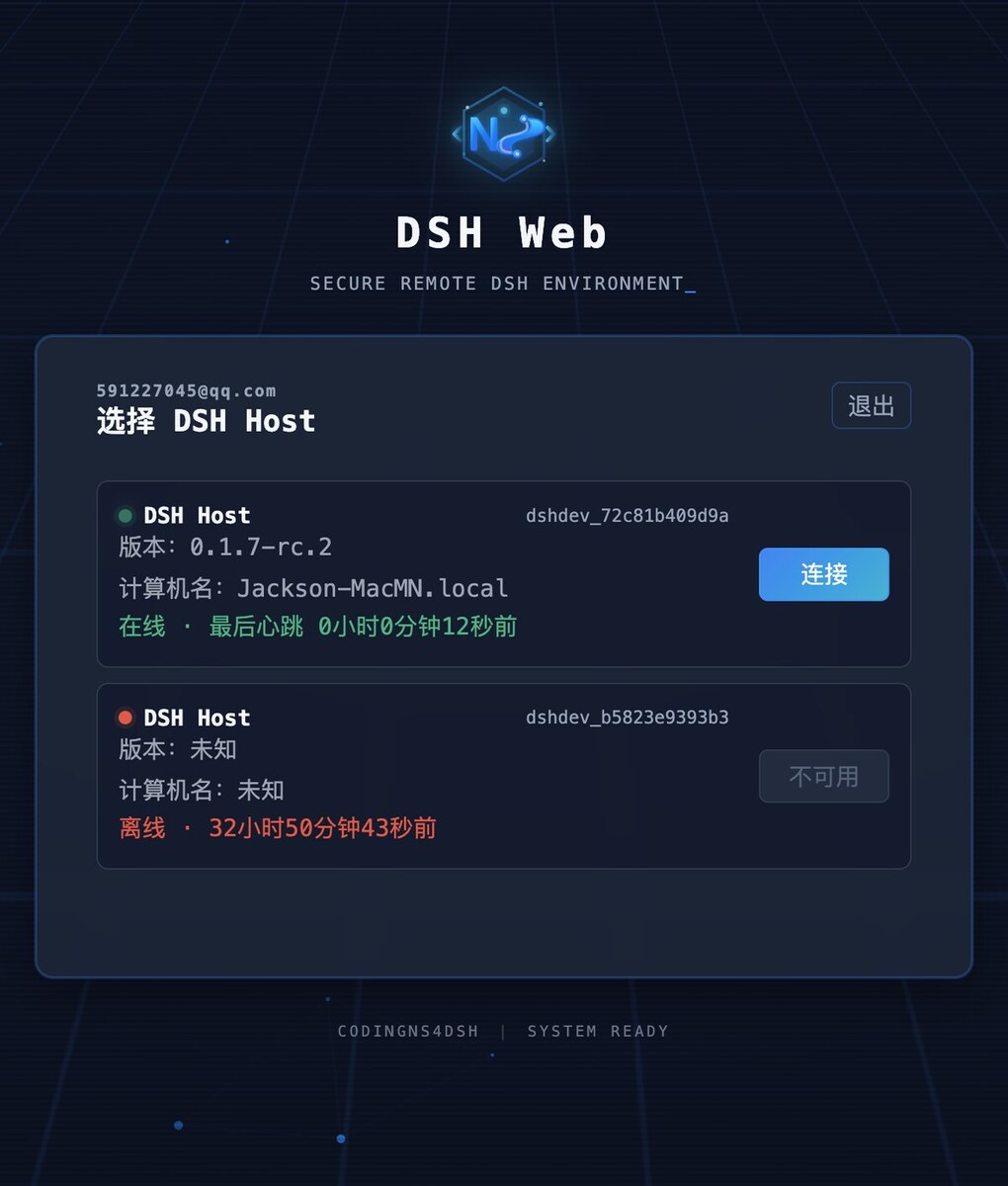 |
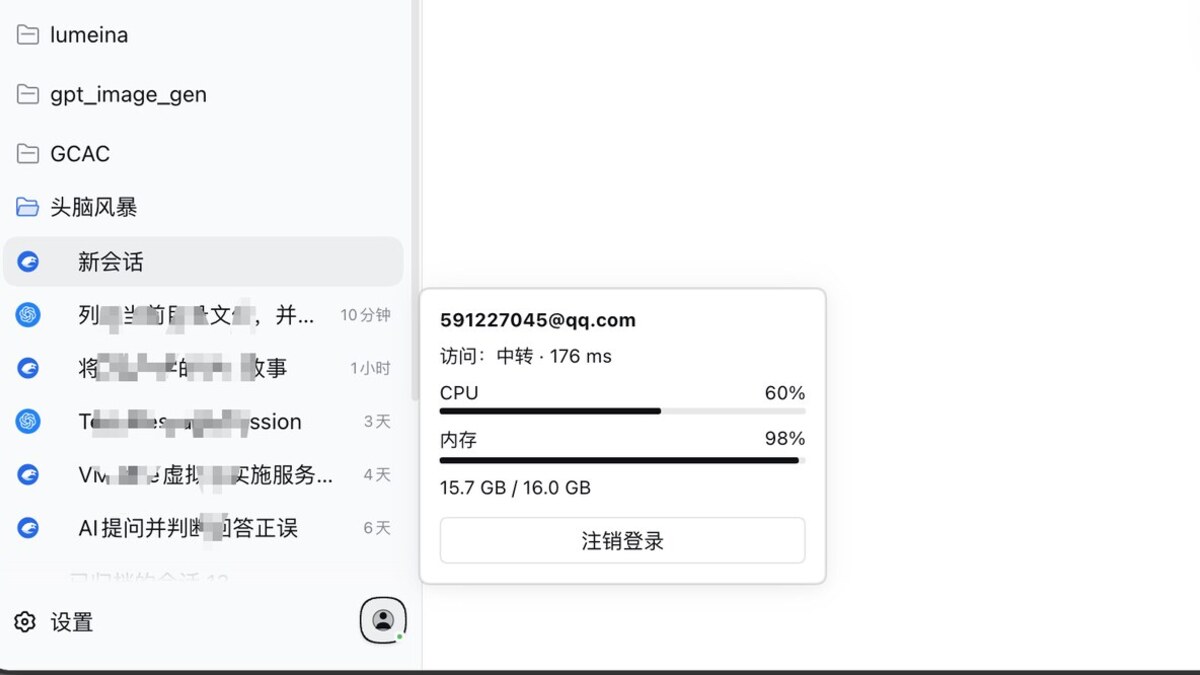
The account menu shows login status, access method, connection latency and Host load.
Installation
Requirements: DSH >=0.2.1-alpha.2 (tested with 0.2.2-rc.1; newer versions show an unverified-compatibility warning but do not block installation or operation), Node.js >=24.9, and pnpm. Persistent terminals on macOS/Linux also require tmux.
Use the Built-in Web Profile
dsh plugin --profile web add @jingyi0605/[email protected]
dsh web
Optional: Use a Separate Profile
Create a separate environment from the built-in Web profile:
dsh codingns --from-default-profile web --dump-config
dsh plugin --profile codingns add @jingyi0605/[email protected]
dsh codingns
Restart an existing DSH instance after installation or upgrade. To upgrade, replace the version in the install command with your target version. To uninstall, run dsh plugin --profile web remove @jingyi0605/codingns4dsh; replace web with your profile name when using a separate profile.
First Run
- Open Settings → Codingns4DSH and enable the modules you need.
- Install and sign in to an Agent on the DSH Host, then choose the Agent and model in the composer.
- Use the right sidebar for terminals, Git, files and workspace debugging.
- Enable the global assistant, create your character and start chatting; prepare voice resources in voice settings for live calls.
- For access from other devices, configure LAN or relay access and enable login protection as needed.
Troubleshooting
- Installation fails: check the required DSH, Node.js and plugin versions; create separate profiles from the Web template.
- Agent not detected: make sure it is installed, signed in, and its command is available to the process running DSH.
- Terminal is not persistent: enable Terminal enhancement and restart DSH; macOS/Linux require tmux.
- Voice unavailable: check resource status in voice settings and allow browser microphone access.
- Remote connection fails: check the network and firewall for LAN access, or login status and Host binding for relay access.
When reporting an issue, include DSH and plugin versions, your OS and the full error: GitHub Issues or the community groups.
Community
The WeChat and QQ groups are for questions, feedback and release announcements — scan either code to join.
 WeChat group: DSH-插件交流群 |
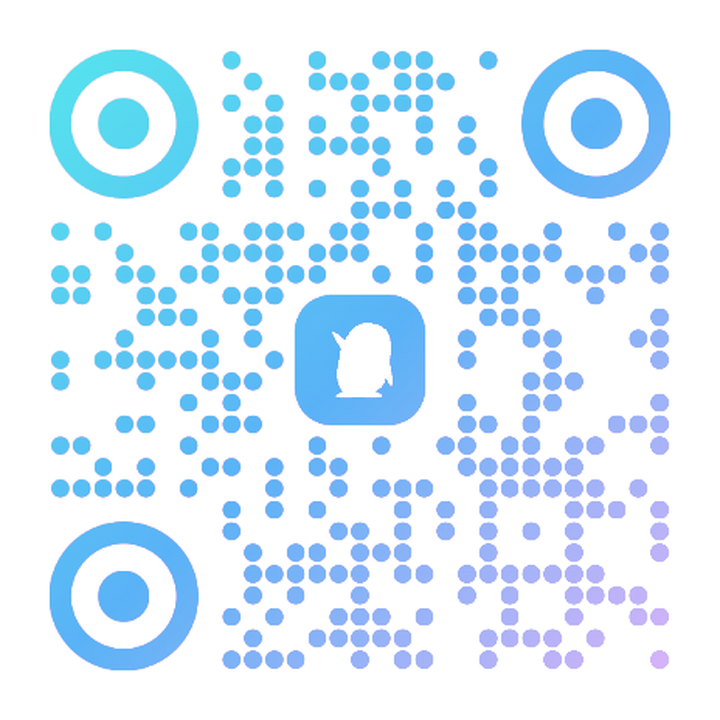 QQ group: 1092985965 |
The WeChat QR code is generated dynamically by WeChat and is valid for 7 days (this image was captured on 2026-11-06 and states it expires on November 13); re-open the group's share page for a fresh code once it lapses, or ask in GitHub Issues. The QQ group QR code and group number do not expire.
Development
Use a separate Stage0 environment for source development and follow the project rules (Chinese). Build, test and type-check commands:
pnpm install
pnpm build
pnpm test
pnpm typecheck
Source links and development runs are for Stage0 only. Desktop uses published versions, not source links or local development packages. See the Stage0 development notes (Chinese) for setup.
Design and implementation details live in the specifications, development records and development guidelines (Chinese). The avatar catalog and screenshot list are also available separately.
Development proposal: Spec 016 — Quick Apps and controlled static HTTP hosting documents the draft requirements, design, tasks, and existing-change review. Implementation has not started.
Acknowledgements
Thanks to CodexHost and its community for the inspiration and implementation references for multi-Agent integration. Codingns4DSH is an independent project and is not affiliated with CodexHost.
Thanks to the adapter contributors and upstream contributors:
- chenjunyi000: MiniMax Code, ZCode (#6, #7).
- mouzhi: CodeBuddy, Cursor CLI.
- BytePioneer-AI (ChongWen): WorkBuddy, Qoder.
- gy212: Kiro CLI, Qoder, Antigravity.
License
Released under the GNU General Public License version 3 or later (GPL-3.0-or-later). See LICENSE for the full terms.
Copyright (C) 2026 jingyi0605