
jingh-ai/ultralytics-YOLO-DeepSort-ByteTrack-PyQt-GUI
jingh-ai/ultralytics-YOLO-DeepSort-ByteTrack-PyQt-GUI has 461 GitHub stars and 76 forks. Star changes are not measured yet. Last checked 2026-11-10 18:56 UTC. Last push 2026-09-30.
a GUI application, which uses YOLOs (YOLOv8, YOLO11, YOLOv13) for Object Detection/Tracking, Human Pose Estimation/Tracking from images, videos or camera
Measured star growth
- in 24h
- Update delayed
- in 7 days
- Update delayed
- in 15 days
- Update delayed
- in 1 month
- Update delayed
Net star changes over overlapping periods, not daily totals. Missing measurements are left blank. Stars measure attention, not software quality.
README.md
Originalultralytics-YOLO-DeepSort/ByteTrack-PyQt-GUI
a GUI application, which uses ultralytics YOLO for Object Detection/Tracking, Human Pose Estimation/Tracking from images, videos or camera.
All python scripts performing detection, pose and segmentation using the YOLO model in ONNX.
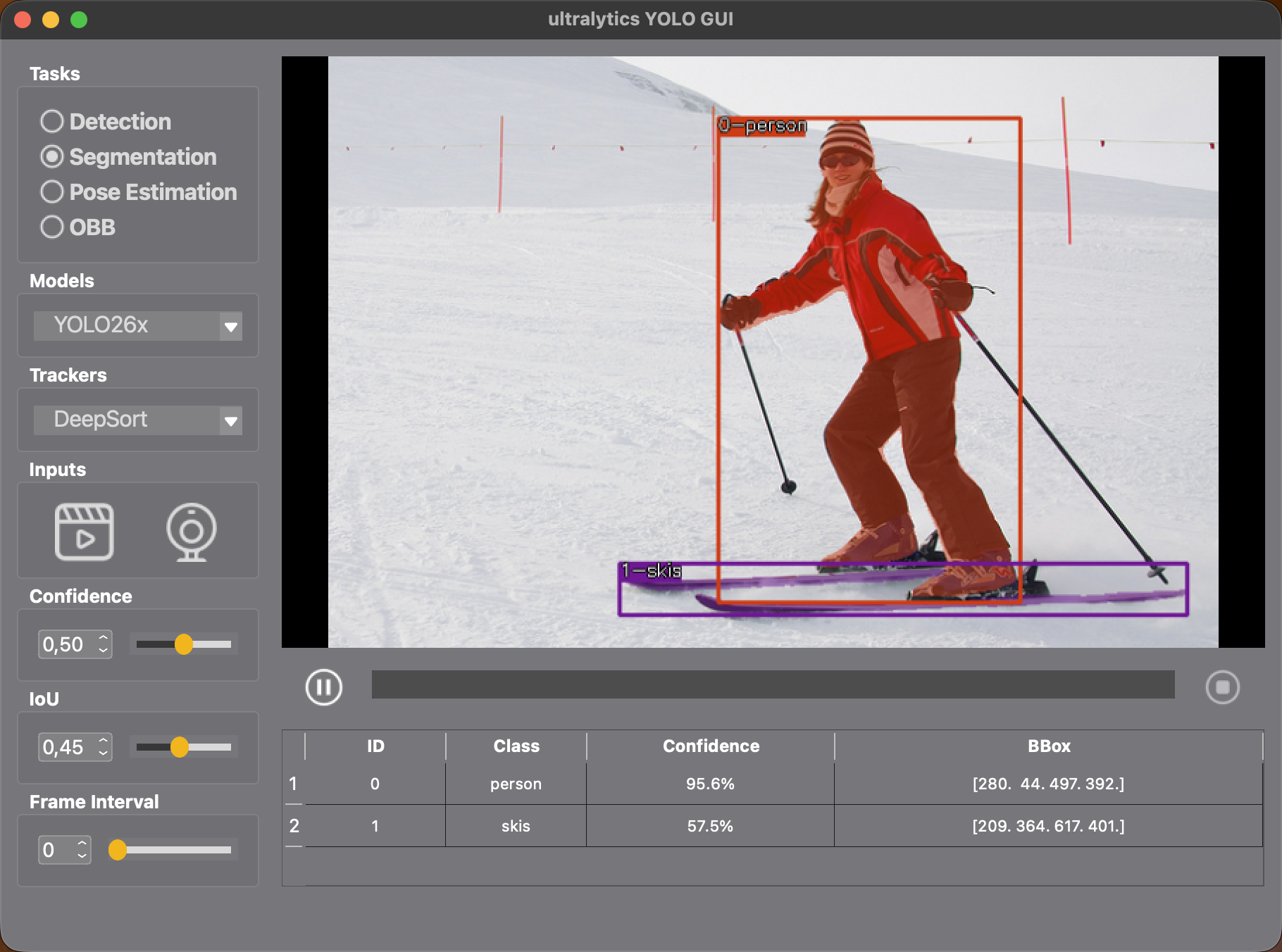
Supported AI tasks:
- Detection
- Pose Estimation
- Segmentation
- Oriented Bounding Boxes
Supported Models:
- YOLO26
- YOLO26-n
- YOLO26-s
- YOLO26-m
- YOLO26-l
- YOLO26-x
- YOLOv13
- YOLOv13-n
- YOLOv13-s
- YOLOv13-l
- YOLOv13-x
- YOLO11
- YOLO11-n
- YOLO11-s
- YOLO11-m
- YOLO11-l
- YOLO11-x
Supported Trackers:
- DeepSort
- ByteTrack
Supported Input Sources:
- local files: images or videos
- Camera
- RTSP-Stream
Install
Install required packages with pip:
pip install -r requirements.txt
or with conda:
conda env create -f environment.yml

# activate the conda environment
conda activate yolo_gui
Download weights
Download the model weights:
python download_weights.py
The model files are saved in the weights/ folder.
Run
python main.py
Explore related projects
ytdl-org/youtube-dl
Command-line program to download videos from YouTube.com and other video sites
141,527 starsexcalidraw/excalidraw
Virtual whiteboard for sketching hand-drawn like diagrams
135,396 starsgodotengine/godot
Godot Engine – Multi-platform 2D and 3D game engine
119,942 starsmrdoob/three.js
JavaScript 3D Library.
117,983 stars