
jan-bogaerts/md2 has 42 GitHub stars and 1 forks. GitHot measured 0 stars in 24 hours. Last checked 2026-11-09 14:59 UTC. Last push 2026-11-06.
Plan, run, and track AI coding work feature by feature—with local Markdown cards, diagrams and Git worktrees.
Measured star growth
- in 24h
- 0
- in 7 days
- Update delayed
- in 15 days
- Update delayed
- in 1 month
- Update delayed
Net star changes over overlapping periods, not daily totals. Missing measurements are left blank. Stars measure attention, not software quality.
README.md
Originalmd²
Plan, run, and track AI coding work feature by feature—with local Markdown cards and Git worktrees.
Download: Get the latest Windows x64 installer · Installation guide
Platforms: md² is an Electron desktop app. Windows x64 has a signed installer; macOS and Linux can run from source, but do not have prebuilt packages yet.
https://github.com/user-attachments/assets/260ec55c-2905-47fa-9952-8f07b8c31c13
Videos
- Merge an agent's worktree branch — Merge a branch back into the main working branch after an agent finishes implementing a card.
- Resolve merge conflicts between worktrees — Let an agent resolve conflicts when multiple worktrees change the same files.
- Switch agents during a conversation — Assign another agent and automatically migrate the active conversation.
- Open link in VsCode - open links to source code files in cards or agent responses
The feature card is the center
In a traditional coding workflow, the source code is the center: you open a project and instruct an AI agent to change it. md² shifts the focus to the work being requested—a feature description, bug report, or job. Source-code changes remain the output, but they are no longer the organizing center.
Each request is stored as a Markdown card in your repository. Everything related to the work hangs off that card:
- its Git worktree
- the coding agent working on it
- chat history
- commits
- design notes and documentation
- token usage and cost
Reusable prompts and actions live at project level. They support the cards: run an action from a card and md² supplies that card's description and worktree context.
The card becomes the shared context for both you and your agents. Instead of reconstructing the work and its history from editor windows, folders, and disconnected conversations, you can follow and manage it from one place. Because cards are ordinary local Markdown files, agents can read and update the same project knowledge directly.
Works with
md² starts the CLIs already installed and authenticated on your machine. It does not call model APIs directly, and either CLI is optional when using md² as a Markdown-backed project board.
Without and with md²
| Without md² | With md² |
|---|---|
| Agent conversations grouped by chat | Activity grouped by feature |
| Worktrees identified by folders/windows | Worktrees assigned to cards |
| Repeated prompts scattered around | Reusable project actions |
| Token use and subscription value largely invisible | Time, tokens, and estimated cost tracked by agent, action, feature, and release |
Docs
Full docs: https://jan-bogaerts.github.io/md2/
Tutorials
- Getting started — install, first run, open a project, special folders.
- Working with cards — take a feature from idea to release with agents.
- Git worktrees — run agents in parallel, merge back, resolve conflicts.
- Sequencing and scheduling cards — order cards and let md² start the work.
- Working with diagrams — render diagrams from code, edit them, implement the changes.
Why md²
One dashboard for agents and worktrees
A card can be linked to the worktree and coding agent working on it. Instead of searching through editor windows and terminals, you can see the state of the entire project in one place.
Agents can update their cards automatically as work progresses.
Context stays with the feature
A feature often takes multiple prompts, sessions, and commits to complete.
md² links those interactions back to the feature instead of presenting one large, disconnected history of agent conversations.
Local Markdown as shared project knowledge
Cards, design notes, plans, and other project information are ordinary Markdown files stored inside the repository.
Agents can read and update them directly without requiring access to an external project-management service. The files can also be searched, diffed, versioned, and edited with normal development tools.
Visual diagrams for project structure
Create architecture, dependency, sequence, flowchart, state, entity, and mindmap diagrams to see how parts of a project connect. Start with an empty diagram or generate one with a diagram action. Use an item's menu to open a more detailed child diagram, then follow the breadcrumbs back through the project.
Diagrams are saved as JSON in the repository. Edit them visually, compare changes with the original, and review the changes before saving a copy or sending them to an agent. Learn how diagrams work.
Reusable, controlled actions
Repeated prompts often grow into large collections of instructions or skills. Loading all of them can consume tokens and introduce irrelevant context.
md² lets you create smaller reusable actions for specific tasks. Actions can contain automatically resolved placeholders such as:
{{card-file}}
This keeps prompts focused on the current task.
Automation without unnecessary agent calls
Not every development task requires an AI agent.
Command actions can commit changes, update diagrams, run tests, change card state, or execute scripts at specific points in the workflow.
For recurring complex work, an agent can create a script once and md² can reuse it later without spending tokens on the same reasoning every time.
Measure AI engineering cost and performance
md² connects agent activity to the work that produced it. Compare Claude and Codex by measured time, tokens, tool calls, account usage, and estimated subscription cost:
- see which features and reusable actions consume the most resources;
- compare agent and model performance over time;
- estimate cost per feature, action, or agent;
- review the current release or a completed release; and
- export the filtered chart data as CSV.
This makes it easier to find expensive workflows, compare agent configurations, and understand what AI-assisted delivery costs. Cost figures are subscription-based estimates; account usage can also include other projects and direct CLI sessions.
Learn how project Stats works.
md² is still an evolving concept — see design/architecture/initial description for the original design notes this project is built from.
Screenshots
Run agents from a feature
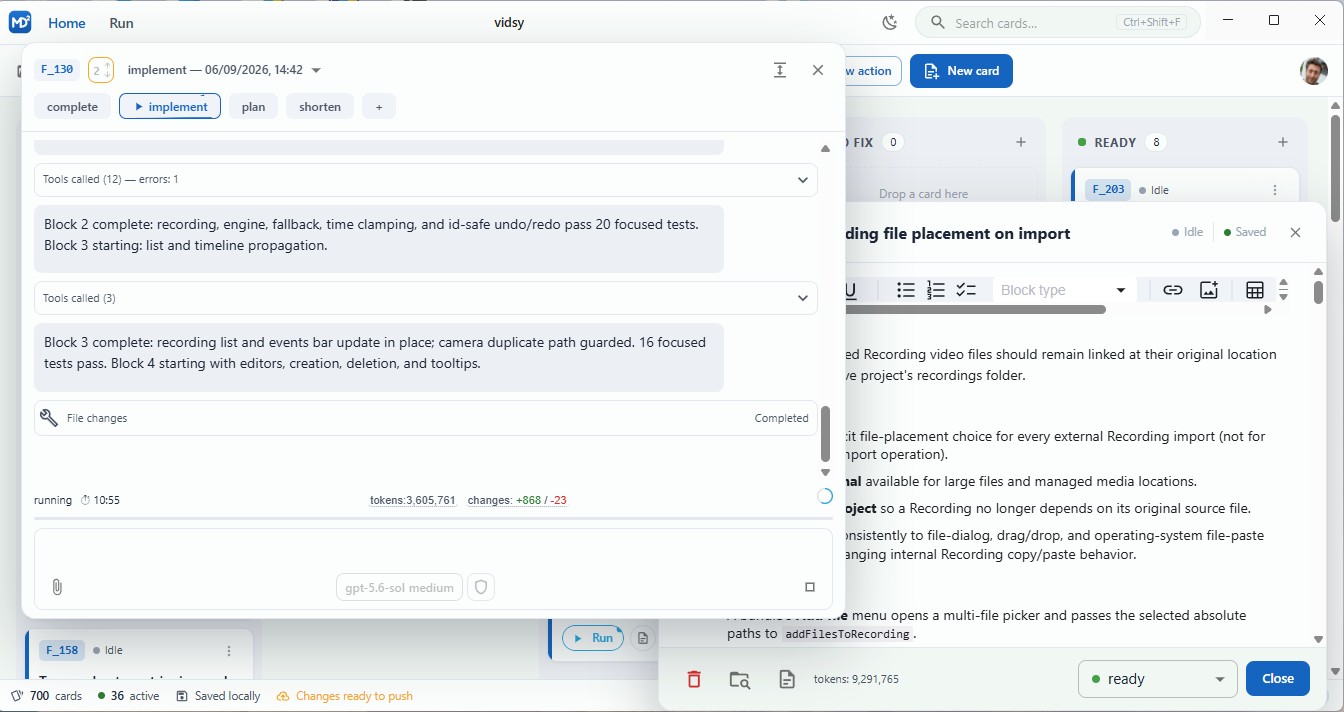
Run reusable actions from a card, follow the agent conversation, and commit or integrate the assigned worktree without losing the feature context.
Keep the specification beside the work
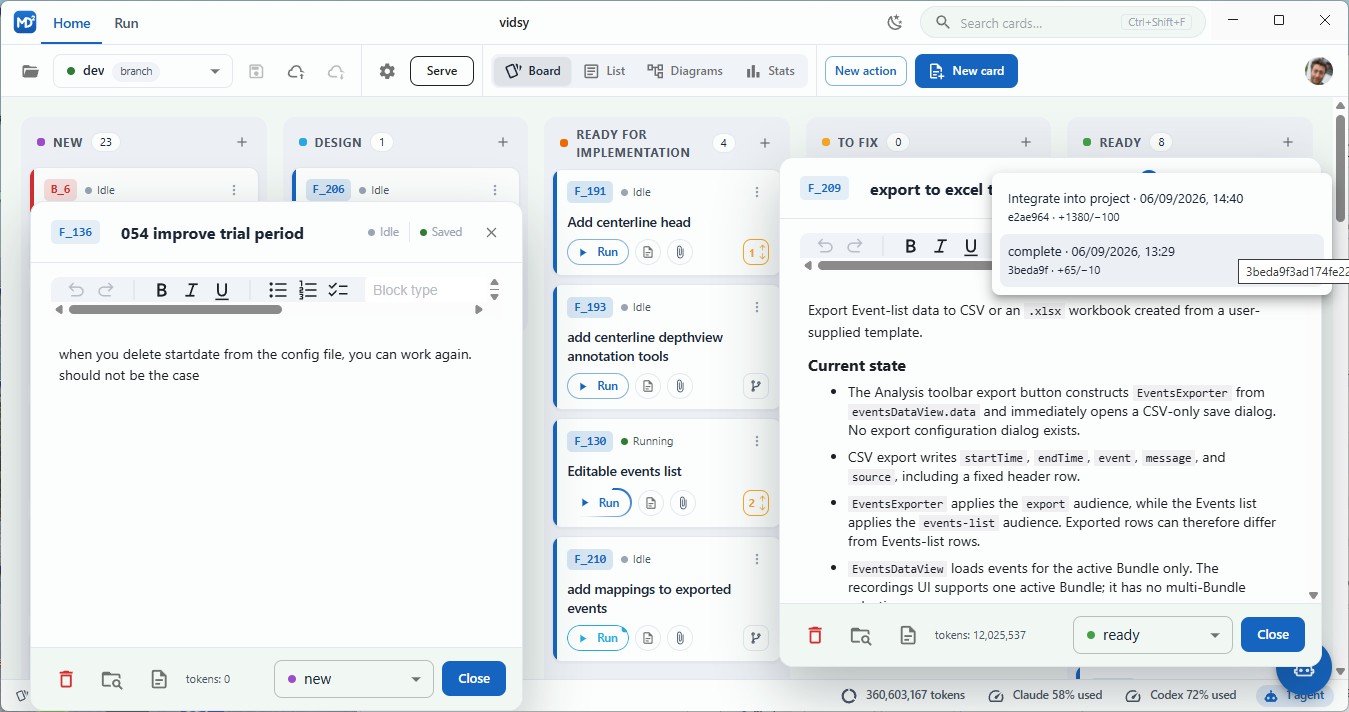
The card remains the shared source of truth for its definition, agent activity, worktree, and resulting changes.
Configure an agent action
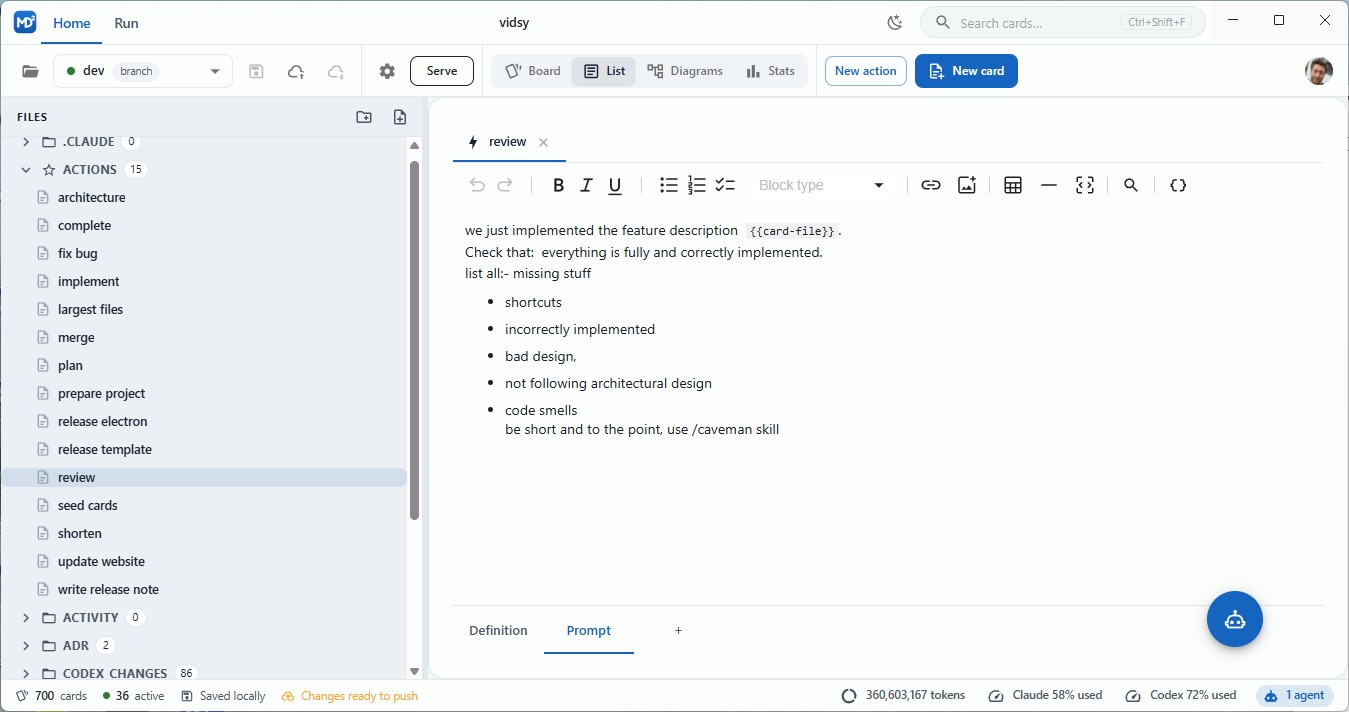
Predefine the prompt for an action that will be run by an agent.
Review cost per feature
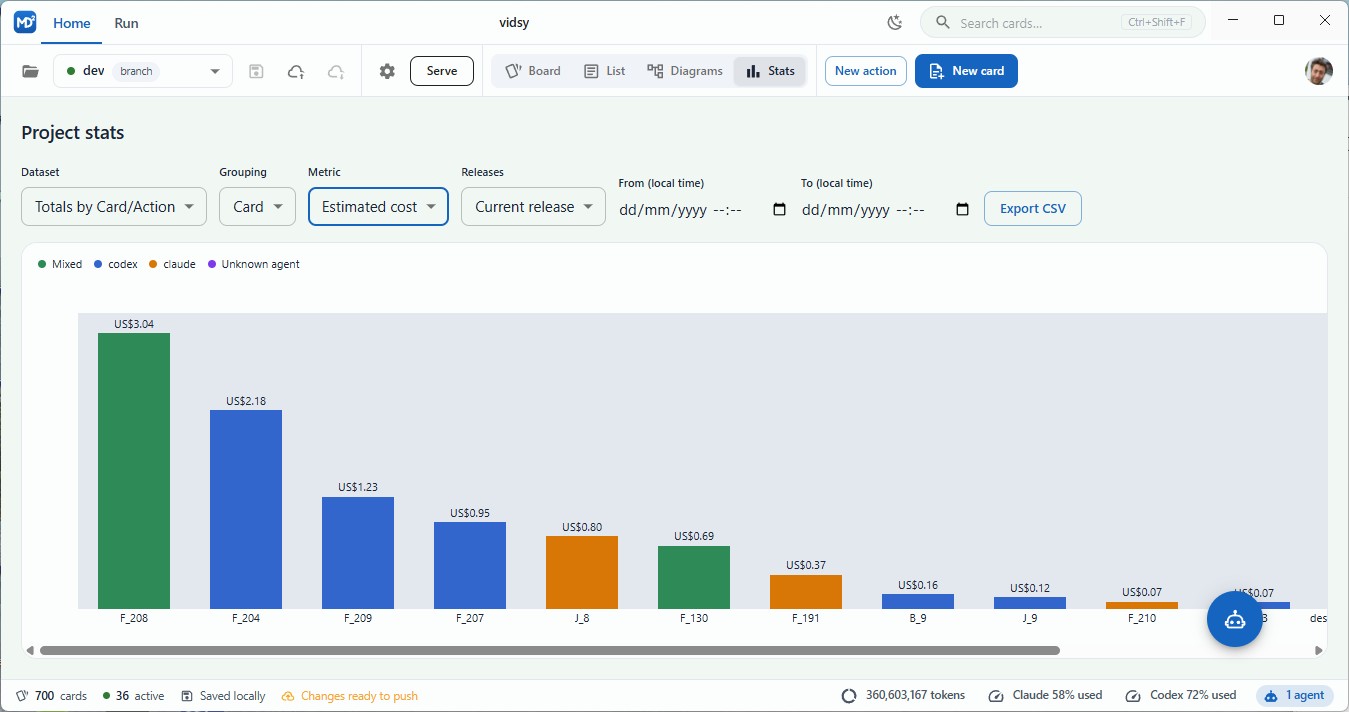
Use release statistics to compare estimated costs across the features included in the current release.
Explore the project diagram
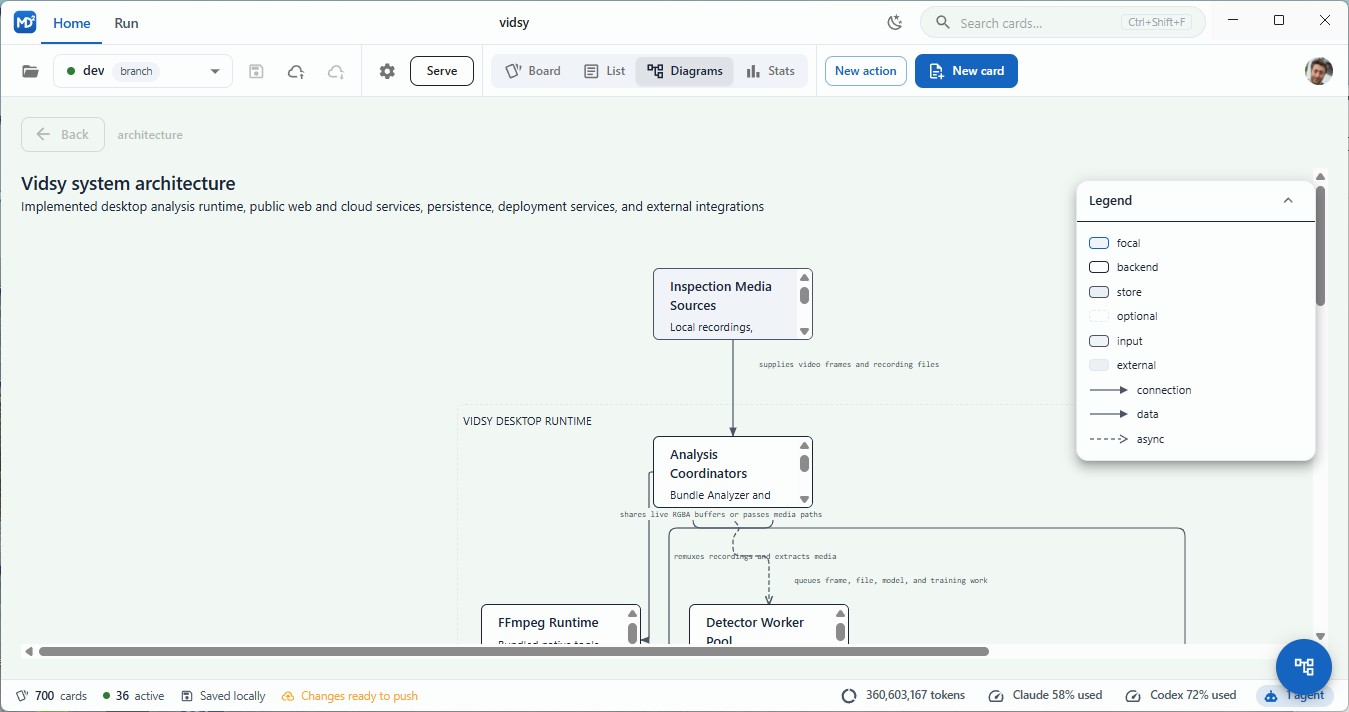
Create or generate diagrams, explore saved child diagrams, and edit them with a visual toolbox.
The Diagrams view supports architecture, dependency, sequence, flowchart, state, entity, and mindmap diagrams. Start from an empty diagram or run a diagram action, then select Edit diagram to change nodes, connections, groups, and other diagram details. Review changes before saving an edited copy or sending the changes to an agent. Learn how diagrams work.
Mobile use
md² runs in your phone's browser while the desktop app stays open and handles files, Git, and agents. No phone app is needed.
- Open a project in the desktop app and click Serve.
- Open the menu beside Serve and scan its QR code, or open the IP address link on your phone. Both devices must be on the same network. Prefer the IP link if the
.localhostname does not resolve.
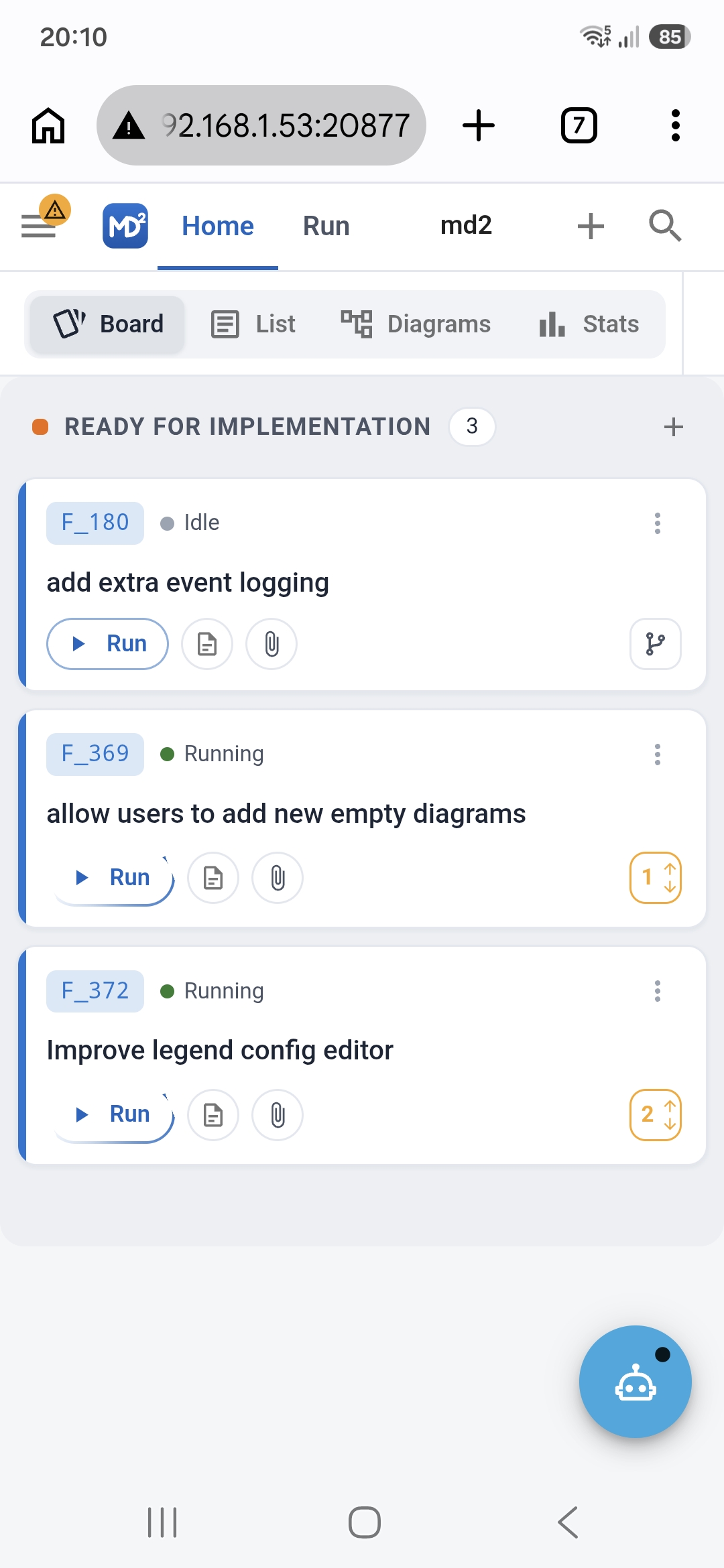
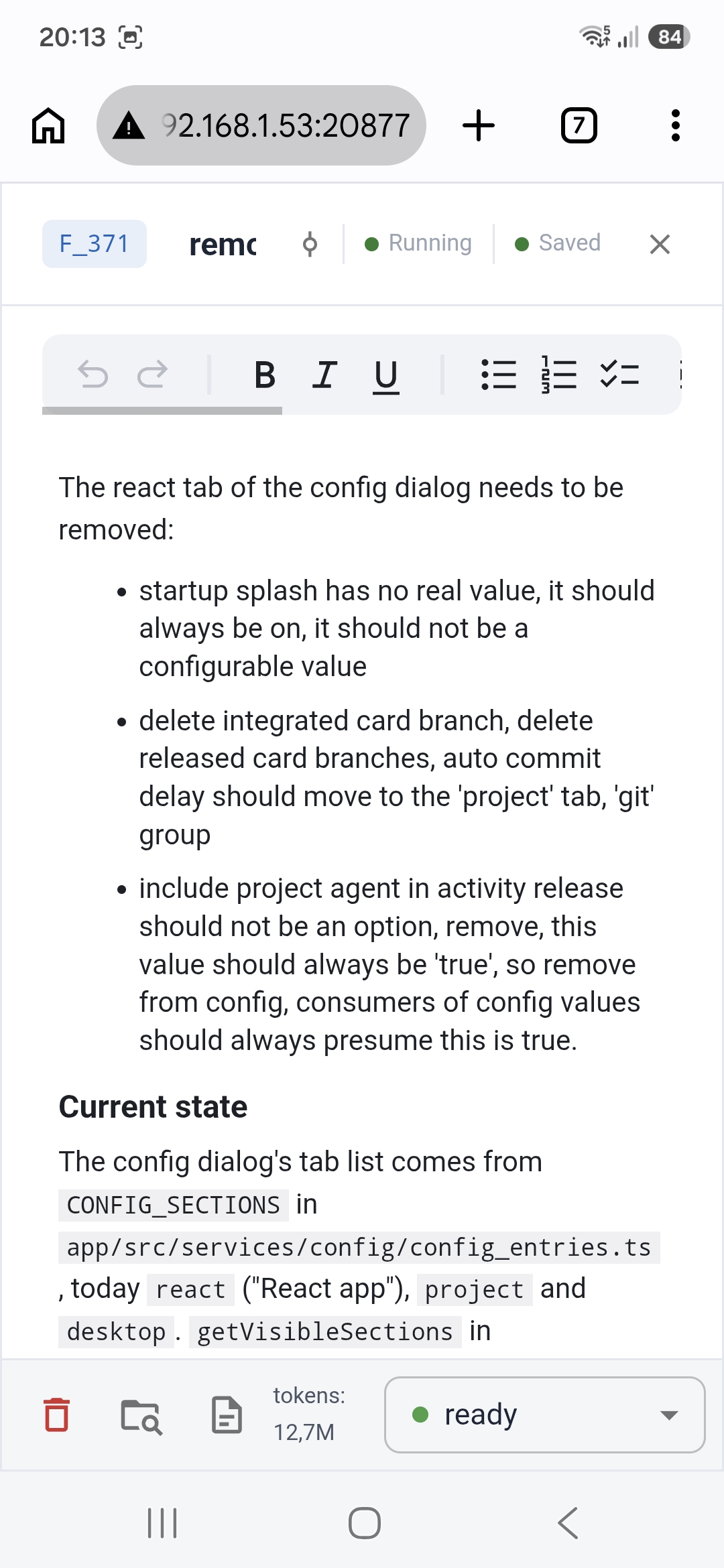
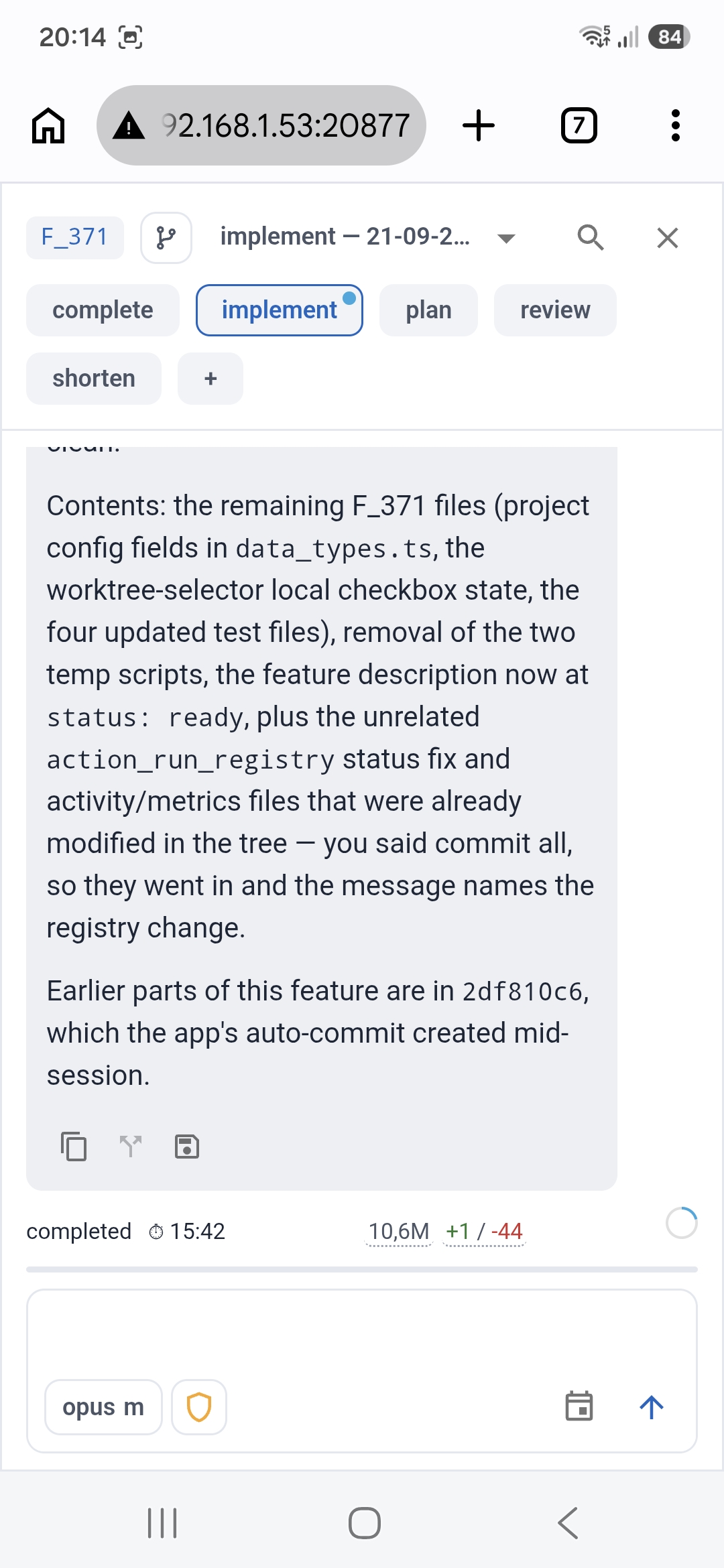
To reach md² over the internet temporarily, start Serve, install cloudflared, and run this on the desktop machine (replace 20877 if you changed the remote-control port):
cloudflared tunnel --url http://localhost:20877
Open the temporary https://*.trycloudflare.com URL printed by the command on your phone. Keep the command running while connected; stop it to close the tunnel. This is a Cloudflare Quick Tunnel. Anyone with the public URL can control the desktop app because md² remote control currently has no authentication.
Getting started
- Download and install the latest Windows release, or follow the source setup on macOS or Linux.
- Click the GitHub icon, upper right corner, follow link to get a GitHub access token, copy-paste token in.
- Open project, select a folder that contains a git repository.
Development setup
The repo has three parts: app/ (the React/Vite web UI), desktop/ (the Electron host shell), and shared/ (types and logic used by both). Each subproject has its own package.json and npm scripts, but a root package.json wires up the common workflows.
Prerequisites
- Node.js (LTS) and npm
- Git
Install
npm install
npm run install:all
This first installs the root development dependencies used by the shared workflows, then installs dependencies for both app and desktop.
Run
npm run dev
This starts the Vite dev server for app and, once it's up, launches the Electron shell (desktop) pointed at it. To run either half on its own: npm run dev:app or npm run dev:desktop.
Optional environment variables
desktop/.env.example lists the optional MD2_SENTRY_DSN and MD2_APTABASE_APP_KEY settings used by both the renderer and Electron for error reporting and analytics. Copy it to desktop/.env and fill it in if you want telemetry locally — neither setting is required to build or run the app.
Lint & test
Each subproject is standalone and has its own npm scripts.
cd app
npm run lint
npm run lint-fix
npm run test
cd desktop
npm run lint
npm run lint-fix
npm run test
Explore related projects
n8n-io/n8n
Fair-code workflow automation platform with native AI capabilities. Combine visual building with custom code, self-host or cloud, 400+ integrations.
209,959 starslanggenius/dify
Build Agentic workflows, RAG pipelines, with rich AI model and tool support on one collaborative workspace. Deploy on cloud, VPC, or self-hosted, so teams move from prototype to production without rebuilding the stack.
160,773 starsmicrosoft/PowerToys
Microsoft PowerToys is a collection of utilities that supercharge productivity and customization on Windows
140,755 starsstablyai/orca
Orca is the place for working with a fleet of agents (e.g. Grok Bot, Claude Code). Run any coding agent with your own subscription. Available on desktop, mobile and remote runtime.
120,604 stars