
ion-g-ion/torchTT
ion-g-ion/torchTT has 88 GitHub stars and 18 forks. GitHot measured 0 in 7 days. Last checked 2026-11-16 00:12 UTC. Last push 2026-11-02.
Measured star growth
- in 24h
- Update delayed
- in 7 days
- 0
- in 15 days
- Update delayed
- in 1 month
- Update delayed
Net star changes over overlapping periods, not daily totals. Missing measurements are left blank. Stars measure attention, not software quality.
About
Tensor-Train decomposition in pytorch
Machine LearningREADME.md
Original
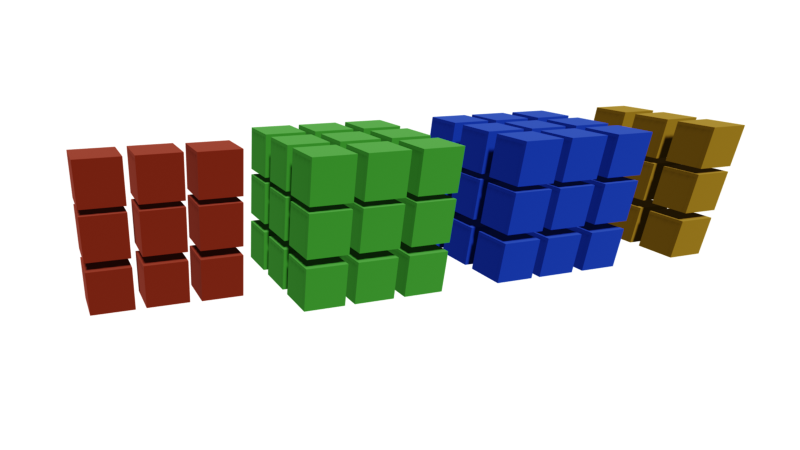
torchTT
Tensor-Train decomposition in pytorch
Tensor-Train (TT) decomposition package written in Python on top of pytorch. Supports GPU acceleration and automatic differentiation.
It also contains methods for solving multilinear systems and for adaptive cross approximation in the TT format, inspired by the MATLAB TT-Toolbox.
Abbreviations are explained in the glossary.
Some routines are implemented in C++ for an increased execution speed.
torchtt helps researchers and engineers tackle high-dimensional problems in scientific computing by working directly with compressed representations of large arrays.
It is designed for PyTorch users, making it easy to replace dense tensor operations with operations in the tensor-train (TT) format.
For problems that admit low-rank TT representations, torchtt can make high-dimensional experiments practical even on a laptop.
Users should be familiar with linear algebra and the basics of the TT format; the basic tutorial provides a starting point.
Example applications include solving linear systems arising from discretized high-dimensional differential equations, such as the Fokker–Planck and chemical master equations; approximating black-box multivariate functions for surrogate modeling and uncertainty quantification; and compressing neural-network weight matrices to reduce the number of trainable parameters.
Development documentation (main) · Stable documentation (released package)
Installation
Requirements
Following requirements are needed:
python>=3.8torch>=1.7.0numpy>=1.18opt_einsumscipy>=0.16
The GPU (if available) version of pytorch is recommended to be installed. Read the official installation guide for further info.
Using pip
You can install the package using the pip command:
pip install torchTT
The latest github version can be installed using:
pip install git+https://github.com/ion-g-ion/torchTT
One can also clone the repository and manually install the package:
git clone https://github.com/ion-g-ion/torchTT
cd torchTT
python -m pip install .
Using uv
You can install the package using uv:
uv pip install torchTT
The latest github version can be installed using:
uv pip install git+https://github.com/ion-g-ion/torchTT
One can also clone the repository and install the package using uv:
git clone https://github.com/ion-g-ion/torchTT
cd torchTT
uv sync
Or install in editable mode:
uv pip install -e .
Optional C++ extension (Linux and macOS)
Installation attempts to compile the C++ extension and falls back to Python if compilation fails. Windows uses the Python implementation; the C++ extension is unsupported there.
Optional build dependencies:
- A C++ compiler compatible with your PyTorch version. PyTorch selects the required language standard (C++17 in older releases, C++20 in newer releases).
- Python development headers and the platform's C/C++ headers, linker, and runtime. On Ubuntu/Debian:
sudo apt-get install build-essential python3-dev. On macOS:xcode-select --install(Apple Clang and the macOS SDK). For other Linux distributions, install the equivalent packages; their names differ. - PyTorch supplies the LibTorch headers and shared libraries. No separate LibTorch, BLAS/LAPACK, OpenMP development package, or CUDA toolkit is needed for this extension when using PyTorch wheels. The compiler and system headers must be installed through your OS, not a pip extra.
To build against the PyTorch already installed in your environment, run from the cloned repository:
python -m pip install torch  # Or choose a CPU/CUDA wheel using the PyTorch guide above.
python -m pip install "setuptools>=61" "setuptools-scm>=8.0" wheel ninja numpy opt_einsum scipy
python -m pip install --no-build-isolation -v .
python -c "import torchtt; print(torchtt.cpp_enabled())"  # True if the extension loads.
With uv, use uv pip install for the installation commands above. Set CXX to select another compiler. Rebuild after changing PyTorch versions; --no-build-isolation keeps the build and runtime PyTorch versions aligned. Use --no-cache-dir --force-reinstall --no-deps on the final installation command when rebuilding an existing installation.
To skip compilation on Linux/macOS: TORCHTT_NO_CPP=1 python -m pip install . (or uv pip install .). CI checks extension builds with GCC on Ubuntu and Apple Clang on macOS, plus Python-only installs on Linux, macOS, and Windows. Other toolchains are not covered by CI.
Development Installation
For development, you may want to install the package with additional development dependencies (pytest, sphinx, ipykernel, matplotlib):
Using pip:
pip install -e ".[dev]"
Using uv:
uv sync --extra dev
or
uv pip install -e ".[dev]"
This will install the package in editable mode along with all development tools needed for testing, building documentation, and working with Jupyter notebooks.
Components
The main modules/submodules that can be accessed after importing torchtt are briefly desctibed in the following table.
Detailed descriptions can be found in the development API documentation.
| Component | Description |
|---|---|
torchtt |
Basic TT class and basic linear algebra functions. |
torchtt.solvers |
Solvers for multilinear systems in the TT format. |
torchtt.grad |
Wrapper for automatic differentiation. |
torchtt.manifold |
Riemannian gradient and projection onto manifolds of tensors with fixed TT rank. |
torchtt.nn |
Basic TT neural network layer. |
torchtt.interpolate |
Cross approximation routines. |
Tests
The directory tests/ from the root folder contains all the unittests. To run them use the command:
pytest tests/
Documentation and examples
Read the stable documentation for the latest released package, or the development documentation for main. Each release also has a permanent versioned URL, such as v0.5.0.
Following example scripts (as well as python notebooks) are also provied provided as part of the documentation:
- basic_tutorial.py / basic_tutorial.ipynp: This contains a basic tutorial on decomposing full tensors in the TT format as well as performing rank rounding, slicing (Try on Google Colab).
- basic_linalg.py / basic_linalg.ipynp: This tutorial presents all the algebra operations that can be performed in the TT format (Try on Google Colab).
- efficient_linalg.py / efficient_linalg.ipynb: compares the methods for efficient products (DMRG, AMEn and others) and shows AMEn for elementwise inversion in the TT format (Try on Google Colab).
- automatic_differentiation.py / automatic_differentiation.ipynp: Basic tutorial on automatic differentiation in
torchtt(Try on Google Colab). - cross_interpolation.py / cross_interpolation.ipynb: In this script, the cross interpolation emthod is exemplified (Try on Google Colab).
- system_solvers.py / system_solvers.ipynb: This contains the bais ussage of the multilinear solvers (Try on Google Colab).
- gpu_acceleration.py / gpu_acceleration.ipynb: This provides an example on how to use the GPU acceleration (Try on Google Colab).
- basic_nn.py / basic_nn.ipynb: This provides an example on how to use the TT neural network layers (Try on Google Colab).
- mnist_nn.py / mnist_nn.ipynb: Example of TT layers used for image classification (Try on Google Colab).
- manifold.py / manifold.ipynb: This demonstrates Riemannian gradient descent on manifolds of tensors with fixed TT rank (Try on Google Colab).
- random_tt.py / random_tt.ipynb: This shows how to generate random TT tensors with different variances (Try on Google Colab).
- tensor_completion.py / tensor_completion.ipynb: This example demonstrates tensor completion with Riemannian gradient descent on the manifold of fixed-rank TT tensors (Try on Google Colab).
Building Documentation
The documentation is generated using Sphinx. The publishing build uses Python 3.12, CPU-only PyTorch, and the selected source checkout; it does not compile the optional C++ extension.
Install Pandoc (for example, sudo apt install pandoc on Ubuntu or brew install pandoc on macOS), then run:
python -m pip install torch==2.8.0 --index-url https://download.pytorch.org/whl/cpu
python -m pip install -r docs/requirements.txt
python scripts/build_docs.py --source . --output ../torchtt-docs-html --channel latest --sha "$(git rev-parse HEAD)"
Use an empty output directory outside the source checkout. make html remains available with a configured development environment.
After successful CI on main, the website workflow updates latest/. Successful release publishing saves that release under its tag and advances stable/ only for a newer stable version. Existing release snapshots are preserved in the docs-site branch, which stores generated output. GitHub Pages must use GitHub Actions as its publishing source.
To initialize or backfill documentation without publishing a package, run the website workflow manually on main, with version set to latest or an existing published release tag such as v0.5.0. Older release builds do not move stable/ backward. Legacy documentation URLs redirect to the stable Sphinx pages.
Author
Ion Gabriel Ion, e-mail: [email protected]