
intrafind/ihub-apps
intrafind/ihub-apps has 26 GitHub stars and 3 forks. GitHot measured 0 stars in 24 hours and 0 in 7 days. Last checked 2026-11-14 02:05 UTC. Last push 2026-11-04.
Measured star growth
- in 24h
- 0
- in 7 days
- 0
- in 15 days
- Collecting history
- in 1 month
- Collecting history
Net star changes over overlapping periods, not daily totals. Missing measurements are left blank. Stars measure attention, not software quality.
About
iHub is a secure, open-source AI application suite that empowers organizations to perform creative and general tasks with generative AI - directly within their protected corporate environment, in the cloud or on their local machine.
AIREADME.md
OriginaliHub Apps
Ready-to-use AI apps for your team. Self-hosted. Any model. No prompting expertise needed.



iHub Apps is a full-stack, open-source AI platform that brings generative AI into your secure corporate environment. Your team starts from a personal start page, picks one of the ready-made apps — or chats freely — and gets answers from the model you choose: OpenAI, Anthropic, Google, Mistral, AWS Bedrock, any OpenAI-compatible gateway, or a local model on your own hardware.
Compose emails, translate, summarize, prepare meetings, analyze documents, transcribe recordings, or let a prompt run every morning as a scheduled task. Ground the answers in your own knowledge — files, websites, iFinder — and extend the platform with more apps, skills, models and workflows from the iHub Marketplace, all without writing code. Seamlessly integrate iHub with your existing IntraFind solutions for a unified platform of search, knowledge-based answers and creative AI applications — free and open source.
iHub is developed by IntraFind Software AG — made with ❤️ from our teams in Berlin, Bonn, Munich + Remote
The Software is free-of-use and "AS-IS" without warranty of any kind. — License Details
For enterprise-grade support, custom features, or professional services, contact us at [email protected].
🚀 Quick Start — Run in Under 60 Seconds
No Node.js, no Docker, no dependencies. Download the standalone binary and you're running:
⚡ One-Line Installer (Linux/macOS)
The simplest way to install — a single command handles everything:
curl -fsSL https://raw.githubusercontent.com/intrafind/ihub-apps/main/install.sh | sh
OR
Step 1 — Download for your platform
| Platform | File |
|---|---|
| 🐧 Linux | ihub-apps-v*-linux.tar.gz |
| 🍎 macOS | ihub-apps-v*-macos.tar.gz |
| 🪟 Windows | ihub-apps-v*-win.zip |
Restricted environment? Use the
.base64.txtfiles:base64 -d ihub-apps-v*-linux.tar.gz.base64.txt > ihub-apps.tar.gz
Step 2 — Extract and run
# Linux / macOS
tar -xzf ihub-apps-v*-linux.tar.gz
cd ihub-apps-v*
./ihub-apps-v*-linux
:: Windows — extract the .zip, then:
ihub-apps-v*-win.bat
Step 3 — Open iHub and connect a model
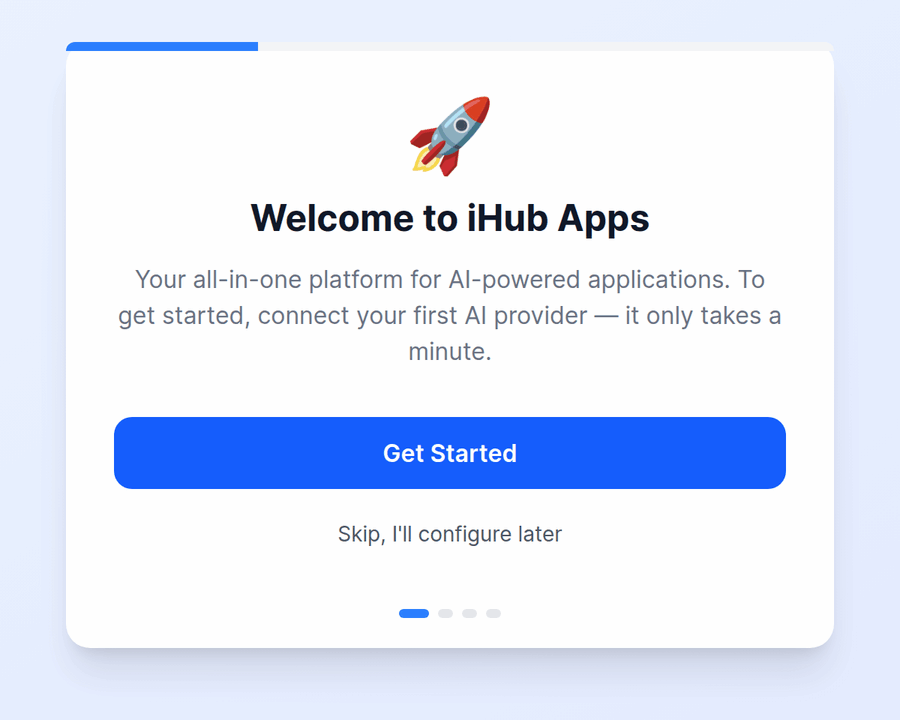
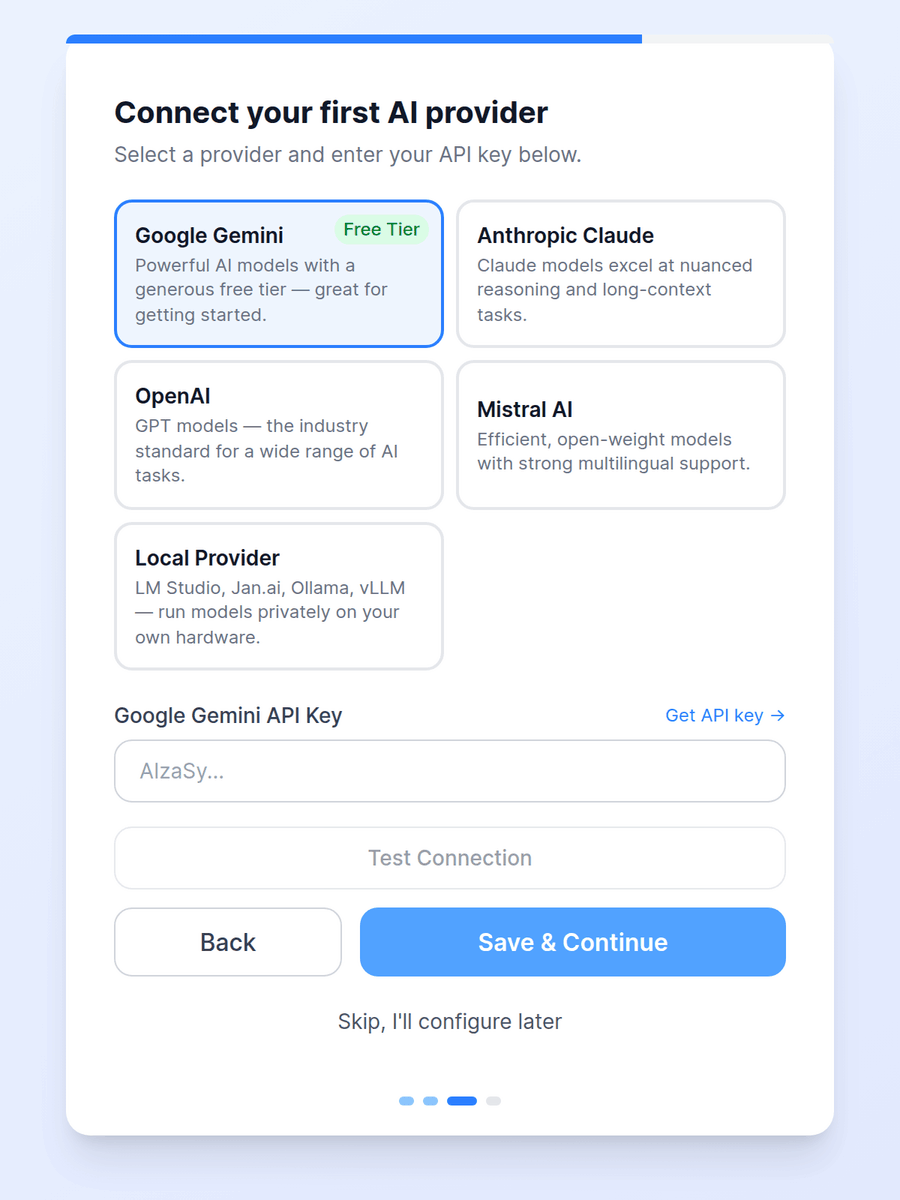
Open http://localhost:3001 — the binary's port is set in config.env next to the executable (Docker uses port 3000). On a fresh installation the setup wizard opens: sign in with the shipped administrator account (admin / password123), pick a provider — Google Gemini, Anthropic Claude, OpenAI, Mistral AI or a local server such as LM Studio, Jan.ai, Ollama or vLLM — paste its API key and test the connection (a local server needs neither: just continue). Then choose Add your models to pick the models of that provider you want to use.
🎉 Done! iHub auto-configures everything else on first run. No .env file, no database, no manual setup. You can add more providers and models at any time under Admin → Providers and Admin → Models.
🔐 Change the shipped passwords before you open iHub to others. The
adminanduserdemo accounts are meant for the first sign-in; the admin area warns as long as they still use their shipped passwords. See Authentication Quick Start for local accounts, LDAP, OIDC/SSO and proxy authentication.
Other install methods: One-Line Installer · Docker · npm (for developers)
👀 A Look Around
🏠 The start page
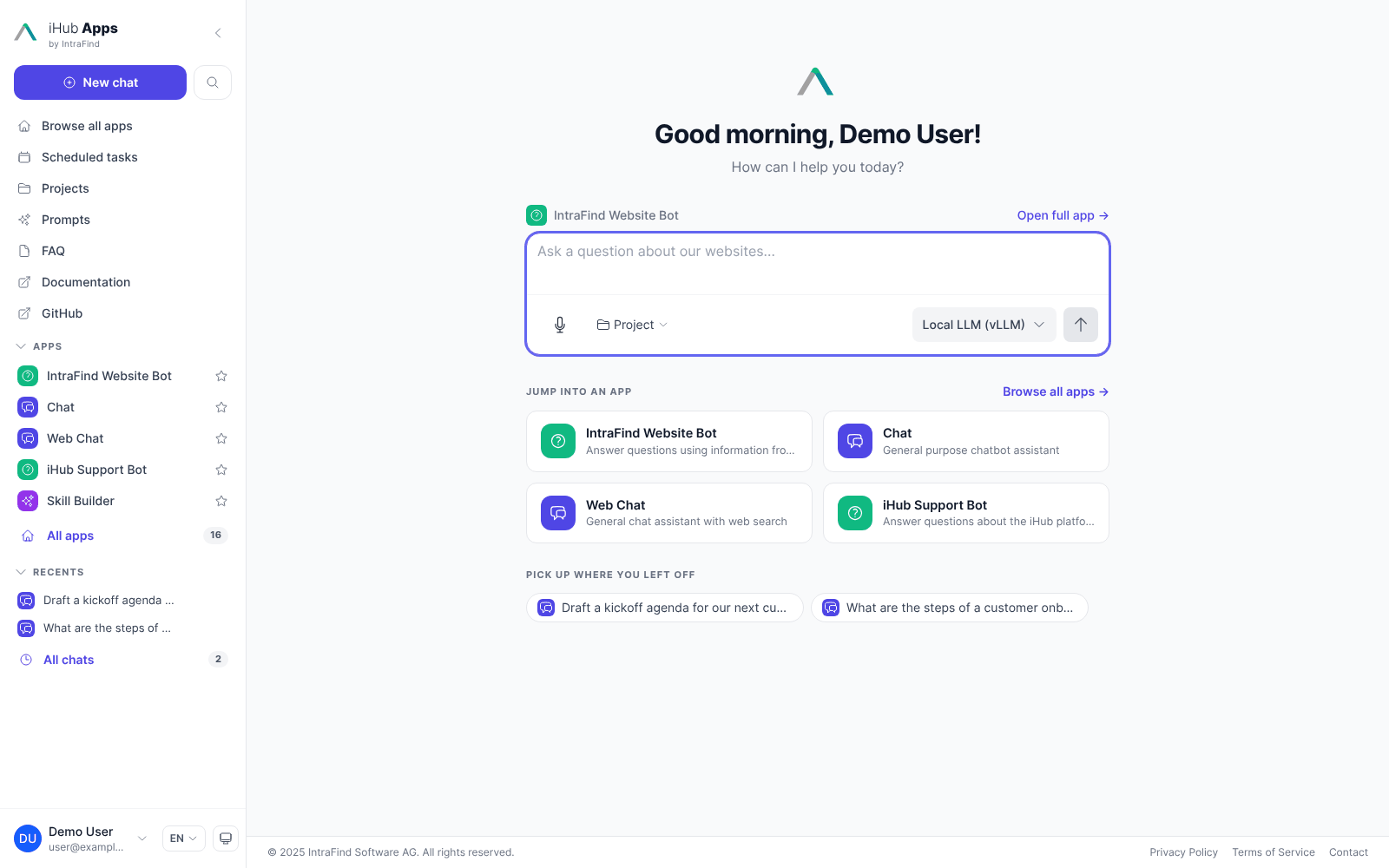
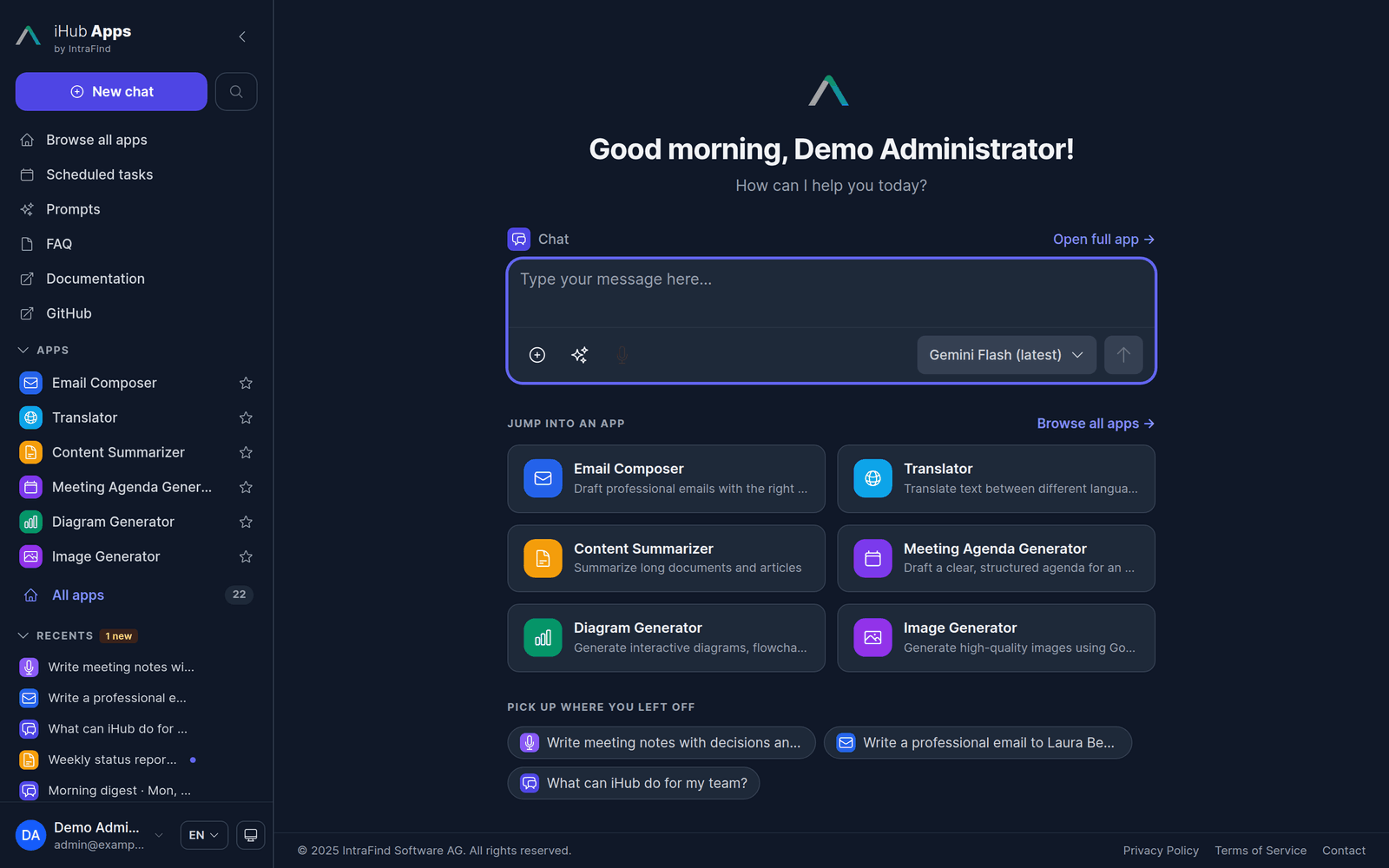
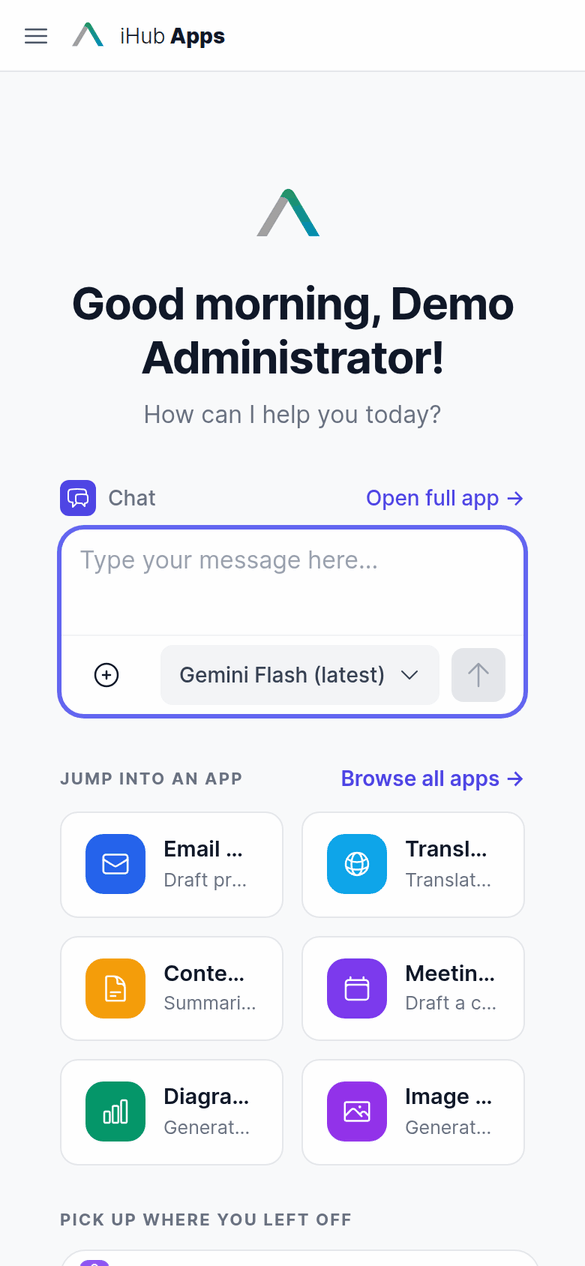
Every user lands on a personal start page: a greeting, the chat input of the default app so a conversation starts right away, shortcuts to the apps that matter most to them — their favorites first, then the apps you feature — and the chats they can pick up again. Admins choose the default app, the featured apps and even what / opens under Admin → UI Customization → Start Page.
📝 Apps that start with a form
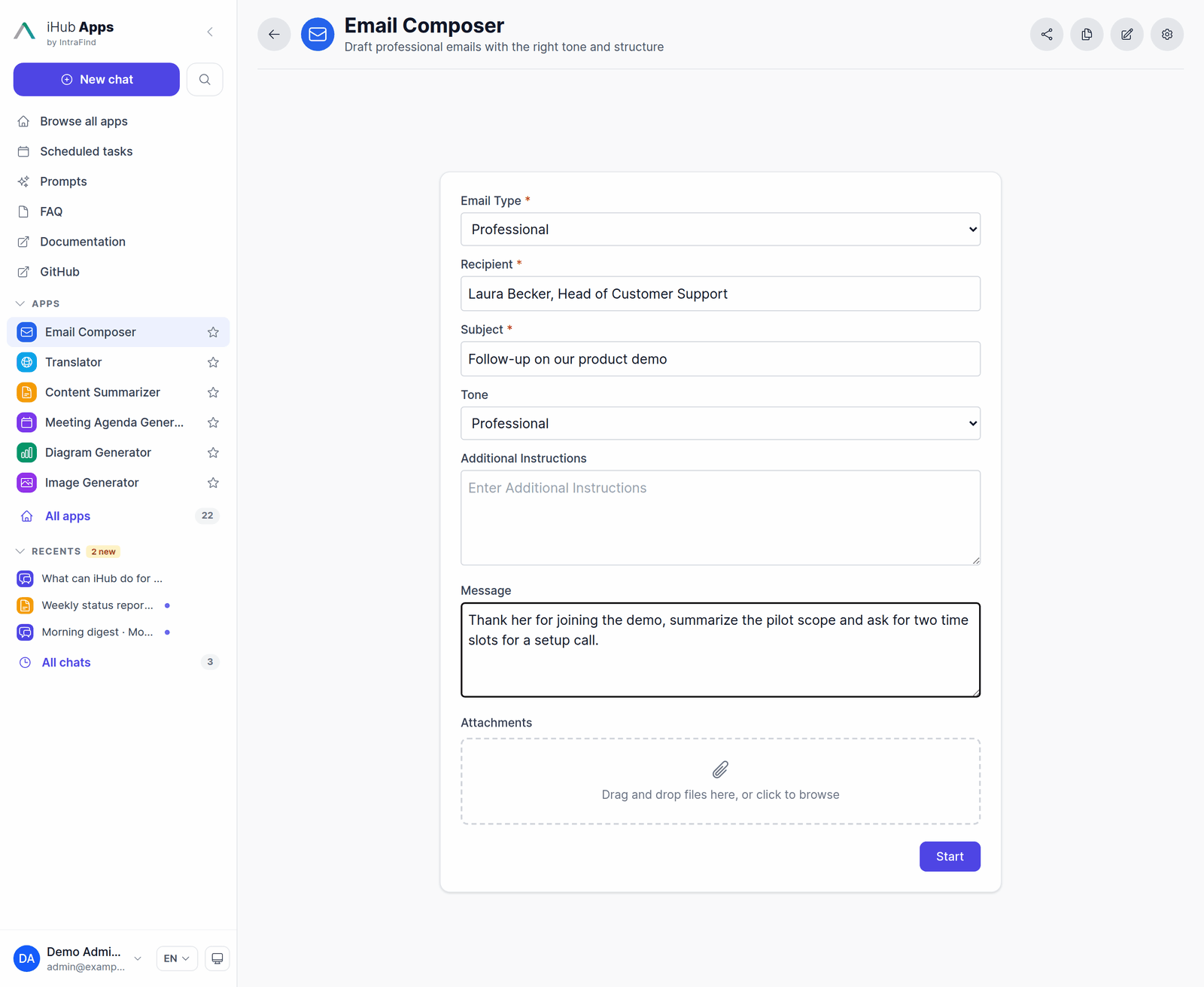
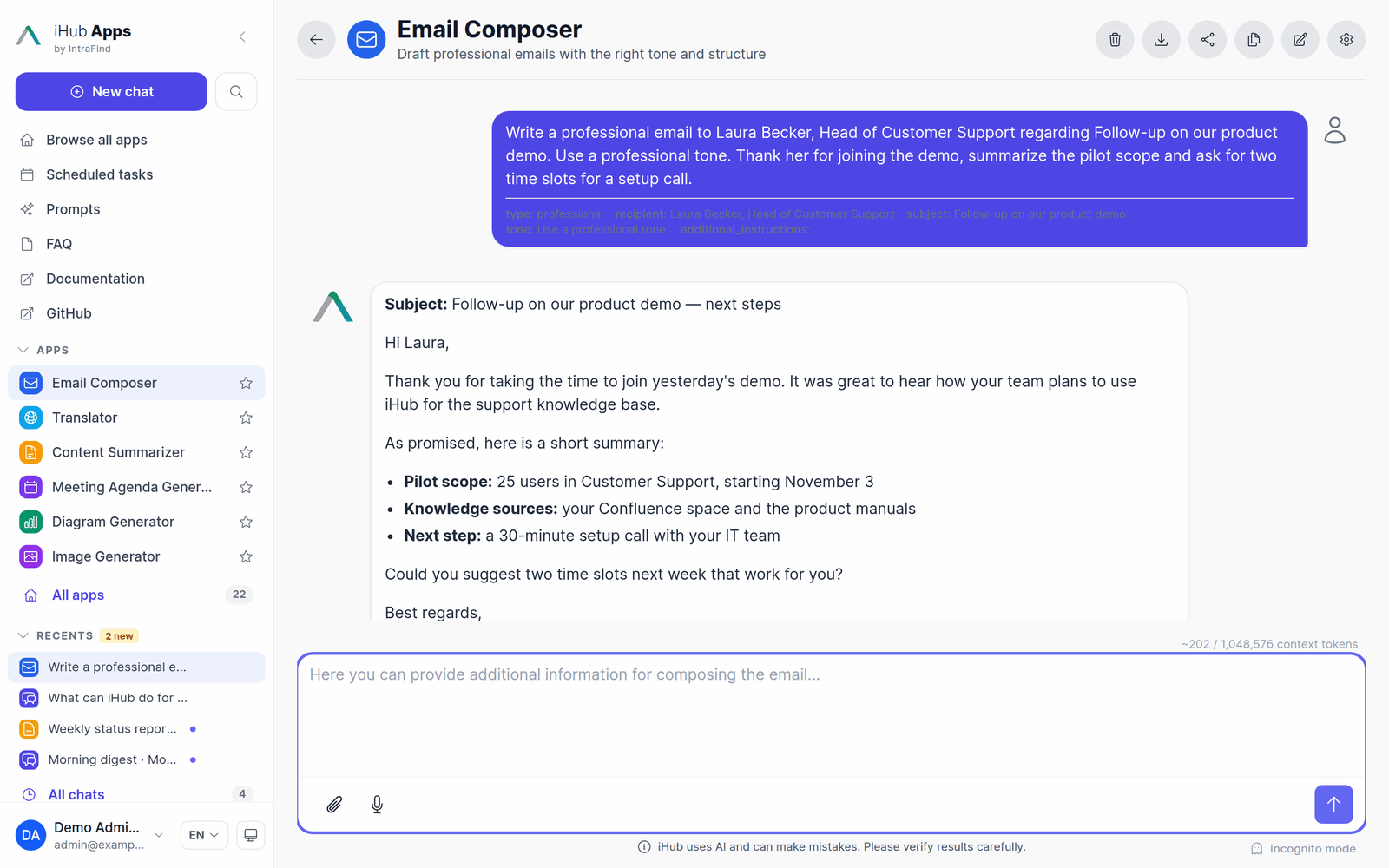
Apps frame a use case: prompt, variables, tools, sources and model. An app can open its chats with a form instead of an empty chat input — users fill in the fields, add their own text or files and press Start. The filled-in prompt goes out as the first message, and the conversation continues like any other chat.
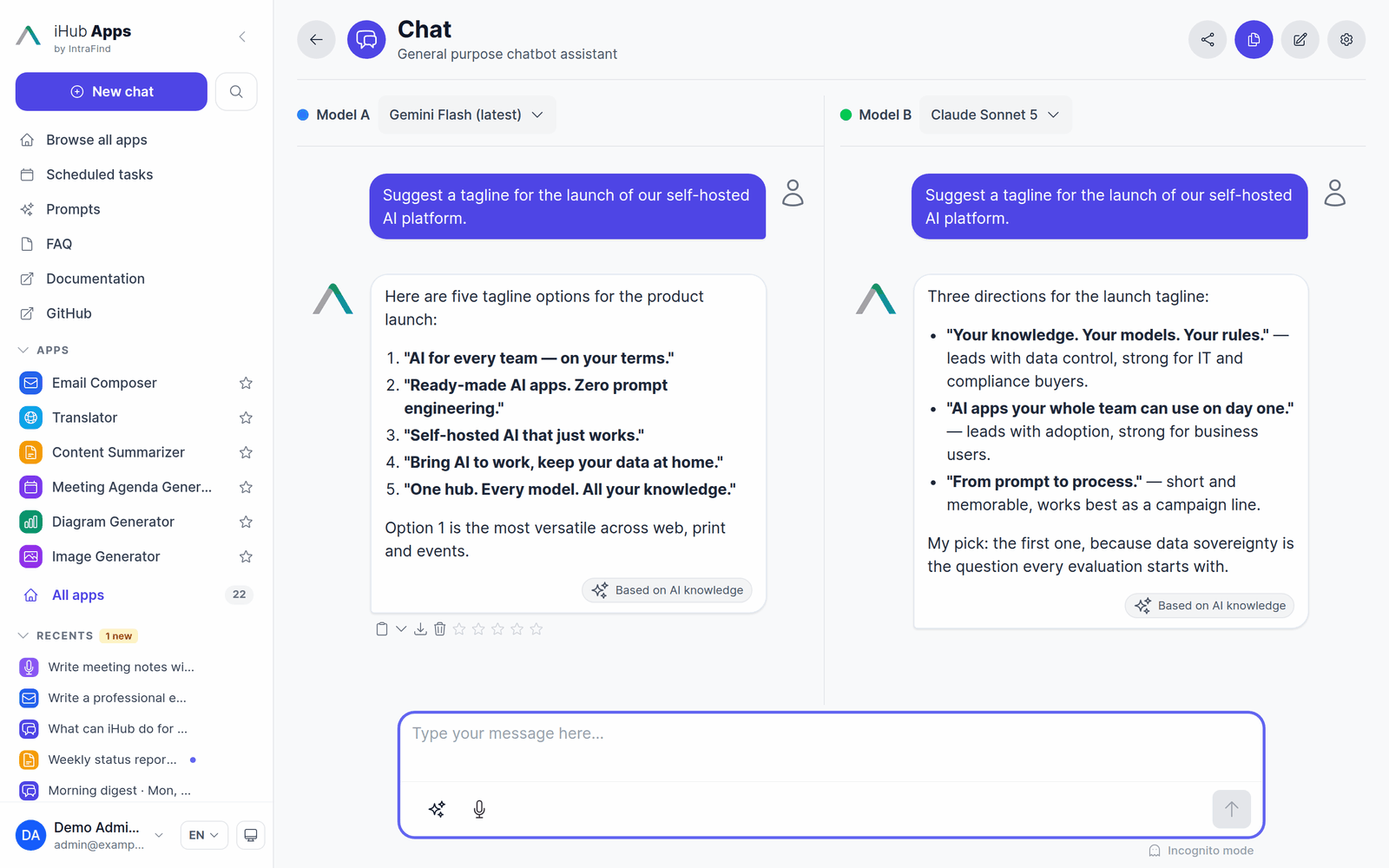
🤖 Any model — and side by side
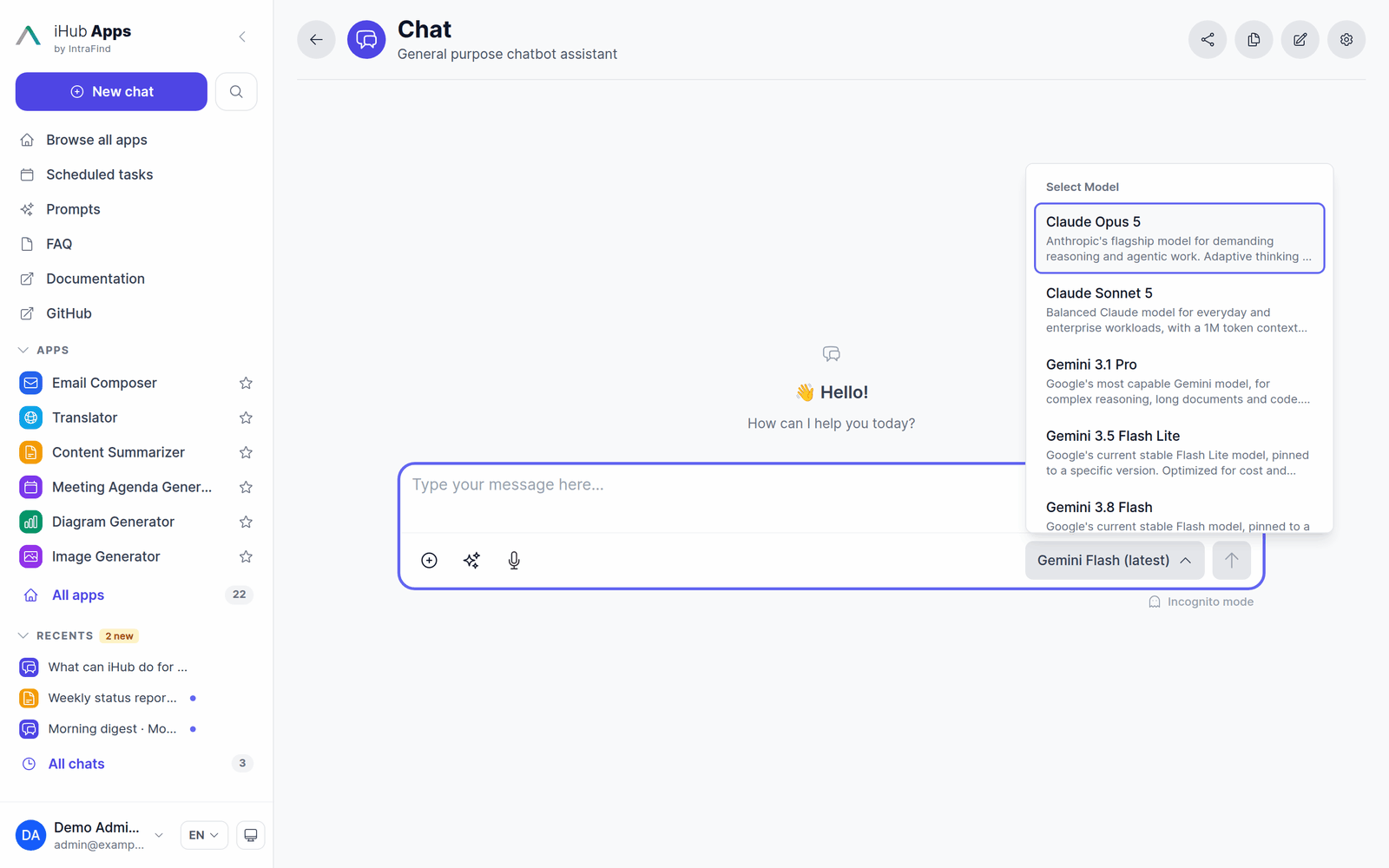
Users pick the model per chat (when the app allows it), with descriptions and hints from the admin. Compare mode sends one message to two models and streams both answers next to each other.
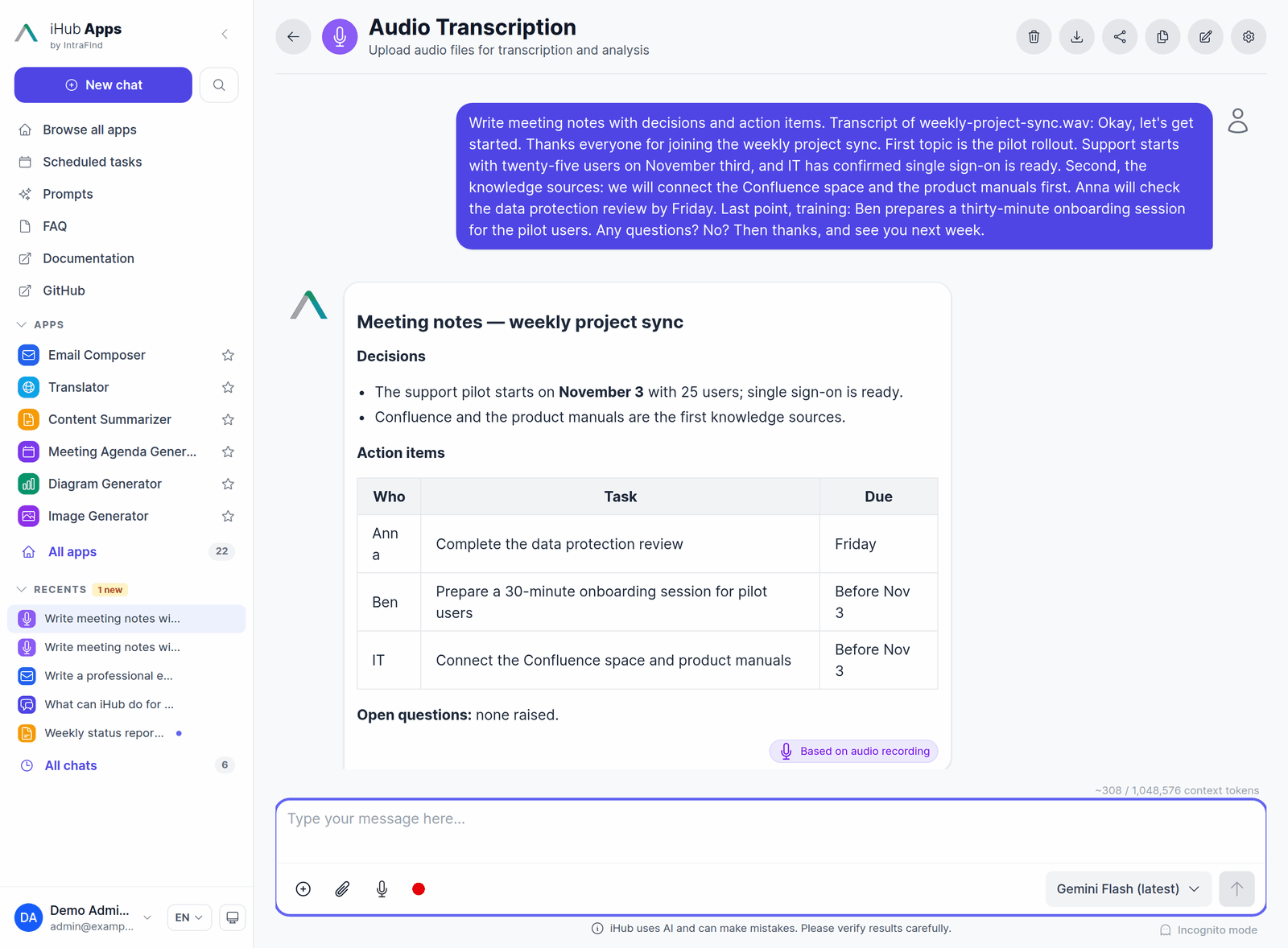
🎙️ Transcription
Record in the browser or upload an audio or video file: iHub transcribes it into the message — streaming, with self-hosted Voxtral on vLLM, or with Google's hosted Gemini transcription — and the chat model answers the text. Turn meetings into minutes, interviews into summaries, voice notes into emails. Dictation into the input field and read aloud (text-to-speech) are available too.
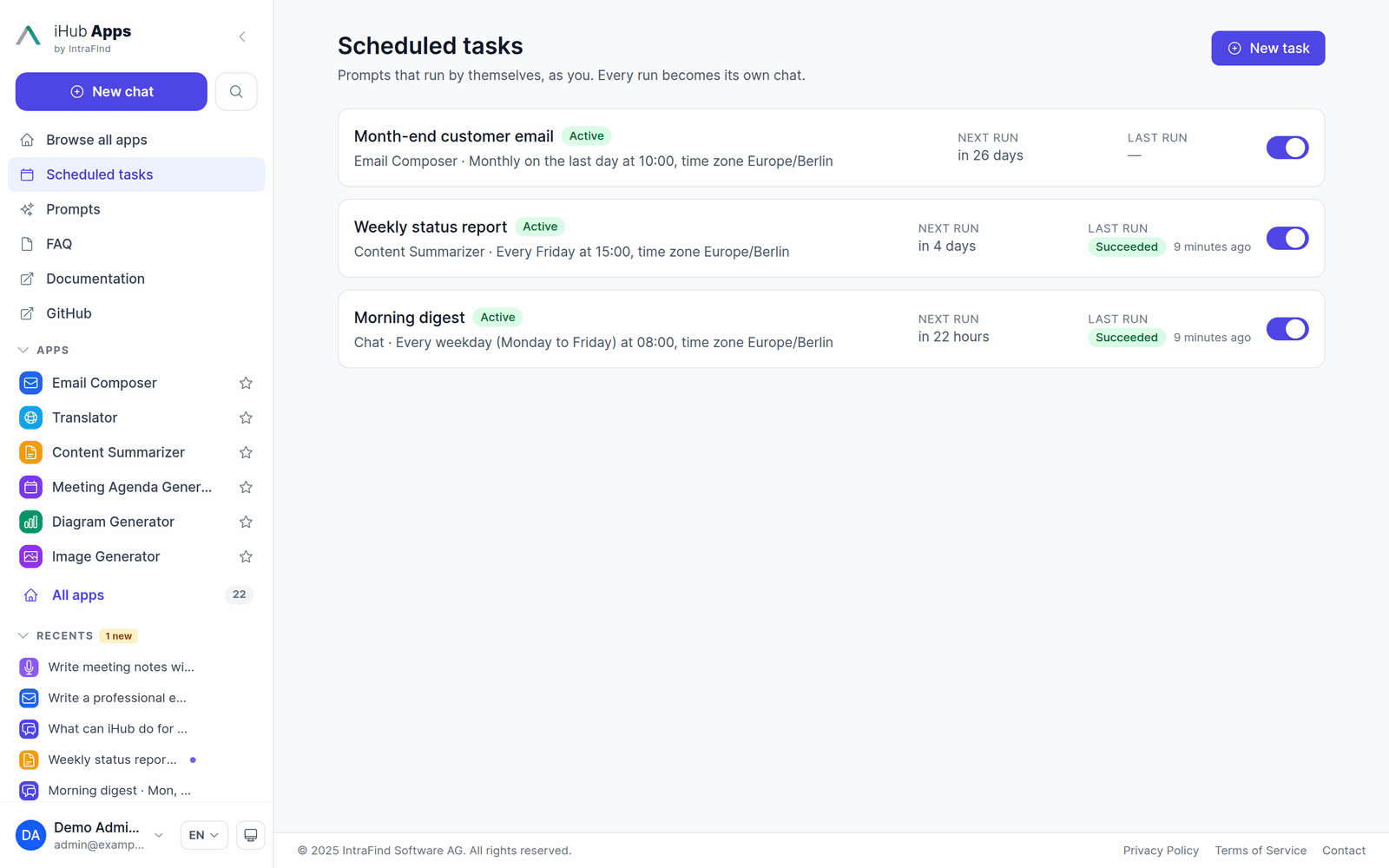
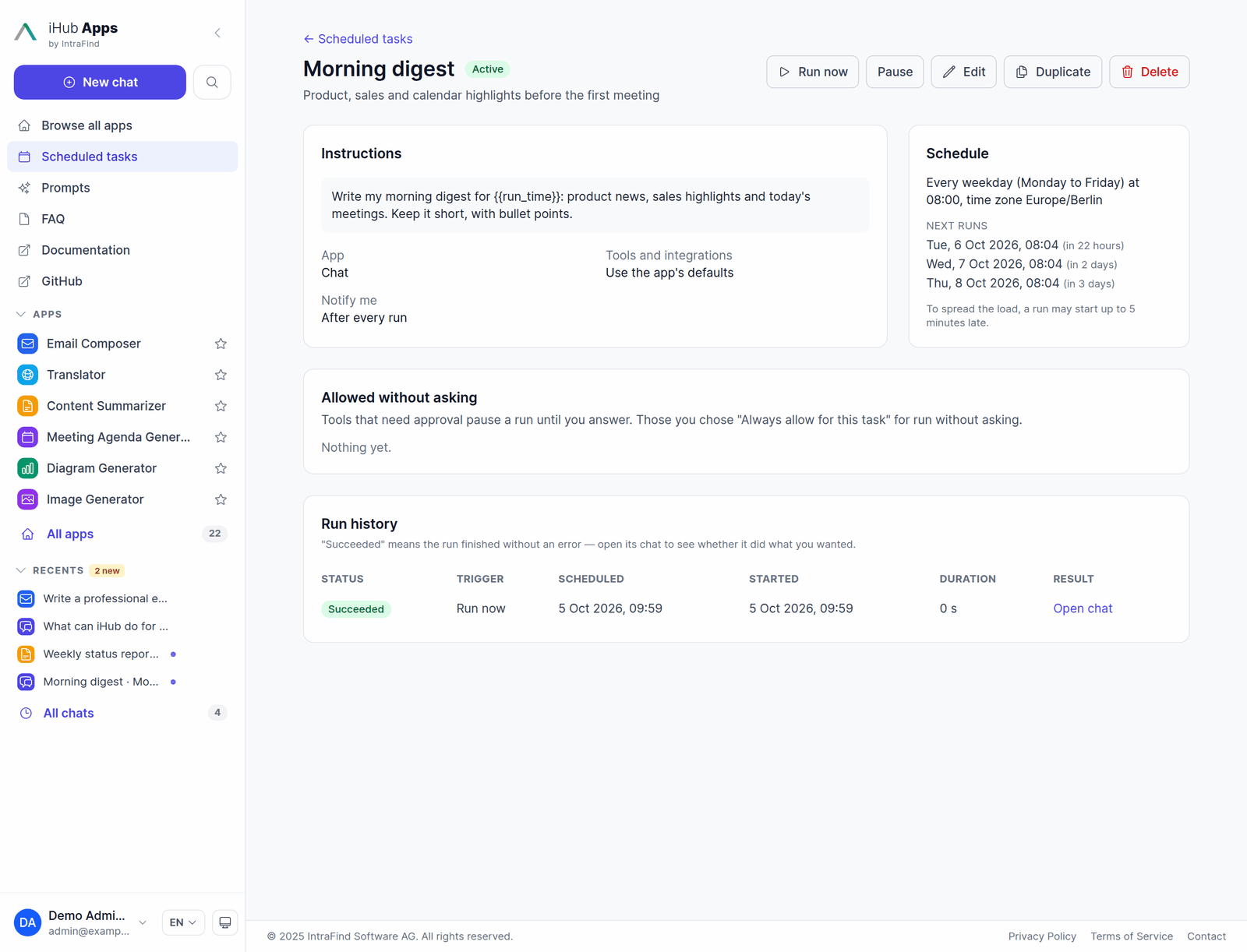
⏰ Scheduled tasks
Save a prompt as a task that runs by itself, as you, in one of your apps: every weekday at 08:00, every Friday afternoon, on the last day of the month, or only when you press Run now. Every run becomes its own chat, marked unread until you open it — the morning digest is waiting when you come in.
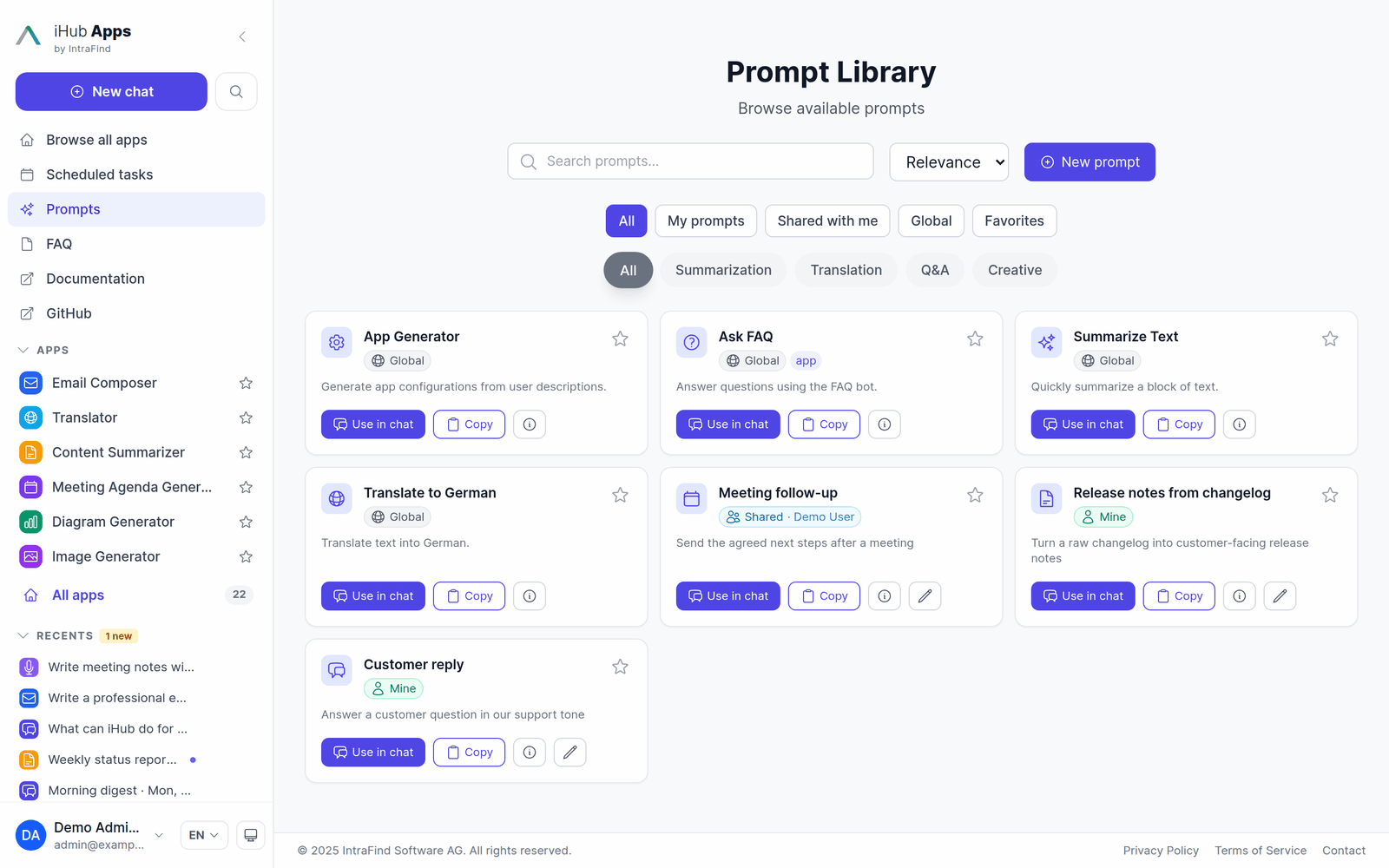
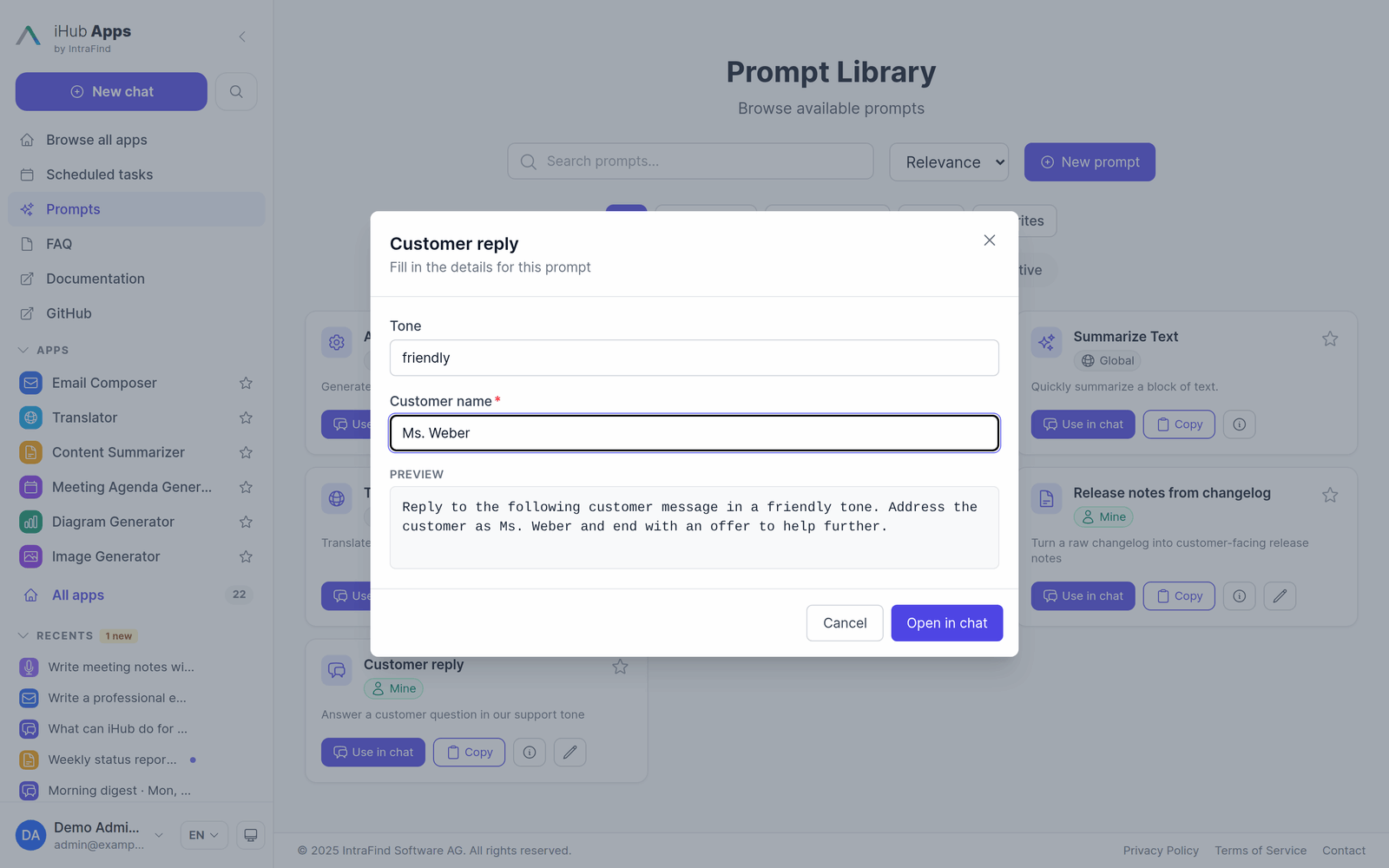
📚 Prompt library
Admin-curated global prompts plus prompts users write for themselves and share with colleagues, groups or everyone. Prompts can ask for the details they need ({{tone}}, {{customer_name}}) with a short form and a live preview, and keep a version history.
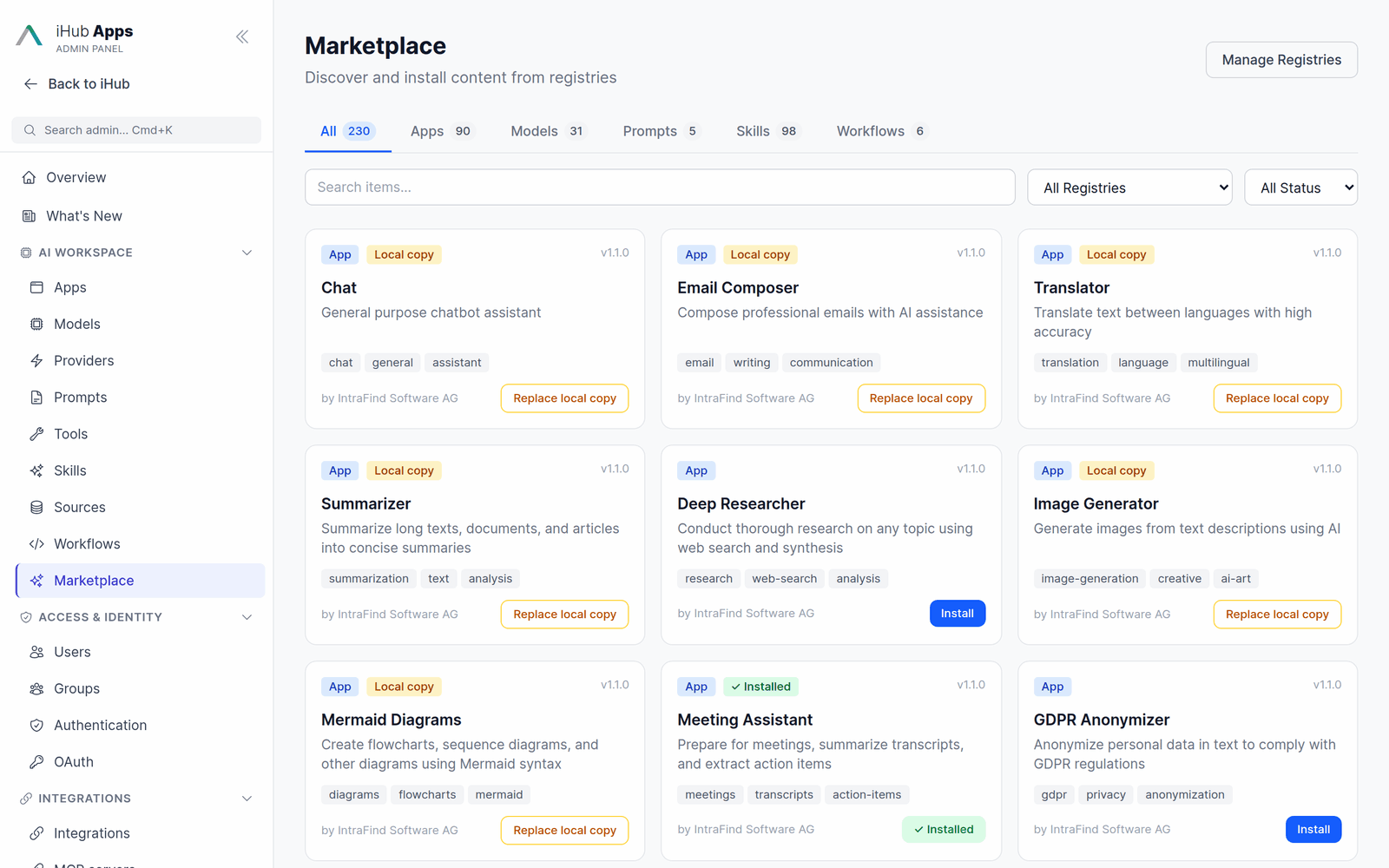
🛒 Marketplace
Browse and install apps, skills, models, workflows and prompts from registries with one click — the iHub Official Marketplace ships preconfigured with 90 apps (including 69 department assistants for HR, legal, sales, marketing, engineering and more), 98 skills, 19 model configurations, 6 workflows and 5 prompts. Add your own registry to distribute content across installations. Browse the catalog online at intrafind.github.io/ihub-marketplace.
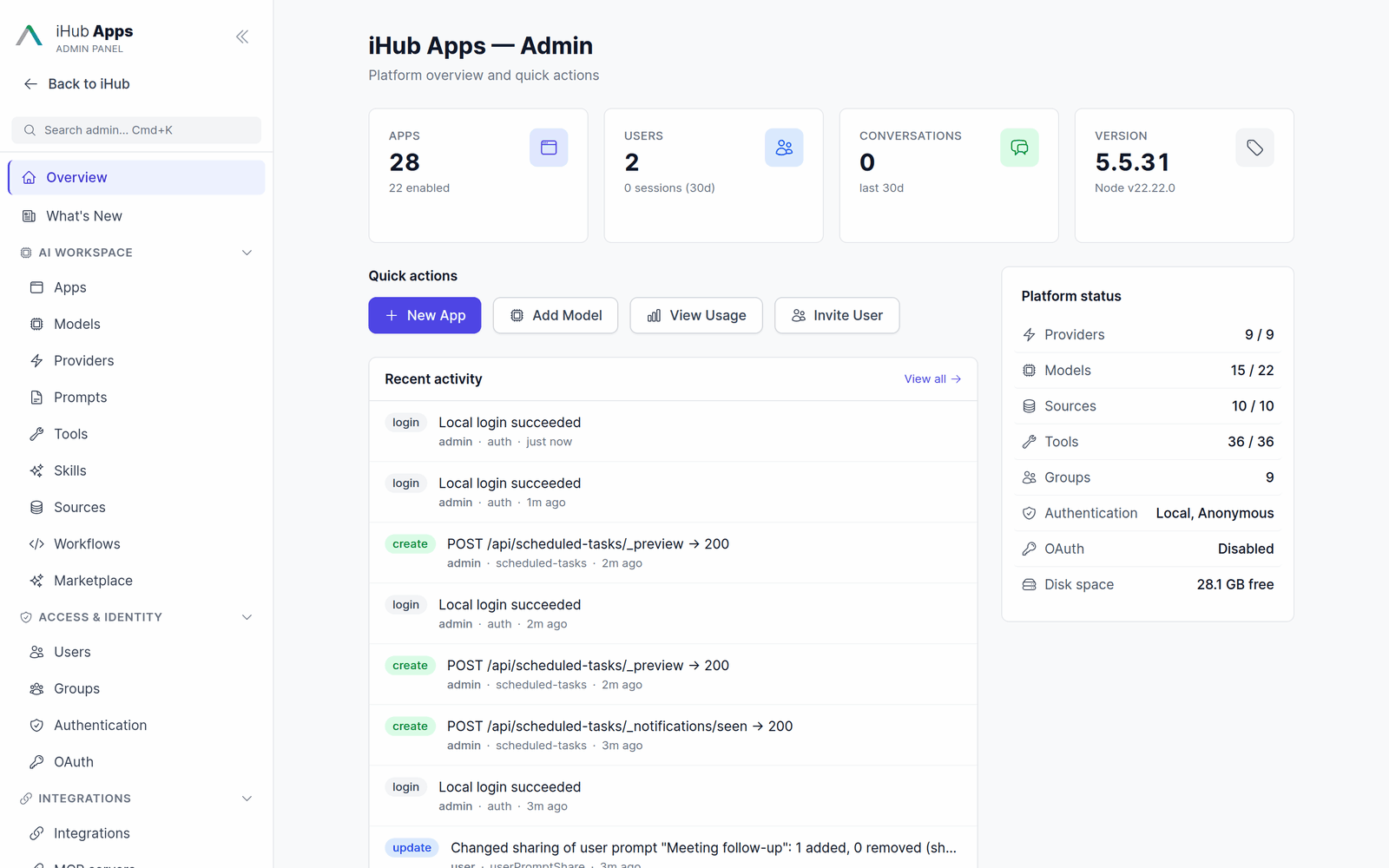
⚙️ Admin
Everything is configured in the browser: apps, models, providers, prompts, sources, tools, skills, workflows, users, groups, authentication, integrations, branding — with change history, an audit log, usage reports, a command palette (Cmd/Ctrl+K) and an in-product changelog.
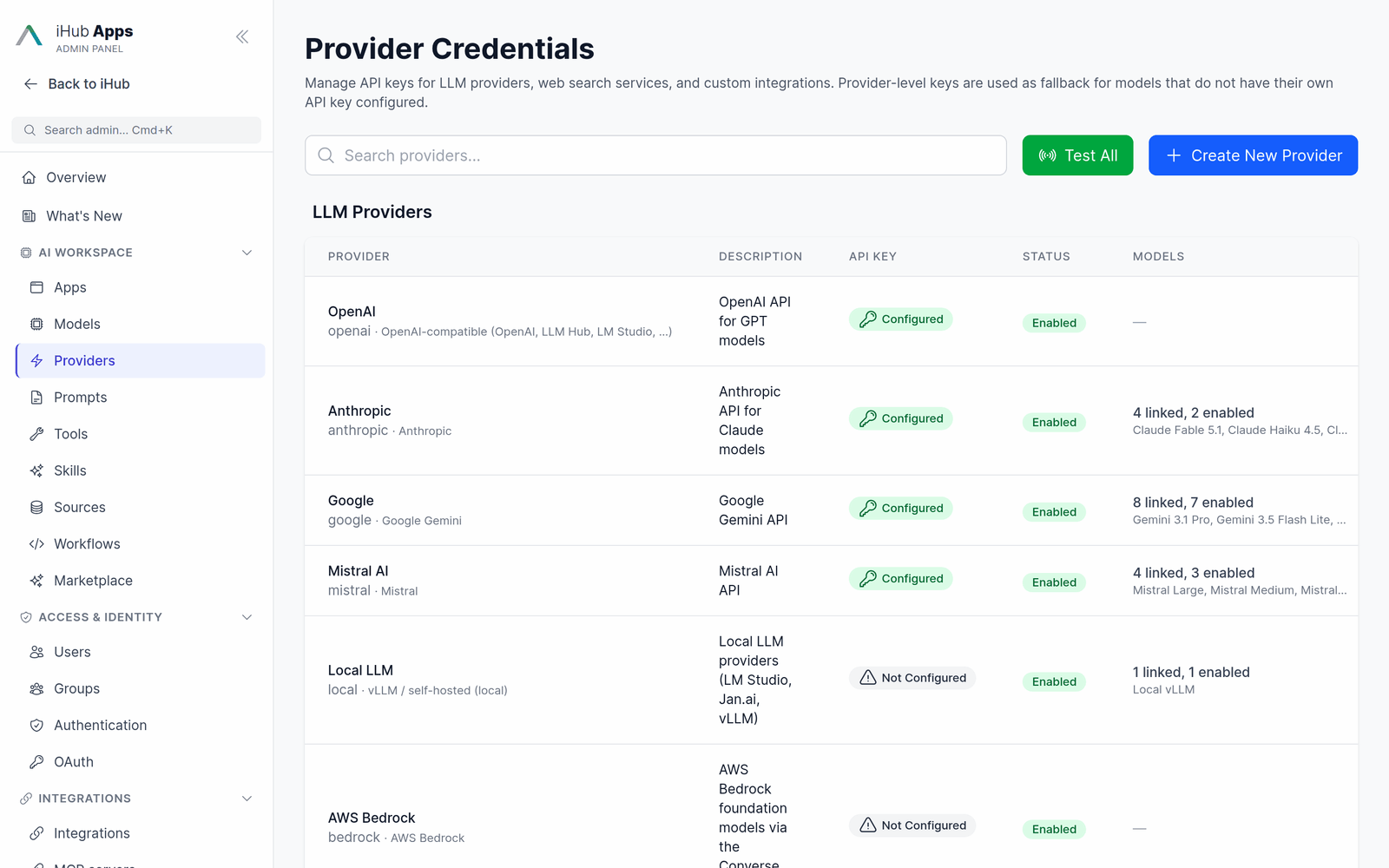
📖 More screenshots and step-by-step guides: User Guide · Admin UI Guide · Marketplace
📱 Built-in Apps
iHub ships with apps for the most common business workflows. Apps marked with * ship disabled — switch them on in Admin → Apps when you need them. Many more are one click away in the Marketplace.
| Area | Apps |
|---|---|
| 💬 Chat & research | Chat · Web Chat (with web search) · File Analyzer · Audio Transcription* |
| ✍️ Writing & communication | Email Composer · Translator* · Content Summarizer* · Social Media Content* · Idea Coach* |
| 📅 Meetings | Meeting Agenda Generator · Meeting Briefing |
| 📐 Diagrams & images | Diagram Generator (Mermaid) · draw.io Diagrams* · Excalidraw Sketches* · Image Generator |
| 🔍 Knowledge & search | iFinder Search* · iFinder Document Actions* · iAssistant* · IntraFind Website Bot · iHub Support Bot |
| ⚖️ Specialized | NDA Risk Analyzer · Parliamentary Questions Analyzer · Customs Tariff Assistant* |
| 📧 Outlook | Outlook – Reply Directly (for the Outlook add-in) |
| 🌐 Websites | Website Wikipedia (embedded) · Website IntraFind (external) — examples of embedded and linked websites |
All apps are fully configurable — prompts, variables, start forms, knowledge sources, tools, model preferences and group access. New apps can be created without coding, from a template, by uploading JSON, or from the Marketplace.
🧠 Model Providers
| Provider | What you get |
|---|---|
| OpenAI | GPT models via the Chat Completions or the Responses API (GPT-5) |
| Anthropic | Claude Fable 5.1, Opus 5, Sonnet 5, Haiku 4.5 — with extended thinking and prompt caching |
| Gemini 3.x Flash / Pro, Nano Banana image generation, Gemini transcription | |
| Mistral AI | Mistral Large, Medium, Small; Voxtral TTS for read aloud |
| AWS Bedrock | Claude, Amazon Nova, Llama, Mistral, Cohere, DeepSeek and more via the Converse API |
| Local & OpenAI-compatible | vLLM, LM Studio, Jan.ai, Ollama — complete privacy, no API costs |
| Custom LLM providers | Any OpenAI-compatible gateway (e.g. T-Systems LLM Hub) with one API key; Import from URL adds all its models |
| IntraFind iAssistant | Retrieval-augmented answers from your iFinder index |
| Speech | Voxtral realtime transcription on your own GPU (vLLM), Gemini Transcribe / Transcribe Live, Azure Speech |
API keys are kept per provider, encrypted at rest, and can be tested from the admin UI. Model choice can be narrowed per app or fixed entirely.
📖 Models · Local LLM Providers · Realtime Voice & Transcription · Read Aloud
🧩 Core Concepts — Apps, Skills, Sources & Tools
iHub is built from a handful of building blocks. Knowing which one to reach for is the fastest way to turn an idea into a working use case:
| Building block | Answers the question |
|---|---|
| Provider | How does iHub reach a model or external service? |
| Model | Which model answers, with which limits and abilities? |
| App | What is the concrete use case and its frame? |
| Skill | Which reusable procedure, rules, or know-how apply? |
| Source | What domain knowledge does the model need? |
| Tool | What can the model do beyond producing text? |
| Prompt library | Which reusable text can a user drop into a chat? |
| Group | Who sees all of the above? |
Providers and models. Providers hold the technical connection — endpoint and credentials — to an external or local service; API keys are administered centrally and stored encrypted at rest. Models (GPT, Claude, Gemini, Mistral, or a local model) are what apps and users select. It pays to split models by use case: internal or sensitive scenarios on a local or dedicated model, public ones on a cloud model. Model choice can be narrowed per app (allowedModels) or fully predetermined (disallowModelSelection).
Apps vs. prompt library vs. skills. Apps are standardized use cases with a fixed frame — prompt, variables, tools, sources, model — and are rolled out per user group, including groups mapped from LDAP or OIDC. The prompt library is the flexible counterpart inside general chat: global prompts from the admin plus prompts users write and share themselves. Skills package complex, multi-step procedures and reusable rules modularly: rather than growing one giant app prompt, split a workflow such as a story generator into separate skills for interviewing, structuring, and drafting.
Sources. Sources give the model its knowledge: local files (Markdown, PDF, text, JSON), URLs, iFinder documents, and internal pages. URLs suit content that changes regularly, at the risk that page boilerplate adds noise to the context; local files give a more controlled context but must be updated by hand. Each source is either loaded into the prompt up front or fetched on demand as a tool.
Tools. Tools extend iHub beyond text generation — web search, page reading, screenshots, people search, Jira, iFinder, scheduling, remote A2A agents, and further systems via MCP.
In short: apps frame the use case, skills define reusable procedures, sources deliver the knowledge, and tools let the model act. Groups decide who gets what.
🎆 Why Teams Choose iHub Apps
🔒 Full Data Control
Deploy on-premise, in your private cloud, or air-gapped. With local LLMs (LM Studio, Jan.ai, Ollama, vLLM) and self-hosted speech-to-text, your data never leaves your infrastructure. Cloud models (OpenAI, Anthropic, Google, Mistral, AWS Bedrock) receive the chat content they answer — group permissions and per-app model restrictions decide which users and use cases may send data to which provider.
🤖 Any LLM, Unified Interface
One interface for OpenAI, Anthropic Claude, Google Gemini, Mistral, AWS Bedrock and any OpenAI-compatible model. Switch models per app, let users choose, or compare two side by side. No vendor lock-in.
📚 Enterprise Knowledge Integration
Connect your organization's knowledge: local files, web pages, enterprise document systems (iFinder), Office 365, Google Drive, Nextcloud, Jira and MCP servers. Answers show their sources with numbered citations.
👤 No Prompting Skills Required
Every app ships with an expert-crafted prompt, many start with a simple form, and the Marketplace adds ready-made assistants for every department.
🔐 Enterprise-Grade Security
Multi-mode authentication: Anonymous, Local, LDAP, NTLM, OIDC (Microsoft, Google, Keycloak, …) and proxy auth. Group-based permissions with inheritance, encrypted secrets, audit log and sign-in lockout.
🚀 Deploy in Minutes, Scale When Needed
Standalone binary, Docker, npm, or PWA. Setup wizard on first run. Multi-worker clustering for production. No database required.
🎨 Modern, Responsive Interface
Clean React SPA with dark/light mode, mobile-friendly design, real-time streaming responses, and full internationalization (English and German, extensible).
🛠️ Extensible Without Coding
Add apps, models, skills, workflows and knowledge sources through the admin UI or the Marketplace. JSON-based configuration, an OpenAI-compatible inference API, and the full source code for deeper customization.
🚢 Deploy Anywhere
⚡ One-Line Installer (Linux/macOS)
The simplest way to install — a single command handles everything:
curl -fsSL https://raw.githubusercontent.com/intrafind/ihub-apps/main/install.sh | sh
# Install and start immediately:
curl -fsSL https://raw.githubusercontent.com/intrafind/ihub-apps/main/install.sh | sh -s -- --start
CLI Options:
| Option | Description |
|---|---|
--start |
Start iHub Apps immediately after installation |
--version=TAG |
Install a specific version (e.g. --version=v5.5.31) |
-h, --help |
Show help |
The installer puts iHub into ./ihub-apps in the current directory. Start it with the launcher printed at the end, open http://localhost:3001 and follow the setup wizard.
Windows users: Download the
.zipfrom GitHub Releases — the shell installer does not support Windows.
- ✅ Detects OS and architecture automatically
- ✅ Offers Docker if available on your system
- ✅ Verifies download integrity with checksums
⚠️ Updating: re-running the installer replaces
./ihub-apps— including thecontents/folder that holds your configuration and chats. Update an existing installation from Admin → Updates or with--updateinstead, or back upcontents/first.
📦 Binary (Recommended for most users)
The fastest way to run iHub — a single executable with zero dependencies.
# Download, extract, run
tar -xzf ihub-apps-v*-linux.tar.gz && cd ihub-apps-v* && ./ihub-apps-v*-linux
- ✅ Zero dependencies — no Node.js, no Docker required
- ✅ Auto-setup — creates default configuration on first run
- ✅ Cross-platform — Windows, macOS, Linux binaries
- ✅ Production-ready — optimized single executable
- ✅ Built-in updates — update via Admin UI or
--updateCLI flag
📥 Download from GitHub Releases
🐳 Docker (Production)
# Zero-config quickstart (published on 127.0.0.1:3000)
docker compose -f docker-compose.quickstart.yml up
# Or plain docker
docker run -d \
  -p 127.0.0.1:3000:3000 \
  -v $(pwd)/contents:/app/contents \
  --name ihub-apps \
  ghcr.io/intrafind/ihub-apps:latest
- ✅ Configuration, chats and uploads persist in the mounted
contents/directory - ✅ Multi-platform support (Linux, macOS, Windows)
- ✅ Production-hardened container image
To reach iHub from other machines, put a reverse proxy in front of it (guide) or publish 3000:3000 once the shipped accounts are secured.
📖 Full Docker Guide · Docker Quick Reference
💻 npm (Development)
git clone https://github.com/intrafind/ihub-apps.git
cd ihub-apps
npm run setup:dev
npm run dev
# Open http://localhost:5173 (Vite dev server; the API runs on port 3000)
Best for: customization, contributing, building new apps.
🔌 Extend & Customize
| What | Where |
|---|---|
| 👋 Use iHub day to day | User Guide |
| ⚙️ Administer the platform | Admin UI Guide |
| 🧩 Understand the concepts | Core Concepts |
| 📱 Create custom AI apps | App Configuration |
| 🛒 Install content from registries | Marketplace |
| 🤖 Add LLM providers and models | Models |
| 🖥️ Local LLMs (privacy mode) | Local LLM Providers |
| 🎙️ Transcription and dictation | Realtime Voice & Transcription |
| ⏰ Prompts that run by themselves | Scheduled Tasks |
| 📚 Connect knowledge sources | Sources System |
| 🔍 Enable web search tools | Web Tools |
| 🛠️ Add tools & MCP servers | Tool Calling · MCP Integration |
| 🔐 Configure SSO / OIDC / LDAP | Authentication Guide |
| 🔧 Full documentation | docs/README.md |
✨ Key Features
🤖 AI & LLM Integration
- Multi-provider: OpenAI (Chat Completions and Responses API), Anthropic, Google Gemini, Mistral, AWS Bedrock, iAssistant — one interface
- Custom LLM providers: any OpenAI-compatible gateway with its own key; import all of an endpoint's models from its URL
- Central provider management: Endpoints and API keys administered in one place, encrypted at rest, testable from the admin UI
- Local LLMs: vLLM, LM Studio, Jan.ai, Ollama — complete privacy, zero API costs
- Per-app model control: Restrict the selectable models or fix the model entirely
- Streaming responses: Real-time token streaming via Server-Sent Events
- Structured output: JSON schema validation for AI responses
- Tool calling: Function calling and agentic workflows
- Vision and image generation: Image understanding and Gemini image generation (Nano Banana)
- Thinking models: Extended reasoning with configurable effort
- Prompt caching: Per-model switch with cache metrics in the usage reports
- Compare Mode: Send one input to two models and compare the answers side by side
- OpenAI-compatible inference API: Call iHub apps and models from other tools (Chat Completions, Responses, Conversations)
💬 Chat & Productivity
- Personal start page: Greeting, default app's chat input, favorite and featured apps, recent chats
- Start forms: Apps open with a form for their variables, a message field and file upload
- Chat history: Conversations stored server-side, reopened and continued on any device
- Scheduled tasks: Prompts that run once, on an interval, daily, weekly, monthly or by cron — as their owner
- Prompt library: Global, personal and shared prompts with variables, favorites and versions
- Magic Prompt: Turns short or incomplete input into a well-formed prompt, with undo
- Chat sharing and export: Read-only share links, short links, export to Markdown, PDF and more
- Canvas mode: Edit a long answer together with the model
🎙️ Voice
- Transcription: Record or upload audio and video; the transcript becomes the message
- Self-hosted speech-to-text: Voxtral realtime transcription on your own GPU — audio never reaches a third party
- Hosted alternative: Gemini Transcribe (up to one hour) and Gemini Transcribe Live
- Dictation: Browser speech recognition, Azure Speech or vLLM realtime into the input field
- Read aloud: A play button on every message, with Voxtral TTS voices per language
- Admin test panel: Microphone check, live dictation and recording tests from the admin page
📚 Knowledge & Sources
- Filesystem: Local markdown, text, PDF and JSON files as AI context
- Web pages: Intelligent content extraction from any URL
- Enterprise docs: iFinder search, document actions and iAssistant
- Cloud storage: Office 365 (OneDrive, SharePoint), Google Drive, Nextcloud
- Sources panel: Numbered inline citations and one panel with every page and document an answer used
- On-demand or up front: Load a source into the prompt or let the model fetch it as a tool
🧠 Apps, Skills, Workflows & Marketplace
- Apps: Standardized use cases with a fixed prompt, variables, tools, sources, and model
- Skills: Reusable, modular instruction packages (
SKILL.md+ references) for multi-step procedures - Workflows: Agentic multi-step automation with approvals, triggered from chat (
@workflow), by schedule or webhook - Marketplace: One-click install of apps, skills, models, workflows and prompts from registries
- Group-based rollout: Deliver apps, skills, models, and prompts to specific departments or roles
- No-code authoring: Create and edit everything through the admin UI or a raw JSON editor, and test an app next to its editor
🛠️ Tools & Integrations
- Web search: Brave, Staan, Qwant, and native search for Claude, Gemini and OpenAI
- Page reader: The model opens and reads pages as Markdown
- Microsoft Entra: Corporate directory and people search
- Jira integration: Issue tracking and project management
- MCP: Connect further systems via the Model Context Protocol, including MCP Apps and per-user sign-in
- A2A: Use remote agents as tools, and offer iHub apps as skills of an A2A agent
- Outlook add-in, browser extension, Nextcloud and Teams: iHub where your users already work, with group-based rollout
🔐 Security & Authentication
- Multi-mode auth: Anonymous, Local, LDAP, NTLM, OIDC, Proxy (JWT) — mix and match
- SSO ready: Microsoft Entra ID, Google, Okta, Keycloak, ADFS, any OIDC provider
- Group permissions: Hierarchical group inheritance with granular access control
- Encrypted secrets: AES-256-GCM encryption for stored credentials
- OAuth server and personal API keys: Secure access for other applications
- Audit log and change history: Every admin change recorded with a before/after diff
📊 Operations & Scaling
- Zero-config startup: Auto-generates configuration on first run, setup wizard in the browser
- Hot reload: Config changes apply without server restart
- Multi-worker: Process clustering for production throughput
- Config migrations: Versioned, Flyway-style migration system
- Usage reports, telemetry and system resources: Tokens, cache hit ratio, CPU, memory and disk space
- In-product changelog: What's New lists every release since your last upgrade
- Health endpoint:
/api/healthfor load balancer probes
🏗️ Architecture
iHub Apps is a full-stack Node.js + React application:
- Server (
/server): Express.js REST API with LLM adapters, auth middleware, and config management - Client (
/client): React/Vite SPA with Tailwind CSS, real-time streaming, and admin interface - Configuration (
contents/): JSON files for apps, models, groups, and platform settings — fully admin-editable
Request flow: Browser → Express → LLM Adapter → Provider API → Streaming SSE → Browser
The server is stateless — all configuration lives in the contents/ directory, making it easy to mount, back up, and version-control your settings separately from the application.
🤝 Contributing
Contributions, issues, and feature requests are welcome! See CODE_OF_CONDUCT.md for community guidelines. By contributing, you agree to the Contributor License Agreement.
- 🐛 Report bugs: GitHub Issues
- 💡 Request features: GitHub Issues
- 📖 Full documentation: docs/README.md
- 💬 Enterprise inquiries: [email protected]
⚖️ License
iHub Apps is free and open source under the iHub Apps License — the BSD 3-Clause License with mandatory attribution: products, services, and derivative works must show "Powered by IntraFind – https://intrafind.com/" in the user interface, documentation, and about pages.
Need to white-label iHub Apps without the attribution, or want support, SLAs, warranties, and enterprise features? The Enterprise License covers this — contact [email protected].
Built with ❤️ by IntraFind Software AG — Berlin · Bonn · Munich · Remote
Explore related projects
affaan-m/ECC
The agent harness performance optimization system. Skills, instincts, memory, security, and research-first development for Claude Code, Codex, Opencode, Cursor and beyond.
302,630 starsNousResearch/hermes-agent
The agent that grows with you
263,278 starsmultica-ai/andrej-karpathy-skills
A single CLAUDE.md file to improve Claude Code behavior, derived from Andrej Karpathy's observations on LLM coding pitfalls.
233,006 starsfirecrawl/firecrawl
Supercharge your AI agents with data from the web and beyond. Building the library for superintelligence. 🔥
201,663 stars