
imranhsayed/aquila
imranhsayed/aquila has 1,058 GitHub stars and 208 forks. Star changes are not measured yet. Last checked 2026-11-09 11:22 UTC. Last push 2024-03-31.
🎨 An Advanced WordPress theme
What you can do
- Custom front page.
- Custom Blog page with posts displayed in grid format using bootstrap.
- Block Style Variations
- Custom Gutenberg Blocks
Measured star growth
- in 24h
- Update delayed
- in 7 days
- Update delayed
- in 15 days
- Update delayed
- in 1 month
- Update delayed
Net star changes over overlapping periods, not daily totals. Missing measurements are left blank. Stars measure attention, not software quality.
README.md
OriginalWordPress Theme - Aquila 🎨


- A WordPress theme Project for Advanced WordPress Theme Development Course. This theme uses Bootstrap. Learn to build an Advanced WordPress Theme from scratch

Tutorial Course
Also See - Advanced WordPress Plugin Development
Features:
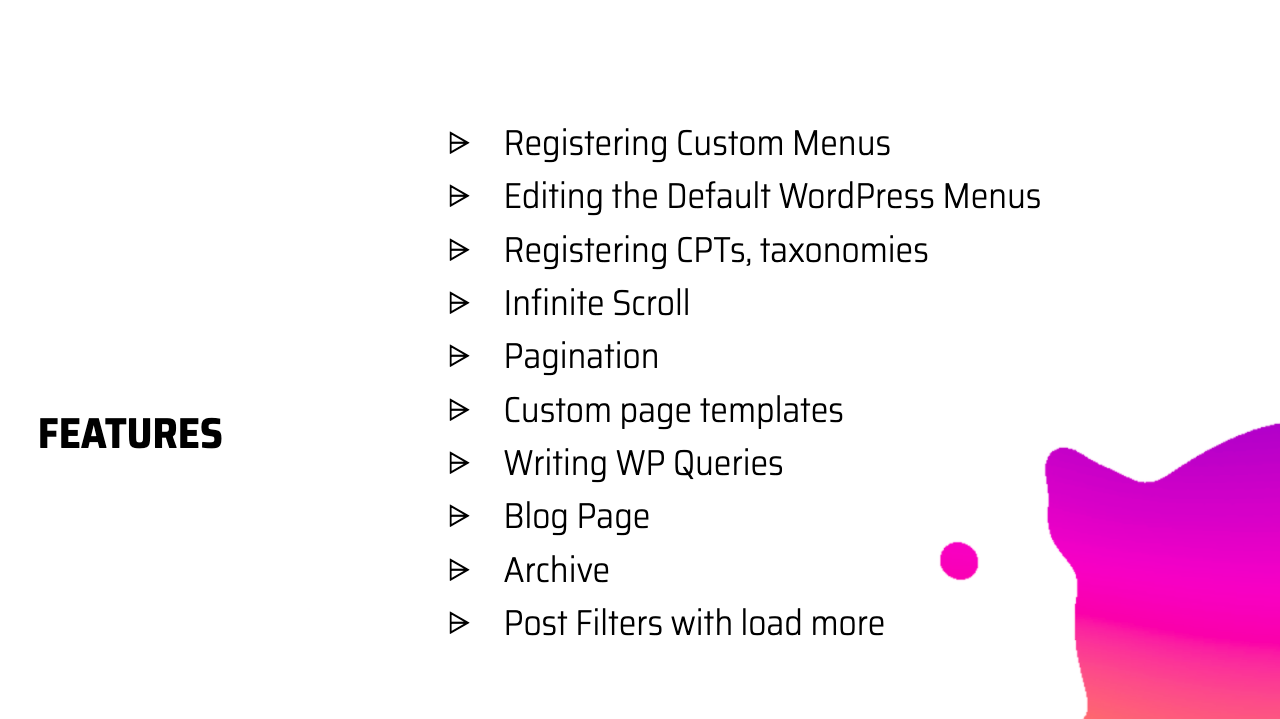
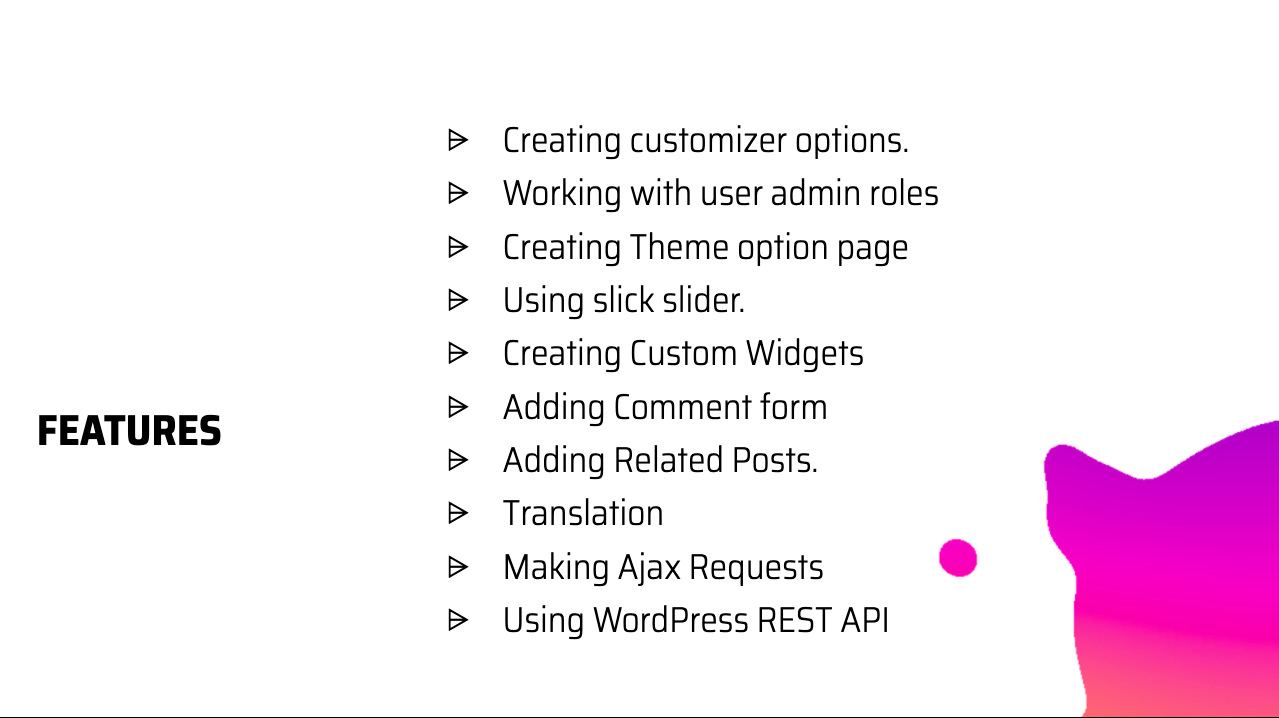
Custom front page.
Custom Blog page with posts displayed in grid format using bootstrap.
Block Style Variations
Custom Gutenberg Blocks
InnerBlocks
Maintainer
| Name | Github Username |
|---|---|
| Imran Sayed | @imranhsayed |
Usage
- Clone the WordPress theme aquila in your WordPress themes directory and activate it.
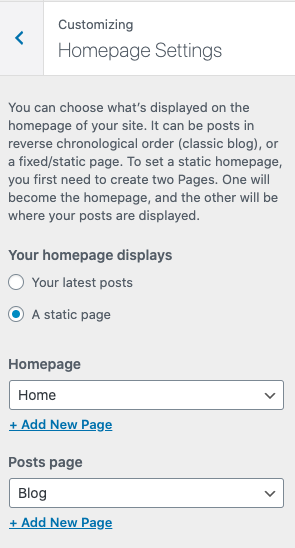
Dashboard Setup.
- Create pages called 'Home' and 'Blog' and set them from Appearance > Customizer > Homepage Settings like so:
Development ( To be added )
Install
Clone the repo and run
cd aquila/assets
npm install
During development
npm run dev
Run precommit from assets directory before pushing the code for development/contribution.
cd assets && npm run precommit
Production
npm run prod
Linting & Formatting
The following command will fix most errors and show and remaining ones which cannot be fixed automatically.
npm run lint:fix
We follow the stylelint configuration used in WordPress Gutenberg, run the following command to lint and fix styles.
npm run stylelint:fix
Format code with prettier ( TO BE ADDED )
npm run format-js
Directory Structure
.
├── README.md
├── assets
│   ├── main.js
│   └── src
│       └── library
│           ├── css
│           │   ├── bootstrap-grid.min.css
│           │   └── bootstrap.min.css
│           └── js
│               └── bootstrap.min.js
├── demo
│   ├── banner.png
│   ├── blog-page.png
│   ├── features-one.png
│   ├── features-two.png
│   └── home-page-customizer-setup.png
├── footer.php
├── front-page.php ( Home Page )
├── functions.php
├── header.php
├── inc
│   ├── classes
│   │   ├── class-aquila-theme.php
│   │   ├── class-assets.php
│   │   ├── class-menus.php
│   │   └── class-meta-boxes.php
│   ├── helpers
│   │   ├── autoloader.php
│   │   └── template-tags.php
│   └── traits
│       └── trait-singleton.php
├── index.php ( Blog page )
├── page.php  ( Single Page )
├── screenshot.png
├── single.php ( Single Post Page )
├── style.css
└── template-parts
    ├── components
    │   └── blog
    │       ├── entry-content.php
    │       ├── entry-footer.php
    │       ├── entry-header.php
    │       └── entry-meta.php
    ├── content-none.php
    ├── content.php
    └── header
        └── nav.php
Fixing Errors
- Error: Node Sass does not yet support your current environment Solution :
cd assets
npm rebuild node-sass
Explore related projects
codecrafters-io/build-your-own-x
Master programming by recreating your favorite technologies from scratch.
561,616 starspublic-apis/public-apis
A collective list of free APIs
497,934 starsmorluto/rea
Reverse engineer anything with agents, from app behavior down to native binaries.
449,932 starsopenclaw/openclaw
The AI that really does things. Any OS. Any Platform. The lobster way. 🦞
394,302 stars