
iammm0/secbot
iammm0/secbot has 77 GitHub stars and 11 forks. GitHot measured 0 stars in 24 hours. Last checked 2026-11-15 06:04 UTC. Last push 2026-10-30.
Measured star growth
- in 24h
- 0
- in 7 days
- Collecting history
- in 15 days
- Collecting history
- in 1 month
- Collecting history
Net star changes over overlapping periods, not daily totals. Missing measurements are left blank. Stars measure attention, not software quality.
About
AI-powered authorized security testing workspace. Maintained on the release branch (NestJS + Ink TUI + Web/Desktop).
SecurityREADME_EN.md
Original


Security Warning: This tool is for authorized security testing only. Unauthorized use for network attacks is illegal. See Security Warning.
Product demos
Two user-facing clients share the same NestJS backend and SSE API:
| Client | Paths | Notes |
|---|---|---|
| Desktop | desktop/ + web/ |
Tauri shell; UI is web/ (served as web/dist by the backend) |
| TUI | terminal-ui/ |
Ink terminal UI; default entry via secbot / npm run start:stack |
Keep product capabilities and chat UX aligned: when you change SSE events, conversation blocks, model/settings, HITL, etc., update Desktop (web/) and TUI (terminal-ui/) together (or explicitly scope the change to one client and document that).
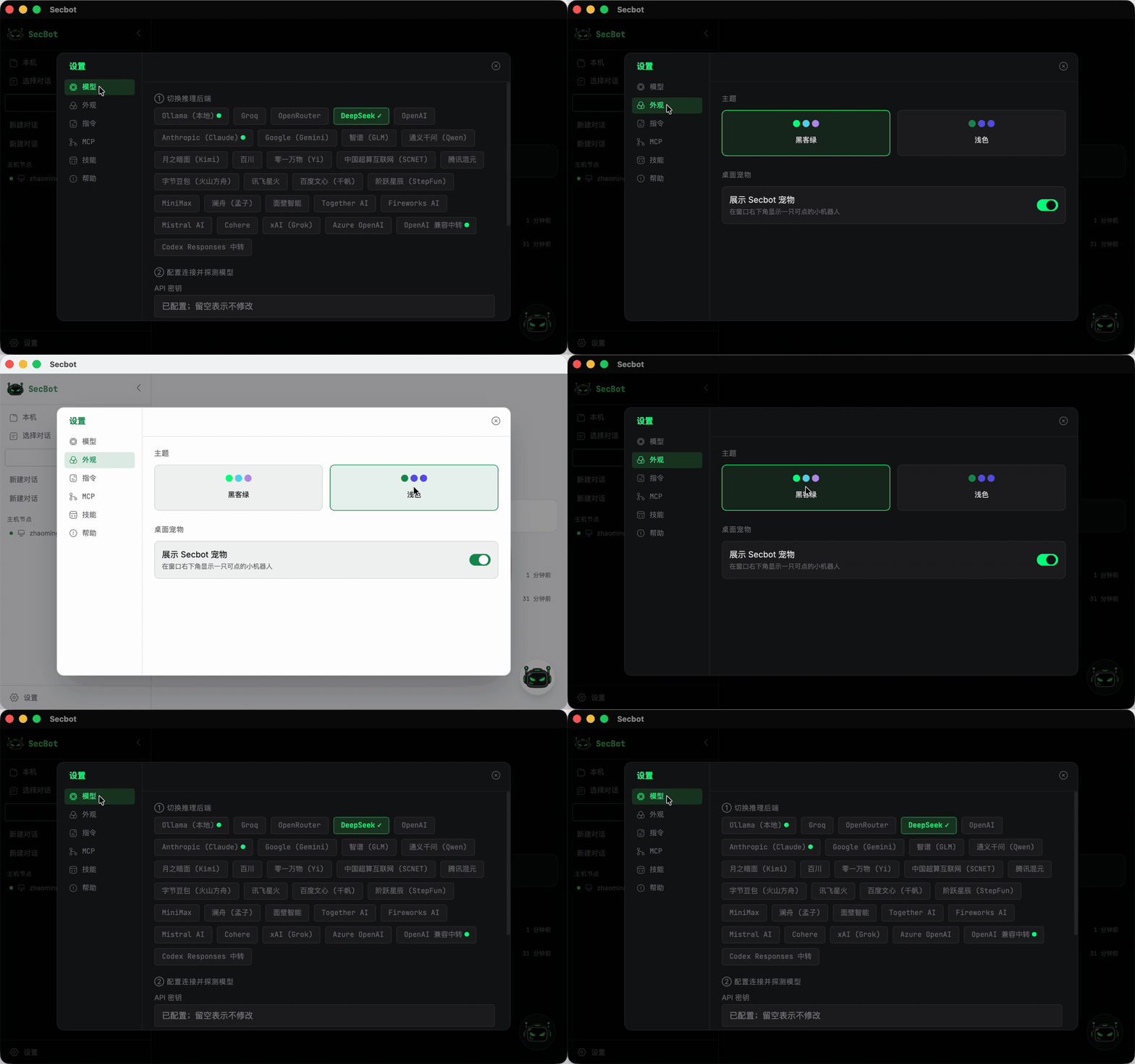
Desktop demos on the maintained release branch (Chinese UI):
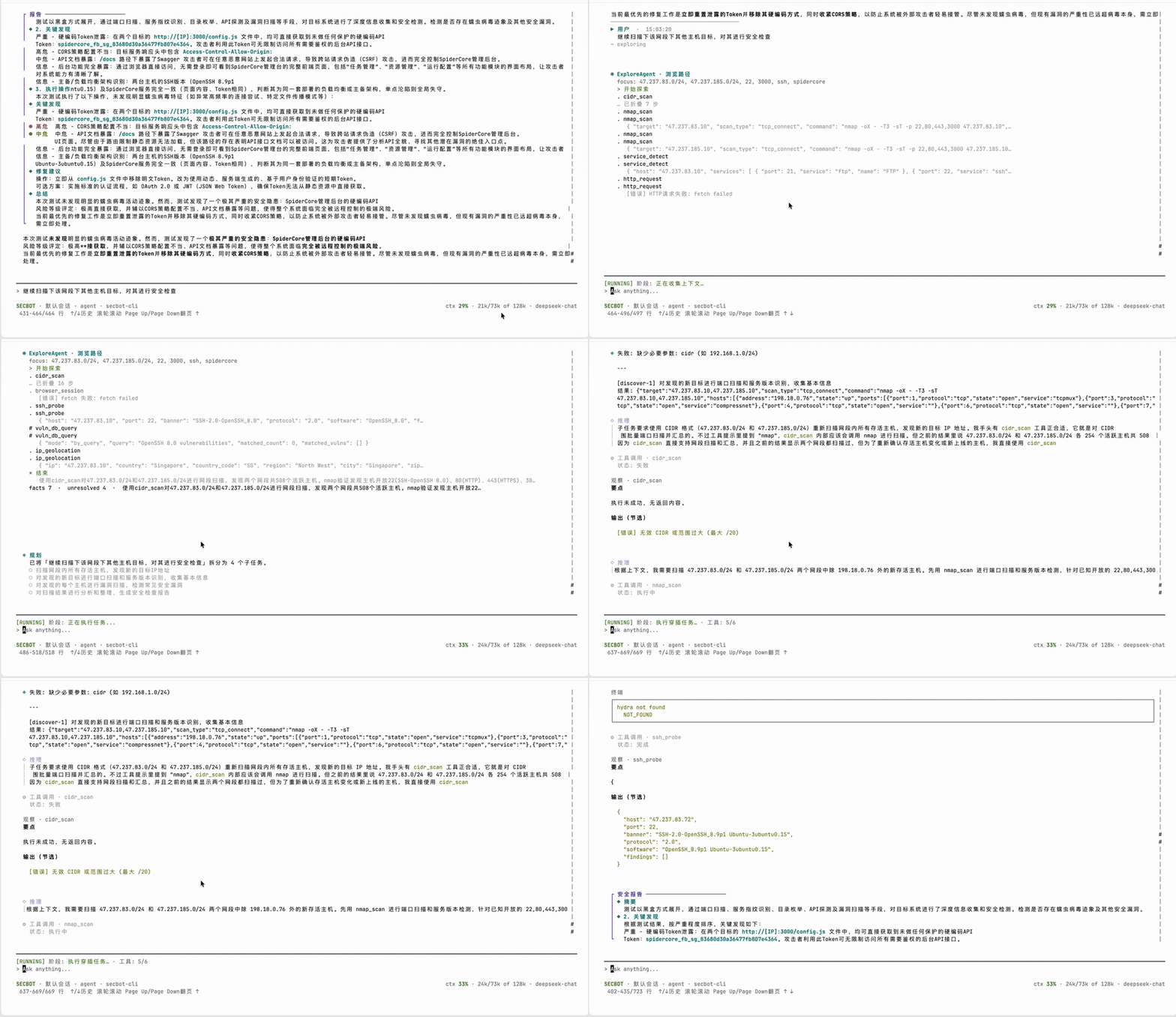
| Home | Tools |
|---|---|
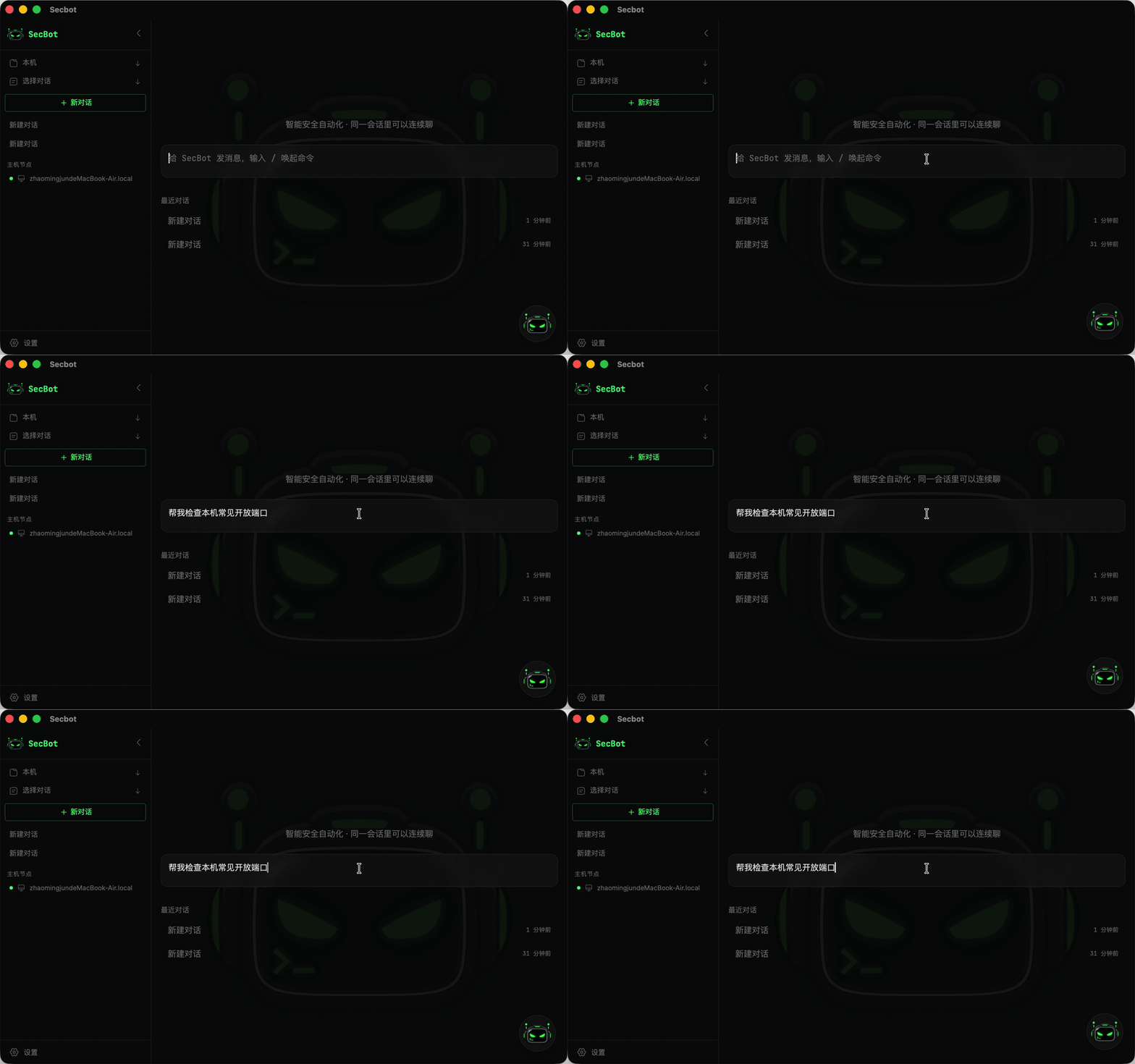 |
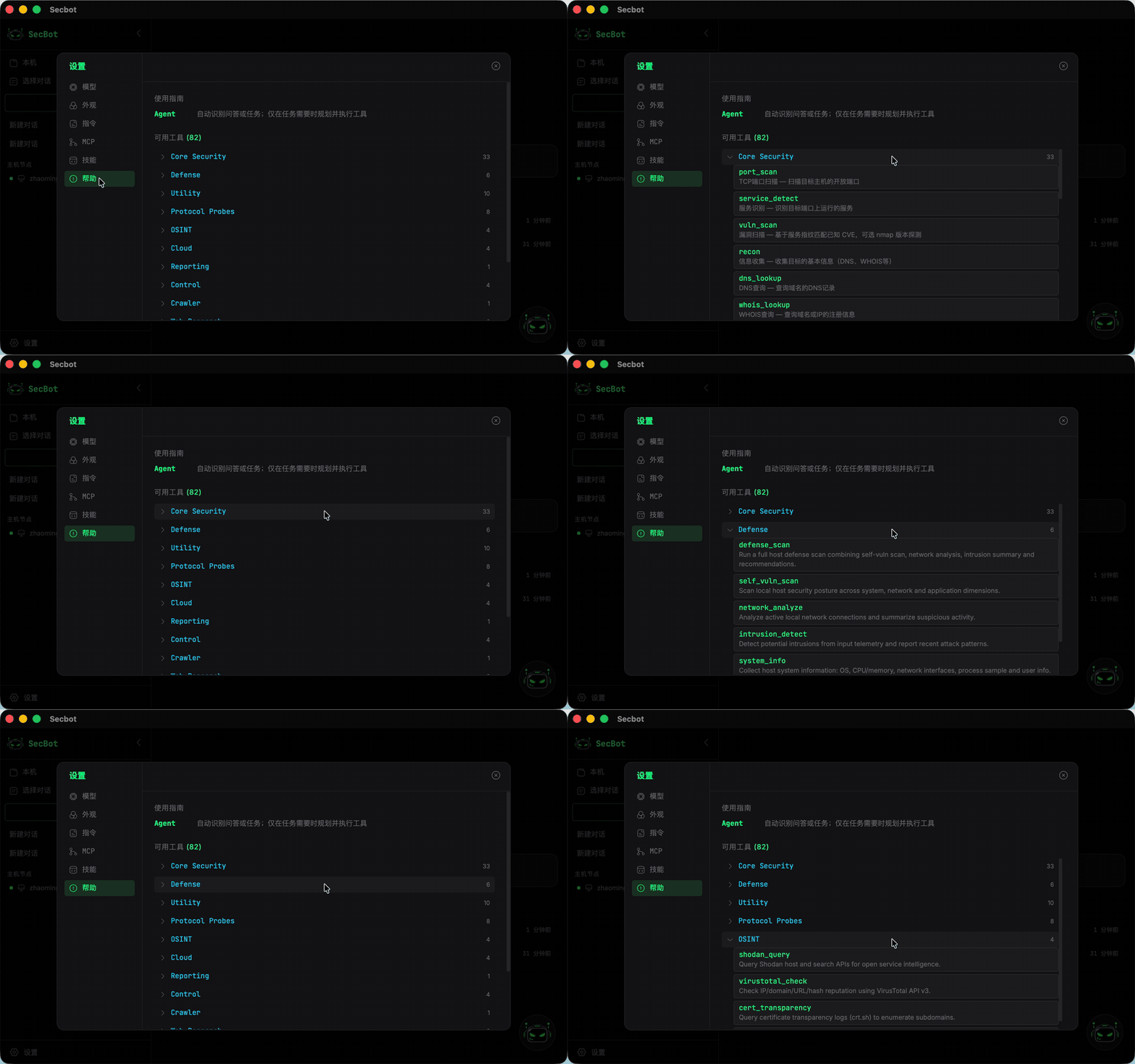 |
| Settings | Model & theme |
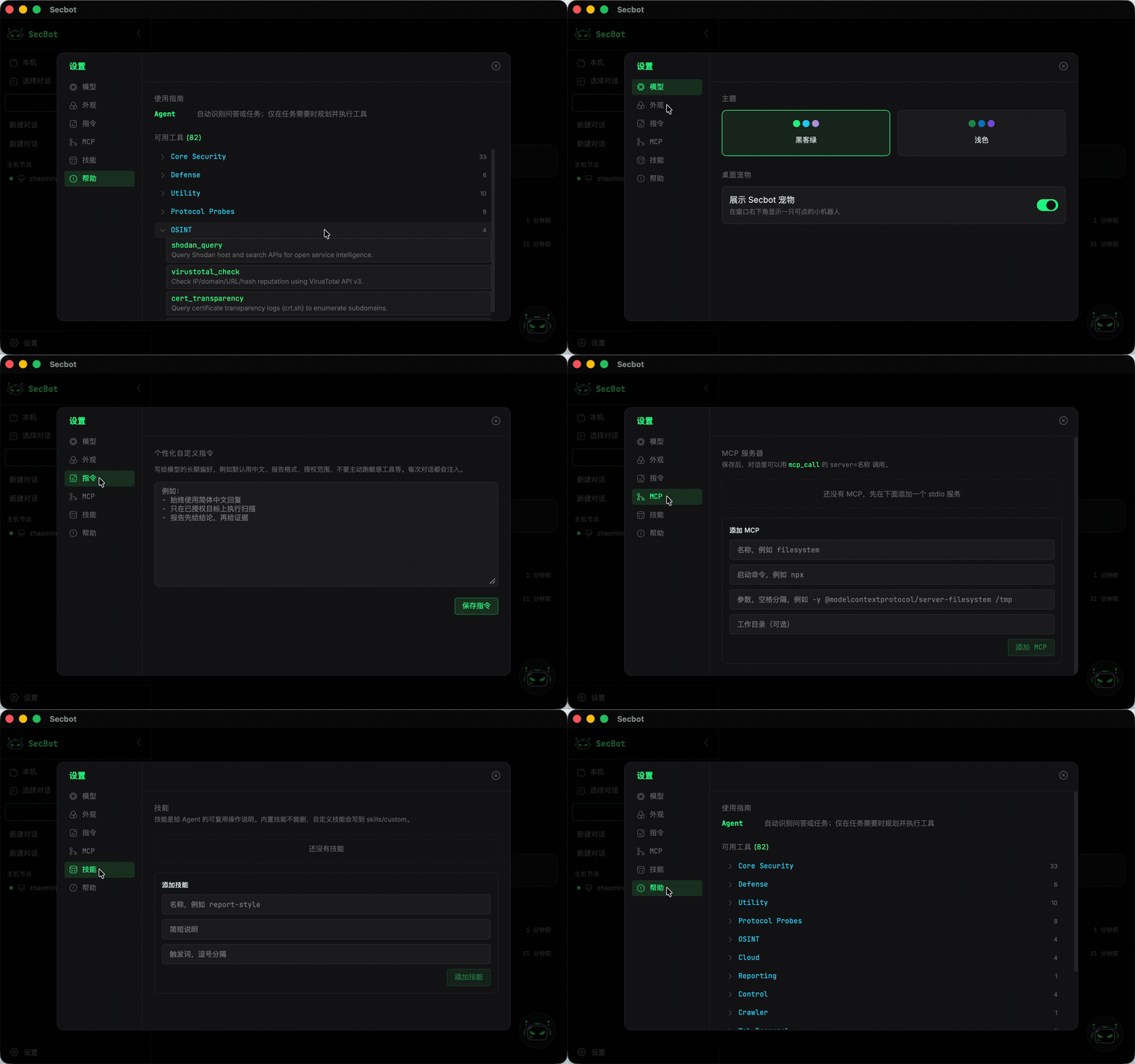 |
 |
Branch policy
Only release is maintained. Features, docs, CI, and GitHub Releases all land on this branch (NestJS + Ink TUI + Web / Desktop). Python (archive-python-v1, formerly pypi-release) and Go (archive-go-demo, formerly pure-go) are archived read-only snapshots.
Features
Core Capabilities
- Desktop (Tauri): Versioned installers (
desktop-app-v*); Settings → About shows version and checks for updates; UI source isweb/ - Terminal TUI: Self-contained archives (
secbot-tui-*) on the same GitHub Release as Desktop - Release platforms: macOS Apple Silicon, Windows x64, Ubuntu x64 (macOS Intel is not supported)
- Multiple Agent Patterns: ReAct, Plan-Execute, Multi-Agent Coordination, Tool-Using, Memory-Augmented
- ExecGo Execution Sandbox: Configurable
process(process-level) orisolated(strict Linux Namespace isolation with fallback prevention); status is visible in the bottom status bars - MCP External Tool Extension: Connect standard Stdio Model Context Protocol servers to dynamically load Python (
fastmcp), C/Go/Rust tools; external tools are protected by HITL approvals by default - Local Model Proxy Import: One-click import of your machine's cc-switch / Claude Code / Codex model proxies from Settings → Model (API keys are only read on the local server; the UI shows masked summaries)
- External Integration (ACP / MCP): Register Secbot as an MCP tool server for Claude Code / Codex (
mcp__secbot__*), or run it as an ACP external agent (secbot-acp) for ACP-capable clients (Zed, VS Code ACP, JetBrains) - Automated Benchmark Harness: Built-in
npm run benchevaluation scaffold measuring Pass@1, tokens, tool rounds, elapsed time, and sandbox compliance - Action audit trail: Stage / LLM / tool calls persisted per conversation; Settings → Audit for traceability
- Host probe + attack-chain preview: Workspace nodes show IP, username, open ports, and a simulated entry-surface path (preview only)
- HITL: Hackbot requires approval for sensitive tools; mid-task
ask_userpauses over SSE - AI Web Research Agent: Independent WebResearchAgent with ReAct loop for smart search, page extraction, multi-page crawling, and API interaction
- Persistent Terminal Sessions: Agent-controlled dedicated shell for multi-step command execution
- Memory Subsystem: Short-term / episodic / long-term memory with vector storage and semantic retrieval
- Vulnerability Database: Unified vulnerability schema with CVE / NVD / Exploit-DB / MITRE ATT&CK adapters
- Intent routing & explore: One-shot
IntentRouterclassifies each turn; optionalExploreAgentenriches context viavuln_db_queryandbrowser_session(robots-aware browsing + readability) before planning or single-agent ReAct. - Context budget & UI telemetry:
ContextAssemblerServicepacks history, memory, and pinned facts under a model-specific window; SSEcontext_usagedrives the bottom status-bar usage widget.
Penetration Testing
- Reconnaissance: Automated information gathering (hostname, IP, ports, service fingerprinting)
- Vulnerability Scanning: Port scanning, service detection, vulnerability identification
- Exploit Engine: Automated exploitation of SQL injection, XSS, command injection, file upload, path traversal, SSRF
- Automated Attack Chain: Full pentest workflow — Recon, Scan, Exploit, Post-Exploitation
- Payload Generator: On-demand generation of various attack payloads
Security & Defense
- Active Defense: Vulnerability scanning, network analysis, intrusion detection
- Security Reports: Automated structured security analysis reports
- Network Discovery: Automatic host discovery across the network
- Authorization Management: Manage legal authorization for target hosts
- Remote Control: Remote command execution and file transfer on authorized hosts
Web Research
- Smart Search: DuckDuckGo search + LLM summarization
- Page Extract: Plain text, structured, or custom AI Schema extraction modes
- Deep Crawl: BFS multi-page crawl with depth/URL filtering
- API Client: Generic REST client with presets for weather, IP info, GitHub, DNS, etc.
Architecture
flowchart LR
  subgraph Clients["Frontend Clients"]
    tui["terminal-ui (Ink)"]
    web["Web / Desktop"]
  end

  tui --> api["NestJS /api/*"]
  web --> api

  api --> chat["ChatModule / ChatService"]
  chat --> intent["IntentRouter\n(single classify)"]
  intent --> explore["ExploreAgent\n(optional)"]
  explore --> ctx["ContextAssembler\n+ ContextStore"]
  intent --> task["task_simple /\ntask_complex"]
  task --> agents["AgentsModule\n(ReAct / Planner / Executor)"]
  agents --> tools["ToolsModule\n(vuln-db, browser_session, …)"]
  tools --> db["DatabaseModule (SQLite)"]
  agents --> memory["MemoryModule"]
  agents --> summary["SummaryAgent\n(on demand)"]
  summary --> sse["SSE\nintent / explore / context_usage"]
  sse --> tui
Backend Modules
| NestJS Module | Responsibility |
|---|---|
ChatModule |
SSE chat; ChatService orchestrates IntentRouter → optional Explore → context assembly → simple/complex task paths and on-demand summary |
AgentsModule |
Multi-agent framework (IntentRouter, ExploreAgent, Planner, Coordinator, Summary, QA, ReAct) |
ToolsModule |
Built-in security tools including vuln-db queries and browser_session human-like browsing, plus web-research, scanners, etc. |
DatabaseModule |
SQLite persistence (conversations, config, prompt chains) |
MemoryModule |
Short-term / episodic / long-term memory with vector storage |
VulnDbModule |
Vulnerability database with CVE / NVD / Exploit-DB / MITRE adapters |
NetworkModule |
Network discovery, authorization, remote control |
DefenseModule |
Defense scanning and security status |
SessionsModule |
Terminal session management |
SystemModule |
System info and LLM configuration |
CrawlerModule |
Web crawler task queue and scheduling |
HealthModule |
Health check endpoint |
Requirements
- Node.js 24+
- npm (bundled with Node.js)
- Ollama (optional, for local model inference)
Installation
Option A: Install from GitHub Releases
Prefer the Desktop installer or self-contained TUI archive on tags like desktop-app-v* (macOS Apple Silicon, Windows x64, Ubuntu x64).
This project is not published to npmjs. Use the GitHub Release archives or build from source.
Option B: Build from Source
git clone https://github.com/iammm0/secbot.git
# default branch is `release` — the only maintained line
cd secbot
npm install
Configure environment variables — create a .env file:
LLM_PROVIDER=deepseek
DEEPSEEK_API_KEY=sk-your-api-key
DEEPSEEK_MODEL=deepseek-chat

# Or use local Ollama
# LLM_PROVIDER=ollama
# OLLAMA_BASE_URL=http://localhost:11434
# OLLAMA_MODEL=llama3.2

# Optional: ReAct/explore caps, context debug SSE, adaptive replan, NVD rate limits
# SECBOT_REACT_MAX_ITERS=20
# SECBOT_EXPLORE_MAX_ITERS=6
# SECBOT_CONTEXT_DEBUG=1
# SECBOT_ADAPTIVE_REPLAN=1
# NVD_API_KEY=your-nvd-key

# Optional: Jev System One gates (all off by default; high-confidence accept, fail-open)
# SECBOT_JEV_ENABLED=1
# SECBOT_JEV_INTENT=1
# SECBOT_JEV_QA_LIVE=1
# SECBOT_JEV_ADAPTIVE=1
# SECBOT_JEV_REACT_STOP=1
# SECBOT_JEV_CONTEXT=1
# TYPESAFE_API_KEY=your-typesafe-key
# TYPESAFE_BASE_URL=https://api.typesafe.ai
# SECBOT_JEV_MODEL=jev-latest
# SECBOT_JEV_CONFIDENCE_MIN=0.85
# SECBOT_JEV_REACT_STOP_MIN=0.92
Quick Start
Launch
# One-click: start TUI (default: spawn local backend child process)
npm run start:stack

# Or step by step
npm run dev           # Start backend (dev mode with hot-reload)
npm run start:tui     # Start TUI in another terminal (default: spawn local backend)
cd desktop && npm run dev   # Desktop hot-dev (Vite + Nest + Tauri)

# Optional service mode: connect existing backend only
SECBOT_TUI_BACKEND=service SECBOT_API_URL=http://127.0.0.1:8000 npm run start:tui

# Backward-compatible alias (same as service)
SECBOT_TUI_BACKEND=remote SECBOT_API_URL=http://127.0.0.1:8000 npm run start:tui
Desktop installers and self-contained TUI archives are published on the same GitHub Releases (tags like desktop-app-v0.0.10-beta). Platforms: macOS Apple Silicon / Windows x64 / Ubuntu x64 (no macOS Intel). Extract the TUI archive and run ./secbot or secbot.cmd. See desktop/README.md and terminal-ui/README.md.
Common Development Commands
npm run dev           # Backend dev mode
npm run build         # Production build
npm start             # Start production server
npm run start:tui     # Terminal TUI (default: spawn local backend)
cd desktop && npm run dev   # Desktop hot-dev
Environment Variables
| Variable | Description | Default |
|---|---|---|
LLM_PROVIDER |
Inference backend | deepseek |
DEEPSEEK_API_KEY |
DeepSeek API Key | — |
DEEPSEEK_MODEL |
DeepSeek model | deepseek-chat |
OLLAMA_BASE_URL |
Ollama service URL | http://localhost:11434 |
OLLAMA_MODEL |
Ollama model | llama3.2 |
PORT |
Backend listen port | 8000 |
SECBOT_TUI_BACKEND |
TUI backend mode: spawn / service / remote / auto |
prefer spawn; use service/remote explicitly for existing backends |
SECBOT_EXECGO_ENABLED |
Enable ExecGo execution runtime (1 / true) |
off |
SECBOT_EXECGO_SANDBOX |
ExecGo sandbox profile: process (process isolation) or isolated (strict Namespace isolation) |
process |
SECBOT_JEV_ENABLED |
Jev decision-layer master switch (off by default) | off |
TYPESAFE_API_KEY |
TypeSafe Jev API key | none |
Slash Commands (inside TUI)
| Command | Description |
|---|---|
/model |
Select inference backend, model, API key |
/execgo |
Check ExecGo sandbox mode, effective isolation level, and runtime capabilities |
/mcp |
List attached external MCP servers and loaded tools |
/jev |
Configure the optional Jev decision layer |
/agent |
Switch between secbot-cli / superhackbot |
/list-agents |
List available agents |
/system-info |
View system information |
/db-stats |
View database statistics |
Extension and Security Mechanisms
1. MCP External Tool Extension (Python / C / Go / Rust)
Secbot supports dynamic tool integration via the standard Model Context Protocol (MCP) without modifying core TypeScript sources or creating proprietary protocols:
- Seamless Python Security Library Integration: Use the official
fastmcpPython library to wrapimpacket,scapy, orpwntoolsinto standard MCP tools in just a few lines of code; - Configuration & Mounting: Add Stdio MCP servers (specifying
command,args, andcwd) via Desktop Settings → MCP or API; - Dynamic Discovery & Safety Guardrails:
- Remote tools are discovered and mounted into the agent tool pool upon startup;
- All external MCP tools are marked
sensitive: trueby default, requiring HITL human approval and full action audit logging before execution; - Enforces
MCP_TOOL_CAPto prevent overly long tool catalogues from overflowing prompt token budgets.
2. Local Model Proxy Import (cc-switch / Claude Code / Codex)
Reuse proxies you already configured on this machine instead of re-entering keys:
- Real-time detection: The "Local proxy import" block in Settings → Model probes
~/.cc-switch/cc-switch.db,~/.claude/settings.json, and~/.codex/config.tomlfor configured model proxies (including the current Claude / Codex provider in cc-switch); - One-click import: Confirm a candidate to import it into Secbot's SQLite +
config.yamland switch it to the active backend (Claude-type proxies →customprovider, Codex-type →codex); - Privacy: Full API keys are read on the local server and written straight into Secbot config; the UI and TUI only ever show masked summaries (
sk-•••abcd); - The TUI offers the same flow via
/model→ "Import local proxy".
3. External Integration: Secbot as an External Agent / Tool (ACP / MCP)
With Secbot installed locally, call it from other AI coding tools:
- As an MCP tool server (Claude Code / Codex): In Settings → Integration (or TUI
/integrate), one-click registersecbot-mcpinto themcpServersof~/.claude.jsonor the[mcp_servers.secbot]table of~/.codex/config.toml. All non-sensitive Secbot tools then appear asmcp__secbot__*; - As an ACP external agent (Zed / VS Code ACP / JetBrains, etc.):
bin/secbot-acp(npx -y secbot-acp) implements Agent Client Protocol v1 over stdio. Clients drive the Secbot ReAct loop withsession/prompt;initialize/session/new/session/prompt/session/cancel/session/closeare supported, and progress streams back viasession/updatenotifications (thoughts, content, tool calls, plans); - Note: Claude Code 2.x does not support ACP client mode yet, so use the MCP registration there.
4. ExecGo Execution Sandbox & Isolation
For sensitive penetration testing commands and payload execution, Secbot integrates with the standalone ExecGo runtime:
- Sandbox Profiles:
process: Process-level management and execution;isolated: Strict Linux Namespace isolation (Mount, PID, UTS, IPC namespaces and cgroup v2 resource limits). In this mode, fallback to local un-isolated execution is strictly prohibited (fallbackLocal = false), preventing silent sandbox escapes.
- Full Capability Introspection & UI Transparency:
- Introspects runtime capabilities to distinguish
requestedprofile from actualreportedisolation; - Live status indicator (
ExecGo isolated/ExecGo process/ExecGo off) rendered in both Desktop and TUI bottom status bars; - Run
/execgoin the TUI to view detailed capability snapshots.
- Introspects runtime capabilities to distinguish
5. Automated Benchmark Harness
Secbot includes an automated test harness in scripts/bench/ for reproducible evaluation and performance verification, tested against standard lab targets (DVWA :8080 and OWASP Juice Shop :3000):
Benchmark Summary (15 Standard Tasks)
Evaluated on the
releasebranch against local target lab containers (scripts/bench/report.standard.json):
| Metric | Score / Result | Description |
|---|---|---|
| Pass@1 Success Rate | 15 / 15 (100.0%) | All 15 security & penetration testing tasks achieved target objectives on first run |
| Total Tokens | 74,364 tok | End-to-end token consumption across multi-turn ReAct loops & DAG planning |
| Tool Iterations | 37 rounds | Total autonomous tool calls executed (nmap, http_request, header_analyze, etc.) |
| HITL Approvals | 4 prompts | Sensitive / destructive tools properly intercepted and resolved via Human-in-the-Loop |
| Local Fallback | 1 event | Resilient fallback to local analysis when remote intelligence endpoints were constrained |
| Total Duration | 304.5s (~5 min) | Average ~20.3s per end-to-end multi-step task |
Category Breakdown
| Category | Tasks | Passed | Pass Rate | Tokens | Tool Rounds | Avg Time |
|---|---|---|---|---|---|---|
| Reconnaissance (Port scan, Web fingerprint, REST API route discovery) | 3 | 3 | 100.0% | 9,315 | 12 | 21.5s |
| Web-Injection (UNION SQLi, auth bypass, command injection, XSS) | 4 | 4 | 100.0% | 24,846 | 11 | 16.3s |
File-Inclusion (LFI traversal & /etc/passwd extraction) |
1 | 1 | 100.0% | 11,876 | 7 | 30.8s |
Information-Disclosure (Hidden /ftp backup & API token exposure) |
1 | 1 | 100.0% | 11,168 | 3 | 47.2s |
| CVE-Intelligence (Log4j2 JNDI chain & Spring4Shell Webshell analysis) | 2 | 2 | 100.0% | 991 | 0 | 14.0s |
| Planning-Workflow (4-phase pentest DAG topology & executive report) | 2 | 2 | 100.0% | 15,158 | 4 | 23.2s |
| Safety-Control (Cross-platform shell guard & HITL audit pipeline) | 2 | 2 | 100.0% | 1,010 | 0 | 10.8s |
# Start standard target lab containers
docker compose -f scripts/bench/docker-compose.yml up -d

# Run the 15-task standard benchmark suite
node scripts/bench/run.mjs --tasks scripts/bench/tasks.standard.json --out scripts/bench/report.standard.json
- Core Metrics Captured:
Pass@1: Single-attempt target attainment rate;Tokens: Total tokens consumed (fromcontext_usage), measuring planning efficiency;Tool Rounds: ReAct iterations required to reach conclusions;Elapsed Time: Wall-clock execution time;HITL Counts: Number of human intervention prompts triggered;Fallback Local: Tracks un-isolated fallback events to verify safety compliance.
Project Structure
secbot/
├── server/                 # NestJS backend (TypeScript)
│   ├── skills/             # Agent skill definitions (base/ + custom/)
│   └── src/
│       ├── main.ts         # Application entry point
│       ├── app.module.ts   # Root module (imports 12 business modules)
│       ├── common/         # Shared infrastructure (LLM abstraction, filters)
│       └── modules/        # Business modules
│           ├── agents/     # Multi-agent framework
│           ├── chat/       # SSE chat endpoint
│           ├── tools/      # 54 security tools (10 categories)
│           ├── database/   # SQLite persistence
│           ├── memory/     # Memory subsystem
│           ├── vuln-db/    # Vulnerability database
│           ├── network/    # Network discovery & remote control
│           ├── defense/    # Defense scanning
│           ├── sessions/   # Session management
│           ├── system/     # System info & config
│           ├── crawler/    # Crawler scheduling
│           └── health/     # Health checks
├── bin/                    # npm CLI entry wrappers
├── terminal-ui/            # Ink terminal frontend (TUI)
├── web/                    # Web UI (desktop app’s real UI)
├── desktop/                # Tauri desktop shell (spawns backend, loads web)
├── scripts/                # Launch and build scripts
├── CLAUDE.md / AGENTS.md   # Contributor / AI agent conventions
└── SECURITY_WARNING.md     # Legal notice (shipped with the package)
Development
# Type checking
npm run typecheck

# Linting
npm run lint
npm run lint:fix

# Formatting
npm run format

# Testing & Benchmarking
npm test
npm run bench

# Build
npm run build

# Release packaging
npm run release:pack
Documentation
| Document | Description |
|---|---|
| https://secbot.site | User documentation site (install, API, LLM setup, …) |
| CLAUDE.md / AGENTS.md | Contributor / AI agent guide (orchestration, SSE, env vars) |
| SECURITY_WARNING.md | Legal use declaration (shipped with the npm package) |
| desktop/README.md | Desktop develop / package (keep TUI ↔ Desktop/Web aligned) |
Long-form user manuals are not kept in this repository; the website is the source of truth.
Contributing
Contributions are welcome! Please feel free to submit Issues and Pull Requests.
- Fork the repository
- Create a feature branch:
git checkout -b feat/amazing-feature - Commit your changes:
git commit -m 'feat: add amazing feature' - Push to the branch:
git push origin feat/amazing-feature - Open a Pull Request
Please follow Conventional Commits for commit messages.
License
This project is licensed under a custom open-source license. See the LICENSE file for details.
- Permitted: Personal learning, academic research, and non-commercial sharing (with copyright notice retained)
- Commercial use: Requires prior written authorization from the copyright holder
Commercial licensing: [email protected]
Author
Zhao Mingjun (赵明俊)
- GitHub: @iammm0
- Email: [email protected]
Acknowledgments
This project is built upon many excellent open-source projects (in no particular order):
| Category | Projects |
|---|---|
| Runtime & Language | Node.js, TypeScript |
| Backend | NestJS, Express |
| Database | SQLite, better-sqlite3 |
| Frontend | React, Ink |
| AI / LLM | DeepSeek, Ollama, OpenAI |
| Security Tools | nmap, sqlmap, Nuclei, and other external tools |
Disclaimer
This tool is intended solely for educational purposes and authorized security testing. The authors and contributors are not responsible for any misuse or damage caused by this tool. Ensure you have explicit authorization for all target systems before use.
If this project is useful to you, please give it a Star!