
hxlog/prologue.dev
hxlog/prologue.dev has 41 GitHub stars and 9 forks. GitHot measured 0 stars in 24 hours. Last checked 2026-11-15 05:14 UTC. Last push 2026-11-11.
What you can do
- Content Focused, in-repo Markdown content layer
- Adaptive dark mode
- Full SEO, Opengraph + JSON-LD + RSS
- Lightweight search engine, powered by Fuse.js
Measured star growth
- in 24h
- 0
- in 7 days
- Collecting history
- in 15 days
- Collecting history
- in 1 month
- Collecting history
Net star changes over overlapping periods, not daily totals. Missing measurements are left blank. Stars measure attention, not software quality.
About
A content-first blog starter built with Next.js 16, Contentlayer2, and Markdown.一个面向内容创作者与开发者的现代博客模板:支持 Markdown/MDX、公式、Mermaid、Feed、SEO、搜索与暗黑模式,并保持简单的配置驱动体验。
Web & AppsREADME.md
OriginalPrologue Blog
Next.js 16 + React 19 + Tailwindcss V4 + Markdown/MDX Blog
A content-first blog built with Next.js 16 and an in-repo filesystem content layer.
Prologue Blog 是一个面向内容创作者与开发者的现代博客模板:支持 Markdown/MDX、公式、Mermaid、Feed、SEO、搜索与暗黑模式,并保持简单的配置驱动体验,适合希望快速搭建个人博客、知识库或内容型网站的开发者与创作者。
Features
Content Focused, in-repo Markdown content layer
Adaptive dark mode
Full SEO, Opengraph + JSON-LD + RSS
Lightweight search engine, powered by Fuse.js
专注于内容创作,支持 markdown/mdx
自适应黑暗模式
完整的 SEO 支持,支持 Opengraph、JSON-LD 和 RSS
轻量级的搜索引擎,Fuse.js 实现全文搜索和模糊搜索
支持 mermaid 渲染
博客链接:https://prologue.dev
Preview
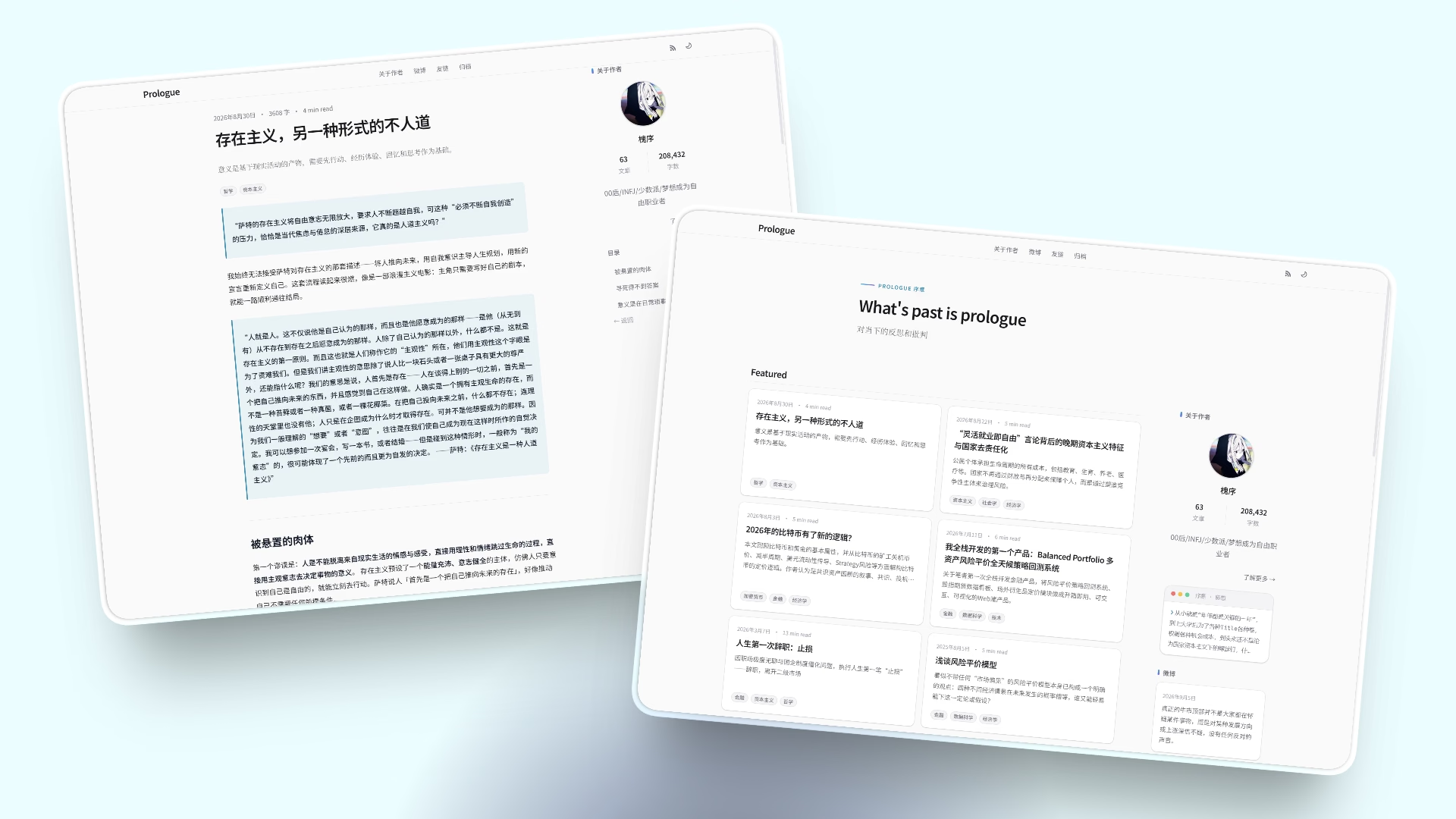
首页与文章页
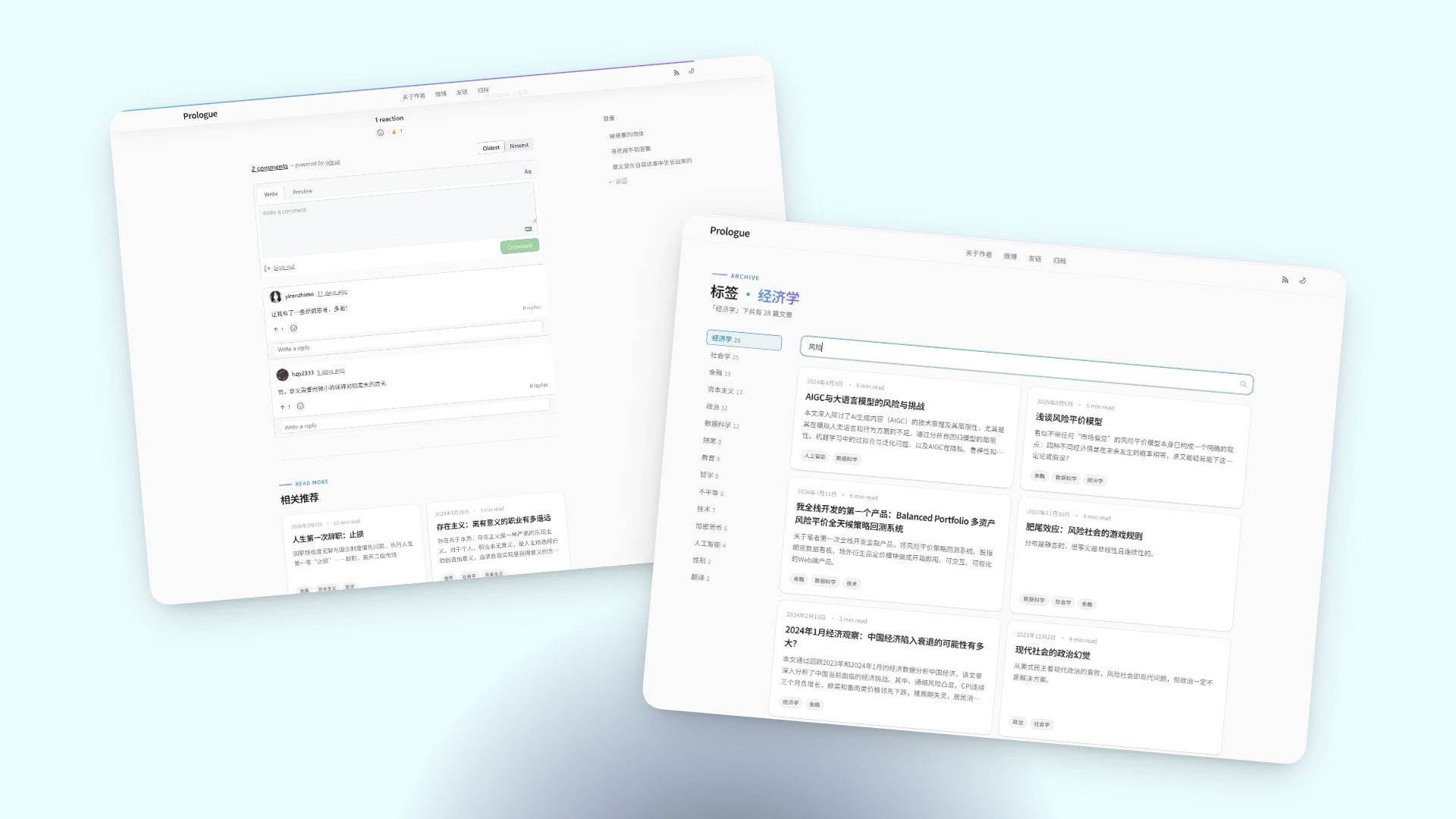
文章搜索与评论功能
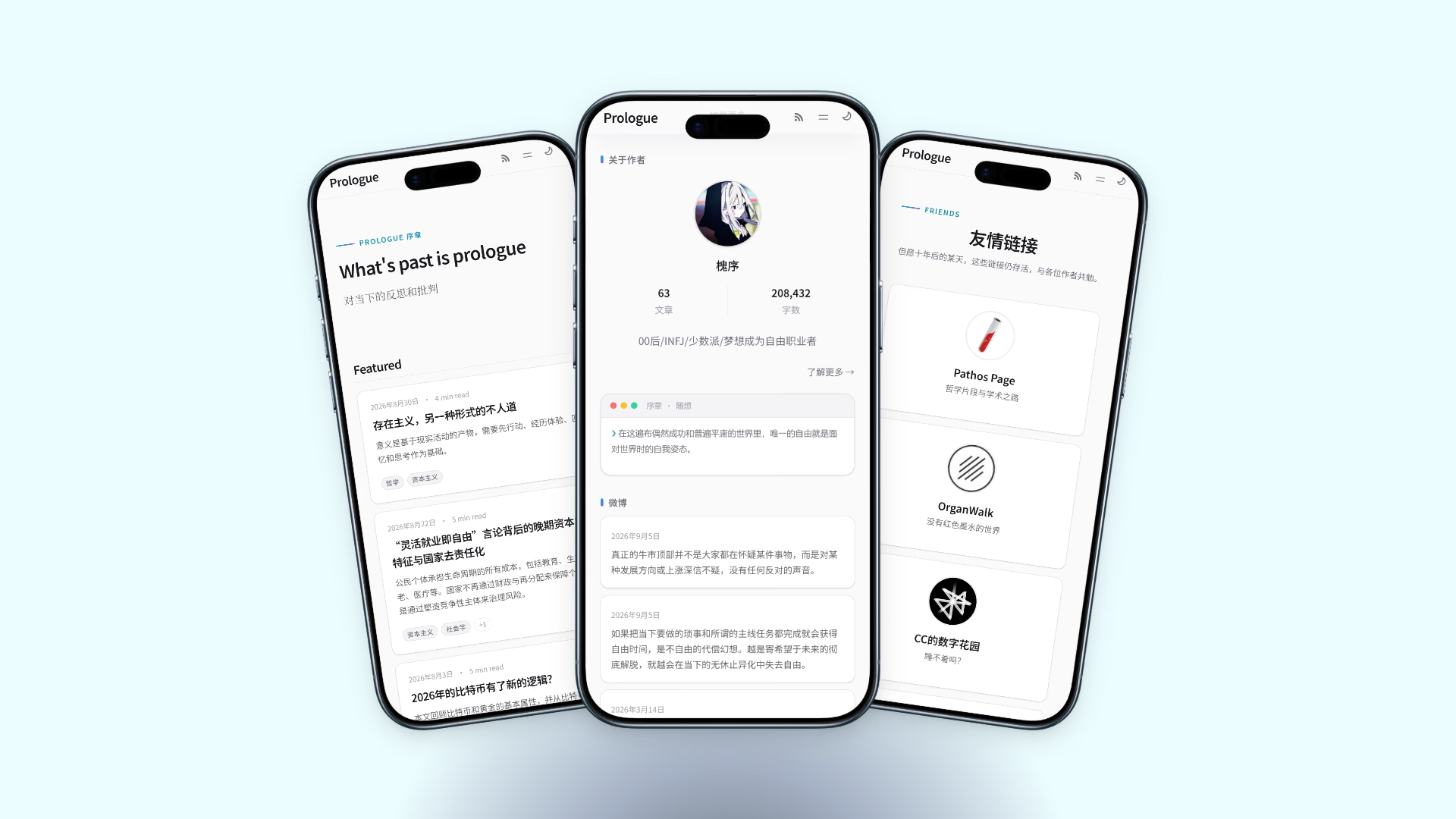
手机端首页、个人页、友链页
Get Started
想直接搭建自己的博客?可以直接 Fork 我的博客进行二次开发,也可以使用独立 Demo 模板仓库(最小版本,不含作者历史文章):
hxlog/prologue-blog-template(GitHub Template)
git clone https://github.com/hxlog/prologue-blog-template.git my-blog
cd my-blog
corepack enable   # once per machine — activates the Yarn 4 pinned in package.json
yarn install
yarn dev
Node.js 22.13+ is required (
enginesinpackage.json), and the package manager is Yarn 4, pinned bypackageManagerand enabled through Corepack.npm/pnpmare not used: there is nopackage-lock.json, onlyyarn.lock.
You can easily customize the template site: all configurations are in /data, static files are in /public.
你可以很容易自定义网站,所有配置文件都在 /data 目录,静态文件存放在 /public。
博客文章和页面的Markdown静态文件分别存放在
/data/content/blog和/data/content/pages。博客的基本元数据、友链、微博、tag标签关联存放在
sitemetadata.js,links.yaml,microblog.yaml,tagLabels.js
Configuration
Post Frontmatter
---
title: title
description: description
publishDate: 2022-11-13
(required)

lastmod: 2023-07-02
featured: true
tags: ["tag1","tag2"]
image: /static/photos/06.jpg
imageDesc: This is a static file
(optional)
---
Page Frontmatter
title: title
description: description
(required)
推荐配合 Obsidian 在 /Data 打开 Vault 编辑,YAML 和 FrontMatter 会以结构化表格形式渲染,方便作为知识库进行交互。