
horizon-developers/browser
horizon-developers/browser has 53 GitHub stars and 8 forks. GitHot measured 0 stars in 24 hours. Last checked 2026-11-15 07:19 UTC. Last push 2026-11-01.
What you can do
- Responsive UI and quick startup time
- Integrates nicely with other native Windows apps
- Translate websites
- Windows Hello integration
Measured star growth
- in 24h
- 0
- in 7 days
- Collecting history
- in 15 days
- Collecting history
- in 1 month
- Collecting history
Net star changes over overlapping periods, not daily totals. Missing measurements are left blank. Stars measure attention, not software quality.
About
Horizon is your next-gen webbrowser, lightning fast and open-source, powered by WinUI
ProductivityREADME.md
Original
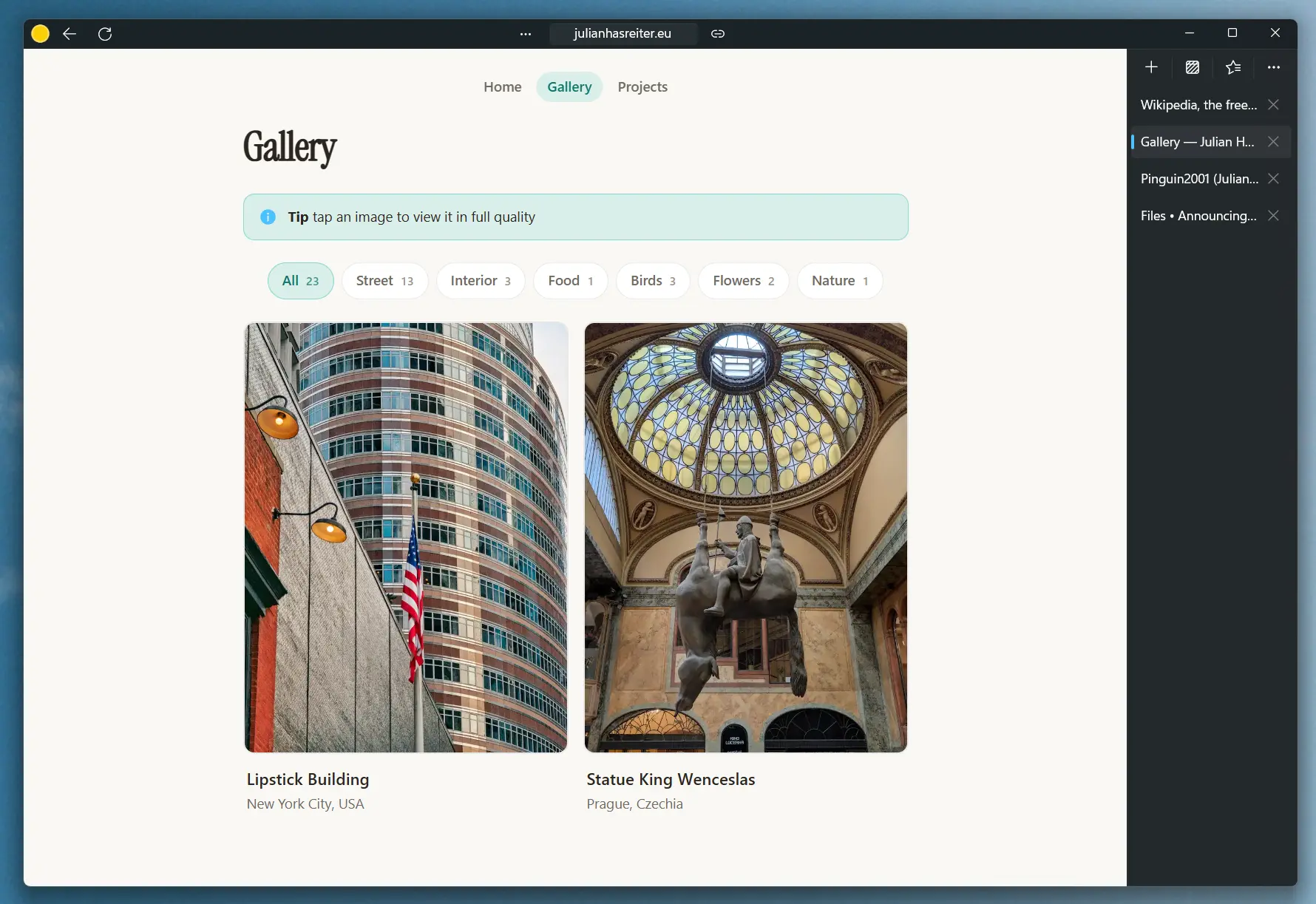

Horizon is a modern webbrowser which enhances your browsing experience. It has been in active development for a few years, and is being constantly updated with bug fixes, performance improvements and new features.
Headline features:
- Responsive UI and quick startup time
- Integrates nicely with other native Windows apps
- Split tabs
- Reading mode
- Translate websites
- Windows Hello integration
- Generate QRCode for website
Check the app out to see them in action!
Installing
You can get Horizon from the main sources:
Microsoft Store (recommended)
This is the recommended source for most users, you can get Horizon easily here
Winget
If you prefer installing your apps from the command line, you can do so via winget
winget install HorizonBrowser
GitHub releases (advanced)
[!WARNING] You might not receive updates if you install Horizon this way, thus this method is only recommended for advanced users
If you like to get the msix for yourself and install without winget or Microsoft Store, you can get the package here
You have to get the dependencies for your architecture (either X86, X64 or ARM64) as well as the main package. Then you can install them via PowerShell or App installer
Add-AppxPackage ".\Microsoft.WindowsAppRuntime.1.7_7000.456.1632.0_arm64__8wekyb3d8bbwe.msix"
Add-AppxPackage ".\HorizonBrowser_10.0.5.0.msixbundle"
Be sure to replace them with the names of your packages according to your system and the latest versions
Contributing
Contributing source code
You would like to contribute to this project?
Awesome! Please first create an issue, so we can talk about the changes you like to implement
Support the project by donating
You would like to support this project because you love it, but do not have the time or expertise to contribute source code?
A donation would be highly appreciated, and it helps me out a lot. Thanks :)
Building from source
1. Prerequisites
- Git for Windows (MUST be present in PATH)
- Visual Studio 2026, version 18.1.0 or newer
- Windows 11 SDK (10.0.26100.0)
- .NET 11 SDK
- Windows Application Workload
2. Clone the repository
git clone https://github.com/horizon-developers/browser.git
3. Build the app
In the newly cloned folder, navigate into the src folder and open Horizon.slnx On the top, select your configuration and platform and click on the play icon. Now VS should start building the app and will start it shortly.
License
GPL v3.0