
hkzlab/ES688_ISA8
hkzlab/ES688_ISA8 has 45 GitHub stars and 8 forks. GitHot measured 0 stars in 24 hours, 0 in 7 days, and 0 in 15 days. Last checked 2026-11-09 16:59 UTC. Last push 2026-07-06.
Sound Card for the ISA (8bit) bus sporting Sound Blaster / Sound Blaster PRO emulation via ES688F chip, and a real Yamaha OPL3 FM Synth. It's also completely jumper configurable.
Measured star growth
- in 24h
- 0
- in 7 days
- 0
- in 15 days
- 0
- in 1 month
- Update delayed
Net star changes over overlapping periods, not daily totals. Missing measurements are left blank. Stars measure attention, not software quality.
README.md
OriginalES688F / OPL3 8bit ISA Sound Card
Introduction
This is a sound card for the ISA 8bit bus sporting the ES688F chip by ESS Technology and the YMF262 chip by Yamaha, also known as the OPL3.
This board provides selectable Sound Blaster PRO / Sound Blaster emulation and OPL3 compatibility.
It's completely jumper-configurable, requiring no software except the essvol utility to set the volume.
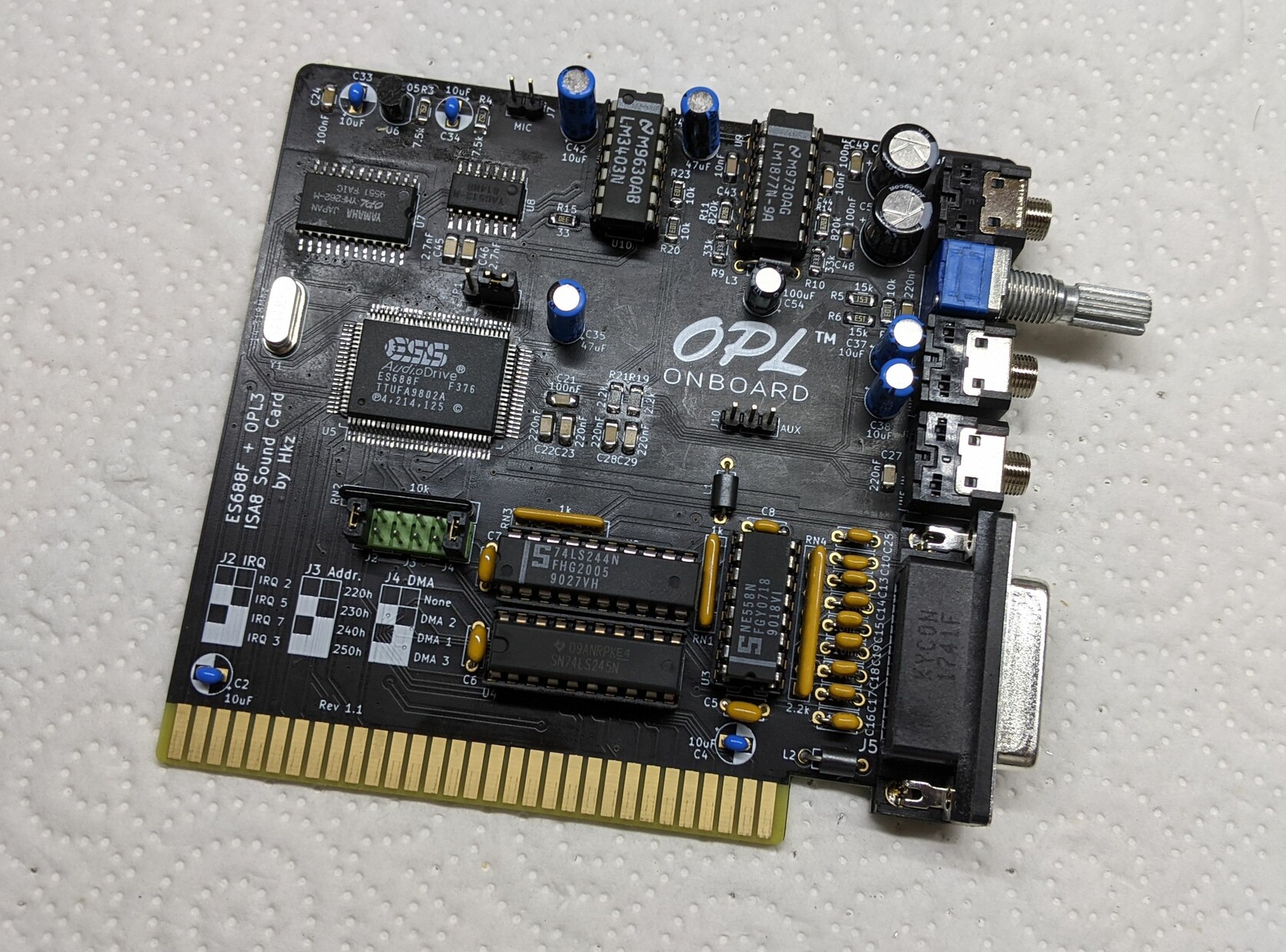
This board provides the following connections:
- Speaker out (amplified)
- Line out
- Line in
- Aux in (internal header)
- Microphone in (internal header)
- Joystick port
- MIDI on Joystick port
- Volume regulation pot
Disclaimer
I take NO responsibility for what happens if you decide to build and use this card. Your computer might crash, catch fire or be destroyed in other nasty ways. You're encourauged to take what you deem fit from this, and use it in your projects!
Functionalities
✅ means I tested the functionality and it works, ❌ means I tested the functionality and found issues, ? means that the functionality has yet to be tested.
- [✅] FM Synthesis via OPL3
- [✅] Digital audio playback
- [?] Stereo (left/right channel) check
- [✅] Joystick port
- [✅] Speaker Out (amplified)
- [✅] Line out
- [✅] Line in
- [?] AUX In
- [?] Microphone in
- [✅] MIDI output via Joystick port
The card was tested on:
- [✅] NEC V20 9.5Mhz / DOS 6.22
- [✅] SUNTAC 286 12Mhz motherboard / DOS 6.22
Configuration
This card is configured via jumpers.
- JP1: Selects the Sound Blaster emulation mode
- 1-2: Sound Blaster (DSP v2.11)
- 2-3 Sound Blaster PRO (DSP v3.1)
The following jumpers must me insalled vertically in the block. 1 means Jumper Present, 0 means Jumper Absent.
J2: Selects the IRQ:
- 00: IRQ2
- 10: IRQ5 (default)
- 01: IRQ7
- 11: IRQ3
J3: Selects the I/O address:
- 00: 220h (default)
- 10: 230h
- 01: 240h
- 11: 250h
J4: Selects the DMA channel
- 00: None
- 10: DMA2
- 01: DMA1 (default)
- 11: DMA3
WARNING: /DACK2 and DRQ2 lines are disconnected and must be jumpered on the backside of the board if used, by bridging JP3 and JP2.
Bill of Materials
TODO
Known Issues
Rev 1.1
- Missing silkscreen to describe JP1
Rev 1.0
- Wrong footprints for YAC512 and YMF262 chips
- Volume pot placed after audio decoupling. Wrong.
Credits
Thanks to Sergey Kiselev for his symbol/footprint library!
Explore related projects
ytdl-org/youtube-dl
Command-line program to download videos from YouTube.com and other video sites
141,500 starsexcalidraw/excalidraw
Virtual whiteboard for sketching hand-drawn like diagrams
135,396 starsgodotengine/godot
Godot Engine – Multi-platform 2D and 3D game engine
119,840 starsmrdoob/three.js
JavaScript 3D Library.
117,983 stars