Projects View on GitHub


heyman333/react-native-animated-numbers
heyman333/react-native-animated-numbers has 469 GitHub stars and 44 forks. GitHot measured 0 stars in 24 hours. Last checked 2026-11-17 18:04 UTC. Last push 2024-11-15.
Measured star growth
- in 24h
- 0
- in 7 days
- Collecting history
- in 15 days
- Collecting history
- in 1 month
- Collecting history
Net star changes over overlapping periods, not daily totals. Missing measurements are left blank. Stars measure attention, not software quality.
About
🎰 Library showing animation of number changes in react-native
Creative & MediaREADME.md
Originalreact-native-animated-numbers


Library showing animation of number changes in react-native
If you want web version in react.js download react-animated-numbers
install
yarn add react-native-animated-numbers
props
| type | default | description | |
|---|---|---|---|
| animateToNumber | number | none | Number to be animated |
| fontStyle | TextStyle? | none | Style of number text |
| animationDuration | number? | 1400(ms) | The speed at which the animation works |
| includeComma | boolean? | false | Whether the number contains commas |
| easing | Easing? | Easing.elastic(1.2) | React Native Easing API in Animated |
| containerStyle | ViewStyle? | none | Style of container view |
| fontVariant | string[] | ['tabular-nums'] | Font variants for a font |
| locale | Intl.LocalesArgument | 'en-US' | the locale to be used to split the number when includeComma is true |
example
import React from 'react';
import { SafeAreaView, Button } from 'react-native';
import AnimatedNumbers from 'react-native-animated-numbers';

const App = () => {
  const [animateToNumber, setAnimateToNumber] = React.useState(7979);

  const increase = () => {
    setAnimateToNumber(animateToNumber + 1999);
  };

  return (
    <SafeAreaView
      style={{ flex: 1, justifyContent: 'center', alignItems: 'center' }}
    >
      <AnimatedNumbers
        includeComma
        animateToNumber={animateToNumber}
        fontStyle={{ fontSize: 50, fontWeight: 'bold' }}
      />
      <Button title="increase" onPress={increase} />
    </SafeAreaView>
  );
};
export default App;
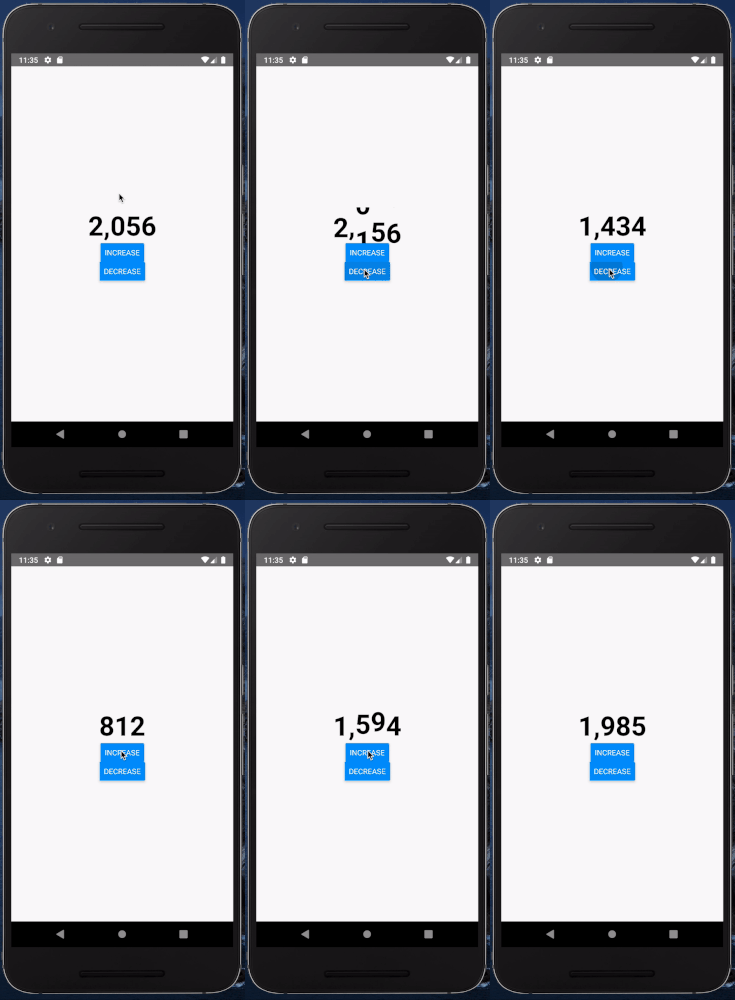
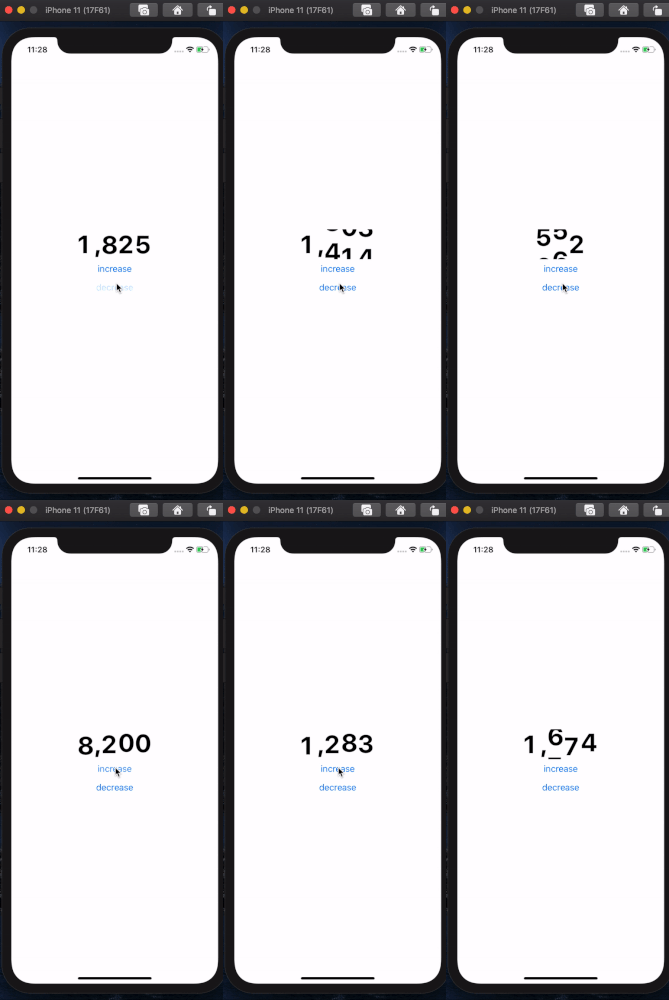
screenshot