
heyjunpenn/aigotools
heyjunpenn/aigotools has 660 GitHub stars and 120 forks. GitHot measured 0 stars in 24 hours. Last checked 2026-11-15 14:04 UTC. Last push 2025-08-01.
What you can do
- Site Management
- Automatic Site Information Collection (playwright, jina, openai)
- User Management (clerk)
- Internationalization
Measured star growth
- in 24h
- 0
- in 7 days
- Collecting history
- in 15 days
- Collecting history
- in 1 month
- Collecting history
Net star changes over overlapping periods, not daily totals. Missing measurements are left blank. Stars measure attention, not software quality.
About
AigoTools can help users quickly create and manage website directory, with built-in site auto-crawling features, and also provides internationalization, SEO, image storage, and other functions. It allows users to quickly deploy their own directory site online.
Web & AppsREADME.md
Original
AigoTools helps users quickly create and manage website directory with built-in site management and automatic inclusion features. It also offers internationalization, SEO, and multiple image storage solutions, enabling users to quickly deploy and launch their own navigation site.
Visit here: www.aigotools.com
https://github.com/someu/aigotools/assets/33251742/00d39041-a216-4105-884b-bd19cde6c706
Table of Contents
- Table of Contents
- Features
- Deployment
- Development
- Figma Resource
- Maintainers
- How to Contribute
- Contact Us
- 🌟 Star History
- License
Features
- Site Management
- Automatic Site Information Collection (playwright, jina, openai)
- User Management (clerk)
- Internationalization
- Dark/Light Theme Toggle
- SEO Optimization
- Multiple Image Storage Solutions (local minio, AWS S3, Tencent Cloud COS)
Deployment
This project consists of the main navigation site (packages/aigotools) and the inclusion service (packages/crawler). It can be deployed via hosting services like Zeabur or directly on a local machine using docker-compose.
Prerequisites
- Create an application at https://clerk.com/ and add a user to log in as the admin for the management backend.
- Obtain
OpenAI apiKeyandjina apiKey, which are used for site inclusion. - Set up MongoDB and Redis databases.
Local Deployment
Clone the repository:
git clone https://github.com/someu/aigotools.git
cd aigotools
Configure environment variables: Copy the
.envfiles inpackages/aigotoolsandpackages/crawlerto.env.prod.cp packages/aigotools/.env packages/aigotools/.env.prod cp packages/crawler/.env packages/crawler/.env.prodModify the configuration files accordingly.
Start the project:
docker-compose up -d
Note: If using minio for image storage, you can initially leave the minio authentication configuration empty when starting the project. After running the project, access the minio management backend to create a Bucket, ACCESS_KEY, and SECRET_KEY, enable public read permissions for the Bucket, update the configuration file, and restart the project.
Hosting Service Deployment

Refer to the documentation: zeabur-deploy.md
Zeabur demo link: https://aigotools.zeabur.app/
Development
Clone the repository:
git clone https://github.com/someu/aigotools.git
cd aigotools
Install dependencies:
pnpm iConfigure environment variables: Copy the
.envfiles inpackages/aigotoolsandpackages/crawlerto.env.localand modify the configuration files.cp packages/aigotools/.env packages/aigotools/.env.local cp packages/crawler/.env packages/crawler/.env.localStart the project: Navigate to
packages/aigotoolsandpackages/crawlerrespectively.pnpm run dev
Figma Resource
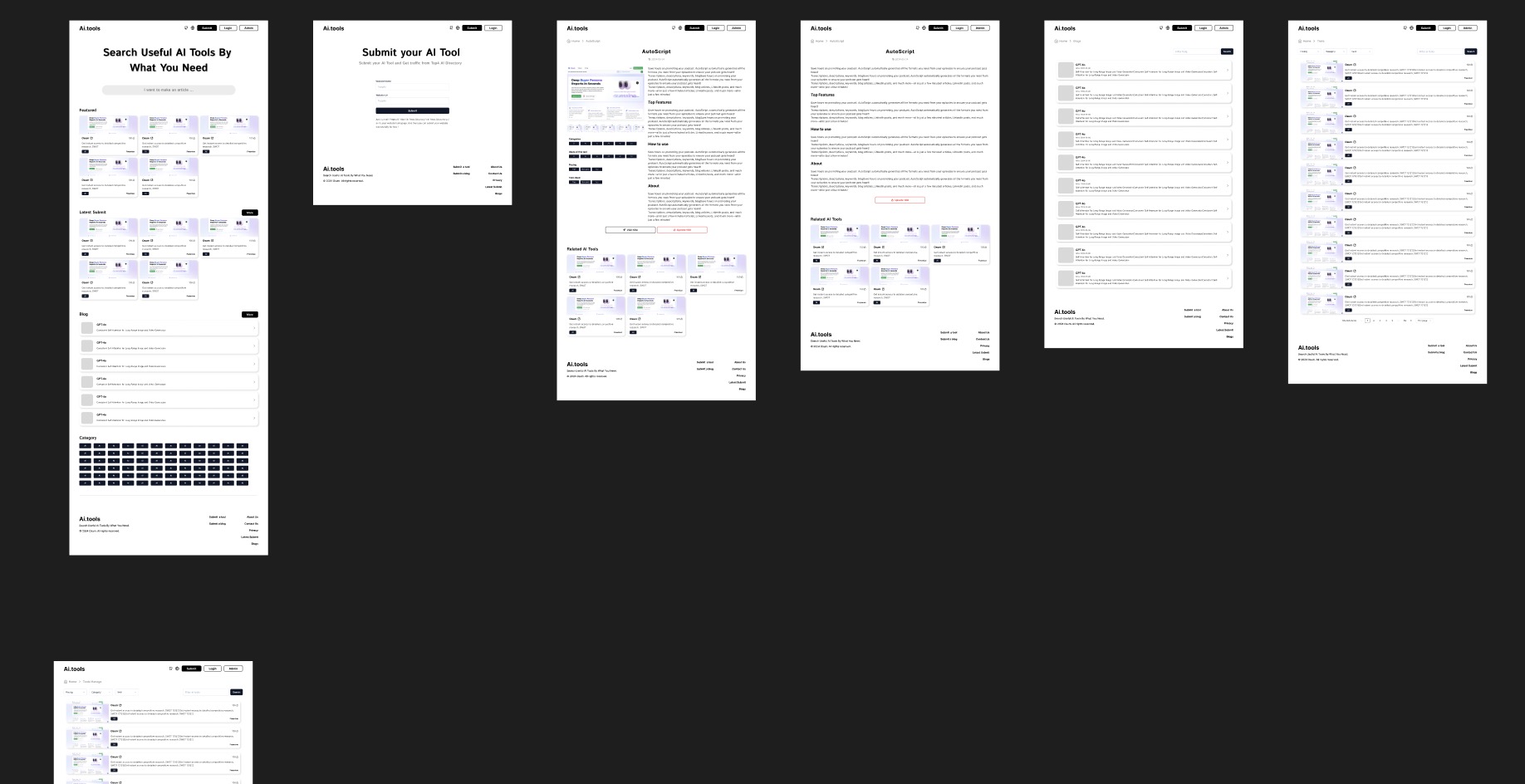
We have also open-sourced the design drafts for this project. Feel free to use the UI and code from this project to develop your own website.
https://www.figma.com/community/file/1385200592630492334/aigotools
Maintainers
How to Contribute
We warmly welcome your contributions! Submit an Issue or submit a Pull Request.
Contact Us
For any questions or suggestions, please contact us via:
- GitHub Issues: Submit Issues
- Email: [email protected]
🌟 Star History
License
AigoTools is licensed under the Apache License 2.0. For more details, see the LICENSE file.