
heestand-xyz/AsyncGraphics
heestand-xyz/AsyncGraphics has 422 GitHub stars and 21 forks. GitHot measured 0 stars in 24 hours and +1 in 7 days. Last checked 2026-11-09 15:58 UTC. Last push 2026-11-07.
Edit images and video with Swift concurrency, powered by Metal.
Measured star growth
- in 24h
- 0
- in 7 days
- +1
- in 15 days
- Collecting history
- in 1 month
- Collecting history
Net star changes over overlapping periods, not daily totals. Missing measurements are left blank. Stars measure attention, not software quality.
README.md
Original
AsyncGraphics
AsyncGraphics is a Swift package for working with images and video with concurrency on the GPU. The core type is called Graphic, it's like an image and is backed by a MTLTexture.
What's New in Version 4
- New area and path rendering, with updated shape shaders and smoother gradients.
- Expanded 3D tools: stacking, blending, sampling, LUTs, and layered blur.
- Cube map, equirectangular, and polar coordinate conversions.
- Improved camera orientation, photo capture, and camera interruption reporting.
- Improved renderer resource management, with command queue reuse, fewer actor hops during render preparation, and safer texture recycling.
- Breaking change: Codable angles now use radians. See Migration from 3.x before loading saved angle values. Minimum supported OS versions are unchanged.
Documentation
Documentation (DocC)
See the Graphic docs for all content and effects.
Articles
Resources
Image, Video, Camera, View, Screen, Maps
Shapes
Rectangle, Circle, Polygon, Arc, Star, Line
Visuals
Particles
Color Effects
Levels (Brightness, Contrast, Invert, Opacity), Luma Levels, Color Shift (Hue, Saturation), Luma Color Shift, Sepia, Threshold, Quantize, Lookup, Gradient Lookup, Clamp, Cross (Fade), Chroma Key (Green Screen), Person Segmentation (Background Removal), Color Convert, Range
Space Effects
Blur, Rainbow Blur, Luma Rainbow Blur, Pixelate, Displace, Edge, Sharpen, Kaleidoscope, Morph, Channel Mix
Layout
Stack, Resize (Resolution), Mirror, Rotate
Info
Pixels, Channels, Stereoscopic
Convert
Crop, Padding, Corner Pin, Sample Line, Slope, Remap, Polar, Flood Fill, Reduce, LUTs, Buffer
Detection
Metal
Install
.package(url: "https://github.com/heestand-xyz/AsyncGraphics", from: "4.0.0")
Migration from 3.x
Version 4.0.0 changes SwiftUI.Angle Codable values from degrees to radians, matching Apple's native conformance. This also affects angles nested in Codable graphics and application models.
Existing degree-encoded data needs a one-time, versioned migration before it is used with the new release. Values cannot be distinguished by their magnitude. See Angle Codable Migration for examples and migration guidance.
Minimum supported systems remain iOS 17, tvOS 17, macOS 14, and visionOS 1. Calling .degrees(...) and reading .degrees still work as before; only serialization changes.
Views
In AsyncGraphics there are a couple ways to present a graphic.
- AGView to declaratively view AGGraphs
- GraphicView to imperatively view Graphics
- AsyncGraphicView to imperatively view Graphics asynchronously.
- Graphic3DView to view Graphic3Ds
import AsyncGraphics

struct ContentView: View {
    var body: some View {
        AsyncGraphicView { resolution in
            try await .circle(resolution: resolution)
        }
    }
}
or for more control:
import AsyncGraphics

struct ContentView: View {

    private static let resolution = CGSize(width: 1000, height: 1000)

    @State private var graphic: Graphic?

    var body: some View {
        ZStack {
            if let graphic {
                GraphicView(graphic: graphic)
            }
        }
        .task {
            graphic = try? await .circle(resolution: Self.resolution)
        }
    }
}
Examples
Images
To import and export images there are multiple ways to do this. The simplest way is to load an asset from the asset catalog by name. If the asset does not exist, an error will be thrown.
let graphic: Graphic = try await .image(named: "Kite")
To export an UIImage or NSImage just call try await graphic.image or for a SwiftUI image try await graphic.imageForSwiftUI.
Blending
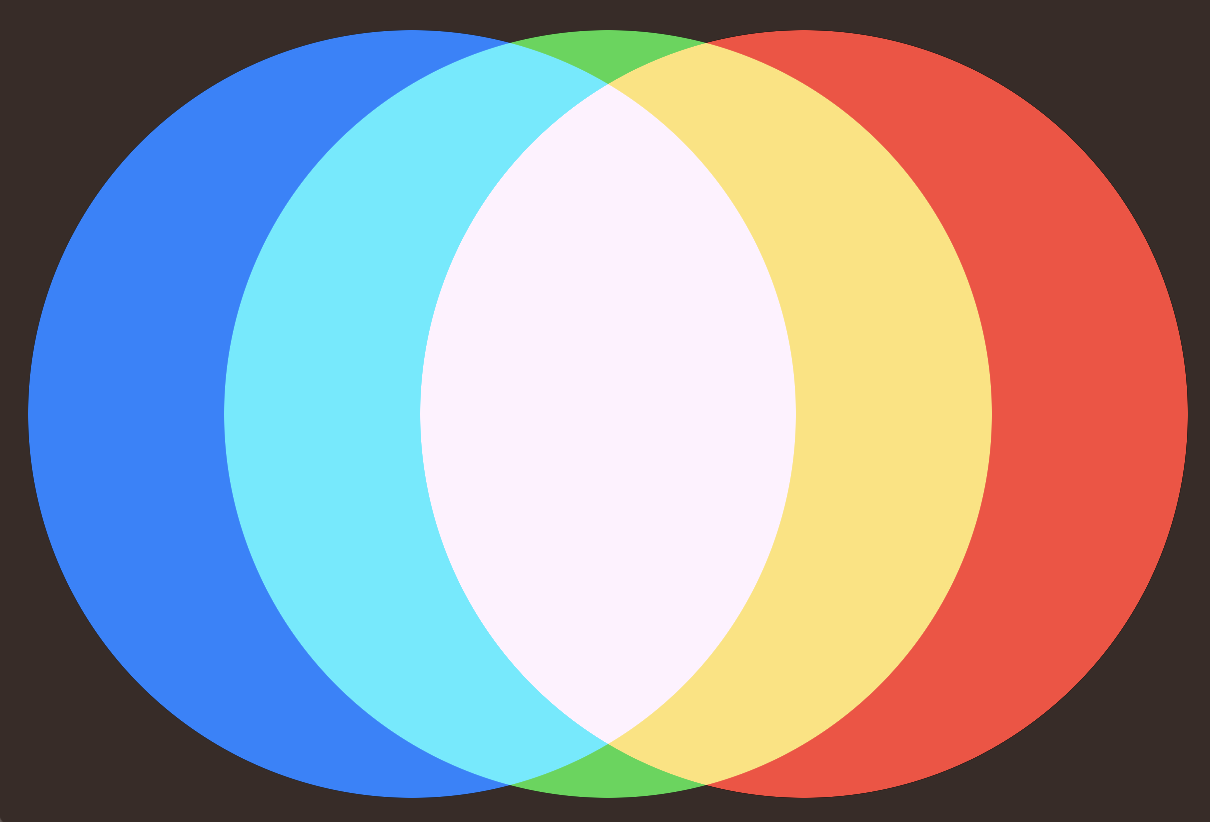
First we create an AGView, this is the container for all AGGraphs. In this example we have a AGZStack with 3 AGHStacks. Each graph has a blend mode (AGBlendMode), in this case .screen.
import SwiftUI
import AsyncGraphics

struct ContentView: View {
    var body: some View {
        AGView {
            AGZStack {
                AGHStack {
                    AGSpacer()
                    AGCircle()
                        .foregroundColor(.red)
                }
                AGHStack {
                    AGSpacer()
                    AGCircle()
                        .foregroundColor(.green)
                    AGSpacer()
                }
                .blendMode(.screen)
                AGHStack {
                    AGCircle()
                        .foregroundColor(.blue)
                    AGSpacer()
                }
                .blendMode(.screen)
            }
        }
    }
}
Layout
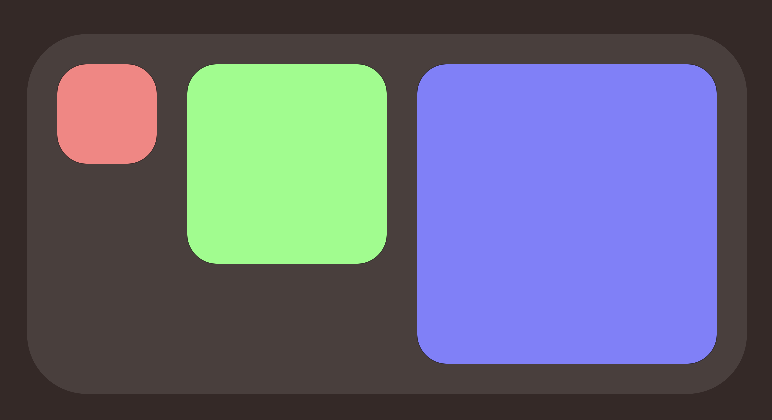
First we create an AGView, this is the container for all AGGraphs. In this example we create an AGHStack to contain the boxes, then we loop 3 times with an AGForEach, calculate the width and create AGRoundedRectangles. After that we set the frame to get a fixed size and apply a color. After the stack we apply some padding and finally add a background.
import SwiftUI
import AsyncGraphics

struct ContentView: View {
    var body: some View {
        AGView {
            AGHStack(alignment: .top, spacing: 15) {
                AGForEach(0..<3) { index in
                    let width = 50 * CGFloat(index + 1)
                    AGRoundedRectangle(cornerRadius: 15)
                        .frame(width: width, height: width)
                        .foregroundColor(Color(hue: Double(index) / 3,
                                               saturation: 0.5,
                                               brightness: 1.0))
                }
            }
            .padding(15)
            .background {
                AGRoundedRectangle(cornerRadius: 30)
                    .opacity(0.1)
            }
        }
    }
}
Camera
import SwiftUI
import AsyncGraphics

struct ContentView: View {

    var body: some View {
        AGView {
            AGZStack {
                AGCamera(.front)
                    .resizable()
                    .aspectRatio(contentMode: .fill)
                AGCircle()
                    .blendMode(.multiply)
            }
        }
    }
}
You can also do the same with Graphics:
import SwiftUI
import AsyncGraphics

struct ContentView: View {

    @State private var graphic: Graphic?

    var body: some View {
        ZStack {
            if let graphic {
                GraphicView(graphic: graphic)
            }
        }
        .task {
            do {
                let resolution = CGSize(width: 1_000, height: 1_000)
                let circleGraphic: Graphic = try await .circle(radius: 500,
                                                               backgroundColor: .clear,
                                                               resolution: resolution)
                for await cameraGraphic in try await Graphic.camera(at: .front) {
                    graphic = try await circleGraphic
                        .blended(with: cameraGraphic,
                                 blendingMode: .multiply,
                                 placement: .fill)
                }
            } catch {
                print(error)
            }
        }
    }
}
Remember to set the Info.plist key
NSCameraUsageDescription"Privacy - Camera Usage Description"
Metal
There is the option to write high level metal code in AsyncGraphics. No need to setup a pipeline.
Colors
Colors are represented with the PixelColor type.
import PixelColor to create custom colors with hex values.
PixelColor on GitHub.
Tiling
Most shapes can be tiled (rendered in chunks).
Use the tiled methods to render tiles. Add padding if using a space effect, like blur or displace.
Author
Created by Anton Heestand
License
Explore related projects
ytdl-org/youtube-dl
Command-line program to download videos from YouTube.com and other video sites
141,500 starsexcalidraw/excalidraw
Virtual whiteboard for sketching hand-drawn like diagrams
135,396 starsgodotengine/godot
Godot Engine – Multi-platform 2D and 3D game engine
119,840 starsmrdoob/three.js
JavaScript 3D Library.
117,905 stars