
hawatri/PinIt
hawatri/PinIt has 109 GitHub stars and 2 forks. GitHot measured +1 stars in 24 hours. Last checked 2026-11-16 19:45 UTC. Last push 2026-11-14.
Measured star growth
- in 24h
- +1
- in 7 days
- Update delayed
- in 15 days
- Update delayed
- in 1 month
- Update delayed
Net star changes over overlapping periods, not daily totals. Missing measurements are left blank. Stars measure attention, not software quality.
About
Organise, Optimize & Boost your life with PinIt
ProductivityREADME.md
Original
PinIt
Want to remember anything or get notified? Just PinIt.
Pin notes, lists, links, contacts, locations, QR codes, audio, images, PDFs and apps — straight to your notification shade and home screen.




No ads · No premium tier · No tracking · 100% open source

Android 10 or newer · ~32 MB · English & Português (Brasil) · Free forever
What is PinIt?
Want to remember anything or get notified? Just PinIt.
That's the whole pitch. PinIt is an Android notes app that turns every type of saved item — a checklist, a phone number, a map location, a QR code, a voice memo — into something you can actually act on without opening the app. Pin a checklist to your notification shade and tick items from there. Pin a contact and call them with one tap. Drop a location on the home screen and navigate to it instantly. Set a reminder and the note pings you at exactly the right moment.
It is built from scratch with Material 3, Jetpack Compose, and Room.
PinIt is distributed exclusively through GitHub Releases. There is no Play Store listing — pre-built APKs are signed and posted to the releases page for every tagged version.

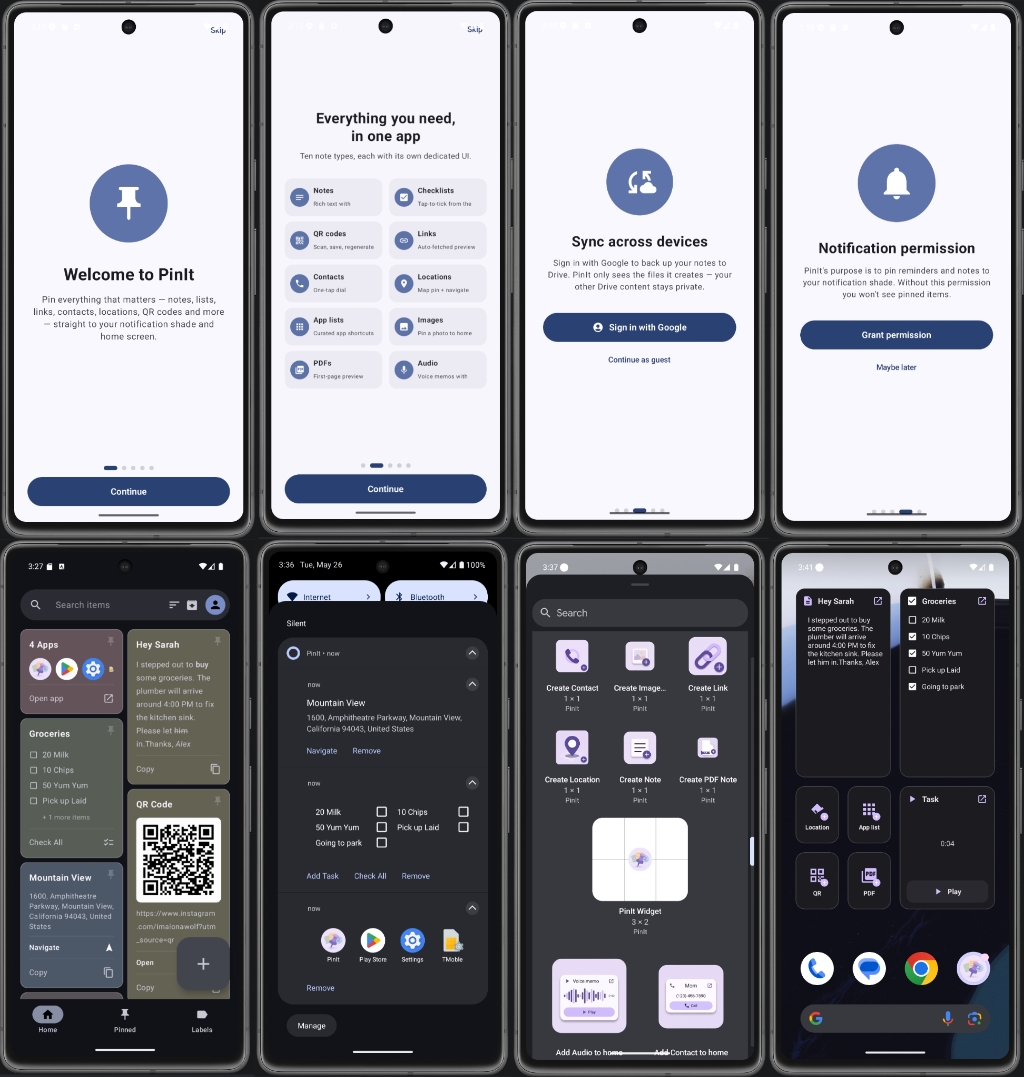
Features
10 note types — every one with its own dedicated UX
| Type | What it does |
|---|---|
| Note | Rich-text notes with inline bold / italic / underline / strikethrough |
| Checklist | Tap-to-tick items with reorder, plus add-from-notification |
| QR code | Scan with camera or import from gallery, save back to gallery |
| Link | Auto-fetched preview card with title, description, hero image, video badge |
| Contact | Name + phone with system contact picker, one-tap dial |
| Location | OpenStreetMap pin with search, tap-to-place, current-location FAB |
| App list | Curated row of installed apps you launch together |
| Image | Picker or share-to-app, full-screen preview |
| Document picker, first-page thumbnail, native viewer | |
| Audio | In-app voice recorder with shared playback across notification, widget, card |
Persistent pins
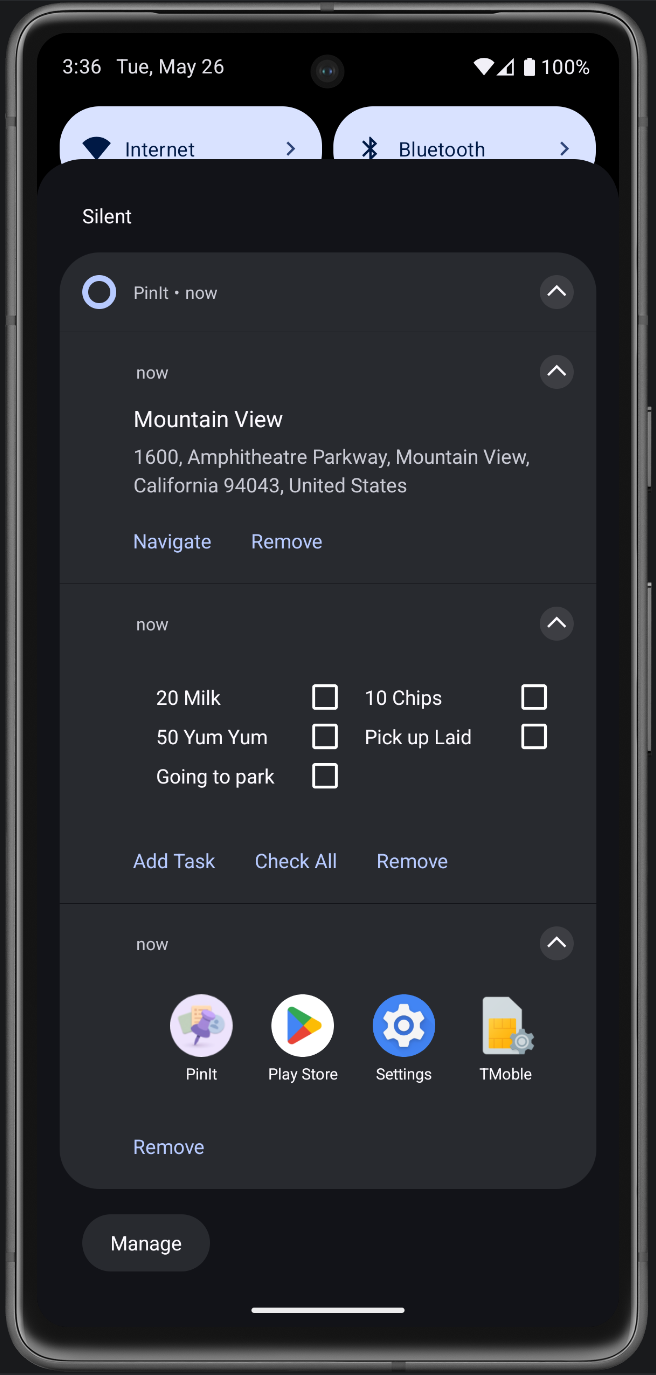
Every note can be pinned to the notification shade with a custom layout that matches its type — checkboxes for lists, big-picture QR codes, dial buttons for contacts, navigate buttons for locations, play/stop for audio. Pins survive reboot.
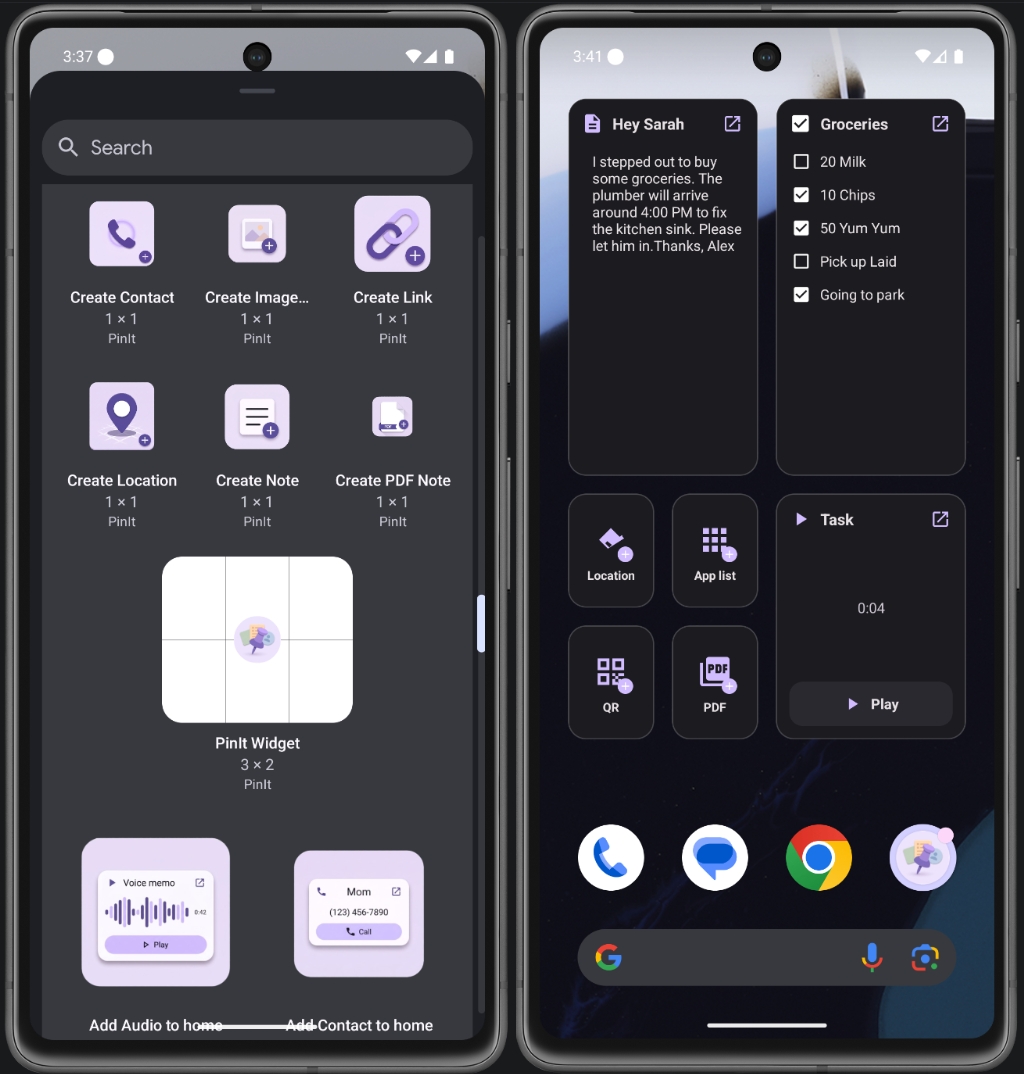
20 home-screen widgets
Ten Create widgets (1×1 shortcuts to start a new note of a specific type — tap and you're straight into the editor) and ten Add widgets (live-rendering tiles bound to one of your existing notes — they show real content, not just a shortcut). Each widget is type-specific in size: the checklist widget is portrait, the contact widget is short and wide, the image widget is a 3×3 square. All sizes fixed for consistency, no resize-to-mush.
Locked notes with blur preview
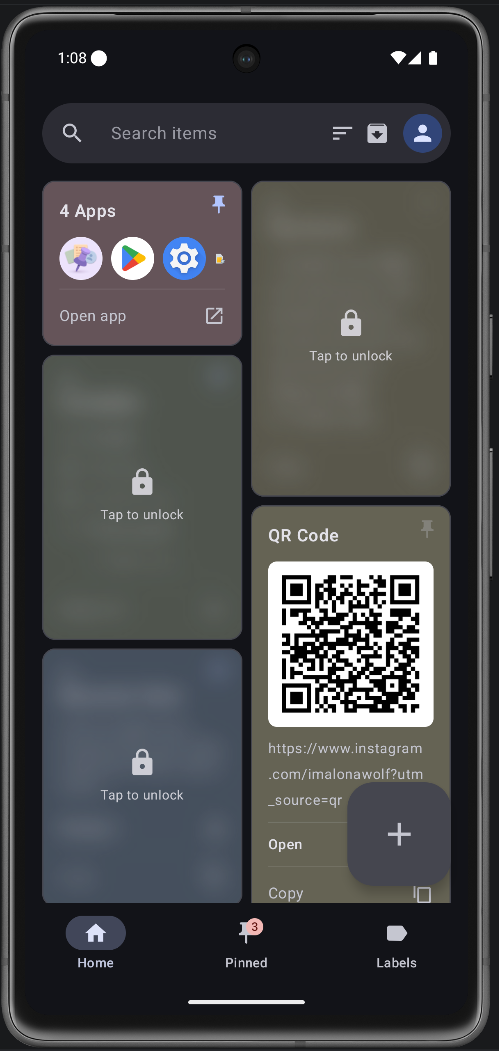
Mark any note as locked and biometric (fingerprint / face / PIN) auth gates access. The home screen still shows the card, but blurred — you can see that a private note exists in its slot without leaking the contents. Tapping prompts for auth before opening; the lock state also blocks the card's quick actions (copy, share, call) until you unlock.
Sort + drag-to-reorder
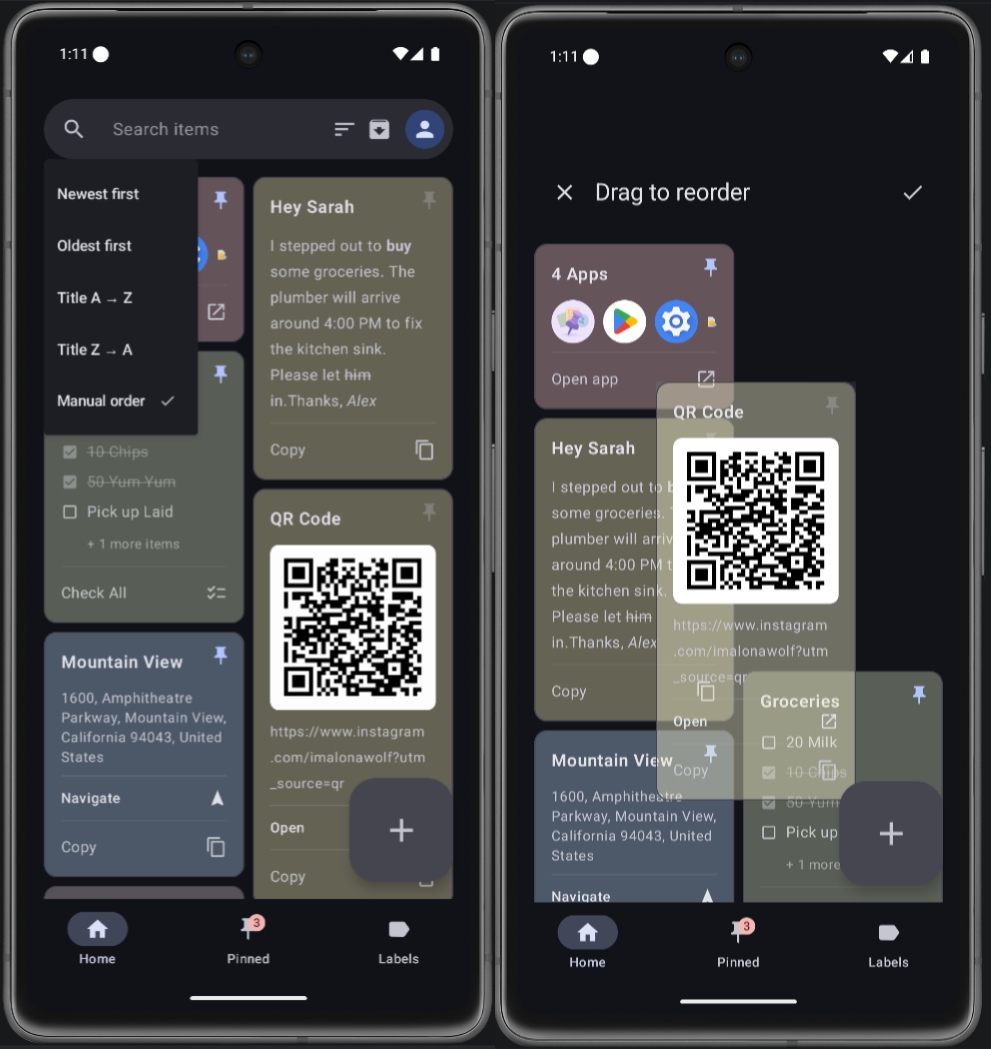
Five sort orders: Newest first, Oldest first, Title A→Z, Title Z→A, and Manual. Pick Manual and the home screen enters reorder mode — long-press any card to grab it, drag to reposition, watch the staggered grid auto-flow around your finger. Tick (✓) saves the new order; cross (✗) discards. Saved order survives restarts.
Labels (multi-tag organisation)
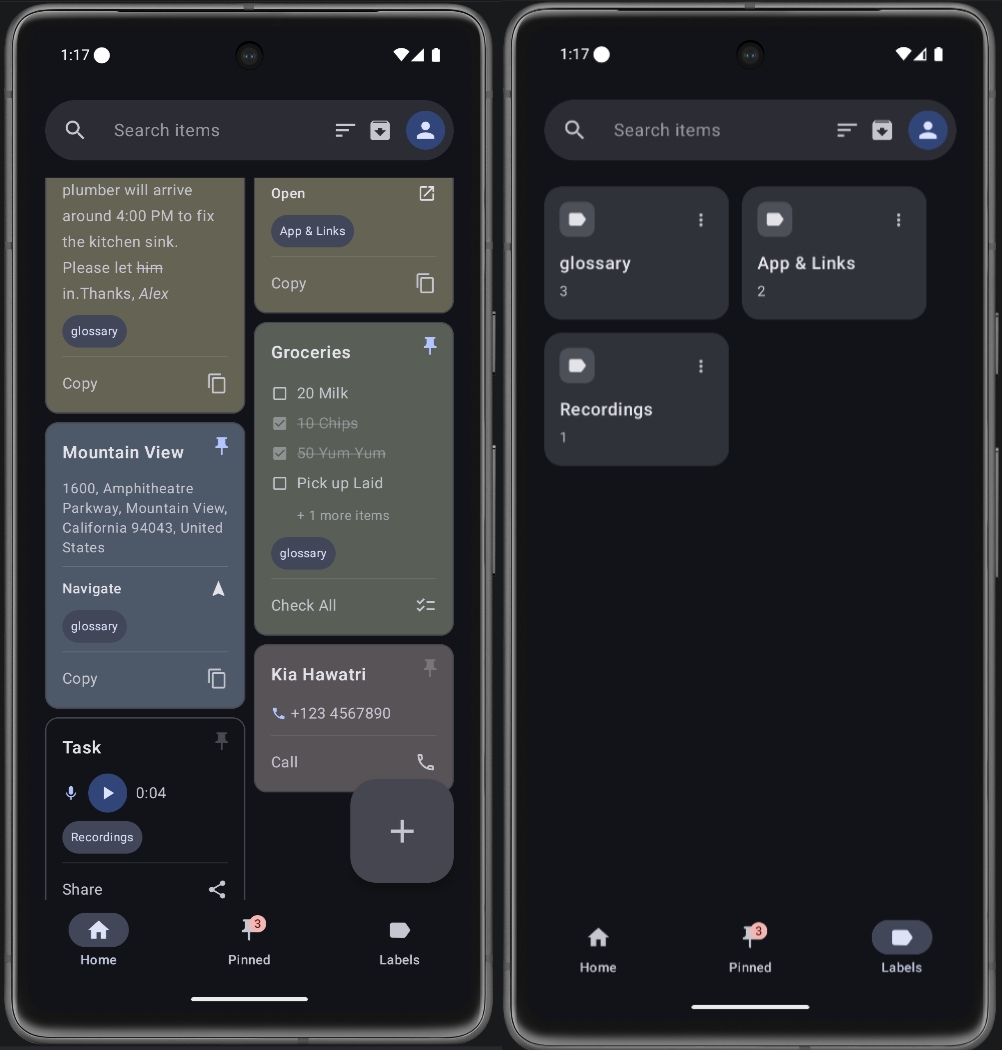
Apply any number of labels to a note. The Labels tab browses every label you've made with a count badge per label; tap one to filter the home screen down to just those notes. Rename or delete labels with full undo — deleting a label strips it off every note that had it, but undo restores the exact prior label state per note (matters when notes had multiple labels).
Online + offline backup
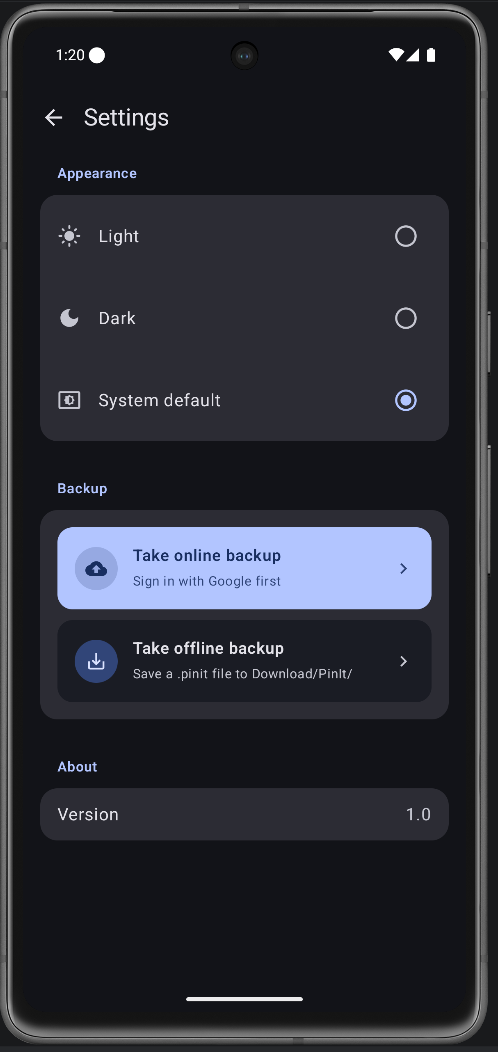
Two ways to back up, your choice:
- Online (Google Drive) — Sign in with Google once, and PinIt creates a
PinIt/folder in your My Drive. Your notes, audio recordings, labels, and reminders sync as a singlepinit_backup.pinitfile. The app uses the DRIVE_FILE scope, which means it can only see and modify files it created — it has zero access to anything else in your Drive. Sign in on a new device and PinIt auto-merges cloud + local by note timestamp so nothing gets lost. - Offline (local file) — One tap writes a timestamped
pinit_backup_<date>.pinitfile to yourDownloads/PinIt/folder. Visible in any file manager, transferable over USB, restorable anytime. No account required.
Both formats are the same plain JSON inside, so an offline backup taken on one device can later be uploaded to Drive (or vice versa).
Reminders & alarms — get notified at exactly the right moment
Every note can carry a scheduled reminder with custom text. Pick a date and time in the editor, type whatever you want the alert to say ("call dentist", "leave for airport", "take medicine"), and PinIt fires an exact alarm at that moment — full notification, sound, vibration, and the note ready to open in one tap.
Under the hood it uses AlarmManager.setExactAndAllowWhileIdle, which means:
- ⏰ Exact timing — alarms fire to the second, not on Android's "approximate" batch schedule. A 9:00 reminder fires at 9:00, not 9:14.
- 🌙 Doze-resistant — the
AndIdlepart lets the alarm wake the device even from deep Doze sleep, so a reminder set the night before still fires on time in the morning. - 🔁 Reboot-safe —
BootReceiverre-arms every pending reminder when your phone restarts, so a reminder you set today still fires next Tuesday after a reboot in between. - 🛡️ Permission-aware — on Android 12+, exact alarms need the
SCHEDULE_EXACT_ALARMpermission. PinIt asks for it during onboarding with a clear explanation; if you skip it, reminders downgrade gracefully to inexact (still fires, just within a ~10-minute window).
Reminders show as a small bell on the note's card so you can see at a glance which ones are scheduled, and the reminder text is preserved across edits — change the note body without losing the alarm.
Multilingual — pick your language in Settings
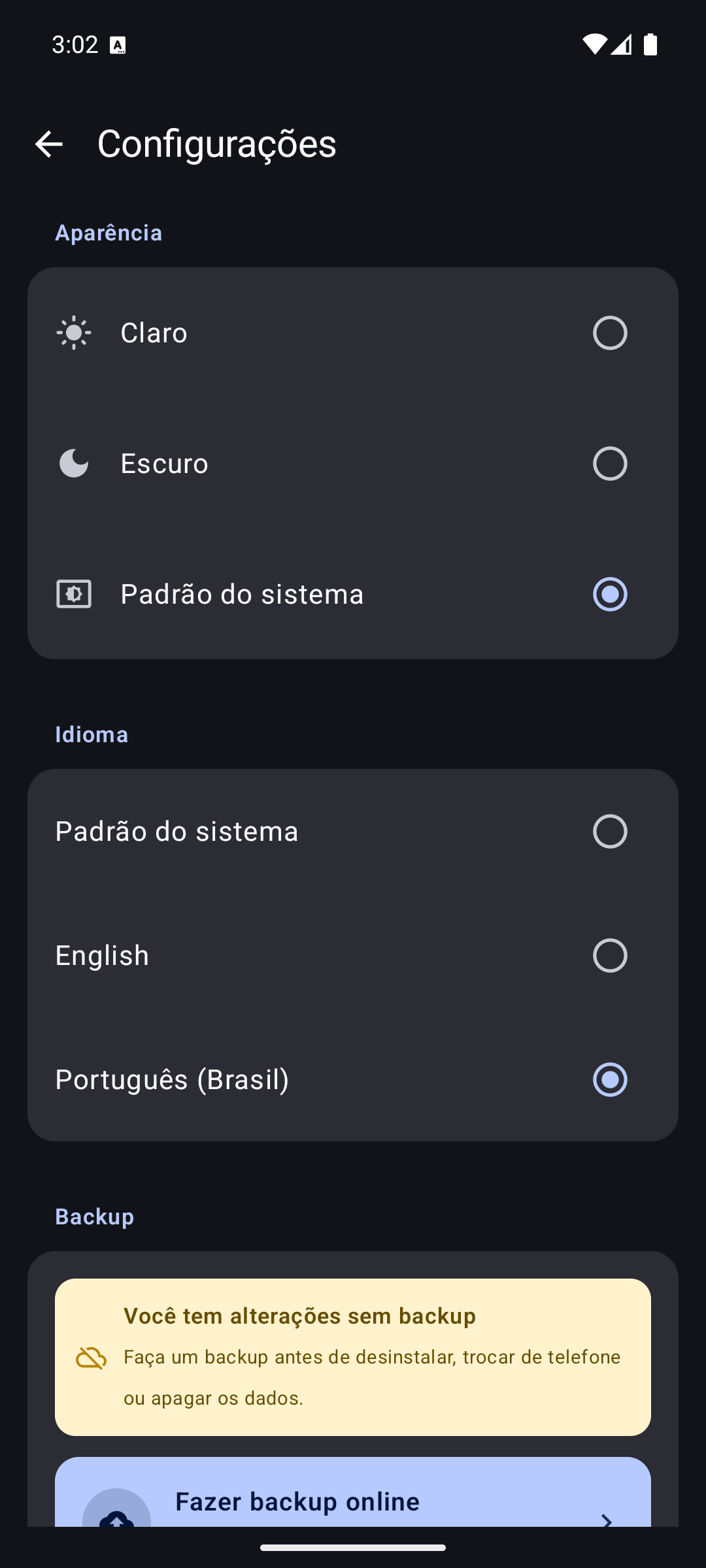
PinIt speaks English and Português (Brasil), switchable from Settings → Language without touching your system settings. Leave it on System default and PinIt follows whatever your phone is set to (including Android 13+'s per-app language setting).
The translation reaches every surface, not just the main screens — notification actions, home-screen widgets, the widget picker your launcher shows, reminder alerts, toasts, and error messages all switch with it. That took externalising 410 strings out of hardcoded Kotlin; the app previously had exactly one translatable string.
One language for now — more are coming. pt-BR is the first, and the groundwork is done: adding another language is a new
values-<locale>/strings.xmlplus a single enum entry, with no UI changes needed. If you'd like to see your language in PinIt, open an issue or send a translation PR — the English string file is the only thing you need.
Smart extras
- Archive — long-press to enter selection mode, archive in bulk with undo, or browse archive separately
- Pinned tab badge — count of currently-pinned notes shown on the bottom nav
- Share-to-PinIt — receive text, links, images, or
.icscalendar files from any app - ICS import — drop a calendar invite and it becomes a checklist or note
- Material You theming — light / dark / system, dynamic colour where supported
- Onboarding — first-launch pager walks new users through features, sign-in, and permission grants
What we don't do
- ❌ No ads, ever
- ❌ No premium tier, no paywall, no "PinIt Pro"
- ❌ No analytics, no telemetry, no third-party trackers
- ❌ No account required for the core app — sign-in is opt-in for cloud backup only
- ❌ No data collection. Network calls happen only when you fetch a link preview or move the map; everything else stays on your device.
Screenshots
Home, dark and light
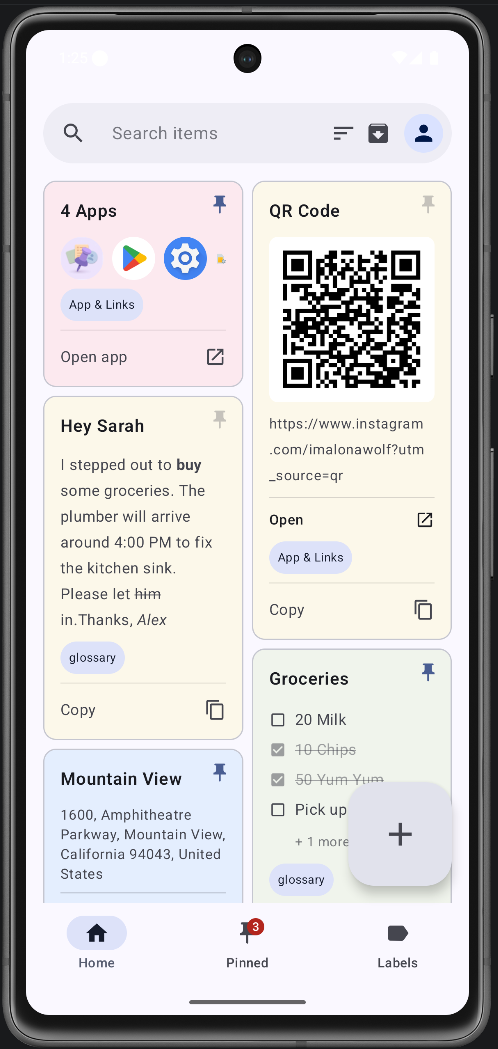
 Home — light The staggered grid of notes, with type-specific cards. Tap a card to open, long-press to enter selection mode. |
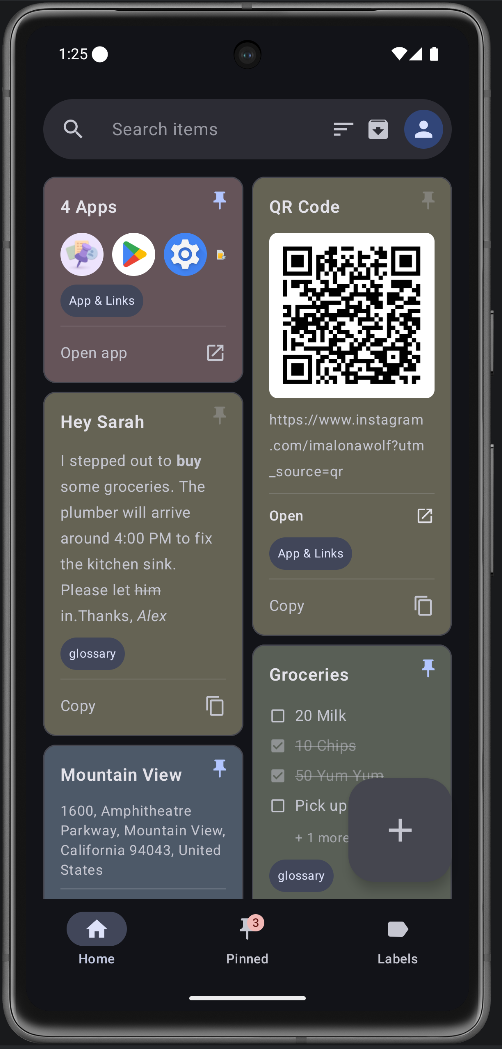
 Home — dark Material You dark theme. Same card layout, deeper background, lavender accents from the dynamic palette. |
10 note types
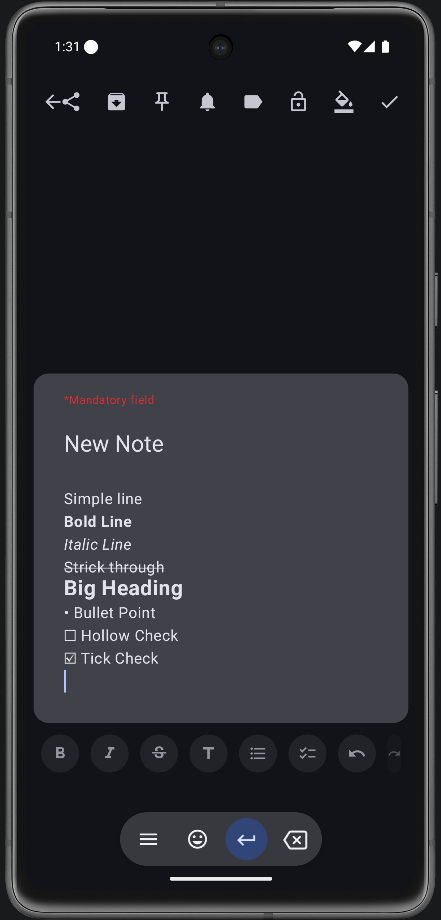 Rich-text Note Inline bold, italic, underline, strikethrough. |
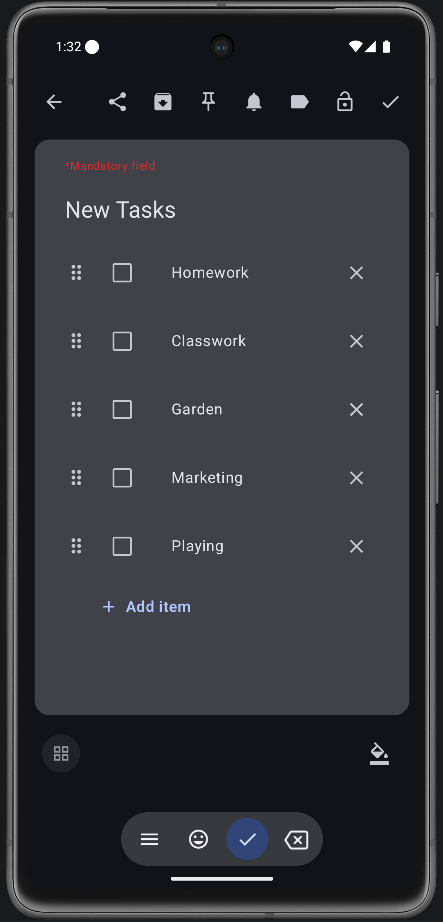 Checklist Tap-to-tick rows, drag-to-reorder, check-all toggle. |
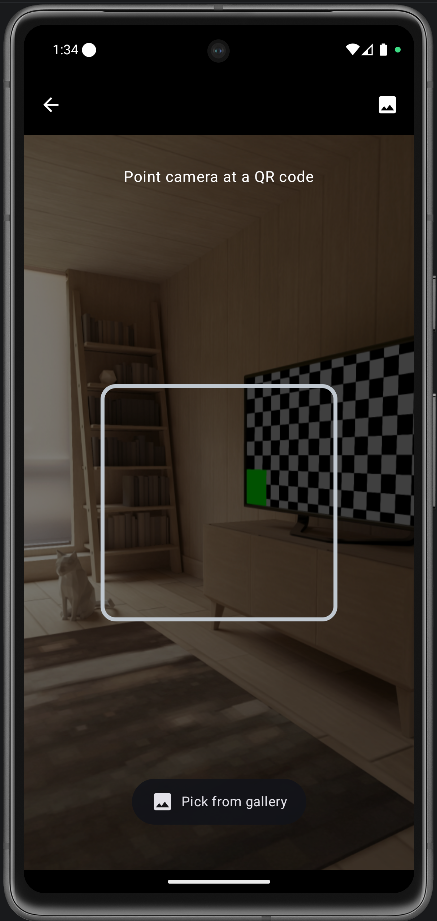 QR code Camera scan or gallery import. Re-renders the QR on demand, save back to gallery. |
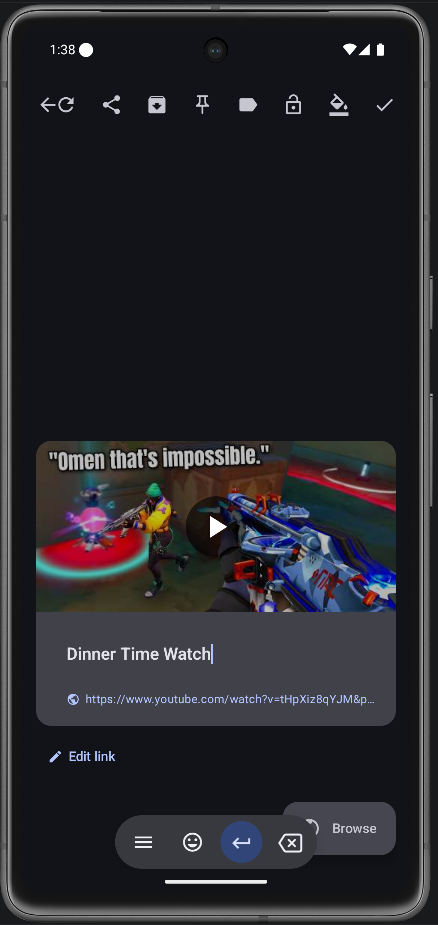 Link Auto-fetched og:image, title and description. Video badge for YouTube / Vimeo / TikTok. |
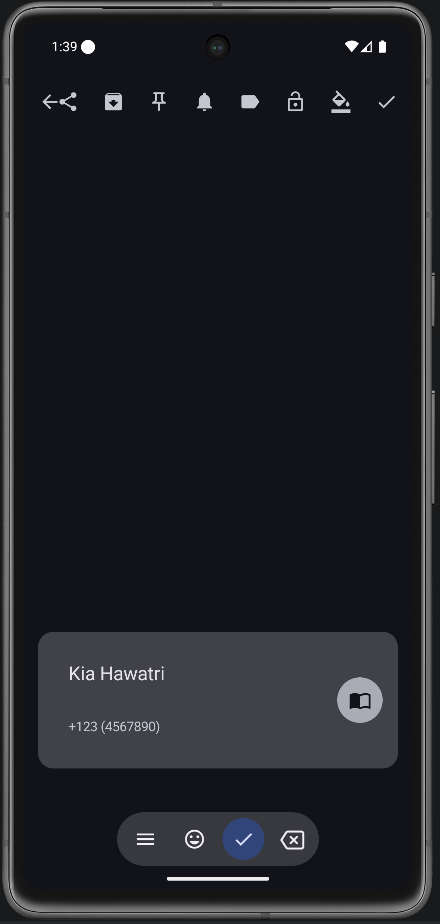 Contact System contact picker, one-tap dial from the card or notification. |
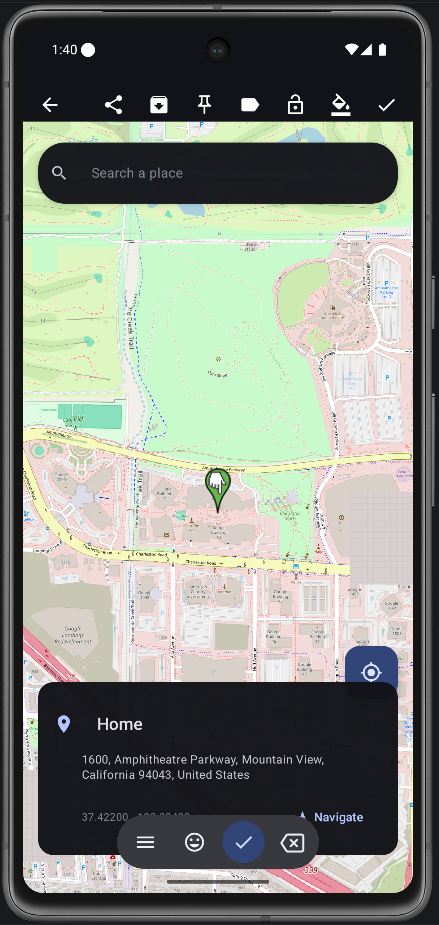 Location OpenStreetMap pin with reverse geocoding. Navigate button fires geo: to your maps app.
|
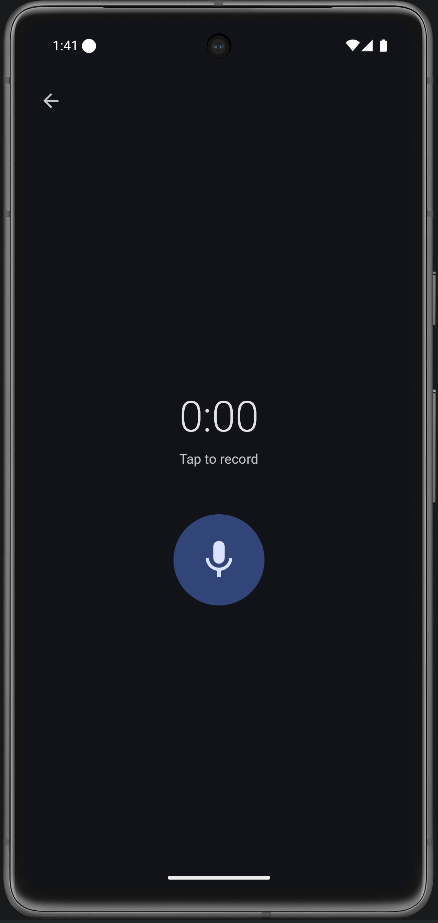 Audio In-app recorder with shared playback across the card, notification, and widget. |
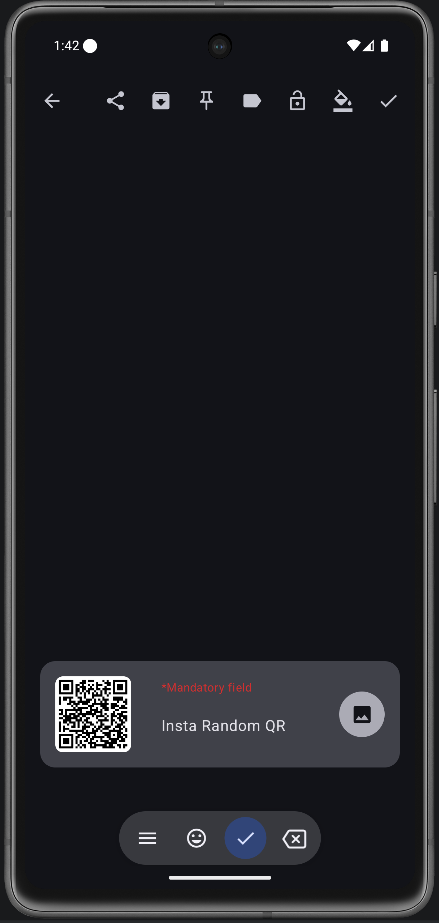 Image Pick from gallery or receive via share. Full-screen preview, share to any app. |
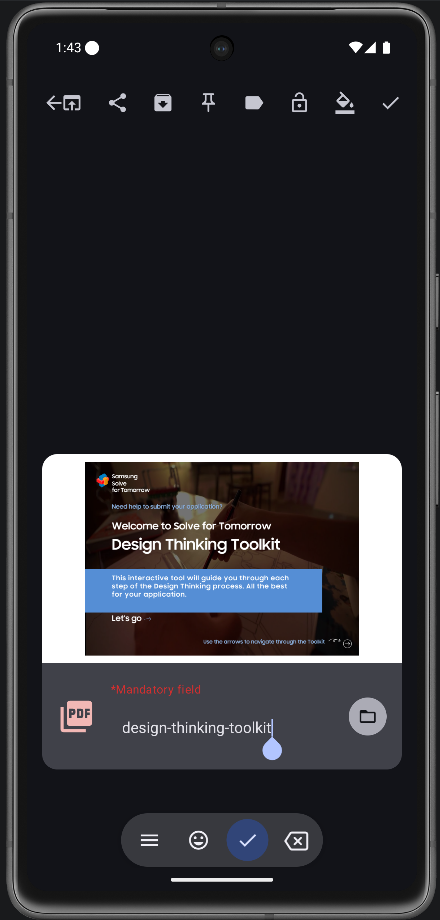 First-page thumbnail rendered on the card. Open in any PDF viewer or share. |
Persistent notifications
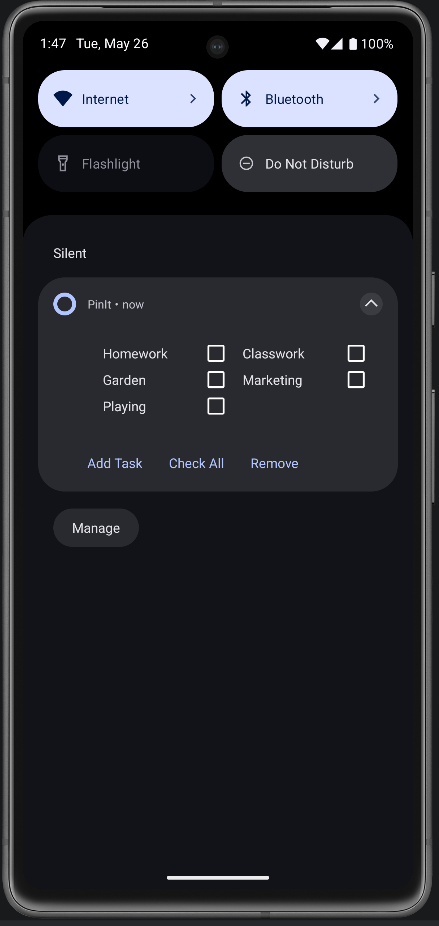 Checklist on the shade Two-column tickable rows, "Add task" inline input, Check all / Remove actions. Survives reboot. |
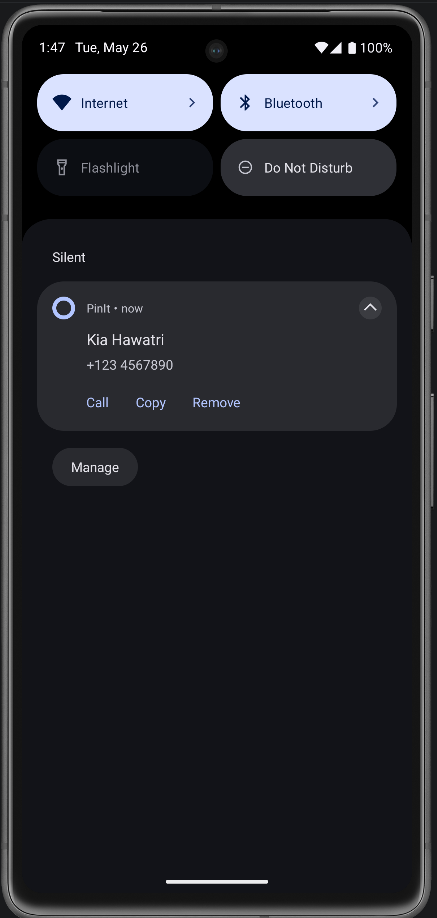 Contact one-tap dial Pin a contact and the notification gets a dedicated Call button — fires the dialler with no extra permission. |
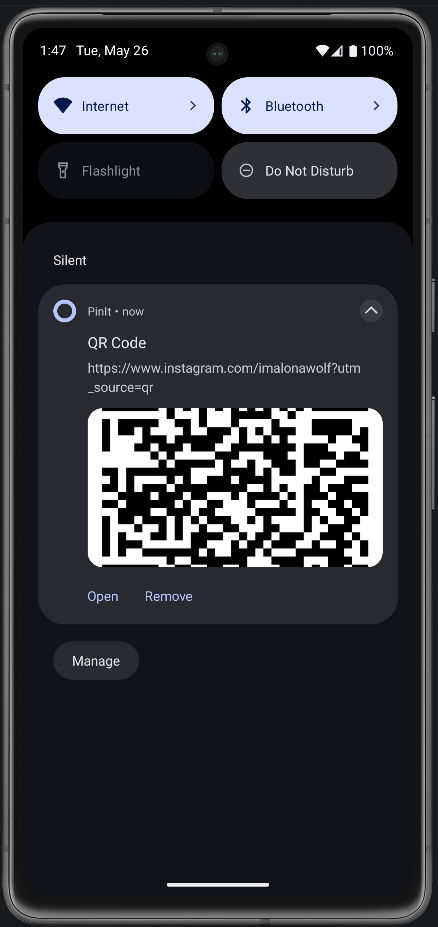 QR on the shade Big-picture style with the regenerated QR bitmap. Open / Copy actions for URL payloads. |
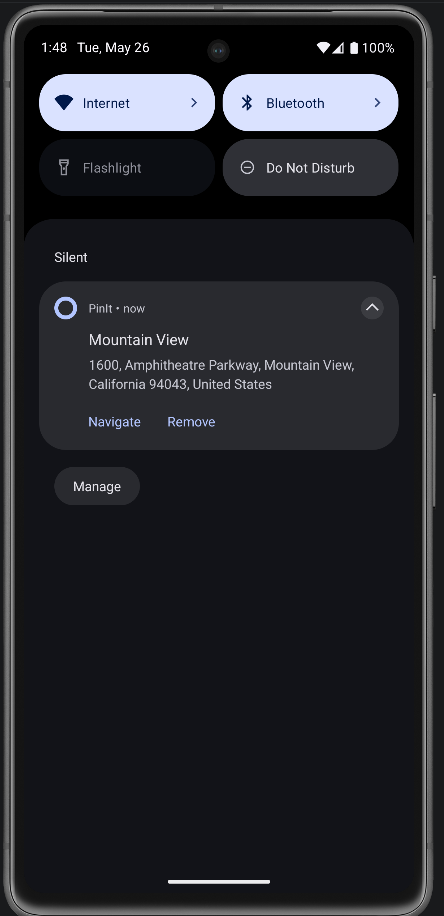 Location with Navigate Address as the body, Navigate action sends a geo: intent to your default maps app.
|
Locked notes & blur preview
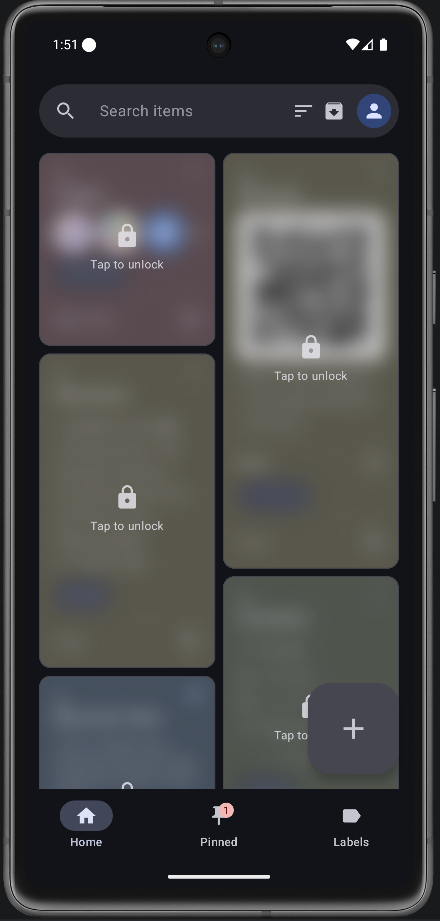 Blurred preview Locked notes still take their slot in the grid, but their contents are blurred. The lock icon overlays the card; quick-action taps are blocked until you unlock. |
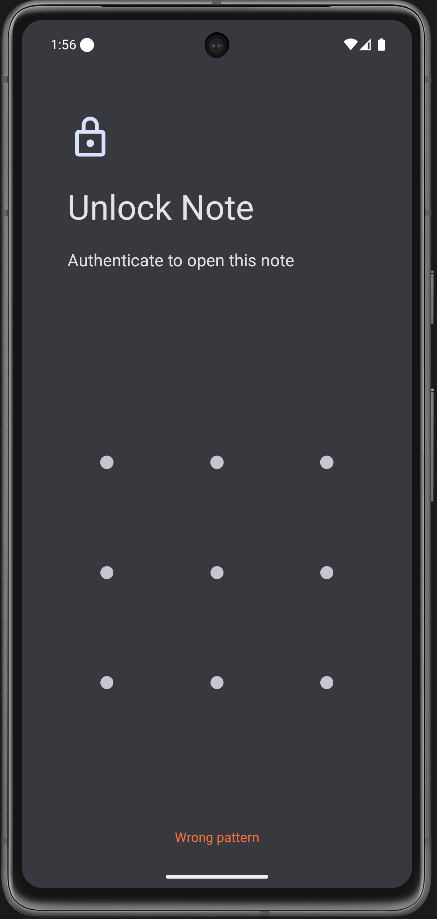 Biometric prompt Tap a locked card → fingerprint / face / PIN. On success the note opens; failure leaves it sealed. |
Sort + drag to reorder
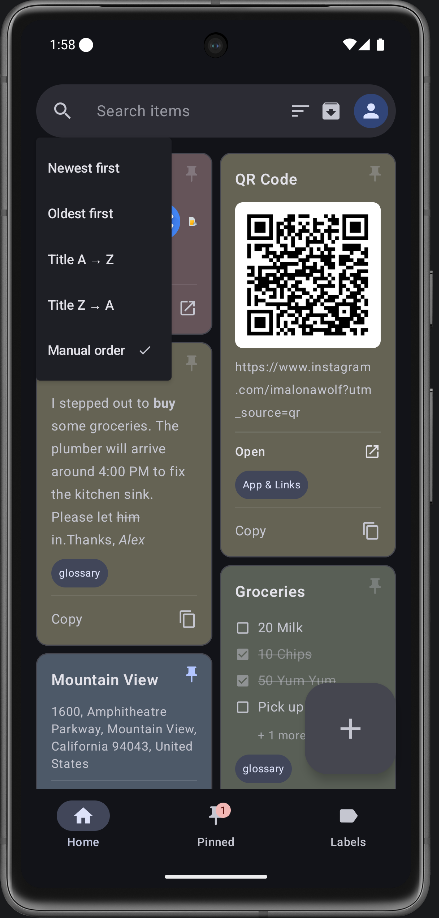 Sort menu Five orders. Newest, Oldest, Title A→Z, Title Z→A, and Manual. Tap Manual to enter drag mode. |
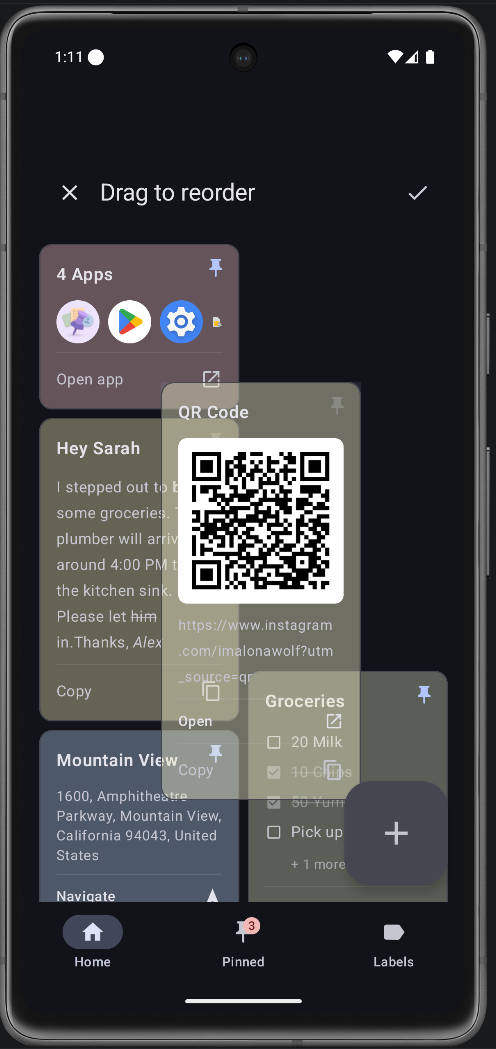 Manual reorder Long-press any card and drag. The grid reflows live. ✓ saves the new order; ✗ discards. Order survives app restarts. |
Labels
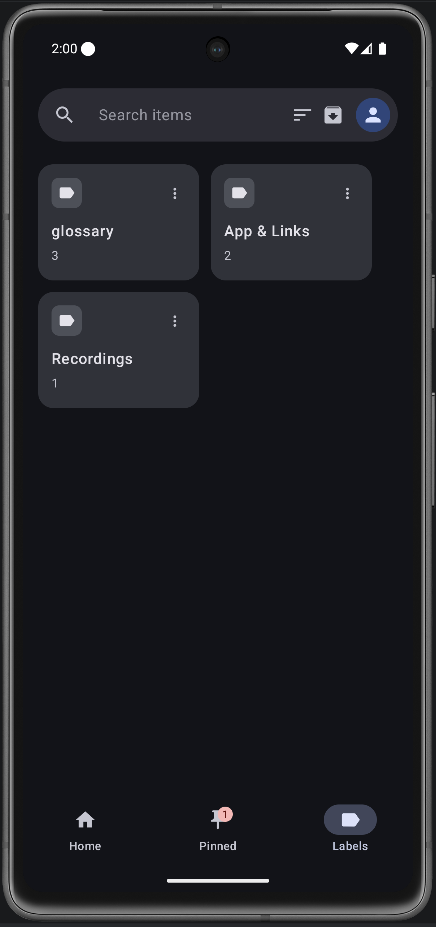 Labels tab Every label you've ever used with a count badge. Tap to filter, kebab menu to rename or delete. |
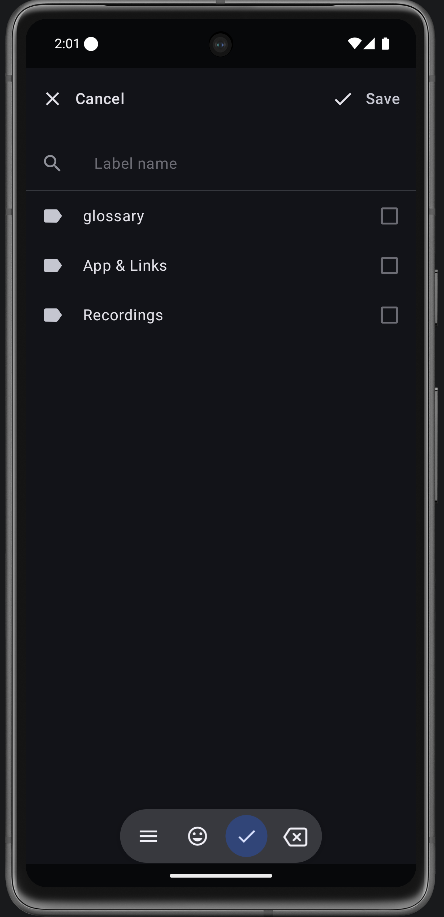 Apply labels Full-screen sheet on every editor. Search, create new on the fly, multi-select. Rename / delete with full undo. |
Home-screen widgets
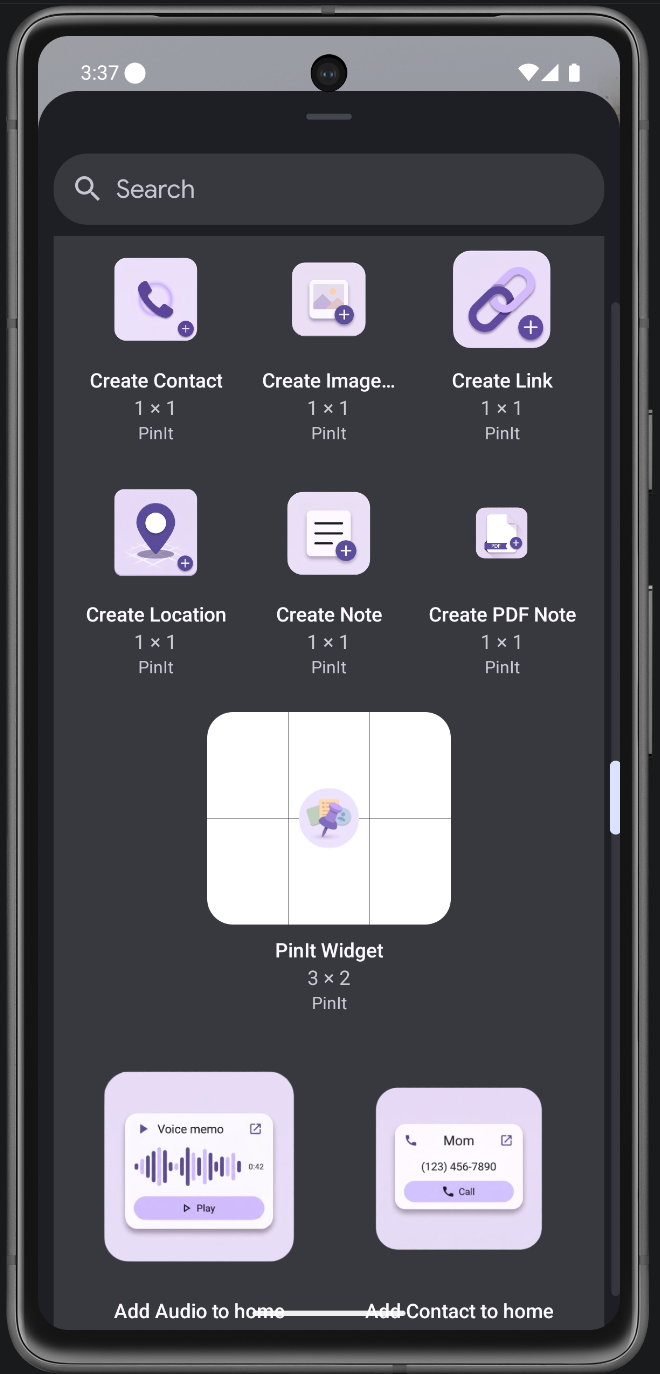 20 widgets in the picker Ten Create shortcuts and ten Add live-rendering tiles. Each gets its own preview image and label. |
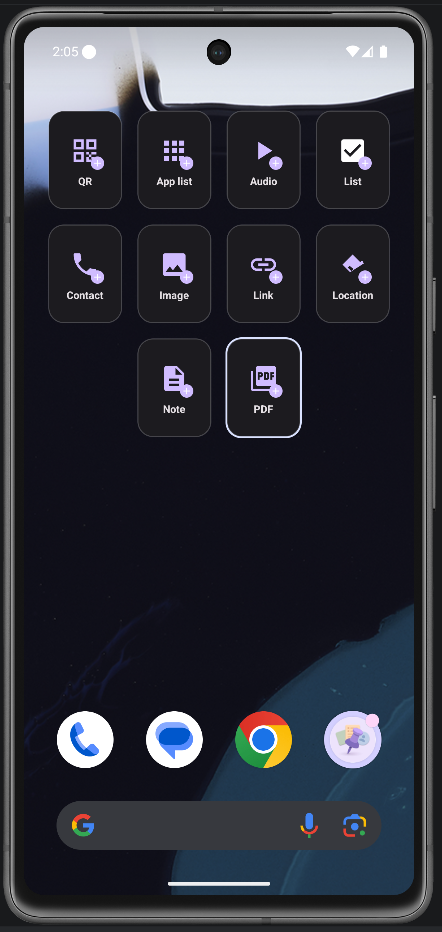 Create widget 1×1 tile with a type icon and a + badge. Tap to jump straight into a new note of that type. |
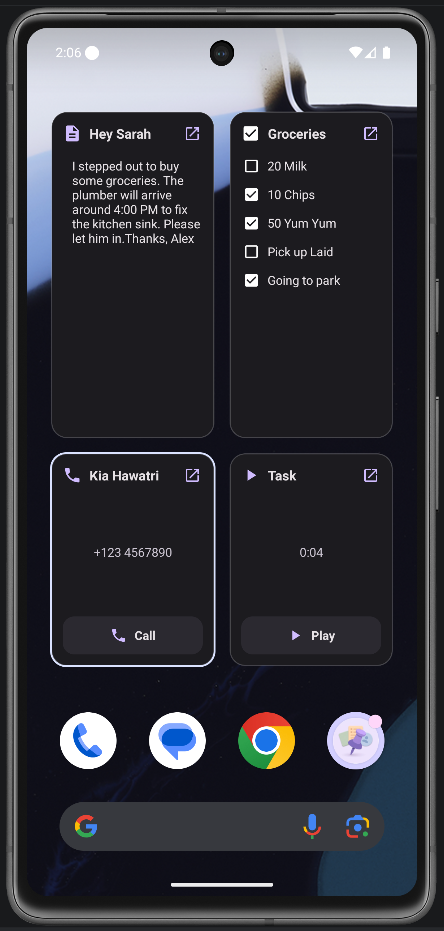 Add widget Live-renders a chosen note. Lists are tickable from the home screen, audio plays, contacts dial, locations navigate. |
Backup — online & offline
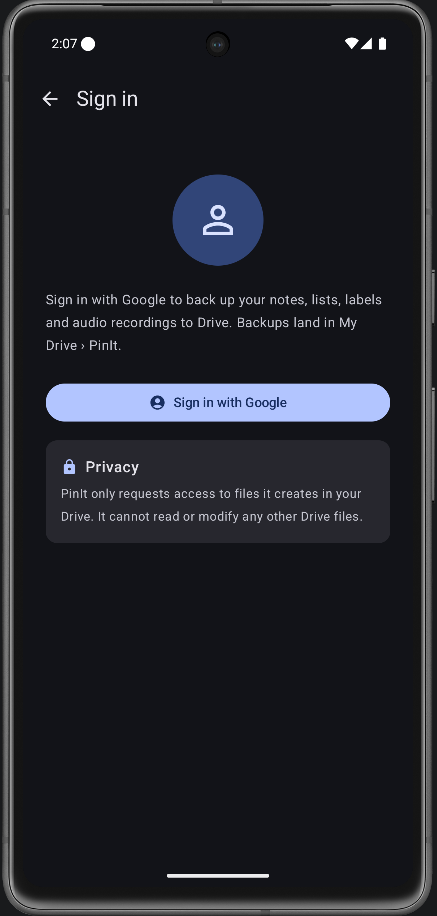 Online — Google Drive One-tap upload to My Drive/PinIt/pinit_backup.pinit. Uses the DRIVE_FILE scope, so PinIt can only see files it created — never the rest of your Drive.
|
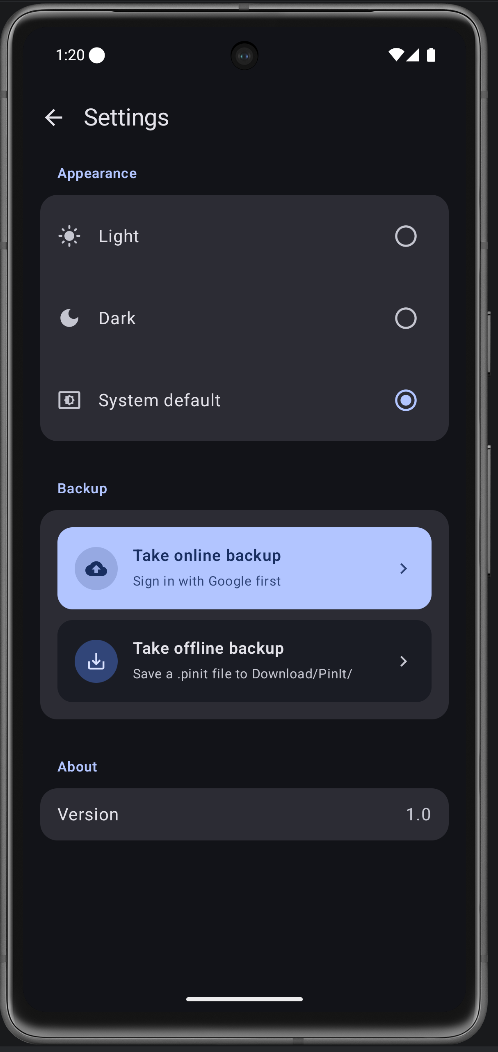 Offline — local file Saves a timestamped .pinit archive to Download/PinIt/. No account, no permissions, transferable over USB.
|
Demo
Download
PinIt is distributed exclusively through GitHub Releases. There is no Play Store listing — pre-built APKs are signed and posted to the releases page for every tagged version.
Note for first install: because PinIt isn't on the Play Store, you'll need to allow your browser or file manager to install unknown apps the first time. Android will prompt you with a one-time toggle.
Building from source
Requirements
- Android Studio Ladybug (2024.2) or newer
- JDK 11
- Android SDK 36 (compileSdk) — minimum target Android 10 (API 29)
Clone & build
git clone https://github.com/hawatri/PinIt.git
cd PinIt
./gradlew assembleDebug          # macOS / Linux
gradlew.bat assembleDebug        # Windows PowerShell
The debug APK lands in app/build/outputs/apk/debug/app-debug.apk.
Run on a device
./gradlew installDebug
adb shell am start -n com.hawatri.pinit/.MainActivity
Release build
The release build is wired to read its signing credentials from a keystore.properties file at the project root (gitignored). Generate a keystore if you don't have one:
keytool -genkey -v -keystore pinit_keystore -alias pinit -keyalg RSA -keysize 2048 -validity 10000
Then create keystore.properties next to gradlew.bat with the matching values:
storeFile=pinit_keystore
storePassword=YOUR_STORE_PASSWORD
keyAlias=pinit
keyPassword=YOUR_KEY_PASSWORD
And build:
./gradlew assembleRelease
The signed APK lands in app/build/outputs/apk/release/app-release.apk.
Cloud backup setup (optional)
If you fork PinIt and want online backup to work in your build, you'll need to register your own OAuth client in Google Cloud Console — Drive API enabled, Android client with your package name and your keystore's SHA-1 fingerprint. The default build is set up for the upstream project; a forked build will hit DEVELOPER_ERROR (status code 10) until you wire up your own client. See IMPLEMENTATION_LOG.md for the full walk-through.
Architecture
MVVM with Room + Compose Navigation. Single ViewModel, StateFlow-based state, Compose-driven UI.
data/          → Room database (Note, NoteDao, NoteDatabase, Converters, NoteType, AppPreferences)
viewmodel/     → PinItViewModel
ui/            → Compose screens, FAB menu, NoteCard, LabelsEditor, IcsImportSheet, OnboardingScreen
backup/        → GoogleAuthManager, DriveBackupManager, BackupSyncManager, PinItBackup
receiver/      → NotificationReceiver, AlarmReceiver, BootReceiver
util/          → NotificationHelper, ReminderHelper, QrUtils, PdfUtils, AudioPlayback, LocaleHelper
widget/        → 20 widget providers + shared renderer / config / service
res/values/    → strings.xml — the English source of truth
res/values-pt-rBR/ → strings.xml — Brazilian Portuguese, kept at full parity
Type-specific data (LinkNoteData, LocationNoteData, etc.) is stored as JSON inside note.text, parsed via Gson. Database migrations are data-preserving — no fallbackToDestructiveMigration anywhere.
Localization. All user-facing text lives in res/values/strings.xml. util/LocaleHelper.kt holds the AppLanguage enum and applies the chosen locale — Activities wrap their base context, while notifications, widgets and receivers resolve through LocaleHelper because those contexts otherwise carry the system locale and would render English inside a translated app.
Tech stack
| Library | Purpose |
|---|---|
| Kotlin 2.0 + Coroutines | Language and async |
| Jetpack Compose (Material 3) | UI |
| Compose Navigation | Screen routing |
| Room 2.7 + KSP | Local database |
| CameraX + ML Kit Barcode | QR scanning |
| osmdroid | OpenStreetMap (no API key) |
| ZXing | QR generation |
| Coil | Image loading and Google account avatar |
| Jsoup | Link metadata extraction |
| androidx.biometric | Locked-note auth |
| Gson | JSON serialisation for typed note bodies and .pinit backups |
| Google Sign-In + Drive REST v3 | Optional cloud backup (DRIVE_FILE scope only) |
| sh.calvin.reorderable | Drag-to-reorder for the staggered grid |
| Android resource qualifiers | Localization (values-pt-rBR), no third-party i18n library |
| R8 | Code shrinking and obfuscation — keeps the release APK around 32 MB |
Permissions
PinIt asks only for what each feature needs, when it's needed:
POST_NOTIFICATIONS— pinned-note shade entries (Android 13+)SCHEDULE_EXACT_ALARM/USE_EXACT_ALARM— remindersCAMERA— QR scanning (gallery import works without it)READ_CONTACTS— contact pickerACCESS_FINE_LOCATION/COARSE_LOCATION— current-location FAB onlyRECORD_AUDIO— voice memosUSE_BIOMETRIC— locked notesRECEIVE_BOOT_COMPLETED— re-post pinned notifications after restartINTERNET— link previews, OSM map tiles, Drive backupGET_ACCOUNTS— list Google accounts for sign-in (only used during the picker)
No analytics, no ads, no third-party trackers. The app talks to the network only when you load a link preview, scroll a map, or run a backup.
Privacy
PinIt's privacy story is short: everything stays on your device, unless you explicitly back it up.
- All notes, audio recordings, labels and reminders live in Room (the device's local database) and
filesDir(your audio recordings). - Cloud backup is opt-in. Until you tap "Sign in with Google," the app makes zero authenticated network calls.
- When you sign in, PinIt requests only the DRIVE_FILE scope — meaning it can read and write files it itself created in your Drive, and nothing else. It can't see your other documents, photos, or shared drives.
- Backups are written to your Google Drive (
My Drive/PinIt/), in your account. PinIt does not run a server, does not have its own database, and does not see your backup contents — the data goes from your phone to your Drive directly. - Offline backups are written to your local
Download/PinIt/folder. No network involved. - No analytics SDKs are included. No crash reporters. No telemetry of any kind.
Contributing
Found a bug or have an idea? Just open an issue — that's the easiest way to get in touch. You can also tap Report an issue in the app's Settings screen, which opens your mail app pre-addressed to [email protected].
Translating PinIt
Translations are the easiest way to contribute, and the most wanted right now — pt-BR is the only language so far.
- Copy
app/src/main/res/values/strings.xmltoapp/src/main/res/values-<locale>/strings.xml(e.g.values-esfor Spanish,values-fr-rFRfor French). - Translate the values only — never the
name="..."attributes. - Add one entry to
AppLanguageinapp/src/main/java/com/hawatri/pinit/util/LocaleHelper.ktwith the matching BCP-47 tag. The Settings picker builds itself from that enum, so there's no UI to touch. - Keep
%1$s/%1$dplaceholders exactly as they appear, and keep every<plurals>entry your language needs (gradlew.bat lintDebugwill tell you if one is missing).
Don't have an Android setup? Open an issue with the translated strings and it can be wired up for you.
Acknowledgements
- Ruppu — the original inspiration for the multi-type pin concept
- OpenStreetMap — tiles and geocoding for the location feature
- Material Design 3 — the visual system PinIt is built on
License
PinIt is released under the MIT License. You're free to use, modify, and distribute it, including for commercial purposes — just keep the copyright notice intact.