
hashiiiii/PrefabLens
hashiiiii/PrefabLens has 36 GitHub stars and 3 forks. GitHot measured 0 stars in 24 hours. Last checked 2026-11-13 21:41 UTC. Last push 2026-11-10.
Measured star growth
- in 24h
- 0
- in 7 days
- Collecting history
- in 15 days
- Collecting history
- in 1 month
- Collecting history
Net star changes over overlapping periods, not daily totals. Missing measurements are left blank. Stars measure attention, not software quality.
About
Semantic diffs and merges for UnityYAML assets.
Developer ToolsREADME.md
OriginalPrefabLens


PrefabLens shows semantic diffs and merges for UnityYAML assets, including changes to GameObjects, components, and fields.
Use the Chrome extension, Unity Editor package, or CLI.
Try the live demo.
Chrome extension
The extension shows semantic diffs in GitHub pull requests, only on github.com.
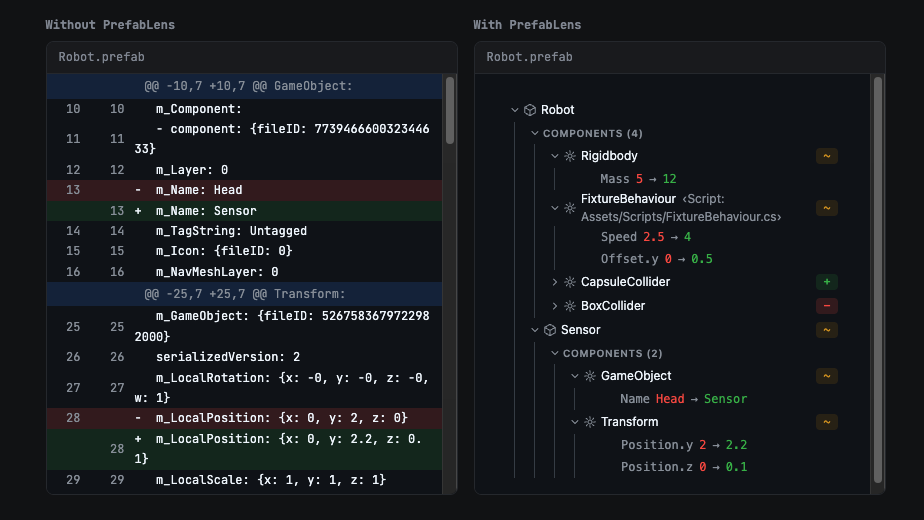
Install the extension from the Chrome Web Store.
Unity Editor
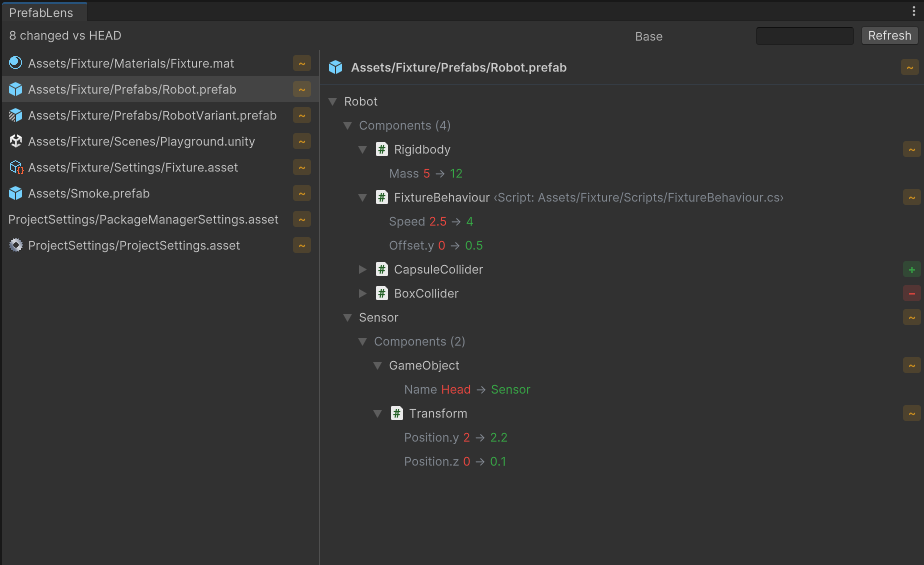
[!IMPORTANT] The package requires Unity 2022.3 or later.
Installation
OpenUPM
openupm add com.hashiiiii.prefablens
For scoped registry installation without openupm-cli, see the package page.
UPM
- Open
Window > Package Managerin Unity. - Click + in the top left corner, then select
Add package from git URL.... - Enter
https://github.com/hashiiiii/PrefabLens.git?path=editor. - Click Add.
See the Unity manual for details.
Usage
Open Window > PrefabLens.
The left pane lists UnityYAML assets changed from Base, or HEAD when Base is empty.
Select an asset to view its semantic diff on the right.
CLI
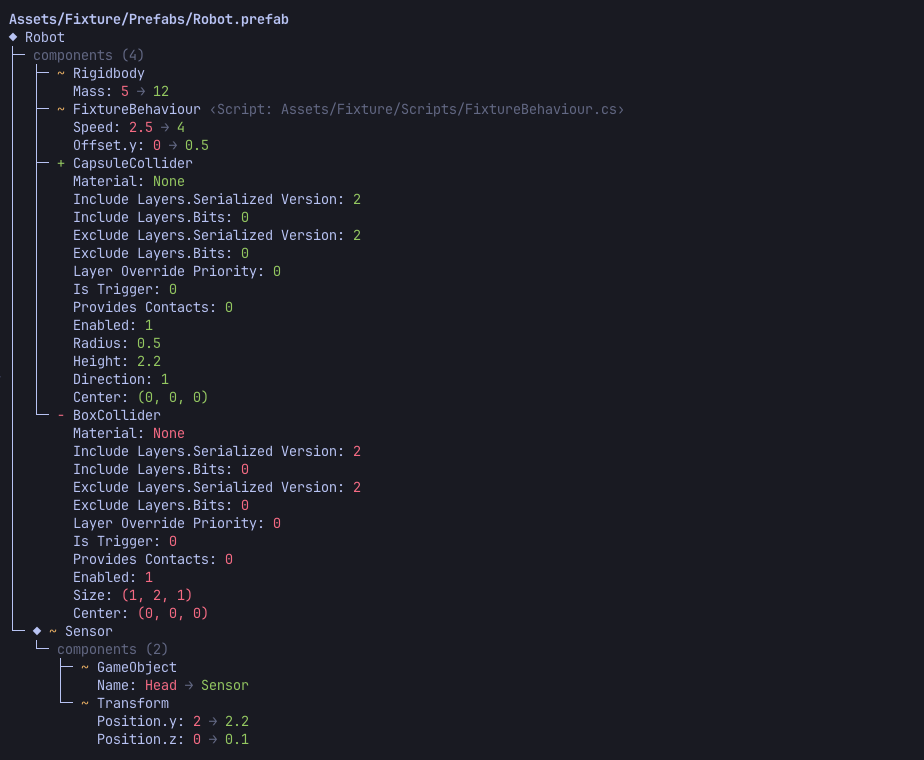
Installation
Homebrew (macOS / Linux)
brew install hashiiiii/tap/prefablens
Scoop (Windows)
scoop bucket add hashiiiii https://github.com/hashiiiii/scoop-bucket
scoop install prefablens
mise
mise use -g github:hashiiiii/PrefabLens
Manual
Download your platform's ZIP from GitHub Releases.
Each archive contains one native prefablens executable and the git-merge-prefablens script.
Usage
Diff
prefablens                              # HEAD vs working tree, all changed UnityYAML files
prefablens Assets/Foo.prefab            # HEAD vs working tree, one file
prefablens main                         # ref vs working tree, all changed UnityYAML files
prefablens HEAD~1 HEAD Assets/Foo.prefab  # ref vs ref, one file
prefablens before.prefab after.prefab   # plain comparison of two files

prefablens --json before.prefab after.prefab
prefablens --open main                  # write the report to a temp file and open it
Merge
[!IMPORTANT] PrefabLens uses Git 2.39 or later to resolve UnityYAML conflicts during
git merge.
Choose a setup scope:
| Command | Attributes | Git configuration |
|---|---|---|
prefablens setup-merge --project |
.gitattributes |
Current clone |
prefablens setup-merge --local |
.git/info/attributes |
Current clone |
prefablens setup-merge --user |
User attributes file | Global |
[!NOTE]
prefablens setup-mergedefaults to--local.
Use the normal merge command:
git merge origin/main
https://github.com/user-attachments/assets/2ad6a2e9-5562-40b8-ab7e-c5f277da3d8b
Set the installed PrefabLens executable as your GUI client's external merge tool on macOS or Windows.
Use these arguments:
mergetool --terminal <base> <local> <remote> <merged>
Replace the four paths with your client's placeholders.
Open a conflicted file with the tool, resolve it in PrefabLens, then stage it in your Git client.
Fork example:
https://github.com/user-attachments/assets/d6dd0038-498f-42f3-8447-77a6e597ddf2
Key bindings
Create an editable keymap after installing the CLI:
prefablens setup-keymap
The command prints the file path and preserves existing files.
Edit that file, then reopen the merge tool to apply changes.
| Environment | Path |
|---|---|
Nonempty XDG_CONFIG_HOME |
$XDG_CONFIG_HOME/prefablens/keymap.json |
| Windows | %APPDATA%\prefablens\keymap.json |
| macOS / Linux | ~/.config/prefablens/keymap.json |
Contexts
Place bindings in the context for their UI:
| Context | Active UI |
|---|---|
global |
Merge screen display controls and Complete button; inactive while editing Result or in dialogs |
tree |
Left hierarchy, when focused |
content |
Right Base / Ours / Theirs / Result panes, when focused; Result editing |
dialog |
Quit and empty value confirmations, or file conflict choices; all other contexts are inactive |
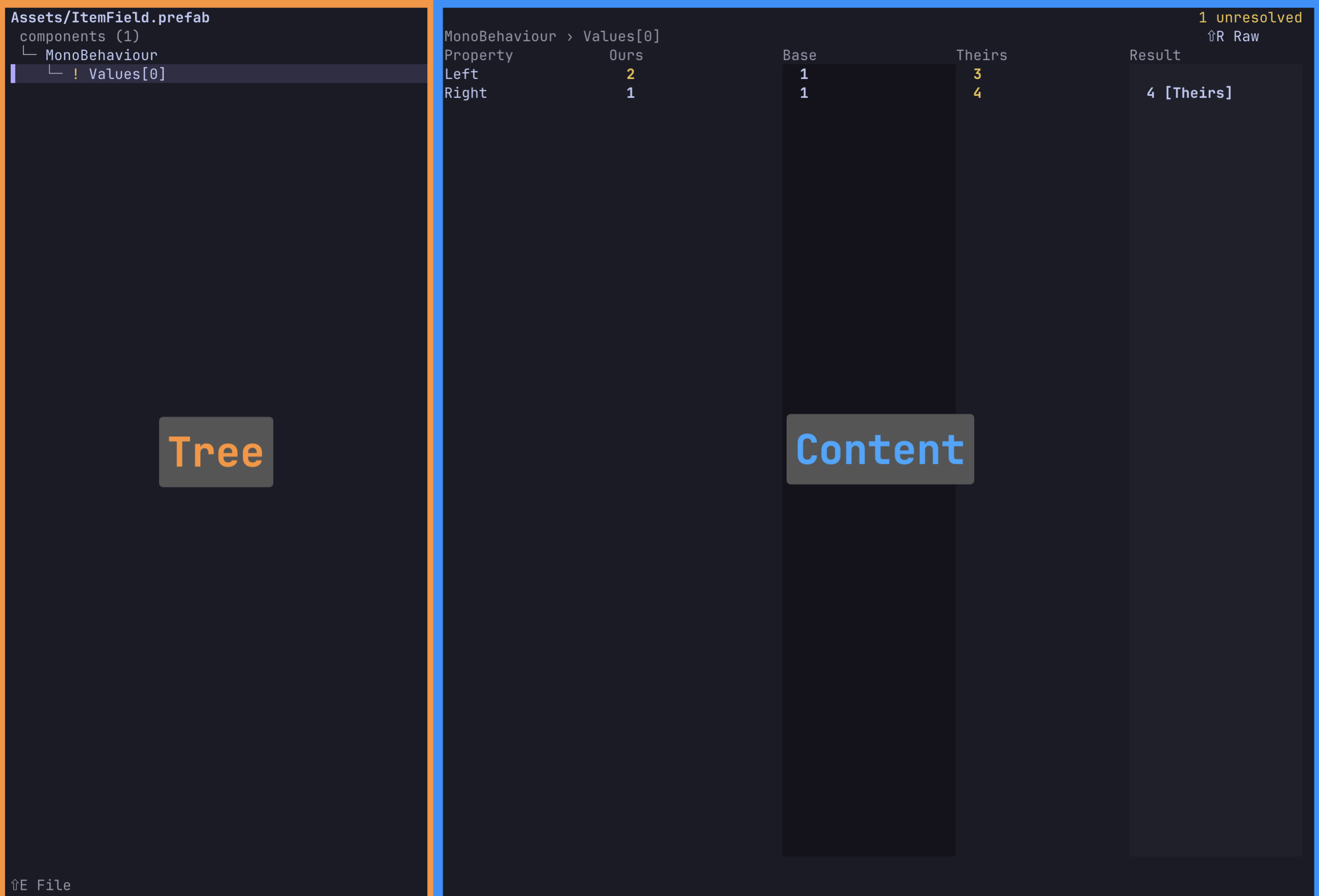
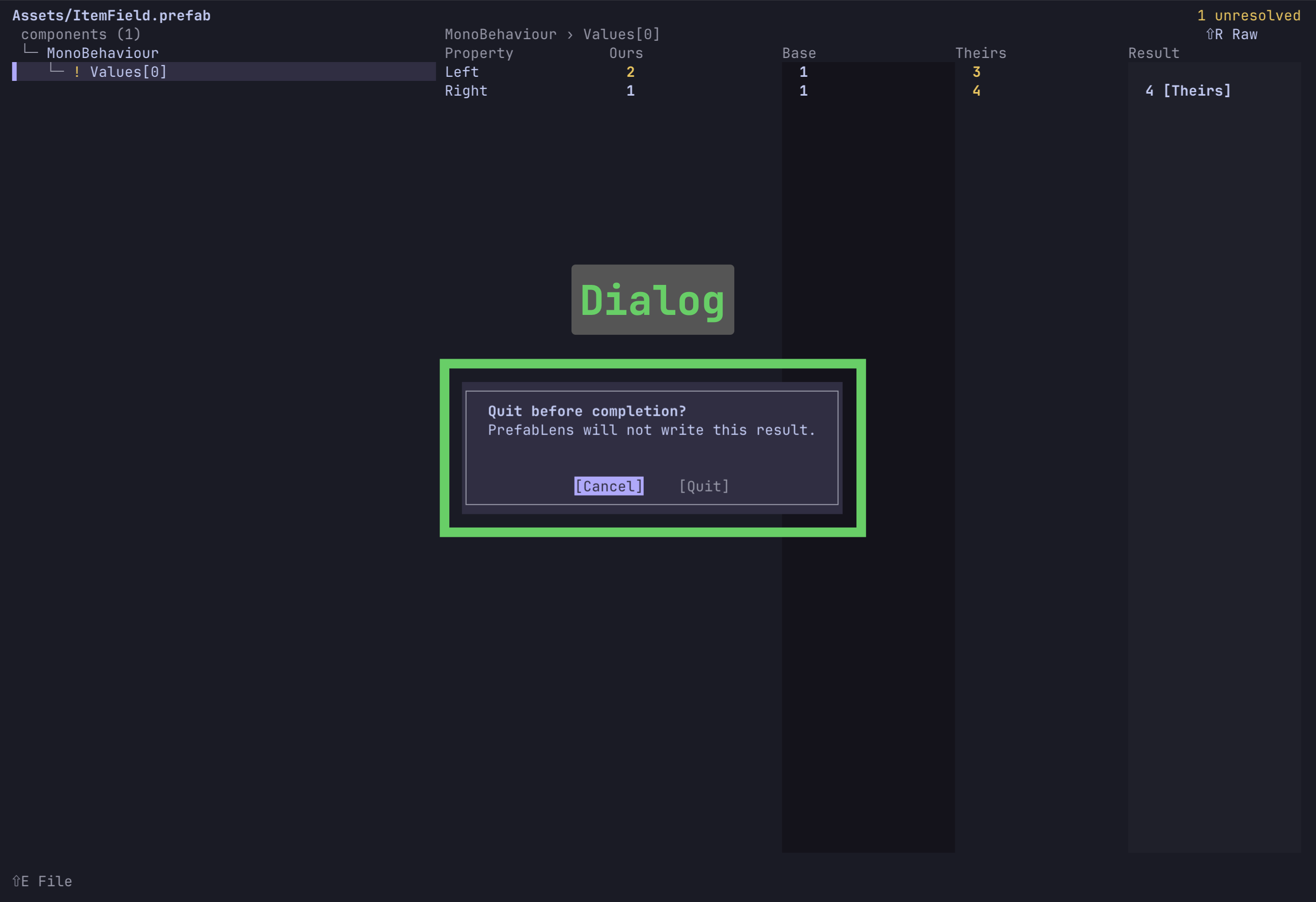
Edit entries in the generated file, such as these two shortcuts:
{
  "global": { "toggle_raw_view": ["Ctrl+r"] },
  "content": { "activate": ["Ctrl+x Ctrl+Enter"] }
}
content.activate selects a value, starts Result editing, or accepts the edit, depending on focus and editing state.
See available actions and key names.
Development
Install mise, then install the toolchain from the repository root:
mise install
Folder structure
| Directory | Description |
|---|---|
core/ |
Zig semantic diff engine for the CLI and WASM |
cli/ |
Native prefablens CLI |
extension/ |
Chrome extension for semantic GitHub pull request diffs |
editor/ |
Unity Editor package for semantic diffs |
site/ |
Live demo on Cloudflare Workers using CLI and extension artifacts |
Build and test
Run these commands from the repository root.
Core and CLI
zig build
zig build wasm
zig build test
zig build installs the CLI and Git strategy script to zig-out/bin/.zig build wasm compiles core/ to WASM for the extension and site.zig build test runs native core and CLI tests.
Chrome extension
Build and test commands run zig build wasm when needed.
(cd extension && pnpm install && pnpm run build && pnpm test)
Unity Editor
These .NET tests call the native CLI and run without Unity.
zig build test-installation-binaries -Doptimize=ReleaseSafe
PREFABLENS_TEST_BIN_DIR="$PWD/zig-out/bin" \
PREFABLENS_TEST_ALT_BIN_DIR="$PWD/zig-out/test-alternate-bin" \
  dotnet test editor/DotNetTests~/Tests
Site
The site build needs the CLI, the WASM module, and the extension demo bundle.
zig build
zig build wasm
(cd extension && pnpm install && pnpm run demo)
(cd site && pnpm install && pnpm test && pnpm run build)
Further reading
Contributing
Open an issue first and wait for its approved label before submitting a pull request.
Read CONTRIBUTING.md.
License
Explore related projects
codecrafters-io/build-your-own-x
Master programming by recreating your favorite technologies from scratch.
562,335 starspublic-apis/public-apis
A collective list of free APIs
498,773 starsmorluto/rea
Reverse engineer anything with agents, from app behavior down to native binaries.
457,506 starsopenclaw/openclaw
The AI that really does things. Any OS. Any Platform. The lobster way. 🦞
394,396 stars