
hasenj/go-shirei
About
A Go-based GUI framework: practical, immediate-mode, with a flexbox layout model.
Developer ToolsWhat you can do
- Produce small native binaries, ≈10MB is typical for binary size.
- Performance and resource usage is a first class design consideration.
- Easy to learn API & fast iteration cycle for both humans and AI.
- Simpler UI code, focus on program data, not widget objects.
Measured star growth
- in 24h
- +3
- in 7 days
- +23
- in 15 days
- Collecting history
- in 1 month
- Collecting history
Net star changes over overlapping periods, not daily totals. Missing measurements are left blank. Stars measure attention, not software quality.
README.md
OriginalShirei
Shirei is a cross-platform GUI framework for Go, designed as a lightweight alternative to web-based approaches, with a focus on development ergonomics.
- Build the UI in pure Go, instead of HTML and Javascript
- Describe the UI as a function of state, instead of creating and maintaining widget objects
- Arrange a uniform container tree with rows, columns, wrapping, and content-based sizing
- Custom components can retain internal state that the caller does not have to care about
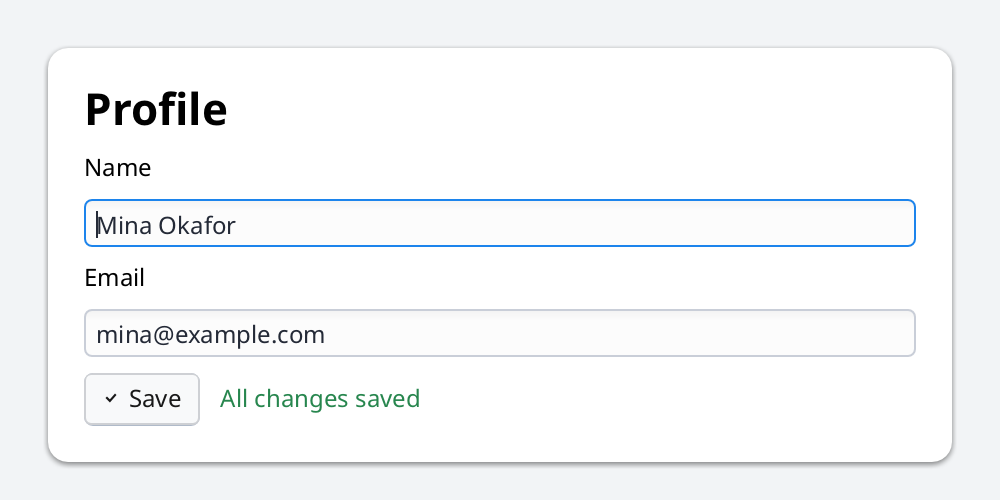
func ProfileForm(profile *Profile) {
    Container(Attrs(Expand, Pad(18), Gap(8)), func() {
        Label("Profile", FontSize(22),
            FontWeight(WeightBold))

        Label("Name")
        TextInput(&profile.Name)

        Label("Email")
        TextInput(&profile.Email)

        Container(Attrs(Row, CrossMid, Gap(10)), func() {
            if Button(SymITick, "Save") {
                profile.Saved = true
            }
            if profile.Saved {
                Label("All changes saved",
                    FontSize(12),
                    TextColor(145, 55, 34, 1))
            }
        })
    })
}
Suitable for a wide range of utility applications.
If you find yourself resorting to TUI frameworks because you dread using Electron, give Shirei a try.
※ "Shirei" is derived from the Japanese pronunciation of "Simple Layout": シンプル・レイアウト → シレイ
Shirei supports all major platforms:
- Windows
- macOS
- Linux (Wayland; X11 is a secondary backend)
- iOS (iPhone)
- Android
See the changelog for release features and upgrade notes.
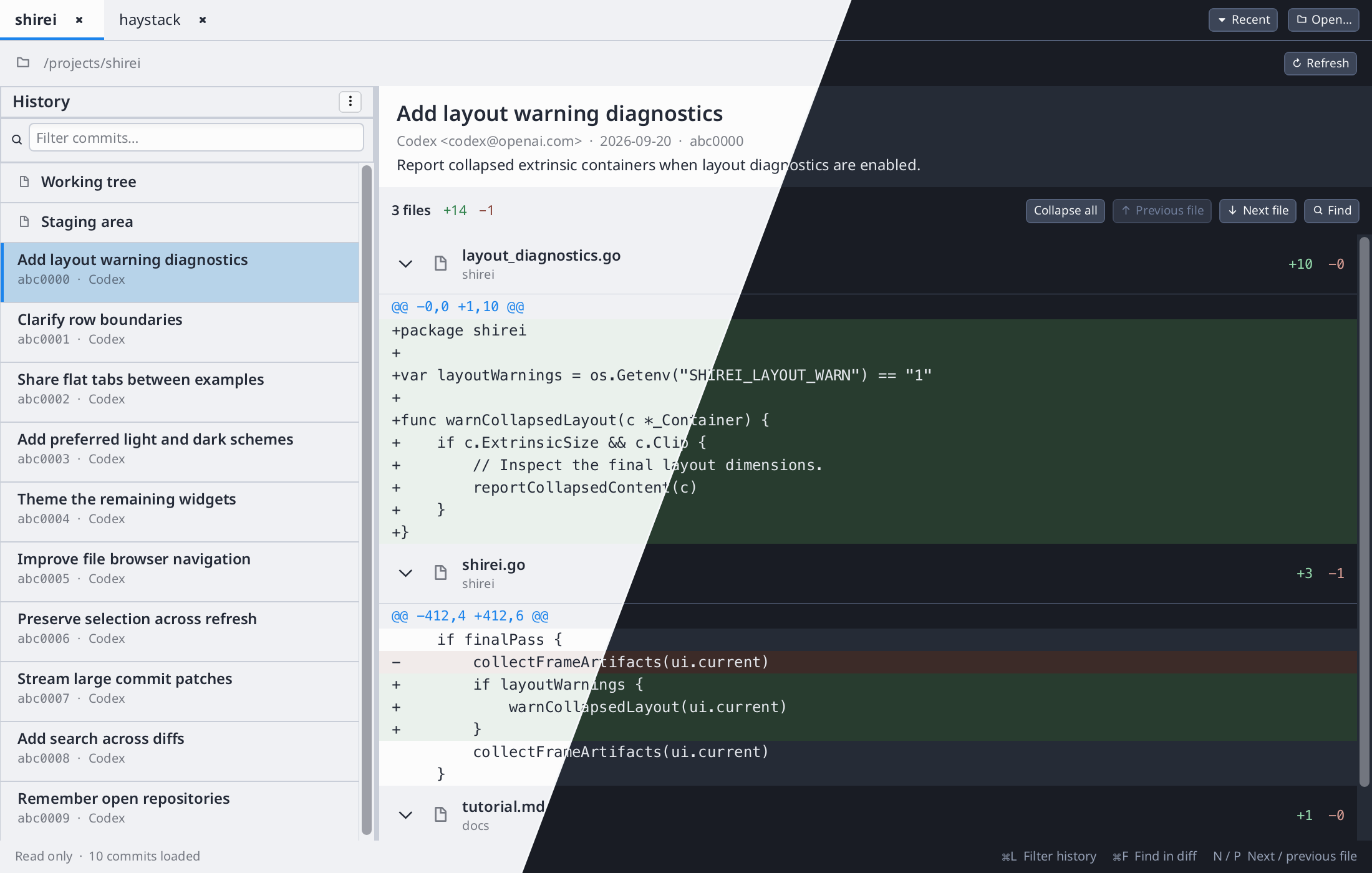
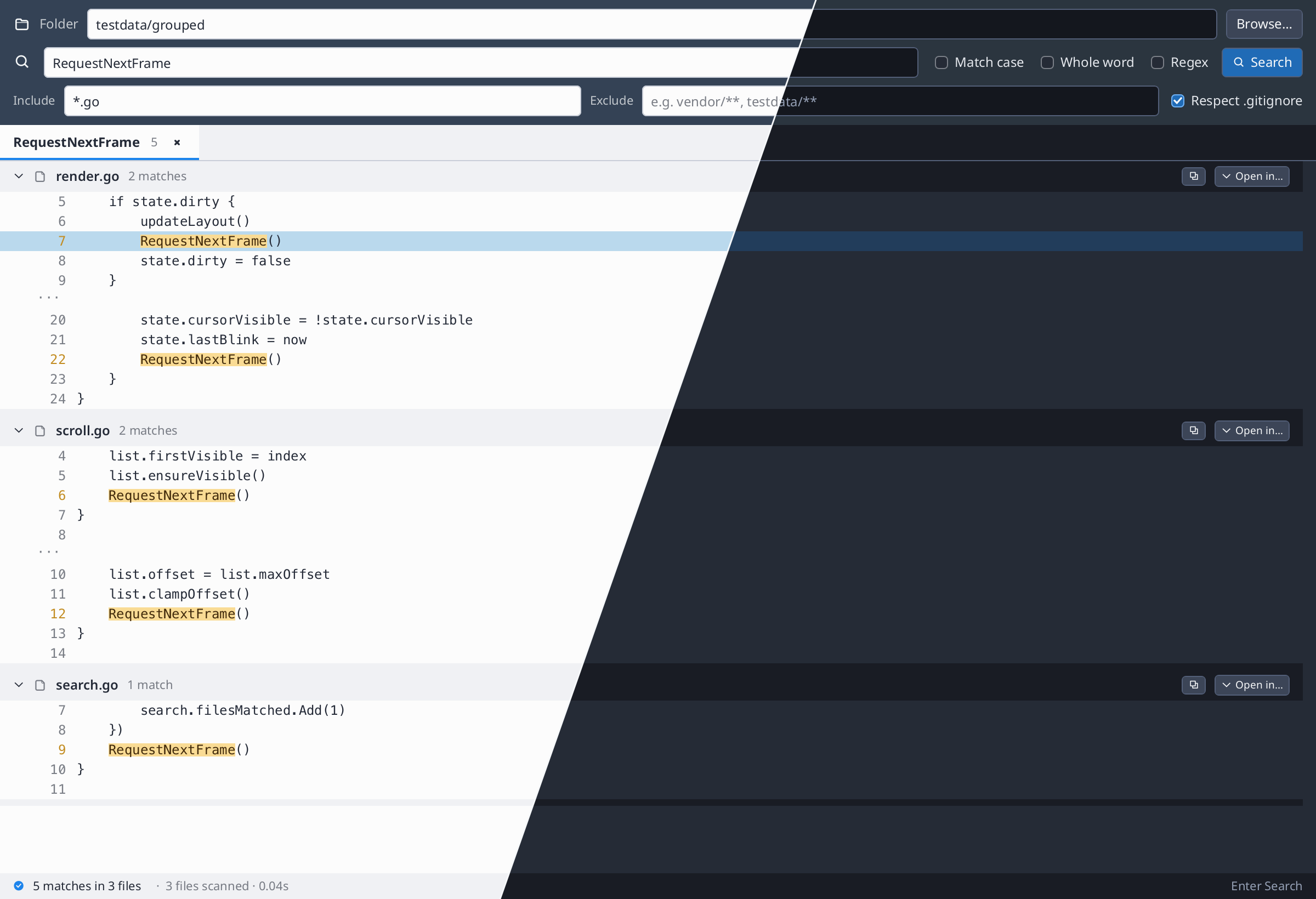
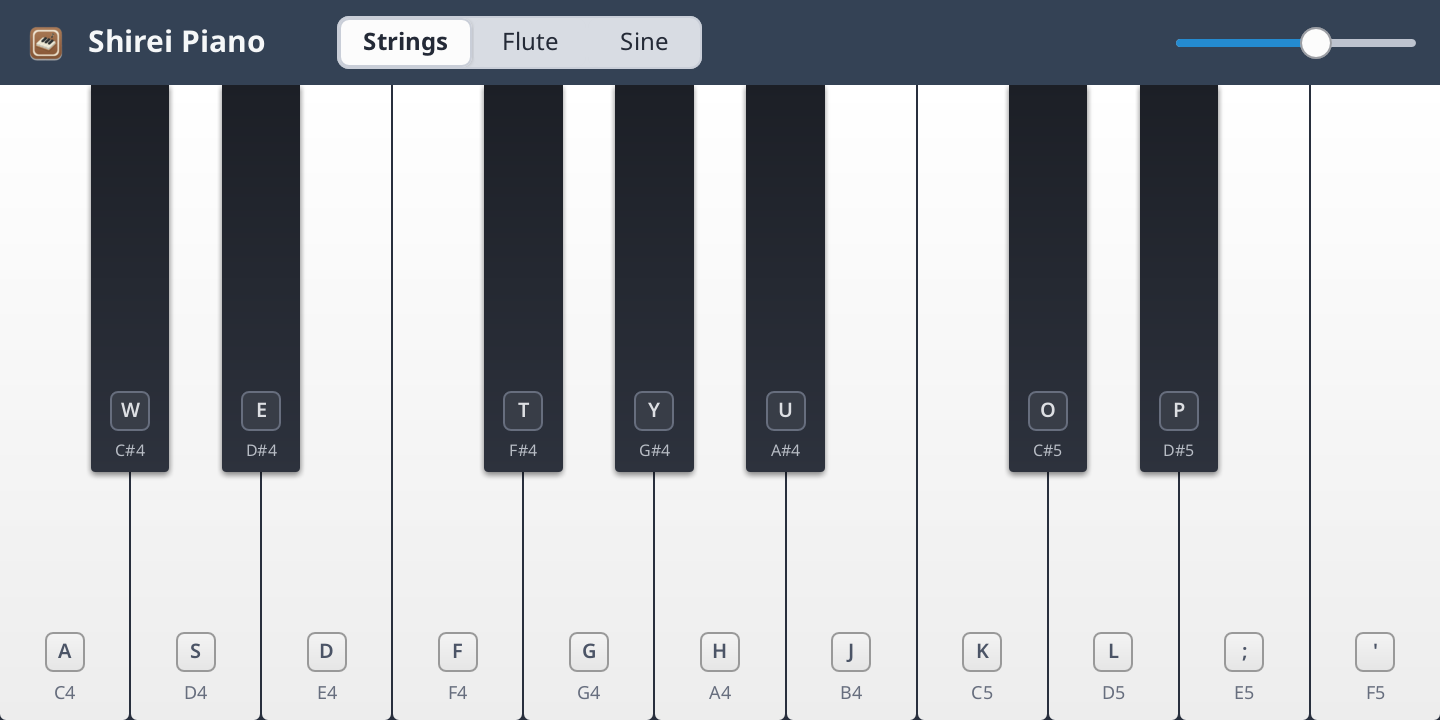
We have several example programs in this repo. Some screenshots compare light mode on the left with dark mode on the right:
Git History: quickly verify commit history (linearly)
Haystack: fast "find in files" with tabbed editing and saving
Piano: simple keyboard piano
Process Monitor: quickly check how running processes are using CPU/RAM
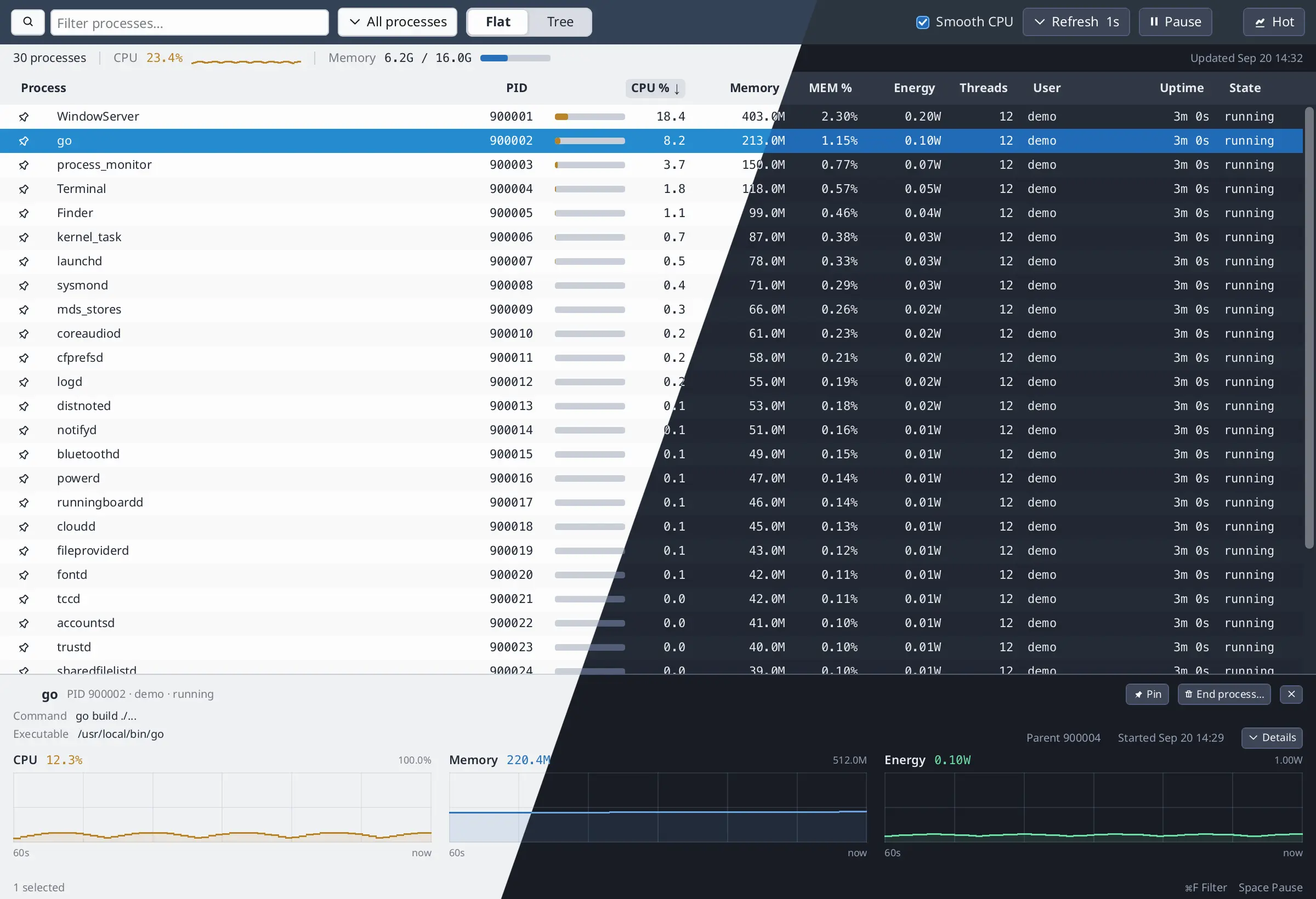
Run an example with go run . from its directory.
We ship shirei_mobilerun to quickly run apps on Mobile
phones.
We also ship shirei_bundle to manage creating release
bundles for all supported target platforms.
Cross compilation works for desktop platforms without CGO, including macOS. iOS still requires cgo.
Motivation
There are several approaches to creating UIs, and it has been this author's consistent experience that immediate mode provides the most flexibility and power for the least effort, compared to other approaches.
When we say "immediate mode", we're not talking about the rendering mechanism, rather we are talking about the API: do you "retain" widgets in your application code, or do you just say what the UI should look like right now, given application state?
Existing GUI frameworks in Go all seem to require you to retain widgets yourself, even ones that say they are immediate mode.
Shirei combines two powerful ideas:
- Build the UI using regular code constructs, and respond to input without callbacks
- Size containers from their contents and distribute available space along rows and columns
Why use Shirei:
Produce small native binaries, ≈10MB is typical for binary size.
Performance and resource usage is a first class design consideration.
Easy to learn API & fast iteration cycle for both humans and AI.
Simpler UI code, focus on program data, not widget objects.
Content-based layout with explicit control over remaining space, cross-axis expansion, and scrollable viewports.
Batteries included: default widgets, robust text editing, virtual lists, tables, modals.
Document editing:
TextDocumentandTextEditorprovide virtualized multiline editing, selection, undo/redo, line numbers, and IME composition.editorfilesupplies loading, conflict checks, and saving.Native auxiliary windows on macOS, Windows, Wayland, and X11, with independent input, rendering, transparency, decorations, and owned lifetimes. See the popup demo and window extension.
Transparent, draggable desktop overlays on macOS, Windows, and Wayland with layer-shell v4. Background mode keeps the app running when its main window closes;
window.Activaterestores it from another window or goroutine on these three backends.International text support: unlike what you might expect from imgui libraries from C/C++, Shirei supports complex text shaping and bidirectional layout, input method editor (IME) for East Asian languages, and ability to use all system fonts. Furigana adds readings above Japanese text; labels and editable fields preserve annotation groups through selection, copying, and undo.
Snapshot testing: render the normal application frame to an image without opening a native window or requiring a GPU. Headless snapshots always use the software renderer.
GPU compositor by default on macOS (Metal), iOS (Metal), Wayland (GLES), Android (GLES), Windows (D3D11), and web (WebGL2). X11 stays software.
SHIREI_GPU=0or init failure falls back to the software renderer.Access attributes on containers (
NextAccessName,AssignAccess) build a queryable tree each frame. Drive tests launch the app and click by name over loopback UDP: docs/drive-tutorial.md. Command list: docs/drive.md.
Limitations
- Wayland overlays and explicit window positioning require layer-shell v4. Ordinary windows follow compositor placement, sizing, and focus policies. Cross-monitor overlay dragging changes outputs after release. See Wayland window controls.
- X11 supports auxiliary windows but lacks background main-window restoration and always-on-top overlay behavior.
- Basic screen-reader support on macOS, Linux Wayland and 64-bit Windows covers static text, buttons, toggles and sliders; see accessibility for scope and testing
- No app-owned GPU surfaces (video, custom 3D); under consideration
Getting started
Copy this into main.go in a new folder:
package main

import (
	"fmt"

	app "go.hasen.dev/shirei/app"

	. "go.hasen.dev/shirei"
	. "go.hasen.dev/shirei/widgets"
)

func main() {
	app.SetupWindow("My App", 300, 100)
	app.Run(RootView)
}

var count int

func RootView() {
	Container(Attrs(Viewport, Background(220, 10, 97, 1)), func() {
		Container(Attrs(Row, CrossMid, Pad(20), Gap(10)), func() {
			Label(fmt.Sprintf("Counter: %d", count))
			if Button(SymIPlus, "Increment") {
				count++
			}
		})
	})
}
Then type:
$ go mod init main
$ go mod tidy
$ go run .
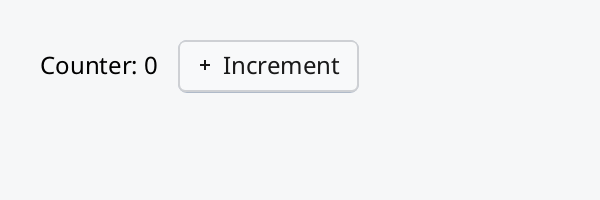
You should see a window like this:
Tools
Install the companion CLIs (puts binaries on $(go env GOPATH)/bin — keep that
on your PATH):
go install go.hasen.dev/shirei/cmd/shirei_mobilerun@latest
go install go.hasen.dev/shirei/cmd/shirei_bundle@latest
| Command | Role |
|---|---|
shirei_mobilerun |
Dev installs on iOS / Android (debug signing, fast iteration) |
shirei_bundle |
Release packaging (IPA, release APK, macOS zip/pkg, desktop archives) |
- Dev mobile setup: docs/android.md, docs/ios.md
- Bundle details: cmd/shirei_bundle/README.md
- Mobilerun details: cmd/shirei_mobilerun/README.md
- App resources (
Resources/+app.ResourcePath): docs/resources.md
Learn
- Tutorial
- Layout shell (step-by-step)
- Appearance: color schemes, dark mode, and widget styles
- Document editing and file workflows
- Furigana display and editing
- Auxiliary windows and desktop overlays
- Wayland window controls and desktop policy
- Accessibility for custom widgets
- Audio
- App resources
- Virtual lists and Measure
- Container identity
- Drag and drop
- Running on Android (
shirei_mobilerun) - Running on iOS (
shirei_mobilerun) - Mobile extensions / escape hatches
- Release packaging (
shirei_bundle)
Explore related projects
Loading…