
hacan359/xerabora
hacan359/xerabora has 59 GitHub stars and 3 forks. GitHot measured 0 stars in 24 hours. Last checked 2026-11-17 00:42 UTC. Last push 2026-11-13.
Measured star growth
- in 24h
- 0
- in 7 days
- Collecting history
- in 15 days
- Collecting history
- in 1 month
- Collecting history
Net star changes over overlapping periods, not daily totals. Missing measurements are left blank. Stars measure attention, not software quality.
About
A desktop RetroAchievements client: your library, what to chase next, missable warnings, leaderboards and rank in one window. Plug in a console that streams its memory and the same window goes live. The first console that does is a real PlayStation 2, through a patched Open PS2 Loader.
Self-hostedREADME.md
Original





Something does not work? Read Before you report a problem first: one version everywhere, one client, a clean reset of the PC and the console, and the two logs that make a report useful.
xeRAbora
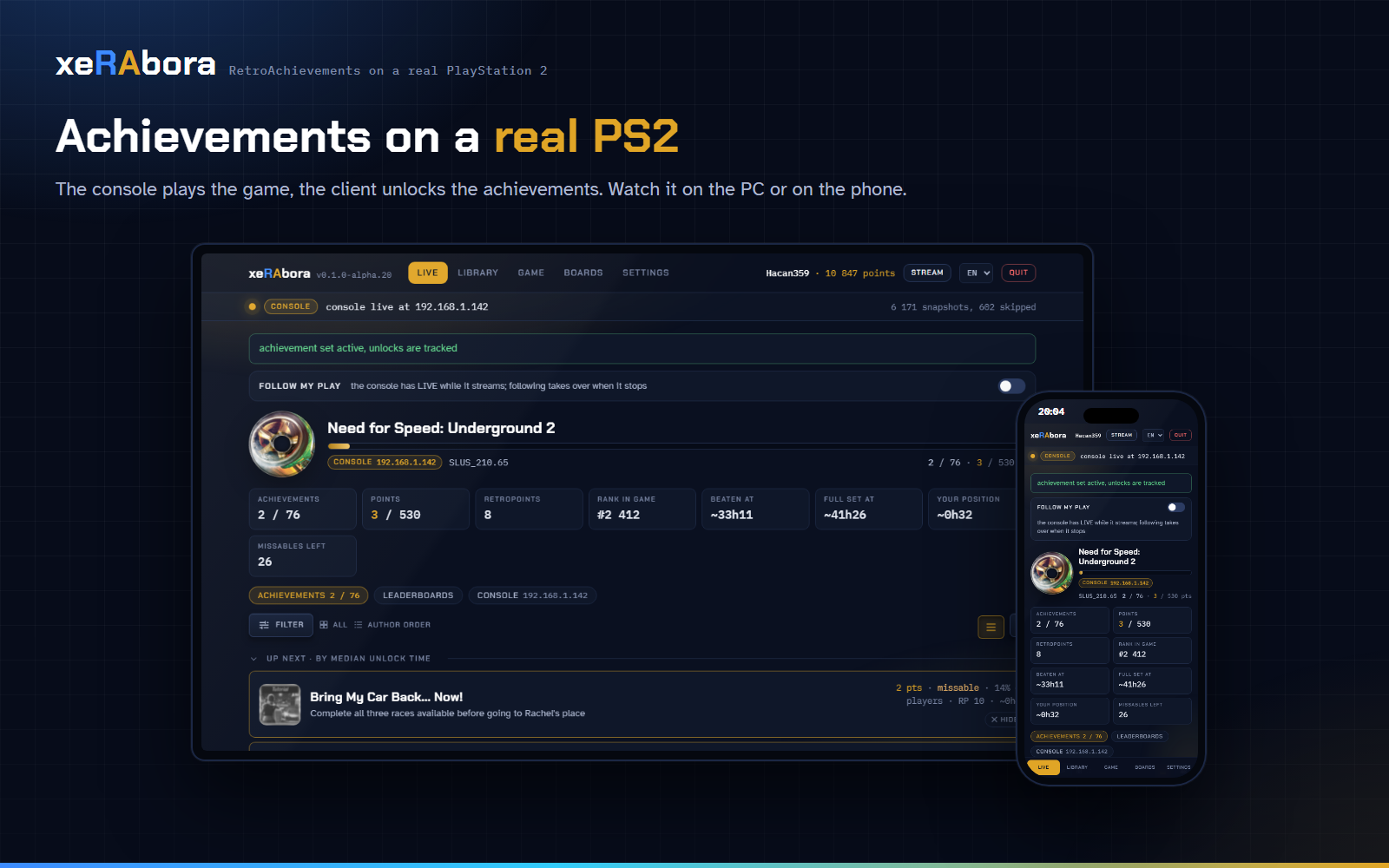
RetroAchievements on a real PlayStation 2. You play on the console, and the achievements you earn go to your RetroAchievements profile. The TV flashes gold on each one. No emulator. PS1 games too, through POPStarter, with their own sets.
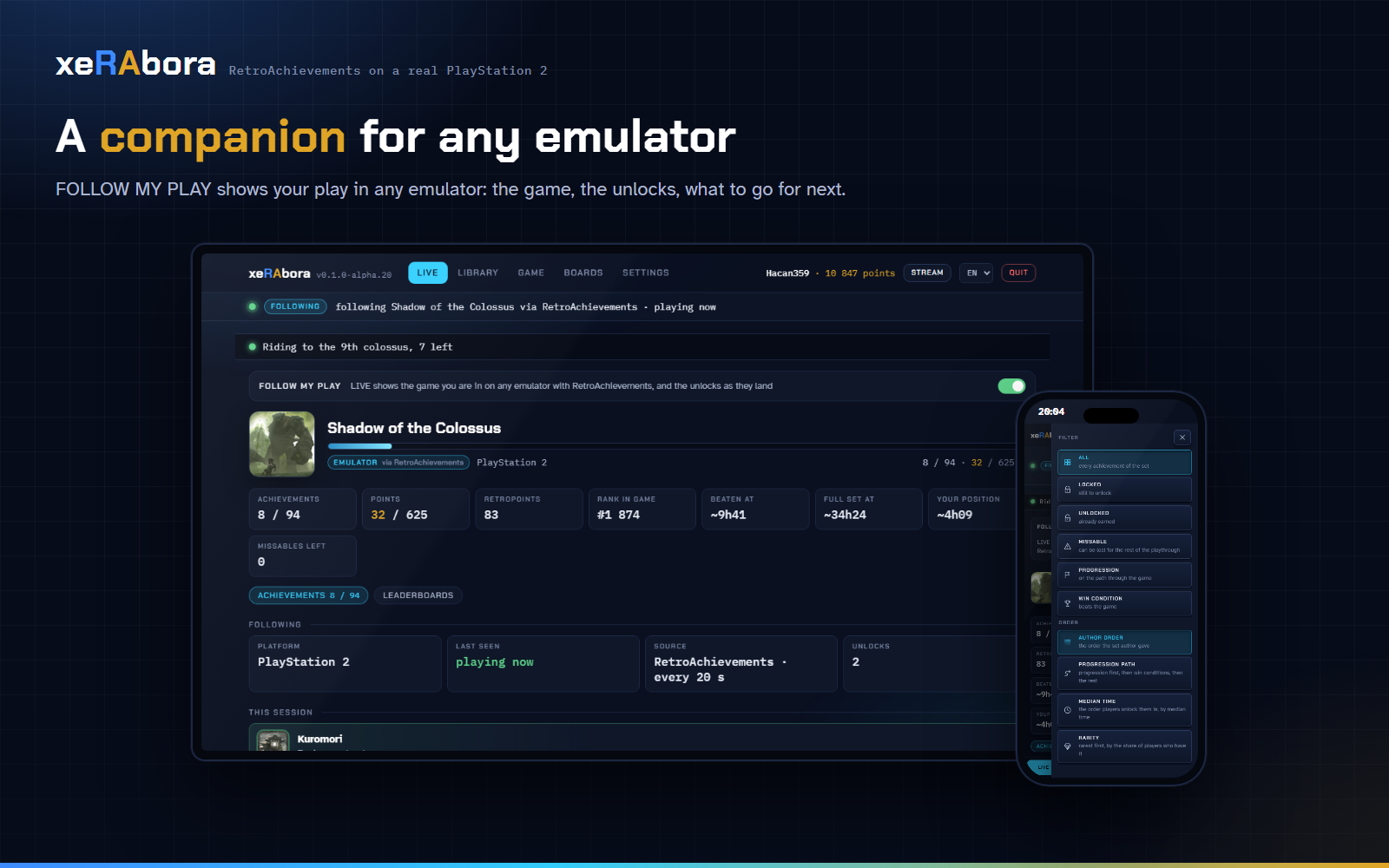
Without a PS2, the same client shows your play on any emulator with RetroAchievements: library, achievements, leaderboards. See Without a PS2.
On a phone, the Android app runs the whole client: the console finds the phone on the Wi-Fi, and each unlock arrives as a notification. No PC needed.
Project page: hacan359.github.io/xerabora, the setup as a walkthrough: How to start.
[!IMPORTANT] A new major version means checking your games again. When the first number of the version changes, for example from 1.x to 2.0, update both the ELF on the console and the client on the PC, then run RA: check game support again on every game you play.
How it works
The console runs a patched Open PS2 Loader, OPL-RA.ELF. The PC runs
xeRAbora. Both sit on the same home network.
Before you play a game for the first time, choose RA: check game support in its OPL menu. The PC finds the game on RetroAchievements and tells the console what to watch.
While you play, the console sends the PC what happens in the game. When you earn an achievement, the PC records it on your profile and the TV flashes gold.
What you need
- A PS2 with a network adapter and a way to run OPL (FMCB, FHDB or similar).
- Your games as
.isoimages wherever OPL runs them (USB stick, internal HDD over BDM, an SD card in an MMCE device), or the original disc in the drive. PS1 games as.VCDimages inPOPS/on a USB stick, played through POPStarter. - A PC on the same local network, Windows, Linux or macOS, or an Android phone on the same Wi-Fi (the Android app).
- A RetroAchievements account.
Setup
An unlock needs three things, in this order: xerabora running on the PC
and signed in, the game checked once with RA: check game support, and
only then the game started. Step 6 is the one people skip. A game you
never checked starts as plain OPL, without telemetry, and the client
shows nothing for it.
- Download
OPL-RA.ELFand the client for your PC from the releases:xerabora.exe(Windows),xerabora-linux-x86_64(Linux on a PC),xerabora-linux-aarch64(Linux on 64-bit ARM: a Raspberry Pi 4 or 5) orxerabora-macos(macOS, Intel and Apple Silicon in one file). On Linux and macOS,chmod +xthe file after downloading. On an Android phone, installxerabora-android.apkinstead; the steps below are the same in the app. - Put
OPL-RA.ELFwhere you keep your OPL and launch it instead of OPL. - The RA menu items report their result as an on-screen notice whatever OPL's Notifications setting says. Turn that setting on if you also want OPL's own notices.
- Run
xeraboraon the PC. It opens its page in your browser. On the SETTINGS tab sign in with your RetroAchievements login (needed for unlocks) and paste the Web API key from your RA profile settings (it fills the library, leaderboards and profile). The login token and the key are kept in your user profile (%LOCALAPPDATA%\xeraboraon Windows,~/.config/xeraboraon Linux and macOS); the password is not stored. - On the console, select a game, open its menu (triangle) and choose
RA: test PC connection. A notice tells you whether
xeraboraanswered, from which address and how fast. If nothing answers, check that the PC is on the same network and that the firewall allows inbound UDP 18194. A console behind a router needs RA client IP in OPL's Network settings; see USAGE. - In the same menu choose RA: check game support. Do this before you
start the game, once per game: it fetches the list of addresses the
console will read, and without it there is nothing to track. The
notice shows the game title and the achievement counts (total,
unlocked, unsupported). Supported games get an
RAprefix in the list and a badge on the cover art.RetroAchievements does not know this imagemeans the game plays without achievements; a set the PC refuses is named with its reason (wrong dump, server down). - Start the game. Within about 30 seconds the LIVE tab shows the console connected, the set and the first snapshot. An unlock shows on the page, on your profile, and as a short gold flash over the game on the console.
The full walkthrough is in docs/USAGE.md; the same steps are on the project page.
Playing from the original disc
Put the disc in the drive, press START for OPL's main menu and choose RA: check disc support, then RA: launch disc. The check reads the disc through the console's own driver and asks the PC the same way it does for an image; the launch boots the disc under OPL's in-game hooks, so telemetry and unlocks work as they do from USB. In this mode OPL's virtual memory cards, per-game compatibility patches and cheats are not available: they live inside the part of OPL that emulates the drive, which a real disc does not use.
Without a PS2
Without the console, xeRAbora shows your RetroAchievements account while you play on an emulator: the current game, new unlocks, what to go for next and what you can miss. Progress inside an achievement ("3 of 10") and live leaderboards work only with the PS2.
What it shows, and where the data comes from
| Tab | What you see | Source | Refresh |
|---|---|---|---|
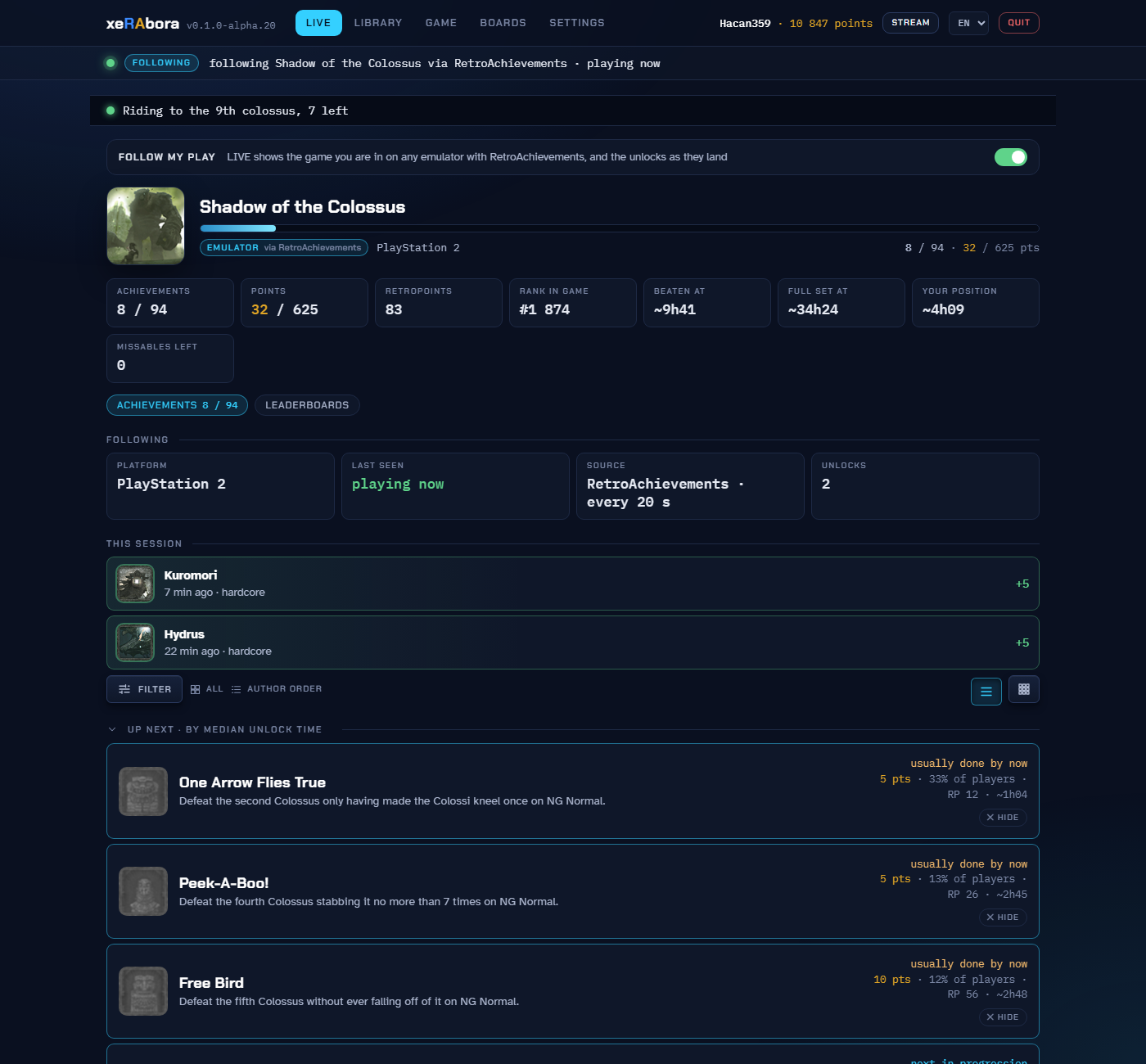
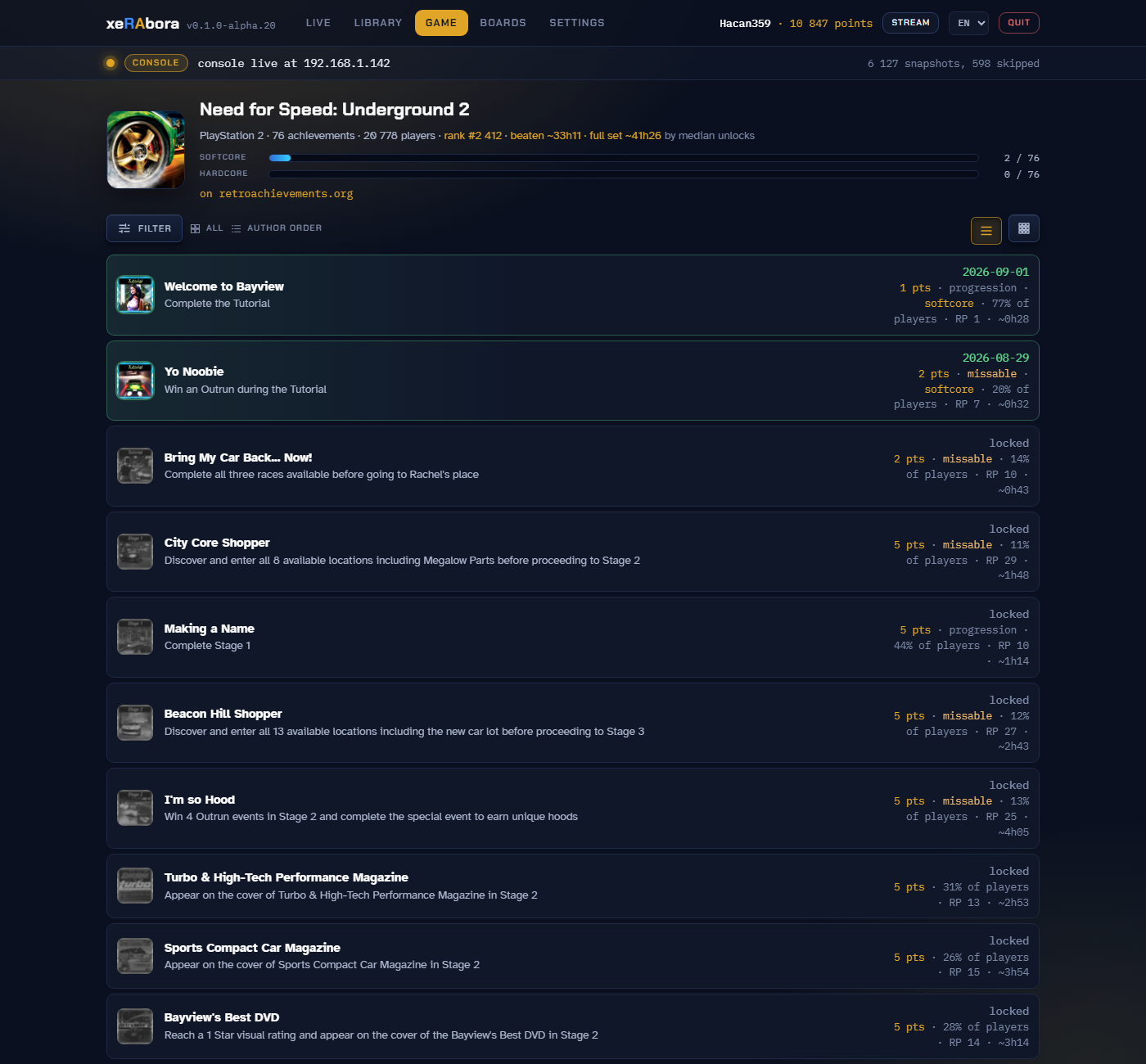
| LIVE, console streaming | The running game as the console sees it: each achievement's state, measured progress ("3 of 10"), its rarity among players and its RetroPoints, UP NEXT by the median time other players took (HIDE drops one you gave up on; the heading folds the block), missable warnings, the players' comments under a clicked row, live leaderboard trackers, and a strip with points, RetroPoints, your rank in the game and the time the set costs. Filters and orders (author, progression path, median time, rarity) sit in a drawer behind one thin bar. The CONSOLE sub-tab holds the link, the snapshot rate, the losses and the console's own counters: link mode, send time and errors, frames it skipped. | rcheevos on the console's snapshots; medians, rarity, rank and comments from the Web API | every frame |
| LIVE, following | The game your account is in on any emulator with RetroAchievements, the rich presence line, whether the server sees you online, this session's unlocks, UP NEXT, rarity and the missable warnings. No measured progress, no trackers and no console counters: those need a memory source. | Web API (profile, recent unlocks) | every 20 s, the online flag once a minute |
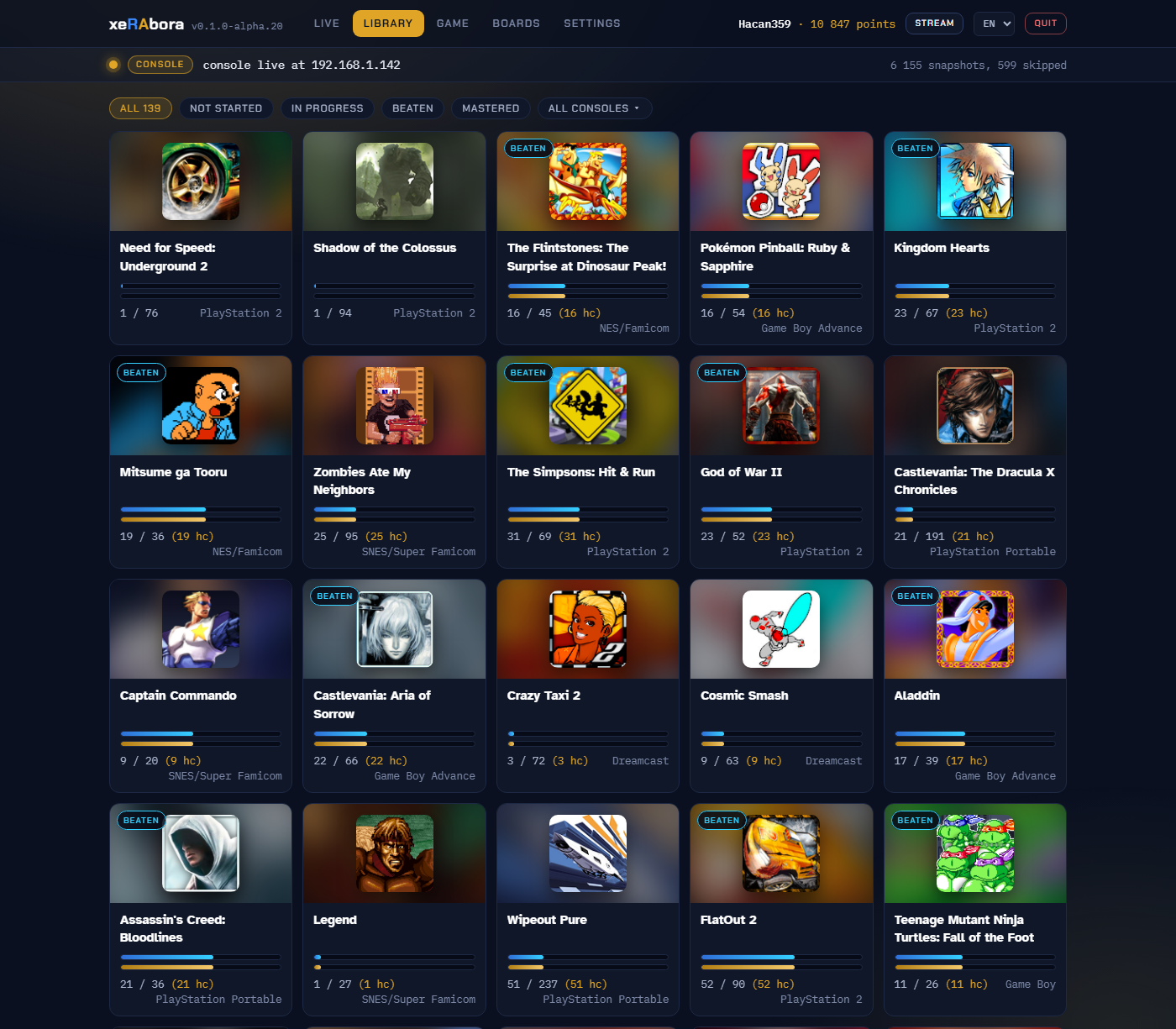
| LIBRARY | Every game your account has touched, up to 500: two bars per game, softcore and hardcore, the highest award in the corner of the cover, filters by status and console. Not the whole RetroAchievements catalogue: only what you have played. | Web API (completion progress) | cached 2 min |
| GAME | One set in full: the author's order, the intended path (progression, win condition, missables flagged), the median-time order or rarity; each achievement's points, unlock date, median, rarity and RetroPoints, and its comments on a click. The player count and your rank in the head. A game's subsets and its main set as a strip of chips, so you move between them without leaving the tab. | Web API (game info, game progression, the console's game list for subsets) | cached 30 s |
| BOARDS | A game's leaderboards with the top entry and your own, and, when the console plays, the trackers moving with the game. | Web API; trackers from the console | on open |
| Header | Your name and points. The language menu: English, Brazilian Portuguese, Spanish, Russian. | Web API (profile) | on load |
Unlocks reach your profile the moment rcheevos fires them, with a toast on the page, a short sound on the PC and the gold flash on the console.
The client itself
The interface is a page the client serves to itself on localhost,
compiled into the executable. One copy runs at a time; a second start
opens the running copy's page. The client exits by itself about 15
seconds after its last page is closed, and at once from the red QUIT
in the footer. Run as a service, --server keeps it up with no page
open.
- The look follows the source. Idle, the page is blue-grey. While a console streams it turns gold and the cover spins as a disc that slows on lost snapshots. While following an emulator it turns blue. The source is named under the game's title: CONSOLE with its address, or EMULATOR.
- Settings hold the account, the Web API key, the network switch and the theme: NEON CLASSIC or 8-BIT, kept per browser. Login is optional: the library, the game view and the boards work on the key alone; unlocking needs the account.
- FOLLOW MY PLAY is the switch at the top of LIVE. On by default; the console takes over the moment it connects.
- Language is the menu in the header, remembered by the browser
that chose it: a phone can read the page in Spanish while the PC stays
English.
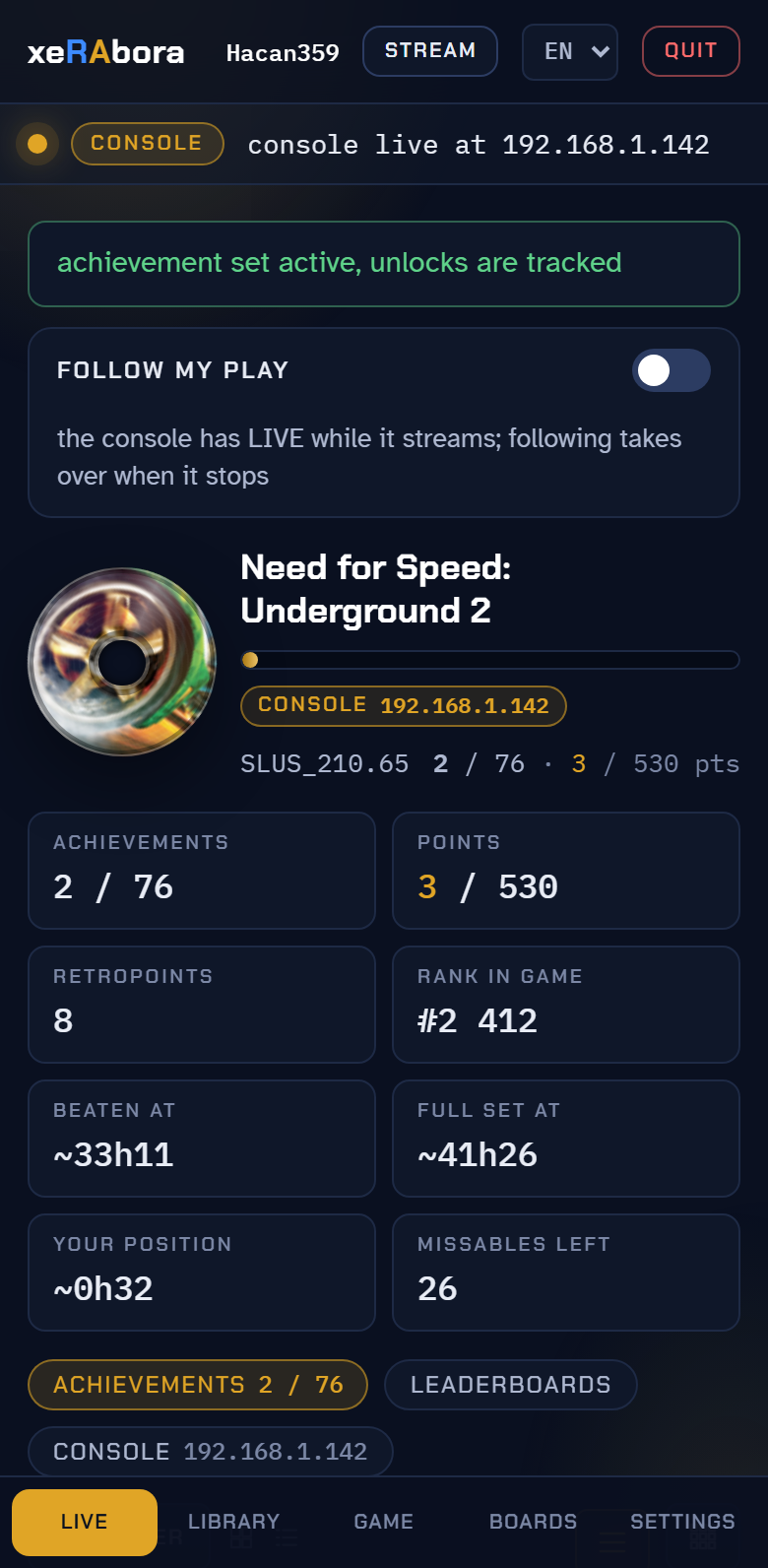
#lang=esin the address does the same for one window. - On a phone. OPEN TO THE NETWORK on SETTINGS serves the page to your Wi-Fi; type the address it shows into a phone or tablet and add the page to the home screen. Up to four pages watch at once. Other devices see everything; the login, the key, the switches and QUIT work only from the PC that runs the client. On a narrow screen the tabs move to a bar along the bottom. To run the client itself on a phone, with no PC at all, there is the Android app.
- Stream-ready. See Perfect for streaming.
--obs DIRwrites text labels and adata.jsonfor a layout of your own.#tab=liveopens a window straight on a tab. - Sounds on connect, on a stream that stops for five seconds, and on
an unlock.
--no-soundturns them off; your ownconnect.wav,disconnect.wavorachievement.wavin thesoundsfolder next to the saved login replace them. Linux plays throughpaplay,aplayorpw-play; macOS throughafplay. - One file. Windows, Linux or macOS, nothing to install. On Windows
a double click opens the page and no console window;
--consoleopens one. Everything is also written toxerabora.lognext to the saved login. macOS keeps a downloaded file under quarantine, so the first run stops with a warning:xattr -dr com.apple.quarantine xerabora-macos, or open the file once from Finder's right-click menu. We do not sign the build; signing takes a paid Apple developer account.
Perfect for streaming
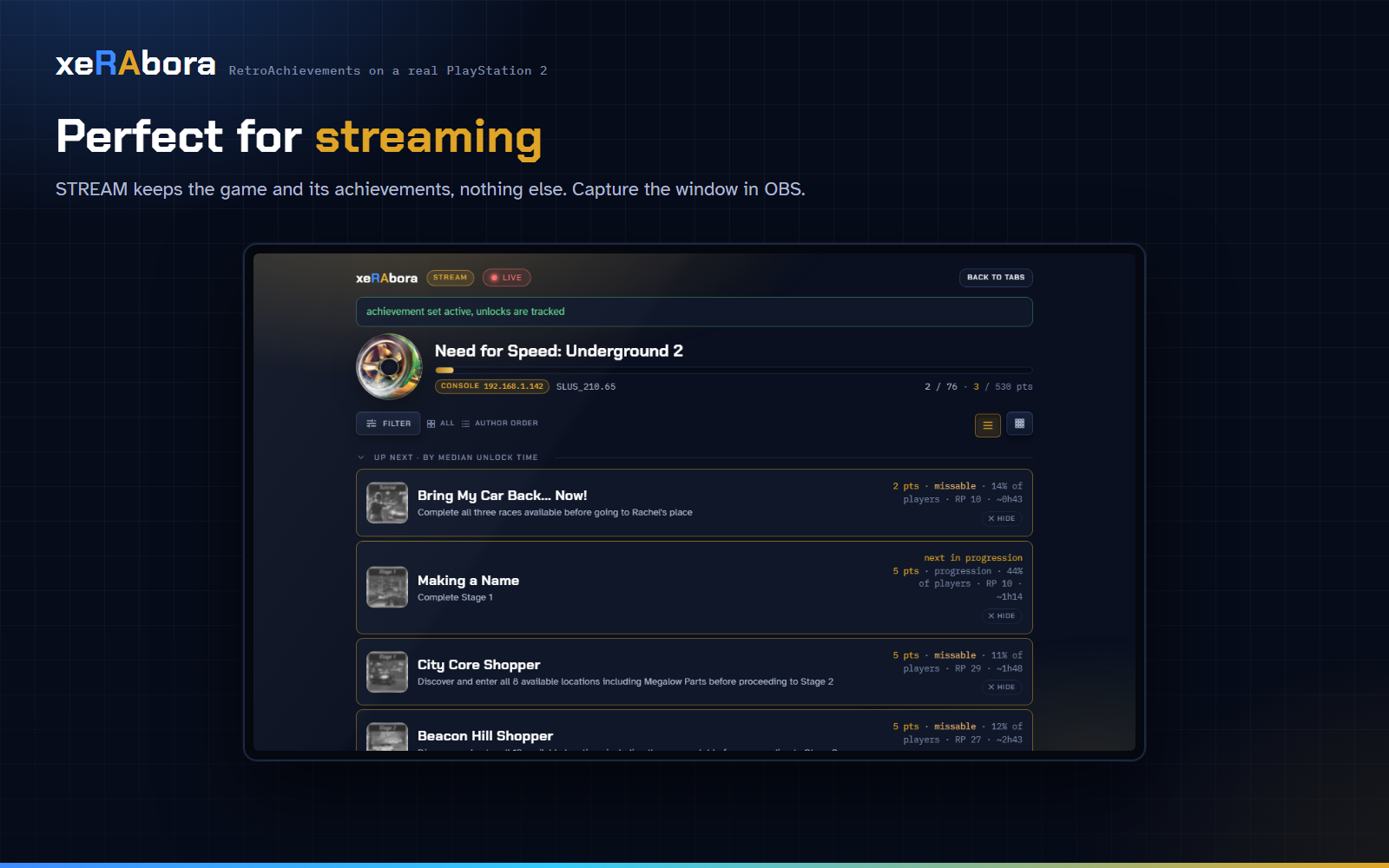
The STREAM button in the header turns the page into one clean screen: the game's head with a red ● LIVE chip, the source, the count and the points, then the achievements, nothing else. The same filters, orders and LIST / GRID as LIVE stay one click away in the side drawer. Capture the window in OBS, or keep it on a second monitor. BACK TO TABS returns.
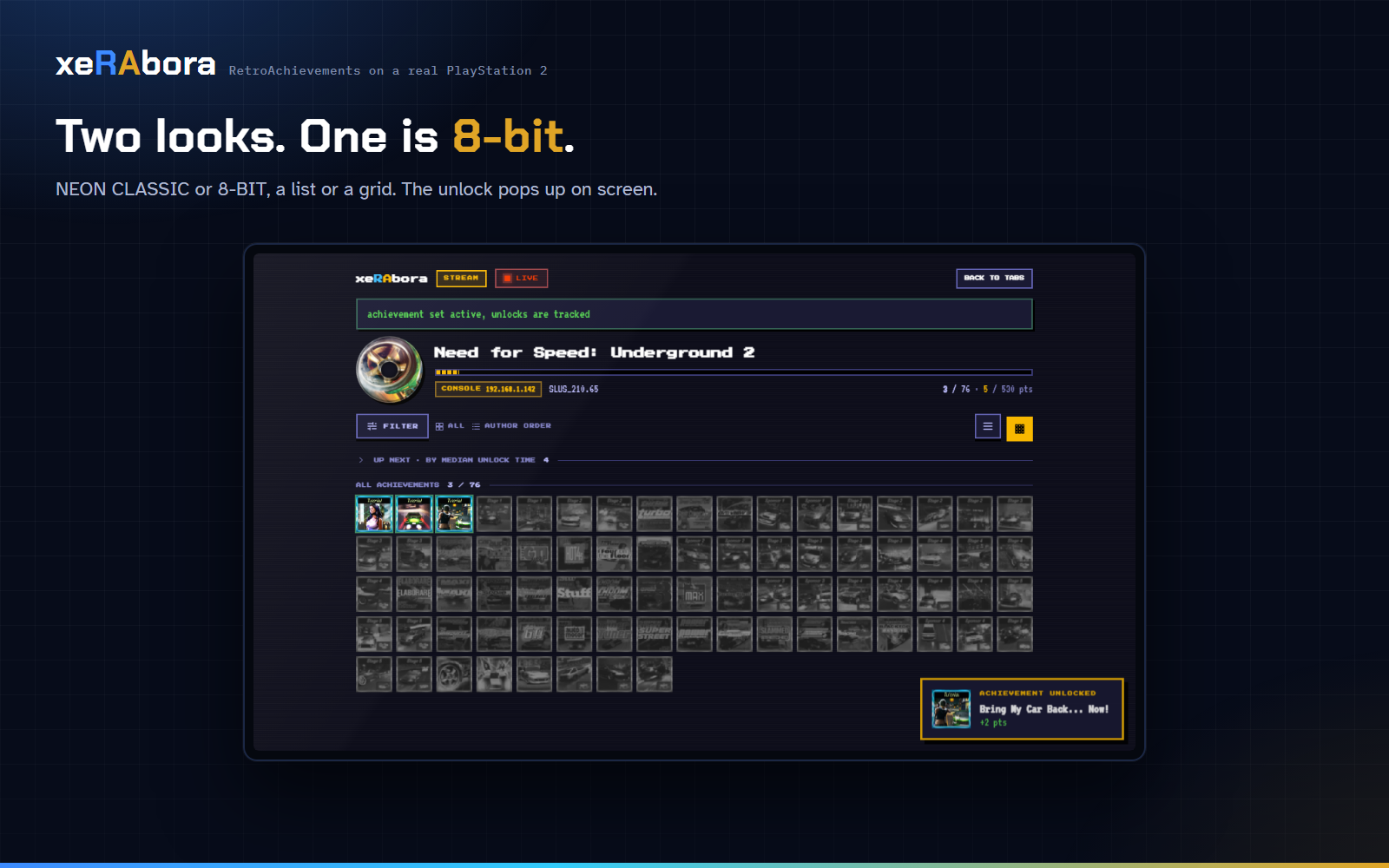
- Two looks. NEON CLASSIC, the default, and 8-BIT: an NES palette, pixel fonts, square corners and stepped progress bars.
- Badges as a wall. GRID shows the set the way the site does, the earned ones ringed blue for softcore, gold for hardcore.
- What is next. UP NEXT ranks the locked achievements by the median time other players took; the rare ones carry their share of players.
- The game's own line. The rich presence line runs as a bar across the top.
Any hardware, one protocol
The client knows nothing about the PS2. It identifies a game by the hash an agent sends, asks the RetroAchievements server for the set, derives the list of memory addresses the set reads, and hands that watch list to the agent. From then on the agent streams those addresses every frame and the client runs rcheevos. Unlock notices go the other way.
The whole exchange is a handful of UDP messages, documented in
protocol/PROTOCOL.md. An agent for another
console needs to read that console's memory, compute the RetroAchievements
hash, and speak the protocol. The client does the rest.
Building
OPL fork needs the ps2dev toolchain. The simplest route is the same container the OPL project uses:
docker run --rm -v "$PWD":/src -w /src/opl ghcr.io/ps2homebrew/ps2homebrew:main make PADEMU=0 all
make RA_DEBUG=1 all builds the debug variant: it writes the loader's
module results to RA/launch.txt on the share. Inside the game it does
nothing extra.
PC client (client/) builds on its own, without the OPL fork: it
needs only rcheevos and the headers in protocol/. make on Linux needs
gcc and libcurl development headers. make windows cross-compiles a
static xerabora.exe with MinGW-w64 (gcc-mingw-w64-x86-64 on
Debian/Ubuntu); HTTPS goes through WinHTTP, so the Windows build has no
external dependencies. make macos builds one file holding both Mac
architectures, against the libcurl the system ships.
The page is written in client/ui/src: a skeleton, one stylesheet per
concern, one script per tab, with Preact, htm, signals and the fonts
vendored in client/ui/vendor. python3 tools/build-page.py (from client/)
assembles ui/index.html, embeds it into src/ui_page.c and rebuilds
docs/demo.html; --watch does that on every save. While working on
it, --ui-file client/ui/index.html serves the assembled page from disk
without a rebuild of the client.
Android app (android/) builds the same client sources with the
Android NDK into an APK: ./gradlew assembleDebug in android/, with
JDK 21, the Android SDK and the NDK installed. How it hooks into the
client, and how releases are signed, is in
android/README.md.
Both the OPL fork and rcheevos are git submodules. Clone with
--recurse-submodules, or run git submodule update --init --recursive
after cloning. Building the client needs only third_party/rcheevos; the
opl submodule is there to build the console loader.
Repository layout
| path | contents |
|---|---|
client/ |
the PC client: the RetroAchievements client, its page (ui/), the protocol side |
android/ |
the same client as an Android app: backends for http.h and sound.h, the service and the notifications (android/README.md) |
protocol/ |
the wire protocol — PROTOCOL.md plus the shared ra_snap.h / ra_watch.h |
opl/ |
submodule → the OPL+RA fork, the PS2 agent. RA additions: src/ra*.c, ee_core/src/ra.c, ee_core/src/ra_overlay.c, modules/network/raudp, modules/network/ps2ips-ra, small changes in SMSTCPIP and smap-ingame |
third_party/rcheevos |
submodule, rcheevos, unmodified |
docs/ |
the project page, the usage guide, screenshots |
tools/ |
development helpers |
Notes for OPL developers
modules/network/ps2ips-rais ps2sdk'sps2ips.irxwith two fixes. Indo_recvfromthe shared RPC buffer was overwritten before the DMA destination was read, so UDP receive on the EE never worked. In bothdo_recvanddo_recvfromthe 144-byterests_pktwas DMA'd into the EE's 128-byte_intr_data, zeroing the socketclosepointer inlibps2ipsright behind it; every socket then leaked and the menu had one network operation per boot. The transfer is now capped at 128 bytes. EE code receiving throughps2ipsshould still use 64-byte aligned buffers and lengths that are multiples of 64 (seesrc/ranet.c). Both candidates for upstreaming to ps2sdk.- Non-blocking receive on the menu (netman) lwIP stack: setting the
socket non-blocking with
fcntl(O_NONBLOCK)did not take effect on hardware;recvfromblocked the EE I/O thread forever when no reply came.src/ranet.ctherefore passesMSG_DONTWAIT(value0x08, the lwIP/IOP value — not the EE<sys/socket.h>0x80, since the flag is forwarded verbatim over RPC tolwip_recvfromon the IOP) on every receive, which lwIP honours per call. - Inside a running game lwIP is idle in both directions: the SMAP receive
FIFO fills and nobody drains it, and
lwip_sendto()puts nothing on the wire.raudptherefore walks the receive descriptors itself and sends its replies down the same raw path as the telemetry. modules/network/common/smstcpip.hdeclaredlwip_recvfromwith six arguments; the SMSTCPIP implementation takes eight. Fixed here.- The fork loads the network modules in every game mode, including USB,
and builds
cdvdmanwithUSE_DEV9=1for the BDM variant.
License
The OPL fork keeps OPL's license (Academic Free License 3.0). The PC
client is released under the MIT license. rcheevos is MIT. The fonts
in client/ui/vendor/fonts are under the SIL Open Font License 1.1.
The RA mark belongs to RetroAchievements and the OPL name to the Open PS2 Loader project; they appear here to show what this project connects.