
gugeldev/focus-pocus
gugeldev/focus-pocus has 87 GitHub stars and 5 forks. GitHot measured 0 stars in 24 hours, 0 in 7 days, and 0 in 15 days. Last checked 2026-11-17 14:18 UTC. Last push 2026-10-10.
What you can do
- Focus timer: presets from 1 minute to 1 hour, or type your own time.
- Focus screen: during a session, distracting sites are covered by a screen with the time left.
- Blocklist or allowlist: block a handful of sites, or everything except the tools you work with.
- Streak: every finished session adds one. Giving up takes two clicks and resets it to zero.
Measured star growth
- in 24h
- 0
- in 7 days
- 0
- in 15 days
- 0
- in 1 month
- Collecting history
Net star changes over overlapping periods, not daily totals. Missing measurements are left blank. Stars measure attention, not software quality.
About
FocusPocus is a browser extension created to help you maintain focus on your studies by blocking access to pages that may distract you during focus mode.
ProductivityREADME.md
Original
FocusPocus
Transform your productivity like magic.
A free, open source browser extension that blocks distracting sites while your focus timer runs.




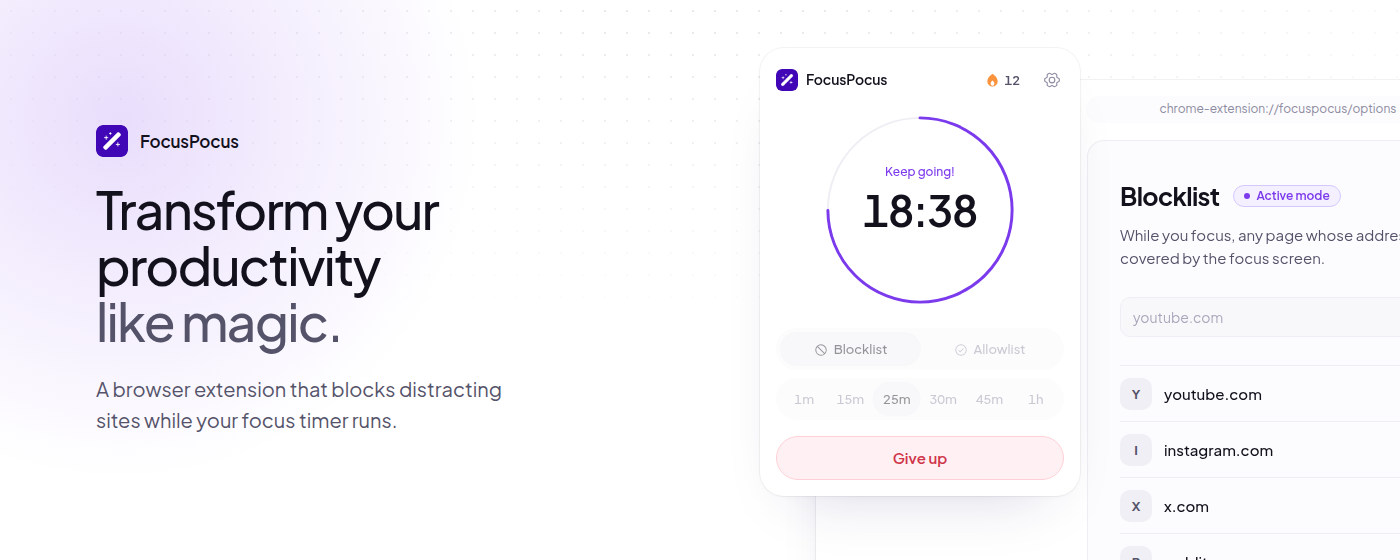
Features
- Focus timer: presets from 1 minute to 1 hour, or type your own time.
- Focus screen: during a session, distracting sites are covered by a screen with the time left.
- Blocklist or allowlist: block a handful of sites, or everything except the tools you work with.
- Streak: every finished session adds one. Giving up takes two clicks and resets it to zero.
- Sounds and notifications: optional, and all off until you turn them on.
- Light and dark, in your language: English, Brazilian Portuguese and Spanish.
- Private: no account, no tracking, no servers. Your lists and your streak stay in your browser.
Run it locally
Requires Bun.
git clone https://github.com/gugeldev/focus-pocus.git
cd focus-pocus
bun install            # dependencies and git hooks

bun run dev:chrome     # builds to apps/extension/dist/chrome on every save
bun run dev:firefox    # builds to apps/extension/dist/firefox
bun run dev:web        # the website, on http://localhost:3003
Then load the build in your browser:
- Chrome: open
chrome://extensions, turn on developer mode, click Load unpacked and pickapps/extension/dist/chrome. - Firefox: open
about:debugging, click Load Temporary Add-on and pickapps/extension/dist/firefox/manifest.json.
| Folder | What it is |
|---|---|
apps/extension |
The browser extension (React, Tailwind CSS, webpack) |
apps/web |
The website (Next.js), with working copies of the extension's screens |
packages/ui |
The design system both apps are built with |
packages/locales |
The extension's text in English, Portuguese and Spanish |
assets/store |
The store images, exported from the website by bun run store:shots |
Contributing
main always matches the published version. The next one is built in a release/<version> branch (currently release/3.1.0), and every change reaches it through a pull request.
- Fork the repository and branch off the current release branch, named after the kind of change (
feat/pause-button,fix/overlay-flicker). - Write commit messages in English following Conventional Commits (
feat(popup): add pause button). - Make sure
bun run lint,bun run typecheck, both extension builds andbun run build:webpass. - Open a pull request to the current release branch, not to
main.
The git hooks check most of this for you: Biome on commit, the commit message format, and the type-check on push.
Contributors
Thanks to everyone who has contributed to FocusPocus.


