
gregluffy/HomeLabInfo
gregluffy/HomeLabInfo has 105 GitHub stars and 2 forks. GitHot measured 0 stars in 24 hours, 0 in 7 days, and 0 in 15 days. Last checked 2026-11-18 04:02 UTC. Last push 2026-10-10.
What you can do
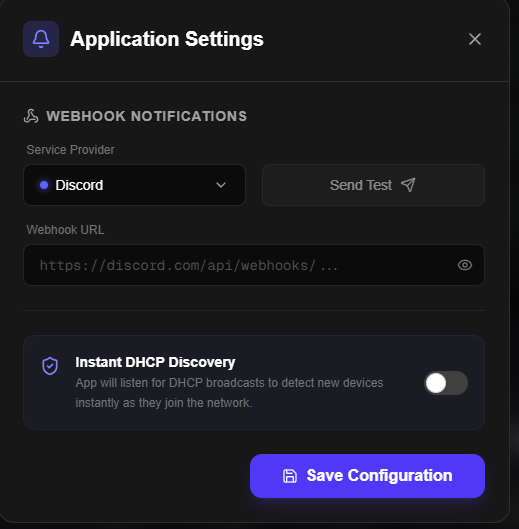
- Instant DHCP Discovery: Rapidly discover and identify devices the moment they connect and request an IP address, sending a webhook to inform you of new clients on your network — including the manufacturer resolved from the built-in IEEE OUI registry.
- Intelligent Network Mapping: Continuously scan and track your homelab infrastructure online and offline statuses.
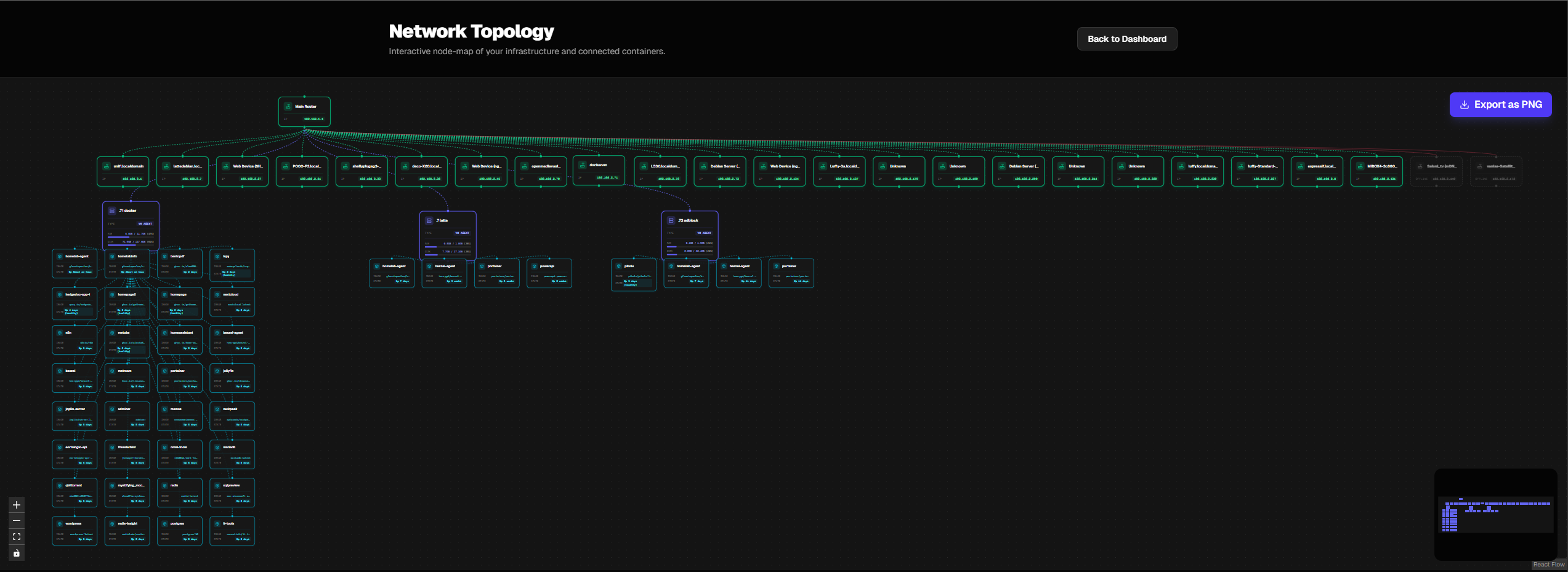
- Interactive Topology: View and arrange a visual map of your network structure.
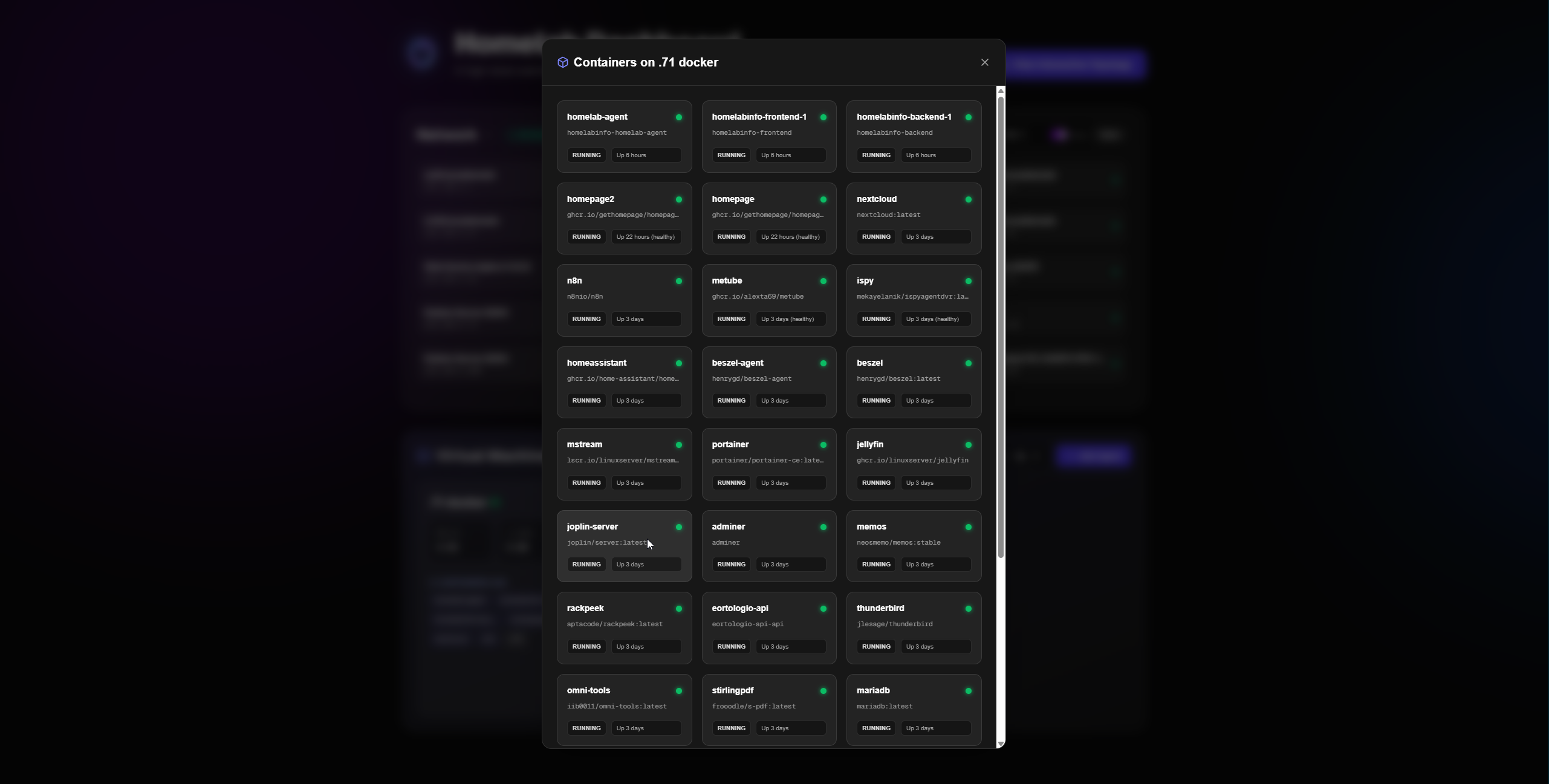
- Container Management: Manage and monitor your Docker containers across different agents from one central UI.
Measured star growth
- in 24h
- 0
- in 7 days
- 0
- in 15 days
- 0
- in 1 month
- Collecting history
Net star changes over overlapping periods, not daily totals. Missing measurements are left blank. Stars measure attention, not software quality.
About
HomeLabInfo is a modern, self-hosted network discovery and visualization suite designed for homelab enthusiasts.
Self-hostedREADME.md
OriginalHomeLabInfo

HomeLabInfo is a self-hosted, cross-platform network scanner and visualization dashboard designed to help you manage and map your homelab infrastructure.
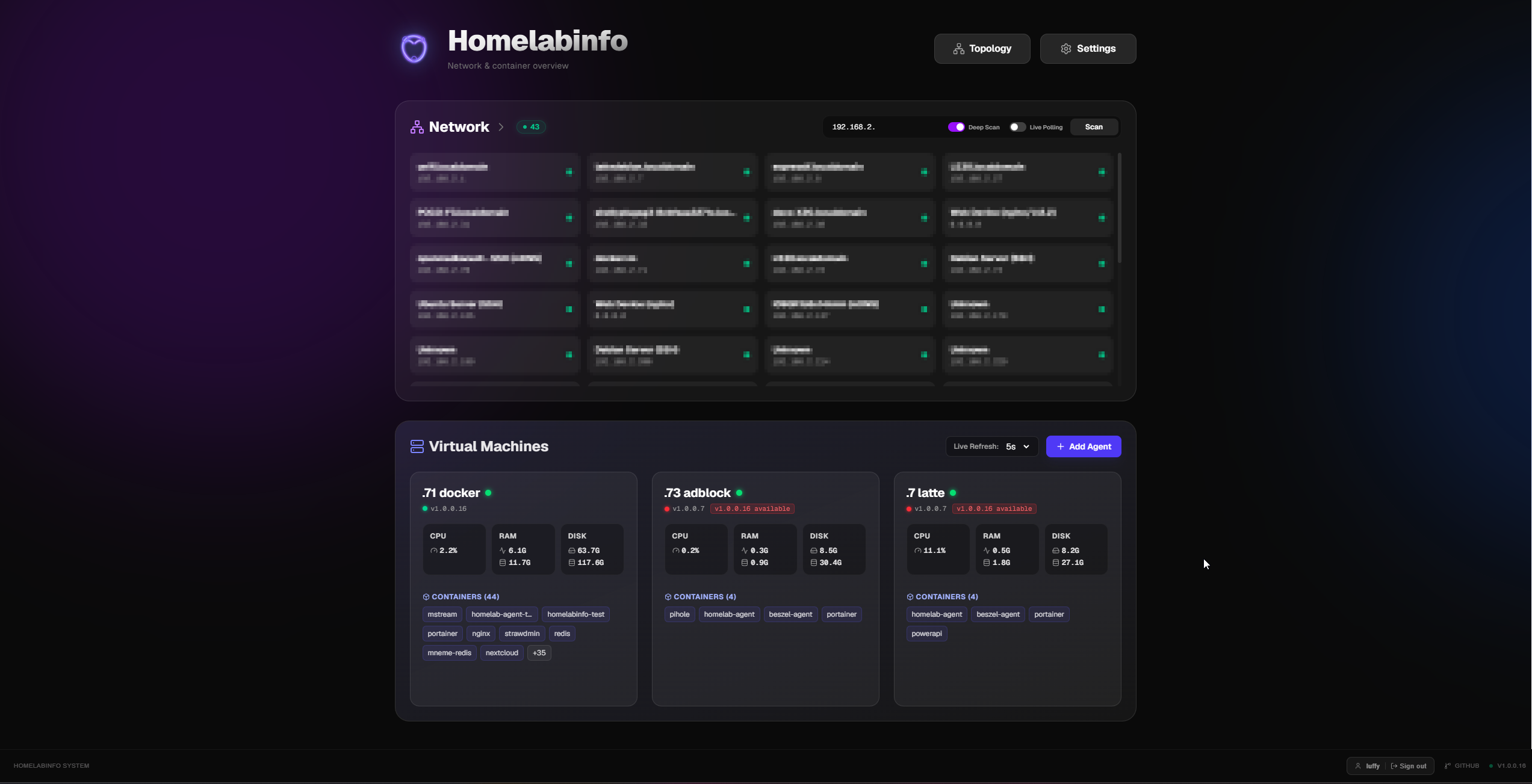
It provides an intuitive interface to seamlessly discover devices on your local network, track their online/offline statuses, and persist a visual map of your network topology. Originally inspired by traditional Windows Forms network scanners, this modernized web-based solution brings homelab management into the browser.
🌟 Featured On
Featured on XDA Developers! Check out their coverage of HomeLabInfo:
Visualizing Your Network
Discovering and managing your devices is easier than ever with our interactive topology and container management views.
| Network Topology | Container Management |
|---|---|
 |
 |
Key Features
- Instant DHCP Discovery: Rapidly discover and identify devices the moment they connect and request an IP address, sending a webhook to inform you of new clients on your network — including the manufacturer resolved from the built-in IEEE OUI registry.
- Intelligent Network Mapping: Continuously scan and track your homelab infrastructure online and offline statuses.
- Interactive Topology: View and arrange a visual map of your network structure.
- Container Management: Manage and monitor your Docker containers across different agents from one central UI.
- Optional Authentication: Protect your dashboard with a username/password login — disabled by default so existing setups are unaffected.
- Detailed Documentation: For full setup and usage instructions, refer to our User Manual.
The Approach
As a developer primarily focused on .NET, this project is built from the ground up leveraging the power and cross-platform capabilities of .NET 10. Through containerization using Docker, HomeLabInfo can be easily deployed across various operating systems and architectures without worrying about environment-specific dependencies.
Technologies Used
- Built with: .NET 10 (ASP.NET Core), Next.js, Docker.
- Backend: .NET 10 (ASP.NET Core / Worker Services)
- Frontend: Next.js (Modern Web Dashboard)
- Agent System: .NET 10 (For remote telemetry gathering)
- Containerization: Docker & Docker Compose
- Database: SQLite (For persistence)
Why network_mode: host is Required
If you've looked at the docker-compose.yml file, you'll notice that the deployment relies on network_mode: host (or network: host depending on the syntax).
This is a critical requirement for the network scanning functionality to operate correctly.
By default, Docker isolates containers inside their own virtual bridge network (e.g., 172.17.0.x). If HomeLabInfo runs on this bridge network, any ARP requests, Ping sweeps, or broadcast packets will be limited to this virtual Docker network, returning no meaningful results about your actual physical (or primary virtual) network.
By setting network_mode: host, the Docker container skips the isolated bridge and directly uses the network interfaces of your host machine. This allows the .NET network scanner to:
- Discover the true subnet range of your network.
- Send ARP requests and receive replies from physical devices on your LAN.
- Hear UDP broadcasts (like mDNS/Bonjour) properly.
Without host networking, the scanner simply won't see your homelab.
Deployment
HomeLabInfo is designed to be deployed using Docker Compose. Depending on your setup, you can run everything on one machine or distribute agents across multiple servers.
1. Unified Deployment (Hub + Agent)
Use this if you want to run the dashboard and a local agent on the same machine.
- Download docker-compose.yml.
- Edit the environment variables:
API_URL: Set this tohttp://<your-server-ip>:9622/api.HUB_PUBLIC_KEY: Keep this asCHANGE_MEinitially, then update it with the key provided by the dashboard after the first run.
- Run the stack:
docker compose up -d
2. Hub Only (Dashboard & Database)
Use this on your main server to manage multiple remote agents.
- Download docker-compose.hub.yml.
- Update the
API_URLvariable. - Run the hub:
docker compose -f docker-compose.hub.yml up -d
3. Remote Agent Only
Use this on any machine or VM you want to monitor.
- Download docker-compose.agent.yml.
- Go to your HomeLabInfo dashboard, add a new agent, and copy the Public Key.
- Paste the key into the
HUB_PUBLIC_KEYenvironment variable. - Run the agent:
docker compose -f docker-compose.agent.yml up -d
Authentication (Optional)
By default, the dashboard is open with no login required — existing deployments are unaffected.
To enable password protection, add two environment variables to your compose file:
environment:
  - AUTH_ENABLED=true
  - JWT_SECRET=change-me-to-a-long-random-secret   # keep this private!
First-time setup: On the first visit after enabling auth, the dashboard will redirect you to a setup page where you create your username and password. Passwords are hashed with PBKDF2-SHA256 (100,000 iterations) and tokens are signed with HMAC-SHA256 (24-hour expiry).
[!TIP] Generate a strong secret with:
openssl rand -base64 32If
JWT_SECRETis omitted whileAUTH_ENABLED=true, a random secret is generated at startup — tokens will be invalidated on container restart.
Contributing
Contributions are welcome! As this project is licensed under the GNU GPLv3, any modifications or improvements you contribute must also be released under the same license, ensuring the project remains free and open-source for everyone.
Community & Feedback
HomeLabInfo is built for the community. If you have suggestions, feature requests, or find a bug, please:
- Open an Issue: Use the GitHub Issues to report problems.
- Start a Discussion: Share your setup or ideas in the Discussions tab.
- Contribute: Pull requests are welcome! See the Contributing section for more details.
Security & Disclaimer
[!CAUTION] HomeLabInfo is designed for use on trusted local networks only.
Because this application requires
network_mode: hostto perform network scanning, it has direct access to the host's networking stack. This significantly reduces the isolation typically provided by Docker.
- Do NOT expose this application directly to the internet.
- If you need remote access, use a secure VPN (like WireGuard or Tailscale) or enable authentication.
- The author provides this software "as is" without any warranties. Users assume all responsibility for any security risks or network issues that may arise from using this tool in their environment.
License
This project is licensed under the GNU General Public License v3.0. See the LICENSE file for the full text.