
giventofly/pixelit
giventofly/pixelit has 1,787 GitHub stars and 250 forks. GitHot measured 0 stars in 24 hours and +5 in 7 days. Last checked 2026-11-09 00:59 UTC. Last push 2026-05-09.
Create pixel art from an image
Measured star growth
- in 24h
- 0
- in 7 days
- +5
- in 15 days
- Collecting history
- in 1 month
- Collecting history
Net star changes over overlapping periods, not daily totals. Missing measurements are left blank. Stars measure attention, not software quality.
README.md
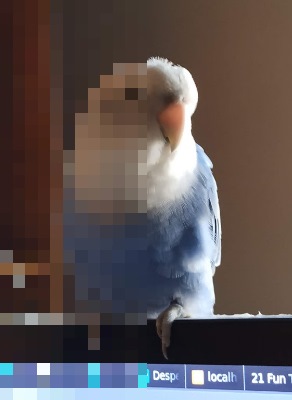
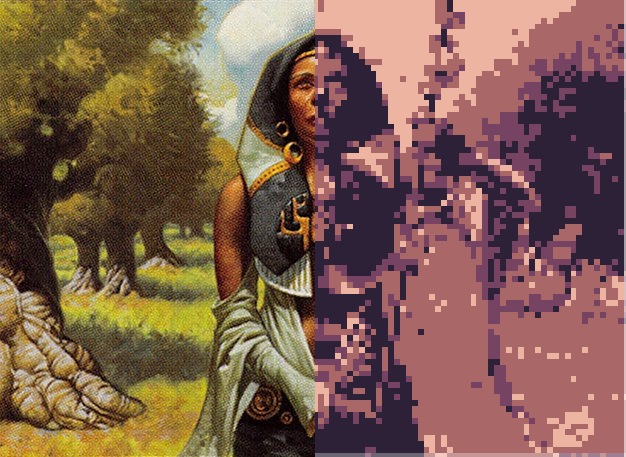
OriginalPixel It
Javascript library to create pixel art from an image. See Pixel It in action.
Index
Files
On /dist you can find the files you need
| file | description |
|---|---|
| pixelit.js | javascript es6 file |
| pixelitmin.js | javascript minified and babeljs.io parsed for es5 |
Examples
Original image and after Pixel It did some work on it.
No filter applied and color palette used.
Documentation
To use the quick default configuration you need an element from where to draw the image and canvas element with the id pixelitcanvas. Then load the pixelit.js script and apply it on an image.
    <img src="sky.jpg"  id="pixelitimg" alt="">
    <canvas id="pixelitcanvas"></canvas>
    <script src="pixelit.js"></script>
    <script>
      //create object
      const px = new pixelit();
      px.draw().pixelate();
    </script>
You can use this option when creating the instance of Pixel It
    const config = {
      to : elem,
      //defaults to document.getElementById("pixelitcanvas")
      from : elem,
      //defaults to document.getElementById("pixelitimg")
      scale : int
      //from 0-50, defaults to 8
      palette : [[r,g,b],[r,g,b]],
      //defaults to a fixed pallete (2 colors minimum to work properly)
      maxHeight: int,
      //defaults to null
      maxWidth: int,
      //defaults to null
    }
    const px = new pixelit(config);
Api
| method | |
|---|---|
| .draw() | draw to canvas from image source and resizes if max height or max width is reached |
| .setDrawFrom(elem) | elem to get the image to pixelate |
| .setDrawTo(elem) | canvas elem to draw the image |
| .setFromImgSource(src) | change the src from the image element |
| .setPalette(arr) | sets the color palette to use, takes an array of rgb colors: [[int,int,int]], int from 0 to 255 |
| .setMaxWidth(int) | set canvas image maximum width, it can resize the output image, only used when .resizeImage() is applied |
| .setMaxHeight(int) | set canvas image maximum height, it can resize the output image, max height overrides max width, only used when .resizeImage() is applied |
| .setScale(int) | set pixelate scale [0...50] |
| .getpalette() | returns array of current palette, can't be chained |
| .convertGrayscale() | converts image to greyscale, apply only after .draw is called |
| .convertPalette() | converts image with the defined color palette, apply only after .draw is called (needs to have 2 colors minimum) |
| .resizeImage() | resizes the output image if bigger than the defined max Height or max Width |
| .pixelate() | draws a pixelated version of the from image to the to canvas, , apply only after .draw is called |
| .saveImage() | saves/downloads current image |
Working example:
    <img  src="assets/sky.jpg"  id="pixelitimg"  alt="">
    <canvas  id="pixelitcanvas"></canvas>
    <script>
    const mypalette = [
    [26,28,44],[93,39,93],[177, 62, 83],[239, 125, 87],[255, 205, 117],[167, 240, 112],[56, 183, 100],[37, 113, 121],[41, 54, 111],[59, 93, 201],[65, 166, 246],[115, 239, 247],[244, 244, 244],[148, 176, 194],[86, 108, 134],[51, 60, 87]
    ];
    const  px  =  new  pixelit({from:  document.getElementById('pixelitimg'),
    "palette": mypalette});
    px.draw().pixelate().convertPalette();
    </script>
Local development
Run npm install to install the needed files, edit javascript from /src/ folder and run gulp serve to make a direct copy and a minified and transpiled files into /dist and /docs/js respectively.
You have inside the docs page a tests page to check changes to different image sizes.
Changelog
2025-11-05
Upgrade done by RGExpert
- Add the option to upload a palette (hex, csv, etc) in the live test page
2025-10-01
Fixes done by pickadark
- Preserve user scale
- Update ctx when changing canvas
- Add null-safety
- Use natural size
- Chainable returns
- Clamped resize
- Comment consistency
- Scale range corrected to 0–50
2025-5-21
- Small typo in documentation
- Clarification on the minimum of colors for a palette
2023-02-25
- Added tip links
2023-01-28
- Added a new option on the live page to add custom palettes
2022-03-05
- Added a page with tests
- Fixed image cut for smaller images and better border removal for bigger images
2022-02-16
- Github page added scroll down selector for palette change
2022-02-10
- Github page added changelog
- Github page added local development information
- Added gulp to minifiy and transpile without the need for aditional tools
- Fix border appearing on bigger images
- Added new palettes on live page
Explore related projects
codecrafters-io/build-your-own-x
Master programming by recreating your favorite technologies from scratch.
561,098 starspublic-apis/public-apis
A collective list of free APIs
497,334 starsmorluto/rea
Reverse engineer anything with agents, from app behavior down to native binaries.
443,891 starsopenclaw/openclaw
The AI that really does things. Any OS. Any Platform. The lobster way. 🦞
394,214 stars