
giuliodali/ha-db-storage-manager
giuliodali/ha-db-storage-manager has 7 GitHub stars and 0 forks. GitHot measured 0 stars in 24 hours. Last checked 2026-11-15 17:14 UTC. Last push 2026-11-11.
What you can do
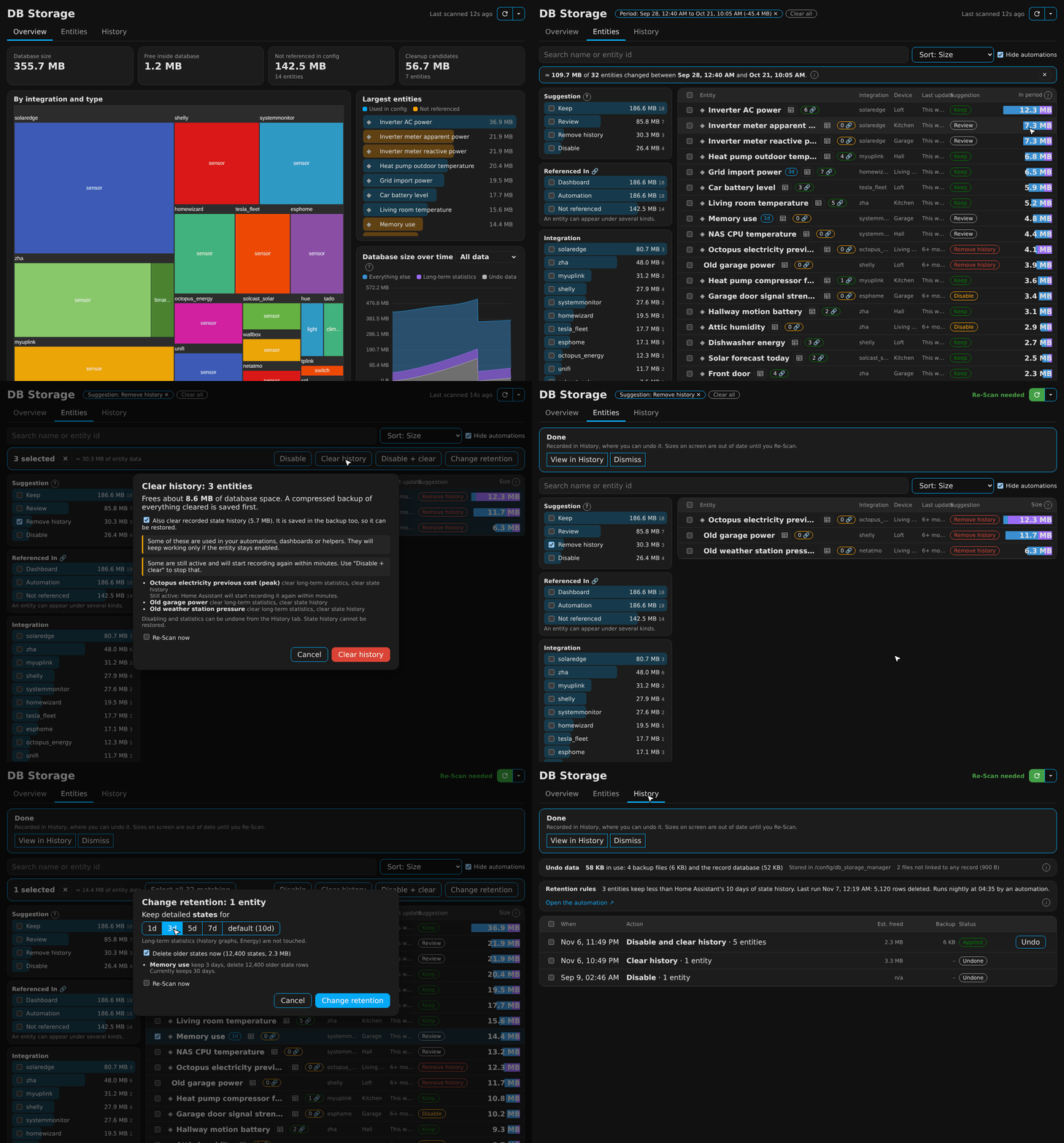
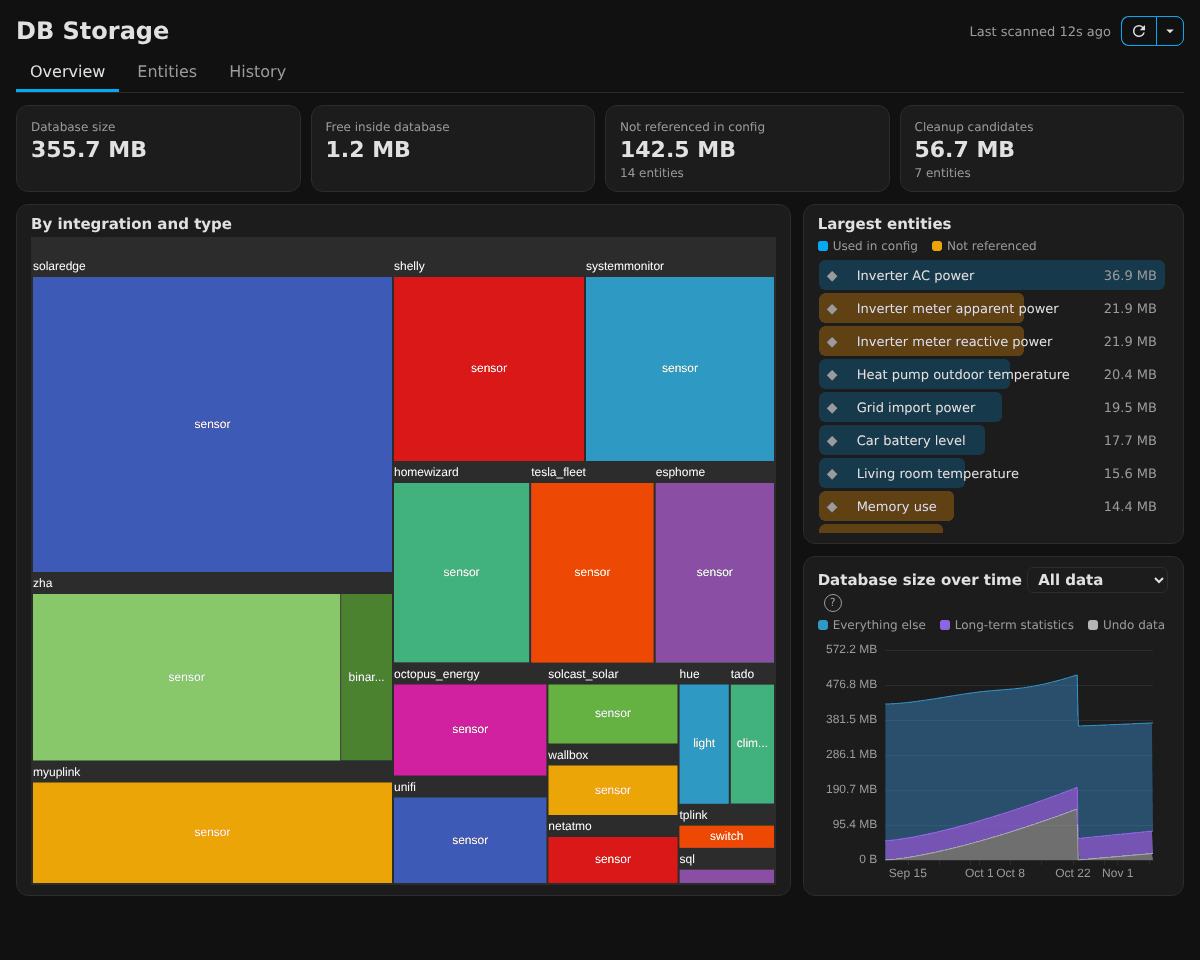
- Overview - Live database size, free space, unreferenced data, cleanup candidates, treemap by integration and type, largest entities, size over time with free space / undo data and long-term statistics stacked.
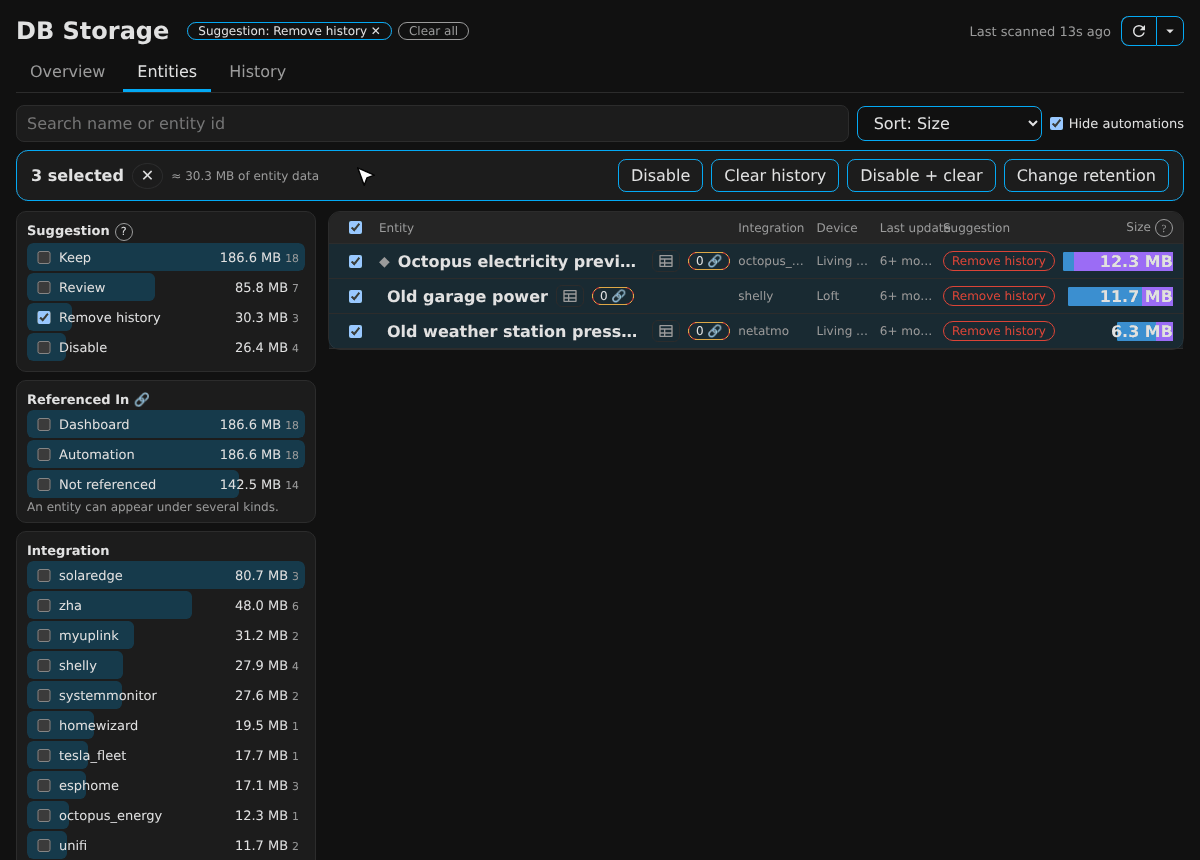
- Entities - Search and faceted filters (Suggestion, Referenced In, Integration, Device, Type, Defined in, Retention, Status, Last update). Size bars split states from statistics.
- Referenced In - Counts every place an entity is used: automations, scripts, scenes, dashboards (per view), helpers, Energy dashboard, YAML files (including sql and command_line definitions).
- Actions - Disable, clear history, disable and clear, change retention. Each shows a preview first: what happens to each entity, how much it frees, and warnings.
Measured star growth
- in 24h
- 0
- in 7 days
- Update delayed
- in 15 days
- Update delayed
- in 1 month
- Update delayed
Net star changes over overlapping periods, not daily totals. Missing measurements are left blank. Stars measure attention, not software quality.
About
Home Assistant Database Explorer and Size Reducer: See where your Home Assistant database space goes, and safely shrink it
DataREADME.md
Original

DB Storage Manager
See exactly where your Home Assistant database space goes, and safely get it back.
A HACS integration with a sidebar panel, undo for everything it clears, and per-entity history retention.


The problem
Home Assistant's database only ever grows. One chatty sensor, a few integrations you removed last year, an energy integration that imports a statistic every half hour: none of it announces itself. You find out when backups take minutes, restores crawl, the History page stutters, or the SD card or disk fills.
Home Assistant gives you one global knob (purge_keep_days) and a purge button. It can't tell you which entity is
costing you space, whether anything uses it, or let you take it back if you clear the wrong thing.
What you get
- Know where the space goes. Every entity sized, split into state history and long-term statistics, by integration, device and type.
- Know what is safe to remove. Each entity gets a suggestion (Remove history, Disable, Review, Keep) with the reasons, based on whether your automations, scripts, dashboards, helpers and YAML still reference it.
- Clear it with a safety net. Everything an action removes is saved to one compressed backup first. One click on Undo puts it all back.
- Keep it small automatically. Give a noisy sensor its own retention (1, 3, 5 or 7 days of detailed states) instead of shortening history for the whole house. Long-term statistics for graphs and Energy are never touched.
- Find what caused a spike. Drag across the size-over-time chart to see which entities wrote data in that period.
- Nothing hidden. The nightly job is a normal automation you can read, run and trace.
Features
| Overview | Live database size, free space, unreferenced data, cleanup candidates, treemap by integration and type, largest entities, size over time with free space / undo data and long-term statistics stacked. |
| Entities | Search and faceted filters (Suggestion, Referenced In, Integration, Device, Type, Defined in, Retention, Status, Last update). Size bars split states from statistics. |
| Referenced In | Counts every place an entity is used: automations, scripts, scenes, dashboards (per view), helpers, Energy dashboard, YAML files (including sql and command_line definitions). |
| Actions | Disable, clear history, disable and clear, change retention. Each shows a preview first: what happens to each entity, how much it frees, and warnings. |
| Undo | Whole-batch undo from the History tab. Only missing rows are restored, so data recorded since is kept. |
| Retention | Per-entity limits on state history, enforced nightly by an automation named "DB Storage: nightly retention", followed by a repack to return the space. |
| Inspector | Browse the raw stored states (with collapsible JSON attributes), hourly and 5-minute statistics for any entity. |
| Reclaim | Repack the database so freed space goes back to the disk, and watch the file shrink. |
| Sensors, event, services | Database size and free space, retention rules and last run, a db_storage_manager_retention_run event and a db_storage_manager.run_retention action for your own automations. |
Install (via HACS)
- HACS → ⋮ → Custom repositories → add
https://github.com/giuliodali/ha-db-storage-manager, category Integration. - Download DB Storage Manager, then restart Home Assistant.
- Settings → Devices & services → Add integration → DB Storage Manager.
- Open DB Storage in the sidebar (administrators only).
Take a backup first (Settings → System → Backups). The integration only changes what you ask it to, and backs that up, but a backup is cheap.
Five-minute tour
- Press Re-Scan (the first scan takes a few seconds).
- On Entities, tick Remove history under Suggestion: entities that no longer exist or are disabled, but still hold history.
- Select them, press Clear history, read the preview, confirm. A backup is written first.
- Find a chatty sensor, select it, press Change retention and pick 1d or 3d.
- Open History to see what you did, what each action freed, and Undo any of it.
More in the docs below.
Documentation
| Getting started | Requirements, install, first scan, what each tab is for |
| Finding things | Search, filters, suggestions, Referenced In, the period drill-down, the inspector |
| Actions and undo | What each action does, previews, backups, undoing, History tab |
| Retention | Per-entity limits, the maintained automation, how to see and trace it |
| Options, sensors and services | Everything you can configure or automate against |
| How it stays safe | What it touches, what it never touches, where files live |
| Troubleshooting and FAQ | Common questions and fixes |
Requirements
- Home Assistant 2026.11 or newer, with the recorder on SQLite (the default). MariaDB and PostgreSQL are not supported.
- An administrator account (the panel is admin-only).
Limits worth knowing
- "Referenced In" matches literal entity ids. It can't see dynamic references (
expand(),states.sensor, built-up ids, area or label targets) or anything outside Home Assistant. Entities in a domain used by such templates are flagged "+N dynamic". Suggestions are advice, not verdicts. - It never deletes entities themselves. Disabling keeps the registry entry, which is what stops an integration re-creating the entity. It also does not edit
configuration.yaml. - Size figures for single entities are estimates scaled to the real table sizes. Rankings are reliable.
- Nightly retention runs are a rolling window and are not backed up. The first clean-up when you create a rule is.
Contributing
Issues and pull requests are welcome. The panel source is in frontend-src/ (Lit and ECharts, built with Vite); the built bundle is committed so HACS users need no build step.
cd frontend-src && npm ci && npm run build      # writes custom_components/db_storage_manager/frontend/
pip install pytest-homeassistant-custom-component && pytest -q
Changes are listed in the changelog. Released under the MIT licence.