
germanbisurgi/jedison
germanbisurgi/jedison has 110 GitHub stars and 17 forks. GitHot measured 0 stars in 24 hours, +3 in 7 days, and +3 in 15 days. Last checked 2026-11-18 22:30 UTC. Last push 2026-10-29.
Measured star growth
- in 24h
- 0
- in 7 days
- +3
- in 15 days
- +3
- in 1 month
- Collecting history
Net star changes over overlapping periods, not daily totals. Missing measurements are left blank. Stars measure attention, not software quality.
About
Framework-agnostic JavaScript library that generates and validates forms from JSON Schema, with zero runtime dependencies.
Web & AppsREADME.md
Original






Jedison
Framework-agnostic JavaScript library that generates and validates forms from JSON Schema.
Explore the docs »
View Playground
·
Report Bug
·
Request Feature
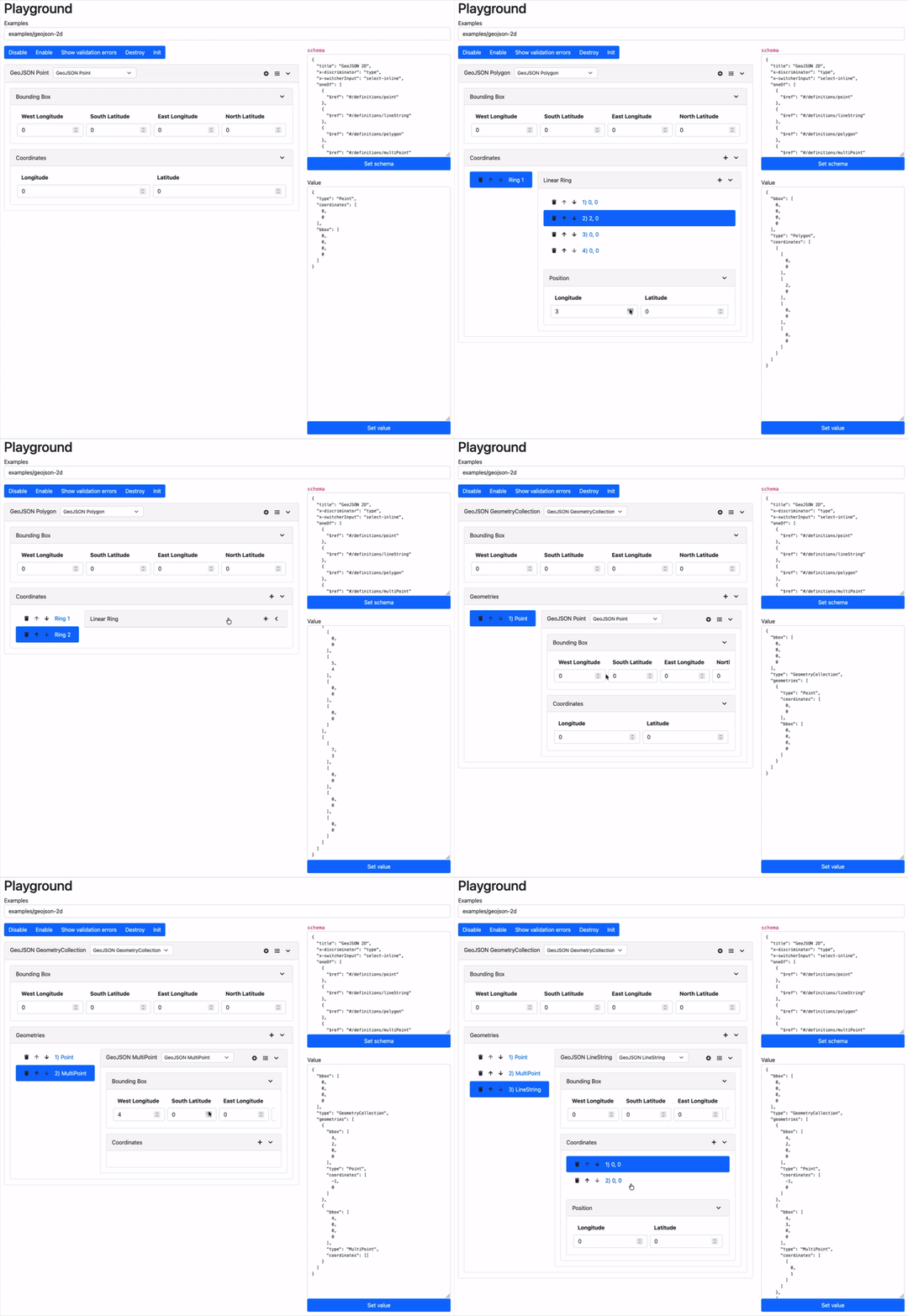
What is Jedison
Jedison generates forms from JSON schemas. Simply provide a JSON schema and Jedison automatically creates a complete, interactive form with built-in validation.
Here's a simple example:
{
  "title": "Contact",
  "type": "object",
  "properties": {
    "name": {
      "title": "Name",
      "type": "string",
      "minLength": 1
    },
    "email": {
      "title": "E-Mail",
      "type": "string",
      "format": "email",
      "minLength": 3
    },
    "message": {
      "title": "Message",
      "type": "string",
      "minLength": 1,
      "x-format": "textarea"
    },
    "gdpr": {
      "title": "I have read and accept the privacy policy",
      "type": "boolean",
      "default": false,
      "const": true,
      "x-format": "checkbox"
    }
  }
}
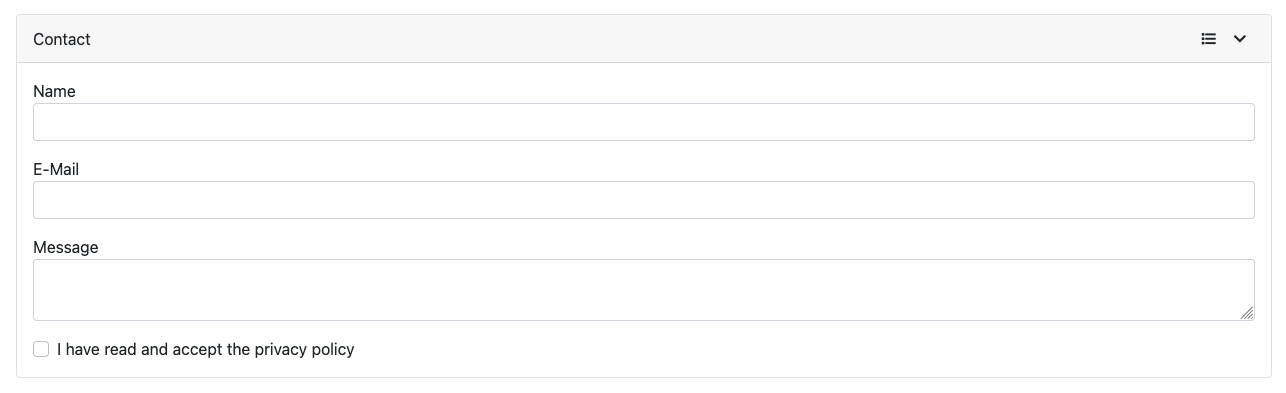
This schema automatically generates a complete contact form:
Jedison helps you validate JSON data on the backend and generate interactive forms from JSON Schemas on the frontend.
Backend Validation: Jedison can also be used in headless mode for backend validation in Node.js environments. This is optional - you can use any other JSON schema validator you prefer for server-side validation.
One common workflow looks like this:
- Your backend sends the JSON Schema to the client
- Jedison automatically renders a complete form based on the schema
- Users interact with the form while getting instant client-side validation
- Validated data gets submitted back to your server
- The same schema validates the data again server-side for security (using Jedison in headless mode or any other validator)

But Jedison is flexible enough to support other patterns too - you might use it for:
- Standalone client-side forms without server validation
- Pure server-side JSON validation in your backend services (headless mode)
- Hybrid approaches where different parts of the schema are used in different contexts
Multiple JSON Schema drafts
Jedison follows draft 2020-12 and also understands schemas written for draft-04, draft-06, draft-07 and 2019-09. Declare the draft with $schema and Jedison normalizes the schema, so the same form and validation work for all of them:
{
  "$schema": "http://json-schema.org/draft-07/schema#",
  "type": "array",
  "items": [{ "type": "number" }, { "type": "number" }],
  "additionalItems": false
}
Validation is tested against the official JSON-Schema-Test-Suite for every supported draft. $dynamicRef and $recursiveRef are not supported.
Coming from JSON Editor?
The JSON Editor README says the library is in maintenance mode and points to Jedison for active development.
| Jedison | JSON Editor | |
|---|---|---|
| JSON Schema drafts | 4, 6, 7, 2019-09, 2020-12 | 3 and 4 |
| Themes | Bootstrap 3, 4, 5, Tailwind 4 | Bootstrap 3, 4, 5, Spectre, Tailwind |
| Status | Actively developed | Maintenance mode |
The basic API is close (getValue, setValue, on('change')). See the comparison and migration guide.
Install
Using ES Module
npm
npm install jedison
yarn
yarn add jedison
<div id="jedison-container"></div>

<script type="module">
    import Jedison from 'jedison'

    const jedison = new Jedison.Create({
        container: document.querySelector('#jedison-container'),
        theme: new Jedison.Theme(),
        schema: {
            "title": "Person",
            "type": "object",
            "properties": {
                "name": {
                    "type": "string",
                    "description": "The person's  name."
                },
                "age": {
                    "description": "Age in years which must be equal to or greater than zero.",
                    "type": "integer",
                    "minimum": 0
                }
            }
        }
    })
</script>
Using fromCDN
<script src="https://cdn.jsdelivr.net/npm/jedison@latest/dist/umd/jedison.umd.js"></script>

<div id="jedison-container"></div>

<script>
    const jedison = new Jedison.Create({
        container: document.querySelector('#jedison-container'),
        theme: new Jedison.Theme(),
        schema: {
            "title": "Person",
            "type": "object",
            "properties": {
                "name": {
                    "type": "string",
                    "description": "The person's  name."
                },
                "age": {
                    "description": "Age in years which must be equal to or greater than zero.",
                    "type": "integer",
                    "minimum": 0
                }
            }
        }
    })
</script>
Using Tailwind CSS v4
Jedison.ThemeTailwind4 only adds Tailwind utility classes, so Tailwind has to scan Jedison's files or it will purge them. In your Tailwind CSS entry file:
@import "tailwindcss";
@source "../node_modules/jedison/dist";
const jedison = new Jedison.Create({
    container: document.querySelector('#jedison-container'),
    theme: new Jedison.ThemeTailwind4(),
    schema: { "type": "string" }
})
License
Jedison is released under the MIT License, making it free for commercial and non-commercial use.