
fy-agent/fyagent
fy-agent/fyagent has 218 GitHub stars and 18 forks. GitHot measured 0 stars in 24 hours. Last checked 2026-11-16 00:08 UTC. Last push 2026-11-15.
Measured star growth
- in 24h
- 0
- in 7 days
- Collecting history
- in 15 days
- Collecting history
- in 1 month
- Collecting history
Net star changes over overlapping periods, not daily totals. Missing measurements are left blank. Stars measure attention, not software quality.
About
For You Agent——AI 时代的个人随身数字人格。把你的模型、AI 账号、技能、提示词和工作方式,带到每一个 AI 工具里。
AIREADME_EN.md
Original
FyAgent
Own your AI.
A personal desktop control center that keeps you in charge of the AI Workers and Agents you use.




Download · Manual · Discussions · Contribute
A personal control center for the AI era
FyAgent is for people who use AI Agents, AI Workers, and assistants. It brings the choices that shape an AI—where its models come from, which tools it can reach, what skills it has, which instructions it follows, and how it is configured—into one local desktop app.
You do not need to begin with terms such as Provider, MCP, or Prompt. To a person using the product, they are an AI's source of intelligence, its tool connections, and its working instructions. FyAgent makes those choices visible, editable, and easier to carry between tools.
Release status: FyAgent is under active development. Back up important configuration before upgrading, and review the trust information for each release before installing it.
Current features
| Area | Available tasks |
|---|---|
| AI software configuration | Scan QoderWork CN, TRAE Work CN, WorkBuddy, Grok Build, Codex, Claude Code, and OpenCode; where supported, open installation, update, launch, authentication, and resource-assignment controls |
| Health | Check local installation, configuration, and connection status, then open the relevant action |
| Accounts and authentication | Add official accounts, manage application connections, and select the Codex request source |
| Models | View or change model and Provider settings for the applications above; preview writes and check the result after saving |
| Skills | Install Skills from local files or discovery results, then assign them to supported applications |
| MCP | Add, import, and manage MCP servers, then assign them to supported applications |
| Prompts | Manage prompts for Grok Build, Codex, Claude Code, OpenCode, Gemini, OpenClaw, and Hermes |
| Memory | Edit long-term memory files for OpenClaw and Hermes, plus OpenClaw daily memory files |
Working data is stored in ~/.fyagent by default. See the manual for exact paths, backup instructions, and application-specific limits.
Interface
The screenshots below use Simplified Chinese. The left navigation opens software configuration, Health, Accounts, Models, Skills, MCP, Prompts, and Memory.
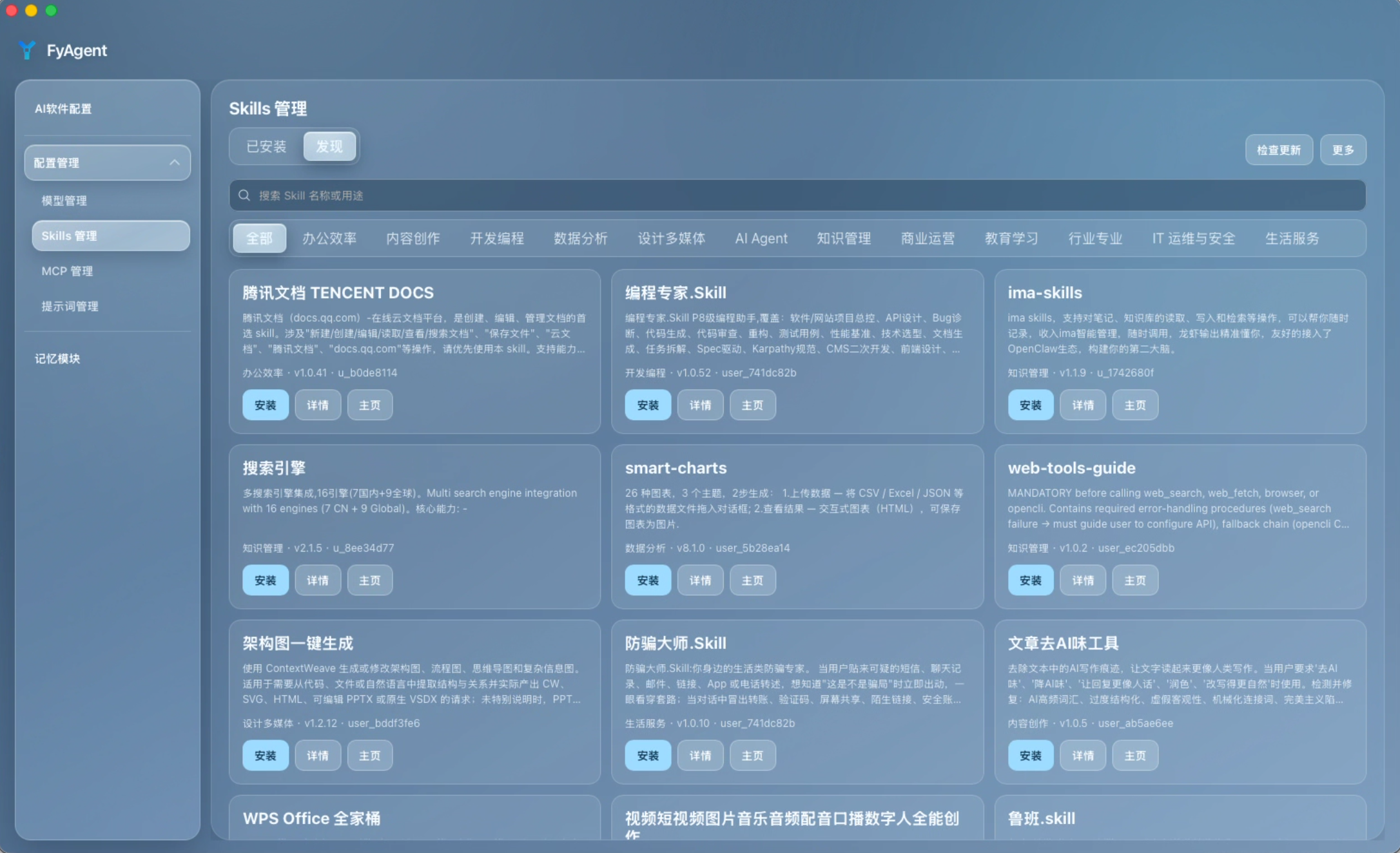
Skills |
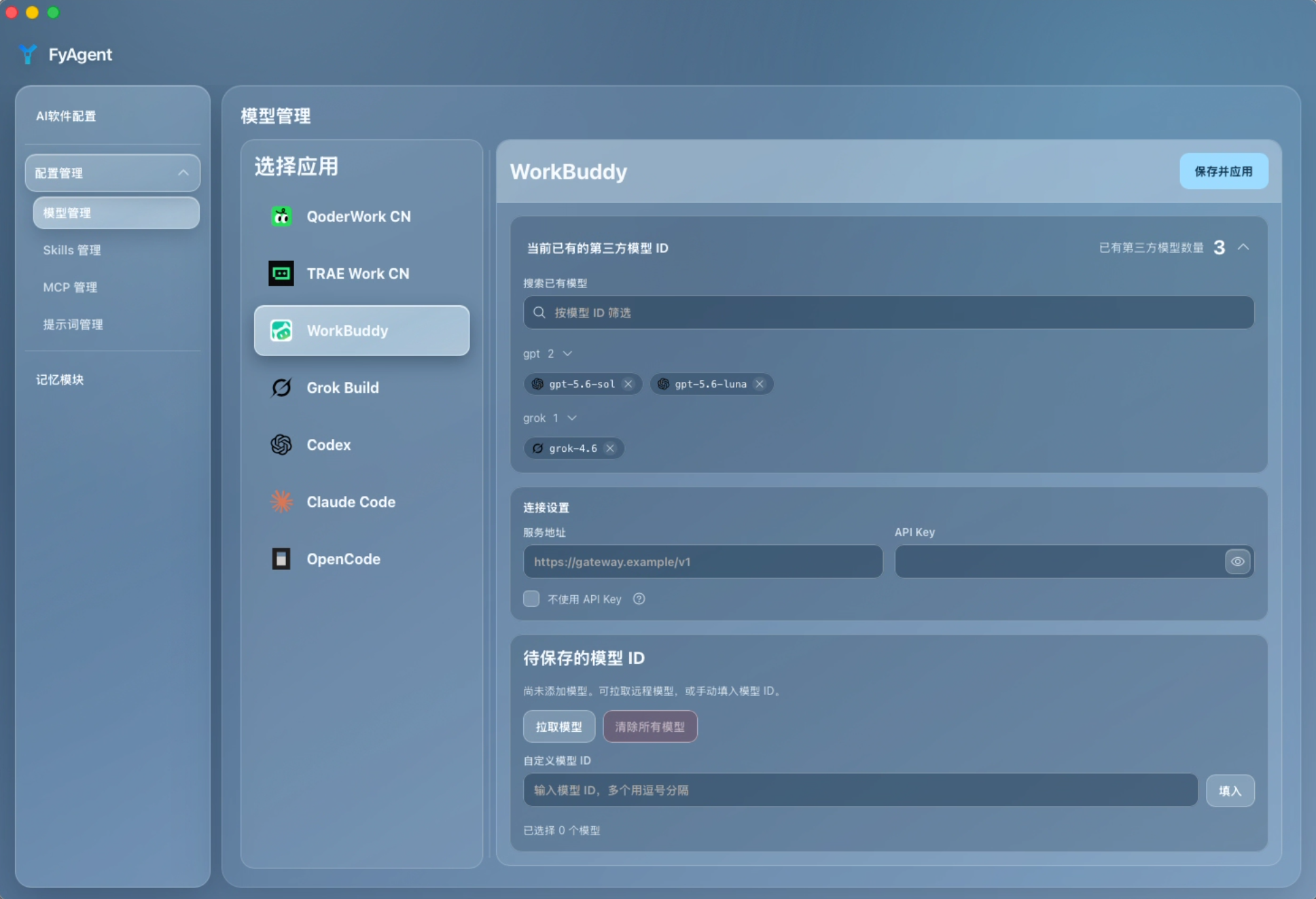
Models |
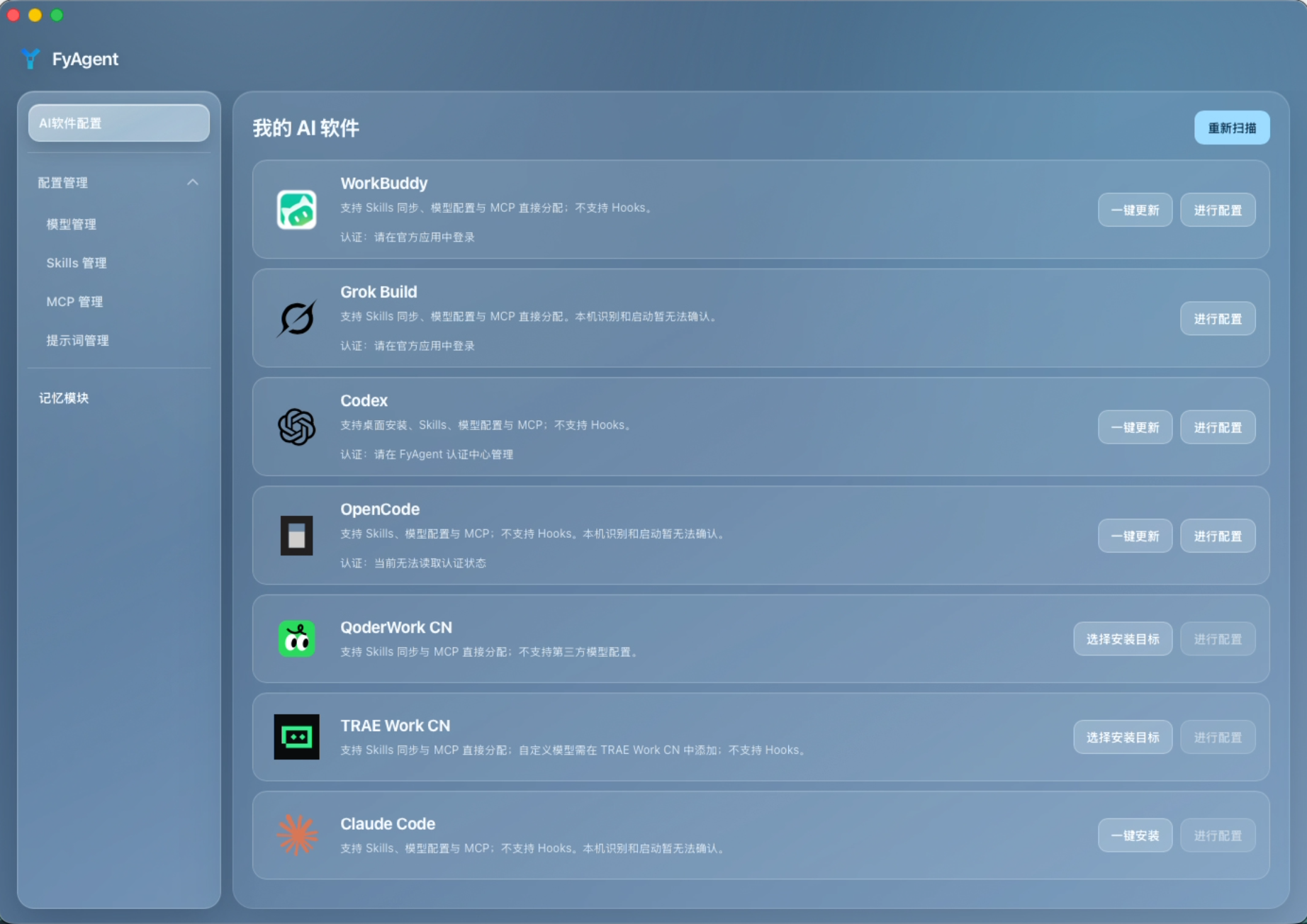
Home |
Quick start
- Download the package for your system from GitHub Releases.
- Open AI software configuration and scan the device for installed applications.
- Select an application and open its configuration page. Use the controls available there for models, Skills, MCP, prompts, or authentication.
- Review the affected settings before saving. After the write, follow the page guidance to inspect the result or test the connection.
See the full English manual, or switch to 简体中文 or 日本語.
Downloads and release verification
Release files use these names:
- macOS:
FyAgent-X.Y.Z-macOS.dmg - Windows:
FyAgent-X.Y.Z-Windows-x64-setup.exe,FyAgent-X.Y.Z-Windows-arm64-setup.exe
Windows releases use an NSIS setup program; MSI and portable ZIP packages are not part of the current release. macOS builds are signed with an Apple Developer ID and notarized.
Before installing, read the release notes and check the published checksums, signing-status.json, and build attestation. NotSigned describes the signing state; it does not prove that a file is safe. If Windows blocks the installer, see unblocking instructions. See the installation guide for platform-specific steps and the release notes index for version history.
FAQ
Windows blocked the installer or showed 'Windows protected your PC'. What should I do?
FyAgent Windows installer packages currently do not include an Authenticode signature and are marked as NotSigned on the release page. If blocked, follow the "verify first, allow later" principle:
- Verify the SHA-256 hash in PowerShell using
Get-FileHashagainst the release table (if the hash does not match, delete the file and do not run it), optionally also verify the build attestation withgh attestation verify. - If SmartScreen shows "Windows protected your PC", click More info, confirm the application and file name, and click Run anyway.
- If marked from the Internet, open installer Properties → General and check Unblock if present.
- For Windows 11 Smart App Control or antivirus false positives, see the complete unblocking instructions.
Where does FyAgent store its data?
FyAgent uses ~/.fyagent on the local device by default. See Configuration files for exact locations and backup guidance.
Where should I ask for installation or configuration help?
Check the FAQ manual, then open a Q&A discussion with the FyAgent version, operating system, related application, and steps already tried. Use the Bug Report form for a reproducible software defect.
Is FyAgent open source?
FyAgent is source-available, not open source as defined by the OSI. FyAgent-owned components and modifications use PolyForm Noncommercial License 1.0.0; CC Switch-derived portions remain under the MIT License. See Licensing.
Community and contributions
- Usage questions and troubleshooting: Q&A
- Feature ideas: Ideas
- Configuration and usage notes: Show and tell
- Reproducible defects and scoped work: Issues
See CODE_OF_CONDUCT.md, SUPPORT.md, and CONTRIBUTING.md for community expectations and contribution paths.
Local development
A first checkout requires a global mise >= 2026.8.6:
mise trust
mise run bootstrap
mise run system:check
mise run dev
Build for the current system with:
mise run build
Run mise run check before submitting a change. The development guide covers the full toolchain, focused checks, and release requirements.
Project origin and license
FyAgent began as VibeKey, a concept for a physical keyboard and companion driver. The project later moved to cross-platform desktop software focused on AI application configuration and local data management, and was renamed FyAgent (For You Agent).
The current desktop app evolved from CC Switch and retains upstream copyright and license notices for inherited code. FyAgent-owned components and modifications use the PolyForm Noncommercial License 1.0.0; commercial use requires separate written authorization. See LICENSE, LICENSING.md, and THIRD_PARTY_NOTICES.md.