
futureboard/futureboard-studio
futureboard/futureboard-studio has 139 GitHub stars and 14 forks. GitHot measured 0 stars in 24 hours. Last checked 2026-11-16 18:50 UTC. Last push 2026-11-15.
What you can do
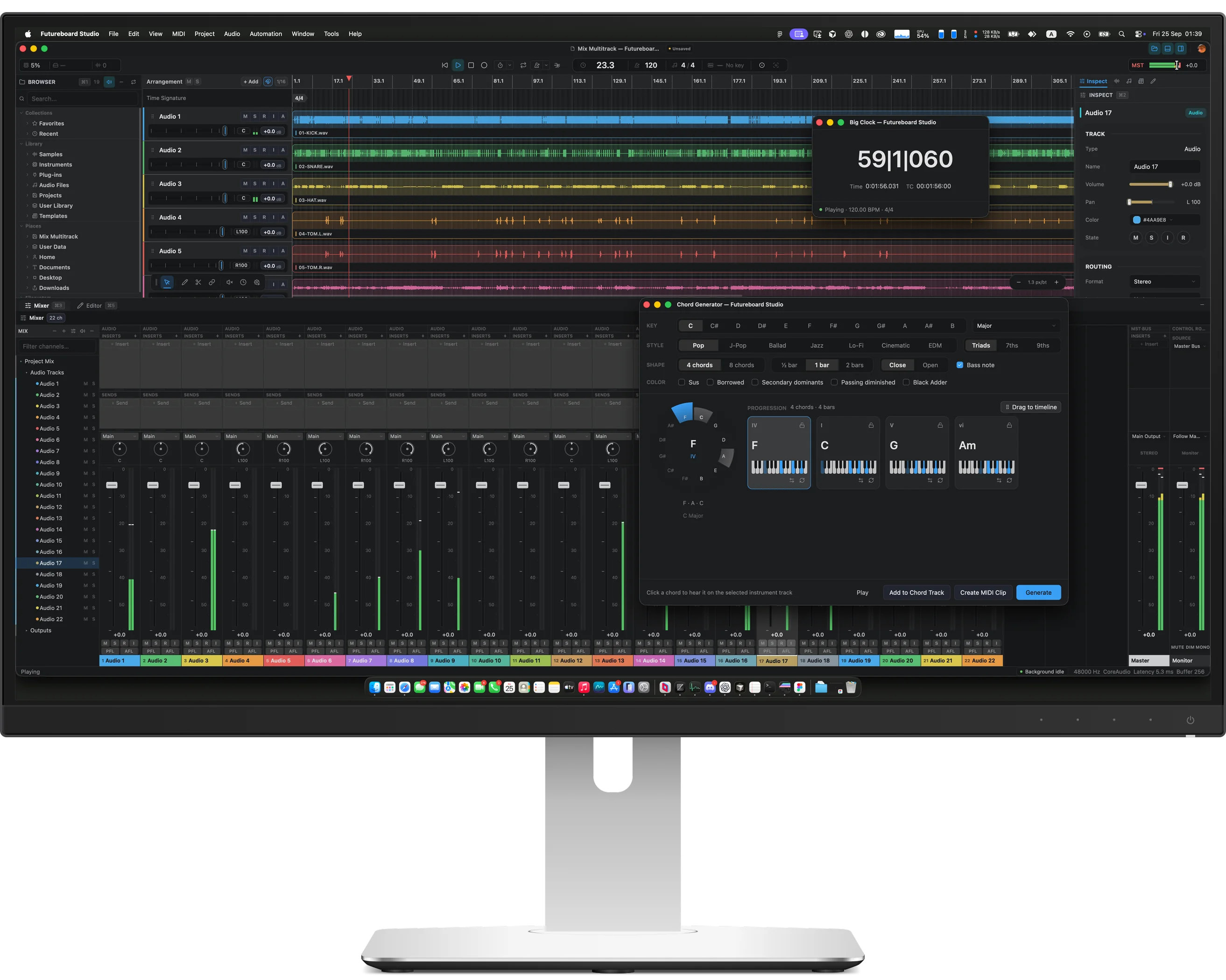
- Arrangement — audio, MIDI, instrument, bus, return and folder tracks; clips, takes, markers, regions, tempo and time-signature tracks, automation lanes, and a Chord Track.
- Editing — piano roll with per-note MIDI channels and controller lanes, an audio editor with time-stretch and pitch, and a spectrogram view.
- Mixer — inserts, sends, bus and return routing, pan, mute/solo, PFL/AFL listen, plug-in delay compensation, a Master bus and a Control Room monitor path. Docked or in its own window.
- Audio Connections — named mono and stereo input and output buses mapped onto the audio device's channels.
Measured star growth
- in 24h
- 0
- in 7 days
- Collecting history
- in 15 days
- Collecting history
- in 1 month
- Collecting history
Net star changes over overlapping periods, not daily totals. Missing measurements are left blank. Stars measure attention, not software quality.
About
An open-source digital audio workstation with Native GPUI, React WebUI, Rust DSP, and native plugin hosting.
Creative & MediaREADME.md
Original
Futureboard Studio Community Edition — an open-source digital audio workstation, built natively in Rust on GPUI.







Screenshots · Features · Getting Started · Build & Package · Architecture · Debugging · Translations · Contributing
[!WARNING] Pre-alpha. Futureboard Studio is under active early development. Expect breaking changes, missing features and project-format revisions. Do not trust it with irreplaceable work; nightly builds are test snapshots only.
Screenshots
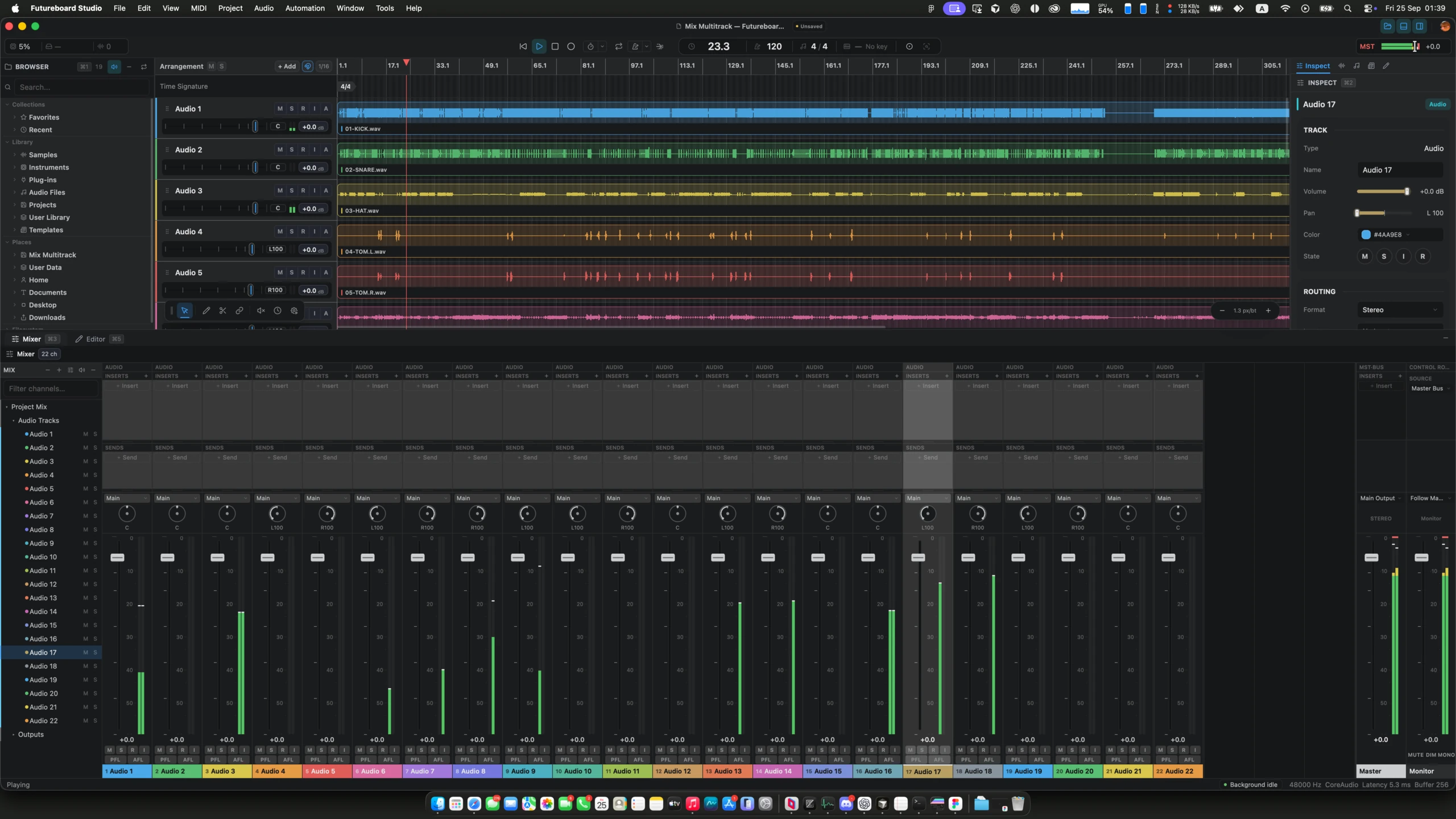
Workspace — arrangement, browser, inspector and the docked mixer |
|
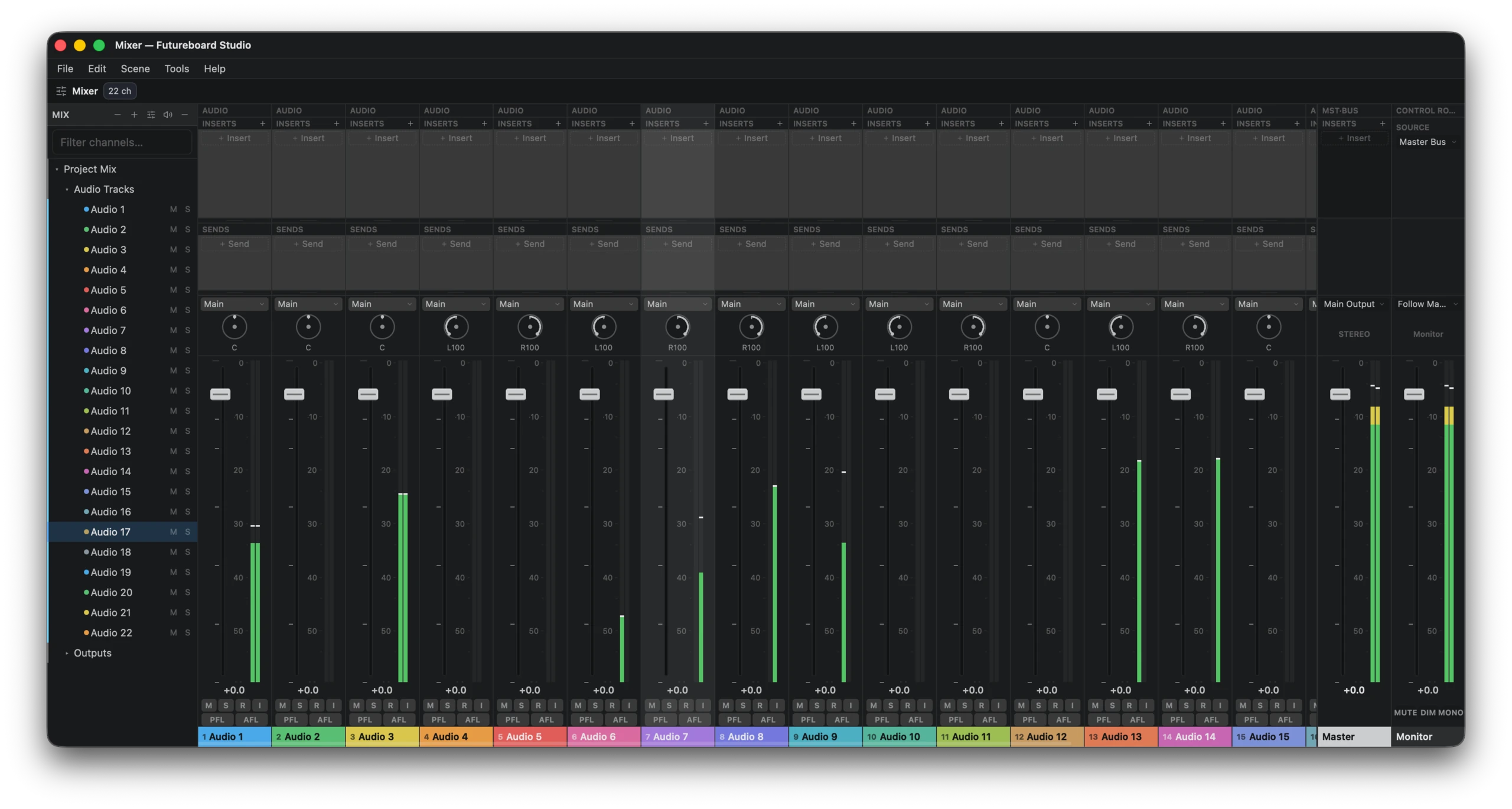
Mixer — inserts, sends, pan, PFL/AFL, Master and Monitor |
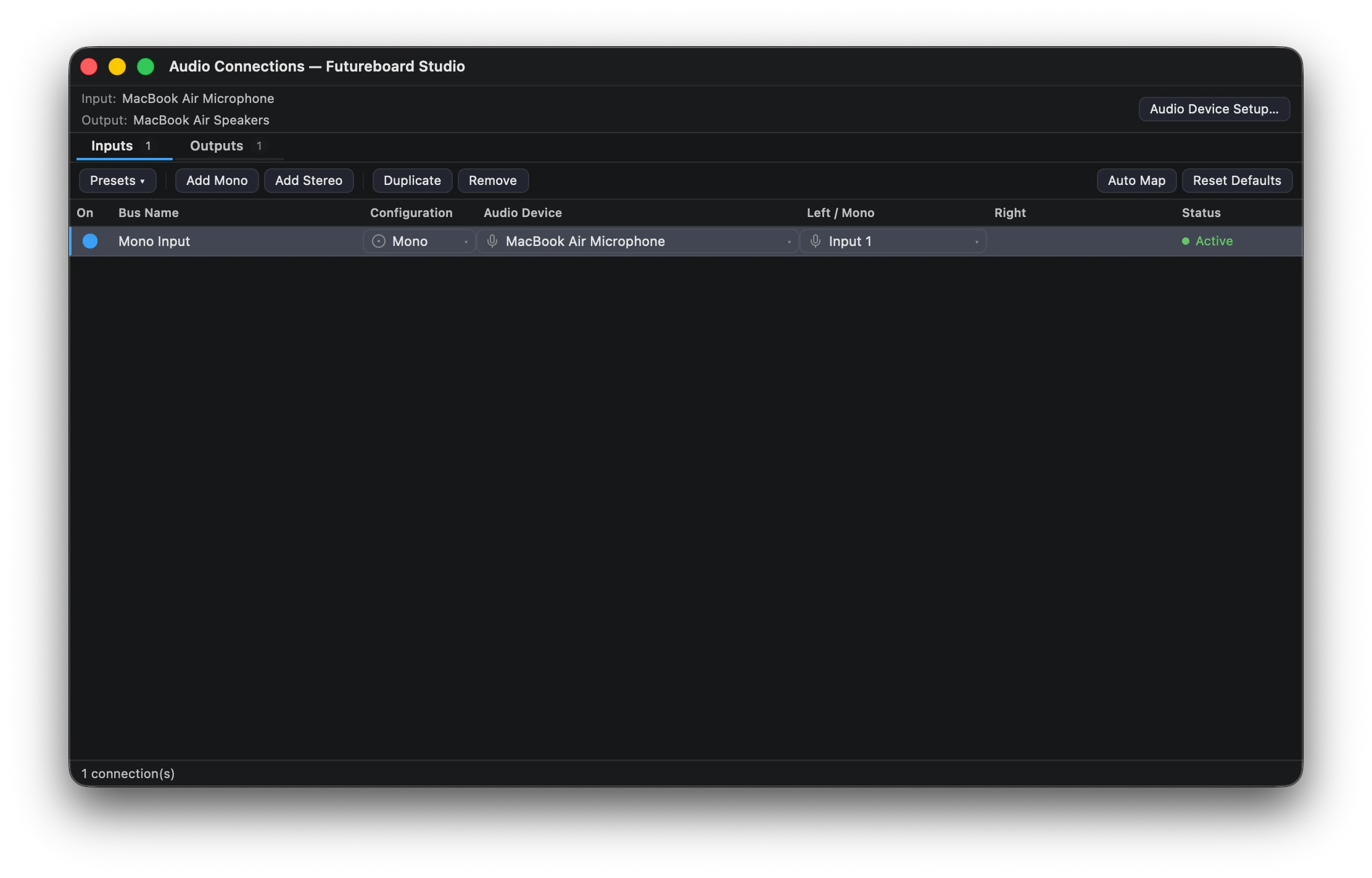
Audio Connections — named input and output buses |
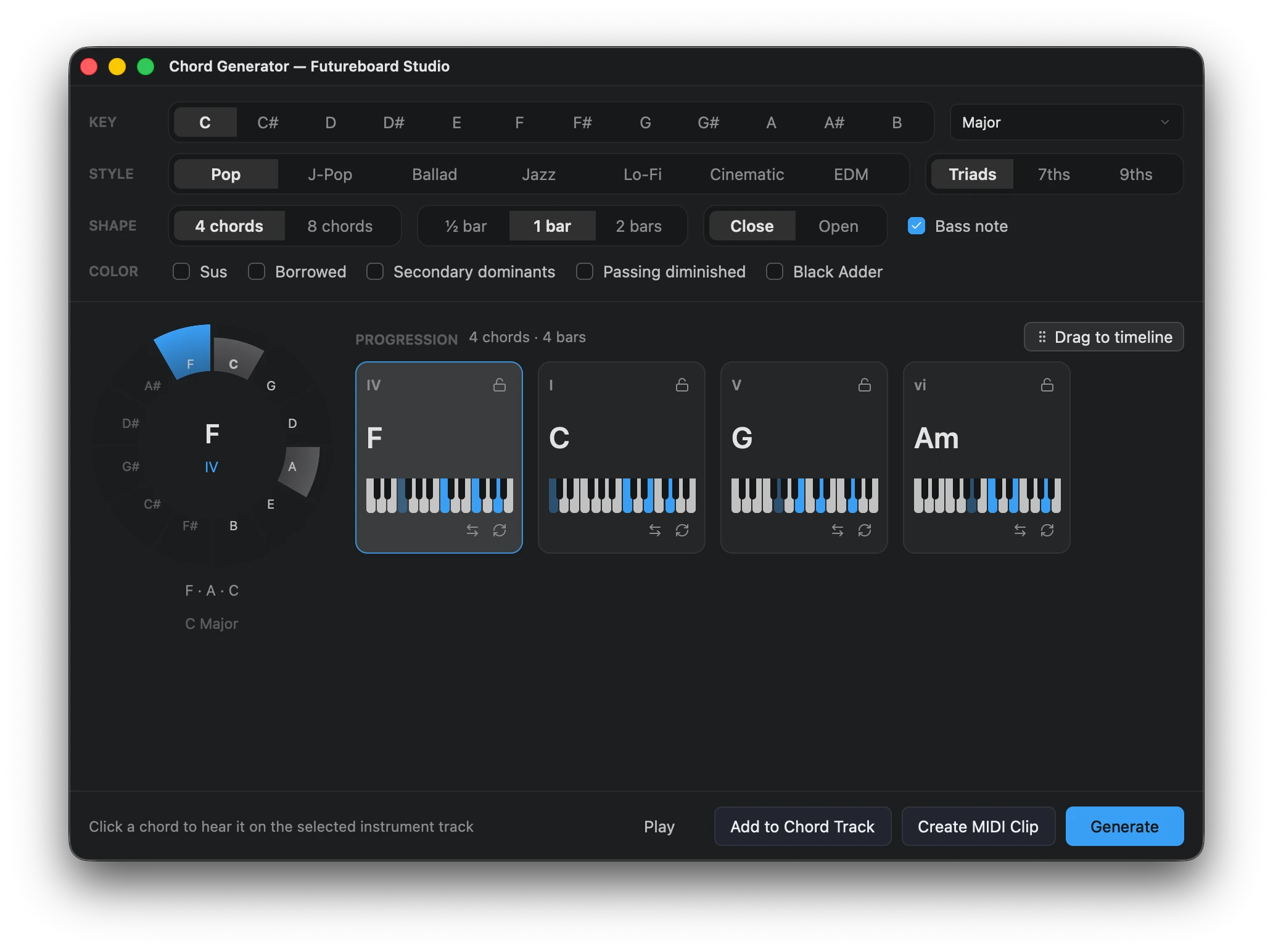
Chord Generator — progressions to a Chord Track or MIDI clip |
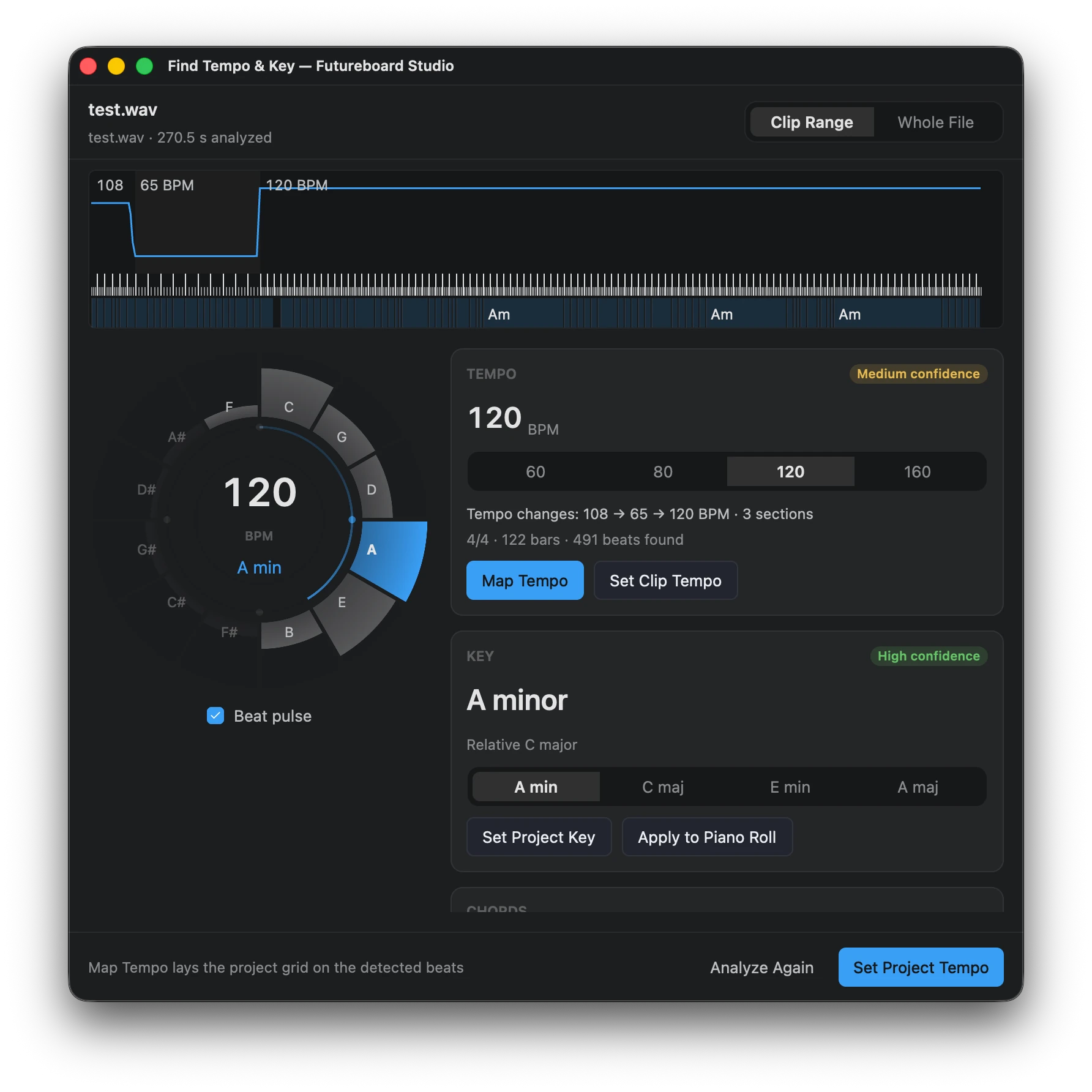
Find Tempo & Key — tempo map, key and chords from audio |
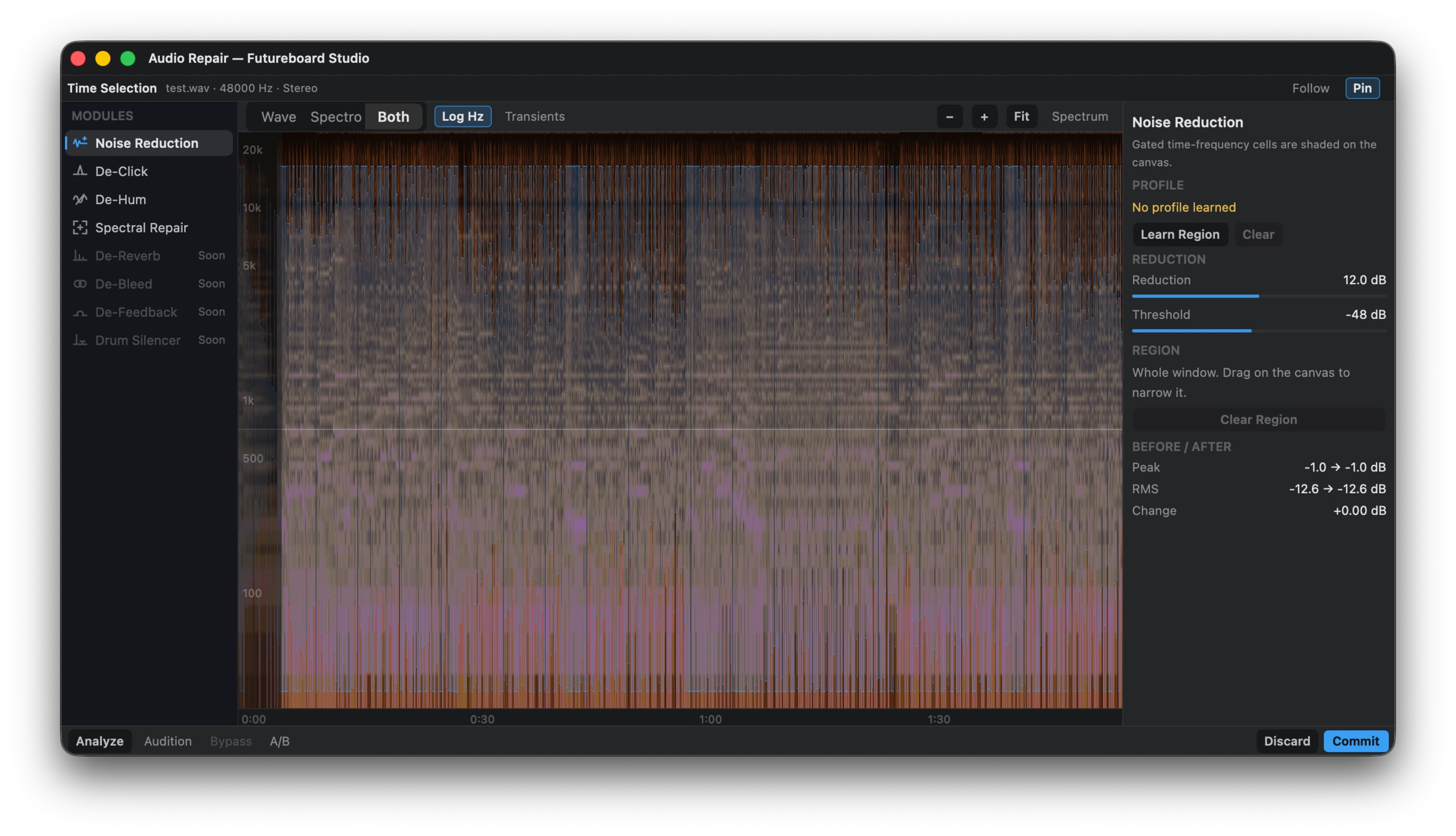
Audio Repair — noise reduction, de-click, de-hum, spectral repair |
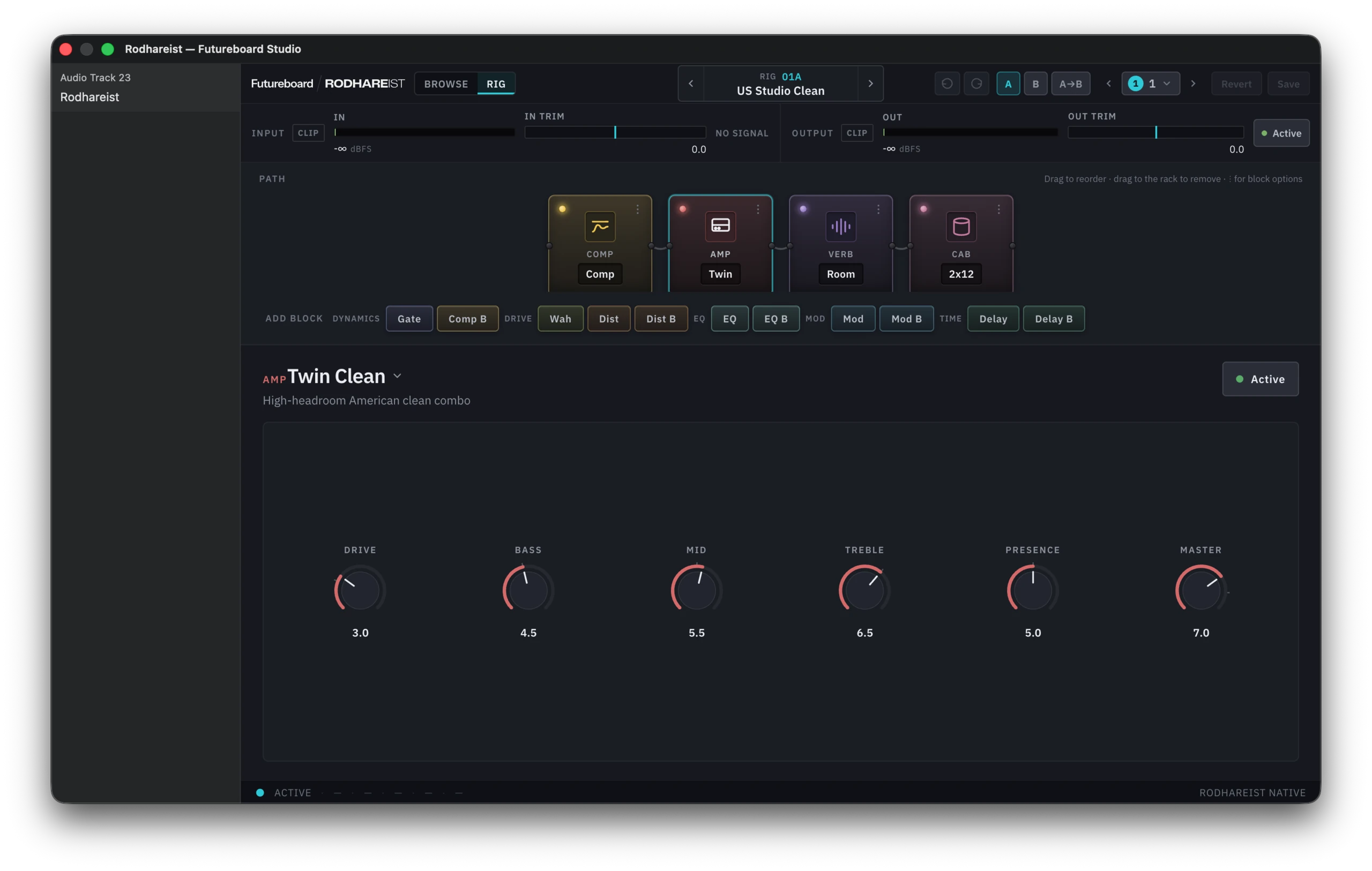
Rodhareist — a built-in amp and effects rig |
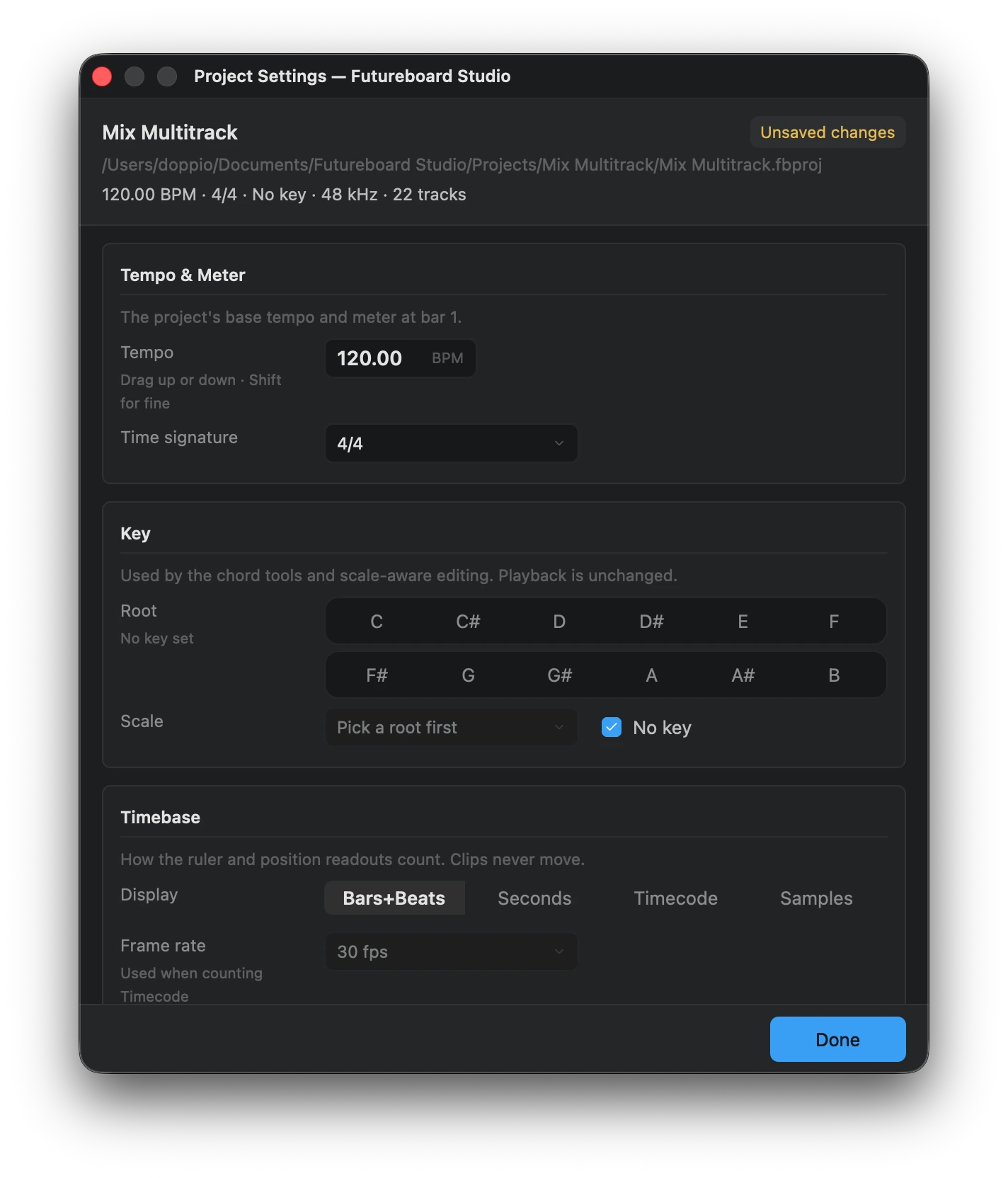
Project Settings — tempo, meter, key and timebase |
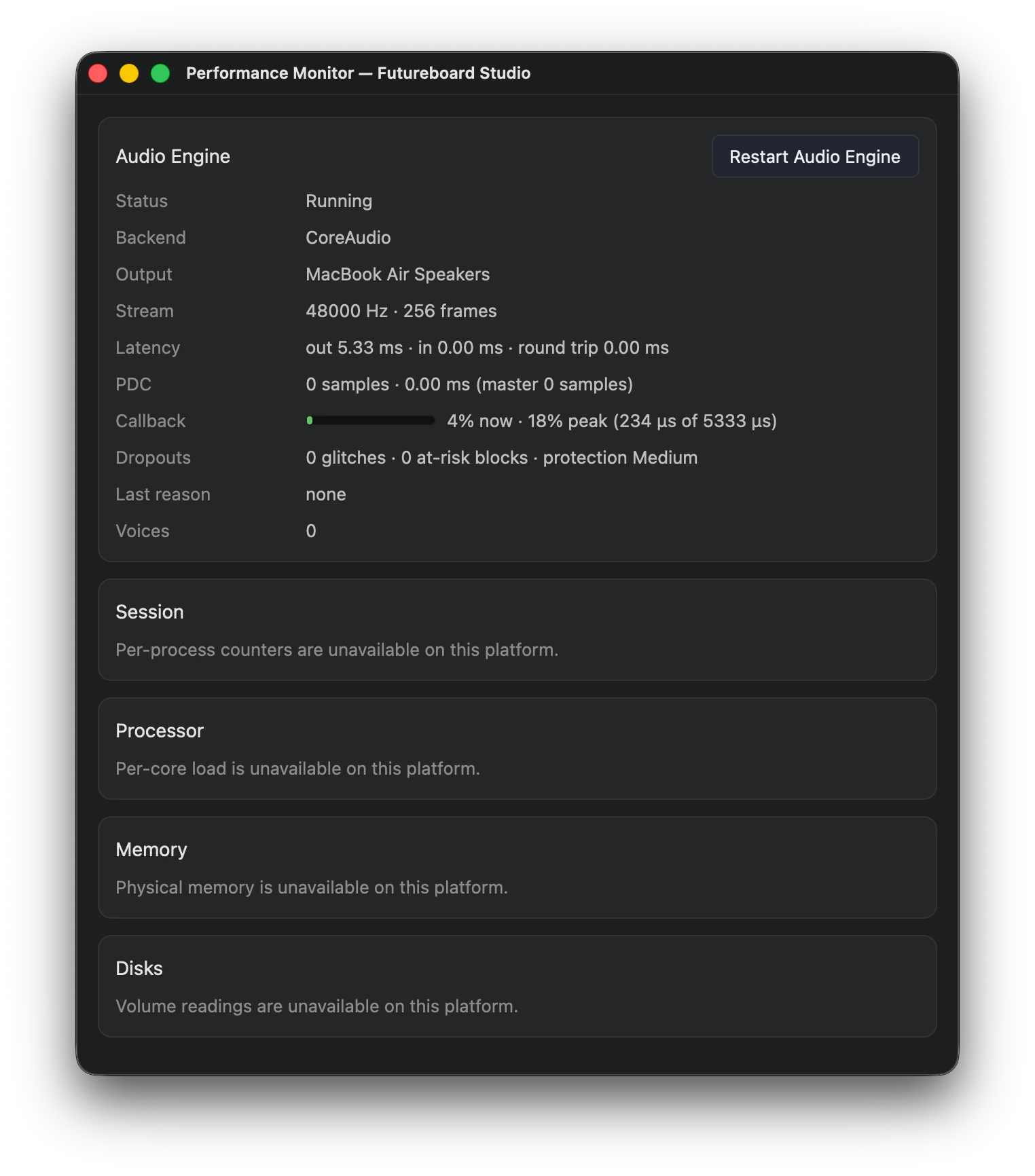
Performance Monitor — engine status, callback load, dropouts |
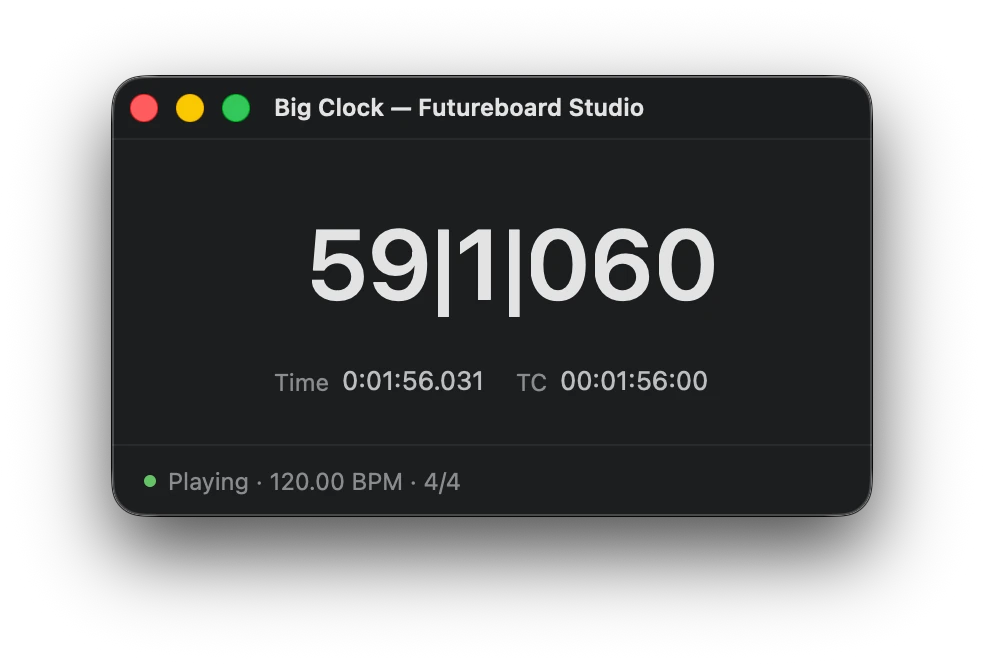
Big Clock — bars|beats|ticks, time and timecode |
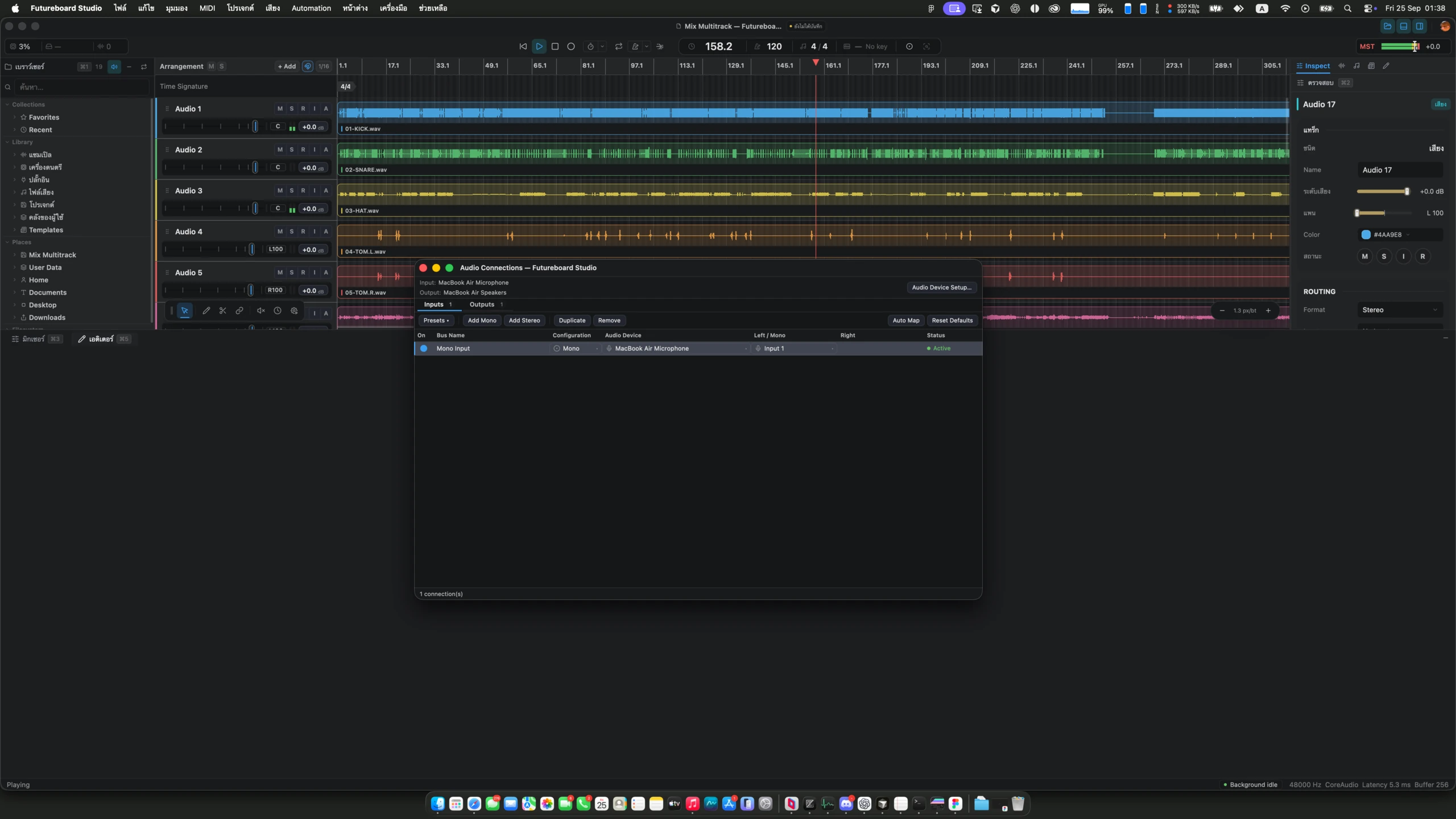
Utility windows float over the workspace |
Localized interface (Thai)
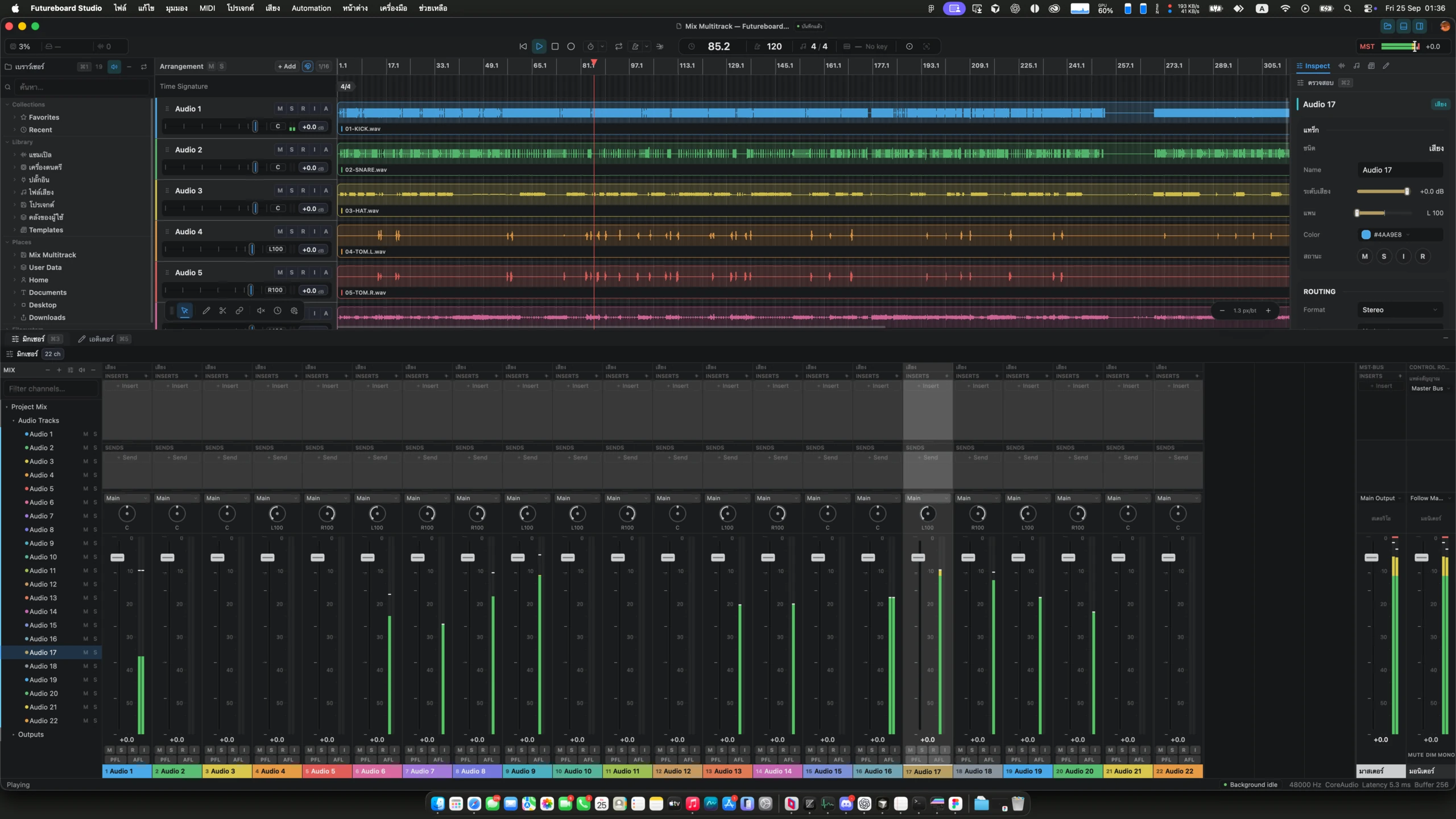
Workspace |
|
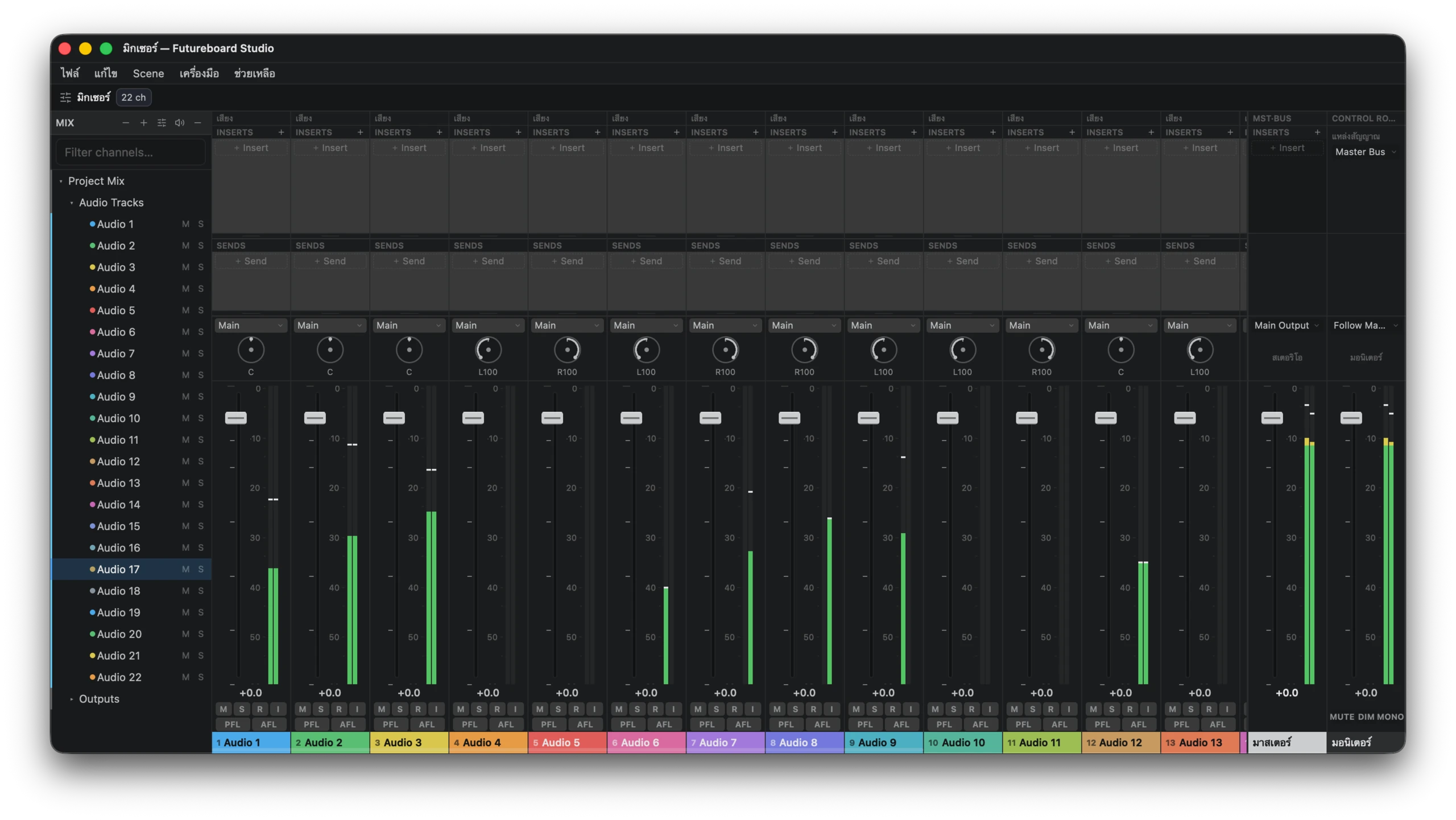
Mixer |
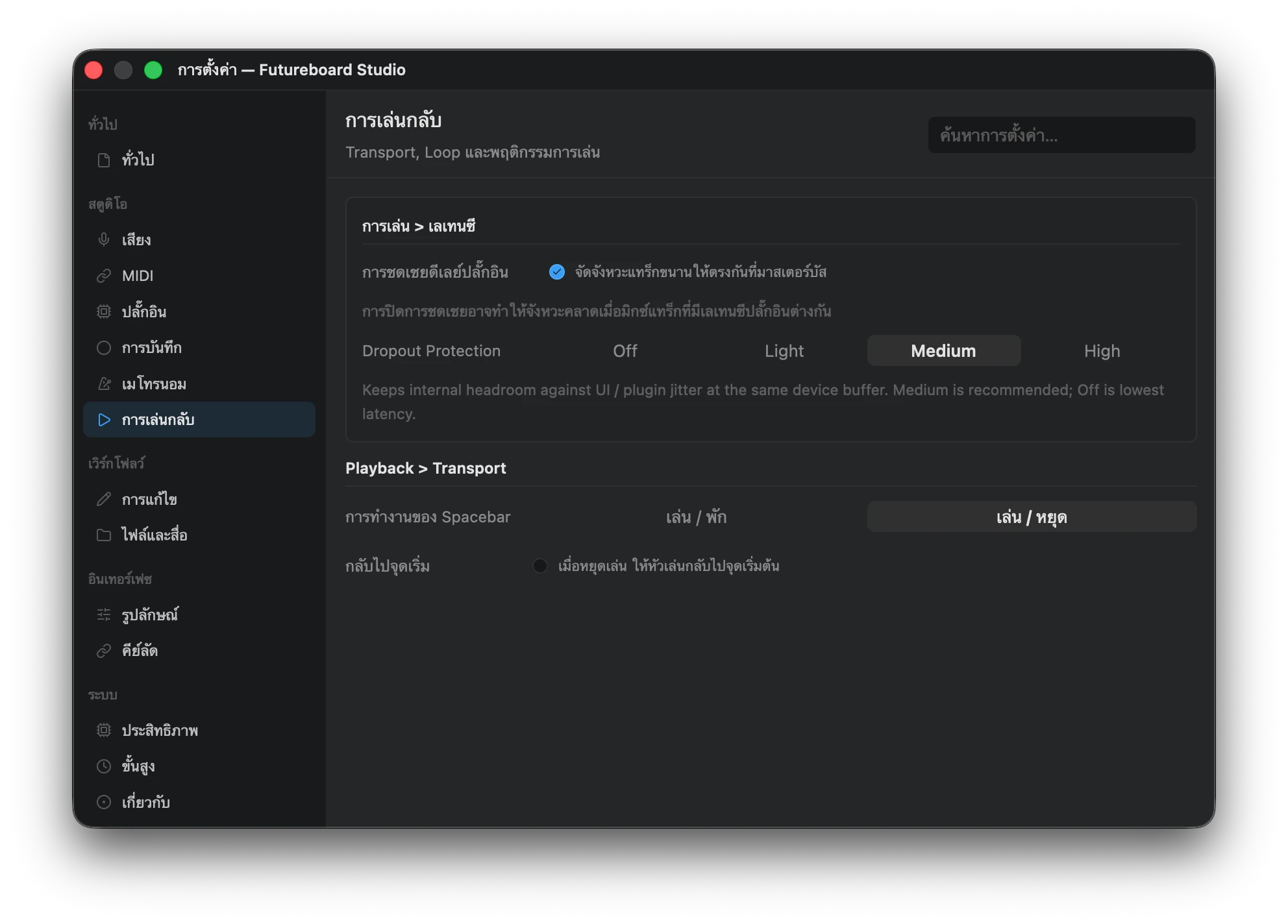
Settings |
Features
Futureboard Studio is one native desktop application: the shell, the editors, the audio engine and the plug-in host are Rust. What exists today, pre-alpha:
- Arrangement — audio, MIDI, instrument, bus, return and folder tracks; clips, takes, markers, regions, tempo and time-signature tracks, automation lanes, and a Chord Track.
- Editing — piano roll with per-note MIDI channels and controller lanes, an audio editor with time-stretch and pitch, and a spectrogram view.
- Mixer — inserts, sends, bus and return routing, pan, mute/solo, PFL/AFL listen, plug-in delay compensation, a Master bus and a Control Room monitor path. Docked or in its own window.
- Audio Connections — named mono and stereo input and output buses mapped onto the audio device's channels.
- Plug-in hosting — VST3, CLAP, AU (macOS) and legacy VST2, scanned and run out of process, with native editor embedding and ARA 2 support.
- Built-in instruments and effects — see Built-in plug-ins.
- Built-in Soundfont Player — any
.sf2, as one instrument or as sixteen parts on the MIDI channels, General MIDI style. - Music tools — Chord Generator, Find Tempo & Key, stem extraction and audio repair (noise reduction, de-click, de-hum, spectral repair).
- Utility windows — Big Clock, Performance Monitor, master-bus visualizers (spectrum, stereo image, loudness, oscilloscope, spectrogram), Virtual Keyboard, Project Settings.
- Localization — English, Thai, Japanese, Simplified Chinese and Lao catalogs, with composite fonts for mixed scripts.
Built-in plug-ins
Built-in plug-ins are Rust DSP hosted by the plug-in host. Each has its own editor, a compiled web view embedded in the binary — the one place Futureboard uses web technology.
| Kind | Plug-ins |
|---|---|
| Dynamics | Compressor (single and multiband) · Z-Comp · Transient |
| EQ & color | EQ-Z8 · C1073 · 67Clipper · BurnLimit |
| Space | EchoSpace · VerbSpace · Imager |
| Utility | MixStation |
| Amp rig | Rodhareist |
| Instruments | WrapSynth · Drum Sampler |
Community and Professional Editions
This public repository contains Futureboard Community Edition source code, licensed under the MIT License. A normal Community build does not contain the private Professional Edition crate, ASIO provider, license activation client, or other separately licensed commercial components.
Authorized private checkouts add the Git-ignored crates/ExclusiveEdition
source, which carries the Professional build scripts and its own documentation.
The presence of shared extension hooks or the public professional build-feature
name does not grant access to, a license for, or redistribution rights in
Professional Edition.
The ASIO build toolchain — Steinberg SDK provisioning, its licence gate, and the
libclang lookup asio-sys needs — is part of that private tree. This repository
contains none of it: xtask/src/toolchain.rs is a stub here, and a Community
build never compiles ASIO support.
Professional build and release instructions live in
crates/ExclusiveEdition/docs/RELEASE.md, in the private checkout.
Getting Started
Prerequisites
- Rust, stable, edition 2024 (MSVC toolchain on Windows).
- Bun, for the built-in plug-in editors and the repository scripts.
- CMake 3.20+ and a C++ toolchain (MSVC, Xcode Command Line Tools, GCC or Clang) for the plug-in SDK bridges.
[!IMPORTANT] Vendored SDKs under
external/are git submodules — clone with--recursive, or rungit submodule update --init --recursiveafterwards.
git clone --recursive https://github.com/futureboard/Futureboard
cd Futureboard
bun install
Run the app in development:
cargo build -p sphere-plugin-host --bins   # helper binaries the app spawns
cargo build -p futureboard_native          # launcher + engine library
cargo run -p futureboard_native            # (both lines = bun run dev:native)
FutureboardNative is only a launcher: the Studio — UI, audio engine, plug-in
hosting — is the FutureboardEngine_x64 library (.dll/.so/.dylib) it
loads from its own directory. cargo run and --bin FutureboardNative build
only the launcher, so build the whole package after changing code.
The app links the Chromium Embedded Framework (CEF) runtime. Packaging stages
it for you; for a plain cargo run, install it once:
cargo run -p SphereWebView --example install_cef --features installer
Build & Package
xtask builds the app, its helper executables and the built-in plug-ins, and
stages a runnable tree with the CEF runtime beside it.
# out/release/community/<platform>
cargo run -p xtask -- package --profile release --edition community --plugin all
# = bun run build:native

# out/dev/<platform>
cargo run -p xtask -- package --profile dev --edition community --plugin all
# = bun run build:native:debug
--plugin takes all, none, or a comma-separated list of plug-in crates.
Distributables:
| Target | Command |
|---|---|
| Windows | bun run bundle:native:win — Inno Setup installer (packaging/windows) |
| macOS | bun run bundle:native:mac · bun run bundle:native:mac:dmg (packaging/native) |
| Linux | packaging/linux/bundle-appimage.sh — AppImage · packaging/aur — AUR package |
| Nix | nix build .#studio (and every other app) — see below and nix/README.md |
Nix (x86_64-linux)
flake.nix builds every native app with its runtime layout, offline, from
pinned sources (CEF, Crashpad, ONNX Runtime and the LiveStage web UI's npm
packages are prefetched as fixed-output sources):
nix build .#studio            # also: livestage, livestage-server, livestage-appliance,
                              # jamsession, singer, plugin-host, cef-helper, all
nix run                       # Futureboard Studio
nix run .#livestage-server -- --http 0.0.0.0:8730
nix develop                   # toolchain, native libraries and SDK paths for cargo
nix flake check               # smoke test (embedded LiveStage web UI)
New files must be git added before a flake sees them. Package contents,
how each build-time download is handled and hash refreshes are
documented in nix/README.md.
macOS universal (Apple Silicon + Intel)
CEF publishes macosx64 and macosarm64 as separate distributions — there is
no universal one — so a universal app is produced by packaging each architecture
and merging the two trees with lipo:
rustup target add x86_64-apple-darwin aarch64-apple-darwin
cargo run -p SphereWebView --example install_cef --features installer -- --target universal-macos

for triple in x86_64-apple-darwin aarch64-apple-darwin; do
  cargo run -p xtask -- package --profile release --edition community --plugin all --target "$triple"
done

bash packaging/native/merge-universal-macos.sh \
  out/release/community/macos-x64 out/release/community/macos-arm64 \
  out/release/community/macos-universal

bash packaging/native/bundle-macos.sh out/release/community/macos-universal
bash packaging/native/bundle-macos-dmg.sh
bundle-macos.sh prefers macos-universal when no package directory is passed,
reports the architectures it shipped, and fails on a single-architecture bundle
when FUTUREBOARD_REQUIRE_UNIVERSAL=1 (release CI sets it). The DMG filename
carries the architecture: …-macos-universal.dmg, …-macos-arm64.dmg, or
…-macos-x86_64.dmg. The in-app updater takes the image matching the running
architecture first, falls back to the universal one, and never installs the
other architecture's image.
Platform notes
| Platform | Audio backends | Setup |
|---|---|---|
| Windows | WASAPI (shared and exclusive) · WDM-KS | rustup default stable-msvc |
| macOS | CoreAudio | xcode-select --install |
| Linux | ALSA | sudo apt install libasound2-dev · sudo pacman -S alsa-lib |
ASIO is available in Professional Edition only.
Scripts
| Script | Runs |
|---|---|
dev:native |
cargo build -p futureboard_native && cargo run -p futureboard_native |
build:native · build:native:debug |
xtask package (release / dev, Community, all plug-ins) |
bundle:native:win · bundle:native:mac[:dmg] · installer:native:win |
Package distributables |
cargo:check · cargo:build · cargo:release · cargo:test · cargo:clippy |
Rust workspace passthroughs |
cargo:fmt[:check] · check · lint · fmt |
Formatting and combined checks |
Architecture
The product is the native application in apps/native/studio
(package futureboard_native, binary FutureboardNative). GPUI — the
rendering framework behind the Zed editor — owns the shell, windows, commands
and state; the audio engine runs in process; plug-ins run in a separate host
process so a crashing plug-in cannot take the session down.
| Crate | Purpose |
|---|---|
SphereUIComponents |
The GPUI shell, editors, mixer, windows and theme |
SphereDirectAudioEngine |
Real-time engine: graph, transport, mixing, recording, export |
SpherePluginHost |
Plug-in scanning, the out-of-process host and editor bridging |
BuiltinAudioPlugins |
Built-in plug-in DSP and their native editors |
SphereWebView |
The CEF runtime host |
SphereSoundfontPlayer |
The built-in SoundFont instrument |
SphereMidiService |
MIDI devices, programs and MPE |
SphereAudioProcessor |
Time-stretch, pitch and audio analysis |
Ara2Bridge · SphereAraHost |
ARA 2 hosting |
gpui |
The GPUI fork the app is built on |
Other native apps share the same crates: jamsession (standalone Audio Jam
client) and singer (Solfege instrument playground). See ARCHITECTURE.md for the full map.
Built-in plug-in editors are native GPUI views. The only web code in the
product is LiveStage's console (apps/native/livestage/webui); the earlier
web, Electron and N-API surfaces have been removed.
Repository layout
Futureboard
├─ apps/native/    studio (the app) · jamsession · singer · cef_helper
├─ crates/         engine, UI, plug-in host, built-in plug-ins, GPUI fork, services
├─ packages/       assets · keymaps · shared (locales, themes, menus, fonts, icons)
├─ external/       vendored SDKs (git submodules) and patched dependencies
├─ packaging/      Windows · macOS · Linux · AUR packaging
├─ scripts/        plug-in editor build, menu/keymap/locale generation, versioning
└─ xtask/          build and package orchestration
Debugging & Diagnostics
Verbose logging is opt-in through environment variables; set a logging
variable to 1 to enable it.
| Variable | Effect |
|---|---|
FUTUREBOARD_PLUGIN_DEBUG |
Insert add/set/remove/bypass mutations and engine-sync details |
FUTUREBOARD_PLUGIN_VIEW_DEBUG |
Native plug-in editor lifecycle and view attachment |
FUTUREBOARD_PLUGIN_EDITOR_MODE |
Plug-in editor mode selection |
FUTUREBOARD_ROUTING_DEBUG |
Send, return and bus routing graph |
FUTUREBOARD_PDC_DEBUG |
Plug-in delay compensation |
FUTUREBOARD_MIDI_VERBOSE |
MIDI and plug-in bridge tracing |
FUTUREBOARD_MIXER_GPU |
Draw the mixer with the batched GPU painter |
GPUI_DISABLE_DIRECT_COMPOSITION |
Windows composition workaround for native plug-in editors |
# bash
FUTUREBOARD_PLUGIN_VIEW_DEBUG=1 cargo run -p futureboard_native
# PowerShell
$env:FUTUREBOARD_PLUGIN_VIEW_DEBUG=1; cargo run -p futureboard_native
Inside the app, Window › Performance Monitor shows the engine's backend, stream, latency, callback load and dropouts.
Translations
Help translate Futureboard Studio through the
Futureboard Studio project on Crowdin.
The English source catalog and the locale files (en-US, th-TH, ja-JP,
zh-CN, lo-LA) live under packages/shared/locales; see the
translation guide for the catalog
format and maintainer workflow.
Contributing
Contributions are welcome — bug reports, build testing, documentation, UI fixes, plug-in hosting, audio-engine work and platform support. Read CONTRIBUTING.md before opening a pull request; UI work also follows DESIGN.md.
Third-Party Forks & Trademarks
The MIT License permits forks and modified distributions of covered Community Edition source code. It does not authorize third parties to present modified software as an official Futureboard product or to imply endorsement.
Third-party forks that refer to Futureboard in product-facing materials must use distinct product branding and prominently display this notice:
This project is an independent third-party fork of Futureboard Community Edition. It is not affiliated with, endorsed by, sponsored by, or supported by the Futureboard project or its maintainers.
Factual statements such as "based on Futureboard Community Edition" are allowed when accurate and when the fork's own branding is more prominent. See TRADEMARKS.md for the complete naming, logo, redistribution, fork, and Professional Edition policy.
License
Futureboard Community Edition source code is licensed under the MIT License. Required third-party notices and licenses remain applicable; see NOTICE.md and the relevant dependency directories.
The Futureboard names, logos, product identity, and trade dress are not licensed for use as the branding of modified products merely because the source code is open source. See TRADEMARKS.md. Futureboard Professional Edition components are separately licensed and are not part of the public Community Edition repository.