
frappe/insights
frappe/insights has 1,039 GitHub stars and 540 forks. GitHot measured +7 in 7 days and +8 in 15 days. Last checked 2026-11-10 22:10 UTC. Last push 2026-10-31.
Open Source Business Intelligence Tool
What you can do
- Connect Multiple Sources: You can integrate data from multiple databases, files and spreadsheets. Getting all your data into one place helps you analyse interconnected data.
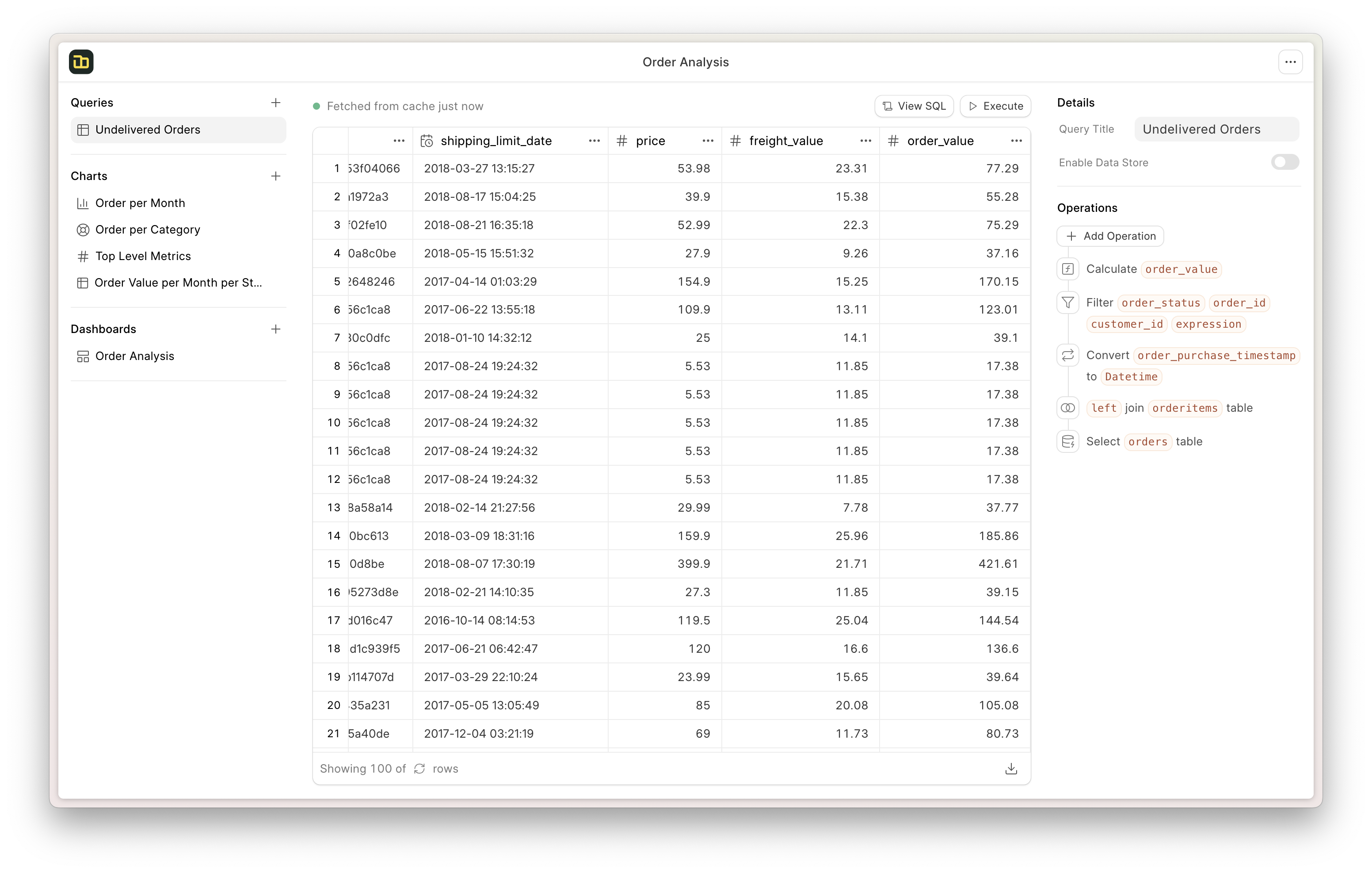
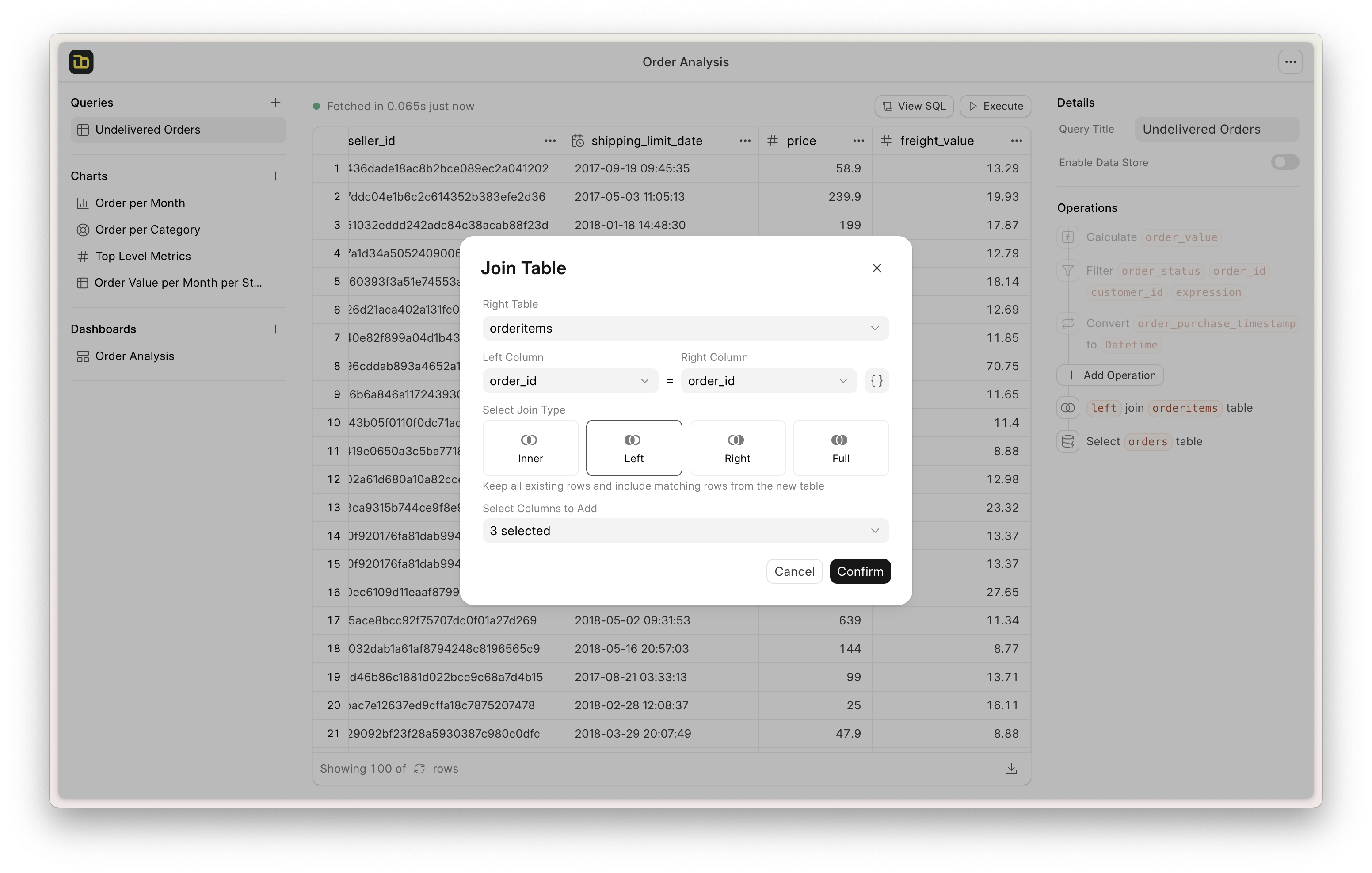
- Query Builder: You can use the query builder to create queries without any SQL knowledge. The interface provides a step-by-step approach for building queries, allowing users to easily select tables, add joins, apply filters, perform calculations, and more.
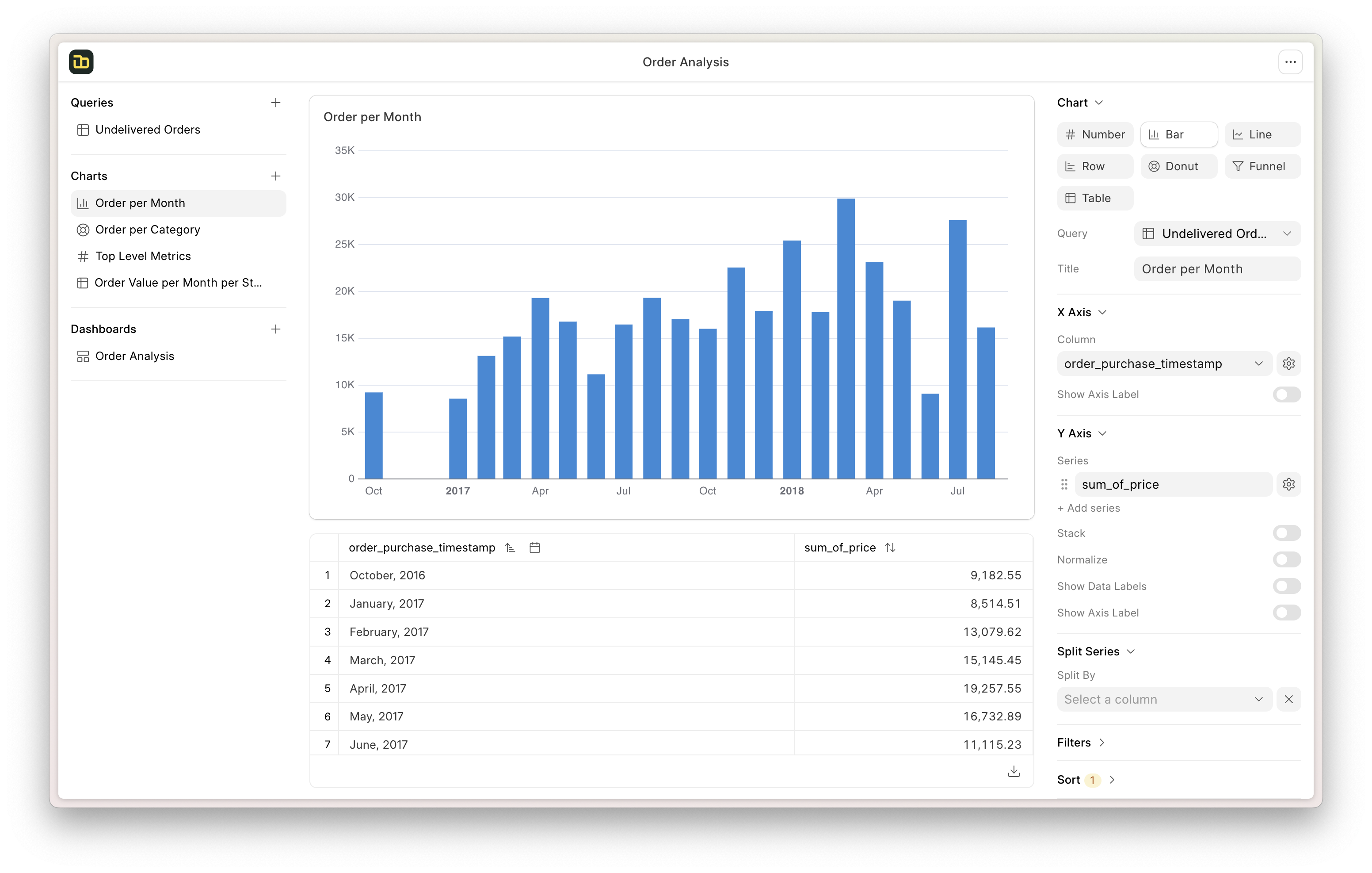
- Visualizations and Dashboards: You can visualize the query results using a variety of charts and graphs. Frappe Insights also suggests the best chart for a given result set. You can create dashboards using a drag-and-drop interface and add filters on the dashboard to apply to the charts.
- Database Support: Frappe Insights currently supports MySQL, PostgreSQL, DuckDB, and BigQuery databases. More database integrations are planned for the future.
Measured star growth
- in 24h
- Update delayed
- in 7 days
- +7
- in 15 days
- +8
- in 1 month
- Collecting history
Net star changes over overlapping periods, not daily totals. Missing measurements are left blank. Stars measure attention, not software quality.
README.md
Original
Frappe Insights
Open Source Business Intelligence Tool


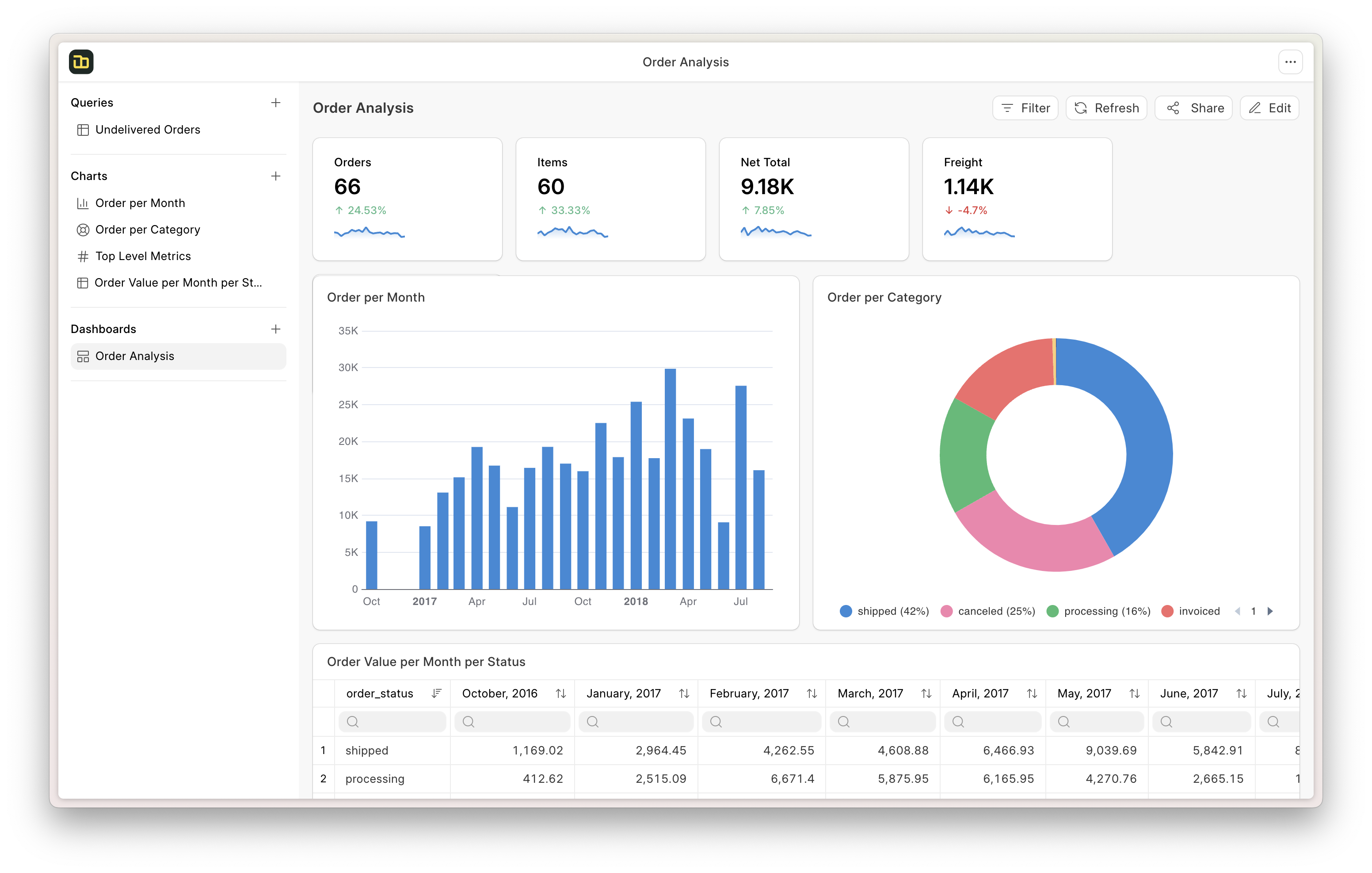
Frappe Insights
Insights is a 100% open-source BI tool designed to make data analysis and reporting more accessible to technical as well as non-technical users.
Screenshots
Motivation
Building custom apps or creating structured data has been very easy with Frappe Framework. However, extracting information from these apps was not a very good experience. Users needed to know how to write SQL queries to create reports to gain valuable information from the data. So I wanted to improve the experience of building these reports and dashboards for everyone in our team.
Key Features
Connect Multiple Sources: You can integrate data from multiple databases, files and spreadsheets. Getting all your data into one place helps you analyse interconnected data.
Query Builder: You can use the query builder to create queries without any SQL knowledge. The interface provides a step-by-step approach for building queries, allowing users to easily select tables, add joins, apply filters, perform calculations, and more.
Visualizations and Dashboards: You can visualize the query results using a variety of charts and graphs. Frappe Insights also suggests the best chart for a given result set. You can create dashboards using a drag-and-drop interface and add filters on the dashboard to apply to the charts.
Database Support: Frappe Insights currently supports MySQL, PostgreSQL, DuckDB, and BigQuery databases. More database integrations are planned for the future.
Under the Hood
Frappe Framework: A full-stack web application framework.
Frappe UI: A Vue-based UI library, to provide a modern user interface.
Ibis: A powerful library to compose SQL queries with dataframe APIs.
eCharts: An interactive charting and data visualization library.
Production Setup
Managed Hosting
You can try Frappe Cloud, a simple, user-friendly and sophisticated open-source platform to host Frappe applications with peace of mind.
It takes care of installation, setup, upgrades, monitoring, maintenance and support of your Frappe deployments. It is a fully featured developer platform with an ability to manage and control multiple Frappe deployments.

Self Hosting
Follow these steps to set up Frappe Insights in production:
Step 1: Download the easy install script
wget https://frappe.io/easy-install.py
Step 2: Run the deployment command
python3 ./easy-install.py deploy \
    --project=insights_prod_setup \
    --email=your_email.example.com \
    --image=ghcr.io/frappe/insights \
    --version=stable \
    --app=insights \
    --sitename subdomain.domain.tld
Replace the following parameters with your values:
your_email.example.com: Your email addresssubdomain.domain.tld: Your domain name where Insights will be hosted
Step 3: Enable Server Scripts
docker compose -p insights_prod_setup exec backend bench set-config -g server_script_enabled 1
Step 4: Access the site
Open the site in your browser at https://subdomain.domain.tld/ and login with the administrator credentials. You will find the admin password logged in the console after the deployment command is finished. Or you can find it in the insights_prod_setup-passwords.txt file created after the deployment.
Development Setup
Docker
You need Docker, docker-compose and git setup on your machine. Refer Docker documentation. After that, follow below steps:
Setup folder and download the required files
mkdir frappe-insights
cd frappe-insights

# Download the docker-compose file
wget -O docker-compose.yml https://raw.githubusercontent.com/frappe/insights/develop/docker/docker-compose.yml

# Download the setup script
wget -O init.sh https://raw.githubusercontent.com/frappe/insights/develop/docker/init.sh
Run the container and daemonize it
docker compose up -dThe site http://insights.localhost:8000/insights should now be available. The default credentials are:
- Username: Administrator
- Password: admin
If you need to stop the containers after use and persist the data
docker compose stopIf you need to stop the containers cleanup entire setup after trying it out
docker compose down
Local
To setup the repository locally follow the steps mentioned below:
Setup bench by following the Installation Steps and start the server
bench startIn a separate terminal window, cd into
frappe-benchdirectory and run the following commands:bench get-app insights bench new-site insights.test --install-app insights bench --site insights.test add-to-hosts bench --site insights.test browse --user AdministratorNow, open a new terminal session and cd into
frappe-bench/apps/insights, and run the following commands:yarn yarn devNow, you can access the site on vite dev server at
http://insights.test:8080
Compatibility Matrix
A nightly workflow installs each branch and runs the test suite, on the Node and Python each Frappe branch supports. Pull requests into version-3 run it too. It verifies these combinations:
| Insights Branch | Frappe Framework | Node | Python |
|---|---|---|---|
| main | version-15 | 18 | 3.10 |
| version-3 | version-15, version-16 | 18, 24 | 3.10, 3.14 |
| develop | develop | 24 | 3.14 |
Learn and connect

Explore related projects
Asabeneh/30-Days-Of-Python
The 30 Days of Python programming challenge is a step-by-step guide to learn the Python programming language in 30 days. This challenge may take more than 100 days. Follow your own pace. These videos may help too: https://www.youtube.com/channel/UC7PNRuno1rzYPb1xLa4yktw
78,486 starsgrafana/grafana
The open and composable observability and data visualization platform. Visualize metrics, logs, and traces from multiple sources like Prometheus, Loki, Elasticsearch, InfluxDB, Postgres and many more.
77,790 starsredis/redis
For developers, who are building real-time data-driven applications, Redis is the preferred, fastest, and most feature-rich cache, data structure server, and document and vector query engine.
77,332 starsapache/superset
Apache Superset is a Data Visualization and Data Exploration Platform
75,455 stars