
flyxl/datazen
flyxl/datazen has 120 GitHub stars and 12 forks. GitHot measured +1 stars in 24 hours and +2 in 7 days. Last checked 2026-11-15 15:48 UTC. Last push 2026-11-15.
Measured star growth
- in 24h
- +1
- in 7 days
- +2
- in 15 days
- Update delayed
- in 1 month
- Update delayed
Net star changes over overlapping periods, not daily totals. Missing measurements are left blank. Stars measure attention, not software quality.
About
Lightweight GPL-3.0 desktop database client (PostgreSQL / MySQL / SQLite / Redis). Built with Tauri + Rust, under 15MB.
DataREADME.md
Original
DataZen
The open-source database workspace for developers and AI agents
Query · Diagnose · Visualize · Migrate · Automate · Agent-ready


Download · Website · 中文 · Manual · Contributing
17 database drivers · 10 interface languages · MCP server & client · No account, no cloud · macOS · Windows · Linux
Everything a database asks of you, in one app
Doing real database work usually means stitching together five tools: one to browse the schema, one to write SQL, one to run migrations, one to build dashboards, and one to wire AI into the loop. DataZen is a single desktop app that covers the whole loop — and it speaks MCP, so your own AI agent can drive it too.
| Job | What DataZen brings together |
|---|---|
| Understand | Schema-aware SQL editor, object browser, ER diagrams, table structure, query history, charts, Redis tools |
| Fix | AI diagnosis, EXPLAIN analysis, read-only connections, SQL safety gates, transaction-aware editing |
| Move | Backup, Data Sync, Data Transfer, and Schema Diff — every change reviewable before it runs |
| Monitor | Ops Dashboards with background refresh, run history, and threshold alerts |
| Automate | YAML Workflows with conditions and loops, runnable from the UI, MCP, or headless |
| Extend | Driver API, themes, sandboxed Workspace Apps, and host extension points |
Why DataZen?
- One app, the whole loop. Connect, explore, edit, migrate, visualize, and automate without exporting to another tool halfway through.
- AI that sees your actual schema. Natural-language SQL, error diagnosis, and plan analysis are grounded in the live database you are connected to — not a guessed schema pasted into a chat box.
- Migrations you can read before you run them. Schema Diff produces a DDL plan; Data Sync and Data Transfer produce previews. Nothing destructive happens as a surprise.
- Bring your own agent. DataZen is an MCP server and an MCP client, and can run headless over stdio inside an agent pipeline.
- Your data stays yours. No account, no telemetry, no required cloud. AI traffic only goes to the provider you configure — or to a local Ollama model. Credentials are encrypted with AES-256-GCM.
- Open source, built to be extended. A published MIT-licensed Driver API, static theme packs, sandboxed Workspace Apps, and privileged host extension points.
Get started in three minutes
- Download DataZen and install the build for your platform.
- Open a local SQLite file, or create a PostgreSQL, MySQL/MariaDB, or Redis connection.
- Browse the schema, run a query — or ask AI to write one — then flip the result into a chart.
A first-run wizard walks you through the first connection and seeds a sample SQLite database, so you can try everything before pointing DataZen at anything real. No account is required, and AI is entirely optional: browsing and querying work without an API key.
Explore
A SQL editor that actually knows your schema
The editor is not a text box with syntax colors. It reads your live database and uses it: completions come from real tables and columns, tooltips show real types and comments, and functions explain their own parameters as you type.
| Capability | What it does |
|---|---|
| Schema-aware completion | Table, column, and keyword suggestions driven by live metadata |
| Hover tooltips | Column types, comments, and table structure on hover |
| Signature help | Inline parameter hints while typing a function |
| Statement gutter | Run any single statement of a multi-statement script on its own |
| Four run modes | Run current statement, selection, everything, or ask each time |
| SQL linter | Real-time syntax and semantic error feedback |
| Intentions (Alt+Enter) | Context-aware quick fixes and refactoring |
| Parameter binding | Named parameters with typed inputs instead of string-concatenated literals |
| Code snippets | Reusable parameterized snippets for the queries you run daily |
| Transaction controls | Auto-commit toggle plus manual commit and rollback in the toolbar |
| Paste as IN clause | Turn pasted CSV values into an IN (...) expression |
| Format SQL | One-click consistent formatting |
| Streaming results | Rows arrive as the database produces them, not after the full result set |
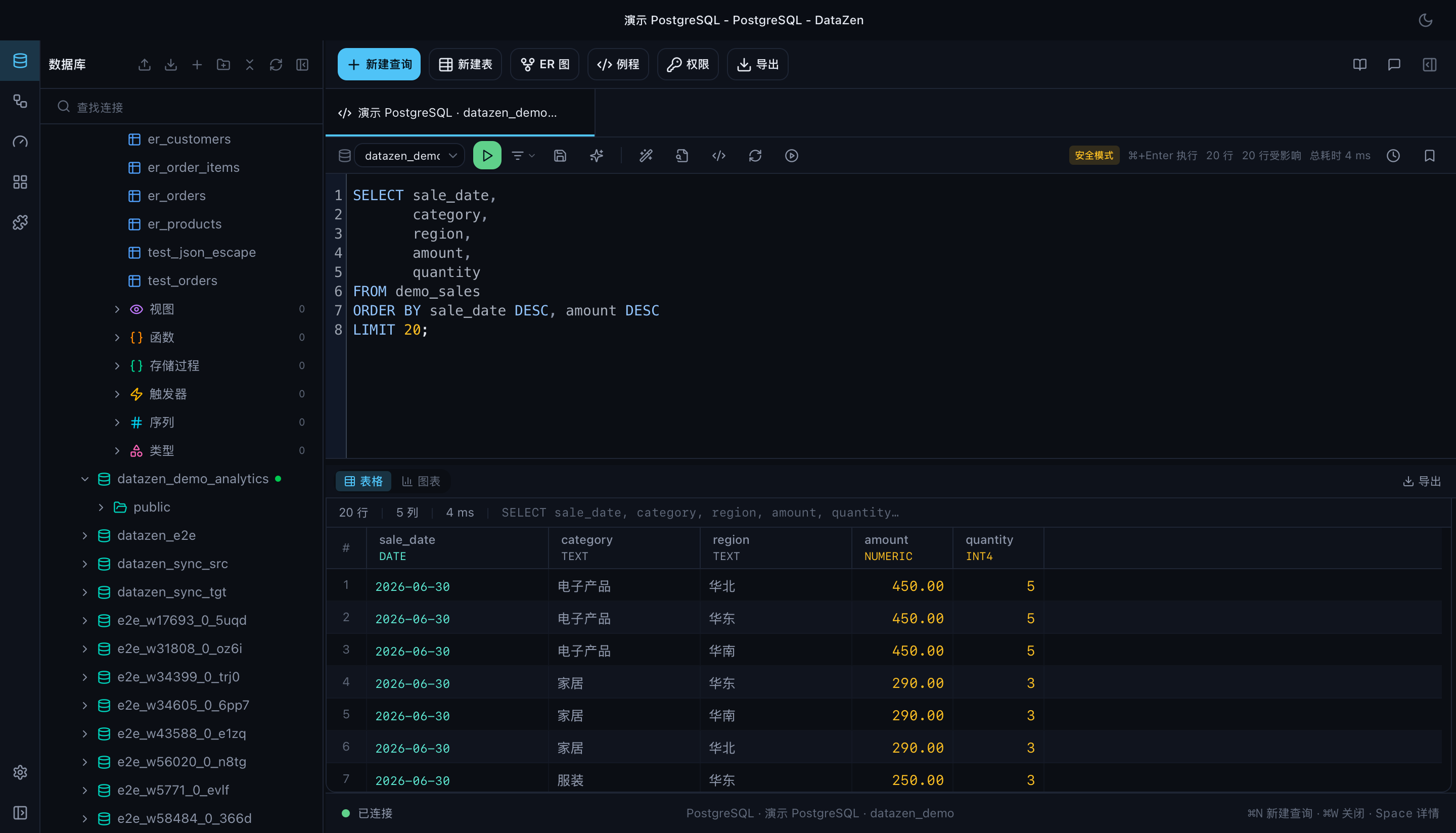
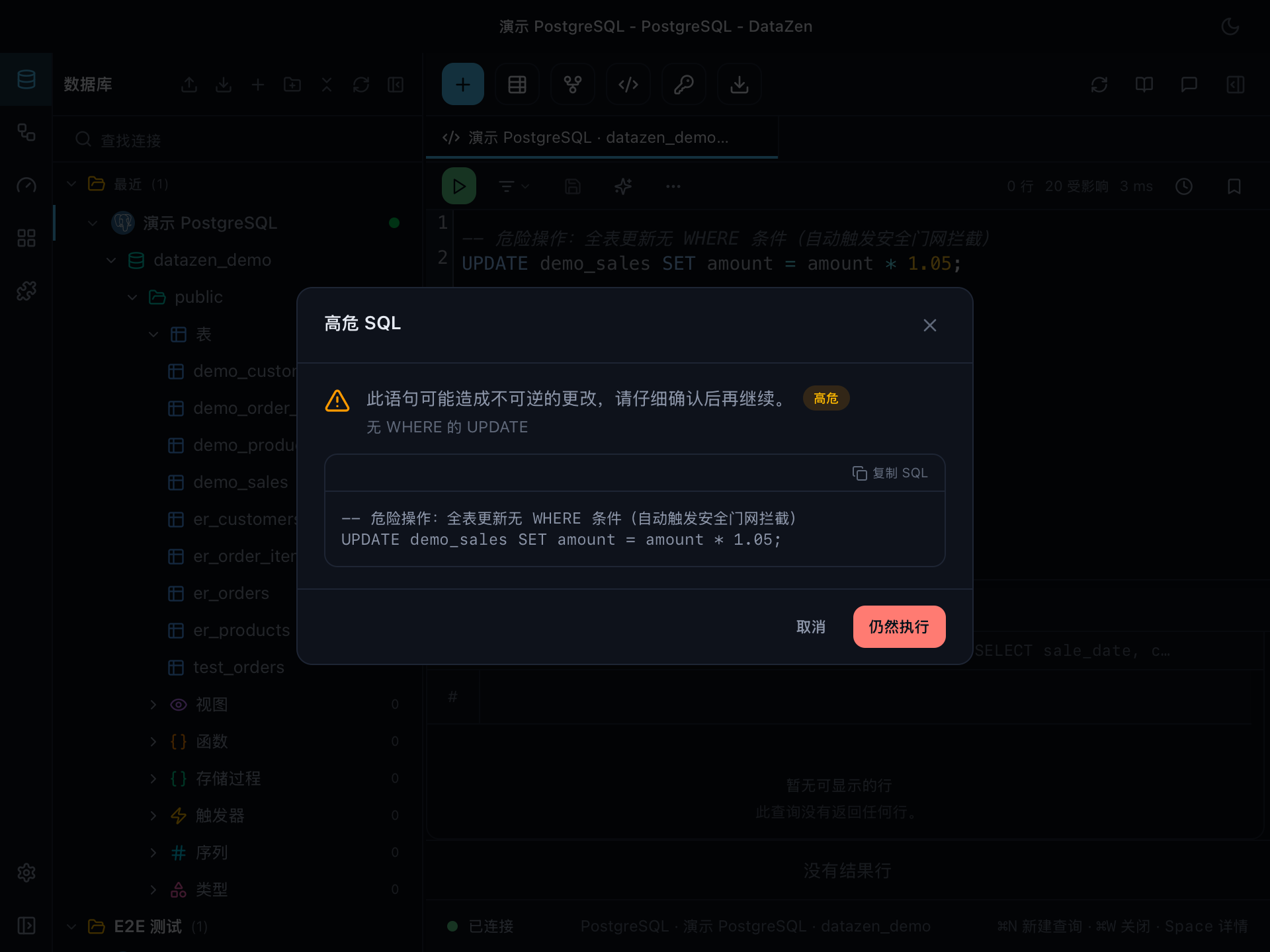
Run only what you mean to run. Pick an execution strategy, and let DataZen stop dangerous statements before they execute.
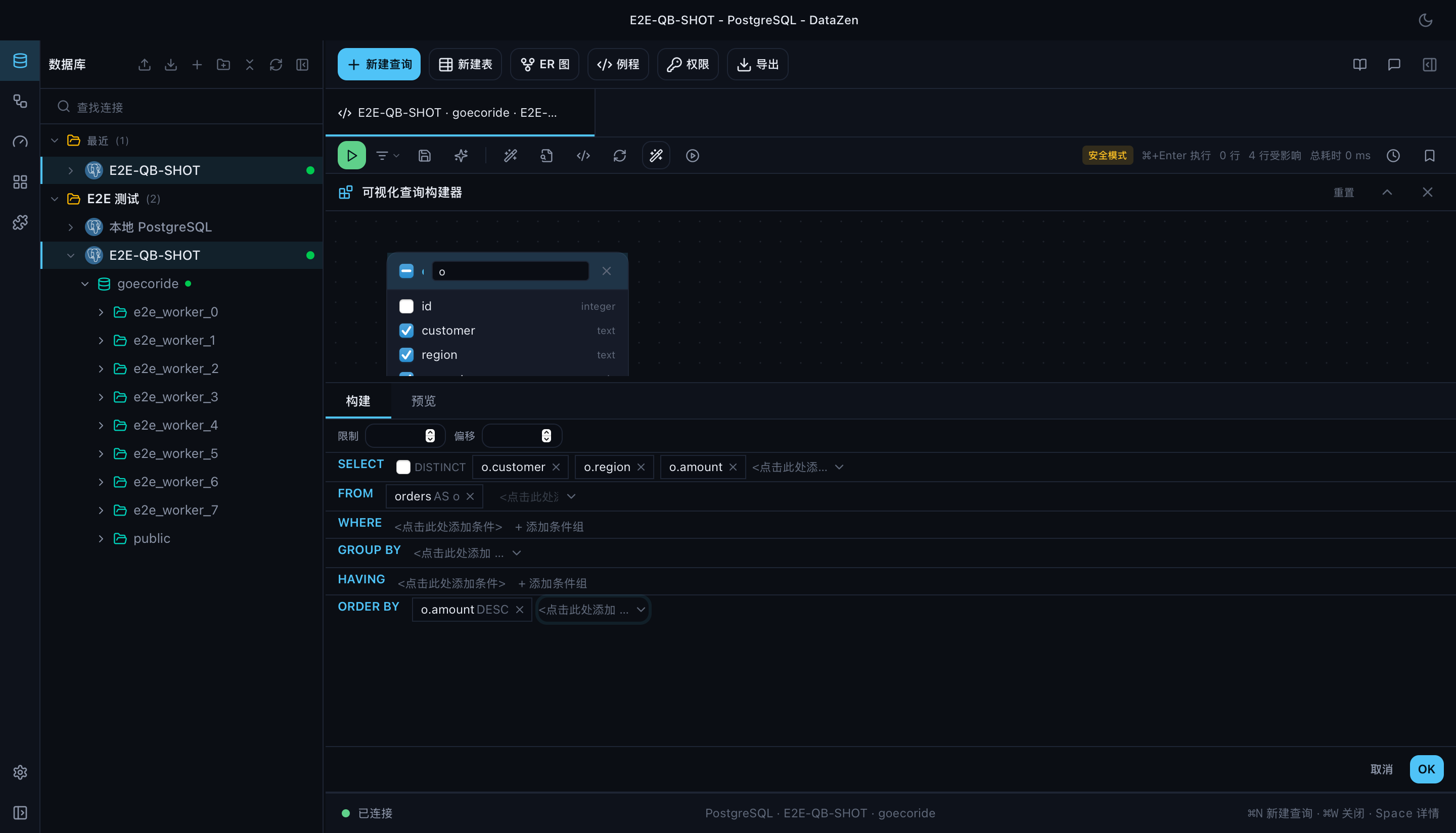
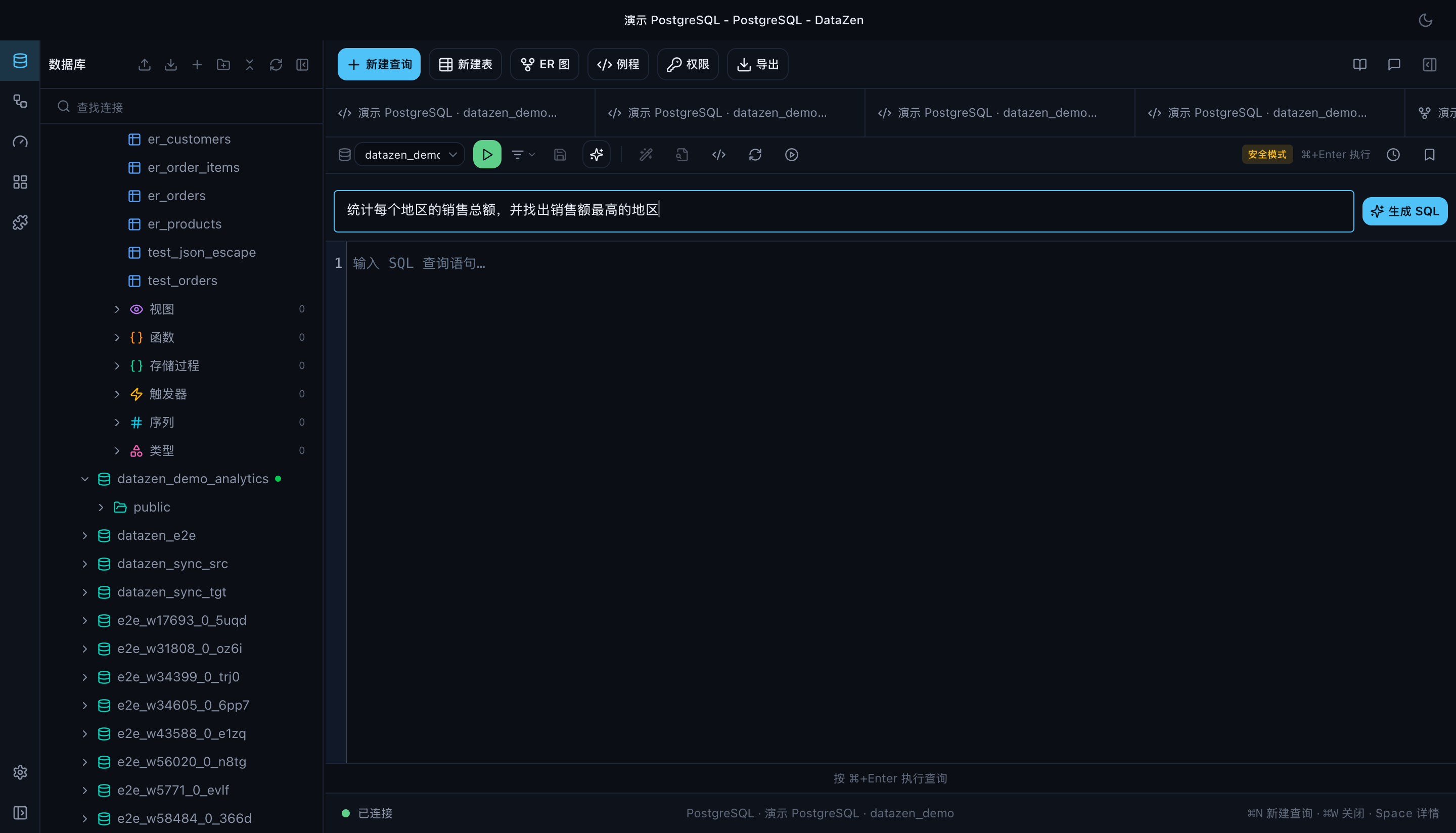
Build queries visually — or let AI write them
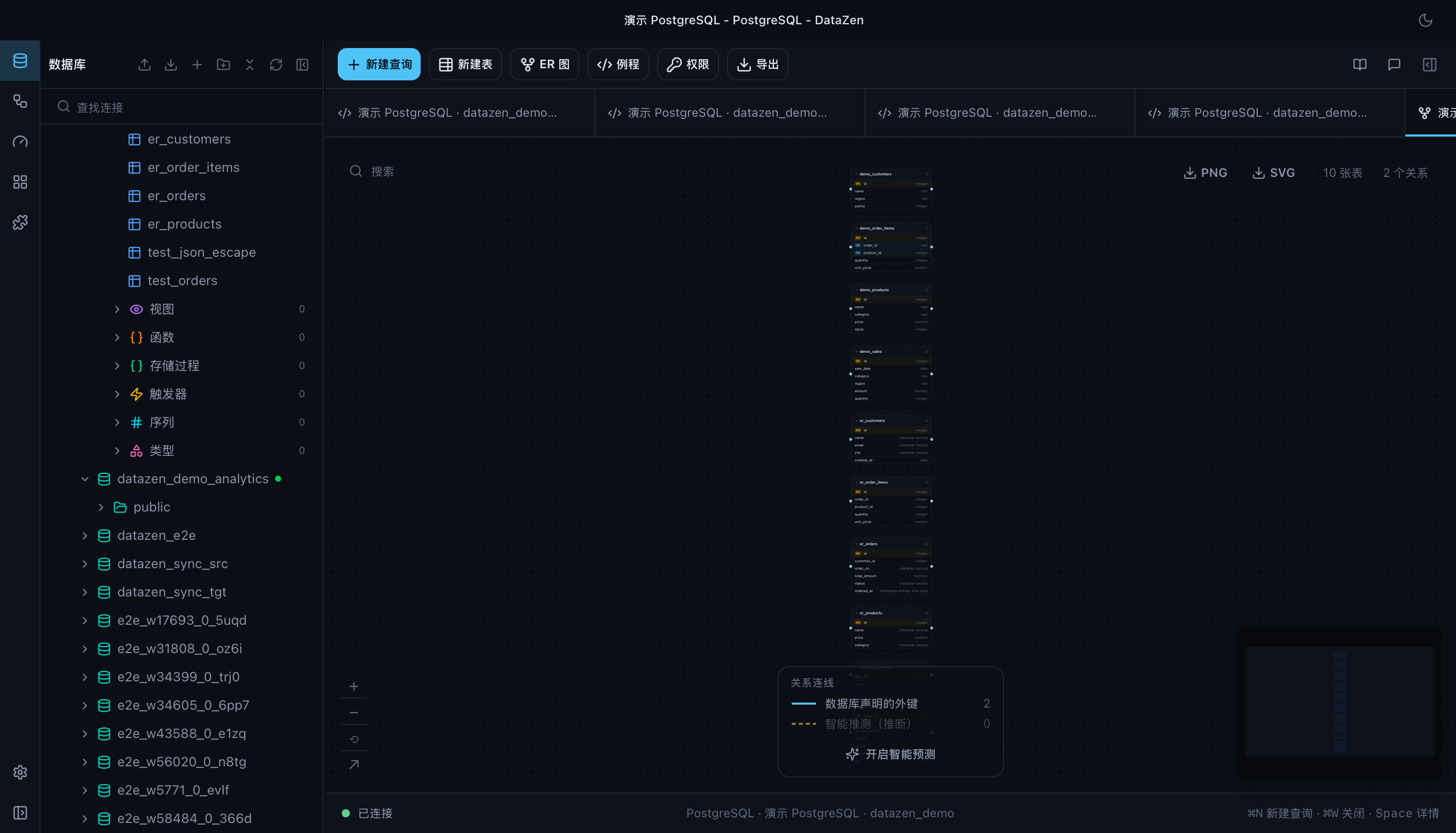
Prefer dragging tables together? The visual query builder gives you a clause list, a field picker, and a canvas where you connect columns to form joins. Foreign keys can be inferred from metadata, and that inference is a single setting shared by the builder, the editor, and the ER diagram.
And when you would rather describe the result than the query, write it in plain language. The prompt is answered against the schema you already have connected — real table and column names, not a guess — and the SQL streams back into the editor where you can edit it before it runs.
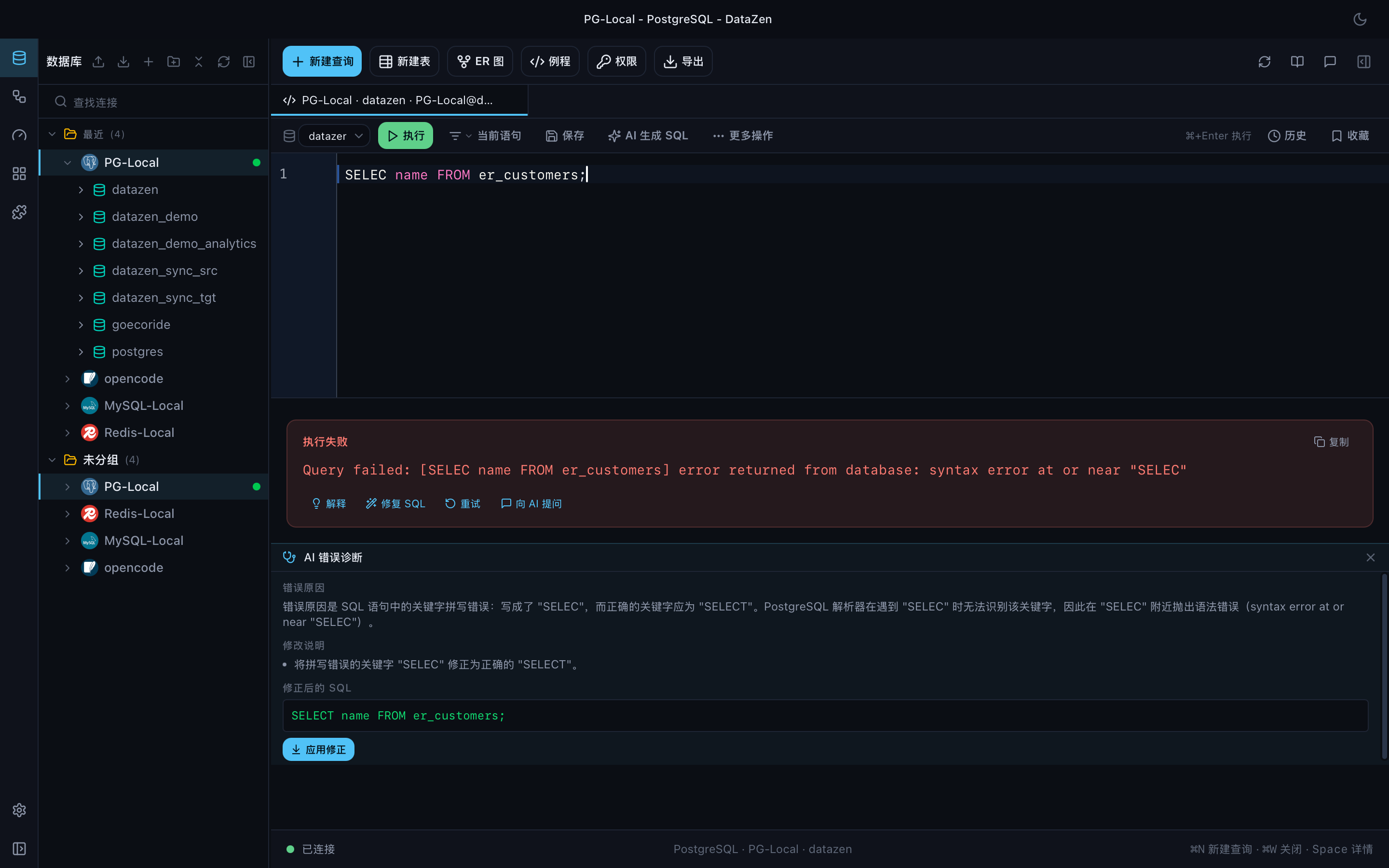
When a query fails, ask what actually went wrong
Database errors rarely explain themselves. DataZen combines the error with your schema to tell you the cause and hand you corrected SQL you can run immediately.
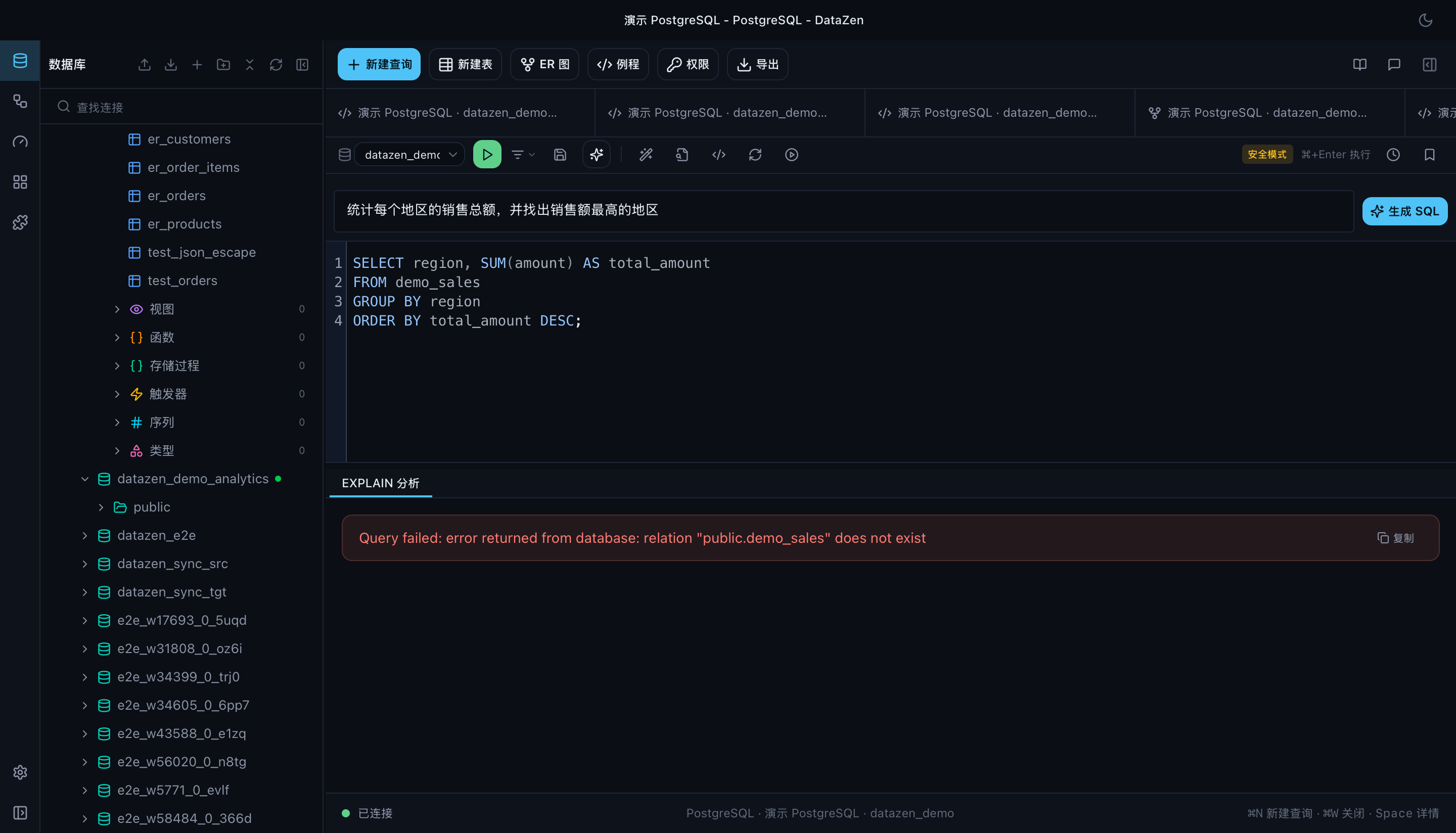
Execution plans get the same treatment: read the plan, then let AI point out the expensive scans and the missing indexes behind them.
The AI sidebar can also hold a schema-aware conversation: ask a follow-up, get corrected SQL, and push it straight into the editor as editable code.
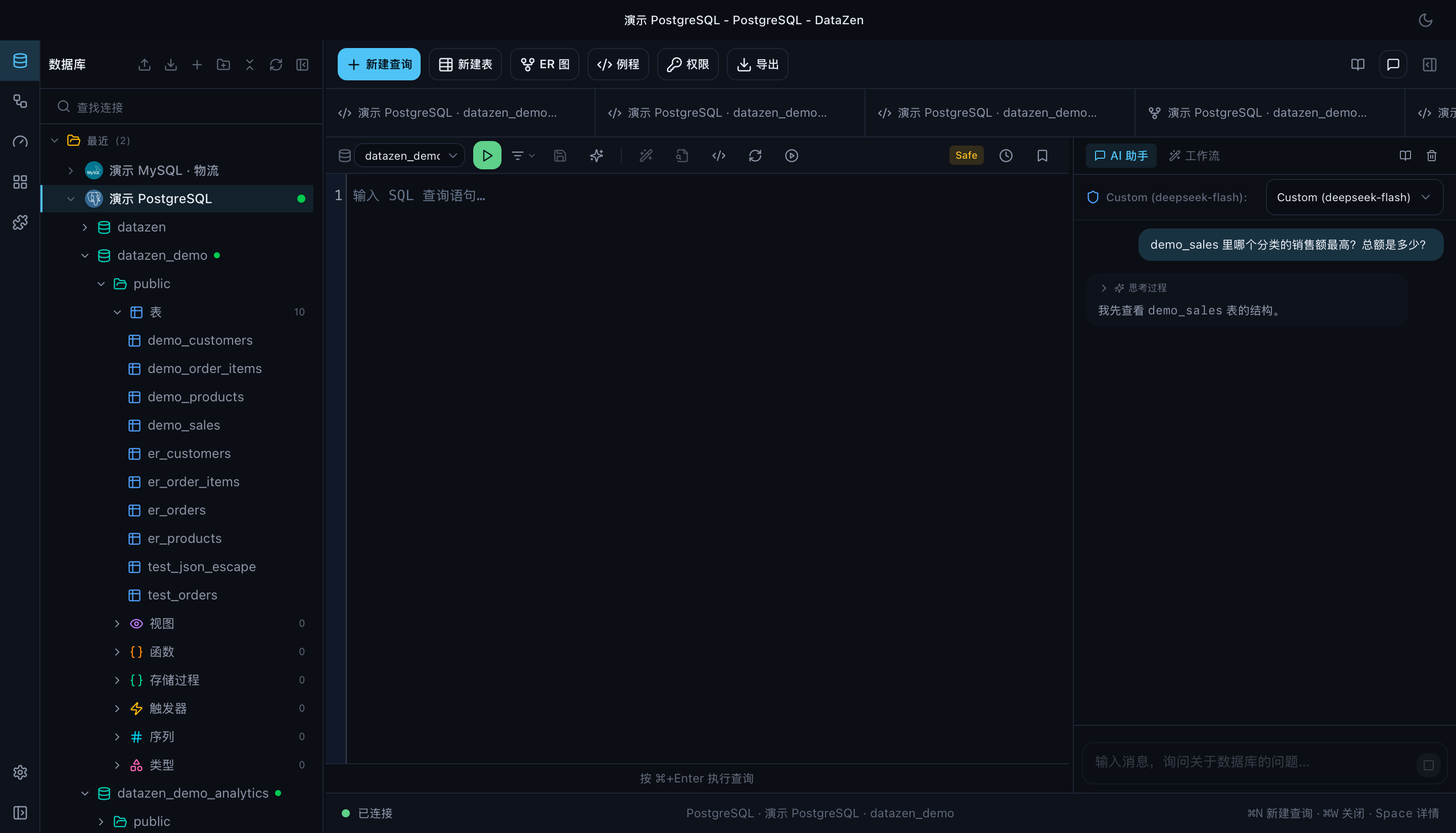
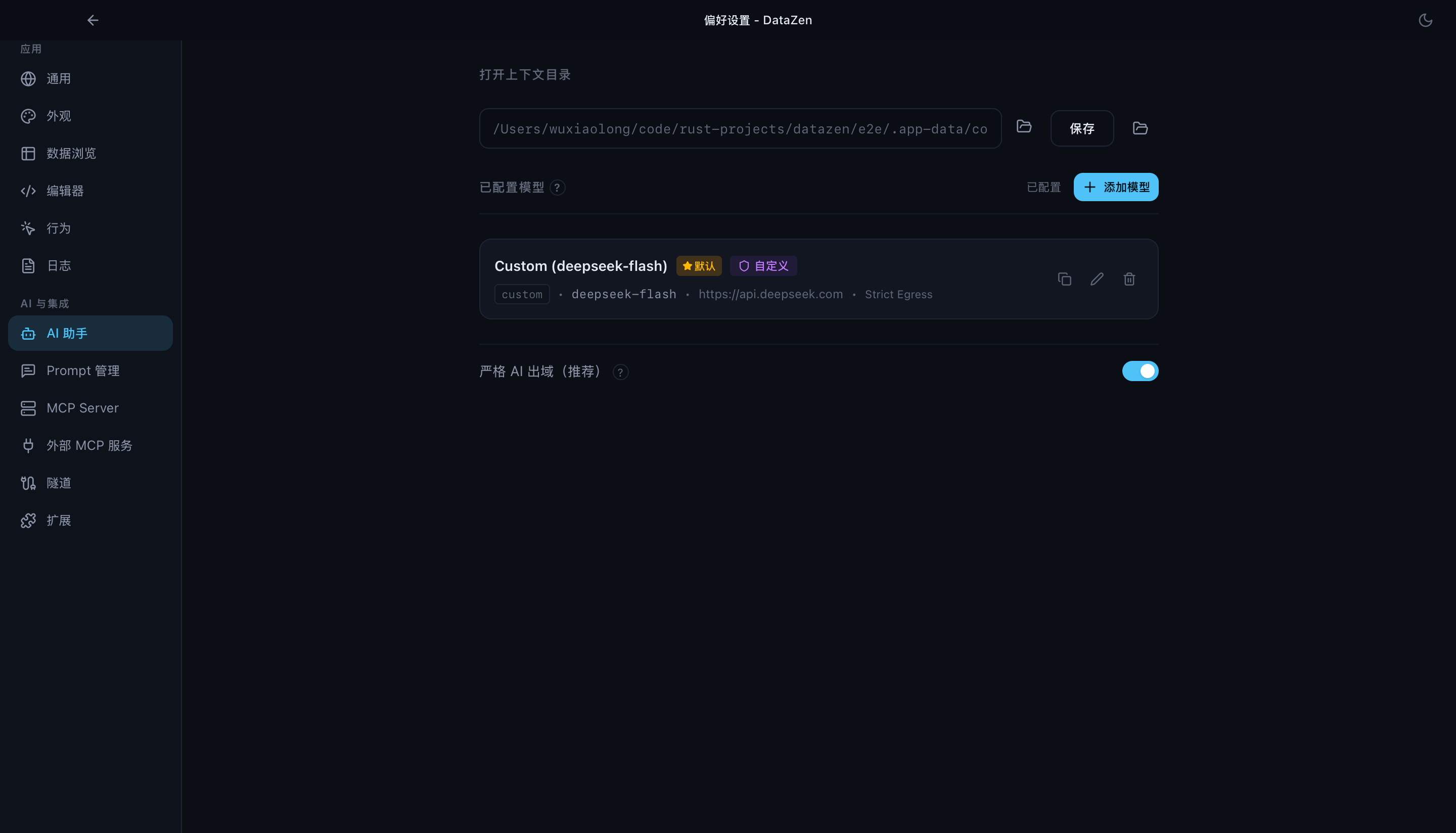
AI is optional and yours to configure: OpenAI, Anthropic, DeepSeek, Ollama for fully local models, or any OpenAI-compatible endpoint. Strict egress mode is on by default, and you can cancel a running generation at any time.
Turn results into charts, and charts into monitoring
You should not have to export to Excel just to understand a result set. DataZen infers a sensible chart from your columns, and you can switch between table and chart freely.
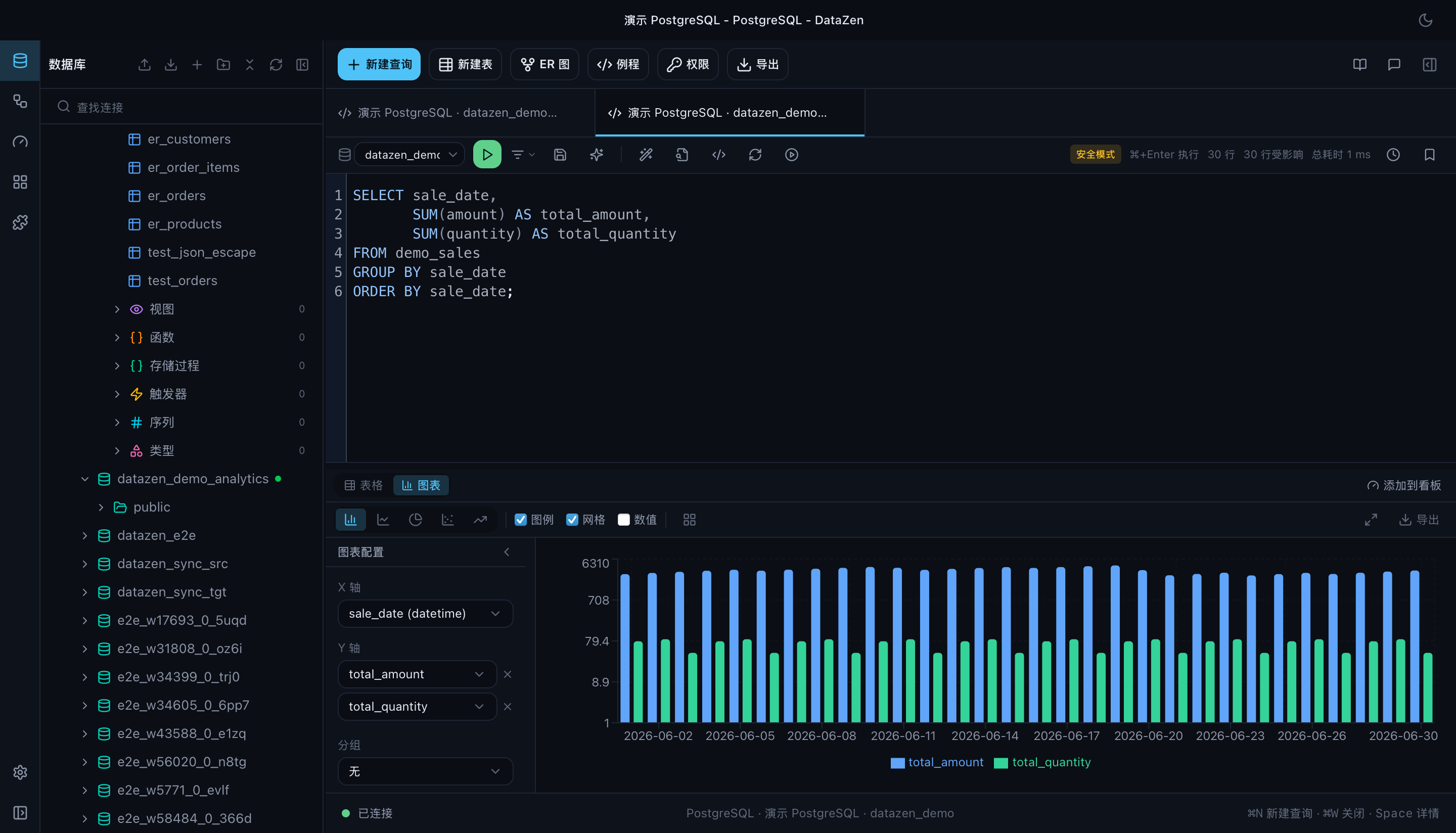
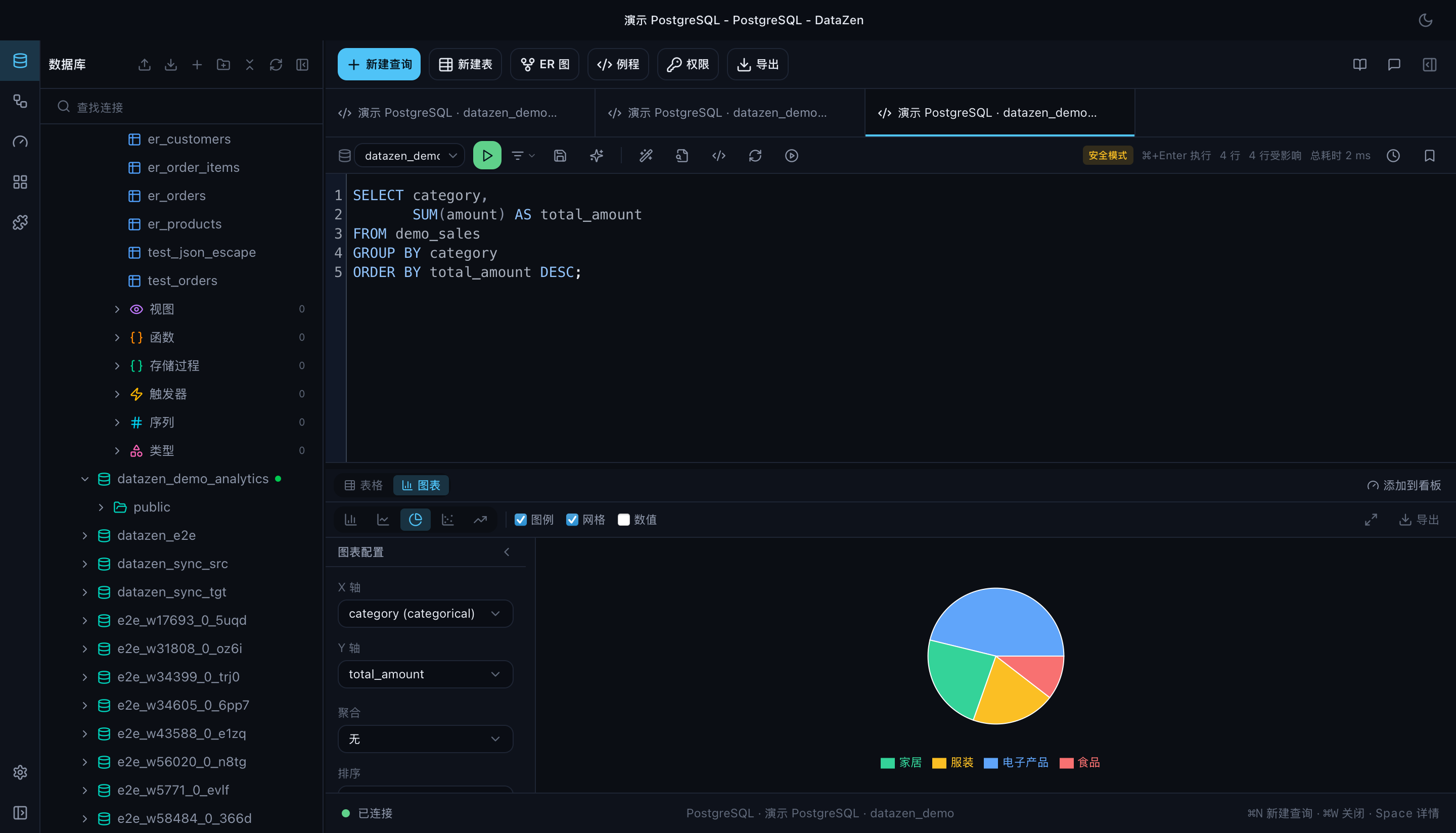
Supported visualizations include line, bar, pie, scatter, and area charts, with aggregation and grouping, and PNG/SVG export.
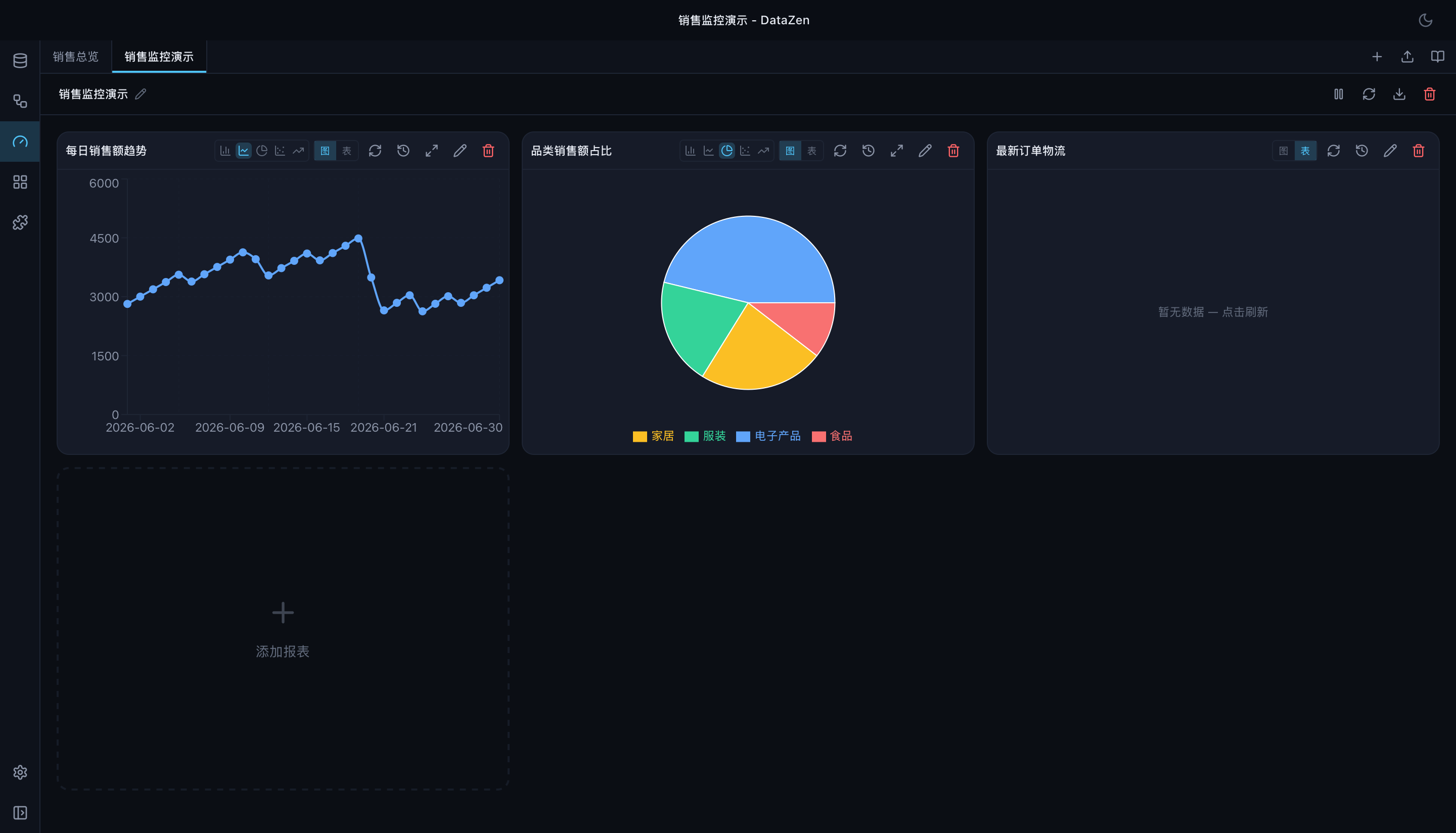
Ops Dashboards take it further: a saved canvas of chart widgets bound to SQL, refreshed on an interval, with run history and threshold alerts that can raise a desktop notification or hit a webhook.
Move data with a plan you can read
Data operations are the ones you regret doing casually, so DataZen keeps them explicit and reviewable.
- Backup — scheduled and on-demand database backups with a progress log.
- Data Sync — compare and synchronize rows between same-family databases when structure and primary keys match.
- Data Transfer — move structure and data between different database systems through a mapping and preview workflow, with foreign-key-aware ordering and capability gating.
- Schema Diff — compare two structures and produce a DDL deployment plan you inspect before applying.
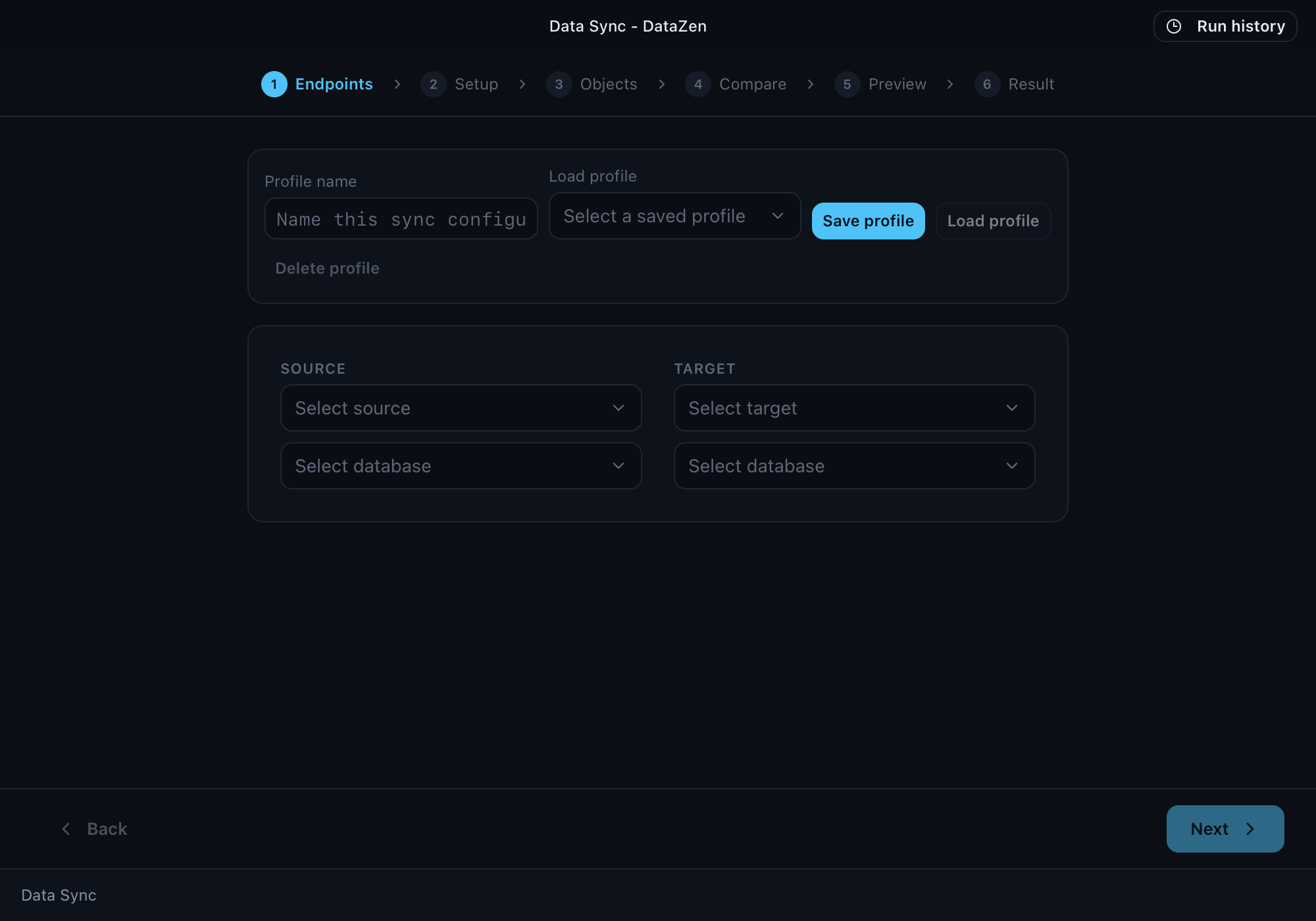
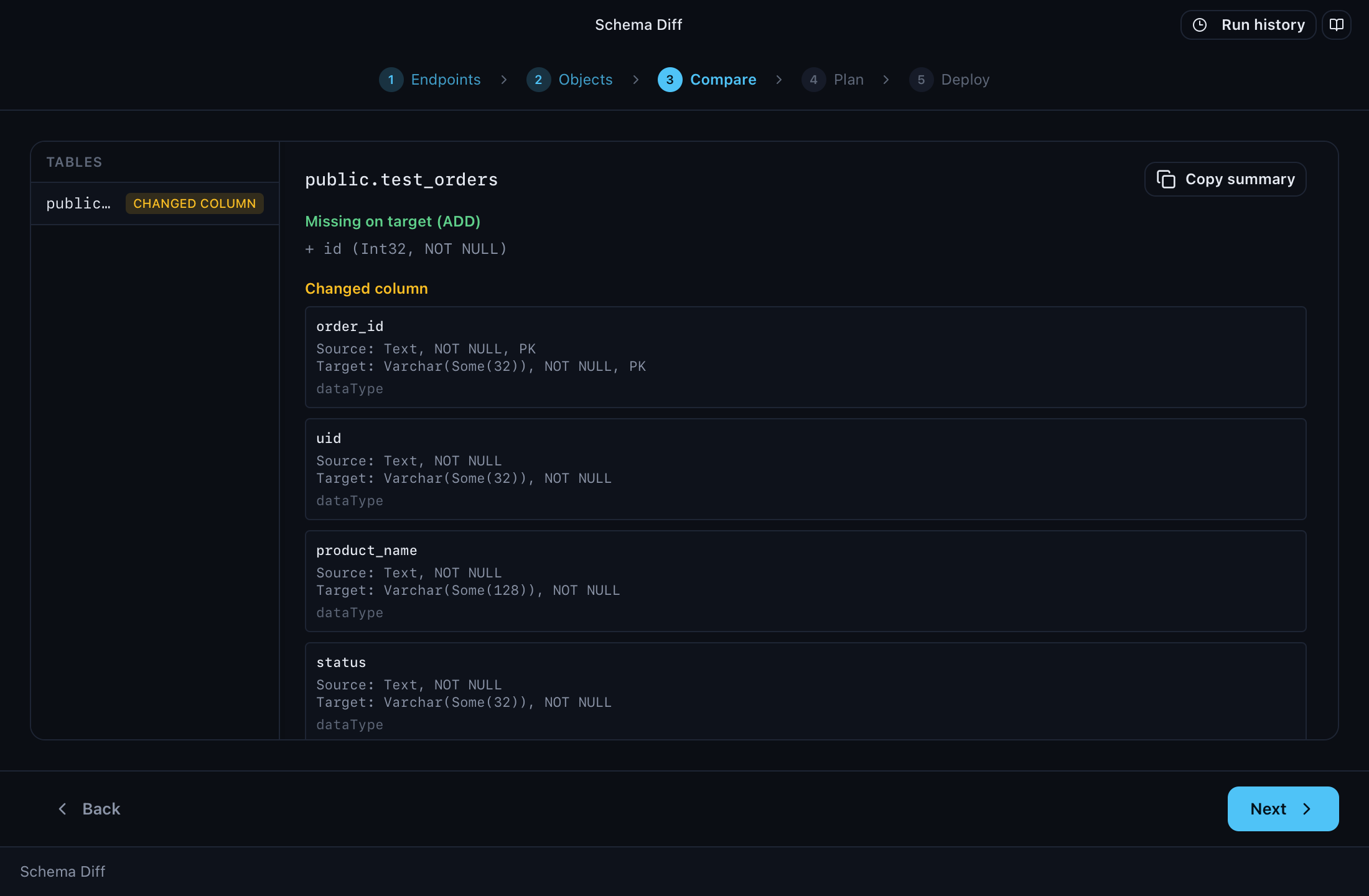
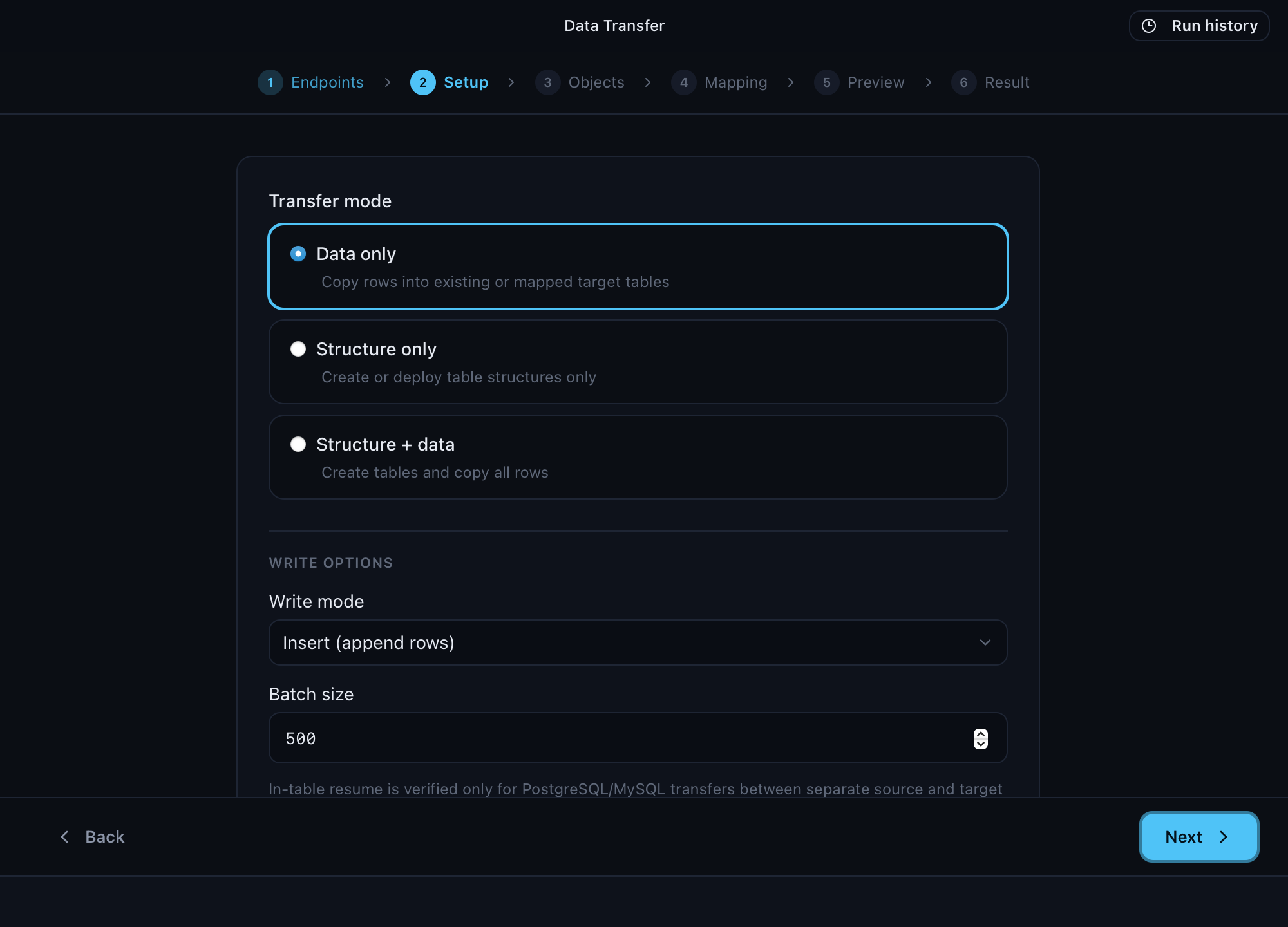
Automate the parts you keep doing by hand
Workflows describe database operations in YAML: queries, driver commands, AI steps, conditions, loops, merges, and migrations. Each step can target its own connection and database, so one workflow can read orders from PostgreSQL, pull logistics from MySQL, and let AI summarize the combination.
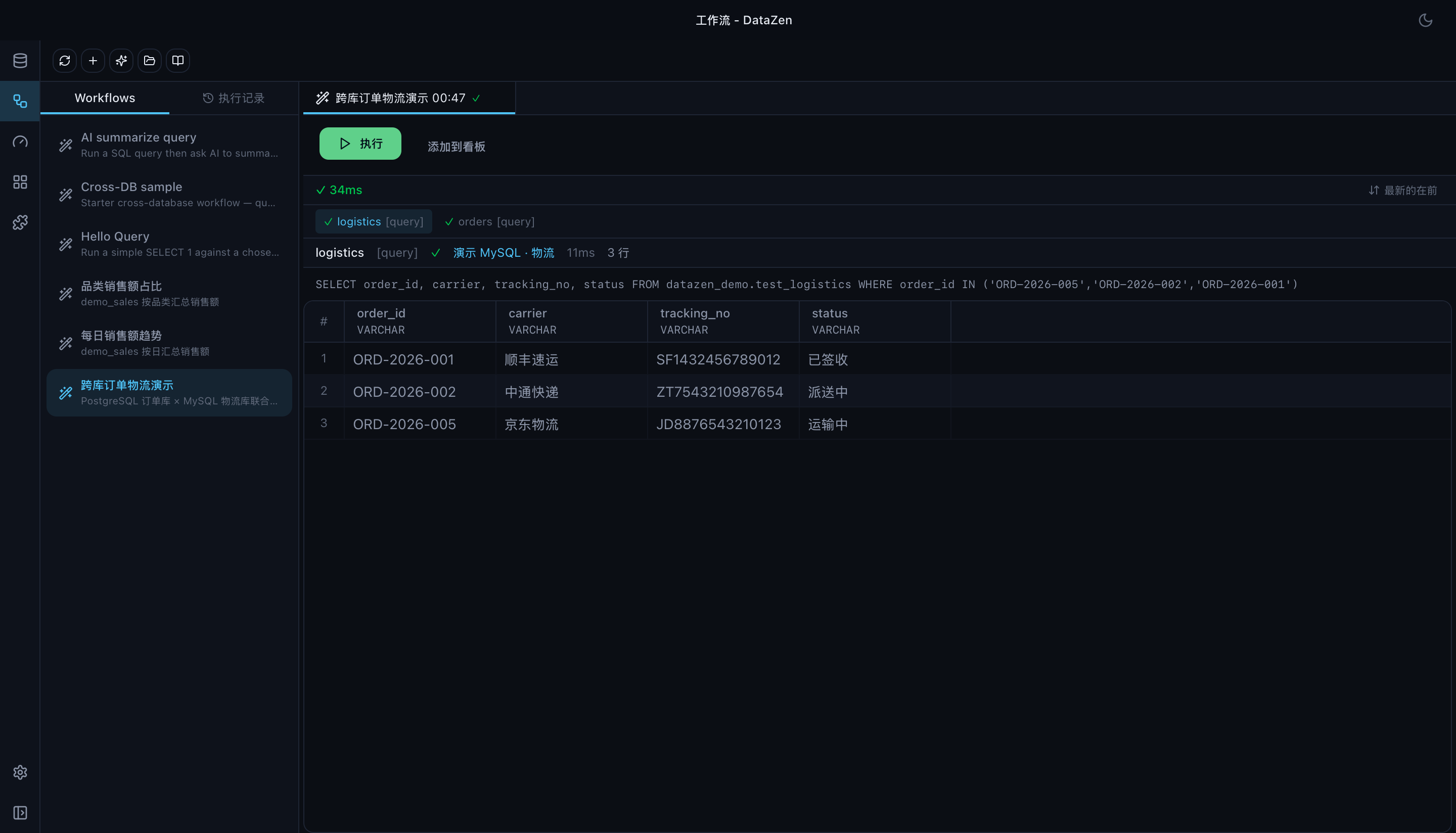
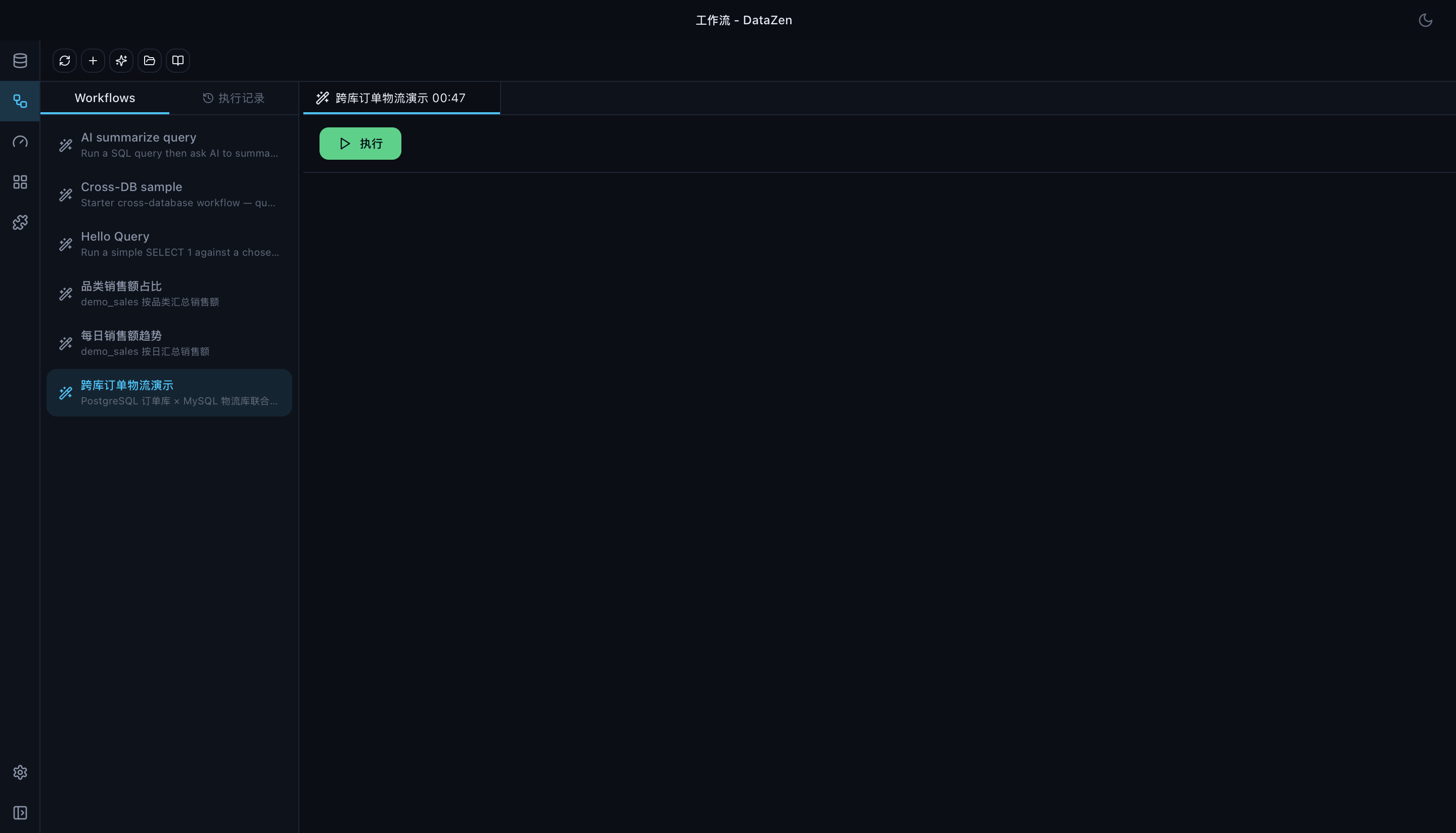
A workflow can be started from the UI, the AI sidebar, MCP, or generated with AI — and an interval scheduler runs timed backups and automations for you. The GUI, Tauri IPC, and MCP all share one execution runtime, so a workflow behaves identically however you start it.
A real Redis workbench
Redis is not a second-class citizen here. Browse keys as a namespace tree or a flat list with SCAN cursors that keep your place, filter by type, inspect MEMORY USAGE, and edit values with correct KEEPTTL and EXPIREAT semantics. Compressed values (gzip, zlib, raw deflate, base64) are decoded for viewing, and JSON is formatted.
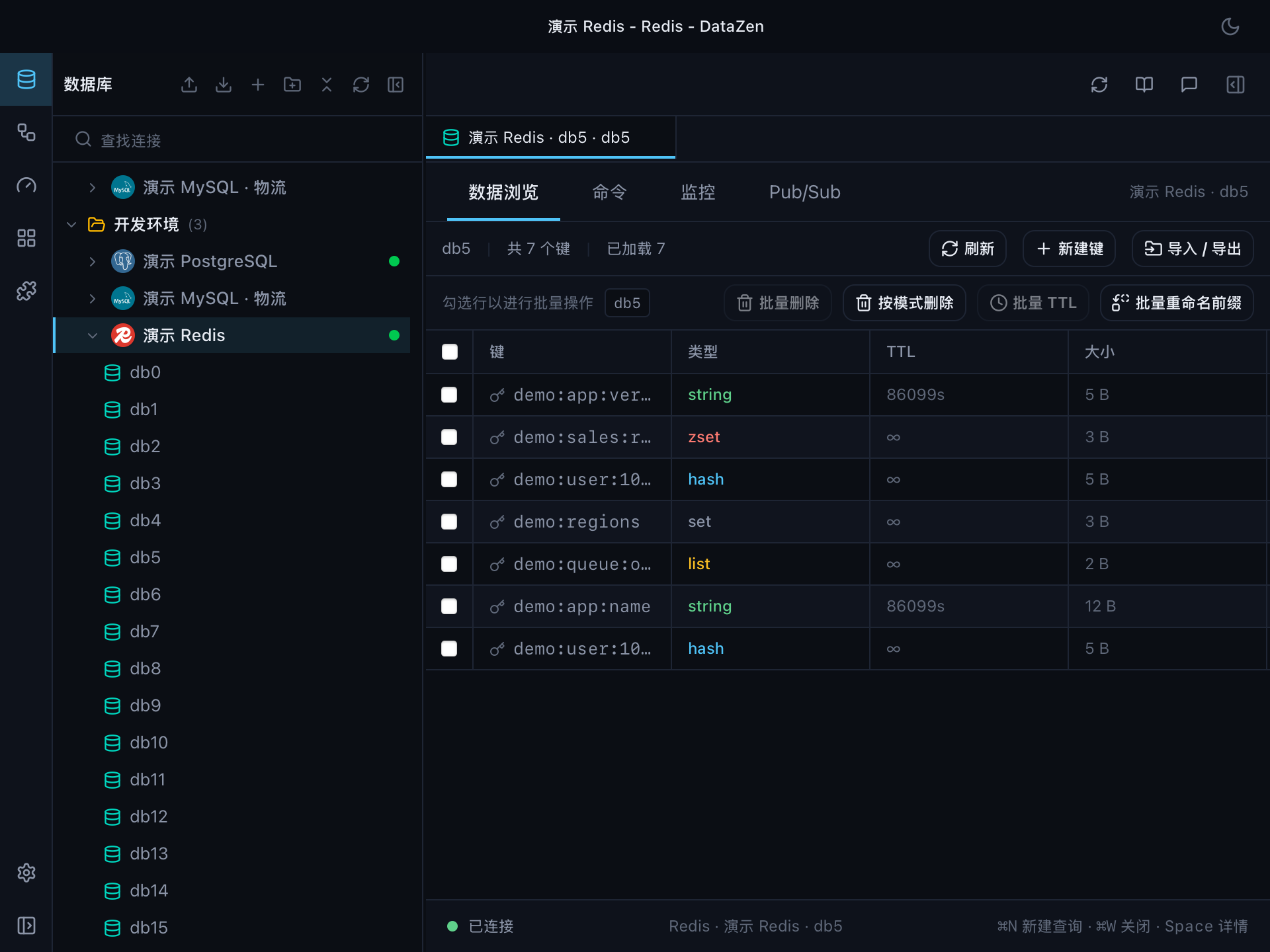
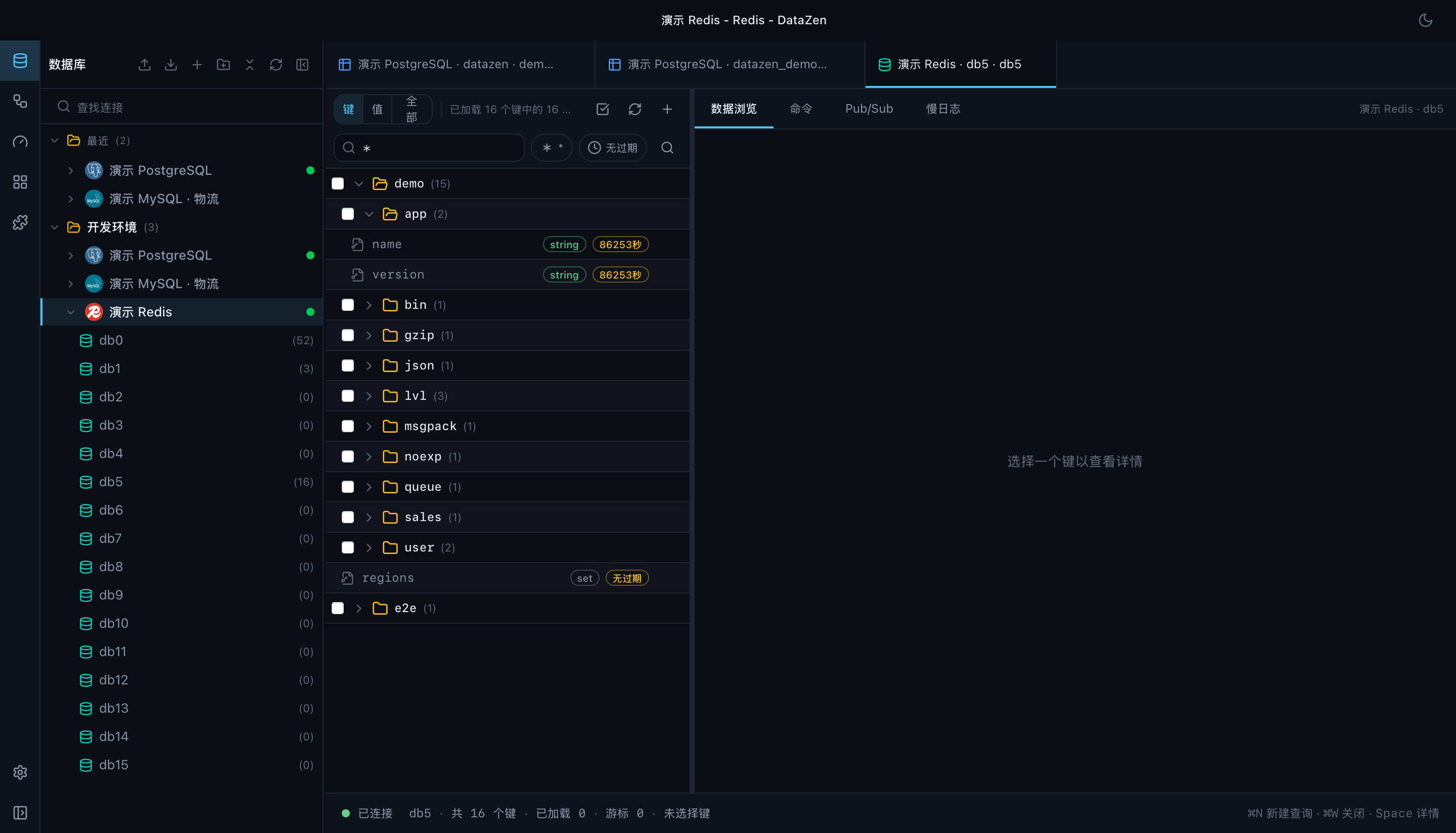
Console, Slowlog, Pub/Sub, and a live MONITOR panel sit alongside, with a fail-closed danger classification for console commands and cluster/sentinel awareness where it applies.
See the shape of your data
Reach databases that are not directly reachable
Sometimes the database host is only reachable through a jump host, a corporate proxy, or a WebSocket relay. DataZen opens a local loopback port and forwards the connection, and your driver sees nothing but a rewritten address.
- SSH — password, private key, or SSH agent, with ProxyJump support
- HTTP proxy —
CONNECTtunneling through an HTTP or HTTPS proxy - WebSocket — relay through a
ws://orwss://endpoint, with bearer token support
Saved tunnels are encrypted with your other credentials and managed in one place.
Bring your own AI agent
DataZen is both an MCP Server and an MCP Client.
As a server, it exposes the database itself: list_databases, list_tables, search_tables, describe_table, get_schema, query, explain_query, plus list_workflows and run_workflow. Schema, connection, and query-history resources are addressable over datazen:// URIs. A headless stdio mode (--mcp-stdio) runs the same tools without a window, for agent pipelines and CI.
As a client, it connects to external MCP servers and folds their tools and context into DataZen's AI chat.
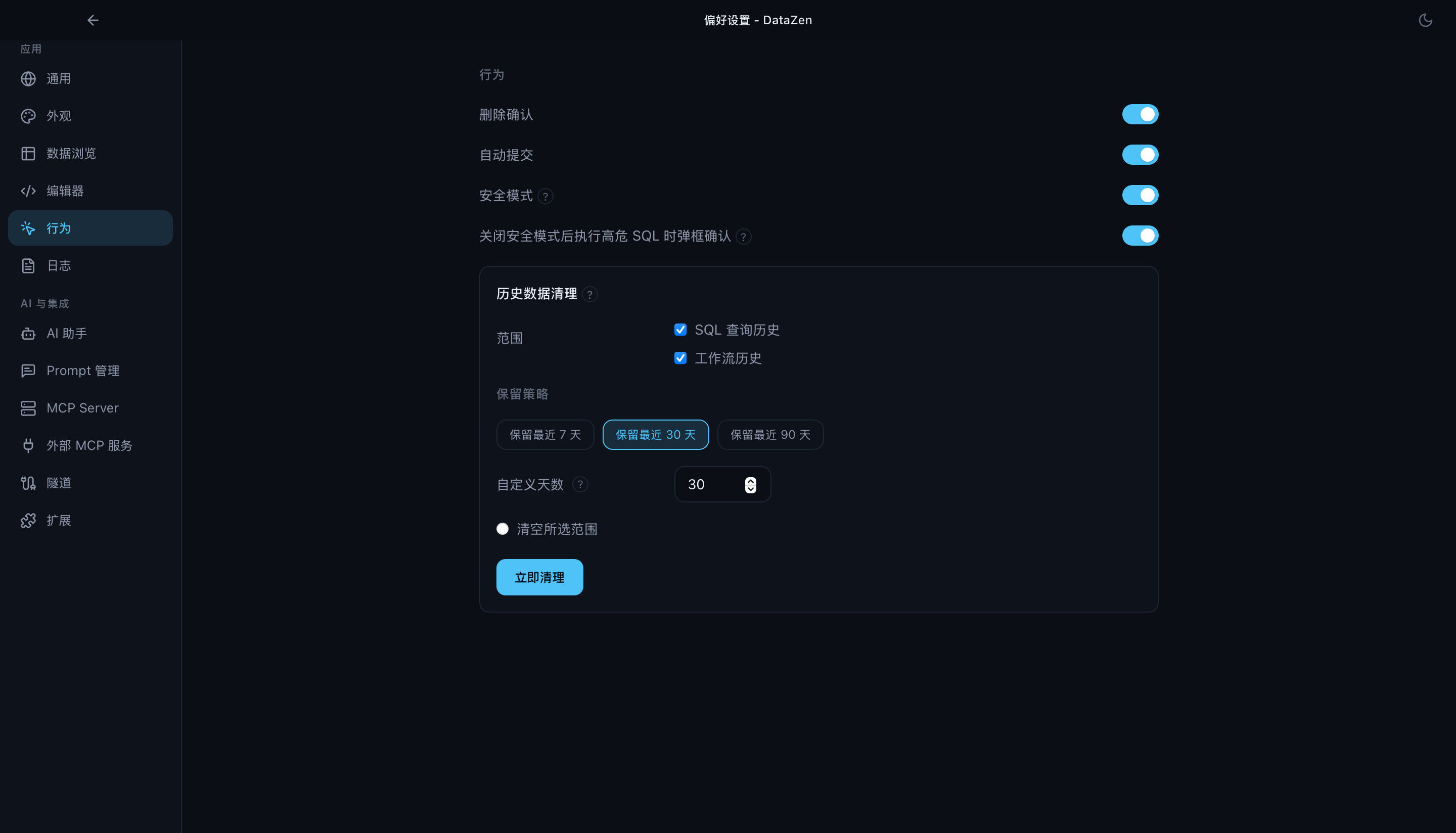
Privacy and safety by default
- AI requests go only to the provider you configure — or to a local Ollama model.
- Connection credentials are encrypted at rest (AES-256-GCM), with the master key in your system keychain.
- Read-only connections, a SQL safety gate, and explicit execution modes keep a stray statement from doing damage.
- Workspace Apps run sandboxed; themes are static assets with no code execution.
Extensible by design
DataZen separates the application from everything database-specific, and from everything presentational:
                          DataZen
                             │
               ┌─────────────┴─────────────┐
               │       DataZen Core        │
               │  UI · Query · AI · MCP   │
               └─────────────┬─────────────┘
                             │
                     DataZen Driver API
                             │
           ┌─────────────────┼─────────────────┐
           │                 │                 │
        PostgreSQL         MySQL          External drivers
                                            │
                              ┌────────────┼────────────┐
                              │            │            │
                           MongoDB      ClickHouse    SQL Server...
- Drivers implement the DataZen Driver API and bring both Rust functionality and frontend UI. They are compiled into DataZen rather than loaded through an unstable Rust dynamic-library ABI, so a driver can live in its own repository and still ship both halves.
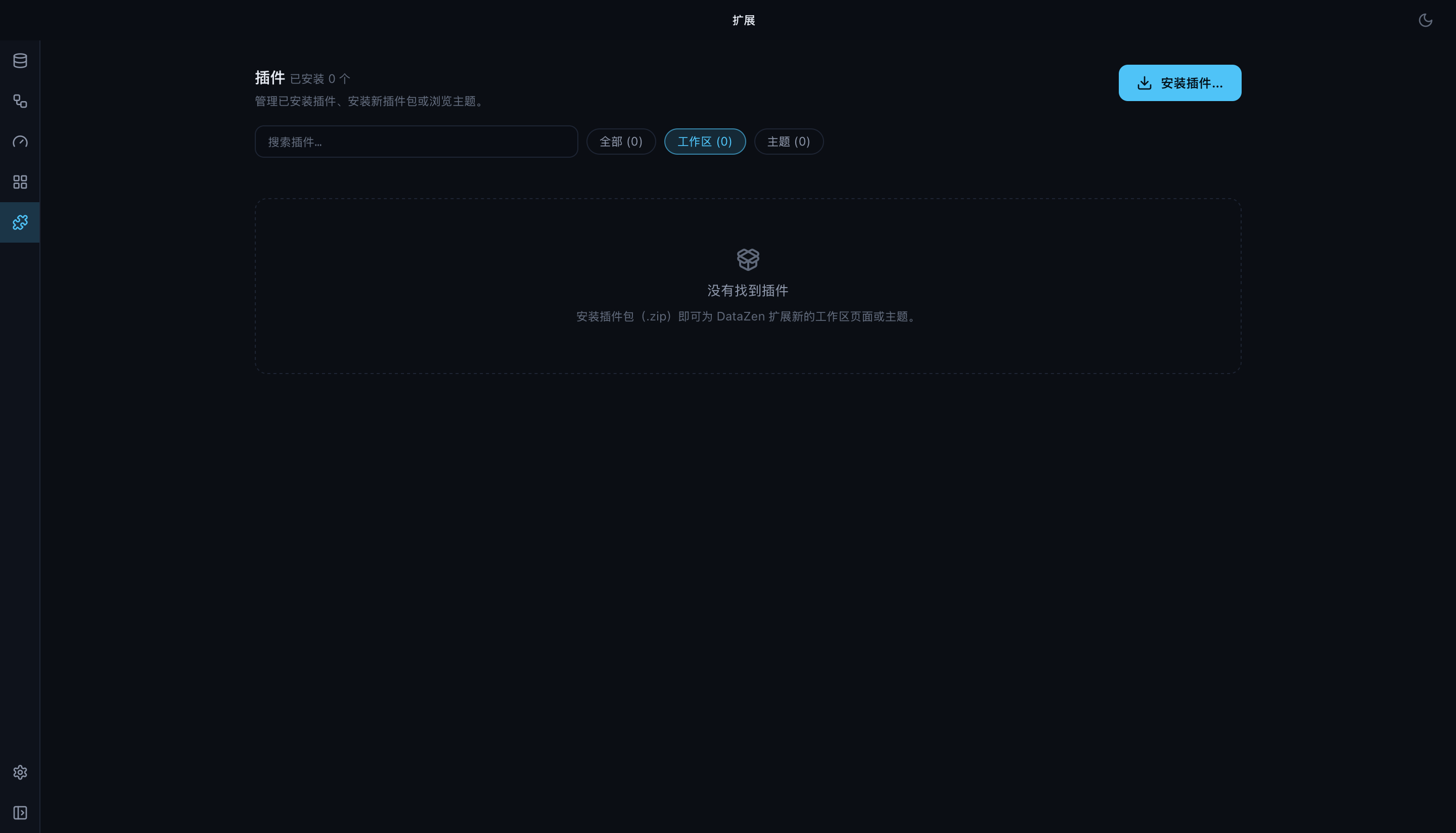
- Themes are static asset packs — manifest, tokens, editor and chart config, icons — with zero code execution.
- Extension points are privileged host slots for features that need deep integration with the editor's latency budget.
- Workspace Apps are sandboxed full-screen applications that contribute pages and themes to the workspace.
@datazen/uiis the shared design system both the host and plugins build on.
Writing your own driver
A driver can be developed in an independent repository next to a local DataZen checkout, and developed against source: "path" in the driver registry:
workspace/
├── datazen/
└── datazen-driver-mydb/
Most independent drivers consume the published MIT-licensed datazen-driver-api crate and do not need a DataZen checkout at all.
- Independent Driver Development — English
- 独立驱动开发指南 — 中文
- Driver API crate README
- Driver API dependency boundary
- datazen-driver-api on crates.io
Supported databases
| Database | Build set | Notes |
|---|---|---|
| PostgreSQL | basic | SQL, schema browser, EXPLAIN, AI context, multi-database |
| MySQL / MariaDB | basic | SQL, schema browser, EXPLAIN, multi-database |
| SQLite | basic | Embedded and file-backed workflows |
| Redis | basic | Key browser, console, workbench, Slowlog, Pub/Sub, MONITOR |
| MongoDB | all |
Document store |
| SQL Server | all |
T-SQL dialect, live-verified |
| ClickHouse | all |
HTTP interface, multi-database |
| DuckDB | all |
Embedded analytics |
| Elasticsearch | all |
Search backend |
| InfluxDB / VictoriaMetrics | all |
Time-series |
| RQLite / Turso | all |
Distributed and edge SQLite |
| HBase | all |
REST interface |
| Generic vector database | all |
HTTP vector endpoints |
| Kiwi (cloud database proxy) | git driver | Proxied cloud instances |
| Superset | git driver | Data exploration platform |
basic is the four core drivers and all is every registered path driver; Git drivers are selected explicitly, e.g. --drivers=basic,kiwi,superset. The exact driver set is a build-time choice, so a distribution never has to ship every engine. Wire-compatible engines ride along where the protocol allows — QuestDB/Cloudberry on the PostgreSQL wire, Doris/StarRocks/OceanBase on the MySQL wire.
Ten interface languages
English, 简体中文, 繁體中文, 日本語, 한국어, Deutsch, Español, Français, Português (BR), Русский.
Installation
Get the platform-matched installer from Download DataZen, or browse GitHub Releases.
| Platform | Package |
|---|---|
| macOS Apple Silicon / Intel | .dmg |
| Windows | NSIS .exe / portable .zip |
| Linux x86_64 | .deb / .rpm / .AppImage |
DataZen is free and does not require an account.
macOS Gatekeeper: if the app is blocked as damaged or from an unidentified developer, clear quarantine with xattr -cr /Applications/DataZen.app, or right-click → Open once. See packaging.md for details.
Build from source
Prerequisites: Node 24, pnpm 11, and Rust stable (the CI-tested toolchain), plus the Tauri v2 system dependencies.
pnpm install
pnpm tauri:dev --drivers=basic
Build a distributable with the drivers you want:
pnpm tauri:build:community --drivers=basic     # the four core drivers
pnpm tauri:build:community --drivers=all       # every registered path driver
pnpm tauri:build:community --drivers=postgres,mongodb
A source build compiles DataZen's open-source editor; the published installers ship with the complete editor experience described above. See CONTRIBUTING.md and the CI & test matrix for the full development workflow, and optional-drivers.md for driver selection details.
Documentation
- Project website · User Manual (EN) · 使用手册 (ZH)
- Feature guides · Architecture docs · Development & release docs
- Workflow guide · Visual query builder · Ops Dashboards · Schema Diff deploy · Tunnel guide
- Independent Driver Development · 中文
- Driver API crate · dependency boundary · crates.io
- Contributing
Contributing
DataZen welcomes bug reports, feature requests, database drivers, documentation improvements, and code contributions. Please read CONTRIBUTING.md before opening a pull request. Driver work is generally developed in an independent driver repository and integrated through the driver registry.
License
DataZen core is licensed under the GNU General Public License v3.0 or later, with a Plugin, Driver & Extension Linking Exception that lets independent Drivers, Themes, Extension Points, and Workspace Apps built only against the public SDKs ship under their authors' own terms. The datazen-driver-api crate under packages/driver-api is separately licensed under the MIT License. See LICENSE and packages/driver-api/LICENSE-MIT.
DataZen — let AI handle the database work, and turn data into insight.